ExakTime (now Arcoro Time) Review 2026: Pricing, Pros, Cons, Alternatives
ExakTime (now Arcoro Time) starts at $9. What each tier gates, the 7 limitations reviewers name, and 4 alternatives with published prices.
Page at a glance
ExakTime (now Arcoro Time) is GPS time tracking for construction crews that already run a Windows office and a real accounting ERP, priced per active employee on an annual contract. It starts at $9 per employee per month, billed annually. Priced per active employee per month. Inactive employees do not consume a licence: 'ExakTime employee licenses only count for active employees.' Deactivating a seasonal or departed worker frees the seat inside your purchased licence count and preserves their time cards, but it does not reduce what you already committed to for the annual term. Every published tier price is a floor, not a rate: all three read 'starts at'. It fits 15 to 150 field employees at a commercial or specialty-trade contractor running Sage, Viewpoint, Foundation or Acumatica, where payroll is processed in-house on a Windows machine and job-costed hours matter more than crew self-service. It's the wrong buy for A one-to-five person crew that wants to try GPS time tracking this afternoon without talking to anyone, because There's no self-serve signup. Arcoro's free trial page is a form to book a call: 'Complete the form to schedule your free trial activation call and start exploring Arcoro Time', and access arrives only afterwards. And the page never states how long the trial runs. On top of that the entry tier is $9 per employee per month on an annual contract, and one reviewer running five employees reported paying about $1500 a year. Alternatives that publish their prices are busybusy from $9.99, Workyard from $6, Timeero from $5. Three priced tiers, seven evidenced gaps and four alternatives, four of which publish a figure.
The short verdict on ExakTime (now Arcoro Time)
ExakTime (now Arcoro Time) earns its money with 15 to 150 field employees at a commercial or specialty-trade contractor running Sage, Viewpoint, Foundation or Acumatica, where payroll is processed in-house on a Windows machine and job-costed hours matter more than crew self-service. If that's you, it does the job. The sections below are the parts worth checking before you sign. But the fit is narrower than the marketing suggests, and the price isn't the whole cost.
It starts at $9. And pricing was verified on 7 August 2026, so you can check every figure below in a browser tab.
| Pricing model | Published tiers |
|---|---|
| Entry price | $9 |
| Users | Priced per active employee per month. Inactive employees do not consume a licence: 'ExakTi |
| Ownership | Arcoro |
| Best fit | 15 to 150 field employees at a commercial or specialty-trade contractor running Sage, Viewpoint, Foundation or Acumatica, where payroll is processed in-house on a Windows machine and job-costed hours matter more than crew self-service. |
| Accounting sync | QuickBooks (one-way), Sage (one-way), Foundation (one-way), ADP (one-way), Acumatica (one-way), ConstructionPayroll.com (one-way) |
What works
- Hours reach your accounting system through a desktop bridge, and only a named subset get a live database connection
- Geofenced clock-in with photo ID capture, and a GPS fix is a precondition rather than a nice-to-have
- Seat count is managed against active employees, with deactivation as the release valve
What does not
- Adding seats is one click inside the product. Removing them requires booking a call with a Customer Success Manager
- The payroll bridge is Windows desktop software, and Mac shops are explicitly on their own
- Once time records are exported they're hidden, so a second export needs a documented reset procedure
- The API exists but doesn't carry time data yet, which is the only data a time tracker holds
- Field crews repeatedly report they can't see their own hours, and the app blocks clock-in without a GPS fix
ExakTime (now Arcoro Time) is GPS time tracking for construction crews that already run a Windows office and a real accounting ERP, priced per active employee on an annual contract. It sells to Cross-trade contractors, and the shape of the product follows from that: For most of the 83 listed systems, AccountLinx builds an import file that you then load into your accounting package: the QuickBooks page describes it as 'selecting a date range, a group of employees, and hitting the export button', and the Sage page describes AccountLinx sending records 'to Sage 50, Sage 100, and Sage 300 in seconds'. But only a shortlist gets a true live connection. So that distinction decides whether payroll week is a two-minute sync or a file handoff with a mapping step, and it's worth pinning down for your exact system before you sign.
Ownership matters here more than it usually does. ExakTime (now Arcoro Time) is owned by Arcoro, so weigh roadmap risk alongside the feature list. An independent product can be bought and folded into somebody else's plan two years after you sign.
ExakTime (now Arcoro Time) fit, and where it stops
It fits 15 to 150 field employees at a commercial or specialty-trade contractor running Sage, Viewpoint, Foundation or Acumatica, where payroll is processed in-house on a Windows machine and job-costed hours matter more than crew self-service. That's the half most reviews print. Here's the other half, which is the one worth your time.
Don't buy it if you're A one-to-five person crew that wants to try GPS time tracking this afternoon without talking to anyone. There's no self-serve signup. Arcoro's free trial page is a form to book a call: 'Complete the form to schedule your free trial activation call and start exploring Arcoro Time', and access arrives only afterwards. And the page never states how long the trial runs. On top of that the entry tier is $9 per employee per month on an annual contract, and one reviewer running five employees reported paying about $1500 a year. Look at busybusy instead.
Don't buy it if you're A Mac-only office. AccountLinx and SyncLinx, the documented path from ExakTime Connect into your accounting system, are Windows .NET applications. And Arcoro tells Mac users to run Boot Camp, Parallels or VMware Fusion and states it won't support or assist with setting that up, even when it exists solely to run AccountLinx. Look at Workyard instead.
Don't buy it if you're A contractor whose overtime is not a straight 40-hour weekly rule, or whose foremen need to create cost codes on site. A large commercial contractor reported overtime was based after 40 hours with no way to base it on the normal work day, and that cost codes 'has to be done from admin'. And both constrain exactly the crews that buy job-costed time tracking in the first place. Look at ClockShark instead.
Don't buy it if you're A team that needs employees to self-serve their own hours and fix their own punch errors. The most repeated complaint across both app stores, spanning versions 2.26 through 2.110, is that the crew can't see a running total or view and correct previous entries. And the iOS app carries 2.83 stars from 274 ratings largely on that basis. Look at Connecteam instead.
The money question on ExakTime (now Arcoro Time)
So ExakTime (now Arcoro Time) shows what it charges. Below is each tier, what it gates, and the costs that sit outside the subscription entirely.
| Tier | Price | Billing unit | What it unlocks |
|---|---|---|---|
| Time Essential | $9 | per employee per month, billed annually | Nothing beyond the tier below |
| Time Professional | $11 | per employee per month, billed annually | unlimited alerts and notifications, scheduling and job assignments, PTO administration |
| Time + Payroll | $19 | per employee per month, billed annually | Arcoro Payroll |
Priced per active employee per month. Inactive employees do not consume a licence: 'ExakTime employee licenses only count for active employees.' Deactivating a seasonal or departed worker frees the seat inside your purchased licence count and preserves their time cards, but it does not reduce what you already committed to for the annual term. Every published tier price is a floor, not a rate: all three read 'starts at'.
There is a discount for paying annually up front: No discount percentage is published. The three tier prices are annual-contract, annual-payment prices; monthly and quarterly terms exist but carry no published figure: 'Pricing shown is per employee per month with an annual contract and annual payment terms. Volume pricing is available for organizations with 200+ employees. Monthly and quarterly payment terms are also available.' A buyer cannot work out the monthly-term premium from anything Arcoro publishes. And an annual prepay discount tells you an annual commitment exists, which is worth knowing before anyone mentions a term length out loud.
What a ExakTime (now Arcoro Time) quote leaves out
Payment processing. The Time + Payroll tier at $19 runs payroll through Arcoro Payroll. So ask what per-payroll-run, per-cheque, direct-deposit, tax-filing and year-end W-2 fees sit on top of the $19, and whether those are per employee or per run.
Implementation and onboarding. Arcoro says 'Our dedicated implementation team guides you through onboarding to get up and running quickly' but publishes no onboarding fee. So ask for the one-time implementation charge in writing, and whether AccountLinx mapping to your specific ERP is included or billed separately.
Minimum term. Annual. Every published price is footnoted 'Pricing shown is per employee per month with an annual contract and annual payment terms.' There is no month-to-month price anywhere on the pricing page.
Getting out. Neither arcoro.com/exaktime/terms-of-use nor arcoro.com/terms-of-use is a subscription agreement; both are website browsing terms that never mention fees, term, refund or termination. And there's no public MSA. So ask for the actual subscription agreement before signing and read the termination and mid-term reduction clauses.
Auto-renewal. No published document states whether the annual term auto-renews or what notice window applies. So ask for the renewal notice period in days and get it in the order form.
Modules sold separately. , , . And an add-on you need in week one is part of what ExakTime (now Arcoro Time) costs, so the number to compare is the configuration you'd really run.
Third-party services you will also pay for. , , . These are not on ExakTime (now Arcoro Time)'s invoice, and they are still part of what this decision costs you every month.
Side note, and it's a useful one: expansion is a product feature and contraction is a sales conversation. Adding employee licences is a four-click self-serve flow inside ExakTime Connect ending in 'Place Order', with the new seats live in about 15 minutes. But reducing them can't be done in the product, can't be done by support, and requires booking time with a Customer Success Manager through the Success Center panel. Contracting headcount is seasonal by nature. A roofing or landscaping outfit that ramps from 18 to 34 in May will add those seats in a minute and then discover in November that giving them back means getting a meeting on a CSM's calendar. So negotiate a seasonal seat band, or a stated mid-term reduction right, into the order form up front. Because the ratchet only turns one way by default.
Everything that is not the ExakTime (now Arcoro Time) subscription
The subscription is the part everyone quotes. These are the lines that land afterwards, and the ones we could not find are named as unpublished rather than left blank.
Sold separately. , , . Price the configuration you'll really run, because an add-on you need on day one is part of the price.
Third-party services you'll also pay for. , , . None of these are on ExakTime (now Arcoro Time)'s invoice, and all of them are part of what this decision costs every month.
"ExakTime (now Arcoro Time) Time Essential is $9, per employee per month, billed annually."
ExakTime (now Arcoro Time) pricing page (2026)
"ExakTime (now Arcoro Time) Time Professional is $11, per employee per month, billed annually."
ExakTime (now Arcoro Time) pricing page (2026)
"Priced per active employee per month. Inactive employees do not consume a licence: 'ExakTime employee licenses only count for active employees.' Deactivating a seasonal or departed worker frees the seat inside your purchased licence count and preserves their time cards, but it does not reduce what you already committed to for the annual term. Every published tier price is a floor, not a rate: all three read 'starts at'."
ExakTime (now Arcoro Time) pricing page (2026)
The three workflows you pay for
Feature totals are noise. So a shop in this category lives or dies on three things, and those are the three to grade, and each one below carries the evidence it's graded on.
Hours reach your accounting system through a desktop bridge, and only a named subset get a live database connection. For most of the 83 listed systems, AccountLinx builds an import file that you then load into your accounting package: the QuickBooks page describes it as 'selecting a date range, a group of employees, and hitting the export button', and the Sage page describes AccountLinx sending records 'to Sage 50, Sage 100, and Sage 300 in seconds'. But only a shortlist gets a true live connection. So that distinction decides whether payroll week is a two-minute sync or a file handoff with a mapping step, and it's worth pinning down for your exact system before you sign.
Geofenced clock-in with photo ID capture, and a GPS fix is a precondition rather than a nice-to-have. Arcoro sells perimeter control on the job site plus breadcrumb geotracking between locations, and photo ID capture at punch. But the trade-off shows up in the reviews: when the fix is slow or absent, the punch doesn't happen. And reviewers describe having to open and close the app repeatedly, being marked late while waiting for a position, and a 2026 release that requires always-on location permission. A field employee, writing on 2026-07-17, says: "The most recent update broke the app. It won't let me clock in because it "doesn't have a fixed location" despite knowing exactly where I am when I tap the GPS icon."A field employee, writing on 2026-05-04, says: "App was decent but whatever they did in this last update broke it entirely. In no world should this app require you to give permission for always on location, its no business of the company what is done off the clock. Time cards will no longer pull up on the app, just keep getting a "select fewer employee" error when I have only myself selected. The app takes forever to load in, just shows 2 dots for minutes before not even working anyway. Overall, the app is utterly worthless now."
Seat count is managed against active employees, with deactivation as the release valve. Licences are consumed only by active employees, and Arcoro documents deactivating departed or seasonal staff as the way to free a seat while keeping their time cards intact. And this is genuinely useful for a trade with a winter trough. But what it doesn't do is change your bill during the annual term, and Arcoro positions it as a 'Temporary Solution' for when a purchase can't be completed rather than as a cost-control feature.
How ExakTime (now Arcoro Time) lands by trade
Fit differs by trade rather than by company size alone, and a blended paragraph hides that. Here is the split for the trades this one sells to.
Cross-trade. The workflow that decides it is hours reach your accounting system through a desktop bridge, and only a named subset get a live database connection, and the shop profile that gets value is 20 to 150 field employees, commercial or public works on a windows office doing commercial and residential and service work. Where it stops being a fit is A one-to-five person crew that wants to try GPS time tracking this afternoon without talking to anyone.
Your books, and whether ExakTime (now Arcoro Time) connects to them
QuickBooks connects one way only, so edits made in your books do not come back, on every plan. Sage connects one way only, so edits made in your books do not come back, on every plan. Foundation connects one way only, so edits made in your books do not come back, on every plan. ADP connects one way only, so edits made in your books do not come back, on every plan. Acumatica connects one way only, so edits made in your books do not come back, on every plan. ConstructionPayroll.com connects one way only, so edits made in your books do not come back, on every plan. Your costs map through cost codes, so test yours against your own chart of accounts before you commit. A code your books don't recognise is how a labour charge quietly lands somewhere useless.
Past those, the road ends. Xero, The vendor's own count, Corporate integrations directory, Time data in the API do not connect. So if your books run on an ERP rather than the platforms named above, weigh that before anything else.
Beyond accounting it connects to Procore (Project management. Marketed as turnkey, and there is a help article for an Arcoro embedded experience inside Procore.), Arcoro Core HR (Parent-platform HRIS. Documented as a supported integration so employee records do not have to be maintained twice once you own more than one Arcoro module.), Raw Text (A generic delimited-text exporter, listed as a partner in its own right alongside the named ERPs and with its own AccountLinx setup article. It's the escape hatch when your accounting system isn't on the list.). A public API exists: Yes, but young and narrow. Arcoro ships a RESTful API for read and write plus a read-only OData API for analytics, with TLS 1.2+, API-key auth, per-key read-only or read-write scoping, configurable rate limiting, multi-tenant isolation and full request/response logging with SSN redaction. Keys are self-managed in an API Portal, unlimited keys per company, full key shown once at creation. Access to the portal requires a login and may need a support request. Coverage today is employee demographics and company reference data, not time records.
ExakTime (now Arcoro Time) support, and what it costs you
Support is the line item nobody prices and everybody eventually needs. ExakTime (now Arcoro Time) publishes no onboarding fee either way, so ask what is included at your tier and what is billed hourly after go-live.
The review corpus we read on 7 August 2026 carries no consistent signal on response times either way, so treat support as untested rather than good. Open a real ticket during the trial and time the reply, because that is the number no pricing page gives you.
Before you sign with ExakTime (now Arcoro Time): the exit
Nobody reads this section before they buy, and it's the one that costs money afterwards. Four terms decide what leaving looks like.
Minimum term. Annual. Every published price is footnoted 'Pricing shown is per employee per month with an annual contract and annual payment terms.' There is no month-to-month price anywhere on the pricing page.
Auto-renewal. No published document states whether the annual term auto-renews or what notice window applies. So ask for the renewal notice period in days and get it in the order form.
Early termination. Neither arcoro.com/exaktime/terms-of-use nor arcoro.com/terms-of-use is a subscription agreement; both are website browsing terms that never mention fees, term, refund or termination. And there's no public MSA. So ask for the actual subscription agreement before signing and read the termination and mid-term reduction clauses.
Payment processing. The Time + Payroll tier at $19 runs payroll through Arcoro Payroll. So ask what per-payroll-run, per-cheque, direct-deposit, tax-filing and year-end W-2 fees sit on top of the $19, and whether those are per employee or per run.
Side note, and it's a useful one: the bridge that moves your hours into your accounting system is a Windows desktop application, not part of the cloud product, and it hides records once they've been exported. And both facts make your own time data less portable than a cloud time tracker implies. If you ever evaluate a replacement, extracting a clean historical run of punches means finding the office PC that has AccountLinx installed, running a documented reset of exported records, and doing it before the subscription lapses. So do that export while you're still a paying customer, not after you've given notice.
"In 2024, everything Arcoro (new parent company) has done with Exaktime has made it worse and has had glitches that make certain items - like maps - not work. Exaktime, AccountLinx and SyncLinx are all not working properly with no estimated time for correction as of 11/2024. After 8 years on this platform, I have had a enough. Especially after they almost doubled the price."
Google Play, Bill G (1-05)
"Crazy expensive for what it is. Running 5 employees runs us $1500 a year for them to clock in and out with gps location."
Apple App Store, Chadillac111 (5-25)
"Beware that this company will sell you a maintenance package for updates and support for the server based license. Unlike other software maintenance agreements ExakTime will render the software useless for not renewing maintenance. We have numerous software packages and this is the only one that is server based that will deactivate the functionality of the software without the renewal. In the couple of years of being a customer there have been minimal updates to our software. Additionally be prepared to pay a decent amount of money for any custom reports that you need that are not a part the the basic reporting functions."
Apple App Store, eTRON (6-08)
What ExakTime (now Arcoro Time) does badly
Six things worth raising, and each one's answerable with a yes or a no on a call.
Adding seats is one click inside the product. Removing them requires booking a call with a Customer Success Manager. ExakTime Connect administrators can buy extra employee licences self-serve: Manage > My Account > Purchase Additional Licenses > Place Order, done in under a minute. But going the other way is a different product entirely. Arcoro's own help article states it plainly, and rules the support team out of the conversation. So for a contractor whose headcount swings 40 percent between summer and winter, the direction of travel is only ever up until you get a meeting. Before signing, ask in writing whether licence count can be reduced mid-term at all, or only at renewal. Then ask what the notice window is. And deactivating employees frees a seat inside your committed count but doesn't lower the invoice.
The payroll bridge is Windows desktop software, and Mac shops are explicitly on their own. AccountLinx and SyncLinx are installed .NET applications, not part of the cloud product. The help centre talks about 'a new installation' and about keeping settings consistent across 'all copies of AccountLinx in use in the office', which means a physical machine in your office is the thing that moves hours into your ERP. And Arcoro supports Windows 10, Windows 11 and Windows 2022 Server or newer, and refuses to help with the workaround it names for Mac users. If your office runs on Macs, price in a Windows licence, a virtualization licence and the fact that nobody at Arcoro will troubleshoot that layer. And ask whether the newer live direct-database integration for QuickBooks or Sage 100 avoids AccountLinx entirely for your specific system.
Once time records are exported they're hidden, so a second export needs a documented reset procedure. AccountLinx suppresses records after they've gone out once, which is sensible protection against double-paying a crew and awkward the moment you need the same hours somewhere else, such as job costing in one system and payroll in another, or a migration to a new tool. And Arcoro maintains a whole article on undoing it. There's no evidence of data loss here, but there is a hidden step between you and your own hours. If you plan to feed two systems, ask for a walkthrough of the reset-exported-records flow during the trial, and confirm whether the 'Integration' option needs disabling on every copy of AccountLinx in your office.
The API exists but doesn't carry time data yet, which is the only data a time tracker holds. Arcoro shipped a RESTful API and a read-only OData API, with API key management, per-key read or read-write scoping and rate limiting. But the scope statement is the problem: it covers people records, not punches. So a contractor who wants to pull raw clock events into a BI tool, a custom job-cost model or a data warehouse is still routed through AccountLinx exports and canned reports. If programmatic access to punches matters, ask for the Arcoro API endpoint list in writing and a dated commitment for time-module coverage. And don't treat 'we have an API' as an answer.
Field crews repeatedly report they can't see their own hours, and the app blocks clock-in without a GPS fix. This is the single most repeated theme across both app stores and it spans nine years of versions, not one bad release. And employees describe not being able to view a running total, not being able to pull up a timecard, and being unable to punch in at all until the phone gets a location fix. Because the crew is the population that touches the product every day, the store ratings sit well below what a construction SaaS tool usually carries: 2.83 from 274 ratings on iOS and 3.7 from 1.48K reviews on Google Play. And a field employee, writing on 2025-05-02, describes it the same thing: "You can clock in, and clock out. That's it. If you are currently clocked in, you can't see where you are clocked in, or what time you clocked in. You can't view previous entries. You can't fix errors in previous entries. You can clock in, and clock out. That's it." Run the trial with two or three of your least patient field staff, in a basement or a metal building, not just in the office parking lot. Then confirm on their handsets that a running daily and weekly total is visible to the employee, because that single gap generates most of the payroll disputes in these reviews.
Overtime is anchored to a 40-hour week and cost codes cannot be created from the field. A commercial contractor reported that overtime could only be based after 40 hours when the company needed it based on the normal work day, and that new cost codes have to be added by an administrator rather than by the person standing on the job. And both are configuration ceilings rather than bugs, and both bite hardest on exactly the crews with daily-OT union agreements or fast-changing cost code structures. On 2017-05-08, a large commercial contractor puts it: "Working for large commercial contractor , this app is very constrictive. O.T. is based after 40hr. , I need to base it after our normal work day hr. You can't not add cost codes form the field , has to be done from admin. Dialing the clock is SO SLOOOWWWWWW, if you have multi. codes, it takes forever and a day. NO , don't do it!" If you have daily overtime, a 8/80 rule, or state rules such as California daily OT, get the OT rule engine demonstrated against your own agreement during the trial. And ask specifically whether cost codes can be created from the mobile app.
The admin console is documented as a wide-desktop application, not a mobile one. Arcoro's own system requirements recommend a monitor wider than 1725 horizontal pixels for pages like Time Card Details, and warn about phones and tablets. So that means the person approving timecards is expected to be sitting at a desk. And for an owner-operator who runs the business from a truck, approving payroll is a back-at-the-office task. During the trial, try to approve a full week of timecards from a phone. And if that's how you work, treat this as a hard requirement, not a nice-to-have.
One more thing worth knowing. There's no self-serve trial and no published trial length. Every 'Start my free trial' button across the pricing page routes to a lead form whose own heading is 'Schedule Your Arcoro Time Free Trial Activation Call', and the page states access arrives after that call. A vendor that publishes three tier prices but gates the trial behind a call is signalling that the published price is an anchor, not the deal. So use the activation call to negotiate rather than to be onboarded: ask for the volume rate, the monthly-term price, the implementation fee and the mid-term reduction right in one conversation, before you have any switching cost.
One more thing worth knowing. The vendor contradicts itself about how long it's been doing this, on adjacent pages of the same site, and its own integration count doesn't survive being counted. Both are artefacts of a half-finished rebrand rather than deception: 1999 is ExakTime's real founding, 2018 is Arcoro's. But it tells you which claims to verify rather than accept. So if a specific ERP is the reason you're buying, confirm your exact version is on the list and ask whether it gets a live database connection or a file export, because 'over 100 integrations' isn't a number anyone at Arcoro has recently counted.
One more thing worth knowing. The one detailed multi-year account in these reviews describes a price roughly doubling and three integration components failing at once, immediately after the parent-company transition. It's single-source and worth pricing in anyway, because it names the renewal as the risk rather than the purchase. So ask for a multi-year price cap or a stated maximum annual uplift in the order form. And the $9 you sign at is only the first year's number, and nothing Arcoro publishes constrains the second.
A tangent, but stay with it. The dominant field complaint is that the employee can't see their own hours, not GPS accuracy or battery. It recurs across app versions 2.26 through 2.110 and across nine years, which makes it a product decision rather than a bug. Every hour an employee can't verify becomes a payroll dispute your office manager has to settle by hand, which is the exact cost the product was bought to remove. So if you deploy ExakTime, find the timecard-visibility permission and turn it on before rollout day. Because the admin who defended the app in 2019 said it had to be 'set up by office'.
The ExakTime (now Arcoro Time) review corpus, read by complaint
Every quote below is transcribed from a published review, named to the platform that carries it and to the reviewer as that platform displays them. We read the corpus by complaint type rather than by star rating, which is how the disqualifying detail buried inside a five-star review gets found.
"In 2024, everything Arcoro (new parent company) has done with Exaktime has made it worse and has had glitches that make certain items - like maps - not work. Exaktime, AccountLinx and SyncLinx are all not working properly with no estimated time for correction as of 11/2024. After 8 years on this platform, I have had a enough. Especially after they almost doubled the price."
On 2024-11-05, a long-tenure administrator, 8 years on the platform on the platform, reports it on Google Play
"Crazy expensive for what it is. Running 5 employees runs us $1500 a year for them to clock in and out with gps location."
A small-crew buyer, writing on 2024-05-25, writes on Apple App Store
"Beware that this company will sell you a maintenance package for updates and support for the server based license. Unlike other software maintenance agreements ExakTime will render the software useless for not renewing maintenance. We have numerous software packages and this is the only one that is server based that will deactivate the functionality of the software without the renewal. In the couple of years of being a customer there have been minimal updates to our software. Additionally be prepared to pay a decent amount of money for any custom reports that you need that are not a part the the basic reporting functions."
An administrator on the legacy server-based licence, a couple of years on the platform, writing on 2017-06-08, writes on Apple App Store
"Couldn't find a place for suggestion so i will post it here... the website interface to check hours or employees checking they hours is awful, not optimized for mobile devices, most info is truncated and off screen, beed to add dynamic resizing and scaling for mobile devices please."
A reviewer, writing on 2020-12-23, puts it on Apple App Store
"You can clock in, and clock out. That's it. If you are currently clocked in, you can't see where you are clocked in, or what time you clocked in. You can't view previous entries. You can't fix errors in previous entries. You can clock in, and clock out. That's it."
A field employee who reviewed it on 2025-05-02 puts it on Apple App Store
"App was decent but whatever they did in this last update broke it entirely. In no world should this app require you to give permission for always on location, its no business of the company what is done off the clock. Time cards will no longer pull up on the app, just keep getting a "select fewer employee" error when I have only myself selected. The app takes forever to load in, just shows 2 dots for minutes before not even working anyway. Overall, the app is utterly worthless now."
But a field employee, reports it it differently on Google Play
"The most recent update broke the app. It won't let me clock in because it "doesn't have a fixed location" despite knowing exactly where I am when I tap the GPS icon."
A field employee, writing on 2026-07-17, writes on Google Play
"Working for large commercial contractor , this app is very constrictive. O.T. is based after 40hr. , I need to base it after our normal work day hr. You can't not add cost codes form the field , has to be done from admin. Dialing the clock is SO SLOOOWWWWWW, if you have multi. codes, it takes forever and a day. NO , don't do it!"
A large commercial contractor, writing on 2017-05-08, describes it on Apple App Store
"If you work multiple jobs there's serious flaws. 1. If you clock in for job 1 and head to job 2. You have to clock out then clock in for next job. It would make sense that if you are already clocked in and need to go to another job then you should be able to just clock in with the next address and it automatically clocks you out of job 1. Instead it leaves you clocked in on job 1 and job 2. When you go to clock out from job 2. It just shows you still clocked in at job 1 with no option to clock out. 2. When you clock out from job 1 then clock in to job 2. It randomly clocks you out usually between 4-9 min later."
But a multi-site field employee, describes it it differently on Apple App Store
"Horrible update. great idea, now instead of a simple clock out, you added 14 more steps. seriously, why? also, why you asking if i was injured when i am CLOCKING IN???"
A field employee who reviewed it on 2026-05-04 says on Google Play
"App doesn't keep track of when you're traveling across time zones. So you'll either lose or gain an hour or more, depending. Why am I able to clock into several different job options, when I should only have a single one assigned to me? Syncing hardly works. I'll get a fluctuation in hours worked until, eventually, it settles on the actual hours recorded. Sometimes I'll need to force stop the app, then clear the cache. I'm able to clock in while I'm already clocked in. Makes no sense."
A field employee who reviewed it on 2026-04-16 describes it on Google Play
"So as an Administrator for my company for the ExakTime system, I see a lot of other options that most people don't even realize is available. Reading through some of the reviews, they seem a bit much. Not sure how long they've had this but time cards are available on the app. From what I can see, it will store your whole length of term with our company. Even how long you've been working for that day. Another point is that what most people don't realize is that battery drain isn't really being caused by the app. Imagine if you were to run Google Maps all day, you would probably say the same thing about their app when it came time for a review."
A company administrator, writes it plainly on Apple App Store
What ExakTime (now Arcoro Time)'s competition charges
The realistic alternatives, and what each costs to start. Cheaper doesn't win here, and neither does expensive. Fit does.
| Tool | Entry price | Billing unit | Users included | Published? |
|---|---|---|---|---|
| ExakTime (now Arcoro Time) | $9 | per employee per month, billed annually | Priced per active employee per month. Inactive employees do | Yes |
| busybusy | $9.99 | per user per month billed annually, plus a $40 admin licence with the first user included | 1 admin included in the $40 admin licence; every field user is billed per seat. A genuinely free tier exists at $0 with unlimited users covering GPS time tracking, job costing and equipment tracking, billed monthly. | Yes |
| Workyard | $6 | per user per month billed annually, monthly billing also available | Per-seat from the first user; the page states a base platform fee applies on top of the per-user rate. | Yes |
| Timeero | $5 | per user per month billed annually ($6 per user per month on monthly billing) | Per-seat from the first user across the Basic, Pro and Premium tiers ($5/$9/$12 annual). | Yes |
| Connecteam | $0 | per account, free for life for up to 10 users; paid hubs price per additional user above 30 users | Up to 10 users free for life on the Small Business plan, then fixed pricing for the first 30 users with a per-user rate from the 31st user upward. | Yes |
busybusy. Trying before buying. 14-day free trial, no credit card required, and a permanent free tier with unlimited users, so a small crew can validate GPS time tracking without a sales call or an annual commitment. But Deep construction ERP coverage. ExakTime lists 83 named payroll and accounting exporters including Sage 300 CRE, Viewpoint Vista, Foundation, PENTA, CMiC and JD Edwards, which is a wider back-office estate than busybusy targets.
Workyard. Cost per seat and GPS accuracy positioning, and a lower entry price than ExakTime's $9 floor for a comparable geofenced construction time-tracking job. But Rugged field hardware. ExakTime still sells physical JobClock and JobClock Hornet units for sites where phones are impractical or banned, which pure-software competitors don't offer.
Timeero. Transparent tier laddering with monthly and annual rates both shown side by side, and mileage tracking bundled for crews that get paid to drive between sites. But Enterprise ERP depth and the parent-platform story. ExakTime sits inside Arcoro's HR suite with Core HR, ATS, LMS and Payroll modules if you eventually want one vendor for the whole workforce.
Connecteam. Crew self-service and communication. The single loudest ExakTime complaint is that employees can't see their own hours. And Connecteam is built around the employee-facing app rather than the payroll administrator. But Construction job costing and accounting exports. Connecteam is a general deskless-workforce tool, not a construction-specific one, so cost codes, equipment tracking and the Sage/Viewpoint/Foundation export estate are weaker.
"Couldn't find a place for suggestion so i will post it here... the website interface to check hours or employees checking they hours is awful, not optimized for mobile devices, most info is truncated and off screen, beed to add dynamic resizing and scaling for mobile devices please."
Apple App Store, Ray Santana (2-23)
"You can clock in, and clock out. That's it. If you are currently clocked in, you can't see where you are clocked in, or what time you clocked in. You can't view previous entries. You can't fix errors in previous entries. You can clock in, and clock out. That's it."
Apple App Store, superheavydeathmetal (5-02)
Who should not buy ExakTime (now Arcoro Time)
Don't buy ExakTime (now Arcoro Time) if you're A one-to-five person crew that wants to try GPS time tracking this afternoon without talking to anyone. There's no self-serve signup. Arcoro's free trial page is a form to book a call: 'Complete the form to schedule your free trial activation call and start exploring Arcoro Time', and access arrives only afterwards. And the page never states how long the trial runs. On top of that the entry tier is $9 per employee per month on an annual contract, and one reviewer running five employees reported paying about $1500 a year. Look at busybusy instead.
Don't buy ExakTime (now Arcoro Time) if you're A Mac-only office. AccountLinx and SyncLinx, the documented path from ExakTime Connect into your accounting system, are Windows .NET applications. And Arcoro tells Mac users to run Boot Camp, Parallels or VMware Fusion and states it won't support or assist with setting that up, even when it exists solely to run AccountLinx. Look at Workyard instead.
Don't buy ExakTime (now Arcoro Time) if you're A contractor whose overtime is not a straight 40-hour weekly rule, or whose foremen need to create cost codes on site. A large commercial contractor reported overtime was based after 40 hours with no way to base it on the normal work day, and that cost codes 'has to be done from admin'. And both constrain exactly the crews that buy job-costed time tracking in the first place. Look at ClockShark instead.
Don't buy ExakTime (now Arcoro Time) if you're A team that needs employees to self-serve their own hours and fix their own punch errors. The most repeated complaint across both app stores, spanning versions 2.26 through 2.110, is that the crew can't see a running total or view and correct previous entries. And the iOS app carries 2.83 stars from 274 ratings largely on that basis. Look at Connecteam instead.
The verdict, by shop size
1 to 5 field employees, any trade
No. The economics and the buying process both work against you. Entry is $9 per employee per month on an annual contract with no self-serve signup, and the trial requires booking an activation call with no stated length. And one reviewer running five employees reported about $1500 a year just to clock in and out with GPS. So at this size busybusy's free tier covers unlimited users for $0 and Connecteam is free for life up to 10, either of which you can test this afternoon without talking to a salesperson. This band runs 1 to 5 on the crew, doing residential and service work, and that's the profile the recommendation is written for.
Any size, Mac-only office
No. AccountLinx and SyncLinx are the documented route from ExakTime Connect into your accounting system, they're Windows .NET applications, and Arcoro states it won't support or assist with the virtualization workaround even when that workaround exists solely to run AccountLinx. So buying a Windows licence plus Parallels to run an unsupported payroll bridge is a bad foundation for the one process that must not break every two weeks. This band runs undefined or more on the crew, doing residential and commercial and service work, and that's the profile the recommendation is written for.
6 to 20 field employees, residential or light commercial
Only under conditions, and they are worth being honest about. Worth it only if you already run Sage, Foundation, Viewpoint or Acumatica and the export saves real payroll hours, and only if you can live with an annual commitment you can't shrink mid-term without a CSM call. So test two things during the trial before signing: whether your crew can see a running daily and weekly total on their own handsets, and whether the app punches reliably in the worst-signal building you work in. Because those two failures drive most of the one-star reviews and most of the payroll disputes behind them. This band runs 6 to 20 on the crew, doing residential and commercial work, and that's the profile the recommendation is written for.
20 to 150 field employees, commercial or public works on a Windows office
Yes, and this is the shape the product is built for. This is the band the product is built for. The 83-system export list, the certified-payroll path via ConstructionPayroll.com, the rugged JobClock hardware for sites where phones are impractical, equipment tracking, and the option to consolidate onto Arcoro's HR suite later all pay off at this scale. And volume pricing opens up above 200 employees, so negotiate at the 150 mark rather than accepting the published $9 to $19 floor. This band runs 20 to 150 on the crew, doing commercial and service work, and that's the profile the recommendation is written for.
Crews with daily overtime rules or union agreements not based on a 40-hour week
Only under conditions, and they are worth being honest about. A large commercial contractor reported overtime could only be based after 40 hours when they needed it based on the normal work day, and that cost codes couldn't be created from the field. But that review is old enough that the engine may have changed, so treat it as a question rather than a verdict: make Arcoro demonstrate your exact overtime rule and a field-created cost code during the trial, in your account, before you sign anything. This band runs undefined or more on the crew, doing commercial work, and that's the profile the recommendation is written for.
One thing to check before you sign with ExakTime (now Arcoro Time)
One last thing, and it's off to the side of ExakTime (now Arcoro Time) rather than about it. We're a CRO and web design studio, not a software reseller. And we ran a study that's relevant to anyone about to spend money on operations software.
ExakTime (now Arcoro Time) sells contractors on capturing every field minute, yet its own admin console is documented as needing a monitor wider than 1725 pixels and Arcoro warns that on a phone or tablet 'you may not encounter the ideal experience' because information gets truncated off screen. And a five-star reviewer said the same thing unprompted in 2020. So the contractor paying $9 to $19 per employee per month to stop losing hours in the field is still driving back to a desk to approve them, and the same truncation problem usually shows up on his own website, where the customer trying to book him is on the phone he's holding.
So we went and looked. We inspected 380 contractor websites for the Contractor CRO Index, and 82.8% of them were slow enough on a phone to lose an impatient visitor. And the method is public, because a number you cannot audit is not evidence. The full write-up is in the Contractor CRO Index.
"82.8% of the 380 contractor websites inspected were slow enough on a phone to lose an impatient visitor."
Fervor Studio Contractor CRO Index (2026)
So do both. The second one is usually cheaper to fix than the first one is to buy. The numbers are all public.
See where your site is losing the jobs ExakTime (now Arcoro Time) would have managed
Fervor inspects your site the way a homeowner uses it, then shows you where calls leak out. It takes 5 business days.
Get a Site InspectionOur ExakTime (now Arcoro Time) sources, and their limits
Before the sources, the honest caveat. Nobody here's used this product in anger. And what stands behind it is documentary: 27 vendor pages read on 7 August 2026, and a review corpus sorted by what went wrong. Prices were checked the same day. Nothing here is carried forward from an older sweep.
So: twelve quotes on this page, seven from Apple App Store and five from Google Play.
And https://www.capterra.com/p/128531/ExakTime/ — HTTP 403 to curl with a desktop user agent, https://www.softwareadvice.com/construction/exaktime-profile/ — HTTP 403, https://www.getapp.com/hr-employee-management-software/a/exaktime/reviews/ — HTTP 403, https://www.g2.com/products/exaktime/reviews — HTTP 403, https://www.trustpilot.com/review/exaktime.com — HTTP 403, https://support.arcoro.com/hc/en-us — HTTP 403 in the browser-facing help centre; the underlying Zendesk API at /api/v2/help_center/ was open and is what every support citation above resolves through and https://quickbooks.intuit.com/time-tracking/pricing/ — connection refused to curl, so QuickBooks Time was not used as an alternative refused automated retrieval for ExakTime (now Arcoro Time). Where their scores appear in third-party roundups we have left them out rather than pass on a number we could not open.
What that leaves untested: the paid product itself. No trial was requested, because Arcoro gates it behind a scheduled activation call.. And everything above is 27 vendor pages and a review corpus, which is documentary rather than hands-on.
What ExakTime (now Arcoro Time) users say
In 2024, everything Arcoro (new parent company) has done with Exaktime has made it worse and has had glitches that make certain items - like maps - not work. Exaktime, AccountLinx and SyncLinx are all not working properly with no estimated time for correction as of 11/2024. After 8 years on this platform, I have had a enough. Especially after they almost doubled the price.
Crazy expensive for what it is. Running 5 employees runs us $1500 a year for them to clock in and out with gps location.
Beware that this company will sell you a maintenance package for updates and support for the server based license. Unlike other software maintenance agreements ExakTime will render the software useless for not renewing maintenance. We have numerous software packages and this is the only one that is server based that will deactivate the functionality of the software without the renewal. In the couple of years of being a customer there have been minimal updates to our software. Additionally be prepared to pay a decent amount of money for any custom reports that you need that are not a part the the basic reporting functions.
Couldn't find a place for suggestion so i will post it here... the website interface to check hours or employees checking they hours is awful, not optimized for mobile devices, most info is truncated and off screen, beed to add dynamic resizing and scaling for mobile devices please.
You can clock in, and clock out. That's it. If you are currently clocked in, you can't see where you are clocked in, or what time you clocked in. You can't view previous entries. You can't fix errors in previous entries. You can clock in, and clock out. That's it.
App was decent but whatever they did in this last update broke it entirely. In no world should this app require you to give permission for always on location, its no business of the company what is done off the clock. Time cards will no longer pull up on the app, just keep getting a "select fewer employee" error when I have only myself selected. The app takes forever to load in, just shows 2 dots for minutes before not even working anyway. Overall, the app is utterly worthless now.
The most recent update broke the app. It won't let me clock in because it "doesn't have a fixed location" despite knowing exactly where I am when I tap the GPS icon.
Working for large commercial contractor , this app is very constrictive. O.T. is based after 40hr. , I need to base it after our normal work day hr. You can't not add cost codes form the field , has to be done from admin. Dialing the clock is SO SLOOOWWWWWW, if you have multi. codes, it takes forever and a day. NO , don't do it!
If you work multiple jobs there's serious flaws. 1. If you clock in for job 1 and head to job 2. You have to clock out then clock in for next job. It would make sense that if you are already clocked in and need to go to another job then you should be able to just clock in with the next address and it automatically clocks you out of job 1. Instead it leaves you clocked in on job 1 and job 2. When you go to clock out from job 2. It just shows you still clocked in at job 1 with no option to clock out. 2. When you clock out from job 1 then clock in to job 2. It randomly clocks you out usually between 4-9 min later.
Horrible update. great idea, now instead of a simple clock out, you added 14 more steps. seriously, why? also, why you asking if i was injured when i am CLOCKING IN???
App doesn't keep track of when you're traveling across time zones. So you'll either lose or gain an hour or more, depending. Why am I able to clock into several different job options, when I should only have a single one assigned to me? Syncing hardly works. I'll get a fluctuation in hours worked until, eventually, it settles on the actual hours recorded. Sometimes I'll need to force stop the app, then clear the cache. I'm able to clock in while I'm already clocked in. Makes no sense.
So as an Administrator for my company for the ExakTime system, I see a lot of other options that most people don't even realize is available. Reading through some of the reviews, they seem a bit much. Not sure how long they've had this but time cards are available on the app. From what I can see, it will store your whole length of term with our company. Even how long you've been working for that day. Another point is that what most people don't realize is that battery drain isn't really being caused by the app. Imagine if you were to run Google Maps all day, you would probably say the same thing about their app when it came time for a review.
Frequently asked questions
Is ExakTime the same thing as Arcoro Time?
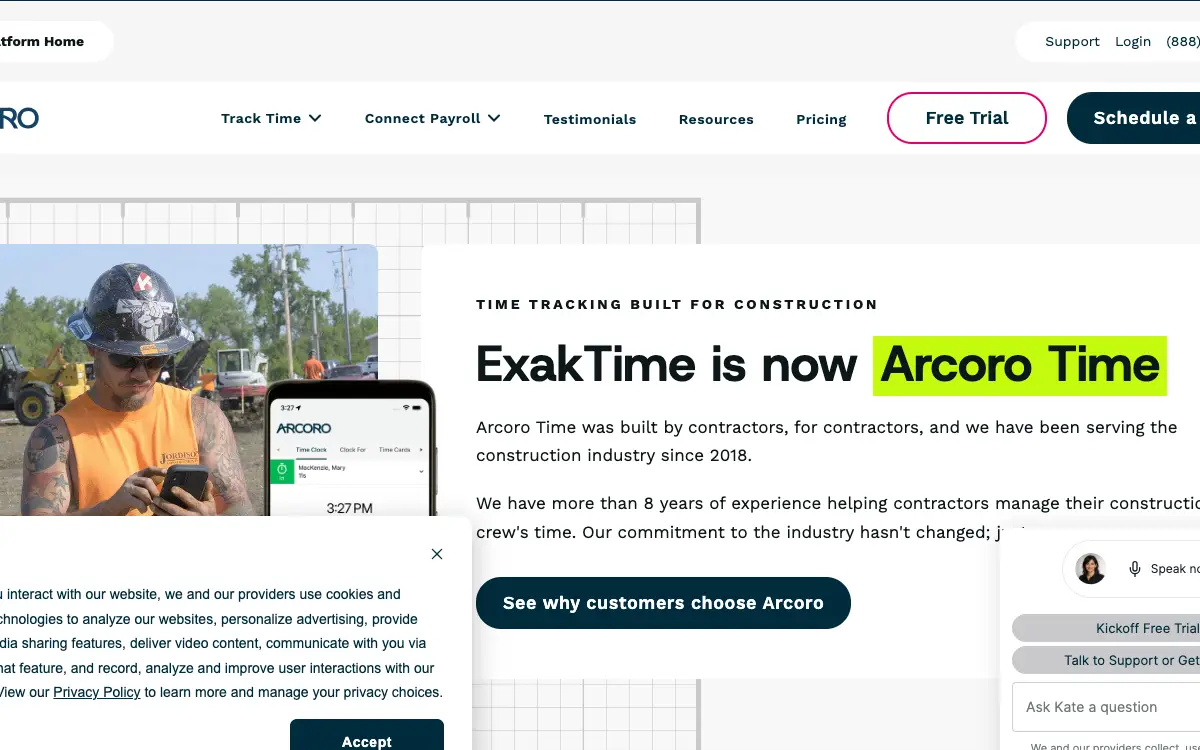
Yes. ExakTime was acquired by Arcoro and rebranded; exaktime.com now 301-redirects to arcoro.com/exaktime, and the hero on that page reads 'ExakTime is now Arcoro Time'. But the rebrand is only skin deep so far. The web console is still called ExakTime Connect, the crew app is still ExakTime Mobile, the payroll bridge is still AccountLinx, and the help centre still files everything under ExakTime. And even the app stores disagree with each other: Apple lists the seller as Arcoro Holdings Corp. while Google Play still lists Exaktime, Inc.
What does ExakTime cost?
Three published tiers, all per employee per month on an annual contract with annual payment: Time Essential at $9, Time Professional at $11, and Time + Payroll at $19. Every one is worded 'starts at', so treat them as floors. Volume pricing opens above 200 employees, and monthly and quarterly payment terms exist but carry no published price, so you can't work out the monthly premium in advance. And hardware and implementation aren't priced anywhere on the site.
Can I reduce my licence count if my crew shrinks over winter?
Not by yourself. Buying more licences is self-serve inside ExakTime Connect. But reducing them isn't: Arcoro's help centre states you must contact your Customer Success Manager and that the support team cannot assist with purchases or reductions. Deactivating a seasonal employee does free a seat inside your purchased count and keeps their time cards intact, but that's a capacity move, not a billing one. So get the mid-term reduction terms in writing before you sign.
How do hours get into my accounting system?
Through AccountLinx, a Windows desktop application you install in your office. For most of the 83 listed systems it produces an import file that you load into your accounting package. But a shortlist gets a live direct-database connection instead: Arcoro names QuickBooks and QuickBooks Online, Sage 100 Contractor and Master Builder, and Sage BusinessVision. Which category your system falls into decides how much manual handling payroll week involves, so confirm it for your exact ERP.
Is there a free trial I can just start?
No. The 'Start my free trial' buttons on the pricing page all lead to a form that books a call: 'Complete the form to schedule your free trial activation call and start exploring Arcoro Time.' Access follows the call, and the page never states how long the trial lasts. So if self-serve evaluation matters, busybusy offers a 14-day trial with no credit card and Connecteam is free for life up to 10 users.
Why are the app store ratings so low if contractors like the product?
Because the people rating it aren't the people who bought it. Time-tracking apps get reviewed by the crew, who experience the product as a mandatory step between them and getting paid, while the administrator who chose it never opens the store listing. ExakTime Mobile sits at 2.83 from 274 ratings on iOS and 3.7 from 1.48K reviews on Google Play. So read the complaints for specifics rather than for the average: employees cannot see their own hours, GPS fixes block clock-in, and every large update draws a wave of one-stars.
Does ExakTime have an API I can pull time data from?
Not yet in any useful sense. Arcoro shipped a genuine API in 2026 with a REST interface, a read-only OData interface, self-managed keys with read-only or read-write scoping, rate limiting and request logging with SSN redaction. But the documented scope is 'employee demographics and company reference data today'. And punches and timecards aren't covered, which is the data you'd want from a time tracker. So reporting and AccountLinx exports remain the route out.
Where is ExakTime's actual contract?
Not published. Both arcoro.com/exaktime/terms-of-use and arcoro.com/terms-of-use are website browsing terms about copyright and outbound links; neither mentions subscription fees, term length, renewal, refunds or termination. And the only contractual fact Arcoro publishes is the annual-contract footnote on the pricing page. So ask for the subscription agreement or order form and read the auto-renewal notice window and the mid-term reduction clause before signing.
Freshness
How we keep this page current
Three dates govern this review, and they carry different meanings. The initial source sweep is dated August 7, 2026; when only part of the evidence set is recaptured later, that later date is stated beside the refreshed claim. We last revised the page on August 7, 2026. And the user reviews we quote were posted over roughly the last 24 months, so their individual dates remain part of the evidence instead of being overwritten by a later pricing update.
We revise the page when ExakTime (now Arcoro Time) changes a published price or a contract term, when a rating we cite moves by more than a few tenths, or when the vendor ships something big enough to change the verdict. We never bump the date just to look fresh, because Google treats that as manipulation and so do we. If a figure here reads as stale by the time you land on it, treat it as a floor and check the vendor's own page. We linked it at every number for exactly that reason.
Sourcing
How this review was researched
Every figure on this page traces to a captured source linked inline where it appears. The initial sweep is dated August 7, 2026; any later, partial recapture is dated at the claim rather than relabelling the whole evidence set. Ratings come from Capterra, GetApp, Software Advice and the Apple App Store. Note that Capterra, GetApp and Software Advice share one Gartner Digital Markets review pool, so an identical score across all three is a single sample rather than three corroborating ones, and this page treats it that way. G2, TrustRadius and Trustpilot block automated access, so where their numbers appear they are labelled as reported rather than verified. No claim here is sourced from Reddit or from a contractor Facebook group, because neither could be retrieved and quoting them would mean inventing attribution. Pricing marked as reported comes from third-party roundups, never from Fervor. Fervor's own findings come from the Contractor CRO Index 2026.
About
About Fervor Studio
Fervor Studio is a conversion rate optimization (CRO) and web design studio for home services contractors across North America, based in Cochrane, Alberta. Fervor does not sell field service management software and is not an alternative to ExakTime (now Arcoro Time). It publishes the Contractor CRO Index, a public benchmark measuring contractor website conversion potential using reproducible, open-source methods such as axe-core and Google Lighthouse. Fervor Studio is operated by Fervor Group Inc.
 Aug 1, 2026
 Tech Stack
Best Plumbing Software in 2026: Ten Ranked Across Four Classes
A plumbing company’s work runs through four classes of software that do not substitute for each other, and it only buys two of them. Ten products, each with a published price or an explicit statement that the vendor publishes none.
Read Article Jul 30, 2026
 Tech Stack
NiceJob vs Birdeye 2026: Pricing, Contracts and Review Gating
One of these vendors puts its price on the page and its cancellation terms in writing. The other puts a form in front of both, and the complaint record is where its contract length shows up.
Read Article Jul 30, 2026
 Tech Stack
Podium vs Birdeye 2026: Pricing, Contracts and Review Gating
Only one of these two will tell you what it costs before a sales call, and even that number carries a carve-out aimed squarely at trade contractors.
Read Article Jul 30, 2026
 Tech Stack
Best Electrical Contractor Software 2026: 11 Ranked and Priced
An electrical contracting business makes two software purchases that do not substitute for each other, and every roundup answering this query covers only one of them. Eleven platforms, with a published price or an explicit statement that the vendor publishes none.
Read Article Jul 30, 2026
 Tech Stack
Best HVAC Software in 2026: Eleven Ranked Across Three Classes
An HVAC contracting business buys across three classes of software that do not substitute for each other, and every roundup answering this query covers only one of them. Eleven products, each with a published price or an explicit statement that the vendor publishes none.
Read Article Jul 29, 2026
 Tech Stack
AccuLynx Pricing 2026: The Real Cost of a Quote-Gated Plan
One published figure, two blank plan cards, and a contract that says things the pricing page does not. A line-by-line breakdown of what AccuLynx really bills.
Read Article Jul 29, 2026
 Tech Stack
Houzz Pro Canada Review 2026: Pricing and Alternatives
Houzz Pro serves different pricing renderings. What Canadian buyers see, how GST/HST and payments work, what Custom gates, and what the annual contract commits you to.
Read Article Jul 29, 2026
 Tech Stack
JobNimbus Pricing in 2026: What the Quote Does Not Cover
JobNimbus prints no figure on any of its four plans. So the only rate you can read before a sales call is the payments meter, and it is the biggest line on the bill.
Read Article Jul 29, 2026
 Tech Stack
JobNimbus Review 2026: Pricing, Pros, Cons and Alternatives
JobNimbus rates 4.6 on Capterra and orders material straight from ABC Supply and SRS. But it publishes no price, and its supplement route carries a note.
Read Article Jul 29, 2026
 Tech Stack
BuildOps Review 2026: Pricing, Contract Terms and Alternatives
BuildOps runs commercial service and projects on one platform, and publishes no pricing at all. The billing unit, the 30-day data-export window, and who it suits.
Read Article Jul 29, 2026
 Tech Stack
FieldPulse Review 2026: Pricing, Pros, Cons and Alternatives
FieldPulse rates 4.6 on Capterra and is the platform contractors name when they leave a bigger system. But it publishes no price, and the contract runs a year.
Read Article Jul 29, 2026
 Tech Stack
Service Fusion Review 2026: Pricing, Contract and Alternatives
Service Fusion bills flat per company with unlimited users, which is the best structural deal in field service software. The published plans, the contract behind the no-contract line, and the app score every other review gets wrong.
Read Article Jul 29, 2026
 Tech Stack
Knowify Review 2026: Pricing, Job Costing and Alternatives
Knowify rates 4.5 on Capterra and its weakest sub-score is features. What the $99 Core plan withholds, which way the QuickBooks sync really runs, and who should not buy it.
Read Article Jul 28, 2026
 Tech Stack
AccuLynx Review 2026: Pricing, Tier Gating, Alternatives
AccuLynx rates 4.6 across 846 reviews and now publishes an entry price. What that price omits, which tier holds the insurance workflow, and who should skip it.
Read Article Jul 28, 2026
 Tech Stack
Unitel Voice Review 2026: Pricing, Features and Alternatives
Unitel Voice rates 4.6 on Capterra and gives a one-truck shop a business number for $9.99 a month. The published plans, the cost per call, and what it won't do.
Read Article Jul 28, 2026
 Tech Stack
NiceJob vs Podium 2026: Pricing, Contracts and Review Gating
Both vendors print a price, at very different scale and in different currencies. The gap that matters is what Podium will not print: the billing unit, and whether a trade shop gets the number on the page.
Read Article Jul 27, 2026
 Tech Stack
CompanyCam Review 2026: Pricing, Pros, Cons and Alternatives
Every page ranking for CompanyCam still quotes a per-user price the vendor no longer charges. Here are the real plans, the seat math, and who should skip it.
Read Article Jul 27, 2026
 Tech Stack
NiceJob Review 2026: Pricing, Pros, Cons and Alternatives
NiceJob rates 4.9 on Capterra and refuses to gate negative reviews. Real plan pricing, the active-customer threshold nobody publishes, and who should skip it.
Read Article Jul 26, 2026
 Tech Stack
Buildertrend Review 2026: Pricing, Limits and Alternatives
Buildertrend rates 4.5 across 2,486 Capterra reviews and quotes against your revenue rather than your seat count. The workflows, the export problem, the alternatives.
Read Article Jul 26, 2026
 Tech Stack
CallRail Review 2026: Pricing, Pros, Cons and Alternatives
CallRail rates 4.5 on Capterra, and its tracking numbers port out free. But the two usage rates that decide your real bill are the two it does not print.
Read Article Jul 26, 2026
 Tech Stack
Roofr Review 2026: Pricing, Pros, Cons and Alternatives
Roofr rates 4.6 on Capterra and sells $13 measurement reports against a market charging triple. But it will not import a report from anywhere else.
Read Article Jul 24, 2026
 Tech Stack
Housecall Pro Review 2026: Pricing, Pros, Cons, Alternatives
Housecall Pro has the shortest learning curve in the category and the widest review spread. Real pricing, the Instapay math, and the migration trap to plan around.
Read Article Jul 23, 2026
 Tech Stack
Jobber Review 2026: Pricing, Pros, Cons and Alternatives
Jobber rates 4.6 on Capterra with the best mobile app in the category. Real plan pricing, the feature gating that changes your entry price, and who it suits.
Read Article Jul 22, 2026
 Tech Stack
ServiceTitan Review 2026: Pricing, Pros, Cons, Alternatives
ServiceTitan rates 4.3 on Capterra but its weakest score is value for money. Real reported pricing, the 12-month contract, the exit fees, and who it suits.
Read Article Jun 2, 2026
 Tech Stack
HVAC Online Scheduling: The 43% Losing After-Hours Bookings
HVAC leads every trade on online booking at just 56.7%, which still leaves 43% of sites forcing an after-hours customer to wait for a business-hours phone call.
Read Article