ClockShark Review 2026: Pricing, Pros, Cons, Alternatives
ClockShark starts at $40 USD/month. What each tier gates, the 10 limitations reviewers name, and 5 alternatives with published prices.
Page at a glance
ClockShark is GPS time clock and scheduling for crews who move between job sites, priced as a platform fee plus per-user seats and locked to a three-year term. It starts at $40 USD/month per account. Two-part: a flat platform fee per account plus a per-user fee, so the effective per-head cost falls sharply as the crew grows. Standard runs $40/month + $9/user/month, which is $67/month for a 3-person crew ($22.33 per head) but $220/month for a 20-person crew ($11 per head). The vendor's pricing FAQ describes billing as active-user based and pro-rated, verbatim: "ClockShark customers can activate and deactivate users as needed for their business, and we’ll pro-rate the invoice. You’ll only pay for users that are active, for the days they were active. We don’t believe in nickel-and-diming!" The terms and conditions state the opposite floor, verbatim: "Your initial billed user count establishes your minimum commitment." and "Your minimum commitment for any renewed term will be based on the committed services in place immediately prior to the renewal." Both statements are the vendor's own and are recorded here unresolved. On the reading the terms require, a contractor who signs at a summer headcount of 20 cannot deactivate down to a winter headcount of 9 and pay for 9. It fits Crews of roughly 8 to 50 field employees doing residential and commercial service and construction work, where the payroll question is 'which job did these hours belong to' rather than 'did anyone show up'. It's the wrong buy for Solo operators and two or three person crews, because The flat platform fee dominates at low headcount. Standard costs $40 + $9 per user, so a 3-person shop pays $67/month, which is $22.33 per head, against roughly $11 per head at 20 users. And paying that premium for three years with no published month-to-month option is the wrong shape of commitment for a crew that size. Alternatives that publish their prices are busybusy from $9.99, Workyard from $6, Hourly from $80. Eight priced tiers, ten evidenced gaps and five alternatives, three of which publish a figure.
What you're buying with ClockShark, and what the demo skips
ClockShark earns its money with Crews of roughly 8 to 50 field employees doing residential and commercial service and construction work, where the payroll question is 'which job did these hours belong to' rather than 'did anyone show up'. If that's you, it does the job. The sections below are the parts worth checking before you sign. But the fit is narrower than the marketing suggests, and the price isn't the whole cost.
It starts at $40 USD/month. And pricing was verified on 7 August 2026, so you can check every figure below in a browser tab.
| Pricing model | Published tiers |
|---|---|
| Entry price | $40 USD/month |
| Users | Two-part: a flat platform fee per account plus a per-user fee, so the effective per-head c |
| Ownership | Simpro Group (acquired ClockShark November 2021 alongside AroFlo, backed by K1 Investment Management). The contracting entity on the terms is ClockShark, LLC. And every clockshark.com response carries the HTTP header 'basic-auth: clockshark:simpromarketing', with ClockShark shipping a first-party Simpro integration. |
| Best fit | Crews of roughly 8 to 50 field employees doing residential and commercial service and construction work, where the payroll question is 'which job did these hours belong to' rather than 'did anyone show up'. |
| Accounting sync | QuickBooks (Desktop and Online) (two-way), Xero (one-way), Sage 100 Contractor (one-way), Simpro (one-way), MYOB (one-way) |
What works
- Mobile and kiosk clock-in with GPS stamps, geofence prompts and crew clock for a whole team at once
- Drag and drop scheduling with job documents attached, and draft schedules on every paid tier
- Approved timesheets export to nine named payroll and accounting systems, with QuickBooks the only two-way sync
- Shift wrap-up and compliance forms are a Pro-tier feature, and they're the reason most contractors upgrade
- CSV and PDF reporting plus a documented 365-day post-termination window to take a backup
What does not
- Every plan carries a three-year contract term, and only monthly subscribers can walk away
- The vendor contradicts itself on whether you pay for active users or for your signing headcount
- The crew-facing mobile apps rate far below the rating the vendor publishes about itself
- The app requires Always Allow location, and reviewers dispute the vendor's account of what that means
- GPS inaccuracy and phantom clock-outs turn into payroll disputes you have to adjudicate
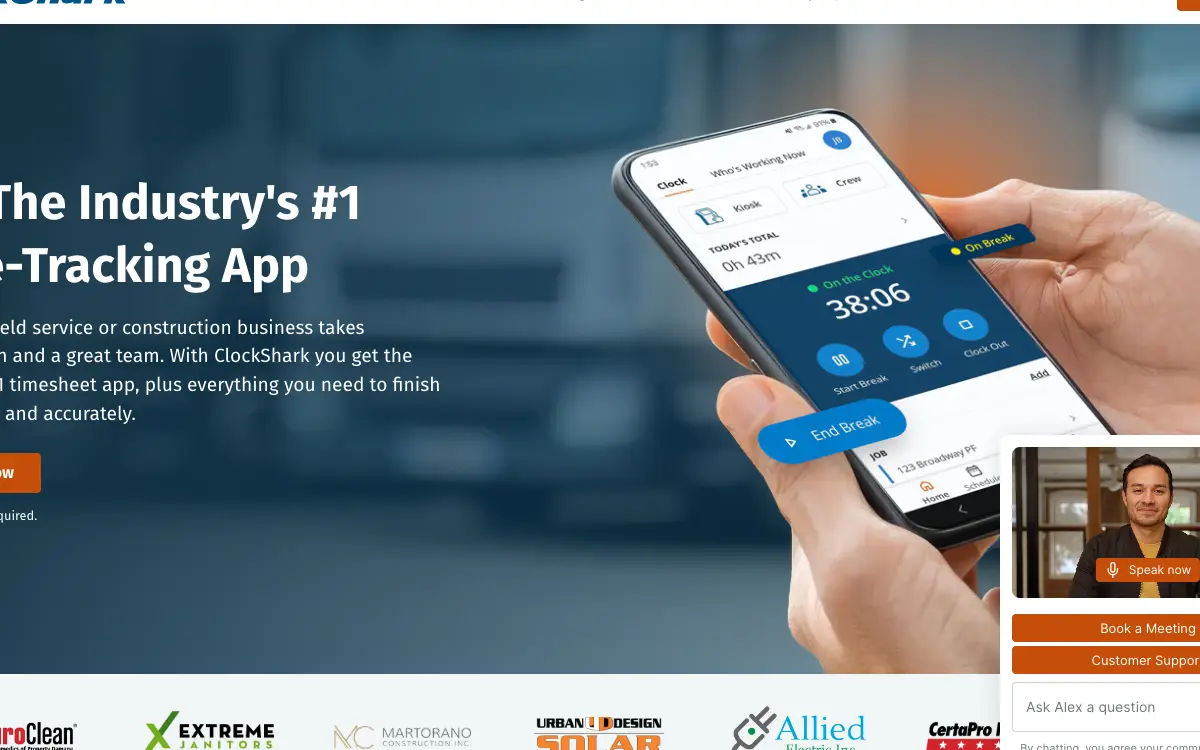
ClockShark is GPS time clock and scheduling for crews who move between job sites, priced as a platform fee plus per-user seats and locked to a three-year term. It sells to Cross-trade contractors, and the shape of the product follows from that: Crews clock in and out from iOS, Android or the web against a specific job and task, with GPS location recorded at the punch and a breadcrumb trail while on the clock. GPSFence geofencing prompts people to clock in when they arrive at a site. A separate ClockShark Kiosk app supports a fixed device where crews share a check-in point. Spanish language support is built into every plan, which matters on mixed-language crews. But the friction reviewers report is at the edges: poor coverage can overlap two jobs and inflate the day, and the app has been observed clocking people out unprompted.
Ownership matters here more than it usually does. ClockShark is owned by Simpro Group (acquired ClockShark November 2021 alongside AroFlo, backed by K1 Investment Management). The contracting entity on the terms is ClockShark, LLC. And every clockshark.com response carries the HTTP header 'basic-auth: clockshark:simpromarketing', with ClockShark shipping a first-party Simpro integration., so weigh roadmap risk alongside the feature list. An independent product can be bought and folded into somebody else's plan two years after you sign.
The shops ClockShark fits, and the ones it doesn't
It fits Crews of roughly 8 to 50 field employees doing residential and commercial service and construction work, where the payroll question is 'which job did these hours belong to' rather than 'did anyone show up'. That's the half most reviews print. Here's the other half, which is the one worth your time.
Don't buy it if you're Solo operators and two or three person crews. The flat platform fee dominates at low headcount. Standard costs $40 + $9 per user, so a 3-person shop pays $67/month, which is $22.33 per head, against roughly $11 per head at 20 users. And paying that premium for three years with no published month-to-month option is the wrong shape of commitment for a crew that size. Look at busybusy instead.
Don't buy it if you're Seasonal contractors whose headcount swings by more than a third between summer and winter. The terms state that the initial billed user count establishes the minimum commitment and that renewals inherit it, which on its face bills a summer peak all year for three years. But the pricing FAQ promises the opposite. So until a contractor gets that resolved in their own order form, a crew that runs 22 in July and 8 in January is exposed to paying for 22 in January. Look at busybusy instead.
Don't buy it if you're Crews on personal phones in jurisdictions that restrict employee location tracking. The app requires the Always Allow location permission, reviewers dispute the vendor's account of what it captures off the clock, and one owner reports leaving because their state prohibits tracking on personal cell phones without written permission. And a three-year term is a poor container for an unresolved consent and compliance question. Look at Connecteam instead.
Don't buy it if you're Contractors who need labour data inside a construction ERP or a field service platform. There's no public API, Zapier is the only programmatic route, and the native list contains no Procore, ServiceTitan, Jobber, Housecall Pro, Foundation, Sage Intacct or Viewpoint. And Xero is restricted to Australia, New Zealand and the UK, leaving QuickBooks as the only two-way accounting sync in North America. Look at Workyard instead.
The money question on ClockShark
And ClockShark publishes its tiers, which puts it ahead of most of this category before you compare a single feature.
| Tier | Price | Billing unit | What it unlocks |
|---|---|---|---|
| Standard (platform fee) | $40 USD/month | per account | Nothing beyond the tier below |
| Standard (per-seat fee, charged on top of the $40 platform fee) | $9 USD/month | per user | Nothing beyond the tier below |
| Pro (platform fee) | $60 USD/month | per account | Paid time off (PTO), Multi-department/office controls, Advanced job costing controls, Shift wrap-up & compliance forms, Personal onboarding with a customer success representative |
| Pro (per-seat fee, charged on top of the $60 platform fee) | $11 USD/month | per user | Paid time off (PTO), Multi-department/office controls, Advanced job costing controls, Shift wrap-up & compliance forms |
| Standard, Australian pricing (platform fee) | $48 AUD/month | per account | Nothing beyond the tier below |
| Standard, Australian pricing (per-seat fee) | $11 AUD/month | per user | Nothing beyond the tier below |
| Pro, Australian pricing (platform fee) | $68 AUD/month | per account | Paid time off (PTO), Multi-department/office controls, Advanced job costing controls, Shift wrap-up & compliance forms |
| Pro, Australian pricing (per-seat fee) | $13 AUD/month | per user | Paid time off (PTO), Multi-department/office controls, Advanced job costing controls, Shift wrap-up & compliance forms |
Two-part: a flat platform fee per account plus a per-user fee, so the effective per-head cost falls sharply as the crew grows. Standard runs $40/month + $9/user/month, which is $67/month for a 3-person crew ($22.33 per head) but $220/month for a 20-person crew ($11 per head). The vendor's pricing FAQ describes billing as active-user based and pro-rated, verbatim: "ClockShark customers can activate and deactivate users as needed for their business, and we’ll pro-rate the invoice. You’ll only pay for users that are active, for the days they were active. We don’t believe in nickel-and-diming!" The terms and conditions state the opposite floor, verbatim: "Your initial billed user count establishes your minimum commitment." and "Your minimum commitment for any renewed term will be based on the committed services in place immediately prior to the renewal." Both statements are the vendor's own and are recorded here unresolved. On the reading the terms require, a contractor who signs at a summer headcount of 20 cannot deactivate down to a winter headcount of 9 and pay for 9.
There is a discount for paying annually up front: No discount toggle is offered and no monthly-billing price is shown. The pricing page ships a monthly/annual mechanism in code but forces every visitor onto the annual path: the inline script removes the class 'pricing-v2__cta--monthly' and adds 'pricing-v2__cta--annual' on every CTA before the prices are ever revealed. So the $40 + $9 and $60 + $11 figures are annual-billing rates, and the page never displays what monthly billing would cost. Separately, the page states a three-year term applies to all plans, so the practical comparison is not monthly versus annual, it is three years versus nothing. And an annual prepay discount tells you an annual commitment exists, which is worth knowing before anyone mentions a term length out loud.
The ClockShark line items nobody mentions on the demo
Payment processing. ClockShark bills you but isn't a payment processor for your customers. Its knowledge base carries Quotes and Invoices articles and an 'export invoices to QuickBooks Online' article, so invoicing routes through your accounting system. So ask which entity takes card payment from homeowners, and at what rate, before assuming ClockShark closes the money loop.
Implementation and onboarding. Onboarding is sold as a prepaid product, not bundled. The terms state: "Any prepaid implementation training is valid for 12 months from commencement. Sessions can be rescheduled without charge if you provide at least 5 business days' notice of the change." The word 'prepaid' establishes that implementation training is a separate purchase, and unused training expires 12 months after commencement. The pricing page separately limits free onboarding help to the higher tier: "Pro plan customers can schedule time with a customer success representative for personal onboarding". No dollar figure is published for implementation.
Minimum term. Three years, on every plan, stated in a footnote under the plan grid: "Contract term of three (3) years applies to all pricing plans." There is no month-to-month price published anywhere on the pricing page. At Standard rates a 12-person crew commits $40 + (12 x $9) = $148/month, which is $5,328 over 36 months before the annual escalator is applied.
Getting out. There is no termination for convenience on a three-year term. The terms grant that right only to monthly subscribers: "If your subscription term is monthly, either party may terminate the agreement for convenience by giving the other party at least 30 days' written notice". If ClockShark terminates for cause, the remaining term accelerates: "all fees payable for the remainder of the then-current term, including all hardware installments, will immediately become due and payable, and you must pay those amounts within thirty (30) days of the termination date." All fees are non-refundable: "Except as required by law, all fees are non-refundable."
Auto-renewal. Automatic, with the committed user count carried forward. The terms state: "Services renew automatically unless terminated in accordance with your order." and "Your minimum commitment for any renewed term will be based on the committed services in place immediately prior to the renewal." Price-change notice on a multi-year term is 90 days: "If your subscription term is annual or multi-year, ClockShark will give you at least 90 days' notice, and the changes will take effect at the commencement of your next subscription term."
Modules sold separately. , , , . And this is where a ClockShark quote drifts from the published tier. A module you need immediately is part of the price, not an extra.
Worth a detour here. ClockShark is priced like a $40-a-month app and contracted like an enterprise ERP. A three-year term applies to every plan, disclosed in one small-print line under the plan grid, and the terms grant termination for convenience only to monthly subscribers, which no published plan is. The advertised monthly figure isn't the decision. A 12-person crew is deciding on roughly $5,328 of committed spend with no published exit. So treat the ClockShark evaluation like a lease negotiation: ask for a shorter term, and if three years is genuinely non-negotiable, extract concessions on the escalator and the headcount floor in exchange.
The ClockShark line items nobody mentions
The subscription is the part everyone quotes. These are the lines that land afterwards, and the ones we could not find are named as unpublished rather than left blank.
Sold separately. , , , . Price the configuration you'll really run, because an add-on you need on day one is part of the price.
"ClockShark Standard (platform fee) is $40 USD/month, per account."
ClockShark pricing page (2026)
"ClockShark Standard (per-seat fee, charged on top of the $40 platform fee) is $9 USD/month, per user."
ClockShark pricing page (2026)
"Two-part: a flat platform fee per account plus a per-user fee, so the effective per-head cost falls sharply as the crew grows. Standard runs $40/month + $9/user/month, which is $67/month for a 3-person crew ($22.33 per head) but $220/month for a 20-person crew ($11 per head). The vendor's pricing FAQ describes billing as active-user based and pro-rated, verbatim: "ClockShark customers can activate and deactivate users as needed for their business, and we’ll pro-rate the invoice. You’ll only pay for users that are active, for the days they were active. We don’t believe in nickel-and-diming!" The terms and conditions state the opposite floor, verbatim: "Your initial billed user count establishes your minimum commitment." and "Your minimum commitment for any renewed term will be based on the committed services in place immediately prior to the renewal." Both statements are the vendor's own and are recorded here unresolved. On the reading the terms require, a contractor who signs at a summer headcount of 20 cannot deactivate down to a winter headcount of 9 and pay for 9."
ClockShark pricing page (2026)
The six workflows you pay for
Feature totals are noise. So a shop in this category lives or dies on six things, and those are the six to grade, and each one below carries the evidence it's graded on.
Mobile and kiosk clock-in with GPS stamps, geofence prompts and crew clock for a whole team at once Crews clock in and out from iOS, Android or the web against a specific job and task, with GPS location recorded at the punch and a breadcrumb trail while on the clock. GPSFence geofencing prompts people to clock in when they arrive at a site. A separate ClockShark Kiosk app supports a fixed device where crews share a check-in point. Spanish language support is built into every plan, which matters on mixed-language crews. But the friction reviewers report is at the edges: poor coverage can overlap two jobs and inflate the day, and the app has been observed clocking people out unprompted. But a reviewer, puts it it differently: "When I switch jobs in bad service areas I’ve had several times where it will overlap my jobs. Ie. I work a 10 hours day but the app says I have more hours than that because I was clock into more than one job at a time."
Drag and drop scheduling with job documents attached, and draft schedules on every paid tier Schedules are built by dragging assignments onto people, carrying a job or task assignment plus job-related documents, addresses and notes, and crews can clock in straight from their schedule in the app. Draft schedules are included on Standard rather than gated to Pro, so a smaller shop can build a week privately before publishing it. But the weakness reviewers name is the mobile schedule view on the newer app, described as requiring a tap through each day of the week to see whether you work. A reviewer, writing on 2025-02-12, describes it: "Like another reviewer said, this app has different bugs and issues than the last app. This app also has less features than the last app, and you have less control, settings, options. The schedule viewer is terrible. You have to tap through each day of the week to see if you work that day or not. I understand they're still working on adding new features and content, but why release this when your old app is honestly better. You should be releasing the finished product. The location tracking is still buggy too. Do better!"
Approved timesheets export to nine named payroll and accounting systems, with QuickBooks the only two-way sync The pattern is consistent across partners: import your employee, job and cost-code lists from the ledger into ClockShark, then push approved time back out for payroll. QuickBooks is the exception that syncs in both directions. ADP, Paychex, Gusto, Paylocity and MYOB cover payroll; Sage 100 Contractor covers construction job costing; Simpro covers the parent company's own field service platform. But Xero is limited to Australia, New Zealand and the UK. And approval gating is a real control here, with the knowledge base carrying a dedicated article on whether unapproved timesheets can be exported at all.
Shift wrap-up and compliance forms are a Pro-tier feature, and they're the reason most contractors upgrade ClockShark collects answers to short questionnaires at clock-out: per diem, expenses, injury confirmation, and confirmation that rest and meal breaks were taken. For any contractor in a meal-and-rest-break state, that attestation is the audit artifact. But it sits behind Pro along with PTO, multi-department controls and advanced job costing controls, which is the $60 + $11 tier rather than $40 + $9. On a 15-person crew that difference is $70/month, or $2,520 across the three-year term.
CSV and PDF reporting plus a documented 365-day post-termination window to take a backup Reporting produces PDF or CSV showing who worked what job and when, and the knowledge base carries dedicated CSV export and report-export articles plus an account deletion article. The exit terms are unusually clear and comparatively generous: "During the term, and for 365 days following termination of the services, you will have the opportunity to obtain a backup of the Client Data. Commencing on day 366 following termination, ClockShark reserves the right to permanently delete the Client Data." And a full year to retrieve payroll records is longer than most vendors in this category allow, so it's worth using rather than trusting.
A real 99.5% uptime SLA with credits, sitting next to a quota policy with no published numbers ClockShark commits to 99.5% availability with a published credit ladder from 6% of monthly fees at 99.0-99.5% up to 10% below 97.5%, and those credits are the sole and exclusive remedy. But against that, the Service Quotas and Usage Limits policy publishes no numeric limit for anything, covers email delivery, AI and LLM usage, automations, storage and concurrency, and permits enforcement "without notice" including queuing, throttling, truncating responses, downgrading AI model selection, and disabling functionality.
ClockShark trade fit
Fit differs by trade rather than by company size alone, and a blended paragraph hides that. Here is the split for the trades this one sells to.
Cross-trade. The workflow that decides it is mobile and kiosk clock-in with gps stamps, geofence prompts and crew clock for a whole team at once, and the shop profile that gets value is Crews of roughly 8 to 50 field employees doing residential and commercial service and construction work, where the payroll question is 'which job did these hours belong to' rather than 'did anyone show up'. doing residential and commercial and service work. Where it stops being a fit is Solo operators and two or three person crews.
Your books, and whether ClockShark connects to them
QuickBooks (Desktop and Online) connects both ways, on every plan. Xero connects one way only, so edits made in your books do not come back, on every plan. Sage 100 Contractor connects one way only, so edits made in your books do not come back, on every plan. Simpro connects one way only, so edits made in your books do not come back, on every plan. MYOB connects one way only, so edits made in your books do not come back, on every plan. Your costs map through cost codes, so test yours against your own chart of accounts before you commit. A code your books don't recognise is how a labour charge quietly lands somewhere useless.
Past those, the road ends. Procore, ServiceTitan, Jobber and Housecall Pro, Foundation Software, Sage Intacct and Viewpoint Vista, Xero in North America do not connect. So if your books run on an ERP rather than the platforms named above, weigh that before anything else.
Beyond accounting it connects to RUN Powered by ADP and ADP Workforce Now (Payroll export of approved timesheets. A dedicated KB article covers the ADP RUN export path.), Paychex (Payroll export of approved timesheets.), Gusto (Payroll export of approved timesheets.), Paylocity (Payroll export of approved timesheets.), Zapier (Automation gateway to over 1,000 apps with no coding.). A public API exists: No public API is documented. The api.clockshark.com hostname fails DNS resolution, https://www.clockshark.com/api/ returns HTTP 404, and none of the 202 article URLs in the knowledge base sitemap reference an API other than how-to-use-the-zapier-integration. Zapier is the only supported programmatic integration path. The Service Quotas policy reserves the right to throttle or disable automations and background jobs without notice and publishes no numeric limits.
Getting help from ClockShark, and getting it fast
Support is the line item nobody prices and everybody eventually needs. Onboarding for ClockShark: Onboarding is sold as a prepaid product, not bundled. The terms state: "Any prepaid implementation training is valid for 12 months from commencement. Sessions can be rescheduled without charge if you provide at least 5 business days' notice of the change." The word 'prepaid' establishes that implementation training is a separate purchase, and unused training expires 12 months after commencement. The pricing page separately limits free onboarding help to the higher tier: "Pro plan customers can schedule time with a customer success representative for personal onboarding". No dollar figure is published for implementation.
A supervisor who reviewed it on 2026-02-07 puts it: "Have talked to support multiple times, all they have to say is “we’ve been hearing that from a few customers” and “unfortunately the app can’t do that” Would be nice to be able to limit what time people can clock in at and make the geo fences restrict clocking in outside of the set limit instead of just sending me hundreds of emails. Lots of room for improvement, difficult to navigate compared to other apps from a supervisor standpoint. Pretty user friendly from employees though"
On 2018-01-10, an office manager, electrical contractor says: "I manage 30 people’s time for an electrical contractor. ClockShark works great and their customer service is exceptional. Whenever I hit a snag in the office or need help with a feature they are very responsive."
Before you sign with ClockShark: the exit
Nobody reads this section before they buy, and it's the one that costs money afterwards. Four terms decide what leaving looks like.
Minimum term. Three years, on every plan, stated in a footnote under the plan grid: "Contract term of three (3) years applies to all pricing plans." There is no month-to-month price published anywhere on the pricing page. At Standard rates a 12-person crew commits $40 + (12 x $9) = $148/month, which is $5,328 over 36 months before the annual escalator is applied.
Auto-renewal. Automatic, with the committed user count carried forward. The terms state: "Services renew automatically unless terminated in accordance with your order." and "Your minimum commitment for any renewed term will be based on the committed services in place immediately prior to the renewal." Price-change notice on a multi-year term is 90 days: "If your subscription term is annual or multi-year, ClockShark will give you at least 90 days' notice, and the changes will take effect at the commencement of your next subscription term."
Early termination. There is no termination for convenience on a three-year term. The terms grant that right only to monthly subscribers: "If your subscription term is monthly, either party may terminate the agreement for convenience by giving the other party at least 30 days' written notice". If ClockShark terminates for cause, the remaining term accelerates: "all fees payable for the remainder of the then-current term, including all hardware installments, will immediately become due and payable, and you must pay those amounts within thirty (30) days of the termination date." All fees are non-refundable: "Except as required by law, all fees are non-refundable."
Payment processing. ClockShark bills you but isn't a payment processor for your customers. Its knowledge base carries Quotes and Invoices articles and an 'export invoices to QuickBooks Online' article, so invoicing routes through your accounting system. So ask which entity takes card payment from homeowners, and at what rate, before assuming ClockShark closes the money loop.
Side note, and it's a useful one: the vendor contradicts itself on the single question that decides what a seasonal contractor pays. Marketing promises active-user billing with pro-ration; the contract sets your signing headcount as a floor that also survives into renewal. Both statements are ClockShark's own and the conflict is left visible here rather than resolved, because only the buyer's signed order form settles it. The ratchet is one-directional by design: headcount added mid-term joins the floor for the balance of the term, and the floor carries into renewal. And a roofer who signs in July signs at their annual peak. So sign in your slowest month.
"I canceled with them in May of 2024. I found out yesterday they was still charging me monthly $85 that I didn’t realize. I informed them about this and they stated yes we can see that it has not been used since May but we don’t offer refunds. Beware."
Apple App Store, Josh2570 (2-07)
"I already use a paid plan and the app absolutely does what it is supposed to so but their sales team is INSANE!!! They call me several times a week trying to upsell me. The more i tell them not to call the more they call!! I am seriously thinking about switching apps just because of that! I really think people should avoid them!"
Apple App Store, Bamsig73 (2-29)
"ClockShark requires always allow for location access. They say that it only tracks you while on the clock. However, it prompts me on my days off to clock in whenever I get near a possible job site even in places where I have never worked over an hour from where I actually work. So, it knows where I am at all times. I get the concept that business owners want to make sure that their employees are actually on site, but this is a bit intrusive especially given that I paid for my own device."
Apple App Store, ClockShark (0-02)
The ClockShark gaps worth raising on the call
What follows is drawn from complaints rather than from star averages.
Every plan carries a three-year contract term, and only monthly subscribers can walk away The three-year term is disclosed once, in small print under the plan grid, and it's the single most expensive fact about ClockShark. The terms then reserve termination for convenience to monthly subscribers only, so a three-year signatory has no published exit. And a 12-person crew on Standard commits $148/month for 36 months, roughly $5,328, before the annual escalator. Because the escalator is applied to the per-user fee on each anniversary at CPI-U plus up to 5%, the year-three per-user rate is materially above the $9 quoted at signature. Before signing, ask in writing for a month-to-month or 12-month order form and its price. If the answer is that three years is the only term, treat the quoted $9 per user as a year-one rate and model years two and three at CPI plus 5% compounding. And ask for the escalator to be capped at CPI with no uplift, plus a headcount-reduction right in the order form.
The vendor contradicts itself on whether you pay for active users or for your signing headcount ClockShark's pricing FAQ promises active-user billing with pro-ration and says it doesn't believe in nickel-and-diming. But its terms and conditions say the initial billed user count establishes the minimum commitment, and that renewals inherit that commitment. So those can't both be operative for a seasonal contractor. On the FAQ reading, a roofer who runs 20 in July and 9 in January pays for 9 in January. On the terms reading, that roofer pays for 20 every month for three years and then renews at 20. And adding people mid-term is separately one-directional: services added to a non-monthly subscription are "added to your minimum commitment for the balance of the term on a pro-rated basis". Get the seasonal case answered in the order form, not by a salesperson on a call. Ask literally: 'If I sign at 20 users and deactivate 11 in November, what is my December invoice?' And require the answer in the signed document, because the terms override marketing copy.
The crew-facing mobile apps rate far below the rating the vendor publishes about itself ClockShark's own site emits an aggregateRating of 4.7 from 1,902 ratings in its JSON-LD. The apps the crew installs rate much lower: the legacy iOS ClockShark app sits at 2.92 from 268 ratings, the current iOS ClockShark Time Tracking app at 2.97 from 65 ratings, and the Android app at 3.44 from 90 ratings. That gap matters because the buyer and the user are different people. Office administrators write the reviews that feed the 4.7 figure, and they're consistently positive about support and QuickBooks sync. But the field crew writes the App Store reviews, and they're consistently negative about location permissions, battery, and phantom clock-outs. And crew resistance is the number one reason time-tracking rollouts fail. Pilot with your two most skeptical field employees on their own phones before you sign anything, and read the App Store reviews with them. And if they won't adopt it in a 14-day trial, a three-year term won't change their minds.
The app requires Always Allow location, and reviewers dispute the vendor's account of what that means Reviewers report the app demands the Always Allow location permission and then behaves as though it's aware of them off the clock, including prompting them to clock in near job sites on days off. One reviewer states the developer's explanation is untrue and that the app functions on the narrower While Using permission. ClockShark's own knowledge base leads its Popular Links with GPS requirement and privacy articles, which is what a vendor does when a topic dominates support volume. And on personal devices this is a labour-relations and state-law problem, not a preference: one owner reports switching away because their state doesn't permit location tracking on personal cell phones without written permission. And a field employee, writing on 2023-10-02, says the same thing: "ClockShark requires always allow for location access. They say that it only tracks you while on the clock. However, it prompts me on my days off to clock in whenever I get near a possible job site even in places where I have never worked over an hour from where I actually work. So, it knows where I am at all times. I get the concept that business owners want to make sure that their employees are actually on site, but this is a bit intrusive especially given that I paid for my own device." Decide the device question before rollout. If crews use personal phones, get written consent from every employee and check your state or provincial rules first. So budget for company devices or a fixed kiosk if consent is unreliable, and note ClockShark sells hardware and ships a separate Kiosk app.
GPS inaccuracy and phantom clock-outs turn into payroll disputes you have to adjudicate A repeated pattern across years and app versions: the app reports employees far from a site they never left, silently clocks people out, or double-counts hours when a job switch happens in poor coverage. Each instance lands on the office as a manual timesheet correction and on the employee as a paycheque they have to contest. One reviewer reports being reprimanded over a location error, another reports all of their crew losing time, and an owner reports witnessing the app clock out an employee mid-session. And these are the exact failures that destroy crew trust in a time system. A field employee who reviewed it on 2022-10-07 reports it: "I just had to start using the app for work and have already been reprimanded once due to the app’s horrible inaccuracies with their gps location feature. It regularly says that I’m very far from my job site when I don’t even step one foot out the door all day. Employers should not be tracking employee’s locations in the first place but this app just adds to the headache by not even accurately providing employee’s whereabouts. Would not recommend to anyone ever." During the trial, run one crew for a full pay period in your worst coverage area and count the manual corrections. And if corrections exceed a couple of percent of entries, the admin time you're trying to save is being spent on disputes instead.
ClockShark replaced its mobile app in 2024 and reviewers say the replacement lost features ClockShark now ships two separate consumer apps and its help centre tells customers to move to the newer one: "Upgrade to the new mobile app ClockShark Time Tracking, released in 2024." Reviewers of the new app report fewer settings and less control than the app it replaces, a worse schedule viewer, and different bugs rather than fewer. One reviewer simply asks why there are two apps at all. But not all feedback is negative, and one owner reports the new app is faster and doesn't crash, so the migration reads as genuinely mixed rather than uniformly bad. And a crew part-way through a three-year term doesn't get to opt out of the vendor's app roadmap. A reviewer who reviewed it on 2025-02-12 writes: "Like another reviewer said, this app has different bugs and issues than the last app. This app also has less features than the last app, and you have less control, settings, options. The schedule viewer is terrible. You have to tap through each day of the week to see if you work that day or not. I understand they're still working on adding new features and content, but why release this when your old app is honestly better. You should be releasing the finished product. The location tracking is still buggy too. Do better!" Trial the app you'll be told to use, ClockShark Time Tracking, not the legacy listing, and confirm in writing that any feature you're buying for exists in the new app today rather than on a roadmap.
The Xero integration isn't available in North America ClockShark lists Xero in its integrations directory without regional qualification, but the Xero integration page states the availability limit plainly: "Available in Australia, New Zealand and United Kingdom." So a US or Canadian contractor running Xero can't use it. And that leaves QuickBooks as the only two-way accounting sync for the North American market, with Sage 100 Contractor as the only construction-specific ledger. If you run Xero in the US or Canada, confirm with sales in writing before signing. So otherwise plan on CSV export, and price the bookkeeping hours that re-keying costs across a three-year term.
There's no public API, so Zapier is the only programmatic escape hatch ClockShark publishes ten native integrations and nothing resembling developer documentation. The api.clockshark.com hostname doesn't resolve, clockshark.com/api/ returns 404, and across 202 knowledge base articles the only integration article touching automation is the Zapier one. So that matters for a system holding your labour data: custom reporting, a warehouse feed, or a bespoke sync to a field service platform all have to route through Zapier's action set. And the Service Quotas policy separately reserves the right to throttle automations and background jobs with no published numeric limit. So if you need labour data anywhere other than the ten named partners, price a Zapier plan into the total and confirm which ClockShark triggers and actions exist before signing a three-year term.
Fees are non-refundable and renewal is automatic, and at least one customer reports being billed long after cancelling The terms make fees non-refundable and renewal automatic. A reviewer describes exactly the failure mode those two clauses create: cancelling in one month, discovering months of continued charges, and being told the vendor could confirm the account was unused but doesn't offer refunds. And the Service Quotas policy compounds the general posture by allowing enforcement actions "without notice", including throttling and disabling functionality. A reviewer who reviewed it on 2025-02-07 puts it: "I canceled with them in May of 2024. I found out yesterday they was still charging me monthly $85 that I didn’t realize. I informed them about this and they stated yes we can see that it has not been used since May but we don’t offer refunds. Beware." Cancel in writing to the notice address in the terms, keep the acknowledgement, and set a calendar reminder ahead of each renewal date. And watch the card statement for two cycles after any cancellation.
Sales follow-up is aggressive enough that a paying customer threatened to leave over it A customer already on a paid plan, who says the product does what it should, reports being called several times a week for upsells and says the calls increased after asking them to stop. And combined with a base-plus-seat pricing model and a tier upgrade path from Standard to Pro, the commercial incentive to keep calling is structural rather than accidental. And a reviewer, writing on 2021-12-29, writes the same thing: "I already use a paid plan and the app absolutely does what it is supposed to so but their sales team is INSANE!!! They call me several times a week trying to upsell me. The more i tell them not to call the more they call!! I am seriously thinking about switching apps just because of that! I really think people should avoid them!" Name a single contact and a preferred channel in the order form, and put a do-not-call-for-upsell note on the account at signature rather than after the calls start.
One more thing worth knowing. The per-user fee ratchets up every year of the term at CPI-U plus up to 5%, so the $9 on the pricing page is a year-one number that the contract is designed to leave behind. Because the uplift is 'CPI plus up to 5%' rather than 'CPI', the vendor holds unilateral discretion over up to five points of annual increase on the largest line of the bill. Any three-year total-cost comparison against busybusy or Workyard that uses $9 flat understates ClockShark by a compounding margin. So ask for the 'plus up to 5%' to be struck.
One more thing worth knowing. ClockShark shipped a replacement mobile app in 2024 and now maintains two consumer apps at once, with reviewers reporting the newer one has fewer settings and different bugs rather than fewer. Feedback on the migration is genuinely mixed, so this is a diligence instruction rather than a verdict. So trial the app you'll be told to standardise on, ClockShark Time Tracking, not the legacy listing that carries most of the historical reviews. And confirm in writing that any feature you're buying for exists in the new app today, because a three-year term gives you no leverage over the vendor's app roadmap.
One more thing worth knowing. ClockShark's Service Quotas policy publishes no numeric limit for anything it governs, while reserving the right to throttle, truncate or disable functionality without notice, and to bill for the overage instead. There's no published number to design against, which means there's no way to know in advance whether your Zapier automations or notification volume are inside the line. Since Zapier is the only programmatic path out of ClockShark and automations are explicitly quota-governed, the escape hatch is the thing most exposed to silent throttling. So ask for your specific quotas to be written into the order form.
And this is the kind of thing you only find by reading the complaints. ClockShark's buyers and its users rate it as if they were reviewing different products, and the gap is entirely about background location. The vendor publishes 4.7 about itself; the crew-facing apps sit between 2.92 and 3.44. A time system fails when the crew won't use it honestly, and the crew's verdict is in the 2.9. When a vendor's own help centre leads with GPS permission articles, that's the support queue talking. So run the trial on employees' real phones, in your worst coverage area, for a full pay period, and count the manual timesheet corrections before you commit to three years.
The ClockShark review corpus, read by complaint
Every quote below is transcribed from a published review, named to the platform that carries it and to the reviewer as that platform displays them. We read the corpus by complaint type rather than by star rating, which is how the disqualifying detail buried inside a five-star review gets found.
"I canceled with them in May of 2024. I found out yesterday they was still charging me monthly $85 that I didn’t realize. I informed them about this and they stated yes we can see that it has not been used since May but we don’t offer refunds. Beware."
On 2025-02-07, a reviewer puts it on Apple App Store
"I already use a paid plan and the app absolutely does what it is supposed to so but their sales team is INSANE!!! They call me several times a week trying to upsell me. The more i tell them not to call the more they call!! I am seriously thinking about switching apps just because of that! I really think people should avoid them!"
On 2021-12-29, a reviewer writes on Apple App Store
"ClockShark requires always allow for location access. They say that it only tracks you while on the clock. However, it prompts me on my days off to clock in whenever I get near a possible job site even in places where I have never worked over an hour from where I actually work. So, it knows where I am at all times. I get the concept that business owners want to make sure that their employees are actually on site, but this is a bit intrusive especially given that I paid for my own device."
A field employee who reviewed it on 2023-10-02 puts it on Apple App Store
"If it only tracks while on the clock then why is always tracking even a thing? That shouldn’t even be an option since you claim it doesn’t track unless clocked in. Then only while using would be sufficient. Developer responded saying it has to be on always as once the app is minimized it stops tracking. This is a lie. I have tricked the app into “only while using” and it’s worked just fine. So again I ask. Why do you need “always”. It’s tracks location just fine without it. What else are you tracking?"
A field employee, says it plainly on Apple App Store
"I just had to start using the app for work and have already been reprimanded once due to the app’s horrible inaccuracies with their gps location feature. It regularly says that I’m very far from my job site when I don’t even step one foot out the door all day. Employers should not be tracking employee’s locations in the first place but this app just adds to the headache by not even accurately providing employee’s whereabouts. Would not recommend to anyone ever."
On 2022-10-07, a field employee puts it on Apple App Store
"Location always says I’m off the job-site through out the day. It’s a headache, all of our guys have lost time due to this. If they fix the location and pinging of your location it would be a lot better."
On 2022-03-16, a head of operations writes on Apple App Store
"This app has potential to be a great app. But way room many issues. First is the have to allow tracking at all time. Huge safety issue, what potential to be misused! Second is this app will clock an employee out. If they go into the app to do anything more than a min! Didn’t believe it till today. When I witness it clock an employee out. While said employee was checking his weekly timesheets. Huge liability issue with the labor department!!!! All this after the last update! Great follow up reply! But none of these issues started until after your update. But as for tracking our state law does not allow it on personal cell phones. Without written permission! Which this app changed that without a notice to us clients! Which I turn can cause clients undue hardships! As our state loves lawsuits for violating them laws. As the clocks out. I did not mark for active tracking of employees! But have seen first hand your app illegally clock out my employees! Which again can cause undue hardship to company owners! These issue need address to make this app great. As for now I’ve had to switch back to a legal app, so I don’t face any lawsuits for your app illegal, tracking and clocking out issues!"
A business owner who reviewed it on 2022-11-11 reports it on Apple App Store
"App constantly fails to load right and has problems switching between jobs and breaks. The original worked better and looked better."
On 2025-05-29, a reviewer describes it on Apple App Store
"Like another reviewer said, this app has different bugs and issues than the last app. This app also has less features than the last app, and you have less control, settings, options. The schedule viewer is terrible. You have to tap through each day of the week to see if you work that day or not. I understand they're still working on adding new features and content, but why release this when your old app is honestly better. You should be releasing the finished product. The location tracking is still buggy too. Do better!"
On 2025-02-12, a reviewer writes on Apple App Store
"Have talked to support multiple times, all they have to say is “we’ve been hearing that from a few customers” and “unfortunately the app can’t do that” Would be nice to be able to limit what time people can clock in at and make the geo fences restrict clocking in outside of the set limit instead of just sending me hundreds of emails. Lots of room for improvement, difficult to navigate compared to other apps from a supervisor standpoint. Pretty user friendly from employees though"
But a supervisor, says it differently on Apple App Store
"When I switch jobs in bad service areas I’ve had several times where it will overlap my jobs. Ie. I work a 10 hours day but the app says I have more hours than that because I was clock into more than one job at a time."
A reviewer, writes it plainly on Apple App Store
"I’ve had to use clock shark for the last 5 years for a project and I’ve been looking forward to the day I never have to use it again. My biggest gripe is that it is an absolutely inefficient app to enter data in. A process of entering a timesheet should be be as simple as a three tap process: open app, copy previous, submit. Every single day I have to open this miserable app and select the same project (two taps) the same job code (scroll though codes then tap), the date (scroll and tap) the time (scroll and tap) and save. Maybe it’s convenient for people that work different shifts, different projects and roles, but when I work the same shift, project and role day in and day out, I shouldn’t have to tap over and over and over just to submit a timesheet. Work on the efficiency. This app is obnoxious."
But a reviewer, 5 years on the platform, describes it it differently on Apple App Store
"I’ve been using ClockShark for my business for a few years. The old app worked okay, but it was pretty slow and had some bugs. This new version is much better. It runs faster and doesn’t crash. My crew finds it easy to clock in and out, which saves us time and keeps things simple."
But a business owner, puts it it differently on Apple App Store
"I manage 30 people’s time for an electrical contractor. ClockShark works great and their customer service is exceptional. Whenever I hit a snag in the office or need help with a feature they are very responsive."
An office manager, electrical contractor, describes it it plainly on Apple App Store
"Great and super easy for our employees to use. I mean SUPER EASY, and no training needed! Set up takes about 5 minutes at most and the app is free... Our office can see where everyone is any time of the day. Employees can type notes and close out info to that job right from the screen. You can prepare all kinds of reports, Customer service is outstanding, our employees are happy to use it, it integrates with Quickbooks, the list goes on. I have 40 employees and about 10-12 jobs going on daily. ClockShark helps me keep it all together. You can try it free for 14 days to see if it is a fit for your business. I used it for one crew during the trial and knew it would work for our teams."
An electrical contractor, 40 employees, writing on 2016-03-18, puts it on Apple App Store
"This app is great great great! Easy to use and add to phones. The gps tracking is great so we can verify our employees marked the correct job, we can pull hours easily for job costing, the employees can see their total hours to verify their paychecks, etc. I used to spend hours on timesheets and no more now that we have the app! Some of the other reviews that are negative say that the employer is always tracking the employee, but the employer can only see the gps location if the employee is “clocked in”, so it doesn’t track gps data when someone is not working. And yes, it does use a very small amount of data, but we use Verizon’s unlimited business plan for 10 phones and the data use always really low."
An admin, 10-phone crew who reviewed it on 2018-07-25 puts it on Apple App Store
The realistic shortlist against ClockShark
The realistic alternatives, and what each costs to start. Cheaper doesn't win here, and neither does expensive. Fit does.
| Tool | Entry price | Billing unit | Users included | Published? |
|---|---|---|---|---|
| ClockShark | $40 USD/month | per account | Two-part: a flat platform fee per account plus a per-user fe | Yes |
| busybusy | $9.99 | per user | First user included in the mandatory $40/month admin licence | Yes |
| Workyard | $6 | per user | None, per-user from the first seat | Yes |
| Hourly | $80 | per account | Base plan, employees charged at $12 each per month on top | Yes |
| Arcoro Time (formerly ExakTime) | Quote only | per employee | Not disclosed | No |
| Connecteam | Quote only | per account | Free small-business tier advertised; paid plan figures are JavaScript-rendered and no price could be confirmed in the raw HTML | No |
busybusy. It publishes a genuine free tier and month-to-month pricing, so a small or seasonal crew can start without a three-year commitment. And it's purpose-built for construction with GPS breadcrumbing, daily sign-offs and supervisor tools. But A mandatory $40/month admin licence sits on top of every paid plan, and its billing counts a user as active merely for logging in without clocking time, which can inflate invoices in a way ClockShark's flat platform fee doesn't.
Workyard. It's the cheapest verified per-user entry point of this group and states its terms plainly on the page: "Plans start at $6 per user / month — billed annually." And it publishes a developer API, which ClockShark doesn't, while leading on GPS accuracy as the product claim. But No flat platform fee means the per-head cost doesn't fall as the crew grows, so a large crew can end up above ClockShark's blended rate. And the native payroll partner list is smaller than ClockShark's nine.
Hourly. It bundles time tracking with actual payroll runs and workers' compensation rather than exporting to a third-party payroll system, which removes a whole integration from the stack. And it uses the same base-plus-per-employee shape as ClockShark, so the comparison is like for like. But It's materially more expensive at the base: $80/month versus ClockShark's $40, and $12 per employee versus $9. And it's payroll-first rather than job-costing-first, so crew scheduling and job or task tracking are thinner.
Arcoro Time (formerly ExakTime). It's built specifically for construction crews and connects to Arcoro's own payroll and wider HR suite, which suits a contractor who wants time, HR and payroll from one vendor. And it carries rugged field hardware heritage from the ExakTime line. But It publishes no pricing at all. The only dollar figure on the product page is a marketing statistic about paper timecards costing a 25-person crew more than $15,000 a year, not a price. And every buyer starts with a demo booking, so there's no way to sanity-check the quote against a list price.
Connecteam. It advertises a free tier for small businesses, which ClockShark doesn't offer at any headcount, and it covers communication and training alongside time tracking so it doubles as a crew comms tool. But Pricing couldn't be verified: the plan grid ships with empty price slots and only "price": "0" appears in the raw HTML, so any paid figure would be a guess. And the broader workforce-app positioning means construction job costing is shallower than ClockShark's.
"If it only tracks while on the clock then why is always tracking even a thing? That shouldn’t even be an option since you claim it doesn’t track unless clocked in. Then only while using would be sufficient. Developer responded saying it has to be on always as once the app is minimized it stops tracking. This is a lie. I have tricked the app into “only while using” and it’s worked just fine. So again I ask. Why do you need “always”. It’s tracks location just fine without it. What else are you tracking?"
Apple App Store, ashioke (1-06)
"I just had to start using the app for work and have already been reprimanded once due to the app’s horrible inaccuracies with their gps location feature. It regularly says that I’m very far from my job site when I don’t even step one foot out the door all day. Employers should not be tracking employee’s locations in the first place but this app just adds to the headache by not even accurately providing employee’s whereabouts. Would not recommend to anyone ever."
Apple App Store, ChristenMay (0-07)
Who should not buy ClockShark
Don't buy ClockShark if you're Solo operators and two or three person crews. The flat platform fee dominates at low headcount. Standard costs $40 + $9 per user, so a 3-person shop pays $67/month, which is $22.33 per head, against roughly $11 per head at 20 users. And paying that premium for three years with no published month-to-month option is the wrong shape of commitment for a crew that size. Look at busybusy instead.
Don't buy ClockShark if you're Seasonal contractors whose headcount swings by more than a third between summer and winter. The terms state that the initial billed user count establishes the minimum commitment and that renewals inherit it, which on its face bills a summer peak all year for three years. But the pricing FAQ promises the opposite. So until a contractor gets that resolved in their own order form, a crew that runs 22 in July and 8 in January is exposed to paying for 22 in January. Look at busybusy instead.
Don't buy ClockShark if you're Crews on personal phones in jurisdictions that restrict employee location tracking. The app requires the Always Allow location permission, reviewers dispute the vendor's account of what it captures off the clock, and one owner reports leaving because their state prohibits tracking on personal cell phones without written permission. And a three-year term is a poor container for an unresolved consent and compliance question. Look at Connecteam instead.
Don't buy ClockShark if you're Contractors who need labour data inside a construction ERP or a field service platform. There's no public API, Zapier is the only programmatic route, and the native list contains no Procore, ServiceTitan, Jobber, Housecall Pro, Foundation, Sage Intacct or Viewpoint. And Xero is restricted to Australia, New Zealand and the UK, leaving QuickBooks as the only two-way accounting sync in North America. Look at Workyard instead.
The verdict, by shop size
Solo operator or crew of 2 to 4
No. The $40 platform fee is the whole problem at this size. Three users costs $67/month, or $22.33 per head, roughly double the per-head rate a 20-person crew pays, and the three-year term means committing about $2,400 before the escalator for a crew you can still supervise by looking at it. busybusy publishes a free tier and Workyard starts at $6 per user with no platform fee. And neither asks for three years. This band runs 1 to 4 on the crew, doing residential and service work, and that's the profile the recommendation is written for.
Crew of 5 to 12, residential and light commercial
Only under conditions, and they are worth being honest about. The economics start working here: 10 users on Standard is $130/month, or $13 per head, and the QuickBooks two-way sync plus nine payroll destinations is genuinely stronger than most competitors at this price. But condition it on three things. So get the seasonal-headcount question answered in your own order form, because the terms say your signing headcount is your floor while the FAQ says you pay only for active users. Pilot the app on your crew's real phones and settle the Always Allow location consent question before rollout. And if you need shift wrap-up and compliance forms for meal and rest break attestation, price Pro at $60 + $11 rather than Standard, because that's the tier those forms live on. This band runs 5 to 12 on the crew, doing residential and commercial and service work, and that's the profile the recommendation is written for.
Crew of 13 to 50, commercial and multi-crew
Only under conditions, and they are worth being honest about. This is where the base-plus-seat model is cheapest per head and where Pro's multi-department controls and advanced job costing earn their keep. 25 users on Pro is $335/month, about $13.40 per head, which is competitive. But the condition is the contract, not the product. Negotiate the CPI-U plus up to 5% escalator down to CPI or a hard cap, get a headcount-reduction right in writing, and confirm that adding people mid-term doesn't permanently raise your floor, because the terms say added services join the minimum commitment for the balance of the term. And verify the QuickBooks sync against your real chart of accounts during the 14-day trial, since it's the only two-way accounting connection available in North America. This band runs 13 to 50 on the crew, doing commercial and residential and service work, and that's the profile the recommendation is written for.
Any crew on personal phones in a jurisdiction restricting employee location tracking
No. The app requires Always Allow location, multiple reviewers dispute the vendor's account of what it captures off the clock, and one owner reports leaving specifically because their state doesn't permit tracking on personal cell phones without written permission. So signing a three-year term with that unresolved puts a compliance exposure on a contract you can't exit for convenience. And settle consent and device policy first, or choose a tool whose time capture doesn't depend on background location. This band runs undefined or more on the crew, doing residential and commercial and service work, and that's the profile the recommendation is written for.
Contractors whose labour data must reach a construction ERP or field service platform
No. There's no public API, Zapier is the only programmatic route, and the native list of ten contains no Procore, ServiceTitan, Jobber, Housecall Pro, Foundation, Sage Intacct or Viewpoint. And Xero is unavailable in North America, leaving QuickBooks as the sole two-way accounting sync. So committing three years of labour data to a system you can't query programmatically is the wrong trade when the data has to land somewhere else. This band runs undefined or more on the crew, doing commercial and insurance work, and that's the profile the recommendation is written for.
One thing to check before you sign with ClockShark
Now, this next bit is our own research, so weigh it accordingly. We don't sell contractor software and we're not an alternative to anything on this page.
ClockShark charges a $40 platform fee plus $9 per user per month on a three-year term, so a 12-person crew commits roughly $5,328 before the CPI-plus-5% escalator, and every dollar of it is spent measuring labour the contractor has already sold. But the demand side gets no such commitment. Fervor inspected the contractor sites in its index and found 95.8% carry a serious WCAG violation and 61.3% a critical one, which means the same owner who will fight ClockShark's crew over an Always Allow location prompt to recover a few disputed hours is running a site that turns away customers who navigate by keyboard or screen reader. And ClockShark's own crew-facing apps rate 2.92 and 2.97 on the App Store against the 4.7 the vendor publishes about itself, which is the clearest possible demonstration that a tolerable internal mobile experience and a converting external one aren't the same standard.
We ran 380 contractor websites through the Contractor CRO Index. 82.8% of them were slow enough on a phone to lose an impatient visitor. But check the method before you take the number, which is why it is published. The full write-up is in the Contractor CRO Index.
"82.8% of the 380 contractor websites inspected were slow enough on a phone to lose an impatient visitor."
Fervor Studio Contractor CRO Index (2026)
So do both. The second one is usually cheaper to fix than the first one is to buy. The numbers are all public.
See where your site is losing the jobs ClockShark would have managed
And it takes 5 business days. We use your site the way a homeowner would, then hand you the specific leaks.
Get a Site InspectionOur ClockShark sources, and their limits
Worth saying plainly: this is desk research on ClockShark, not a season in the field with it. So here's the basis. We read 17 vendor pages for ClockShark on 7 August 2026, and we went through the reviews looking for complaints rather than for averages. Pricing was verified the same day, and every figure above traces to a page we opened.
So: 16 quotes on this page, 16 from Apple App Store.
And Capterra (https://www.capterra.com/p/136728/ClockShark/reviews/) returned HTTP 403., Software Advice (https://www.softwareadvice.com/time-clock/clockshark-profile/) returned HTTP 403., GetApp (https://www.getapp.com/hr-employee-management-software/a/clockshark/reviews/) returned HTTP 403., G2 (https://www.g2.com/products/clockshark/reviews) returned HTTP 403., TrustRadius (https://www.trustradius.com/products/clockshark/reviews) returned HTTP 403., Simpro Group corporate site (https://www.simprogroup.com/) returned HTTP 403, so the acquisition was confirmed via trade press instead. and ClockShark knowledge base article bodies: the portal is fully JavaScript-rendered and its content API (https://help.clockshark.com/core-api-proxy/) returns HTTP 401 'Missing or invalid timestamp header'. Article existence and titles were taken from the vendor's own KB sitemap; article prose couldn't be read. refused automated retrieval for ClockShark. Where their scores appear in third-party roundups we have left them out rather than pass on a number we could not open.
What that leaves untested: trustpilot. And everything above is 17 vendor pages and a review corpus, which is documentary rather than hands-on.
What ClockShark users say
I canceled with them in May of 2024. I found out yesterday they was still charging me monthly $85 that I didn’t realize. I informed them about this and they stated yes we can see that it has not been used since May but we don’t offer refunds. Beware.
I already use a paid plan and the app absolutely does what it is supposed to so but their sales team is INSANE!!! They call me several times a week trying to upsell me. The more i tell them not to call the more they call!! I am seriously thinking about switching apps just because of that! I really think people should avoid them!
ClockShark requires always allow for location access. They say that it only tracks you while on the clock. However, it prompts me on my days off to clock in whenever I get near a possible job site even in places where I have never worked over an hour from where I actually work. So, it knows where I am at all times. I get the concept that business owners want to make sure that their employees are actually on site, but this is a bit intrusive especially given that I paid for my own device.
If it only tracks while on the clock then why is always tracking even a thing? That shouldn’t even be an option since you claim it doesn’t track unless clocked in. Then only while using would be sufficient. Developer responded saying it has to be on always as once the app is minimized it stops tracking. This is a lie. I have tricked the app into “only while using” and it’s worked just fine. So again I ask. Why do you need “always”. It’s tracks location just fine without it. What else are you tracking?
I just had to start using the app for work and have already been reprimanded once due to the app’s horrible inaccuracies with their gps location feature. It regularly says that I’m very far from my job site when I don’t even step one foot out the door all day. Employers should not be tracking employee’s locations in the first place but this app just adds to the headache by not even accurately providing employee’s whereabouts. Would not recommend to anyone ever.
Location always says I’m off the job-site through out the day. It’s a headache, all of our guys have lost time due to this. If they fix the location and pinging of your location it would be a lot better.
This app has potential to be a great app. But way room many issues. First is the have to allow tracking at all time. Huge safety issue, what potential to be misused! Second is this app will clock an employee out. If they go into the app to do anything more than a min! Didn’t believe it till today. When I witness it clock an employee out. While said employee was checking his weekly timesheets. Huge liability issue with the labor department!!!! All this after the last update! Great follow up reply! But none of these issues started until after your update. But as for tracking our state law does not allow it on personal cell phones. Without written permission! Which this app changed that without a notice to us clients! Which I turn can cause clients undue hardships! As our state loves lawsuits for violating them laws. As the clocks out. I did not mark for active tracking of employees! But have seen first hand your app illegally clock out my employees! Which again can cause undue hardship to company owners! These issue need address to make this app great. As for now I’ve had to switch back to a legal app, so I don’t face any lawsuits for your app illegal, tracking and clocking out issues!
App constantly fails to load right and has problems switching between jobs and breaks. The original worked better and looked better.
Like another reviewer said, this app has different bugs and issues than the last app. This app also has less features than the last app, and you have less control, settings, options. The schedule viewer is terrible. You have to tap through each day of the week to see if you work that day or not. I understand they're still working on adding new features and content, but why release this when your old app is honestly better. You should be releasing the finished product. The location tracking is still buggy too. Do better!
Have talked to support multiple times, all they have to say is “we’ve been hearing that from a few customers” and “unfortunately the app can’t do that” Would be nice to be able to limit what time people can clock in at and make the geo fences restrict clocking in outside of the set limit instead of just sending me hundreds of emails. Lots of room for improvement, difficult to navigate compared to other apps from a supervisor standpoint. Pretty user friendly from employees though
When I switch jobs in bad service areas I’ve had several times where it will overlap my jobs. Ie. I work a 10 hours day but the app says I have more hours than that because I was clock into more than one job at a time.
I’ve had to use clock shark for the last 5 years for a project and I’ve been looking forward to the day I never have to use it again. My biggest gripe is that it is an absolutely inefficient app to enter data in. A process of entering a timesheet should be be as simple as a three tap process: open app, copy previous, submit. Every single day I have to open this miserable app and select the same project (two taps) the same job code (scroll though codes then tap), the date (scroll and tap) the time (scroll and tap) and save. Maybe it’s convenient for people that work different shifts, different projects and roles, but when I work the same shift, project and role day in and day out, I shouldn’t have to tap over and over and over just to submit a timesheet. Work on the efficiency. This app is obnoxious.
I’ve been using ClockShark for my business for a few years. The old app worked okay, but it was pretty slow and had some bugs. This new version is much better. It runs faster and doesn’t crash. My crew finds it easy to clock in and out, which saves us time and keeps things simple.
I manage 30 people’s time for an electrical contractor. ClockShark works great and their customer service is exceptional. Whenever I hit a snag in the office or need help with a feature they are very responsive.
Great and super easy for our employees to use. I mean SUPER EASY, and no training needed! Set up takes about 5 minutes at most and the app is free... Our office can see where everyone is any time of the day. Employees can type notes and close out info to that job right from the screen. You can prepare all kinds of reports, Customer service is outstanding, our employees are happy to use it, it integrates with Quickbooks, the list goes on. I have 40 employees and about 10-12 jobs going on daily. ClockShark helps me keep it all together. You can try it free for 14 days to see if it is a fit for your business. I used it for one crew during the trial and knew it would work for our teams.
This app is great great great! Easy to use and add to phones. The gps tracking is great so we can verify our employees marked the correct job, we can pull hours easily for job costing, the employees can see their total hours to verify their paychecks, etc. I used to spend hours on timesheets and no more now that we have the app! Some of the other reviews that are negative say that the employer is always tracking the employee, but the employer can only see the gps location if the employee is “clocked in”, so it doesn’t track gps data when someone is not working. And yes, it does use a very small amount of data, but we use Verizon’s unlimited business plan for 10 phones and the data use always really low.
Frequently asked questions
How much does ClockShark cost?
Standard is $40 USD/month for the account plus $9 USD/month per user. Pro is $60 USD/month plus $11 USD/month per user. Australian visitors see A$48 + A$11 and A$68 + A$13. The figures are real but they're injected by JavaScript into empty spans on the pricing page, and the page keeps them hidden until the script runs, so anyone reading the served HTML sees plan names with no numbers. And a 12-person crew on Standard pays $148/month.
Is ClockShark really a three-year contract?
Yes, on every plan. The pricing page states it in a footnote under the plan grid: "Contract term of three (3) years applies to all pricing plans." No month-to-month price is published. The terms then reserve termination for convenience to monthly subscribers only, so on a three-year order form there's no published way to leave early. So ask for a 12-month or monthly order form in writing before you sign.
Does the price stay at $9 per user for the whole three years?
No. The terms apply an annual escalator to the per-user fee on every anniversary of a multi-year agreement, at the increase in the US CPI-U over the preceding 12 months plus up to 5%. So the $9 quoted at signature is a year-one rate. And ask for the uplift to be struck and the escalator capped at CPI, or capped in absolute terms.
If my crew shrinks in winter, does my bill shrink?
ClockShark says two different things and you should get yours in writing. The pricing FAQ says "You’ll only pay for users that are active, for the days they were active. We don’t believe in nickel-and-diming!" But the terms say "Your initial billed user count establishes your minimum commitment" and that renewals inherit that commitment. For a seasonal contractor those produce very different invoices. So put the specific question in the order form: if I sign at 20 and deactivate 11 in November, what is my December invoice?
Why do the App Store ratings look so much worse than the rating on ClockShark's website?
Because the buyer and the user are different people. ClockShark's own site publishes an aggregateRating of 4.7 from 1,902 ratings in its structured data. The apps crews install rate 2.92 from 268 ratings on iOS for the legacy app, 2.97 from 65 for the current ClockShark Time Tracking app, and 3.44 from 90 on Google Play. Office administrators tend to praise support and the QuickBooks sync. But field crews tend to complain about the Always Allow location requirement, battery use and unexpected clock-outs. So pilot with your most skeptical employees before committing.
Can I get my data out if I leave?
Yes, and the window is unusually long. The terms state you can obtain a backup of your data during the term and for 365 days after termination, and that ClockShark may permanently delete it from day 366. The reports export as PDF or CSV, and the knowledge base carries CSV export and account deletion articles. But take the export rather than relying on the window, because fees are non-refundable and the deletion right is the vendor's to exercise.
Does ClockShark work with Xero if I am in the US or Canada?
No. Xero appears in the integrations directory without qualification, but the Xero integration page states it's "Available in Australia, New Zealand and United Kingdom." In North America QuickBooks is the only two-way accounting sync, with Sage 100 Contractor the only construction-specific ledger. So confirm with sales in writing before signing a three-year term.
Does ClockShark have an API?
Not a public one. The api.clockshark.com hostname doesn't resolve, clockshark.com/api/ returns a 404, and across the 202 articles in its knowledge base sitemap the only automation article is the Zapier one. So Zapier is the supported programmatic path, and ClockShark's Service Quotas policy reserves the right to throttle or disable automations without notice, with no numeric limits published anywhere.
Who owns ClockShark?
Simpro Group, which acquired ClockShark in November 2021 alongside AroFlo in a deal backed by a K1 Investment Management growth investment of over $350 million. And the contracting entity on the terms is still ClockShark, LLC, every clockshark.com response carries the header 'basic-auth: clockshark:simpromarketing', and ClockShark ships a first-party integration to Simpro.
Freshness
How we keep this page current
Three dates govern this review, and they carry different meanings. The initial source sweep is dated August 7, 2026; when only part of the evidence set is recaptured later, that later date is stated beside the refreshed claim. We last revised the page on August 7, 2026. And the user reviews we quote were posted over roughly the last 24 months, so their individual dates remain part of the evidence instead of being overwritten by a later pricing update.
We revise the page when ClockShark changes a published price or a contract term, when a rating we cite moves by more than a few tenths, or when the vendor ships something big enough to change the verdict. We never bump the date just to look fresh, because Google treats that as manipulation and so do we. If a figure here reads as stale by the time you land on it, treat it as a floor and check the vendor's own page. We linked it at every number for exactly that reason.
Sourcing
How this review was researched
Every figure on this page traces to a captured source linked inline where it appears. The initial sweep is dated August 7, 2026; any later, partial recapture is dated at the claim rather than relabelling the whole evidence set. Ratings come from Capterra, GetApp, Software Advice and the Apple App Store. Note that Capterra, GetApp and Software Advice share one Gartner Digital Markets review pool, so an identical score across all three is a single sample rather than three corroborating ones, and this page treats it that way. G2, TrustRadius and Trustpilot block automated access, so where their numbers appear they are labelled as reported rather than verified. No claim here is sourced from Reddit or from a contractor Facebook group, because neither could be retrieved and quoting them would mean inventing attribution. Pricing marked as reported comes from third-party roundups, never from Fervor. Fervor's own findings come from the Contractor CRO Index 2026.
About
About Fervor Studio
Fervor Studio is a conversion rate optimization (CRO) and web design studio for home services contractors across North America, based in Cochrane, Alberta. Fervor does not sell field service management software and is not an alternative to ClockShark. It publishes the Contractor CRO Index, a public benchmark measuring contractor website conversion potential using reproducible, open-source methods such as axe-core and Google Lighthouse. Fervor Studio is operated by Fervor Group Inc.
 Aug 1, 2026
 Tech Stack
Best Plumbing Software in 2026: Ten Ranked Across Four Classes
A plumbing company’s work runs through four classes of software that do not substitute for each other, and it only buys two of them. Ten products, each with a published price or an explicit statement that the vendor publishes none.
Read Article Jul 30, 2026
 Tech Stack
NiceJob vs Birdeye 2026: Pricing, Contracts and Review Gating
One of these vendors puts its price on the page and its cancellation terms in writing. The other puts a form in front of both, and the complaint record is where its contract length shows up.
Read Article Jul 30, 2026
 Tech Stack
Podium vs Birdeye 2026: Pricing, Contracts and Review Gating
Only one of these two will tell you what it costs before a sales call, and even that number carries a carve-out aimed squarely at trade contractors.
Read Article Jul 30, 2026
 Tech Stack
Best Electrical Contractor Software 2026: 11 Ranked and Priced
An electrical contracting business makes two software purchases that do not substitute for each other, and every roundup answering this query covers only one of them. Eleven platforms, with a published price or an explicit statement that the vendor publishes none.
Read Article Jul 30, 2026
 Tech Stack
Best HVAC Software in 2026: Eleven Ranked Across Three Classes
An HVAC contracting business buys across three classes of software that do not substitute for each other, and every roundup answering this query covers only one of them. Eleven products, each with a published price or an explicit statement that the vendor publishes none.
Read Article Jul 29, 2026
 Tech Stack
AccuLynx Pricing 2026: The Real Cost of a Quote-Gated Plan
One published figure, two blank plan cards, and a contract that says things the pricing page does not. A line-by-line breakdown of what AccuLynx really bills.
Read Article Jul 29, 2026
 Tech Stack
Houzz Pro Canada Review 2026: Pricing and Alternatives
Houzz Pro serves different pricing renderings. What Canadian buyers see, how GST/HST and payments work, what Custom gates, and what the annual contract commits you to.
Read Article Jul 29, 2026
 Tech Stack
JobNimbus Pricing in 2026: What the Quote Does Not Cover
JobNimbus prints no figure on any of its four plans. So the only rate you can read before a sales call is the payments meter, and it is the biggest line on the bill.
Read Article Jul 29, 2026
 Tech Stack
JobNimbus Review 2026: Pricing, Pros, Cons and Alternatives
JobNimbus rates 4.6 on Capterra and orders material straight from ABC Supply and SRS. But it publishes no price, and its supplement route carries a note.
Read Article Jul 29, 2026
 Tech Stack
BuildOps Review 2026: Pricing, Contract Terms and Alternatives
BuildOps runs commercial service and projects on one platform, and publishes no pricing at all. The billing unit, the 30-day data-export window, and who it suits.
Read Article Jul 29, 2026
 Tech Stack
FieldPulse Review 2026: Pricing, Pros, Cons and Alternatives
FieldPulse rates 4.6 on Capterra and is the platform contractors name when they leave a bigger system. But it publishes no price, and the contract runs a year.
Read Article Jul 29, 2026
 Tech Stack
Service Fusion Review 2026: Pricing, Contract and Alternatives
Service Fusion bills flat per company with unlimited users, which is the best structural deal in field service software. The published plans, the contract behind the no-contract line, and the app score every other review gets wrong.
Read Article Jul 29, 2026
 Tech Stack
Knowify Review 2026: Pricing, Job Costing and Alternatives
Knowify rates 4.5 on Capterra and its weakest sub-score is features. What the $99 Core plan withholds, which way the QuickBooks sync really runs, and who should not buy it.
Read Article Jul 28, 2026
 Tech Stack
AccuLynx Review 2026: Pricing, Tier Gating, Alternatives
AccuLynx rates 4.6 across 846 reviews and now publishes an entry price. What that price omits, which tier holds the insurance workflow, and who should skip it.
Read Article Jul 28, 2026
 Tech Stack
Unitel Voice Review 2026: Pricing, Features and Alternatives
Unitel Voice rates 4.6 on Capterra and gives a one-truck shop a business number for $9.99 a month. The published plans, the cost per call, and what it won't do.
Read Article Jul 28, 2026
 Tech Stack
NiceJob vs Podium 2026: Pricing, Contracts and Review Gating
Both vendors print a price, at very different scale and in different currencies. The gap that matters is what Podium will not print: the billing unit, and whether a trade shop gets the number on the page.
Read Article Jul 27, 2026
 Tech Stack
CompanyCam Review 2026: Pricing, Pros, Cons and Alternatives
Every page ranking for CompanyCam still quotes a per-user price the vendor no longer charges. Here are the real plans, the seat math, and who should skip it.
Read Article Jul 27, 2026
 Tech Stack
NiceJob Review 2026: Pricing, Pros, Cons and Alternatives
NiceJob rates 4.9 on Capterra and refuses to gate negative reviews. Real plan pricing, the active-customer threshold nobody publishes, and who should skip it.
Read Article Jul 26, 2026
 Tech Stack
Buildertrend Review 2026: Pricing, Limits and Alternatives
Buildertrend rates 4.5 across 2,486 Capterra reviews and quotes against your revenue rather than your seat count. The workflows, the export problem, the alternatives.
Read Article Jul 26, 2026
 Tech Stack
CallRail Review 2026: Pricing, Pros, Cons and Alternatives
CallRail rates 4.5 on Capterra, and its tracking numbers port out free. But the two usage rates that decide your real bill are the two it does not print.
Read Article Jul 26, 2026
 Tech Stack
Roofr Review 2026: Pricing, Pros, Cons and Alternatives
Roofr rates 4.6 on Capterra and sells $13 measurement reports against a market charging triple. But it will not import a report from anywhere else.
Read Article Jul 24, 2026
 Tech Stack
Housecall Pro Review 2026: Pricing, Pros, Cons, Alternatives
Housecall Pro has the shortest learning curve in the category and the widest review spread. Real pricing, the Instapay math, and the migration trap to plan around.
Read Article Jul 23, 2026
 Tech Stack
Jobber Review 2026: Pricing, Pros, Cons and Alternatives
Jobber rates 4.6 on Capterra with the best mobile app in the category. Real plan pricing, the feature gating that changes your entry price, and who it suits.
Read Article Jul 22, 2026
 Tech Stack
ServiceTitan Review 2026: Pricing, Pros, Cons, Alternatives
ServiceTitan rates 4.3 on Capterra but its weakest score is value for money. Real reported pricing, the 12-month contract, the exit fees, and who it suits.
Read Article Jun 2, 2026
 Tech Stack
HVAC Online Scheduling: The 43% Losing After-Hours Bookings
HVAC leads every trade on online booking at just 56.7%, which still leaves 43% of sites forcing an after-hours customer to wait for a business-hours phone call.
Read Article