busybusy Review 2026: Pricing, Pros, Cons, Alternatives
busybusy starts at $0. What each tier gates, the 7 limitations reviewers name, and 5 alternatives with published prices.
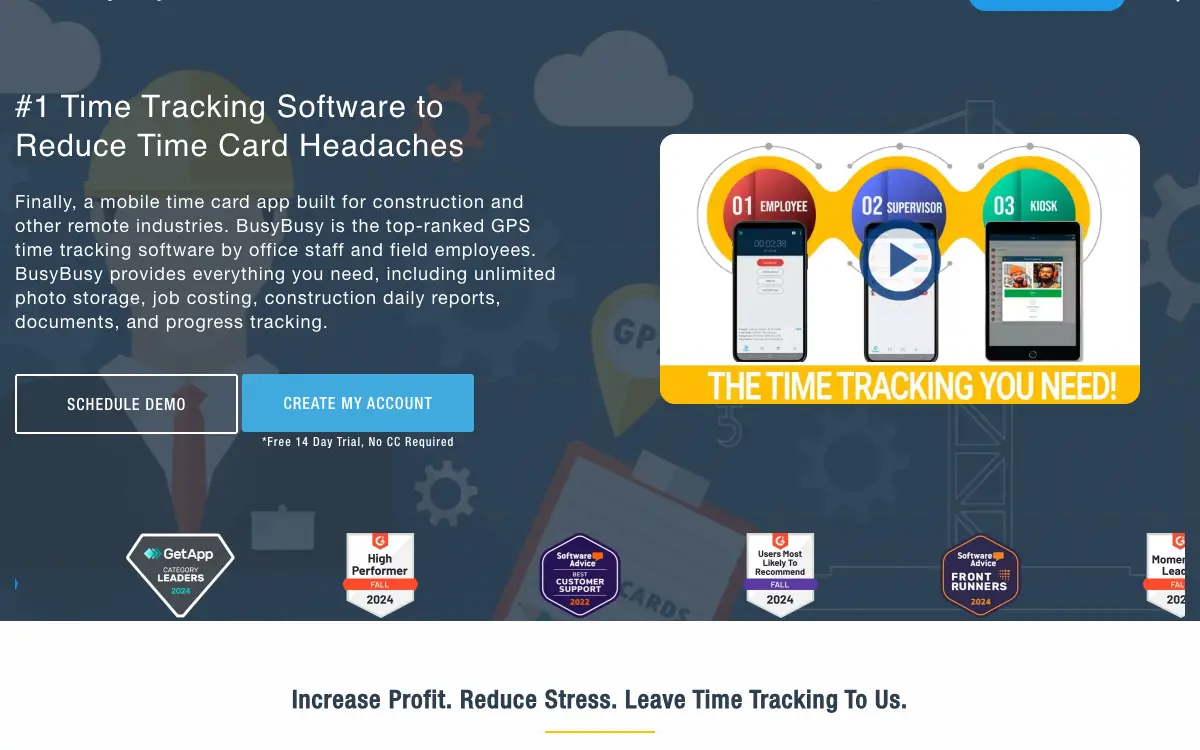
Page at a glance
busybusy is A phone-first GPS time clock that bills only for crew who used it that month, wrapped in a credit ledger that most buyers don't read until they try to leave. It starts at $0 per account. Credit-based, billed per ACTIVE user rather than per seat. The addendum defines a Credit as "a unit of usage permitting one User to access and use the BusyBusy Service for one month." The Fair Billing Policy defines active as "A user is active in a monthly billing period if they have logged into the BusyBusy Service (via the BusyBusy app or the online platform) or they have a time entry within that period." The help centre widens that further: a user who logs in and never clocks in still counts, because "a user can log into the app or onto the web and NOT clock in, but browse through the app reviewing time entries, or photos, etc. THIS will establish this user as an active user for that billing period." A minimum of one user is charged even when nobody is active. Monthly plans are invoiced in arrears; annual plans are invoiced in advance for projected users. It fits Field crews of roughly 5 to 40 on residential and light-commercial construction where payroll is still being assembled from paper time cards and the owner wants job-costed hours without replacing QuickBooks. It's the wrong buy for A one-to-three-person residential contractor who wants job-costed hours and nothing else, because The $40 monthly admin licence is charged regardless of usage, so a two-person shop on annual Pro pays about $480 in admin licence against roughly $240 of user credits. So two-thirds of the bill buys nothing but the right to log in. And the Free tier already includes GPS time tracking, job costing and equipment tracking, so at this size the honest options are the free plan or a flat-rate competitor, not paid busybusy. Alternatives that publish their prices are Workyard from $6, Hourly from $80, Knowify from $99. Six priced tiers, seven evidenced gaps and five alternatives, three of which publish a figure.
What you're buying with busybusy, and what the demo skips
busybusy earns its money with Field crews of roughly 5 to 40 on residential and light-commercial construction where payroll is still being assembled from paper time cards and the owner wants job-costed hours without replacing QuickBooks. If that's you, it does the job. The sections below are the parts worth checking before you sign. But the fit is narrower than the marketing suggests, and the price isn't the whole cost.
It starts at $0. And pricing was verified on 7 August 2026, so you can check every figure below in a browser tab.
| Pricing model | Published tiers |
|---|---|
| Entry price | $0 |
| Users | Credit-based, billed per ACTIVE user rather than per seat. The addendum defines a Credit a |
| Ownership | AlignOps |
| Best fit | Field crews of roughly 5 to 40 on residential and light-commercial construction where payroll is still being assembled from paper time cards and the owner wants job-costed hours without replacing QuickBooks. |
| Accounting sync | QuickBooks Online (two-way), QuickBooks Desktop (two-way), Foundation Software (two-way), Sage (Intacct, 300, 100) (two-way), Procore (two-way), ADP Workforce Now (one-way), Any accounting system that can import files (one-way) |
What works
- Prepaid credits that deplete by active user, closer to a prepaid phone plan than a seat licence
- Two-way sync with construction accounting, one-way export to the big payroll bureaus
- A hardware business bolted onto a software subscription, with contract mechanics that don't match the marketing
- Safety and Operations are separate annual subscriptions with their own auto-renewal and their own cancellation notice
- Cancellation is self-service on mobile and irreversible, but the refund path is time-boxed and carved out
What does not
- Merely opening the app makes a user billable, even if they never clock in
- The seasonal-crew scenario busybusy advertises can trip the inactivity clause that forfeits your prepaid credits
- Reviewers repeatedly report background location tracking that the vendor's FAQ says doesn't happen
- The $40 admin licence is charged whether or not anyone uses the software
- No public API, and the only automation path is Zapier, which is Premium-only
busybusy is A phone-first GPS time clock that bills only for crew who used it that month, wrapped in a credit ledger that most buyers don't read until they try to leave. It sells to Cross-trade contractors, and the shape of the product follows from that: busybusy doesn't sell seats. It sells credits, one credit per user per month, and burns them as people use the product. The help centre uses the prepaid-minutes analogy itself. Monthly plans invoice in arrears for what you used; annual plans invoice in advance for projected users, and if you add people mid-year the credits simply deplete faster and you're invoiced again. This is genuinely better than seat licensing for crews that fluctuate, and it's the main reason busybusy wins against flat-rate competitors on a growing or shrinking headcount. But it's also the mechanism that creates the forfeiture and inactivity risks, because a credit balance is a thing that can be lost in a way a monthly subscription can't.
Ownership matters here more than it usually does. busybusy is owned by AlignOps, so weigh roadmap risk alongside the feature list. An independent product can be bought and folded into somebody else's plan two years after you sign.
Who should be shortlisting busybusy
It fits Field crews of roughly 5 to 40 on residential and light-commercial construction where payroll is still being assembled from paper time cards and the owner wants job-costed hours without replacing QuickBooks. That's the half most reviews print. Here's the other half, which is the one worth your time.
Don't buy it if you're A one-to-three-person residential contractor who wants job-costed hours and nothing else. The $40 monthly admin licence is charged regardless of usage, so a two-person shop on annual Pro pays about $480 in admin licence against roughly $240 of user credits. So two-thirds of the bill buys nothing but the right to log in. And the Free tier already includes GPS time tracking, job costing and equipment tracking, so at this size the honest options are the free plan or a flat-rate competitor, not paid busybusy. Look at busybusy Free tier instead.
Don't buy it if you're A contractor who needs office-side estimating, invoicing, change orders and AR in the same system. busybusy is a field time-and-equipment product. It sends hours out to your accounting system and pulls jobs and cost codes back, but it doesn't quote, invoice or collect. So buying it expecting an operations platform means running two systems and reconciling them. Look at Knowify instead.
Don't buy it if you're A seasonal outfit that idles most of its roster for three months or more and wants to prepay annually for the discount. The inactivity clause forfeits unused prepaid credits when more than 80% of expected users are inactive for three consecutive months, which is a plain description of an off-season. And the two-free-months annual discount is the exact thing at risk. Month-to-month billing in arrears costs 20% more per user but can't forfeit anything, and the policy's own carve-out for accounts of six or fewer users on annual plans signals where the risk sits. Look at busybusy on monthly billing rather than annual prepay instead.
Don't buy it if you're A crew where phones are personal devices and workers have any say in what gets installed. The volume and consistency of background-location complaints on the App Store is the dominant signal in the recent review stream, and several reviewers say they're pushing their employer to switch. And a time clock the crew actively resents produces missed punches, which costs more in payroll disputes than the software saves. Look at Workyard instead.
The money question on busybusy
busybusy prints its numbers on its own site. Good. That means you can price your real configuration tonight instead of waiting on a rep.
| Tier | Price | Billing unit | What it unlocks |
|---|---|---|---|
| Free | $0 | per account | Nothing beyond the tier below |
| Pro (billed monthly) | $11.99 | per user | GPS Breadcrumbing, Supervisor Tools, Daily Sign-Offs, Photos & Notes, Scheduling, Kiosk/Punch Clock, Clock In Photo Verification, Time Off Approvals, Budgets, GPS Equipment Tracking eligibility |
| Pro (billed annually) | $9.99 | per user | Same as Pro monthly, 12-month credit purchase invoiced in advance |
| Premium (billed monthly) | $17.99 | per user | Everything in Pro, Documents, Daily Project Reports, Progress Tracking, Checklists, Team Messaging, Video & Photo Markups, Zapier, PPE Scans |
| Premium (billed annually) | $14.99 | per user | Same as Premium monthly, 12-month credit purchase invoiced in advance |
| Admin licence (mandatory surcharge on every paid plan) | $40 | per account | Charged on top of every Pro and Premium plan, First user included, Billed monthly regardless of whether anyone logs in |
Credit-based, billed per ACTIVE user rather than per seat. The addendum defines a Credit as "a unit of usage permitting one User to access and use the BusyBusy Service for one month." The Fair Billing Policy defines active as "A user is active in a monthly billing period if they have logged into the BusyBusy Service (via the BusyBusy app or the online platform) or they have a time entry within that period." The help centre widens that further: a user who logs in and never clocks in still counts, because "a user can log into the app or onto the web and NOT clock in, but browse through the app reviewing time entries, or photos, etc. THIS will establish this user as an active user for that billing period." A minimum of one user is charged even when nobody is active. Monthly plans are invoiced in arrears; annual plans are invoiced in advance for projected users.
There is a discount for paying annually up front: And an annual prepay discount tells you an annual commitment exists, which is worth knowing before anyone mentions a term length out loud.
What isn't in the busybusy number you get quoted
Payment processing. busybusy is not a payments product and takes no cut of contractor revenue. Card-on-file is the default for the core time-tracking subscription (the help centre notes "The card on file is only charged when there is insufficient credit to cover the usage in the period"). The separately-sold Safety and Operations Modules and the GPS/Telematics service do NOT accept cards: "Payment may be remitted via ACH, Wire Transfer, or Overnight Check." Quarterly telematics billing additionally requires ACH with automatic debit authorization.
Implementation and onboarding. No implementation fee is published anywhere on the pricing page, but the refund clause proves such charges exist: the 90-day guarantee covers "a full refund of your annual subscription less setup and integration costs." AlignOps also sells Consulting, Implementation, Training and On-Site Training as separate services, none of them priced publicly. GPS/Telematics carries an undisclosed per-unit "Hardware Unit Activation Fee" set "as set forth in an applicable order."
Minimum term. The vendor contradicts itself. Marketing pages state flatly: "We don't do contracts. We simply don't think a client should ever be stuck using a software that doesn't help their business." (https://busybusy.com/integrations/). The binding addendum says the opposite for the equipment side: "Equipment tracking is a contract-based service. Additional devices added within 90 days of the original agreement may follow the existing contract; devices added after 90 days require a new contract." (https://alignops.com/busybusy-addendum). Both statements were live on 2026-08-07. Read literally, the no-contract claim holds only for month-to-month time tracking.
Getting out. For time tracking there is none: monthly billing is in arrears and you can drop to Free. For GPS/Telematics there is a real one whose size is not published: "If a Subscriber cancels the service before the end of the agreed term, remaining contract obligations still apply" and "Returns/cancellations within the initial term will be assessed a fee equal to a percentage of the remaining charges as defined in the Order Agreement." The percentage lives only in the Order Agreement you sign, not on any public page. Unreturned hardware is worse: units must come back "within sixty (60) days" of termination or "the Telematics Service subscription for such units shall automatically continue on a quarterly basis at the then-current rates" until returned or paid out at Replacement Fees of $199.00 (Tier 1 and 2), $299.00 (Tier 3 dashcam) or $399.00 (Tier 4).
Auto-renewal. The Safety Module and the Operations Module each carry "an independent annual subscription fee" that "will automatically renew each year on the anniversary of the initial payment date, at the then-current rate," and cancelling requires "written notice at least 30 days before the renewal date." The renewal price is explicitly the then-current rate, not the rate you signed. The core time-tracking plan has no equivalent notice window.
Modules sold separately. , , , , , , , , , , , , , . So price the busybusy configuration you'll really run rather than the entry tier, because an add-on you need on day one is part of the price.
Side note, and it's a useful one: the one line on busybusy's bill that is NOT usage-based is the one it puts in small print. The entire pitch is "We bill you based on usage, not a predetermined amount that you are stuck paying every month," but the $40 admin licence "applies regardless of whether Subscriber or any of its Users use the BusyBusy Service." So it's the single largest fixed cost on any small account and the only charge the Fair Billing Policy's logic doesn't govern. Below about six crew the admin licence is most of the invoice. Compare busybusy against per-user competitors using ($40 x 12) + (rate x 12 x headcount), not the headline rate, or the comparison is meaningless.
The busybusy costs that land afterwards
The subscription is the part everyone quotes. These are the lines that land afterwards, and the ones we could not find are named as unpublished rather than left blank.
Sold separately. , , , , , , , , , , , , , . Price the configuration you'll really run, because an add-on you need on day one is part of the price.
"busybusy Free is $0, per account."
busybusy pricing page (2026)
"busybusy Pro (billed monthly) is $11.99, per user."
busybusy pricing page (2026)
"Credit-based, billed per ACTIVE user rather than per seat. The addendum defines a Credit as "a unit of usage permitting one User to access and use the BusyBusy Service for one month." The Fair Billing Policy defines active as "A user is active in a monthly billing period if they have logged into the BusyBusy Service (via the BusyBusy app or the online platform) or they have a time entry within that period." The help centre widens that further: a user who logs in and never clocks in still counts, because "a user can log into the app or onto the web and NOT clock in, but browse through the app reviewing time entries, or photos, etc. THIS will establish this user as an active user for that billing period." A minimum of one user is charged even when nobody is active. Monthly plans are invoiced in arrears; annual plans are invoiced in advance for projected users."
busybusy pricing page (2026)
The five workflows you pay for
Feature totals are noise. So a shop in this category lives or dies on five things, and those are the five to grade, and each one below carries the evidence it's graded on.
Prepaid credits that deplete by active user, closer to a prepaid phone plan than a seat licence busybusy doesn't sell seats. It sells credits, one credit per user per month, and burns them as people use the product. The help centre uses the prepaid-minutes analogy itself. Monthly plans invoice in arrears for what you used; annual plans invoice in advance for projected users, and if you add people mid-year the credits simply deplete faster and you're invoiced again. This is genuinely better than seat licensing for crews that fluctuate, and it's the main reason busybusy wins against flat-rate competitors on a growing or shrinking headcount. But it's also the mechanism that creates the forfeiture and inactivity risks, because a credit balance is a thing that can be lost in a way a monthly subscription can't.
Two-way sync with construction accounting, one-way export to the big payroll bureaus The named construction accounting connectors are genuinely bidirectional: employee records and project data flow both ways, and cost codes come down from the accounting system so crews clock straight into the right code. But the payroll-bureau path is thinner. ADP Workforce Now is documented as an export-review-import cycle with macro automation rather than a live sync. Below the named connectors sits a much larger tier of file-based support: busybusy states it will "integrate with any accounting system that can import files," listing American Contractor, Construction Manager, Construction Partner, Corecon, Eclipse, Keystone, Jonas, MYOB, Netsuite, Sage 50, Sage BusinessWorks, Submaster, Accumatica and more. So file-based means someone runs an export every pay period.
A hardware business bolted onto a software subscription, with contract mechanics that don't match the marketing GPS Equipment Tracking isn't a feature toggle. It requires at minimum a Pro subscription, it's unavailable on monthly billing at all, it ships physical Hardware Units in four tiers, it carries an undisclosed per-unit activation fee, and it's explicitly contract-based with an early-termination fee expressed as an unpublished percentage of remaining charges. And units must be returned within 60 days of termination or the subscription silently rolls quarterly at then-current rates. So this is the part of busybusy that behaves least like the friendly no-contract time clock on the marketing pages, and it's sold to the same buyer.
Safety and Operations are separate annual subscriptions with their own auto-renewal and their own cancellation notice The pricing page's three-tier table implies your bill is one number. But it isn't. The Safety Module and the Operations Module each carry an independent annual fee "due in full upon receipt of the invoice," each auto-renews at the then-current rate on its own anniversary date, each requires 30 days written notice to stop, and neither accepts a credit card. Sixteen separate cells in the plan-comparison table are marked Addon rather than included, and two more are marked Module. So a buyer who scoped busybusy from the pricing page alone will be surprised by both the number of line items and the fact that the cancellation clock for the modules is different from the one for the plan.
Cancellation is self-service on mobile and irreversible, but the refund path is time-boxed and carved out Account deletion is genuinely self-service: Settings, Time Keeping, Deactivate Account, Delete Account, Submit. No retention call required, which is better than most of this category. But what isn't clean is the money. The 90-day guarantee refunds "your annual subscription less setup and integration costs," so the implementation spend isn't recoverable, and at least one reviewer describes a prepaid deposit held after the refund window closed while the integration work itself was still incomplete. And the gap between a 90-day refund clock and an integration project that can run longer than 90 days is where that dispute lives.
How busybusy lands by trade
Fit differs by trade rather than by company size alone, and a blended paragraph hides that. Here is the split for the trades this one sells to.
Cross-trade. The workflow that decides it is prepaid credits that deplete by active user, closer to a prepaid phone plan than a seat licence, and the shop profile that gets value is 5 to 15 crew, year-round work doing residential and commercial and service work. Where it stops being a fit is A one-to-three-person residential contractor who wants job-costed hours and nothing else.
Your books, and whether busybusy connects to them
QuickBooks Online connects both ways, on every plan. QuickBooks Desktop connects both ways, on every plan. Foundation Software connects both ways, on every plan. Sage (Intacct, 300, 100) connects both ways, on every plan. Procore connects both ways, on every plan. ADP Workforce Now connects one way only, so edits made in your books do not come back, on every plan. Any accounting system that can import files connects one way only, so edits made in your books do not come back, on every plan. Your costs map through cost codes, so test yours against your own chart of accounts before you commit. A code your books don't recognise is how a labour charge quietly lands somewhere useless.
Past those, the road ends. Public API, Xero, Gusto, Warranty or support for the connectors busybusy ships do not connect. So if your books run on an ERP rather than the platforms named above, weigh that before anything else.
Beyond accounting it connects to Zapier (General-purpose automation, and the only substitute for the API busybusy doesn't have. And it's listed in the Premium plan bullets, not Pro.), CompanyCam (Jobsite photo documentation alongside busybusy's own photo and video capture.), Viewpoint Spectrum, Viewpoint Vista, Viewpoint ProContractor (Three separate Trimble Viewpoint connectors keeping employees, projects, budgets and hours in sync.), Paychex, Ceridian, ConstructionPayroll.com (Payroll bureau destinations. ConstructionPayroll.com is called out specifically for prevailing wage, multi-state, multi-rate and union payroll.), CMiC, Microsoft Dynamics, ComputerEase, Explorer, JobView, FreshBooks, Protiv, Beam (The remainder of the named connector grid, spanning ERP, accounting and incentive-pay tools.). A public API exists: No public API. busybusy.com/api/ and busybusy.com/developers/ return HTTP 404; developer.busybusy.com and api.busybusy.com do not resolve (tested 2026-08-07). The only documented automation surface is Zapier, which the pricing page places in the Premium tier bullets rather than Pro, so custom automation carries a $5.00 per user per month uplift on top of Pro.
busybusy support, onboarding and the hours
Support is the line item nobody prices and everybody eventually needs. Onboarding for busybusy: No implementation fee is published anywhere on the pricing page, but the refund clause proves such charges exist: the 90-day guarantee covers "a full refund of your annual subscription less setup and integration costs." AlignOps also sells Consulting, Implementation, Training and On-Site Training as separate services, none of them priced publicly. GPS/Telematics carries an undisclosed per-unit "Hardware Unit Activation Fee" set "as set forth in an applicable order."
The review corpus we read on 7 August 2026 carries no consistent signal on response times either way, so treat support as untested rather than good. Open a real ticket during the trial and time the reply, because that is the number no pricing page gives you.
What happens when you want to leave busybusy
Nobody reads this section before they buy, and it's the one that costs money afterwards. Four terms decide what leaving looks like.
Minimum term. The vendor contradicts itself. Marketing pages state flatly: "We don't do contracts. We simply don't think a client should ever be stuck using a software that doesn't help their business." (https://busybusy.com/integrations/). The binding addendum says the opposite for the equipment side: "Equipment tracking is a contract-based service. Additional devices added within 90 days of the original agreement may follow the existing contract; devices added after 90 days require a new contract." (https://alignops.com/busybusy-addendum). Both statements were live on 2026-08-07. Read literally, the no-contract claim holds only for month-to-month time tracking.
Auto-renewal. The Safety Module and the Operations Module each carry "an independent annual subscription fee" that "will automatically renew each year on the anniversary of the initial payment date, at the then-current rate," and cancelling requires "written notice at least 30 days before the renewal date." The renewal price is explicitly the then-current rate, not the rate you signed. The core time-tracking plan has no equivalent notice window.
Early termination. For time tracking there is none: monthly billing is in arrears and you can drop to Free. For GPS/Telematics there is a real one whose size is not published: "If a Subscriber cancels the service before the end of the agreed term, remaining contract obligations still apply" and "Returns/cancellations within the initial term will be assessed a fee equal to a percentage of the remaining charges as defined in the Order Agreement." The percentage lives only in the Order Agreement you sign, not on any public page. Unreturned hardware is worse: units must come back "within sixty (60) days" of termination or "the Telematics Service subscription for such units shall automatically continue on a quarterly basis at the then-current rates" until returned or paid out at Replacement Fees of $199.00 (Tier 1 and 2), $299.00 (Tier 3 dashcam) or $399.00 (Tier 4).
Payment processing. busybusy is not a payments product and takes no cut of contractor revenue. Card-on-file is the default for the core time-tracking subscription (the help centre notes "The card on file is only charged when there is insufficient credit to cover the usage in the period"). The separately-sold Safety and Operations Modules and the GPS/Telematics service do NOT accept cards: "Payment may be remitted via ACH, Wire Transfer, or Overnight Check." Quarterly telematics billing additionally requires ACH with automatic debit authorization.
A tangent, but stay with it. Downgrading is the dangerous action, not cancelling, and busybusy has automated the path into it. An inactive paid account is automatically downgraded to Free. Data must be exported BEFORE a downgrade takes effect or it's permanently lost. A Free account is deleted along with its data after six consecutive months of inactivity. So chain those three clauses and an account can travel from paid subscription to deleted data with nobody at the contractor ever clicking a button. Labour records are records most contractors are legally obliged to retain. Put a quarterly CSV export on the office calendar from day one and treat any plan change as an export trigger, because the vendor's documented position is that the loss is your error.
"We used busy busy for a couple years at our company and had mediocre success with it. The real problem is when you try canceling with them, three or four people will tell you that they are canceling your account, and then continue to charge you anyways. If you go onto your account and cancel your subscription, they will still charge you. Terrible people, and a terrible company."
Apple App Store, TH91495 (8-08)
"We signed up and gave them deposit to get going as they make you prepay. We were promised during sales call that software integrated with our system. After months of back and forth they could not get busy busy to integrate. When we asked for refund as we were told deposit was refundable, they said time period had past for refund. Meanwhile we didn't even get to use the app until their team was done building it out. So as of today they are holding $5k and won't return it. Complete trash."
Apple App Store, Tank2299 (7-13)
"BusyBusy DOES NOT integrate with QuickBooks as promised. You have to make all the file format changes yourself and then import each week. This was a huge headache for our company and we spent almost more time making BusyBusy work than any time it saved us. Extremely disappointed in our experience with BusyBusy. This is underdeveloped, over priced, and lacking key functionality offered by similar competitors. BEWARE"
Apple App Store, Construction Company User (3-18)
The busybusy gaps worth raising on the call
Six things worth raising, and each one's answerable with a yes or a no on a call.
Merely opening the app makes a user billable, even if they never clock in busybusy markets "We bill you based on usage, not a predetermined amount that you are stuck paying every month," and the Fair Billing Policy backs that up for genuinely dormant crew. But the help centre defines active far more loosely than most buyers assume: a user who logs in to look at old time cards or photos and never clocks in is billed for that month anyway. And the vendor's own mitigation is manual housekeeping, not a setting: it advises admins "to archive any users that are no longer employed by the company to avoid charges for users logging into BusyBusy for purposes other than time tracking." So a laid-off employee who still has the app installed and taps it once is a line item on your next invoice. Before signing, ask for the archive-user workflow in writing and put a recurring calendar task on your office manager to archive every departing employee the week they leave. Then reconcile the active-user count on your first three invoices against your actual payroll roster.
The seasonal-crew scenario busybusy advertises can trip the inactivity clause that forfeits your prepaid credits One page of the Fair Billing Policy sells seasonality as a feature: "Leo has a seasonal crew of 5 employees. For his September billing period, those 5 users were not active and Leo's bill was automatically reduced. In December, those 5 users become active again." Further down the same page, a different rule says an account is inactive "when more than 80% of the account's peak or expected number of active users remain inactive for three consecutive months," and that when an account is deemed inactive it is downgraded to Free, the paid subscription is cancelled, and "Any unused, pre-paid credits will be forfeited at that time." A snow-removal or excavation outfit that idles most of its roster over a three-month off-season is describing both passages at once. And the document doesn't reconcile them. If your work is seasonal, get written confirmation of exactly how the 80%/three-month test is applied to your roster before prepaying an annual plan, and ask for the carve-out in the Order Agreement. Note the policy already carves out accounts of six or fewer users on annual plans, which suggests the rule bites hardest in the 7-to-30 range.
Reviewers repeatedly report background location tracking that the vendor's FAQ says doesn't happen The busybusy FAQ is unambiguous: "busybusy only 'pins' an employee's location when an employee clocks in and when they clock out, including breaks" and "When an employee is not clocked in, rest assured no one can see their location." But the App Store listing tells a different story from the crew side, and it's the single most repeated complaint in the recent review stream, not an isolated grumble. The vendor does separately document a 'breadcrumbing' feature that "mark[s] significant employee movement" while clocked in, which is a Pro-tier feature, so part of this is likely a permissions-model gap between what iOS asks for and what the product does with it. And that distinction is invisible to the crew being asked to grant Always. A field employee, writing on 2023-09-05, puts it: "I get notifications that the app that it tracked me 127 times over the last three days. I was never clocked in. I didn't even open the app. The app refuses to work unless you allow it to track you 24/7. AND the fact that it tracked me 127 times over the last 3 days when the app was never opened and I wasn't clocked in is proof of that. Don't believe them when they say that it only tracks you while you're on the clock." So install it on one phone yourself for a full week, clock out, and read the iOS Privacy Report for that device before you roll it out to the crew. If you can't explain the permission prompt to a foreman in one sentence, you'll get adoption resistance.
The $40 admin licence is charged whether or not anyone uses the software The pricing page presents busybusy as $9.99 or $14.99 per user per month and puts the admin licence in small print as "+ $40 Admin license (first user included)." But the addendum makes clear it isn't usage-based like the rest of the model: it "applies regardless of whether Subscriber or any of its Users use the BusyBusy Service." So for a five-person crew on annual Pro, that surcharge is $480 a year against roughly $600 of user credits, and the headline per-user price understates the real cost by close to 80% at the small end. The whole Fair Billing pitch is that you only pay for usage, and this line is the exception and the largest single fixed cost on a small account. Model total annual cost as ($40 x 12) + (per-user rate x 12 x realistic active headcount) before comparing against any competitor's per-user sticker price. Under about six crew the admin licence dominates.
No public API, and the only automation path is Zapier, which is Premium-only There's no developer portal, no API documentation and no api or developer subdomain resolving on busybusy.com. Every named integration is either a prebuilt connector or a file export, and the addendum disclaims the connectors it does ship: AlignOps "is not responsible for such Third Party Products, provides no warranties related to Third Party Products, and will not support Third Party Products," and is "not responsible for any disclosure, modification, or deletion of Subscriber Data resulting from the foregoing." So that leaves Zapier as the general-purpose escape hatch, and Zapier sits in the Premium bullet list, not Pro. And wanting one custom automation pushes the whole account from $9.99 to $14.99 per user per month. If any part of your stack needs a custom hook, price the Premium tier from day one rather than planning to upgrade later, and confirm the specific Zapier triggers you need exist in the vendor's triggers-and-actions reference.
Crash and sync complaints cluster around exactly the moments that cost money: signing time cards and switching jobs The failure mode reviewers describe isn't cosmetic. It lands on time-card signature, job switching and report preview, which are the three actions that determine whether payroll is right. Several describe unrecorded hours as the outcome rather than mere annoyance. And one employer-side reviewer separately reports that the app is fine at ten employees and degrades past that, which matters because the product is sold to crews well above that size. On 2017-12-15, a field employee says: "Great tool but unreliable. Quite often when clocking in, the timer starts, and appears to be working. But only when I log in from the shop. If I start time or try to switch from job to job, the app opens and says location is disabled and prompts me to open settings and turn on. Yet, it is on. This happens every time I switch tasks from anywhere but the shop. As well it will revert to having not started the timer. So 3-4 hours of my day are not recorded." Run the 14-day free trial on the oldest and cheapest Android and iPhone models in your actual crew, not on the office iPhone, and specifically test job-to-job switching away from your shop's wifi.
Downgrading, not just cancelling, can permanently destroy your data Most buyers treat 'drop to the Free plan' as the safe way to pause. But the addendum sets that trap out in capitals: data must be exported BEFORE a downgrade takes effect or it's gone. The Fair Billing Policy adds that a Free account is deleted outright "After six consecutive months of inactivity ... along with the data associated with it," and the help centre's deletion article warns "If you delete your busybusy account WE CANNOT GET IT BACK. Your data will be permanently lost." So since an inactive paid account is automatically downgraded to Free, an abandoned account can walk the whole path from paid, to Free, to deleted without anyone at the company clicking anything. So export payroll history to CSV on a standing quarterly schedule, and export everything before any plan change. Treat labour records as records you're legally required to retain, not as something the vendor is holding for you.
One more thing worth knowing. busybusy's own Fair Billing Policy sells the seasonal-crew scenario as a feature on one screen and penalises it on the next. The Leo example celebrates five seasonal employees going inactive in September and reactivating in December. Four paragraphs later, an account where "more than 80% of the account's peak or expected number of active users remain inactive for three consecutive months" is deemed inactive, downgraded to Free, and its unused prepaid credits are forfeited. Nothing on the page reconciles the two. So snow removal, excavation, landscaping and paving outfits above six users should bill monthly rather than take the two-free-months annual discount, or get the seasonality carve-out written into the Order Agreement. The discount is worth about 17%. But the forfeiture risk is the whole prepaid balance.
One more thing worth knowing. busybusy is one of very few tools in this category that publishes a real rate card, and the reason the number is trustworthy is unusual: two Gartner-owned directories independently surface $9.99 and $14.99, matching the vendor's annual figures exactly. But that's corroboration of the price, not of the product, and it's worth stating plainly that those directories are one review pool, not two opinions. Treat the published rate card as reliable and the third-party star rating as a single data point. And where busybusy is genuinely opaque is everything the rate card doesn't cover: activation fees, implementation, the telematics early-termination percentage, and module pricing, none of which appear anywhere public.
One oddity, filed under things nobody mentions on a demo. The complaints split cleanly by who's holding the phone, and the split predicts your rollout risk. Owner and office reviewers write about payroll going from days to minutes. Field reviewers write about background location, battery drain, crashes on time-card signature and lost hours. So the product is bought by the group that never experiences its worst failure mode, which is why so many negative reviews end with the reviewer saying they're pushing their employer to switch. Trial on the oldest phones your crew carries, off your shop wifi, and have a foreman rather than the office manager run the pilot. And the buying committee's experience of this product is systematically better than the user base's.
busybusy, from the people who bought it
Every quote below is transcribed from a published review, named to the platform that carries it and to the reviewer as that platform displays them. We read the corpus by complaint type rather than by star rating, which is how the disqualifying detail buried inside a five-star review gets found.
"We used busy busy for a couple years at our company and had mediocre success with it. The real problem is when you try canceling with them, three or four people will tell you that they are canceling your account, and then continue to charge you anyways. If you go onto your account and cancel your subscription, they will still charge you. Terrible people, and a terrible company."
A company user (2 years) who reviewed it on 2025-08-08 writes on Apple App Store
"We signed up and gave them deposit to get going as they make you prepay. We were promised during sales call that software integrated with our system. After months of back and forth they could not get busy busy to integrate. When we asked for refund as we were told deposit was refundable, they said time period had past for refund. Meanwhile we didn't even get to use the app until their team was done building it out. So as of today they are holding $5k and won't return it. Complete trash."
A buyer, says it plainly on Apple App Store
"BusyBusy DOES NOT integrate with QuickBooks as promised. You have to make all the file format changes yourself and then import each week. This was a huge headache for our company and we spent almost more time making BusyBusy work than any time it saved us. Extremely disappointed in our experience with BusyBusy. This is underdeveloped, over priced, and lacking key functionality offered by similar competitors. BEWARE"
On 2016-03-18, a construction company puts it on Apple App Store
"I get notifications that the app that it tracked me 127 times over the last three days. I was never clocked in. I didn't even open the app. The app refuses to work unless you allow it to track you 24/7. AND the fact that it tracked me 127 times over the last 3 days when the app was never opened and I wasn't clocked in is proof of that. Don't believe them when they say that it only tracks you while you're on the clock."
On 2023-09-05, a field employee puts it on Apple App Store
"This is a great app for a very small company of ten employees. With a lot of employees it starts to have a lot of glitches and problems with work orders and jobs. Sometimes it won't let you sign your time card nothing will load just a lot of problems. With working in the field you don't want to have to spend a lot of time figuring out how to get your time card to work."
And a field employee, writing on 2019-04-23, puts it the same thing on Apple App Store
"The app was tracking me when I wasn't clocked in. When I contacted them about it they suggested I pay them $3,600 to upgrade to pro. For What? So they can steal my info and my money? They've lost my trust."
On 2025-02-20, an account holder says on Apple App Store
"The app is great. I loved it. My employees loved it for about a week. But after that to get the most out of the app you have to schedule a Zoom meeting with the producers of the app. I don't have time for a Zoom meeting. I want to buy the pro version of the app and keep going. I don't have time while I'm running a business to have a zoom meeting over a cell phone app. Long story short, the app is great until it doesn't work anymore because you don't have time for a Zoom meeting"
On 2025-02-05, a business owner describes it on Apple App Store
"My crew and office people are so happy since we implemented busybusy. Payroll is much more seamless, and the guys feel trusted because we don't have to check in with them as often and everything is kept in the app. Initially, I didn't realize how easy it really is to use- but quickly saw its simple, doesn't cost an arm and a leg, and everyone wins. Their staff is also super quick at responding and always pleasant to chat with."
And an office / owner side, writing on 2025-01-29, describes it the same thing on Apple App Store
"Finally something for us! I've wanted a good Construction App/Software for my business forever and I've tried a bunch of them. busybusy is by far the best for my employees because they'll actually use it and it makes payroll easy, accurate and fast for my office staff. There's not another product out there that compares and trust me, it's taken me a long time searching to find the best one. Thank you busybusy for great customer service and a great product. My job is so much easier thanks to this app."
A business owner, says it plainly on Apple App Store
"I wish they made it simpler to see all your employees and those hours. It's about 4-5 clicks in deep to see this info when that's what this app is. Should be ther first thing you see as an employer. Same when I open the app it goes to my clock in page. Im the employer I don't need to clock in I want to see who's clocked in and the times they have… too much work to navigate it. Keep it simple."
An employer, writing on 2023-04-24, describes it on Apple App Store
"Great tool but unreliable. Quite often when clocking in, the timer starts, and appears to be working. But only when I log in from the shop. If I start time or try to switch from job to job, the app opens and says location is disabled and prompts me to open settings and turn on. Yet, it is on. This happens every time I switch tasks from anywhere but the shop. As well it will revert to having not started the timer. So 3-4 hours of my day are not recorded."
A field employee who reviewed it on 2017-12-15 reports it on Apple App Store
"Please please please fix the apps crashing issue! It's been well over a year and despite the constant updates the app constantly crashes and causes data loss, it also doesn't update very well when changes are made. Please fix this issue. It causes a lot of wasted time and misinformation"
An app user who reviewed it on 2021-06-28 describes it on Apple App Store
What else you should be pricing beside busybusy
Here's the shortlist busybusy competes against in real deals. Some of these will tell you the price tonight. That difference tells you how the sales conversation is going to go.
| Tool | Entry price | Billing unit | Users included | Published? |
|---|---|---|---|---|
| busybusy | $0 | per account | Credit-based, billed per ACTIVE user rather than per seat. T | Yes |
| Workyard | $6 | per user | None bundled; per-user from the first user, billed annually | Yes |
| Hourly | $80 | per account | Base fee covers the account; $12 per employee per month on top (Gold tier) | Yes |
| Knowify | $99 | per account | Tiered by user count; additional users $29 per month each | Yes |
| ClockShark | Quote only | per user | Not disclosed on the public page | No |
| ExakTime | Quote only | per employee | Not disclosed on the current vendor page | No |
Workyard. Cheaper entry per user with no separate admin licence, and a GPS accuracy pitch aimed squarely at the tracking-reliability complaints that dominate busybusy's App Store reviews. But Thinner construction-accounting connector list; no equivalent of busybusy's free unlimited-user tier for shops that want to start at zero cost.
Hourly. Bundles workers' comp and payroll with time tracking, so the labour-burden picture is one system rather than an export into a bureau. But Base-plus-per-employee pricing punishes small crews harder than busybusy's usage model, and it doesn't carry busybusy's construction ERP connector list.
Knowify. Actual office-side operations: estimating, invoicing, change orders and AR alongside job costing, which busybusy doesn't do at all. But Far weaker field time clock. No GPS breadcrumbing, no equipment telematics, no free tier, and a much higher floor for a crew that only needs hours.
ClockShark. Closest like-for-like on crew time tracking and scheduling for small contractors, with a comparable GPS and geofencing feature set. But Prices are JavaScript-rendered and absent from the served HTML, so they can't be verified without a session. And more importantly its own pricing page states "Contract term of three (3) years applies to all pricing plans," against busybusy's month-to-month billing in arrears.
ExakTime. Rugged physical clock-in hardware for jobsites where crews don't carry smartphones, which busybusy's phone-first model can't serve. But No published pricing at all since the product moved under Arcoro, so every quote is a sales conversation. busybusy publishes its rate card.
"I get notifications that the app that it tracked me 127 times over the last three days. I was never clocked in. I didn't even open the app. The app refuses to work unless you allow it to track you 24/7. AND the fact that it tracked me 127 times over the last 3 days when the app was never opened and I wasn't clocked in is proof of that. Don't believe them when they say that it only tracks you while you're on the clock."
Apple App Store, jballamis (9-05)
"This is a great app for a very small company of ten employees. With a lot of employees it starts to have a lot of glitches and problems with work orders and jobs. Sometimes it won't let you sign your time card nothing will load just a lot of problems. With working in the field you don't want to have to spend a lot of time figuring out how to get your time card to work."
Apple App Store, eRiCsBuSh93 (4-23)
Who should not buy busybusy
Don't buy busybusy if you're A one-to-three-person residential contractor who wants job-costed hours and nothing else. The $40 monthly admin licence is charged regardless of usage, so a two-person shop on annual Pro pays about $480 in admin licence against roughly $240 of user credits. So two-thirds of the bill buys nothing but the right to log in. And the Free tier already includes GPS time tracking, job costing and equipment tracking, so at this size the honest options are the free plan or a flat-rate competitor, not paid busybusy. Look at busybusy Free tier instead.
Don't buy busybusy if you're A contractor who needs office-side estimating, invoicing, change orders and AR in the same system. busybusy is a field time-and-equipment product. It sends hours out to your accounting system and pulls jobs and cost codes back, but it doesn't quote, invoice or collect. So buying it expecting an operations platform means running two systems and reconciling them. Look at Knowify instead.
Don't buy busybusy if you're A seasonal outfit that idles most of its roster for three months or more and wants to prepay annually for the discount. The inactivity clause forfeits unused prepaid credits when more than 80% of expected users are inactive for three consecutive months, which is a plain description of an off-season. And the two-free-months annual discount is the exact thing at risk. Month-to-month billing in arrears costs 20% more per user but can't forfeit anything, and the policy's own carve-out for accounts of six or fewer users on annual plans signals where the risk sits. Look at busybusy on monthly billing rather than annual prepay instead.
Don't buy busybusy if you're A crew where phones are personal devices and workers have any say in what gets installed. The volume and consistency of background-location complaints on the App Store is the dominant signal in the recent review stream, and several reviewers say they're pushing their employer to switch. And a time clock the crew actively resents produces missed punches, which costs more in payroll disputes than the software saves. Look at Workyard instead.
The verdict, by shop size
Owner-operator to 4 crew
No. Not on a paid plan. The $40 monthly admin licence is charged regardless of usage, so a four-person crew on annual Pro pays roughly $480 a year in admin licence against about $480 of user credits. So half the invoice buys nothing. And the Free tier already includes GPS time tracking, job costing and equipment tracking, so at this size you either run Free or you buy a flat-rate competitor. Paying for Pro here is the worst of the three options. This band runs 1 to 4 on the crew, doing residential and service work, and that's the profile the recommendation is written for.
5 to 15 crew, year-round work
Yes, and this is the shape the product is built for. This is the band the product is built for and where the admin licence stops dominating. The QuickBooks and Foundation connectors are genuinely bidirectional, the usage model absorbs a fluctuating roster better than seat licensing, and the App Store's positive reviews cluster on exactly this profile: an owner who was drowning in paper time cards and now runs payroll in minutes. So take the monthly plan for the first year rather than the annual prepay, then switch once you've watched three invoices. This band runs 5 to 15 on the crew, doing residential and commercial work, and that's the profile the recommendation is written for.
5 to 30 crew, seasonal work with a genuine off-season
Only under conditions, and they are worth being honest about. The product handles seasonality well and advertises it, but only on monthly billing. So don't prepay annually until you have written confirmation of how the 80%-inactive-for-three-months rule applies to your roster, because that clause forfeits unused prepaid credits and an off-season is a literal description of it. And the policy already exempts annual accounts of six or fewer users, which tells you the exposure is real between roughly 7 and 30. Monthly billing costs 20% more per user and can't forfeit anything, which is cheap insurance. This band runs 5 to 30 on the crew, doing residential and commercial work, and that's the profile the recommendation is written for.
30+ crew needing equipment telematics
Only under conditions, and they are worth being honest about. The time-tracking side scales. But the moment you add GPS Equipment Tracking you leave the no-contract product entirely. Telematics requires Pro minimum, is unavailable on monthly billing, is contract-based, carries an undisclosed activation fee and an early-termination fee expressed as an unpublished percentage of remaining charges, and rolls quarterly if hardware isn't returned within 60 days. So negotiate the termination percentage and the activation fee into the Order Agreement before signing, because neither is published anywhere. Also weight the reviewer who reports the app degrading past ten employees against your own trial on real crew phones. This band runs 30 or more on the crew, doing commercial work, and that's the profile the recommendation is written for.
Any crew size where phones are personal devices
No. The background-location complaint is the single most repeated theme in busybusy's recent App Store reviews, and the vendor FAQ's flat denial that off-clock location is visible doesn't match what reviewers report from their own iOS privacy reports. But whatever the technical explanation, a time clock the crew believes is following them home produces missed punches and payroll arguments that cost more than the software saves. So trial it on one phone for a week and read the privacy report before committing. This band runs 1 or more on the crew, doing residential and commercial and service work, and that's the profile the recommendation is written for.
The part of the busybusy decision that's our lane
Before you go, one number from our own work. Fervor does conversion and web design for contractors, so we've no stake in which busybusy competitor you pick.
busybusy bills per ACTIVE user, so a crew member who opens the app once and never clocks in still lands on the invoice, which pushes contractors to police who touches their software and prove the tool earns its keep. That instinct almost never reaches the website doing the actual selling. The pattern shows up in busybusy's own shop window: on its integrations directory the CompanyCam logo ships with alt="QuickBooks Desktop logo", a mislabelled image on a page built to win trust. Fervor inspected the contractor sites in its index and found 95.8% carry a serious WCAG violation and 61.3% a critical one, and mislabelled images are among the most common causes. A contractor who audits every $9.99 line on a busybusy invoice is usually not auditing the homepage that decides whether a $40,000 job ever calls.
And the number is worse than anyone guesses before they check. Across 380 inspected contractor sites, 95.8% carried a serious accessibility violation. So the sample is not curated: it is every contractor site the tooling could reach. All of it is documented in the Contractor CRO Index.
"95.8% of the 380 contractor websites inspected carried a serious accessibility violation."
Fervor Studio Contractor CRO Index (2026)
Buy the platform if it fits. But spend ten minutes on your own site first, on a phone, on mobile data, the way a homeowner would. The numbers are all public.
See where your site is losing the jobs busybusy would have managed
And it takes 5 business days. We use your site the way a homeowner would, then hand you the specific leaks.
Get a Site InspectionWhere all of this busybusy detail came from
So what's this built on. Documents rather than a deployment: busybusy was researched, not run. What it is instead: busybusy's own 23 pages read line by line on 7 August 2026, plus the review corpus read by complaint type rather than by star rating. So each number carries the date it was read, and the page it was read from.
So: twelve quotes on this page, twelve from Apple App Store.
And Capterra (capterra.com/p/135269/busybusy/reviews/): HTTP 403 on direct request and HTTP 404 via WebFetch. The product ID couldn't be confirmed without spending scarce search budget., Software Advice: raw HTML blocked by Cloudflare (403, "Attention Required! | Cloudflare"), so its 4.5/441 figure couldn't be verified against source markup as the sourcing rules require., GetApp: raw HTML blocked by Cloudflare (403), same limitation. and G2, TrustRadius, Trustpilot and Reddit: not attempted. These consistently block automated retrieval, and inventing content from them is worse than omitting them. refused automated retrieval for busybusy. Forum and social threads are the ones people most want quoted, and they are exactly the ones we cannot verify, so none of them are here.
What that leaves untested: the in-product billing screen and invoice PDF, which are behind authentication. The active-user count and admin-licence line on a real invoice would settle how the credit ledger presents day to day.. And everything above is 23 vendor pages and a review corpus, which is documentary rather than hands-on.
What busybusy users say
We used busy busy for a couple years at our company and had mediocre success with it. The real problem is when you try canceling with them, three or four people will tell you that they are canceling your account, and then continue to charge you anyways. If you go onto your account and cancel your subscription, they will still charge you. Terrible people, and a terrible company.
We signed up and gave them deposit to get going as they make you prepay. We were promised during sales call that software integrated with our system. After months of back and forth they could not get busy busy to integrate. When we asked for refund as we were told deposit was refundable, they said time period had past for refund. Meanwhile we didn't even get to use the app until their team was done building it out. So as of today they are holding $5k and won't return it. Complete trash.
BusyBusy DOES NOT integrate with QuickBooks as promised. You have to make all the file format changes yourself and then import each week. This was a huge headache for our company and we spent almost more time making BusyBusy work than any time it saved us. Extremely disappointed in our experience with BusyBusy. This is underdeveloped, over priced, and lacking key functionality offered by similar competitors. BEWARE
I get notifications that the app that it tracked me 127 times over the last three days. I was never clocked in. I didn't even open the app. The app refuses to work unless you allow it to track you 24/7. AND the fact that it tracked me 127 times over the last 3 days when the app was never opened and I wasn't clocked in is proof of that. Don't believe them when they say that it only tracks you while you're on the clock.
This is a great app for a very small company of ten employees. With a lot of employees it starts to have a lot of glitches and problems with work orders and jobs. Sometimes it won't let you sign your time card nothing will load just a lot of problems. With working in the field you don't want to have to spend a lot of time figuring out how to get your time card to work.
The app was tracking me when I wasn't clocked in. When I contacted them about it they suggested I pay them $3,600 to upgrade to pro. For What? So they can steal my info and my money? They've lost my trust.
The app is great. I loved it. My employees loved it for about a week. But after that to get the most out of the app you have to schedule a Zoom meeting with the producers of the app. I don't have time for a Zoom meeting. I want to buy the pro version of the app and keep going. I don't have time while I'm running a business to have a zoom meeting over a cell phone app. Long story short, the app is great until it doesn't work anymore because you don't have time for a Zoom meeting
My crew and office people are so happy since we implemented busybusy. Payroll is much more seamless, and the guys feel trusted because we don't have to check in with them as often and everything is kept in the app. Initially, I didn't realize how easy it really is to use- but quickly saw its simple, doesn't cost an arm and a leg, and everyone wins. Their staff is also super quick at responding and always pleasant to chat with.
Finally something for us! I've wanted a good Construction App/Software for my business forever and I've tried a bunch of them. busybusy is by far the best for my employees because they'll actually use it and it makes payroll easy, accurate and fast for my office staff. There's not another product out there that compares and trust me, it's taken me a long time searching to find the best one. Thank you busybusy for great customer service and a great product. My job is so much easier thanks to this app.
I wish they made it simpler to see all your employees and those hours. It's about 4-5 clicks in deep to see this info when that's what this app is. Should be ther first thing you see as an employer. Same when I open the app it goes to my clock in page. Im the employer I don't need to clock in I want to see who's clocked in and the times they have… too much work to navigate it. Keep it simple.
Great tool but unreliable. Quite often when clocking in, the timer starts, and appears to be working. But only when I log in from the shop. If I start time or try to switch from job to job, the app opens and says location is disabled and prompts me to open settings and turn on. Yet, it is on. This happens every time I switch tasks from anywhere but the shop. As well it will revert to having not started the timer. So 3-4 hours of my day are not recorded.
Please please please fix the apps crashing issue! It's been well over a year and despite the constant updates the app constantly crashes and causes data loss, it also doesn't update very well when changes are made. Please fix this issue. It causes a lot of wasted time and misinformation
Frequently asked questions
What does busybusy cost for a ten-person crew?
On annual billing, Pro is $9.99 per user per month and Premium is $14.99, and both carry a mandatory $40 per month admin licence on top with the first user included. Ten active users on annual Pro works out to roughly $1,200 in user credits plus $480 in admin licence, so about $1,680 a year. Monthly billing raises the per-user rate to $11.99 for Pro and $17.99 for Premium. All four figures come from busybusy.com/price/, and the admin licence line is confirmed as a monthly charge that applies whether or not anyone uses the product in the AlignOps busybusy addendum.
Is the free plan really unlimited users?
busybusy says both things and they don't agree. The pricing page's Free card lists "Unlimited Users" as a bullet. But the help centre's billing article says "*Our free plan is free up to 100 users." Both were live on 2026-08-07. So if you're planning to run a crew anywhere near 100 people on the free tier, get the ceiling confirmed in writing, because the two published answers differ.
Does busybusy track employees when they're off the clock?
The vendor says no. Its FAQ states that busybusy "only 'pins' an employee's location when an employee clocks in and when they clock out, including breaks" and that "When an employee is not clocked in, rest assured no one can see their location." But a large and consistent group of App Store reviewers says otherwise, several citing their own iOS privacy reports showing location access while not clocked in. busybusy does separately document a Pro-tier 'breadcrumbing' feature that marks significant movement while clocked in, so part of this is likely a gap between the Always permission iOS requests and what the product does with it. And that distinction doesn't help you if your crew doesn't believe it. Test it on one phone for a week before rolling it out.
What happens to my prepaid credits if my crew stops using it over the winter?
This is the sharpest edge in the contract. The Fair Billing Policy says unused credits "carry over to a later month or the following year as long as your account remains active," and separately defines an account as inactive when "more than 80% of the account's peak or expected number of active users remain inactive for three consecutive months." An inactive paid account is downgraded to Free, the subscription is cancelled, and "Any unused, pre-paid credits will be forfeited at that time." And confusingly, the help centre's version of the carry-over sentence omits the account-active condition entirely. Accounts of six or fewer users on annual plans are exempt as long as one user logs in monthly. So if you're seasonal and above six users, bill monthly.
Does busybusy lock me in with a contract?
For time tracking, no, and this is a genuine strength: monthly billing is in arrears, you can add or remove users any time, and account deletion is self-service from the mobile app. But for equipment tracking, yes. The addendum states "Equipment tracking is a contract-based service" with an early-termination fee equal to an unpublished percentage of remaining charges, while the marketing pages say "We don't do contracts." Both claims were live on 2026-08-07. And the Safety and Operations Modules are separate annual subscriptions that auto-renew at the then-current rate and need 30 days written notice to stop.
Can I get my data out?
Yes, but you have to do it deliberately and before you change anything. The addendum warns in capitals that data "WILL BE PERMANENTLY LOST" if you downgrade without exporting first, which catches people who treat dropping to Free as a safe pause. And the Fair Billing Policy adds that a Free account is deleted along with its data after six consecutive months of inactivity, while the deletion help article says "If you delete your busybusy account WE CANNOT GET IT BACK." So since an inactive paid account is automatically downgraded to Free, an abandoned account can go from paid to deleted without anyone clicking anything. Export payroll history quarterly.
Does busybusy have an API?
No public one. busybusy.com/api/ and busybusy.com/developers/ both return 404, and neither developer.busybusy.com nor api.busybusy.com resolves. So Zapier is the only general-purpose automation path and it sits in the Premium tier, which means any custom automation costs $5.00 per user per month more than Pro. And the addendum also disclaims responsibility for third-party integrations generally, including "any disclosure, modification, or deletion of Subscriber Data" resulting from them.
Who owns busybusy?
AlignOps. The busybusy About Us link redirects to alignops.com/our-story, the footer's Terms of Use and Privacy Policy point at alignops.com, the binding contract is the AlignOps LLC General Terms and Conditions plus a busybusy service addendum last updated 8 March 2026, and the Google Play listing names AlignOps as the developer. Sibling products under the same parent are ToolWatch, FleetWatcher and SafetyReports. The Apple App Store listing still shows the seller as "busybusy, Inc".
Freshness
How we keep this page current
Three dates govern this review, and they carry different meanings. The initial source sweep is dated August 7, 2026; when only part of the evidence set is recaptured later, that later date is stated beside the refreshed claim. We last revised the page on August 7, 2026. And the user reviews we quote were posted over roughly the last 24 months, so their individual dates remain part of the evidence instead of being overwritten by a later pricing update.
We revise the page when busybusy changes a published price or a contract term, when a rating we cite moves by more than a few tenths, or when the vendor ships something big enough to change the verdict. We never bump the date just to look fresh, because Google treats that as manipulation and so do we. If a figure here reads as stale by the time you land on it, treat it as a floor and check the vendor's own page. We linked it at every number for exactly that reason.
Sourcing
How this review was researched
Every figure on this page traces to a captured source linked inline where it appears. The initial sweep is dated August 7, 2026; any later, partial recapture is dated at the claim rather than relabelling the whole evidence set. Ratings come from Capterra, GetApp, Software Advice and the Apple App Store. Note that Capterra, GetApp and Software Advice share one Gartner Digital Markets review pool, so an identical score across all three is a single sample rather than three corroborating ones, and this page treats it that way. G2, TrustRadius and Trustpilot block automated access, so where their numbers appear they are labelled as reported rather than verified. No claim here is sourced from Reddit or from a contractor Facebook group, because neither could be retrieved and quoting them would mean inventing attribution. Pricing marked as reported comes from third-party roundups, never from Fervor. Fervor's own findings come from the Contractor CRO Index 2026.
About
About Fervor Studio
Fervor Studio is a conversion rate optimization (CRO) and web design studio for home services contractors across North America, based in Cochrane, Alberta. Fervor does not sell field service management software and is not an alternative to busybusy. It publishes the Contractor CRO Index, a public benchmark measuring contractor website conversion potential using reproducible, open-source methods such as axe-core and Google Lighthouse. Fervor Studio is operated by Fervor Group Inc.
 Aug 1, 2026
 Tech Stack
Best Plumbing Software in 2026: Ten Ranked Across Four Classes
A plumbing company’s work runs through four classes of software that do not substitute for each other, and it only buys two of them. Ten products, each with a published price or an explicit statement that the vendor publishes none.
Read Article Jul 30, 2026
 Tech Stack
NiceJob vs Birdeye 2026: Pricing, Contracts and Review Gating
One of these vendors puts its price on the page and its cancellation terms in writing. The other puts a form in front of both, and the complaint record is where its contract length shows up.
Read Article Jul 30, 2026
 Tech Stack
Podium vs Birdeye 2026: Pricing, Contracts and Review Gating
Only one of these two will tell you what it costs before a sales call, and even that number carries a carve-out aimed squarely at trade contractors.
Read Article Jul 30, 2026
 Tech Stack
Best Electrical Contractor Software 2026: 11 Ranked and Priced
An electrical contracting business makes two software purchases that do not substitute for each other, and every roundup answering this query covers only one of them. Eleven platforms, with a published price or an explicit statement that the vendor publishes none.
Read Article Jul 30, 2026
 Tech Stack
Best HVAC Software in 2026: Eleven Ranked Across Three Classes
An HVAC contracting business buys across three classes of software that do not substitute for each other, and every roundup answering this query covers only one of them. Eleven products, each with a published price or an explicit statement that the vendor publishes none.
Read Article Jul 29, 2026
 Tech Stack
AccuLynx Pricing 2026: The Real Cost of a Quote-Gated Plan
One published figure, two blank plan cards, and a contract that says things the pricing page does not. A line-by-line breakdown of what AccuLynx really bills.
Read Article Jul 29, 2026
 Tech Stack
Houzz Pro Canada Review 2026: Pricing and Alternatives
Houzz Pro serves different pricing renderings. What Canadian buyers see, how GST/HST and payments work, what Custom gates, and what the annual contract commits you to.
Read Article Jul 29, 2026
 Tech Stack
JobNimbus Pricing in 2026: What the Quote Does Not Cover
JobNimbus prints no figure on any of its four plans. So the only rate you can read before a sales call is the payments meter, and it is the biggest line on the bill.
Read Article Jul 29, 2026
 Tech Stack
JobNimbus Review 2026: Pricing, Pros, Cons and Alternatives
JobNimbus rates 4.6 on Capterra and orders material straight from ABC Supply and SRS. But it publishes no price, and its supplement route carries a note.
Read Article Jul 29, 2026
 Tech Stack
BuildOps Review 2026: Pricing, Contract Terms and Alternatives
BuildOps runs commercial service and projects on one platform, and publishes no pricing at all. The billing unit, the 30-day data-export window, and who it suits.
Read Article Jul 29, 2026
 Tech Stack
FieldPulse Review 2026: Pricing, Pros, Cons and Alternatives
FieldPulse rates 4.6 on Capterra and is the platform contractors name when they leave a bigger system. But it publishes no price, and the contract runs a year.
Read Article Jul 29, 2026
 Tech Stack
Service Fusion Review 2026: Pricing, Contract and Alternatives
Service Fusion bills flat per company with unlimited users, which is the best structural deal in field service software. The published plans, the contract behind the no-contract line, and the app score every other review gets wrong.
Read Article Jul 29, 2026
 Tech Stack
Knowify Review 2026: Pricing, Job Costing and Alternatives
Knowify rates 4.5 on Capterra and its weakest sub-score is features. What the $99 Core plan withholds, which way the QuickBooks sync really runs, and who should not buy it.
Read Article Jul 28, 2026
 Tech Stack
AccuLynx Review 2026: Pricing, Tier Gating, Alternatives
AccuLynx rates 4.6 across 846 reviews and now publishes an entry price. What that price omits, which tier holds the insurance workflow, and who should skip it.
Read Article Jul 28, 2026
 Tech Stack
Unitel Voice Review 2026: Pricing, Features and Alternatives
Unitel Voice rates 4.6 on Capterra and gives a one-truck shop a business number for $9.99 a month. The published plans, the cost per call, and what it won't do.
Read Article Jul 28, 2026
 Tech Stack
NiceJob vs Podium 2026: Pricing, Contracts and Review Gating
Both vendors print a price, at very different scale and in different currencies. The gap that matters is what Podium will not print: the billing unit, and whether a trade shop gets the number on the page.
Read Article Jul 27, 2026
 Tech Stack
CompanyCam Review 2026: Pricing, Pros, Cons and Alternatives
Every page ranking for CompanyCam still quotes a per-user price the vendor no longer charges. Here are the real plans, the seat math, and who should skip it.
Read Article Jul 27, 2026
 Tech Stack
NiceJob Review 2026: Pricing, Pros, Cons and Alternatives
NiceJob rates 4.9 on Capterra and refuses to gate negative reviews. Real plan pricing, the active-customer threshold nobody publishes, and who should skip it.
Read Article Jul 26, 2026
 Tech Stack
Buildertrend Review 2026: Pricing, Limits and Alternatives
Buildertrend rates 4.5 across 2,486 Capterra reviews and quotes against your revenue rather than your seat count. The workflows, the export problem, the alternatives.
Read Article Jul 26, 2026
 Tech Stack
CallRail Review 2026: Pricing, Pros, Cons and Alternatives
CallRail rates 4.5 on Capterra, and its tracking numbers port out free. But the two usage rates that decide your real bill are the two it does not print.
Read Article Jul 26, 2026
 Tech Stack
Roofr Review 2026: Pricing, Pros, Cons and Alternatives
Roofr rates 4.6 on Capterra and sells $13 measurement reports against a market charging triple. But it will not import a report from anywhere else.
Read Article Jul 24, 2026
 Tech Stack
Housecall Pro Review 2026: Pricing, Pros, Cons, Alternatives
Housecall Pro has the shortest learning curve in the category and the widest review spread. Real pricing, the Instapay math, and the migration trap to plan around.
Read Article Jul 23, 2026
 Tech Stack
Jobber Review 2026: Pricing, Pros, Cons and Alternatives
Jobber rates 4.6 on Capterra with the best mobile app in the category. Real plan pricing, the feature gating that changes your entry price, and who it suits.
Read Article Jul 22, 2026
 Tech Stack
ServiceTitan Review 2026: Pricing, Pros, Cons, Alternatives
ServiceTitan rates 4.3 on Capterra but its weakest score is value for money. Real reported pricing, the 12-month contract, the exit fees, and who it suits.
Read Article Jun 2, 2026
 Tech Stack
HVAC Online Scheduling: The 43% Losing After-Hours Bookings
HVAC leads every trade on online booking at just 56.7%, which still leaves 43% of sites forcing an after-hours customer to wait for a business-hours phone call.
Read Article