Houzz Pro Canada Review 2026: Pricing and Alternatives
Houzz Pro Canada pricing: a Canadian capture showed quote-only tiers, while the indexed page listed $249/month. Compare fees, contracts and alternatives.

Page at a glance
Houzz Pro is available to Canadian remodelers and designers, with localized blended-tax support and online payments. But Houzz serves different pricing-page renderings. On 24 August 2026, the CAD-selected Canadian capture showed quote-only Pro, Custom and Enterprise plans, $80 per month for an additional Pro user and advertising from $685/month. A separately indexed rendering showed Pro at $249/month, Custom as quote-only, $60 extra users and advertising from $499/month. The indexed rendering does not label those figures by currency, so they are not presented here as Canadian prices. Selections, change orders, the schedule, daily logs, budgets and takeoffs sit on Custom. Most plans run for 12 months and do not allow early cancellation. The paid-plan terms provide for automatic renewal. The QuickBooks Online link is a one-way push. Closest alternatives that publish a base price are JobTread at $199 a month, Contractor Foreman from $49 and Knowify from $99. Buildertrend does not state a plan price on its current pricing page either.
The short verdict
Houzz Pro fits a design-build remodeler or a kitchen designer running roughly one to ten people on residential remodeling projects, where you win work on how the proposal looks and where the client relationship runs through a portal rather than a phone. The 3D floor planner, the mood boards and the estimate that renders like a brochure make visual presentation Houzz Pro's clearest advantage in this shortlist. Pricing and Canadian availability were re-verified 24 August 2026.
But go in knowing two things. The entry Pro plan is a proposal and invoicing tool, not a complete project-management system, because the workflows a remodeling contractor uses to run a job sit one tier up. And Houzz's Canadian and indexed pricing renderings disagree, so you need a written quote that states the plan, currency, processing fees, seat costs and renewal date.
| Canadian availability | Yes. Houzz confirms Canadian profiles, software, blended taxes and online payments |
|---|---|
| Pricing model | The CAD-selected capture tiers by annual project volume; the indexed rendering publishes one Pro price |
| CAD-selected capture | Pro, Custom and Enterprise are quote-only; extra Pro users are $80/month and advertising starts at $685/month |
| Indexed rendering | Pro is $249/month after trial; Custom is quote-only; extra users are $60/month and advertising starts at $499/month |
| Currency caution | The indexed rendering does not label its figures as CAD or USD |
| User cap | 1 seat on Pro. Seats included on Custom. Unlimited users on Enterprise |
| Client portal | Included. Basic on Pro, advanced above it |
| Selections | Gated to Custom |
| Accounting sync | Houzz documents a one-way QuickBooks Online sync |
| Contract | Most plans are 12-month contracts; paid-plan terms auto-renew with 30-day notice and non-refundable fees |
What works, and what to watch
Strong: a 3D floor planner with LiDAR room capture that turns a walk-through into a rendered room, mood boards and a product clipper that pull real products into a proposal, an estimate the homeowner approves and pays from, a client dashboard holding the schedule and the messages, and progressive invoicing for staged draws.
Weak: inconsistent public pricing, the project workflows locked behind the quote-only Custom tier, a one-way accounting push to a single documented destination, a per-tier cap on 3D conversions, and annual terms that Houzz says most customers cannot cancel early.
What Houzz Pro does
Think of it as the layer between winning the job and running it. A lead arrives, from the Houzz marketplace or your own site, and lands in the CRM. You capture the room with a phone, build a 3D layout, drop real products into it, and send a rendered proposal the homeowner approves and pays a deposit on. That visual sales sequence is the clearest reason to shortlist the product.
Behind it sits the project side: a schedule with Gantt, calendar and list views carrying dependencies, a selections board, change orders, daily logs, budget against actual, and a subcontractor dashboard. Those are the modules a remodeling contractor runs a job on. They are also modules the captured entry-plan card does not include, which is the whole shape of this purchase and the reason the pricing section below is the longest on the page.
Who it is for, and who should not buy it
It fits the design-forward shop. A home remodeler doing whole-home remodel work where the client picks finishes over months, a kitchen designer selling from a cabinet showroom, an interior designer specifying product. If your close rate turns on the homeowner seeing the room before committing, Houzz Pro's visual-presentation workflow is the reason to shortlist it.
So do not buy it without a dispatch demo if you run service and repair work with no projects to schedule. A drain-cleaning or furnace-service shop has calls to dispatch, not selections to approve, and it should buy a field service platform instead. Jobber and Housecall Pro are built for that work, and ServiceTitan for the larger version of it. The published Houzz Pro feature list we reviewed does not document truck dispatch.
And do not buy it without a workflow demo if you are a commercial general contractor: the published feature list we reviewed does not document RFI logs, submittals or commercial document control. Two more cases worth naming. Skip it if you need your books to be the system of record, because the accounting link only pushes one direction. And skip it if you are a kitchen and bath dealer who needs cabinet order entry, for the reasons in the trade section below.
What Houzz Pro costs
The CAD-selected capture is quote-only
On 24 August 2026, the official pricing URL opened from a Canadian browser showed three plan cards: Pro, Custom marked RECOMMENDED, and Enterprise. Every card carried a "Get a Demo" button where a monthly plan price would normally sit. The same three-card rendering appeared in our fresh raw capture of Houzz's page.
That capture was set to CAD and did publish two ancillary figures. Additional users on Pro were $80 per user per month against one seat included, and the advertising add-on read "Starting at $685/mo". But none of the three software plans carried a price. Capture the selector and the quote together before comparing it with a competitor, because the dollar sign alone does not establish the currency on every version of this page.
Why another Houzz result shows $249
A separately indexed rendering of the same official pricing path showed a different offer on the same date: Pro at $249 per month after a 30-day trial, Custom as quote-only, additional users at $60 per month, advertising from $499 per month, and online payments at 3.5% for cards or 1% for ACH. That rendering did not expose a USD or CAD label in its captured text. So those figures are real Houzz-published numbers, but they are not evidence of Canadian pricing.
This is not a harmless formatting difference. It changes the plan count, base price, seat price and advertising price, while only the indexed rendering discloses payment rates in captured text. We cannot prove whether geography, session state or an experiment causes it. The defensible buying rule is therefore simple: require the quote to state the currency, tier, included seats, extra-seat rate, payment rates, advertising price, term and renewal date. A search snippet is not a quote.
Scroll to the full feature comparison and the tier axis appears. The row reads Annual Project Volume: "Up to $500,000" for Pro, "$500,000 - $5M" for Custom, "$5M+" for Enterprise. The three-plan rendering therefore maps tiers to annual project volume rather than headcount. A two-person design-build remodeler turning over $900,000 falls in the Custom column of that comparison, while a six-person shop doing $400,000 falls in its Pro column. Use the bands as a demo question, not as proof that Houzz will enforce the same tier on every quote.
Does Houzz Pro work in Canada?
Yes. Houzz's Canadian FAQ says Canadian contractors and design professionals can create a business profile and use its business and project-management software. It also says the main functionality is the same, with localized support for blended tax rates and online payments. That confirms Canadian product coverage; it does not turn every dollar amount served by Houzz into a Canadian price.
"Houzz confirms Canadian availability with 2 localized features on top of the core software: blended tax rates and online payments."
Houzz Pro Canada (2026)
The Canadian tax setup is specific enough to be useful. Houzz lets you combine GST and PST into one rate, create an HST rate, choose inclusive or exclusive tax defaults and set a different default by project. Only one tax rate applies to each line item, so a combined rate is how the platform handles multiple Canadian taxes on the same item.
"Houzz Pro's Canada tax setup covers 3 named tax types — combined GST and PST, or a separate HST rate — plus inclusive/exclusive and project-level tax defaults."
Houzz Pro Help Center (2026)
QuickBooks Online for Canada is also supported. Houzz's Canadian setup guide requires QuickBooks Online's automated sales tax, then maps accounts and tax codes during setup. The broader sync remains one-way from Houzz Pro into QuickBooks Online, so Canadian availability does not remove the month-end operating constraint discussed below.
"Houzz Pro's Canada-specific QuickBooks Online setup has 2 documented steps: enable automated sales tax, then map accounts and tax codes."
Houzz Pro Help Center (2026)
What each tier withholds
Here is the part that decides the purchase. Pro includes estimates, invoicing, the 3D floor planner, online payments, assemblies and the CRM. Custom adds takeoffs, project schedule, selections board, daily logs, budgets, bid management, change orders, financial reports and Google Suite integration.
Read that list again as a remodeling contractor. Selections and allowances, change orders, the schedule, the daily log and budget against actual are several core project workflows, and the captured comparison places them on Custom, the plan with no price on it.
And the smaller gates matter. Products converted to 3D are capped per tier at 5, 120 and 400. Financial reporting and the client dashboard read Basic on Pro and Advanced above it. Onboarding runs 6 hours of help over the first 90 days on Pro with no migration support, against 8 hours with it on Custom. So if you are moving off a spreadsheet with three live jobs in it, the migration help is a tier-two feature.
What is not in the sticker price
Start with implementation. The three-plan comparison lists onboarding hours inside each tier. A separate implementation or onboarding fee is not disclosed in that captured comparison, so confirm that the written quote treats those hours as included rather than assuming the page rules out every implementation charge.
Then payment processing. The fee-rates help page states in text that there is a minimum $5 transaction fee and that documents must be a minimum of $10 for online payments to be available, while its percentage table is rendered as an image. The separately indexed pricing rendering prints 3.5% for cards and 1% for ACH, but does not identify those figures as Canadian rates. The fee-markup help page separately says Houzz adds 1.1% when a pro accepts ACH only. It also names a 1.5% Instant Payout fee, but explicitly limits that option to eligible US professionals. Model those against the deposit on a $60,000 whole-home remodel and it is real money.
"Houzz Pro states a minimum $5 transaction fee, and documents must be a minimum of $10 for online payments to be available."
Houzz Pro (2026)
The contract, and getting out of it
This is the section the ranking pages skip, and it is the one with the largest downside attached. The vendor's own cancellation help page states that most Houzz Pro plans are annual 12-month contracts, "so you will not be able to cancel early." That wording does not establish a universal rule for every contract. But it is the documented early termination exposure, so read the signed quote for any buyout or cancellation exception.
"Most Houzz Pro plans are annual 12-month contracts, so a customer cannot cancel early."
Houzz Pro (2026)
Houzz documents a narrow grace period. Miss the end of your free trial and you get 7 days to cancel the annual contract after the first month rather than owing the remaining year. After that, Houzz says most annual plans cannot be cancelled early. On renewal, the Houzz Pro terms say at section 4.4 that your plan renews automatically without additional notice for successive 12-month terms unless you give a notice of non-renewal at least 30 days before the current term expires, by email. Section 4.3 says all amounts payable are non-refundable unless expressly provided otherwise.
"Houzz Pro terms say at section 4.4 that a paid plan renews automatically for successive 12-month terms unless Houzz receives non-renewal notice at least 30 days before expiry."
Houzz (2026)
Weigh that against the complaint record. Houzz is a BBB accredited business carrying an A+ rating, which is the fair half of the picture. And auto-renewal terms of this shape are a live regulatory topic rather than a Fervor opinion, so the FTC announcement on recurring-subscription cancellation is worth ten minutes before you sign anything carrying a renewal clause. It also shows 446 complaints closed in the last three years and 118 in the last twelve on its BBB complaints page, where one filing describes an "obscured 'evergreen clause'" renewing an account for another 12-month term at roughly $5,000, and another puts an annual Houzz Pro fee at $2,388. Neither figure is vendor pricing and we are not presenting them as such. What they establish is the order of magnitude, and that the renewal date is the date to diary.
"The Houzz Better Business Bureau profile shows 446 complaints closed, against an A+ accredited rating."
Better Business Bureau (2026)
Our read on the features
Selections and change orders
The selections board does what a remodel needs. Products, materials and finishes get organised into boards the homeowner approves, which is the workflow where a home remodeler bleeds margin when it runs on email. Allowances live alongside it, so an allowance overage surfaces against a line rather than in a phone call three weeks later.
On the approval mechanics, the homeowner approves selections and signs the change order in the client portal, and the approved change order flows into the budget rather than needing a second entry. One document, one signature, one budget update. Both the selections board and change orders are Custom-tier in the captured comparison, so require Houzz to demonstrate the Pro workflow if either matters to the purchase.
Schedule, daily logs and budget against actual
The schedule switches between Gantt, calendar and list and carries dependencies, which matters on a residential remodeling project where the countertop template cannot happen until the cabinets are set. Daily logs record jobsite progress with photos. Budget against actual compares estimated cost to committed and actual cost in one view, and progressive invoicing bills a draw against a milestone.
Together, those documented workflows cover a substantial part of residential project management. The same caveat applies: the captured comparison places all of them on Custom.
The 3D floor planner
Capture a room with a phone, trace or upload a plan, place products, apply finishes, generate photorealistic renders from several angles. And there is an AI path that turns a floor plan straight into an estimate, which is the feature reviewers describe as the time saver.
But be clear about what the reviewed page proves. Houzz's floor-planner page does not mention a cabinet cut list, CNC-router export or 2020 Design export. That page-level absence is a reason to require a production-workflow demo; it is not proof that no private package or integration can provide one.
The mobile app has a large rating sample
Houzz Pro on the App Store rates 4.6 out of 5 across 4.8K ratings, on version 26.7.14 shipped 16 July. That is a large sample for evaluating the mobile app. The room capture lives here too, which matters more than it sounds, because that capture is what turns one site visit into a rendered plan instead of two.
"Houzz Pro rates 4.6 out of 5 across 4.8K App Store ratings, on version 26.7.14."
Apple App Store (2026)
The QuickBooks link
Houzz Pro syncs proposals, estimates, invoices, retainers, change orders and payments into QuickBooks Online. The vendor's sync help article is unusually blunt about the direction: the configuration is a one-way process, data is sent from Houzz Pro to QuickBooks Online but not the other way, and changes made in QuickBooks Online will not be reflected in Houzz Pro and may be overridden by future syncs.
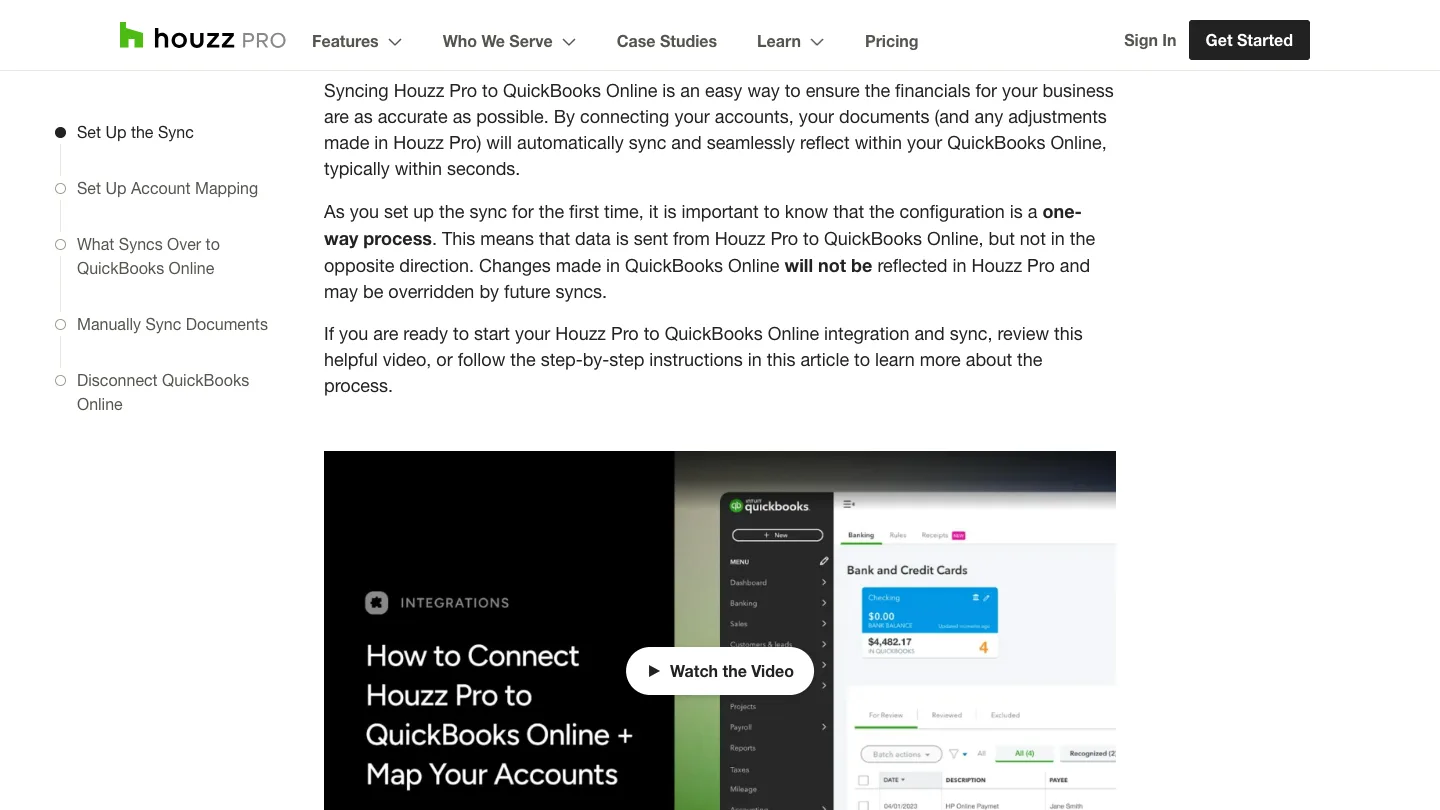
So read that as an operating rule rather than a footnote. If your bookkeeper corrects a cost code in QuickBooks, the correction may be overwritten on the next sync. You map the chart of accounts during setup, then treat Houzz Pro as the place edits happen. Houzz's integrations page names QuickBooks Online and does not list QuickBooks Desktop or Xero. That is a scoped page-level finding, not a promise about every private or future integration. The Zapier connector is documented as one-way and gated to Custom packages.
Where it falls short
The public pricing is inconsistent. The CAD-selected capture shows three quote-only plans, while the indexed rendering prints $249 for Pro and removes Enterprise. You cannot compare a quote with a search result until both identify the same plan, currency and included services.
The project modules are behind the unpriced tier. Selections, change orders, schedule, daily logs, budgets, takeoffs and bid management are all Custom. The published-price Pro rendering includes fewer of those project workflows.
The documented accounting sync is one-way. Corrections made in QuickBooks Online may be overwritten on the next push. The integrations page we reviewed names QuickBooks Online and does not list Desktop or Xero, so require Houzz to document any other route before assuming it exists.
The CAD-selected capture caps 3D conversions by tier. It lists 5 products on Pro, 120 on Custom and 400 on Enterprise. Confirm those limits in the quote because the indexed two-plan rendering does not expose the same tier structure.
Migration support is a tier-two feature. Pro gets 6 hours of onboarding across 90 days and the captured comparison says "No migration support," so plan the move yourself or confirm a different arrangement in the written quote.
Most annual plans cannot be cancelled mid-term. Houzz's help page applies that rule to most plans; the terms add a 30-day non-renewal notice window and non-refundable fees.
How the answer changes by trade
A design-build remodeler is the clearest documented fit. Selections and allowances, change orders signed in the portal, a schedule with dependencies and progress billing against draws are the exact five workflows a whole-home remodel runs on, and they are all here. Budget for Custom from the start rather than trialling Pro and discovering the gap in week three. Our remodelers and builders hub covers the demand side.
A kitchen and bath dealer is where this needs the most care, and where the answer is conditional on a demo. The reviewed floor-planner page does not mention cut lists, CNC-router export or 2020 Design export. One Capterra reviewer asks for API access to integrate external catalogs, and another says the program needs more cabinetry options. Neither page proves a universal product absence, so ask Houzz to demonstrate manufacturer-catalog pricing, order entry and fabrication handoff on the exact quoted package. Until it does, treat Houzz Pro as the visual front end rather than a documented replacement for cabinetry production software. Our kitchen and bath hub covers how that shows up in the buying conversation.
A countertop fabricator should require Houzz to demonstrate stone-slab layout, seam placement and remnant tracking, because the reviewed product pages do not document those workflows. Dedicated fabrication software may still be necessary. And a general remodeling contractor doing insurance or repair work at speed will find the presentation layer is overhead on a $4,000 bath vanity swap that needs a remodel walk-through bid the same afternoon.
How it compares
The useful comparison is against the residential construction platforms a remodeler shortlists alongside it, and the column that separates them is whether a price exists at all. We recaptured every official pricing source on 24 August 2026; Buildertrend blocked the automated fetch, so its rendered official page was captured manually instead.
| Houzz Pro | Buildertrend | JobTread | Contractor Foreman | Knowify | |
|---|---|---|---|---|---|
| Starting price | No plan price in the CAD-selected capture | Get your custom quote | $199 per month | $49/month | $99 /month |
| Seats on the entry plan | 1 seat, extra at $80 / user / mo | Get your custom quote | + $20/month per internal user | 1 User | Includes 1 user |
| Accounting named on the pricing page | QuickBooks Online, one-way push | Xero | QuickBooks Online | QuickBooks Online | QuickBooks Online |
| Billing terms published | Most plans: 12-month term, no early cancellation | Not stated on the pricing page | No contract & no setup fees | Quarterly Plans | Yearly |
Read the first row and JobTread is the counterweight, publishing a monthly figure, a per-seat figure and its contract terms in one screen. Buildertrend, the closest feature rival, still asks for a custom quote. Houzz's CAD-selected rendering does too, even though the separately indexed rendering publishes a Pro price. So the question is not whether Houzz Pro is good software. Visual presentation is Houzz Pro's clearest advantage. The question is which offer Houzz is quoting you, and three of these five publish an entry figure before you pick up the phone.
The verdict, by shop size
Solo designer or one-person shop
Try the free plan first. It carries the 3D floor planner, estimates and invoicing with no credit card, which is enough to learn whether the presentation tools win you work. And if they do, take the 30-day trial with the renewal date already in your calendar, because the 7-day grace window is the documented low-cost exit after a missed trial cancellation.
2 to 10 people
This is the fit, and the plan is Custom rather than Pro. Get the number in writing on the first call, and ask what happens when your annual project volume crosses $500,000, because the Canadian rendering uses that threshold. Price it against JobTread's published $199 in the same conversation. And use the seat rate on your written quote, because Houzz's public renderings currently disagree between $80 and $60 per additional user.
10-plus, or anyone running multi-trade volume
Probably not on its own. Past a certain volume the bottleneck stops being presentation and becomes the books, and the documented one-way QuickBooks Online push is a constraint you feel every month end. Houzz's integrations page does not list Desktop or Xero, so require any other route in writing. Look at Knowify, which is built around the accounting link rather than beside it, or run Houzz Pro as the sales and selections front end with something else carrying job cost.
The gallery nobody sees
Now, Fervor is a CRO and web design studio rather than a Houzz Pro alternative. But this product is sold on visual proof, and visual proof is the thing we happen to have measured.
In May 2026 we inspected 146 remodeling contractor websites for the State of Remodeling report and the wider Contractor CRO Index 2026. Only 13% of them ship a before and after gallery on their own website. And only 33.6% offer any kind of online booking. So the renders you paid for live inside a client portal, behind a login, at the end of a sales process a prospect has to start before they ever see one.
"13% of 146 remodeling contractor websites show a before-and-after gallery, and 33.6% offer online booking."
Fervor Studio State of the Remodeling Industry (2026)
Which is a strange place to keep your best asset. So pick the software that fits your workflow, then open your own site on a phone and count how many finished rooms a stranger sees before hitting a form. The full statistics are public if you would rather check them yourself.
See what a homeowner sees before they ever ask for a quote
Fervor inspects your site the way a homeowner uses it, then shows you the specific places jobs and enquiries leak out. It takes 5 business days.
Get a Site InspectionWhat we checked, and what we did not
We did not run Houzz Pro on a live remodeling business, and we will not imply otherwise. What this page is instead: an initial 27 July 2026 sweep of the vendor's pricing page, feature index, help centre, terms and review corpus. On 24 August we rechecked Houzz and competitor pricing, added the Canada-specific help pages and captured the Canadian-browser rendering. The Capterra corpus was not recaptured on 24 August; in the July research it showed 4.3 across 1,088 reviews with ease of use at 4.2.
The payment percentage printed above comes only from Houzz's indexed rendering; it is not presented as the Canadian rate. One more thing is worth weighing when you read the Capterra scores: Capterra shares one Gartner Digital Markets review pool with GetApp and Software Advice, so an identical score across all three is one sample rather than three. G2, TrustRadius and Trustpilot block automated access and nothing here comes from them, and no forum thread was read verbatim. Competitor pricing comes from Buildertrend, JobTread, Contractor Foreman and Knowify.
If you want to evaluate Houzz Pro yourself, its product site is where the demo request and the trial signup live. There is no affiliate arrangement between Fervor and Houzz Pro, and that link earns us nothing.
What Houzz Pro users say
3D rendering, financial report, and customer dash board. these tools have been great
Invoicing doesn't work properly cant import or export templates for invoicing.
API access should be added so that you can integrate external catalogs
Truly just the length for pay out. It is pretty lengthy
Estimating needs cost codes give to option to add framing materials
The floor plan set up is very limited to plotting layouts.
program needs more options for cabinetry, like more sizes
There is a learning curve to getting 3d plans input
Frequently asked questions
How much does Houzz Pro cost?
Houzz is serving different official pricing renderings. In a Canadian browser on 24 August 2026, Pro, Custom and Enterprise were quote-only; the comparison grid showed additional Pro users at 80 dollars per month, advertising from 685 dollars per month, and tiers banded by annual project volume. A separately indexed rendering showed Pro at 249 dollars per month after the trial, Custom as quote-only, extra users at 60 dollars and advertising from 499 dollars. The indexed rendering did not label those figures as CAD or USD. Canadian buyers should require a written quote that states the currency, tier, seat cost, payment rates and renewal date.
Does Houzz Pro work in Canada?
Yes. Houzz says Canadian contractors and design professionals can use its business and project-management software. The main functionality is the same, with localized support for blended tax rates and online payments. Its Canada-specific help documentation explains how to combine GST and PST or create HST rates, choose inclusive or exclusive tax defaults, set project-level tax defaults and connect QuickBooks Online for Canada using automated sales tax. This confirms Canadian product coverage, but it does not establish that every price Houzz serves is in Canadian dollars.
What does the entry Pro plan leave out?
Several core project-management workflows. Pro includes estimates, invoicing, the 3D Floor Planner, online payments, assemblies and the CRM. Custom is where takeoffs, project schedule, selections board, daily logs, budgets, bid management, change orders, financial reports and Google Suite integration begin. In the Canadian three-plan rendering, 3D conversions are capped at 5 on Pro, 120 on Custom and 400 on Enterprise, and migration support starts on Custom. Because Houzz also serves a different two-plan rendering, confirm the current limits in the written quote.
Is there a Houzz Pro free trial, and how long is the contract?
The indexed rendering offers a 30-day Pro trial, and the pricing page also links to a separate Free Plan carrying the 3D Floor Planner, estimates and invoicing with no card required. But the contract is the part to read carefully. Houzz Pro states that most of its plans are annual 12-month contracts and cannot be cancelled early. If you forget to cancel before the trial ends, Houzz documents a 7-day grace period; cancelling inside it bills one month instead of the remaining year. Section 4.4 of the Houzz Pro terms says a paid plan renews automatically without additional notice for successive 12-month terms unless you send a notice of non-renewal at least 30 days before the current term expires, and section 4.3 says amounts payable are non-refundable unless expressly provided otherwise.
Does Houzz Pro sync with QuickBooks?
Houzz documents a one-way QuickBooks Online sync. It pushes proposals, estimates, invoices, retainers, change orders and payments into QuickBooks Online, while changes made in QuickBooks Online may be overridden by future syncs. Houzz's integrations page names QuickBooks Online and does not list QuickBooks Desktop or Xero; that page-level absence is not a guarantee about every private or future integration. The Zapier connector is also documented as one-way and limited to Custom packages.
What are the biggest complaints about Houzz Pro?
Three themes recur. Billing and contract disputes are the loudest: Houzz is a BBB accredited business with an A plus rating, and its BBB profile also shows 446 complaints closed in the last three years and 118 in the last twelve, including a filing describing an obscured evergreen clause renewing an account for another 12-month term at roughly 5,000 dollars. Second, invoicing and payout friction, with one 1-star Capterra reviewer reporting that invoicing doesn't work properly and templates can't be imported or exported, and a 5-star reviewer still flagging the length of time to get paid out. And third, the learning curve on the 3D tools, which appears across otherwise positive reviews.
Is Houzz Pro good for a kitchen and bath dealer?
Treat it as a presentation layer until Houzz demonstrates the production workflow you need. Its 3D Floor Planner page does not mention a cabinet cut list, CNC-router export or 2020 Design export, but absence from that page is not proof that no package or integration can provide them. Capterra reviewers ask for external-catalog API access and more cabinetry options. A kitchen and bath dealer should therefore test manufacturer-catalog pricing, order entry and fabrication handoff in the demo rather than assume the floor planner replaces dedicated cabinetry software.
What are the best Houzz Pro alternatives for a remodeler?
JobTread is the closest counterweight because its current pricing page publishes 199 dollars a month plus 20 dollars per additional internal user, with no contract and no setup fees. Contractor Foreman currently starts at 49 dollars a month on its annual Basic plan with one user. Knowify starts at 99 dollars a month on Core with one user and is built around the accounting link rather than beside it. Buildertrend is the direct feature rival but still requires a custom quote. All four official pricing pages were rechecked on 24 August 2026.
Who shouldn't buy Houzz Pro?
Four profiles need extra proof before buying. A service and repair shop should require Houzz to demonstrate truck dispatch, because the published feature list we reviewed does not document it. A commercial general contractor should do the same for RFIs, submittals and document control. A business that needs its accounting system to be the record of truth must account for the documented one-way QuickBooks Online push. And a kitchen and bath dealer should verify cabinet order entry, cut lists and manufacturer-catalog pricing rather than assume the floor planner replaces dedicated cabinetry software.
Freshness
How we keep this page current
Three dates govern this review, and they carry different meanings. The initial source sweep is dated July 27, 2026; when only part of the evidence set is recaptured later, that later date is stated beside the refreshed claim. We last revised the page on August 24, 2026. And the user reviews we quote were posted over roughly the last 24 months, so their individual dates remain part of the evidence instead of being overwritten by a later pricing update.
We revise the page when Houzz Pro changes a published price or a contract term, when a rating we cite moves by more than a few tenths, or when the vendor ships something big enough to change the verdict. We never bump the date just to look fresh, because Google treats that as manipulation and so do we. If a figure here reads as stale by the time you land on it, treat it as a floor and check the vendor's own page. We linked it at every number for exactly that reason.
Sourcing
How this review was researched
Every figure on this page traces to a captured source linked inline where it appears. The initial sweep is dated July 27, 2026; any later, partial recapture is dated at the claim rather than relabelling the whole evidence set. Ratings come from Capterra, GetApp, Software Advice and the Apple App Store. Note that Capterra, GetApp and Software Advice share one Gartner Digital Markets review pool, so an identical score across all three is a single sample rather than three corroborating ones, and this page treats it that way. G2, TrustRadius and Trustpilot block automated access, so where their numbers appear they are labelled as reported rather than verified. No claim here is sourced from Reddit or from a contractor Facebook group, because neither could be retrieved and quoting them would mean inventing attribution. Pricing marked as reported comes from third-party roundups, never from Fervor. Fervor's own findings come from the Contractor CRO Index 2026.
About
About Fervor Studio
Fervor Studio is a conversion rate optimization (CRO) and web design studio for home services contractors across North America, based in Cochrane, Alberta. Fervor does not sell field service management software and is not an alternative to Houzz Pro. It publishes the Contractor CRO Index, a public benchmark measuring contractor website conversion potential using reproducible, open-source methods such as axe-core and Google Lighthouse. Fervor Studio is operated by Fervor Group Inc.
 Aug 1, 2026
 Tech Stack
Best Plumbing Software in 2026: Ten Ranked Across Four Classes
A plumbing company’s work runs through four classes of software that do not substitute for each other, and it only buys two of them. Ten products, each with a published price or an explicit statement that the vendor publishes none.
Read Article Jul 30, 2026
 Tech Stack
NiceJob vs Birdeye 2026: Pricing, Contracts and Review Gating
One of these vendors puts its price on the page and its cancellation terms in writing. The other puts a form in front of both, and the complaint record is where its contract length shows up.
Read Article Jul 30, 2026
 Tech Stack
Podium vs Birdeye 2026: Pricing, Contracts and Review Gating
Only one of these two will tell you what it costs before a sales call, and even that number carries a carve-out aimed squarely at trade contractors.
Read Article Jul 30, 2026
 Tech Stack
Best Electrical Contractor Software 2026: 11 Ranked and Priced
An electrical contracting business makes two software purchases that do not substitute for each other, and every roundup answering this query covers only one of them. Eleven platforms, with a published price or an explicit statement that the vendor publishes none.
Read Article Jul 30, 2026
 Tech Stack
Best HVAC Software in 2026: Eleven Ranked Across Three Classes
An HVAC contracting business buys across three classes of software that do not substitute for each other, and every roundup answering this query covers only one of them. Eleven products, each with a published price or an explicit statement that the vendor publishes none.
Read Article Jul 29, 2026
 Tech Stack
AccuLynx Pricing 2026: The Real Cost of a Quote-Gated Plan
One published figure, two blank plan cards, and a contract that says things the pricing page does not. A line-by-line breakdown of what AccuLynx really bills.
Read Article Jul 29, 2026
 Tech Stack
JobNimbus Pricing in 2026: What the Quote Does Not Cover
JobNimbus prints no figure on any of its four plans. So the only rate you can read before a sales call is the payments meter, and it is the biggest line on the bill.
Read Article Jul 29, 2026
 Tech Stack
JobNimbus Review 2026: Pricing, Pros, Cons and Alternatives
JobNimbus rates 4.6 on Capterra and orders material straight from ABC Supply and SRS. But it publishes no price, and its supplement route carries a note.
Read Article Jul 29, 2026
 Tech Stack
BuildOps Review 2026: Pricing, Contract Terms and Alternatives
BuildOps runs commercial service and projects on one platform, and publishes no pricing at all. The billing unit, the 30-day data-export window, and who it suits.
Read Article Jul 29, 2026
 Tech Stack
FieldPulse Review 2026: Pricing, Pros, Cons and Alternatives
FieldPulse rates 4.6 on Capterra and is the platform contractors name when they leave a bigger system. But it publishes no price, and the contract runs a year.
Read Article Jul 29, 2026
 Tech Stack
Service Fusion Review 2026: Pricing, Contract and Alternatives
Service Fusion bills flat per company with unlimited users, which is the best structural deal in field service software. The published plans, the contract behind the no-contract line, and the app score every other review gets wrong.
Read Article Jul 29, 2026
 Tech Stack
Knowify Review 2026: Pricing, Job Costing and Alternatives
Knowify rates 4.5 on Capterra and its weakest sub-score is features. What the $99 Core plan withholds, which way the QuickBooks sync really runs, and who should not buy it.
Read Article Jul 28, 2026
 Tech Stack
AccuLynx Review 2026: Pricing, Tier Gating, Alternatives
AccuLynx rates 4.6 across 846 reviews and now publishes an entry price. What that price omits, which tier holds the insurance workflow, and who should skip it.
Read Article Jul 28, 2026
 Tech Stack
Unitel Voice Review 2026: Pricing, Features and Alternatives
Unitel Voice rates 4.6 on Capterra and gives a one-truck shop a business number for $9.99 a month. The published plans, the cost per call, and what it won't do.
Read Article Jul 28, 2026
 Tech Stack
NiceJob vs Podium 2026: Pricing, Contracts and Review Gating
Both vendors print a price, at very different scale and in different currencies. The gap that matters is what Podium will not print: the billing unit, and whether a trade shop gets the number on the page.
Read Article Jul 27, 2026
 Tech Stack
CompanyCam Review 2026: Pricing, Pros, Cons and Alternatives
Every page ranking for CompanyCam still quotes a per-user price the vendor no longer charges. Here are the real plans, the seat math, and who should skip it.
Read Article Jul 27, 2026
 Tech Stack
NiceJob Review 2026: Pricing, Pros, Cons and Alternatives
NiceJob rates 4.9 on Capterra and refuses to gate negative reviews. Real plan pricing, the active-customer threshold nobody publishes, and who should skip it.
Read Article Jul 26, 2026
 Tech Stack
Buildertrend Review 2026: Pricing, Limits and Alternatives
Buildertrend rates 4.5 across 2,486 Capterra reviews and quotes against your revenue rather than your seat count. The workflows, the export problem, the alternatives.
Read Article Jul 26, 2026
 Tech Stack
CallRail Review 2026: Pricing, Pros, Cons and Alternatives
CallRail rates 4.5 on Capterra, and its tracking numbers port out free. But the two usage rates that decide your real bill are the two it does not print.
Read Article Jul 26, 2026
 Tech Stack
Roofr Review 2026: Pricing, Pros, Cons and Alternatives
Roofr rates 4.6 on Capterra and sells $13 measurement reports against a market charging triple. But it will not import a report from anywhere else.
Read Article Jul 24, 2026
 Tech Stack
Housecall Pro Review 2026: Pricing, Pros, Cons, Alternatives
Housecall Pro has the shortest learning curve in the category and the widest review spread. Real pricing, the Instapay math, and the migration trap to plan around.
Read Article Jul 23, 2026
 Tech Stack
Jobber Review 2026: Pricing, Pros, Cons and Alternatives
Jobber rates 4.6 on Capterra with the best mobile app in the category. Real plan pricing, the feature gating that changes your entry price, and who it suits.
Read Article Jul 22, 2026
 Tech Stack
ServiceTitan Review 2026: Pricing, Pros, Cons, Alternatives
ServiceTitan rates 4.3 on Capterra but its weakest score is value for money. Real reported pricing, the 12-month contract, the exit fees, and who it suits.
Read Article Jun 2, 2026
 Tech Stack
HVAC Online Scheduling: The 43% Losing After-Hours Bookings
HVAC leads every trade on online booking at just 56.7%, which still leaves 43% of sites forcing an after-hours customer to wait for a business-hours phone call.
Read Article