Jobber Review 2026: Pricing, Pros, Cons and Alternatives
Jobber publishes its pricing, unlike most rivals. Real plan costs, what 1,465 reviewers praise and complain about, and how it compares to 3 alternatives.

Disclosure This article features tools from our brand partners. If you choose to use them, we may receive compensation at no extra cost to you.
Our editorial choices are independent of these affiliate arrangements. Read our full affiliate disclosure.
Fervor is a CRO and web design studio, not a software reseller, and no vendor paid for placement here or for a kinder verdict. Affiliate links are flagged where they appear, and they never change what we report.
Page at a glance
Jobber is field service management software for small and mid-sized home service businesses, covering quoting, scheduling, invoicing, payments and client communication. It publishes its prices, which most of this category refuses to do: Core 49 dollars monthly, Connect 139, Grow 199 and Plus 499, with extra users at 29 each. Read the tier gating rather than the headline, because two-way texting sits on Grow and job costing on Plus, so your real entry price is often 199 or 499. It fits solo operators through roughly 15 crew members, and the reviewer base is exactly that. Quoting, the mobile app and automated client messaging are the strong tasks. Reporting is the weak one and the most common regret in the reviews. There's no flat-rate price book, and offline mode is view-only. Capterra rates it 4.6 across 1,465 reviews and the iOS app 4.8 across 20,000. Closest alternatives: Housecall Pro, Kickserv, ServiceTitan and FieldPulse.
The short verdict
Jobber is the right buy for a residential service shop running one to fifteen crew members that sells quoted work and wants a technician app people will use without training. It's the strongest small-end platform in this comparison. But if you sell off a flat-rate price book, run heavy same-day emergency dispatch, or make decisions from custom reports, you'll hit its ceiling faster than you expect, and no add-on lifts it.
Pricing on this page was verified 25 July 2026, and it came from the vendor's own published page.
| Pricing model | Per plan with included seats, published |
|---|---|
| Entry price | 49 dollars monthly, 29 on annual prepay |
| Real entry price | 199 for two-way SMS, 499 for job costing |
| Contract minimum | None. Month-to-month at every tier |
| Free trial | 14 days, full Grow features, no card |
| Best fit | Solo to 15 crew members, residential, quoted work |
What works, and what to watch
Strong: published pricing with a real month-to-month option, the best technician app in this comparison at 4.8 across 20,000 ratings, quoting and quote follow-up, a client portal customers use rather than ignore, automated reminders and payment collection, and support staffed by humans you can reach.
Weak: no flat-rate price book, offline mode that's view-only, reporting that bends badly and exports in 1,500-row chunks, a dispatch board built for scheduled work rather than same-day emergencies, and tier gating that moves your real entry price four times above the advertised one.
What Jobber does
It runs the operational spine of a home service business. A customer requests work, you quote it, schedule it, dispatch it, complete it, invoice it and get paid, with the client kept informed automatically at each step. That request-to-payment loop is the product, and it's tight.
So the thing you're buying is speed at the small end. Jobber is built for shops where the owner is still in the field, and it shows in the two places that matter on a Tuesday: how fast a new technician picks up the app, and how little admin the automated client messaging leaves behind. It isn't trying to run a 40-truck commercial operation, and it doesn't pretend to.
Who Jobber is for
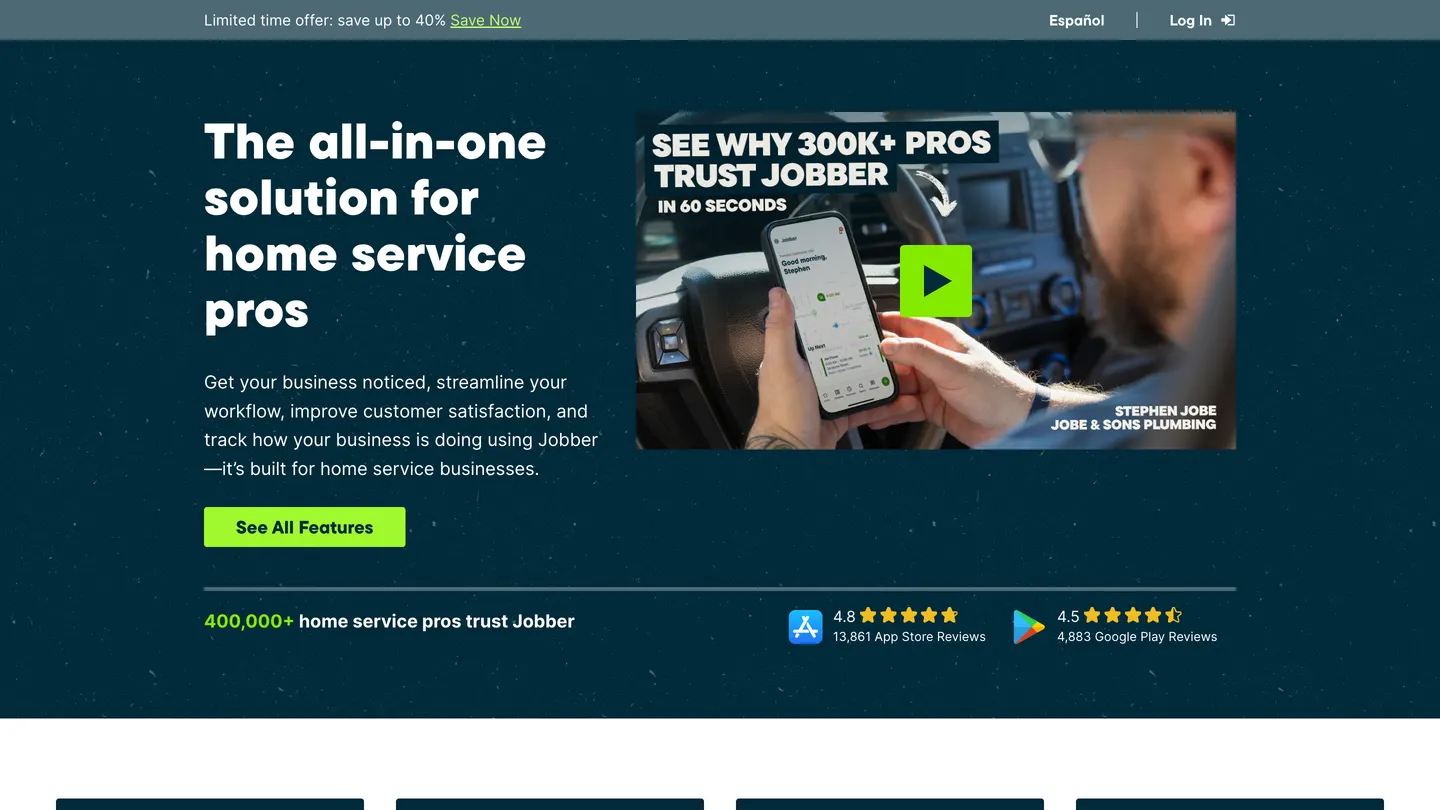
So the reviewer base answers this unusually clearly. On Software Advice, 78 percent of reviewers run businesses with 2 to 50 employees, and Capterra's base skews to 2 to 10. So when you read a Jobber review, you're generally reading someone your size, which is not true of the enterprise platforms in this category.
"78 percent of Jobber reviewers run businesses with 2 to 50 employees."
Software Advice (2026)
And the sweet spot is a shop that sells quoted work: landscaping, cleaning, painting, pest, handyman, residential plumbing and electrical where the job gets priced before it gets scheduled. Jobber's quoting and quote follow-up automation is the best in this comparison, and it's the workflow the product was built around.
Who should not buy Jobber
Three profiles should look elsewhere. And in each case it's a missing mechanic rather than a polish problem.
So start with any shop that sells off a flat-rate price book. Jobber has none. Its documentation calls your default price list a products and services list, which is a line-item catalogue rather than a good-better-best option sheet priced by task. If your technicians present three options at the kitchen table on a change-out or a panel upgrade, you'll be bolting on Profit Rhino or building the workaround yourself. Housecall Pro ships flat-rate pricing from Essentials up.
Then any rural service shop working outside cell coverage. Offline mode is view-only: a technician can see scheduled jobs and client notes with no connection, but cannot create a job, take payment or sync an update until the phone reconnects. For a shop whose service area has dead zones that's the whole buying decision, and it appears on almost no ranking page.
And the shop running more than about 15 technicians on same-day emergency work. The dispatch board is built for scheduled jobs rather than a board you're re-cutting all morning, and reporting stops well short of what an operation that size runs on. Above 15 technicians the honest shortlist is FieldPulse, FieldEdge or ServiceTitan.
What Jobber costs
The published tiers
Jobber publishes its pricing, which sounds like a low bar until you notice ServiceTitan, FieldEdge and FieldPulse all refuse to. There are three billing modes per plan, and the gap between them is the part most people miss.
| Plan | Monthly, no commitment | Annual prepaid | Users included |
|---|---|---|---|
| Core | 49 dollars | 21 for 12 months, then 29 | 1 |
| Connect | 139 dollars | 70 for 12 months, then 99 | 1, scaling to 5 |
| Grow | 199 to 499 dollars | 105 to 280 for 12 months, then 149 to 399 | 1, 5, 10 or 15 |
| Plus | 499 to 699 dollars | 280 to 371 for 12 months | 5, 10 or 15 |
In symbol form, so it lines up against a competitor's page: Core is $49/month, Connect $139/month, Grow $199/month and Plus $499/month, with each additional user at $29/month. And Core at 49 dollars month-to-month against 29 on annual prepay means you pay 20 dollars a month for the right to leave. That's the real pricing story, and it's the same shape at every tier. There's a 14-day trial with full Grow features and no credit card.
Add-ons, and the gating that decides your bill
Then three paid add-ons appear on the pricing page: Marketing Suite at 79 dollars a month, Receptionist at 29, and Pipeline at 49. Worth flagging that a third-party breakdown lists Receptionist at 99. Jobber's own page says 29, and the vendor's page wins.
But the feature gating matters more than any add-on. Core gives you online booking, quoting, invoicing, payments, a website builder and the app marketplace. Connect adds automated client reminders, automatic payment collection, job checklists, quote follow-up automation, QuickBooks Online sync and time tracking. Grow adds visual quote customization, optional line items and upsells, geofenced time tracking, two-way SMS and a custom automation builder. Plus adds job costing and profitability, lead pipeline management, the Marketing Suite, Receptionist and a dedicated onboarding specialist.
So two-way texting is a Grow feature and job costing is a Plus feature. If either is how you run your business, your real entry price is 199 or 499, not 49. Nikole R. on Capterra puts it plainly: key features feel locked behind higher-tier plans or add-ons.
Payment processing, and what year one really costs
And Jobber publishes these too, which is again unusual. On its pricing page, card is 2.9 percent plus 30 cents, Tap to Pay in person is 2.7 percent plus 30 cents, bank and ACH payments are 1 percent, and Instant Payouts add another 1 percent on top.
"Jobber charges 2.9 percent plus 30 cents for card, 2.7 percent plus 30 cents for Tap to Pay in person, and 1 percent for bank and ACH payments."
Jobber (2026)
Run the arithmetic for a five-person crew that needs two-way texting. Grow with five seats puts you near 4,000 dollars for the year in software, and on 40,000 dollars a month of card volume the processing runs roughly 14,000 more. There's no implementation fee, no minimum term and no exit penalty, which is the genuine structural advantage over everything above it in this category. What bites here is the tier you get pushed to, not a contract you can't leave.
Our read on the features
This next stretch is our judgment, module by module, after reading the documentation and the review corpus. It's kept separate from the crowd's own scores, which come further down under their own heading, so you always know whose opinion you're reading.
Quoting and winning work
And this is the best module and the reason to buy. And quotes go out fast, they look right on a phone, and quote follow-up automation chases the ones that go quiet without anyone remembering to. On Grow you get optional line items and upsells, which is the closest Jobber comes to an option sheet. For a shop whose revenue depends on quoted work rather than dispatched calls, this is where the money is.
The dispatch board, and where it stops
So scheduling is clean and the calendar reads well. But the board is built around work booked in advance. Jobber's day view documentation describes a day-at-a-time view, and that's the shape of it: fine for routes and scheduled visits, thinner if you're re-cutting the board all morning around emergency calls. Compare that with ServiceTitan's multi-day drag-and-drop board with capacity planning, which is what a heavy same-day operation buys.
Offline mode, and exactly what it covers
Jobber shipped offline access on 18 March 2026, and the scope is the thing to read carefully. So a technician without a connection can view scheduled jobs, client details and notes. They cannot create a job, take a payment or push an update until the phone reconnects, at which point it syncs. That's genuinely useful in a basement or a mechanical room. It isn't enough for a service area with real dead zones.
"Jobber shipped offline access on 18 March 2026, letting a technician view scheduled jobs, client details and notes without a connection."
Jobber (2026)
The flat-rate price book, which isn't there
But there's no flat-rate price book. The products and services list is a line-item catalogue, not a task-priced book with good-better-best options. Shops that sell this way integrate Profit Rhino or leave. It's the clearest capability gap against Housecall Pro and ServiceTitan, and no tier fixes it.
Service agreements and recurring plans
And recurring jobs and visit schedules work well, which covers a mowing route or a quarterly pest service cleanly. What's thinner is the membership machinery an HVAC shop runs on: renewal from a card on file, equipment ageing, expiring-agreement targeting. Jobber will bill a recurring job. It won't run a maintenance-agreement base the way ServiceTitan's membership engine does.
Client Hub and automated communication
So Client Hub is the customer-facing portal where homeowners request work, approve quotes, view appointments, pay invoices and refer others. It's one of the few customer portals in this category that reviewers report their customers use rather than ignore. Chris D. likes that a new client filling in a contact form on his website lands in Jobber automatically. Michelle M. credits the automated emails and reminders with keeping clients informed without her spending time on it.
The mobile app, which is the strongest here
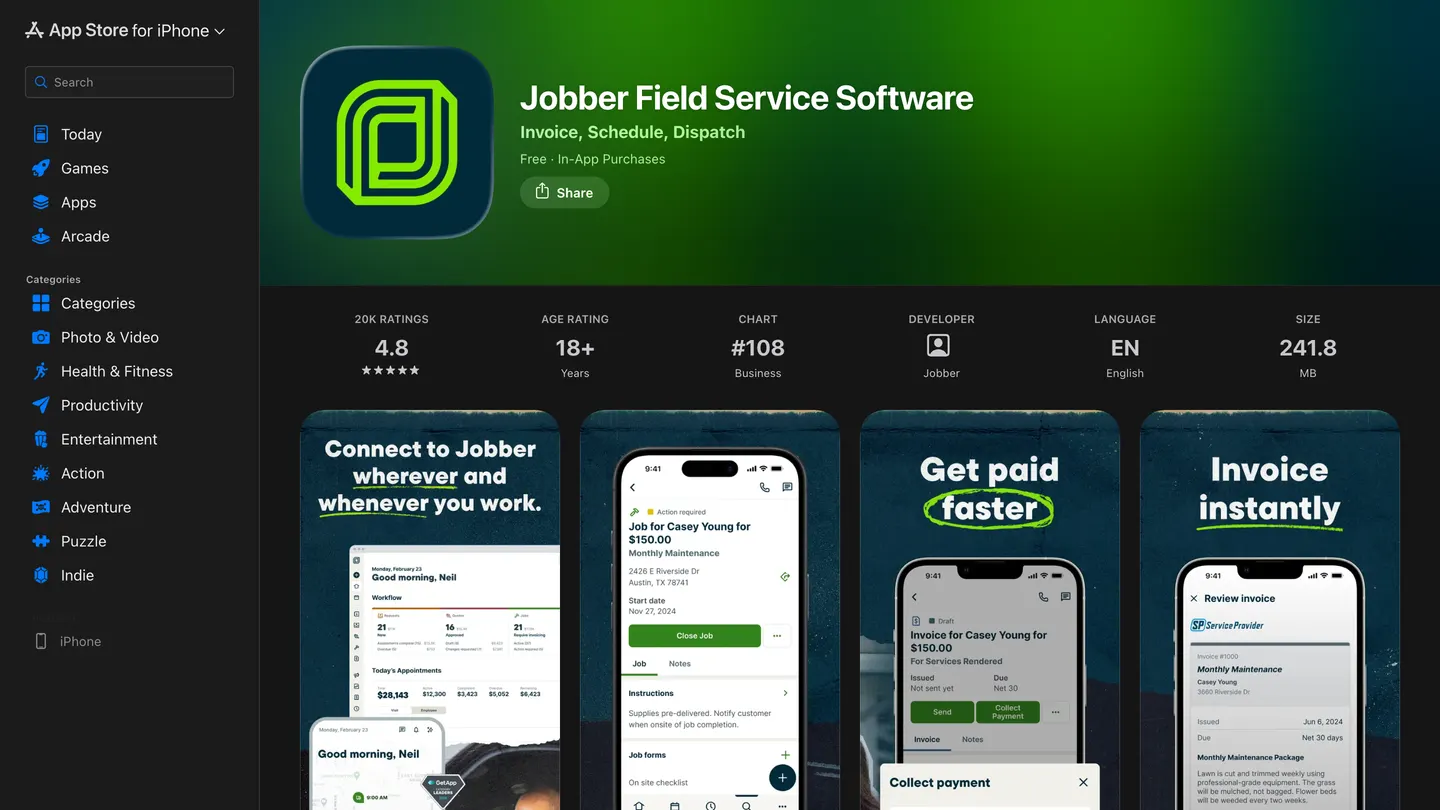
The iOS app rates 4.8 out of 5 across 20,000 App Store ratings, the highest score of any platform in this comparison, against a sample large enough to trust. For context, ServiceTitan's field app sits at 3.4 across 4,300. Your technicians live in that app all day, and adoption is where most rollouts in this category quietly fail, so weigh it heavily.
"Jobber's iOS app rates 4.8 out of 5 across 20,000 App Store ratings, against 3.4 across 4,300 for ServiceTitan's field app."
Apple App Store (2026)
Copilot and Receptionist
Jobber launched Copilot on 1 October 2024 and Receptionist reached general availability on 18 August 2025. So Receptionist answers calls and texts for shops that would otherwise miss them, which for a one-truck operation is the difference between a booked job and a voicemail. At 29 dollars a month it's the cheapest thing on this page that might pay for itself in a week.
"Jobber launched Copilot on 1 October 2024, and Receptionist reached general availability on 18 August 2025 at 29 dollars a month."
PR Newswire (2025)
Where it falls short
Now, nearly every review in this category files "steep learning curve" under cons and moves on. These are the specific gaps instead, and you can check every one before your trial ends.
No flat-rate price book. A line-item catalogue, not an option sheet. Integrate Profit Rhino or build the workaround.
Offline mode is view-only. No job creation, no payment capture and no sync until the phone reconnects.
Reporting is the weak spot, and it's the most common regret. Jobber's own reports documentation records that the Taxation, Waypoints and Job Follow-ups reports cannot be exported at all. If you make decisions off custom reports, test that exact workflow during the trial.
Exports cap at 1,500 rows per file. The client export documentation states the limit. On a client list of any size that's a multi-file job, and it matters most on the day you're leaving.
"Jobber client exports cap at 1,500 rows per file."
Jobber (2026)
Key features sit behind Grow and Plus. Two-way SMS on Grow, job costing on Plus.
Service clustering is absent. Jenni G., an owner in construction running 2 to 10 employees, named it in a Capterra review dated 20 February 2026: Jobber doesn't track service clusters, so routing work by geography stays manual.
"Jobber does not track service clusters, so routing work by geography stays manual, named in a Capterra review dated 20 February 2026."
Capterra (2026)
QuickBooks Desktop is a CSV path, not a sync. Jobber documents importing clients from QuickBooks Desktop by file. Online gets a real two-way sync from Connect up. If your bookkeeper is on Desktop, budget for the manual step.
How the answer changes by trade
And Jobber serves a long list of trades, and a list that long tells you the product is horizontal, not that it fits you. What changes trade to trade is whether your revenue is quoted or dispatched.
A landscaping contractor is the best fit on this page. Recurring visit schedules handle a mowing route, quoting handles the design-build work, and the seasonal shape doesn't hurt you because there's no per-technician minimum locking you into a July headcount through February. More on that in our landscaping marketing hub.
For a cleaning or pest business the recurring engine plus Client Hub covers almost everything, and Receptionist at 29 dollars is worth trialling if calls go unanswered during service hours.
An HVAC contractor is the weakest fit here, and it's structural rather than a polish issue. No flat-rate price book means no good-better-best option sheet on a change-out, and the recurring engine bills a repeat visit rather than running a maintenance-agreement base off a card on file. If maintenance agreements are your business, look at Housecall Pro or ServiceTitan.
A plumbing contractor splits by work mix. Scheduled service and repair fits well. But heavy same-day emergency dispatch runs into the day-view board, and drain-and-water-heater shops selling flat-rate hit the price book gap immediately. Our plumbing marketing hub goes deeper on that split.
And a painting contractor gets the second-best fit here. The work is quoted, often large, and quote follow-up does real work on a sales cycle measured in weeks rather than hours.
What it connects to
So QuickBooks Online is a genuine two-way sync from the Connect tier up, moving clients, invoices and payments. QuickBooks Desktop is a CSV import path rather than a sync, which is the distinction most integration pages blur and the one that causes post-purchase regret. Xero is supported; Sage Intacct and the upper accounting stack are not, which is a real reason to look at ServiceTitan if you've outgrown QuickBooks.
And payments run through Jobber's own processor at the published rates above, so there's no bringing your own merchant account. The marketplace confirms CompanyCam for jobsite photos, Thumbtack for leads and Mailchimp for email. There's no native phone system, so call tracking is a third-party bolt-on rather than a module, and that's the clearest gap against ServiceTitan's Phones Pro.
Support quality
And support is a consistent strength and one of the most-praised things in the review corpus: humans, reachable quickly, by phone and chat, included rather than sold as a paid upgrade. For a shop without an office administrator that matters more than any feature comparison suggests, because there's nobody in the building whose job is to work out why the invoice didn't send.
Jobber Central is the self-serve documentation layer, and it's unusually complete, which is why so many of the specific limits in this article are citable at all. A vendor that documents its own export caps and non-exportable reports is being more honest than most of this category.
Contracts and getting your data out
So this is where Jobber is structurally better than everything above it. No minimum term, no implementation fee and no early termination exposure. Month-to-month is a real option at every tier, and the annual prepay discount is the only thing you give up by staying flexible.
But getting out has one sharp edge worth planning around. Jobber's cancellation terms document that access to clients, jobs and invoices ends when the subscription does. So the CSV export has to happen before you cancel, not after, and it comes out in 1,500-row files. That a competing vendor publishes its own Jobber export guide tells you how routine that migration is. Do the export first. It's the one irreversible step.
What the reviewers report
Now the crowd's verdict, separated from our read on purpose. Jobber scores 4.6 out of 5 across 1,465 Capterra reviews, and 78 percent of those reviewers run businesses with 2 to 50 employees, so you're reading feedback from operations your size. GetApp draws on the same Gartner pool, so treat it as one sample rather than corroboration. G2 and Trustpilot block automated access, so those are reported rather than confirmed.
"Jobber scores 4.6 out of 5 across 1,465 reviews, and 78 percent of those reviewers run businesses with 2 to 50 employees."
Capterra (2026)
And consistent praise: the end-to-end flow from quote to payment, how fast new technicians pick it up, support staffed by humans you can reach quickly, automated client communication that removes admin, the price-to-feature ratio at the small end, a client portal that gets used instead of ignored, and the paper-to-digital transition for crews.
Consistent complaints: reporting depth and export limits, key features gated behind higher tiers, the missing flat-rate price book, no service clustering for route density, and pricing that climbs once you add seats. Worth noting what's absent from the complaint set: contract traps, exit fees and implementation pain, which dominate the ServiceTitan corpus.
How it compares
| Jobber | Housecall Pro | Kickserv | ServiceTitan | |
|---|---|---|---|---|
| Starting price | Published. 49 dollars monthly, 29 annual | Published. 79 dollars monthly, 59 annual | Published. Free tier, then about 59 dollars | Quote only. Reported 245 to 500 per technician |
| Contract minimum | None, month-to-month | None, auto-renews | None | 12 months, 24 to 36 reported on larger accounts |
| Implementation fee | None | None | None | Reported 5,000 to 50,000 dollars |
| Flat-rate price book | No | Essentials tier and above | No | Included, Pricebook Pro billed separately |
| Offline scope | View-only, syncs on reconnect | Partial | Not documented | Full feature access |
| iOS app rating | 4.8 of 5, 20,000 ratings | 4.6 of 5, 28,000 ratings | Not verified | 3.4 of 5, 4,300 ratings |
| Accounting sync | QuickBooks Online two-way, Desktop by CSV | QuickBooks Online, Essentials and up | QuickBooks | QuickBooks, Sage Intacct, Vista, NetSuite |
| Capterra rating | 4.6 of 5, 1,465 reviews | 4.7 of 5, 2,742 reviews | 4.4 of 5 | 4.3 of 5, 336 reviews |
| Best for | Solo to 15 crew members, quoted residential work | 1 to 20 employee residential, payments-led | Budget-conscious small shops | 20-plus technicians, residential and commercial |
And which one wins tracks how you sell. If your revenue is quoted, Jobber. If it's flat-rate priced at the door and you want financing built in, Housecall Pro. If you've outgrown reporting and run commercial alongside residential, ServiceTitan. Kickserv is the price play, and you can feel it.
The verdict, by crew size
Solo operator to 5 crew members
And yes, this is Jobber's strongest case. Core at 29 dollars annually or 49 monthly gets you quoting, scheduling, invoicing, payments and a booking page, and the 14-day trial needs no card. Just be honest about which tier you need, because if two-way texting is central to how you sell, you're on Grow at 199 and the calculation changes.
5 to 15 crew members
Yes, and this is the sweet spot the reviewer base reflects. Connect or Grow with a handful of seats lands in a range most shops this size can carry, and the automation around reminders, follow-ups and payment collection is where the time comes back. The thing to check before committing is reporting. If you make decisions off custom reports, test that specific workflow during the trial, because it's the most common regret in the review corpus.
15 to 30 crew members
But maybe, and it depends entirely on work mix. A landscaping or cleaning operation running scheduled routes can push well past 15 crew members on Jobber comfortably. But a same-day emergency service shop at the same headcount will be fighting the dispatch board and the reporting ceiling every week. Trial FieldPulse alongside before committing.
30-plus crew members and multi-location
So no. Not because Jobber breaks, but because you'll have outgrown the reporting, the dispatch board and the absent price book, and you'll be running the business out of spreadsheets alongside it. That's the point where the ServiceTitan conversation stops being absurd, expensive as it is.
The number nobody checks
Now, Fervor is a CRO and web design studio, not a Jobber alternative. But whichever platform you pick, it can only work on jobs that reach it. That's the gap we happen to have data on.
In May 2026 we inspected 380 home services contractor websites for the Contractor CRO Index 2026. Every platform on this page, Jobber included, ships a booking widget you can put on your website today. Only 40% of those sites offer online scheduling at all. That's 152 sites with it and 228 without. The State of HVAC report breaks the same finding down by trade.
"Only 40% of 380 home services contractor websites offer online scheduling at all, leaving 228 with no way to book outside business hours."
Fervor Studio Contractor CRO Index (2026)
So a meaningful share of contractors are paying for software whose booking feature never reaches the one page their customers visit. Client Hub is one of the better booking experiences in this category, and it earns nothing sitting switched off behind a site nobody can use on a phone. And 82.8% of those sites had poor mobile loading performance, so even the ones with a widget often make the visitor wait for it.
"82.8% of the 380 contractor websites inspected had poor mobile loading performance."
Fervor Studio Contractor CRO Index (2026)
Pick the platform that fits your crew size and how you sell. Then go and check whether its booking widget is live on your website, on a phone, on a weak connection, late on a weeknight when someone's water heater has gone. The full statistics are public if you'd rather check the numbers yourself.
See what your website does with the leads your software never gets
Fervor inspects your site the way a homeowner uses it, then shows you the specific places bookings leak out. It takes 5 business days and the first several each week are free.
Get a Site InspectionWhat we tested, and what we didn't
So we didn't run Jobber on a live shop. There's a 14-day trial with no card, so a hands-on test was possible in a way ServiceTitan's isn't, and we're telling you plainly that we read rather than ran it. What this page is instead: vendor documentation and help-centre articles read in full, which is where the export caps, the non-exportable reports and the offline scope come from; the public review corpus read by category rather than by star rating; the published pricing page; and the App Store listing. Pricing verified 25 July 2026.
Sourcing works like this. Every figure above is attributed where it appears, to the organisation that published it and the page it sits on. Jobber publishes its own prices, processing rates and help documentation, so the vendor is the named source wherever a figure is the vendor's to state. Review data comes from Capterra, Software Advice and the Apple App Store. G2 and Trustpilot block automated access, so anything from them is repeated rather than verified. Competitor prices come from Housecall Pro, Kickserv and ServiceTitan. Fervor's own figures come from the Contractor CRO Index.
"Profit Rhino lists its flat-rate pricebook for Jobber users at 99 dollars a month."
Profit Rhino (2026)
If you want to evaluate Jobber directly, its product site carries the published pricing and the trial signup.
What Jobber users say
The lack of reporting is disappointing. It could be so much better. The data is obviously there, but there is no easy way to get to the many reports I would like to know.
Their customer support is incredible. We find at times we get stuck with trying to do something within jobber and both live chat and phone support is amazing!
There is too many differences between the desktop version and the app. Maybe its because I'm still new, but the app still feels clunky.
The function of the product for the cost is great. I've used many over the years and Jobber provides the best balance of functionality for the price.
Limited flexibility once a quote is approved. Optional items can't easily be added later without a new quote.
At times, it can be challenging to correctly sync with QuickBooks. This has led to some frustration and doesn’t seem to have an easy workaround.
Frequently asked questions
How much does Jobber cost?
Jobber publishes its prices, which already separates it from ServiceTitan. Core is 49 dollars a month with no commitment, or 21 dollars a month for the first year on annual prepay and 29 after that. Connect is 139 a month, Grow runs 199 to 499 depending on seat count, and Plus runs 499 to 699. Every plan charges 29 dollars a month per additional user. There is a 14-day trial with full Grow features and no credit card required.
Is Jobber worth it for a small crew?
For most small home service businesses, yes, and the review data backs it. Jobber scores 4.6 out of 5 across 1,465 Capterra reviews, and 78 percent of those reviewers run businesses with 2 to 50 employees, so you are reading feedback from operations your size. Its iOS app rates 4.8 across 20,000 App Store ratings, the strongest mobile rating of any platform in this comparison. A construction manager on Capterra calls it the best balance of functionality for the price.
What are the biggest complaints about Jobber?
Reporting is the single most repeated complaint. A COO on Capterra writes that the lack of reporting is disappointing, that the data is obviously there, but that there is no easy way to reach the reports he wants. The second is mobile-to-desktop feature parity. The third is that core capabilities sit behind higher tiers: two-way texting, job costing and automatic time tracking all require the Grow plan.
Can Jobber integrate with QuickBooks?
Yes, with QuickBooks Online, from the Connect tier upward rather than on Core. QuickBooks Desktop is supported through a CSV path. Xero is also supported and syncs customers, products and services, invoices and payments. Sync reliability is a documented friction point. An office manager on Capterra reports that it can be challenging to correctly sync with QuickBooks and that there is no easy workaround.
How does Jobber compare to Housecall Pro?
They are the two most similar platforms in this comparison and they chase the same contractor. Jobber starts cheaper at 49 dollars against 79, and its iOS app rates higher at 4.8 versus 4.6. Housecall Pro carries the larger review corpus, 2,742 against 1,465, a higher Capterra score of 4.7 against 4.6, and a better value-for-money sub-score of 4.6 against 4.4. Both include a single user at their entry tier.
Does Jobber lock you into a contract?
It depends which of the three billing modes you pick, and the difference is expensive. Monthly with no commitment can be cancelled at any time. Monthly with a one-year commitment cannot: Jobber states the account remains active with continued monthly billing through the end of the term, because the term refers to the year, not each month. Annual prepay bills the full year upfront and the initial payment is non-refundable.
What is Jobber Copilot?
Copilot is the AI assistant Jobber launched on 1 October 2024, positioned as a business coach, data analyst, marketing specialist and product expert, and free in beta to US and Canadian customers at launch. Jobber followed it with Receptionist, generally available from 18 August 2025, which answers calls and texts around the clock. Receptionist is included on Plus and costs 29 dollars a month as an add-on for Grow.
How hard is it to get your data out of Jobber?
Harder than getting it in, which is the usual asymmetry. Client lists export as CSV or vCard, but the export caps at 1,500 rows per file, arrives by email rather than downloading in-app, and only admin or owner accounts can run it. Some reports cannot be exported at all: Jobber documents that the Taxation, Waypoints and Job Follow-ups reports are in formats that cannot be exported because they are not CSV files.
Freshness
How we keep this page current
Three dates govern this review, and they carry different meanings. The initial source sweep is dated July 23, 2026; when only part of the evidence set is recaptured later, that later date is stated beside the refreshed claim. We last revised the page on July 24, 2026. And the user reviews we quote were posted over roughly the last 24 months, so their individual dates remain part of the evidence instead of being overwritten by a later pricing update.
We revise the page when Jobber changes a published price or a contract term, when a rating we cite moves by more than a few tenths, or when the vendor ships something big enough to change the verdict. We never bump the date just to look fresh, because Google treats that as manipulation and so do we. If a figure here reads as stale by the time you land on it, treat it as a floor and check the vendor's own page. We linked it at every number for exactly that reason.
Sourcing
How this review was researched
Every figure on this page traces to a captured source linked inline where it appears. The initial sweep is dated July 23, 2026; any later, partial recapture is dated at the claim rather than relabelling the whole evidence set. Ratings come from Capterra, GetApp, Software Advice and the Apple App Store. Note that Capterra, GetApp and Software Advice share one Gartner Digital Markets review pool, so an identical score across all three is a single sample rather than three corroborating ones, and this page treats it that way. G2, TrustRadius and Trustpilot block automated access, so where their numbers appear they are labelled as reported rather than verified. No claim here is sourced from Reddit or from a contractor Facebook group, because neither could be retrieved and quoting them would mean inventing attribution. Pricing marked as reported comes from third-party roundups, never from Fervor. Fervor's own findings come from the Contractor CRO Index 2026.
About
About Fervor Studio
Fervor Studio is a conversion rate optimization (CRO) and web design studio for home services contractors across North America, based in Cochrane, Alberta. Fervor does not sell field service management software and is not an alternative to Jobber. It publishes the Contractor CRO Index, a public benchmark measuring contractor website conversion potential using reproducible, open-source methods such as axe-core and Google Lighthouse. Fervor Studio is operated by Fervor Group Inc.
Fervor's full cross-trade dataset lives in the CRO Index statistics.
 Aug 2, 2026
 Tech Stack
Best Plumbing Software in 2026: Ten Ranked Across Four Classes
A plumbing company’s work runs through four classes of software that do not substitute for each other, and it only buys two of them. Ten products, each with a published price or an explicit statement that the vendor publishes none.
Read Article Jul 31, 2026
 Tech Stack
NiceJob vs Birdeye 2026: Pricing, Contracts and Review Gating
One of these vendors puts its price on the page and its cancellation terms in writing. The other puts a form in front of both, and the complaint record is where its contract length shows up.
Read Article Jul 31, 2026
 Tech Stack
Podium vs Birdeye 2026: Pricing, Contracts and Review Gating
Only one of these two will tell you what it costs before a sales call, and even that number carries a carve-out aimed squarely at trade contractors.
Read Article Jul 31, 2026
 Tech Stack
Best Electrical Contractor Software 2026: 11 Ranked and Priced
An electrical contracting business makes two software purchases that do not substitute for each other, and every roundup answering this query covers only one of them. Eleven platforms, with a published price or an explicit statement that the vendor publishes none.
Read Article Jul 31, 2026
 Tech Stack
Best HVAC Software in 2026: Eleven Ranked Across Three Classes
An HVAC contracting business buys across three classes of software that do not substitute for each other, and every roundup answering this query covers only one of them. Eleven products, each with a published price or an explicit statement that the vendor publishes none.
Read Article Jul 30, 2026
 Tech Stack
AccuLynx Pricing 2026: The Real Cost of a Quote-Gated Plan
One published figure, two blank plan cards, and a contract that says things the pricing page does not. A line-by-line breakdown of what AccuLynx really bills.
Read Article Jul 30, 2026
 Tech Stack
Houzz Pro Canada Review 2026: Pricing and Alternatives
Houzz Pro serves different pricing renderings. What Canadian buyers see, how GST/HST and payments work, what Custom gates, and what the annual contract commits you to.
Read Article Jul 30, 2026
 Tech Stack
JobNimbus Pricing in 2026: What the Quote Does Not Cover
JobNimbus prints no figure on any of its four plans. So the only rate you can read before a sales call is the payments meter, and it is the biggest line on the bill.
Read Article Jul 30, 2026
 Tech Stack
JobNimbus Review 2026: Pricing, Pros, Cons and Alternatives
JobNimbus rates 4.6 on Capterra and orders material straight from ABC Supply and SRS. But it publishes no price, and its supplement route carries a note.
Read Article Jul 30, 2026
 Tech Stack
BuildOps Review 2026: Pricing, Contract Terms and Alternatives
BuildOps runs commercial service and projects on one platform, and publishes no pricing at all. The billing unit, the 30-day data-export window, and who it suits.
Read Article Jul 30, 2026
 Tech Stack
FieldPulse Review 2026: Pricing, Pros, Cons and Alternatives
FieldPulse rates 4.6 on Capterra and is the platform contractors name when they leave a bigger system. But it publishes no price, and the contract runs a year.
Read Article Jul 30, 2026
 Tech Stack
Service Fusion Review 2026: Pricing, Contract and Alternatives
Service Fusion bills flat per company with unlimited users, which is the best structural deal in field service software. The published plans, the contract behind the no-contract line, and the app score every other review gets wrong.
Read Article Jul 30, 2026
 Tech Stack
Knowify Review 2026: Pricing, Job Costing and Alternatives
Knowify rates 4.5 on Capterra and its weakest sub-score is features. What the $99 Core plan withholds, which way the QuickBooks sync really runs, and who should not buy it.
Read Article Jul 29, 2026
 Tech Stack
AccuLynx Review 2026: Pricing, Tier Gating, Alternatives
AccuLynx rates 4.6 across 846 reviews and now publishes an entry price. What that price omits, which tier holds the insurance workflow, and who should skip it.
Read Article Jul 29, 2026
 Tech Stack
Unitel Voice Review 2026: Pricing, Features and Alternatives
Unitel Voice rates 4.6 on Capterra and gives a one-truck shop a business number for $9.99 a month. The published plans, the cost per call, and what it won't do.
Read Article Jul 29, 2026
 Tech Stack
NiceJob vs Podium 2026: Pricing, Contracts and Review Gating
Both vendors print a price, at very different scale and in different currencies. The gap that matters is what Podium will not print: the billing unit, and whether a trade shop gets the number on the page.
Read Article Jul 28, 2026
 Tech Stack
CompanyCam Review 2026: Pricing, Pros, Cons and Alternatives
Every page ranking for CompanyCam still quotes a per-user price the vendor no longer charges. Here are the real plans, the seat math, and who should skip it.
Read Article Jul 28, 2026
 Tech Stack
NiceJob Review 2026: Pricing, Pros, Cons and Alternatives
NiceJob rates 4.9 on Capterra and refuses to gate negative reviews. Real plan pricing, the active-customer threshold nobody publishes, and who should skip it.
Read Article Jul 27, 2026
 Tech Stack
Buildertrend Review 2026: Pricing, Limits and Alternatives
Buildertrend rates 4.5 across 2,486 Capterra reviews and quotes against your revenue rather than your seat count. The workflows, the export problem, the alternatives.
Read Article Jul 27, 2026
 Tech Stack
CallRail Review 2026: Pricing, Pros, Cons and Alternatives
CallRail rates 4.5 on Capterra, and its tracking numbers port out free. But the two usage rates that decide your real bill are the two it does not print.
Read Article Jul 27, 2026
 Tech Stack
Roofr Review 2026: Pricing, Pros, Cons and Alternatives
Roofr rates 4.6 on Capterra and sells $13 measurement reports against a market charging triple. But it will not import a report from anywhere else.
Read Article Jul 25, 2026
 Tech Stack
Housecall Pro Review 2026: Pricing, Pros, Cons, Alternatives
Housecall Pro has the shortest learning curve in the category and the widest review spread. Real pricing, the Instapay math, and the migration trap to plan around.
Read Article Jul 23, 2026
 Tech Stack
ServiceTitan Review 2026: Pricing, Pros, Cons, Alternatives
ServiceTitan rates 4.3 on Capterra but its weakest score is value for money. Real reported pricing, the 12-month contract, the exit fees, and who it suits.
Read Article Jun 3, 2026
 Tech Stack
HVAC Online Scheduling: The 43% Losing After-Hours Bookings
HVAC leads every trade on online booking at just 56.7%, which still leaves 43% of sites forcing an after-hours customer to wait for a business-hours phone call.
Read Article