FastPIPE Review 2026: Pricing, Pros, Cons, Alternatives
FastPIPE starts at $4,995. What each tier gates, the 8 limitations reviewers name, and 6 alternatives with published prices.
Page at a glance
FastPIPE is A published-price, buy-it-outright desktop takeoff tool for commercial pipe estimators, with a catalogue and a phone line instead of an integration directory. It starts at $4,995 per user, one-time (one application on one station). Licensing is per Application per Computer, not per named person. The pricing page prices "stand-alone deployments on a single PC or tablet" and says "Please call for pricing on enterprise shared session licensing options", so the published sheet does not cover multi-seat network or cloud deployments at all. The EULA defines three License Types: a Station License (one copy on one Computer), a Network License (multiple copies on multiple Computers), and a Cloud License (installed on servers operated and controlled by FastEST, Inc.), each bounded by a paid-for "Maximum Concurrent Authorized Users" count. So the real unit is a concurrency ceiling you negotiate by phone, and only the single-station case has a public number. It fits Commercial and industrial mechanical shops of roughly 10 to 100 field staff running one to four dedicated estimators on bid-hard plumbing, HVAC piping and process piping work off PDF and CAD plan sets. One reviewer describes his firm as a mid-size PHVAC contractor and says his previous system was more advanced than he required. It's the wrong buy for Any contractor outside the United States and Canada, because FastEST's own demo form returns: "We're sorry... but our software and services are only available in the United States and Canada." The About page confirms the company "offer[s] our software products throughout the United States and Canada". And there's no international channel and the EULA carries US export restrictions. Alternatives that publish their prices are PlanSwift Professional from $2,000, FastDUCT from $4,995, Groundplan from $75.00. Eight priced tiers, eight evidenced gaps and six alternatives, three of which publish a figure.
Start here if FastPIPE is on your shortlist
FastPIPE earns its money with Commercial and industrial mechanical shops of roughly 10 to 100 field staff running one to four dedicated estimators on bid-hard plumbing, HVAC piping and process piping work off PDF and CAD plan sets. One reviewer describes his firm as a mid-size PHVAC contractor and says his previous system was more advanced than he required. If that's you, it does the job. The sections below are the parts worth checking before you sign. But the fit is narrower than the marketing suggests, and the price isn't the whole cost.
It starts at $4,995. And pricing was verified on 7 August 2026, so you can check every figure below in a browser tab.
| Pricing model | Published tiers |
|---|---|
| Entry price | $4,995 |
| Users | Licensing is per Application per Computer, not per named person. The pricing page prices " |
| Ownership | Independent |
| Best fit | Commercial and industrial mechanical shops of roughly 10 to 100 field staff running one to four dedicated estimators on bid-hard plumbing, HVAC piping and process piping work off PDF and CAD plan sets. One reviewer describes his firm as a mid-size PHVAC contractor and says his previous system was more advanced than he required. |
| Accounting sync | None (file export only) (one-way), QuickBooks (none), Microsoft Excel (one-way) |
What works
- On-screen digitizing with an auto-connect trick that is the actual differentiator
- 150,000 items with association labour rates, but the association rates cost extra
- The bid ends in Excel, which is both the strength and the ceiling
- Flat files in a folder you can copy, which is unusually clean for this category
- A phone number that a human answers, and reviewers rate it 4.9
What does not
- Leasing the same licence costs 80% more than buying it, and the lease is the number every directory quotes
- Zero third-party integrations. The directory listing says so out loud
- The marketing page tells you to use a VPN. The EULA prohibits VPN use
- Material pricing is the recurring complaint, in a tool whose selling point is material pricing
- Windows and Excel are hard requirements, and the vendor lists two different Windows floors
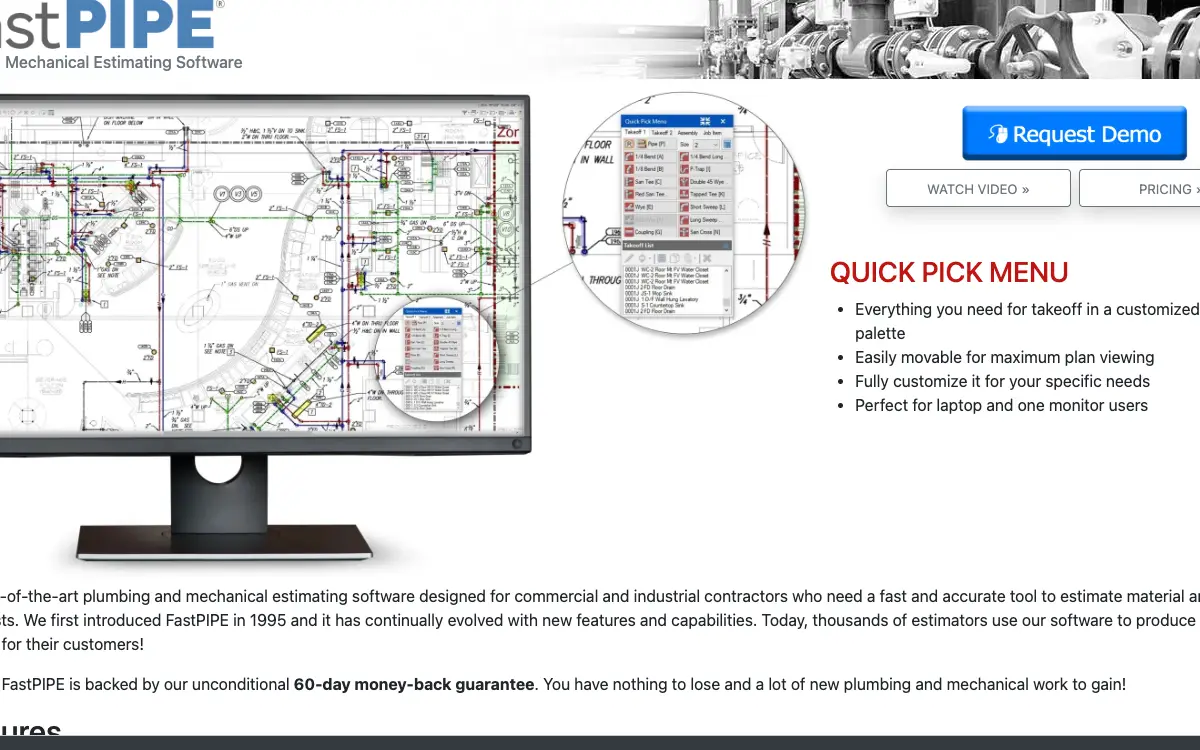
FastPIPE is A published-price, buy-it-outright desktop takeoff tool for commercial pipe estimators, with a catalogue and a phone line instead of an integration directory. It sells to Plumbing and HVAC contractors, and the shape of the product follows from that: Load PDF, CAD, Dodge, JPEG, TIF, GIF, PNG or bitmap plans, set the scale, and take off directly on screen with multi-colour markers and adjustable transparency. Multiple scale regions on one sheet handle inset sub-drawings with automatic rescaling. And the named trick is Auto Connect Pipe: when you take off a fitting, FastPIPE scans the plan for a line between that fitting and another, validates that the connection makes sense for the type and size, and takes off the pipe length between them. Plan Overlay colour-codes what changed when an addendum lands, and marked-up plans export back to scaled PDF for the field.
FastPIPE fit, and where it stops
It fits Commercial and industrial mechanical shops of roughly 10 to 100 field staff running one to four dedicated estimators on bid-hard plumbing, HVAC piping and process piping work off PDF and CAD plan sets. One reviewer describes his firm as a mid-size PHVAC contractor and says his previous system was more advanced than he required. That's the half most reviews print. Here's the other half, which is the one worth your time.
Don't buy it if you're Any contractor outside the United States and Canada. FastEST's own demo form returns: "We're sorry... but our software and services are only available in the United States and Canada." The About page confirms the company "offer[s] our software products throughout the United States and Canada". And there's no international channel and the EULA carries US export restrictions. Look at STACK instead.
Don't buy it if you're Mac, iPad or browser-first shops with no Windows estate. FastPIPE is a Windows .NET desktop application requiring Windows 10/11 or Windows Server plus a local Microsoft Excel install, with Remote Desktop 8+ for any server deployment. And there's no macOS or browser build, whatever the Capterra deployment badges say. Look at STACK instead.
Don't buy it if you're Residential service plumbers and HVAC companies running flat-rate service calls and dispatch. This is a bid-hard commercial plan-takeoff tool with no dispatch, no customer database, no scheduling and no invoicing. And Capterra's own analysis states FastPIPE "does not offer Dispatch Management or Customer Database", the two features its category's reviewers rate most critical. Look at Commusoft instead.
Don't buy it if you're Anyone who needs the estimate to flow into accounting, project management or an ERP without re-keying. GetApp lists FastPIPE integrations at zero. The only supported path out is an Excel, CSV or XML file, which someone then has to import by hand. And the vendor's positioning is explicitly that you shouldn't need to integrate anything. Look at Procore Estimating instead.
Don't buy it if you're Electrical contractors. Nothing on fastest-inc.com, and no Gartner category listing for FastPIPE, covers electrical takeoff. FastEST's three products are FastPIPE (plumbing and mechanical piping), FastDUCT (sheet metal and ductwork) and FastWRAP (mechanical insulation). And Capterra files FastPIPE under Construction Estimating, Plumbing, Plumbing Estimating and HVAC Estimating, and none of the 18 listed features is electrical. Look at Groundplan instead.
FastPIPE's price, and the part that isn't the price
So FastPIPE shows what it charges. Below is each tier, what it gates, and the costs that sit outside the subscription entirely.
| Tier | Price | Billing unit | What it unlocks |
|---|---|---|---|
| First Application (Purchase) | $4,995 | per user, one-time (one application on one station) | stand-alone deployment on a single PC or tablet, first year of maintenance included, chargeable thereafter |
| Additional Application(s) (Purchase) | $2,495 | per user, one-time (each further application or station) | includes any combination of systems (FastPIPE, FastDUCT, FastWRAP) |
| FastPIPE and FastDUCT combo (Purchase) | $7,490 | per user, one-time (both applications on one station) | Nothing beyond the tier below |
| First Application (Lease) | $250 | per user, per month | 36 payments before the licence is owned, maintenance included only for the lease term |
| Additional Application(s) (Lease) | $105 | per user, per month | 36 payments before the software is owned |
| FastPIPE and FastDUCT combo (Lease) | $355 | per user, per month | Nothing beyond the tier below |
| Maintenance, First Application | $1,250 | per user, per year | optional after first year or lease term |
| Maintenance, Additional Application(s) | $250 | per user, per year | optional after first year or lease term |
Licensing is per Application per Computer, not per named person. The pricing page prices "stand-alone deployments on a single PC or tablet" and says "Please call for pricing on enterprise shared session licensing options", so the published sheet does not cover multi-seat network or cloud deployments at all. The EULA defines three License Types: a Station License (one copy on one Computer), a Network License (multiple copies on multiple Computers), and a Cloud License (installed on servers operated and controlled by FastEST, Inc.), each bounded by a paid-for "Maximum Concurrent Authorized Users" count. So the real unit is a concurrency ceiling you negotiate by phone, and only the single-station case has a public number.
There is a discount for paying annually up front: There is no annual-versus-monthly discount, because the choice is buy versus lease rather than annual versus monthly. Buying is materially cheaper: $250 a month for 36 months is $9,000 to end up owning the same first application that costs $4,995 outright, an 80% premium. Even loading the purchase route with two years of the $1,250 maintenance fee brings it to $7,495 over the same 36 months, still $1,505 under the lease. The additional-application lease is $105 x 36 = $3,780 against $2,495 to buy, and the FastPIPE-plus-FastDUCT combo lease is $355 x 36 = $12,780 against $7,490 to buy. And an annual prepay discount tells you an annual commitment exists, which is worth knowing before anyone mentions a term length out loud.
What isn't in the FastPIPE number you get quoted
Payment processing. FastPIPE is an estimating and takeoff tool with no invoicing or payment module, so there's no merchant account or card rate to negotiate. So ask instead how FastEST takes payment for the licence itself and whether the 36-month lease is financed in-house or through a third-party lessor, because the pricing page never says who holds the paper.
Implementation and onboarding. No separate implementation or onboarding fee is published. Every purchase and lease tier lists "installation assistance", "online training and support" and "material pricing updates" as included, and the About page claims setup is "Easy to Install - Up and running in less than 15 minutes (we're not kidding!)". Training seminars run in person around the US and one reviewer notes they are "available several times a year throughout the US"; the pricing page does not say whether attending one costs anything.
Minimum term. The lease is described on the pricing page as "non-binding", with "license is owned after 36 payments". No minimum number of payments is published, and the EULA only says a "License Term" "may be perpetual or fixed term" without naming a floor. The purchase tiers have no term at all, which is the point of them.
Getting out. The EULA contains no termination, cancellation or refund clause of its own beyond the opening instruction to "Cancel the installation now and return the full product to FastEST, Inc. within 30 days for a full refund". So ask in writing what happens to a lease abandoned at month 20: whether the payments already made convert to anything, whether the licence is clawed back, and which of the two published refund windows (30 days in the EULA or the 60-day money-back guarantee on the pricing page) governs.
Auto-renewal. Maintenance is described as "optional after first year or lease term", which reads as opt-in rather than auto-renewing, but the pricing page never states a renewal mechanism, a renewal notice period, or whether the $1,250 rate is locked. The EULA reserves the right to change the agreement unilaterally: FastEST "will provide notice of material changes through the Software, the FastEST, Inc. website, or other reasonable means" and "Licensee's continued use of the Software after such notice constitutes acceptance of the updated terms".
Modules sold separately. , , , . But the entry tier is not the price you'll pay. Add the modules your shop needs on day one and compare FastPIPE on that total.
Third-party services you will also pay for. , , . These are not on FastPIPE's invoice, and they are still part of what this decision costs you every month.
A tangent, but stay with it. Every directory headlines FastPIPE's price as $105 a month. But that's the additional-system lease rate, the cheapest of eight numbers on the sheet, and the one a first-time buyer is structurally unable to pay. A contractor shortlisting from Gartner directories will carry a $105-a-month mental anchor into a call where the real first-seat figure is $4,995 or $250 a month, a 2.4x to 48x gap depending on which route he takes. So anchor on the vendor's page, never the directory card.
The FastPIPE line items nobody mentions
The subscription is the part everyone quotes. These are the lines that land afterwards, and the ones we could not find are named as unpublished rather than left blank.
Sold separately. , , , . Price the configuration you'll really run, because an add-on you need on day one is part of the price.
Third-party services you'll also pay for. , , . None of these are on FastPIPE's invoice, and all of them are part of what this decision costs every month.
"FastPIPE First Application (Purchase) is $4,995, per user, one-time (one application on one station)."
FastPIPE pricing page (2026)
"FastPIPE Additional Application(s) (Purchase) is $2,495, per user, one-time (each further application or station)."
FastPIPE pricing page (2026)
"Licensing is per Application per Computer, not per named person. The pricing page prices "stand-alone deployments on a single PC or tablet" and says "Please call for pricing on enterprise shared session licensing options", so the published sheet does not cover multi-seat network or cloud deployments at all. The EULA defines three License Types: a Station License (one copy on one Computer), a Network License (multiple copies on multiple Computers), and a Cloud License (installed on servers operated and controlled by FastEST, Inc.), each bounded by a paid-for "Maximum Concurrent Authorized Users" count. So the real unit is a concurrency ceiling you negotiate by phone, and only the single-station case has a public number."
FastPIPE pricing page (2026)
The five workflows you pay for
Feature totals are noise. So a shop in this category lives or dies on five things, and those are the five to grade, and each one below carries the evidence it's graded on.
On-screen digitizing with an auto-connect trick that is the actual differentiator Load PDF, CAD, Dodge, JPEG, TIF, GIF, PNG or bitmap plans, set the scale, and take off directly on screen with multi-colour markers and adjustable transparency. Multiple scale regions on one sheet handle inset sub-drawings with automatic rescaling. And the named trick is Auto Connect Pipe: when you take off a fitting, FastPIPE scans the plan for a line between that fitting and another, validates that the connection makes sense for the type and size, and takes off the pipe length between them. Plan Overlay colour-codes what changed when an addendum lands, and marked-up plans export back to scaled PDF for the field. And an estimator, 2+ years on the platform, writing on November 1, 2019, describes it the same thing: "When using the tape measure tool you are required to click on the tool each time. The tool should stay on until a different function is selected."
150,000 items with association labour rates, but the association rates cost extra The master catalogue covers piping, fittings, valves, flanges and hangers from Tyler, Nibco, Gruvlok, Viega, Anvil International, Weldbend and Swagelok among others, with MCAA and PHCC labour estimates attached. Hundreds of built-in assemblies cover gas connections, boilers, chillers, coils, pumps and VRF systems, and scalable assemblies handle line-sets, excavation, insulation and demolition in each, linear-feet, square-feet or cubic-feet. But the catch is in the pricing footnote: FastEST Labor Rates and Pricing Service is included, while PHCC, MCAA and SMACNA labour rates "can be added for an additional cost". And an estimator/project manager, 2+ years on the platform, writing on November 1, 2019, says the same thing: "Very minor complaints about the way some of the fittings are organized in specific material spec sections. There are also a lot of fittings that don't have pricing in some of the lesser used spec sections. And some times I get exceptions on certain pipes with errors about insulation specs or hangers and I can't quite figure out how to correct that."
The bid ends in Excel, which is both the strength and the ceiling Labour and material download to a Microsoft Excel workbook that already carries equipment, fixtures, labour rates, rentals and taxes, and can be customised. Cost codes assigned at spec, assembly or item level flow into reports and into the spreadsheet. And export modules also emit CSV and XML. Kyle H. calls native Excel reporting a reason he recommends it "whether you are doing $100k or $100M bids" and Chris B. contrasts it favourably with a previous system that forced manual spreadsheet rebuilds. But Michael P. finds the Excel form "very difficult to use", and James H.'s 2014 verdict that "Getting data out could be better" is still the shape of the product a decade later. On October 31, 2014, a not stated, not stated on the platform, says: "Getting data out could be better. It needs more options."
Flat files in a folder you can copy, which is unusually clean for this category Application data is stored in native Windows files rather than a licensed database engine, and it scales to hundreds of users on a single file server. The uninstall instructions are explicit that removing the program leaves your data behind: uninstalling "does NOT automatically delete your application data. If you wish to delete all application data, simply delete the site folder which is typically located in user home folder and is named FastEST-Local.site." And that's a real advantage over cloud tools where leaving means a support ticket and a CSV. But what you can't do is read those files without FastPIPE, so the portable copy of a bid is the Excel export, not the site folder.
A phone number that a human answers, and reviewers rate it 4.9 Customer service scores 4.9 out of 5 across 122 rated reviews on Capterra, the highest of any dimension. The About page's claim is "Excellent Customer Service - You call and talk to a live person immediately", and reviewers back it: Jack O. describes calling early on a Sunday morning during a motel bid and being back up "with-in minutes". And FastEST also replies publicly to reviews with specific, technically useful answers rather than boilerplate, including telling one reviewer exactly where the Quick Pick Menu buttons are customised. Training is live online, webinars, videos and in-person seminars several times a year around the US. A svp, 2+ years on the platform, puts it it plainly: "FASTPIPE is easy to start, easy to use, provides all reports in native Excel format, and an excellent value for the money. Though it is rare that we need assistance, the customer support is second to none. We have always received immediate responses to our questions, and that matters in today's fast-paced world. I highly recommend this product whether you are doing $100k or $100M bids."
How FastPIPE lands by trade
Fit differs by trade rather than by company size alone, and a blended paragraph hides that. Here is the split for the trades this one sells to.
Plumbing. The workflow that decides it is on-screen digitizing with an auto-connect trick that is the actual differentiator, and the shop profile that gets value is commercial mechanical or plumbing contractor, 10 to 60 field staff, one or two dedicated estimators bidding hard-bid piping off pdf plan sets doing commercial and residential work. Where it stops being a fit is Any contractor outside the United States and Canada.
HVAC. The workflow that decides it is on-screen digitizing with an auto-connect trick that is the actual differentiator, and the shop profile that gets value is commercial mechanical or plumbing contractor, 10 to 60 field staff, one or two dedicated estimators bidding hard-bid piping off pdf plan sets doing commercial and residential work. Where it stops being a fit is Any contractor outside the United States and Canada.
The FastPIPE accounting link, and where it stops
None (file export only) connects one way only, so edits made in your books do not come back, on every plan. QuickBooks connects, on every plan. Microsoft Excel connects one way only, so edits made in your books do not come back, on every plan. Your costs map through cost codes, so test yours against your own chart of accounts before you commit. A code your books don't recognise is how a labour charge quietly lands somewhere useless.
Past those, the road ends. QuickBooks, Sage, Foundation, Viewpoint and every other accounting or ERP package, Procore, Autodesk Construction Cloud, BIM 360, Revit, Supply house / distributor live pricing feeds, Dispatch and CRM, Mobile apps (iOS, Android) do not connect. So if your books run on an ERP rather than the platforms named above, weigh that before anything else.
Beyond accounting it connects to Ferguson, Harrison, Allpriser (Independent material pricing services. FastPIPE "supports" them, meaning it can consume their price files. But the subscriptions are bought from those vendors, not from FastEST.), MCAA, PHCC, SMACNA (Trade association labour rate libraries. MCAA and PHCC labour estimates ship attached to catalogue items. But the full PHCC, MCAA and SMACNA rate sets are a paid addition.), Adobe PDF Library (Datalogics) (Embedded component, not a user-facing integration. It's what renders and measures PDF plan sets.), FastDUCT and FastWRAP (Sibling FastEST applications on the same platform. Reviewers combine FastPIPE and FastDUCT estimates; the combo is priced at $7,490 outright or $355/month.), TeamViewer (How support gets onto your machine. The site's "Remote Support" and "Live Demo" links both point at TeamViewer sessions, which is also how demos are delivered.). A public API exists: No public API, no developer documentation, no webhook or partner programme is published anywhere on fastest-inc.com, and GetApp's integration count is zero. The vendor treats this as a feature rather than a gap: "You won't need to purchase, integrate, or learn any another 3rd-party takeoff or database package because we developed all of the FastPIPE software in-house!" The nearest thing to an API is the export module writing Excel, CSV or industry-standard XML.
FastPIPE support, onboarding and the hours
Support is the line item nobody prices and everybody eventually needs. Onboarding for FastPIPE: No separate implementation or onboarding fee is published. Every purchase and lease tier lists "installation assistance", "online training and support" and "material pricing updates" as included, and the About page claims setup is "Easy to Install - Up and running in less than 15 minutes (we're not kidding!)". Training seminars run in person around the US and one reviewer notes they are "available several times a year throughout the US"; the pricing page does not say whether attending one costs anything.
The review corpus we read on 7 August 2026 carries no consistent signal on response times either way, so treat support as untested rather than good. Open a real ticket during the trial and time the reply, because that is the number no pricing page gives you.
Before you sign with FastPIPE: the exit
Nobody reads this section before they buy, and it's the one that costs money afterwards. Four terms decide what leaving looks like.
Minimum term. The lease is described on the pricing page as "non-binding", with "license is owned after 36 payments". No minimum number of payments is published, and the EULA only says a "License Term" "may be perpetual or fixed term" without naming a floor. The purchase tiers have no term at all, which is the point of them.
Auto-renewal. Maintenance is described as "optional after first year or lease term", which reads as opt-in rather than auto-renewing, but the pricing page never states a renewal mechanism, a renewal notice period, or whether the $1,250 rate is locked. The EULA reserves the right to change the agreement unilaterally: FastEST "will provide notice of material changes through the Software, the FastEST, Inc. website, or other reasonable means" and "Licensee's continued use of the Software after such notice constitutes acceptance of the updated terms".
Early termination. The EULA contains no termination, cancellation or refund clause of its own beyond the opening instruction to "Cancel the installation now and return the full product to FastEST, Inc. within 30 days for a full refund". So ask in writing what happens to a lease abandoned at month 20: whether the payments already made convert to anything, whether the licence is clawed back, and which of the two published refund windows (30 days in the EULA or the 60-day money-back guarantee on the pricing page) governs.
Payment processing. FastPIPE is an estimating and takeoff tool with no invoicing or payment module, so there's no merchant account or card rate to negotiate. So ask instead how FastEST takes payment for the licence itself and whether the 36-month lease is financed in-house or through a third-party lessor, because the pricing page never says who holds the paper.
And this is the kind of thing you only find by reading the complaints. The licence is non-assignable and non-transferable, which means a perpetual licence you bought outright doesn't necessarily survive selling, merging or restructuring your company. The main commercial argument for FastPIPE over a cloud subscription is that you own the asset. But you own a non-transferable right to run it. So if an exit, acquisition or entity change is anywhere on the horizon, get written confirmation that the licence follows the business, because the paper as written says it doesn't.
"that program won't save pricing from actual bid time. if you need to break out for schedule of values at a later date it requires you to recalculate which changes pricing if there have been any updates."
Capterra, Charlie C. (2022)
"Very minor complaints about the way some of the fittings are organized in specific material spec sections. There are also a lot of fittings that don't have pricing in some of the lesser used spec sections. And some times I get exceptions on certain pipes with errors about insulation specs or hangers and I can't quite figure out how to correct that."
Capterra, Kevin H. (2019)
"No Undo Button! There are only a couple of small items that would make it better for our use, but the BIGGEST, Almost singular item is there is not an UNDO button."
Capterra, John L. (2019)
The FastPIPE gaps worth raising on the call
So here's what breaks, sourced to the person who hit it.
Leasing the same licence costs 80% more than buying it, and the lease is the number every directory quotes FastEST publishes both routes side by side, which is admirable, but the arithmetic runs one way. The first application is $4,995 outright or $250 a month with the "license is owned after 36 payments". And thirty-six payments is $9,000. Even adding two years of the $1,250 maintenance fee to the purchase route only reaches $7,495 over the same three years, so buying and maintaining is $1,505 cheaper than leasing and you own the licence at the same moment. But Capterra, GetApp and Software Advice all headline FastPIPE's "starting price" as $105 a month, which is the additional-system lease rate, the cheapest number on the sheet and the one nobody buying their first seat can pay. Price the buy route, not the lease, and budget $4,995 plus $1,250 a year from year two. And if cash flow forces the lease, ask what happens to the payments already made if you stop at month 20, because no published document answers that.
Zero third-party integrations. The directory listing says so out loud GetApp's integrations section for FastPIPE reads "FastPIPE integrations (0)", and the only integration users mention in 129 reviews is Microsoft Excel. Software Advice lists "Accounting Integration" and "Billing & Invoicing" under popular features found in HVAC Estimating software generally, then omits both from FastPIPE's own feature list. And Capterra's own summary states FastPIPE "does not offer Dispatch Management or Customer Database". The vendor isn't hiding this. It's the strategy: the FastPIPE page says "You won't need to purchase, integrate, or learn any another 3rd-party takeoff or database package because we developed all of the FastPIPE software in-house!" So everything leaves as a file. Assume manual re-entry between the estimate and whatever runs your jobs, and price the estimator hours that costs. And if you already run Procore, Sage or ServiceTitan and want the bid to flow through, this is the wrong tool.
The marketing page tells you to use a VPN. The EULA prohibits VPN use The FastPIPE product page sells "Anywhere Network Access" with the line: "If you have a secure VPN (virtual private network), you can work your jobs from the office, home, or on the road...". But EULA section 3.1(f) grants no licence "to install or use or allow the installation or use of the Software over the Internet or other non-local network, including, without limitation, use in connection with a wide area network (WAN), virtual private network (VPN), virtualization, Web hosting, time-sharing, service bureau, software as a service, cloud or other service or technology", except as expressly provided for a specific License Type. And the published $4,995 price covers only "stand-alone deployments on a single PC or tablet", and multi-site deployment is the thing you have to phone about. Before you let an estimator work from home on a Station License, get written confirmation of which License Type you hold and whether it covers remote access. And the clause is enforced by a "Registrar Service, Dongle, or any tool or technical protection measure", so this isn't theoretical.
Material pricing is the recurring complaint, in a tool whose selling point is material pricing Three independent reviewers hit the same wall from different angles. David D. says it is "difficult to get true material costs without asking suppliers". Kevin H. reports "a lot of fittings that don't have pricing in some of the lesser used spec sections". Charlie C. says the program "won't save pricing from actual bid time", so revisiting a bid for a schedule of values "requires you to recalculate which changes pricing if there have been any updates". Michael P. asks the vendor to "work on integration with supply house". And the catalogue is 150,000 items deep and the pricing service is bundled, but reviewers still end up on the phone to their branch. And a project manager, More than 2 years on the platform, writing on October 24, 2022, writes the same thing: "It is difficult to get true material costs without asking suppliers." Run the demo against a real bid in your own specs, not the sample job, and check how many of your habitual fittings return a price. Then ask what Ferguson, Harrison or Allpriser costs on top, since FastPIPE only "supports" those services, it doesn't include them.
Windows and Excel are hard requirements, and the vendor lists two different Windows floors There's no Mac, no browser and no mobile version. The pricing page requires Windows 10, 11 or higher / Server 2016 or higher, with Office 2016 or higher, plus Remote Desktop 8+ for any server deployment. The Installation page on the same domain still lists Windows 7, 8, 8.1, 10, 11 or higher / Server 2008R2 or higher with Office 2013 or higher. And Capterra makes it worse by listing FastPIPE's deployment as "Web, Android, iPhone/iPad", and GetApp's product blurb claims it lets contractors "add photos from any mobile device" and "bill their clients directly through the app", none of which FastEST claims anywhere on its own site. Ignore the directory deployment badges. So confirm the Windows and Office build on the exact machine the estimator will use, and add an Office licence to the cost per seat if you're not already paying for one.
Two different refund windows, published by the same vendor The pricing page, the About page and the FastPIPE product page all promise a "60-day money back guarantee", described on the product page as "unconditional". But the EULA you must accept before installation says: "Cancel the installation now and return the full product to FastEST, Inc. within 30 days for a full refund." One of those is the contract and one of those is the marketing, and the contract is the shorter one. And the EULA also declares itself the "entire agreement between the parties" that "supersedes all prior agreements, proposals, negotiations, representations or communications". Get the 60-day guarantee restated in the purchase order or an email from a named FastEST employee, and diarise day 25 as your real go/no-go, not day 55.
Every dispute goes to arbitration in Wichita, Kansas EULA section 13: "Any dispute arising under this EULA will be subject to binding arbitration by a single Arbitrator with the American Arbitration Association (AAA)... The parties agree that this EULA will be governed by and construed and interpreted in accordance with the laws of the State of Kansas. The arbitration will be held in Wichita Kansas." And section 12 excludes essentially all damages, section 11 disclaims all warranties including fitness for a particular purpose, and section 4 states plainly that FastEST "does not assume any obligation to provide maintenance, patches or fixes to the Software", which sits oddly against a $1,250-a-year maintenance line item. For a $4,995 licence the arbitration clause is mostly academic, but for a multi-seat enterprise deal it isn't. So if you're buying ten stations, have counsel look at sections 4, 11, 12 and 13 together before signing.
You may not use FastPIPE's own output to train, benchmark or improve anything EULA section 3.1(j) grants no licence to "use the Software, or any output, data, results, or information generated by or derived from the Software, for any purpose except that specifically permitted by the License Grant. Prohibited purposes include, but are not limited to, benchmarking, developing, or improving any product or service, or developing, training, tuning, validating, or improving any artificial intelligence, machine learning, or similar models". And the License Grant permits use "for the purpose of creating estimates". So read literally, feeding your own historical FastPIPE estimates into an internal bid-hit-rate model, or into any AI tool, is outside the grant. If you plan to do anything analytical with your estimate history, ask FastEST for written confirmation that internal margin analysis and AI-assisted review of your own bids fall inside the grant.
One more thing worth knowing. The Gartner listings collapse two maintenance lines into one and lose the per-extra-seat charge. Their card reads "Maintenance (First and Additional Systems) $1,250 Per Year". But the vendor's page charges $1,250 for the first application and another $250 a year for each additional one. A four-station shop budgeting from the directory expects $1,250 a year and owes $1,250 + 3 x $250 = $2,000. And that's small in isolation, but it compounds: a four-station FastPIPE estate bought outright is $4,995 + 3 x $2,495 = $12,480, and maintenance alone adds $8,000 over the following four years.
One more thing worth knowing. FastEST publishes three mutually exclusive positions on whether software updates cost money, and all three are live on the same domain today. Don't assume you can skip maintenance and keep taking updates because the About page says updates are free. So ask specifically: after year one, without maintenance, do I still receive program versions, catalogue updates and price updates, and does the software keep working at all? Because section 4 of the EULA disclaims any obligation to provide maintenance, patches or fixes, so the answer is contractual, not implied.
One more thing worth knowing. The EULA claims rights over the estimates FastPIPE produces, not just over the software. Using your own bid output to benchmark, to improve a product or service, or to train any AI or machine-learning model is outside the licence grant. Any mechanical contractor planning to feed years of FastPIPE estimate history into a bid-hit-rate model, a margin analysis tool, or an AI assistant should get written confirmation first. Because this clause is unusually broad for a $4,995 desktop product and it reaches the contractor's own commercial data, not just the vendor's code.
One more thing worth knowing. FastPIPE is one of the very few tools in this category that publishes a complete price list, and it's punished for it in every comparison it appears in. A $4,995 one-time figure sitting beside a $79-a-month figure reads as expensive when it isn't: $79 a month is $2,844 over three years for one seat and never stops, while FastPIPE over the same three years is $7,495 including maintenance and then $1,250 a year forever after. So normalise every competitor to a 36-month total before letting the sticker decide, and note that the ones refusing to publish are the ones you can't normalise at all.
One more thing worth knowing. Getting out is easy at the file level and hard at the data level, and the vendor documents exactly where your work lives. Nothing is held on a vendor server, so there's no ransom moment at cancellation. But the site folder is only readable by FastPIPE, so if you ever leave, the only portable record of a decade of bids is whatever Excel, CSV or XML you exported along the way. So make exporting part of closing a job, not part of leaving a vendor.
One oddity, filed under things nobody mentions on a demo. Eight of the nine most recent reviews on FastPIPE's Capterra page carry an incentive disclosure, and the whole 129-review pool is a single Gartner dataset republished on three sites. Treat 4.7 as one third-party figure, not three agreeing sources, and weight it against the fact that FastEST solicited a large share of it. And the signal worth trusting is the shape of the complaints, which is consistent across incentivized and non-incentivized reviewers alike: thin material pricing in less-common specs, no undo button, and click paths that repeat.
FastPIPE, from the people who bought it
Every quote below is transcribed from a published review, named to the platform that carries it and to the reviewer as that platform displays them. We read the corpus by complaint type rather than by star rating, which is how the disqualifying detail buried inside a five-star review gets found.
"that program won't save pricing from actual bid time. if you need to break out for schedule of values at a later date it requires you to recalculate which changes pricing if there have been any updates."
On October 24, 2022, a plumbing estimator/supervisor, More than 2 years on the platform, writes on Capterra
"Very minor complaints about the way some of the fittings are organized in specific material spec sections. There are also a lot of fittings that don't have pricing in some of the lesser used spec sections. And some times I get exceptions on certain pipes with errors about insulation specs or hangers and I can't quite figure out how to correct that."
An estimator/project manager, 2+ years on the platform, writes it plainly on Capterra
"No Undo Button! There are only a couple of small items that would make it better for our use, but the BIGGEST, Almost singular item is there is not an UNDO button."
A project coordinator, 2+ years on the platform, writing on November 14, 2019, describes it on Capterra
"It is difficult to get true material costs without asking suppliers."
On October 24, 2022, a project manager, More than 2 years on the platform, describes it on Capterra
"Some of the inflexibility of the program. EG: When there are multiple fittings on the plan, a toggle switch would be helpful to choose which fitting to connect to. 2. It cannot see multiple drawings simultaneously (plan & diagram view). 3. It cannot enter material quote at take off."
But a president, 2+ years on the platform, writes it differently on Capterra
"Getting data out could be better. It needs more options."
A not stated, not stated on the platform, writing on October 31, 2014, puts it on Capterra
"I don't fast pipes excel form there very difficult to use. It would be better if layer the take off. The creating of assemblies is to many steps"
And a sr. estimator, 2+ years on the platform, writing on November 1, 2019, describes it the same thing on Capterra
"need to work on integration with supply house and need to work excavation features"
A sr. estimator, 2+ years on the platform, writing on November 1, 2019, says on Capterra
"Inability to copy areas of takeoff into assemblies via cut and paste Inability to build assemblies using graphical take off method."
On November 2019, a verified reviewer, construction, 11-50 employees, more than 2 years on the platform, says on Software Advice
"At times it can be a bit laggy, but typically only happens if a lot of takeoff items are already present."
And a precon manager, not stated on the platform, writing on October 27, 2022, puts it the same thing on Capterra
"doesn't have all the items in data bases"
A senior meps estimator, not stated on the platform, puts it it plainly on Capterra
"We are a mid size PHVAC contractor ($3-5M/Yr) and our prior system was more advanced than we required. Fast-Pipe has the features we need without a lot of features we would never use. It has an easy interface from Plan Loading to Spec Adjustments to takeoff ease. The other feature we like is a direct transfer of the outputted data onto a very user friendly bidding spreadsheet. Our former software required us to manually design a spreadsheet and transfer basic data by hand in order to bid the project."
On October 31, 2019, an estimator, 2+ years on the platform, reports it on Capterra
"FASTPIPE is easy to start, easy to use, provides all reports in native Excel format, and an excellent value for the money. Though it is rare that we need assistance, the customer support is second to none. We have always received immediate responses to our questions, and that matters in today's fast-paced world. I highly recommend this product whether you are doing $100k or $100M bids."
But a svp, 2+ years on the platform, says it differently on Capterra
"When using the tape measure tool you are required to click on the tool each time. The tool should stay on until a different function is selected."
An estimator, 2+ years on the platform, says it plainly on Capterra
What FastPIPE's competition charges
Alternatives a buyer would genuinely shortlist against FastPIPE. Read the billing unit beside each figure rather than the figure on its own, because a per-seat price and a flat platform fee aren't comparable numbers.
| Tool | Entry price | Billing unit | Users included | Published? |
|---|---|---|---|---|
| FastPIPE | $4,995 | per user, one-time (one application on one station) | Licensing is per Application per Computer, not per named per | Yes |
| PlanSwift Professional | $2,000 | per user, per year (annual subscription) | 1 seat; the cart steps 0 through 10+ seats | Yes |
| FastDUCT | $4,995 | per user, one-time (or $250 per user per month leased) | 1 application on 1 station; $2,495 per additional | Yes |
| Groundplan | $75.00 | per user, per month | 1 user at the entry rate | Yes |
| STACK | Quote only | per user (pricing page routes to SEE PRICING and BUILD YOUR PRICE) | not published | No |
| Procore Estimating | Quote only | per user (Capterra records "Not provided by vendor" for the Procore family) | not published | No |
| Simpro | Quote only | per user (Capterra: "Not provided by vendor", pricing model Per User) | not published | No |
PlanSwift Professional. Half FastPIPE's entry cost, trade-agnostic so one licence covers plumbing, HVAC, concrete, drywall and electrical takeoff, and it publishes a checkout you can complete without a sales call. It includes support, software updates and two hours of training in the annual fee, plus a 14-day free trial FastPIPE does not offer. But Generic takeoff with no 150,000-item mechanical catalogue, no MCAA or PHCC labour rates, and no auto-connect pipe logic. So you build the cost database yourself. And one FastPIPE reviewer was hired to use PlanSwift and switched, calling FastEST "much cleaner".
FastDUCT. Same vendor, same interface, same pricing sheet, but built for sheet metal and ductwork rather than pipe. If your bids are duct-led it is the correct half of the platform, and the FastPIPE-plus-FastDUCT combo at $7,490 is $2,500 less than buying both separately. But It isn't an alternative to FastPIPE so much as its other half, and it carries every one of the same constraints: Windows only, zero integrations, US and Canada only, Wichita arbitration.
Groundplan. Cloud, cross-platform, and the highest-rated tool in FastPIPE's own alternatives set at 4.8 from 63 reviews with 100% of reviewers above four stars. Free trial and free version both available, so you can evaluate without a phone call. Roughly $900 a year against $4,995 up front. But Built for the electrical trade, so the mechanical catalogue depth and MCAA/PHCC labour that justify FastPIPE's price aren't there. And sixty-three reviews against 129 is a much thinner evidence base.
STACK. Cloud takeoff and estimating that runs on Mac as well as PC, with unlimited plans and projects, a field app, published API access and a free account to start. Carries 1,398 reviews at 4.5 against FastPIPE's 129, and it doesn't care what country you're in. But It publishes no price at all, so every evaluation starts with a sales conversation, the exact friction FastPIPE avoids. And it's generic construction takeoff rather than a mechanical catalogue with association labour.
Procore Estimating. Cloud takeoff and estimating that connects to the rest of a project management stack, which is precisely the hole in FastPIPE. Sensible if you already run Procore and want the bid to survive contact with the project. But No published pricing, and Procore's commercial model prices off annual construction volume rather than seats, which can make it wildly more expensive than a $4,995 perpetual licence for a shop that only wants to estimate pipe.
Simpro. It covers quoting, scheduling, job costing and invoicing in one system for commercial mechanical contractors, so the estimate doesn't dead-end in a spreadsheet. But It rates worst of FastPIPE's listed alternatives on value for money (3.7) and customer service (3.8) against FastPIPE's 4.8 and 4.9, and publishes nothing. And its takeoff isn't in the same class as a dedicated pipe digitizer.
"It is difficult to get true material costs without asking suppliers."
Capterra, David D. (2022)
"Some of the inflexibility of the program. EG: When there are multiple fittings on the plan, a toggle switch would be helpful to choose which fitting to connect to. 2. It cannot see multiple drawings simultaneously (plan & diagram view). 3. It cannot enter material quote at take off."
Capterra, Deet S. (2019)
Who should not buy FastPIPE
Don't buy FastPIPE if you're Any contractor outside the United States and Canada. FastEST's own demo form returns: "We're sorry... but our software and services are only available in the United States and Canada." The About page confirms the company "offer[s] our software products throughout the United States and Canada". And there's no international channel and the EULA carries US export restrictions. Look at STACK instead.
Don't buy FastPIPE if you're Mac, iPad or browser-first shops with no Windows estate. FastPIPE is a Windows .NET desktop application requiring Windows 10/11 or Windows Server plus a local Microsoft Excel install, with Remote Desktop 8+ for any server deployment. And there's no macOS or browser build, whatever the Capterra deployment badges say. Look at STACK instead.
Don't buy FastPIPE if you're Residential service plumbers and HVAC companies running flat-rate service calls and dispatch. This is a bid-hard commercial plan-takeoff tool with no dispatch, no customer database, no scheduling and no invoicing. And Capterra's own analysis states FastPIPE "does not offer Dispatch Management or Customer Database", the two features its category's reviewers rate most critical. Look at Commusoft instead.
Don't buy FastPIPE if you're Anyone who needs the estimate to flow into accounting, project management or an ERP without re-keying. GetApp lists FastPIPE integrations at zero. The only supported path out is an Excel, CSV or XML file, which someone then has to import by hand. And the vendor's positioning is explicitly that you shouldn't need to integrate anything. Look at Procore Estimating instead.
Don't buy FastPIPE if you're Electrical contractors. Nothing on fastest-inc.com, and no Gartner category listing for FastPIPE, covers electrical takeoff. FastEST's three products are FastPIPE (plumbing and mechanical piping), FastDUCT (sheet metal and ductwork) and FastWRAP (mechanical insulation). And Capterra files FastPIPE under Construction Estimating, Plumbing, Plumbing Estimating and HVAC Estimating, and none of the 18 listed features is electrical. Look at Groundplan instead.
The verdict, by shop size
Commercial mechanical or plumbing contractor, 10 to 60 field staff, one or two dedicated estimators bidding hard-bid piping off PDF plan sets
Yes, and this is the shape the product is built for. This is the exact shape FastPIPE was built for and the band the reviews come from. So buy outright at $4,995 rather than leasing, budget $1,250 a year from year two, and accept that the bid ends in Excel. The 150,000-item catalogue with MCAA and PHCC labour, auto-connect pipe, plan overlay for addendums and a 4.9-rated support line that a human answers are worth more to this band than any integration would be, because the estimate is a one-way handoff anyway. And Chris B.'s $3-5M PHVAC shop found his previous system "more advanced than we required", which is the honest read on the competitive set here. This band runs 10 to 60 on the crew, doing commercial work, and that's the profile the recommendation is written for.
Large multi-office mechanical contractor running six or more estimators across sites
Only under conditions, and they are worth being honest about. The platform scales, and FastEST names Top 100 contractors among its customers. But nothing about this deployment is on the published price sheet: "Please call for pricing on enterprise shared session licensing options", and the $4,995 number covers "stand-alone deployments on a single PC or tablet" only. Worse, the FastPIPE page sells remote work over a VPN while EULA 3.1(f) withholds any licence for use over a WAN, VPN, virtualization or cloud outside your specific License Type. So get the License Type, the Maximum Concurrent Authorized Users count and the remote-access permission in writing on the quote, and have counsel read sections 4, 11, 12 and 13 before signing, because arbitration is in Wichita and warranties are fully disclaimed. This band runs 60 or more on the crew, doing commercial work, and that's the profile the recommendation is written for.
Residential service plumbing or HVAC company doing flat-rate service, replacements and dispatch
No. Wrong tool entirely. There's no dispatch, no customer database, no scheduling, no invoicing and no mobile app, and Capterra says so directly. So a service company bidding a $4,995 Windows-only desktop estimator that can't talk to anything it already runs is buying a plan-takeoff engine it'll use a handful of times a year. And spend the money on a field service platform and price replacements from a flat-rate book. This band runs 1 to 30 on the crew, doing service and residential work, and that's the profile the recommendation is written for.
Electrical contractor of any size
No. FastEST makes three products and none of them estimate electrical work: FastPIPE is pipe, FastDUCT is sheet metal, FastWRAP is mechanical insulation. And none of FastPIPE's 18 listed features is electrical, and its Gartner categories are Construction Estimating, Plumbing, Plumbing Estimating and HVAC Estimating. So Groundplan or a dedicated electrical estimating package is the right shelf. This band runs 1 or more on the crew, doing commercial and residential work, and that's the profile the recommendation is written for.
Any contractor outside the United States and Canada
No. FastEST's demo form refuses non-US, non-Canadian enquiries outright: "We're sorry... but our software and services are only available in the United States and Canada." And even if you could buy it, the catalogue is US-manufacturer and the labour rates are MCAA, PHCC and SMACNA. This band runs 1 or more on the crew, doing commercial and residential and service work, and that's the profile the recommendation is written for.
Something adjacent to FastPIPE, then we'll get out of your way
Quick note on who wrote this. Fervor does conversion work and web design for contractors, so we don't sell FastPIPE and we don't sell anything that competes with it. We do have data on something sitting right next to this decision.
FastPIPE has no free trial, no checkout and no self-serve path: every $4,995 sale starts by dialling 800-828-7108, and its highest-rated attribute across 129 reviews is a 4.9 customer-service score earned because a human picks up. But the contractors buying it that way then run websites where the phone number is baked into a header image or rendered as un-tappable text. And Fervor inspected the contractor sites in its index and found 95.8% carry a serious WCAG violation and 61.3% a critical one, and an unreachable phone number is the single most expensive one for a mechanical shop whose own vendor proved that answering the phone is what closes the deal.
We ran 380 contractor websites through the Contractor CRO Index. 82.8% of them made a homeowner wait before they could tap a call button. But check the method before you take the number, which is why it is published. All of it is documented in the Contractor CRO Index.
"82.8% of the 380 contractor websites inspected made a homeowner wait before they could tap a call button."
Fervor Studio Contractor CRO Index (2026)
So do both. The second one is usually cheaper to fix than the first one is to buy. The numbers are all public.
See where your site is losing the jobs FastPIPE would have managed
Fervor inspects your site the way a homeowner uses it, then shows you where calls leak out. It takes 5 business days.
Get a Site InspectionHow this FastPIPE page was researched
Before the sources, the honest caveat. Nobody here's used this product in anger. So here's the basis. We read 11 vendor pages for FastPIPE on 7 August 2026, and we went through the reviews looking for complaints rather than for averages. And every figure above traces to a page we opened on that date, pricing included.
So: 14 quotes on this page, 13 from Capterra and one from Software Advice.
And https://www.g2.com/products/fastpipe/reviews (HTTP 403), https://www.trustradius.com/products/fastpipe/reviews (HTTP 403), https://www.trustpilot.com/review/fastest-inc.com (HTTP 403), https://www.capterra.co.uk/reviews/47528/fastpipe (HTTP 403, Cloudflare interstitial) and Capterra, GetApp and Software Advice all return HTTP 403 to direct HTTP clients; their content was read through a rendering browser instead refused automated retrieval for FastPIPE. Where their scores appear in third-party roundups we have left them out rather than pass on a number we could not open.
What that leaves untested: apple App Store and Google Play (no FastEST or FastPIPE listing exists; the product is Windows desktop only). And everything above is eleven vendor pages and a review corpus, which is documentary rather than hands-on.
What FastPIPE users say
that program won't save pricing from actual bid time. if you need to break out for schedule of values at a later date it requires you to recalculate which changes pricing if there have been any updates.
Very minor complaints about the way some of the fittings are organized in specific material spec sections. There are also a lot of fittings that don't have pricing in some of the lesser used spec sections. And some times I get exceptions on certain pipes with errors about insulation specs or hangers and I can't quite figure out how to correct that.
No Undo Button! There are only a couple of small items that would make it better for our use, but the BIGGEST, Almost singular item is there is not an UNDO button.
It is difficult to get true material costs without asking suppliers.
Some of the inflexibility of the program. EG: When there are multiple fittings on the plan, a toggle switch would be helpful to choose which fitting to connect to. 2. It cannot see multiple drawings simultaneously (plan & diagram view). 3. It cannot enter material quote at take off.
Getting data out could be better. It needs more options.
I don't fast pipes excel form there very difficult to use. It would be better if layer the take off. The creating of assemblies is to many steps
need to work on integration with supply house and need to work excavation features
Inability to copy areas of takeoff into assemblies via cut and paste Inability to build assemblies using graphical take off method.
At times it can be a bit laggy, but typically only happens if a lot of takeoff items are already present.
doesn't have all the items in data bases
We are a mid size PHVAC contractor ($3-5M/Yr) and our prior system was more advanced than we required. Fast-Pipe has the features we need without a lot of features we would never use. It has an easy interface from Plan Loading to Spec Adjustments to takeoff ease. The other feature we like is a direct transfer of the outputted data onto a very user friendly bidding spreadsheet. Our former software required us to manually design a spreadsheet and transfer basic data by hand in order to bid the project.
FASTPIPE is easy to start, easy to use, provides all reports in native Excel format, and an excellent value for the money. Though it is rare that we need assistance, the customer support is second to none. We have always received immediate responses to our questions, and that matters in today's fast-paced world. I highly recommend this product whether you are doing $100k or $100M bids.
When using the tape measure tool you are required to click on the tool each time. The tool should stay on until a different function is selected.
Frequently asked questions
How much does FastPIPE cost?
FastEST publishes the whole sheet, which almost nobody in this category does. The first application is $4,995 outright or $250 a month leased, with the licence owned after 36 payments. Additional applications are $2,495 outright or $105 a month. FastPIPE plus FastDUCT together is $7,490 outright or $355 a month. And maintenance after the first year is $1,250 a year for the first application and $250 a year for each additional one. But those prices cover stand-alone use on a single PC or tablet, and enterprise shared-session licensing is quote-only.
Is it cheaper to lease FastPIPE or buy it?
Buy it. Thirty-six lease payments of $250 comes to $9,000 for a licence that costs $4,995 outright, an 80% premium. Add two years of the $1,250 maintenance fee to the purchase route and you're at $7,495 over the same 36 months, still $1,505 cheaper, and you own the licence at the same moment either way. So the lease only makes sense if you genuinely can't put $4,995 on the books this quarter.
Does FastPIPE integrate with QuickBooks or any accounting software?
No. GetApp lists FastPIPE's integration count as zero after analysing vendor data and 129 verified reviews. The only path out is a file: the vendor advertises "Export to Excel, CSV or XML for Accounting or Remote Reporting", and someone imports it by hand. And FastEST frames this as a design decision rather than a gap, telling buyers they "won't need to purchase, integrate, or learn any another 3rd-party takeoff or database package".
Is there a free trial of FastPIPE?
No. Capterra records free trial as not available and no free version. What FastEST offers instead is a demo, delivered over a TeamViewer session after you fill in a form, plus a 60-day money-back guarantee on the pricing, About and product pages. But note the EULA you accept at install says something different: "Cancel the installation now and return the full product to FastEST, Inc. within 30 days for a full refund." So get the 60-day version in writing.
Does FastPIPE run on a Mac or an iPad?
No. It's a Windows .NET desktop application requiring Windows 10 or 11, or Windows Server 2016 or higher, with Microsoft Excel installed locally, and Remote Desktop 8 or higher for any server deployment. Capterra's deployment badges say Web, Android and iPhone/iPad, and GetApp's blurb claims you can add photos from a mobile device and bill clients through the app. But none of that appears anywhere on FastEST's own site. So believe the vendor's system requirements page.
How good is FastPIPE really, given a 4.7 rating?
The rating is real but the sample deserves a caveat. All 129 reviews sit in one pool that Capterra, GetApp and Software Advice each republish, so those are one source, not three. The distribution is 93 five-star, 34 four-star, 2 three-star and zero below that. And of the nine most recent reviews shown on the Capterra product page, eight carry an incentive disclosure, four labelled "Vendor Referred - Incentive Offered" and four "Incentivized review", with one marked non-incentivized. So read the cons rather than the stars: they cluster hard on material pricing coverage, the absence of an undo button, and repetitive click paths.
Can my estimators use FastPIPE from home?
The marketing page says yes and the contract says ask first. The FastPIPE page advertises "Anywhere Network Access" and tells you that with "a secure VPN (virtual private network), you can work your jobs from the office, home, or on the road". But EULA section 3.1(f) grants no licence for use over the Internet or a non-local network including WAN, VPN, virtualization, web hosting or cloud, except as expressly provided for your specific License Type. So since the published $4,995 price only covers a stand-alone single PC, remote access is something you have to buy, not something you have.
What happens to my estimates if I stop using FastPIPE?
Better than most cloud tools. The data sits in native Windows files in a folder called FastEST-Local.site in the user's home directory, and the vendor's own uninstall instructions confirm that removing the program leaves it in place. And nothing is held hostage on a server. But the limit is readability: those files only mean anything inside FastPIPE, so your portable record of a bid is the Excel, CSV or XML export, and you should be taking those as you go rather than at the end.
Which trades does FastPIPE serve?
Commercial and industrial plumbing and mechanical piping, HVAC piping including VRF, medical gas and process piping. Its siblings cover the rest of FastEST's range: FastDUCT for sheet metal and ductwork, FastWRAP for mechanical insulation. And it doesn't do electrical estimating, it doesn't do dispatch or service work, and it's sold only in the United States and Canada.
Freshness
How we keep this page current
Three dates govern this review, and they carry different meanings. The initial source sweep is dated August 7, 2026; when only part of the evidence set is recaptured later, that later date is stated beside the refreshed claim. We last revised the page on August 7, 2026. And the user reviews we quote were posted over roughly the last 24 months, so their individual dates remain part of the evidence instead of being overwritten by a later pricing update.
We revise the page when FastPIPE changes a published price or a contract term, when a rating we cite moves by more than a few tenths, or when the vendor ships something big enough to change the verdict. We never bump the date just to look fresh, because Google treats that as manipulation and so do we. If a figure here reads as stale by the time you land on it, treat it as a floor and check the vendor's own page. We linked it at every number for exactly that reason.
Sourcing
How this review was researched
Every figure on this page traces to a captured source linked inline where it appears. The initial sweep is dated August 7, 2026; any later, partial recapture is dated at the claim rather than relabelling the whole evidence set. Ratings come from Capterra, GetApp, Software Advice and the Apple App Store. Note that Capterra, GetApp and Software Advice share one Gartner Digital Markets review pool, so an identical score across all three is a single sample rather than three corroborating ones, and this page treats it that way. G2, TrustRadius and Trustpilot block automated access, so where their numbers appear they are labelled as reported rather than verified. No claim here is sourced from Reddit or from a contractor Facebook group, because neither could be retrieved and quoting them would mean inventing attribution. Pricing marked as reported comes from third-party roundups, never from Fervor. Fervor's own findings come from the Contractor CRO Index 2026.
About
About Fervor Studio
Fervor Studio is a conversion rate optimization (CRO) and web design studio for home services contractors across North America, based in Cochrane, Alberta. Fervor does not sell field service management software and is not an alternative to FastPIPE. It publishes the Contractor CRO Index, a public benchmark measuring contractor website conversion potential using reproducible, open-source methods such as axe-core and Google Lighthouse. Fervor Studio is operated by Fervor Group Inc.
 Aug 1, 2026
 Tech Stack
Best Plumbing Software in 2026: Ten Ranked Across Four Classes
A plumbing company’s work runs through four classes of software that do not substitute for each other, and it only buys two of them. Ten products, each with a published price or an explicit statement that the vendor publishes none.
Read Article Jul 30, 2026
 Tech Stack
NiceJob vs Birdeye 2026: Pricing, Contracts and Review Gating
One of these vendors puts its price on the page and its cancellation terms in writing. The other puts a form in front of both, and the complaint record is where its contract length shows up.
Read Article Jul 30, 2026
 Tech Stack
Podium vs Birdeye 2026: Pricing, Contracts and Review Gating
Only one of these two will tell you what it costs before a sales call, and even that number carries a carve-out aimed squarely at trade contractors.
Read Article Jul 30, 2026
 Tech Stack
Best Electrical Contractor Software 2026: 11 Ranked and Priced
An electrical contracting business makes two software purchases that do not substitute for each other, and every roundup answering this query covers only one of them. Eleven platforms, with a published price or an explicit statement that the vendor publishes none.
Read Article Jul 30, 2026
 Tech Stack
Best HVAC Software in 2026: Eleven Ranked Across Three Classes
An HVAC contracting business buys across three classes of software that do not substitute for each other, and every roundup answering this query covers only one of them. Eleven products, each with a published price or an explicit statement that the vendor publishes none.
Read Article Jul 29, 2026
 Tech Stack
AccuLynx Pricing 2026: The Real Cost of a Quote-Gated Plan
One published figure, two blank plan cards, and a contract that says things the pricing page does not. A line-by-line breakdown of what AccuLynx really bills.
Read Article Jul 29, 2026
 Tech Stack
Houzz Pro Canada Review 2026: Pricing and Alternatives
Houzz Pro serves different pricing renderings. What Canadian buyers see, how GST/HST and payments work, what Custom gates, and what the annual contract commits you to.
Read Article Jul 29, 2026
 Tech Stack
JobNimbus Pricing in 2026: What the Quote Does Not Cover
JobNimbus prints no figure on any of its four plans. So the only rate you can read before a sales call is the payments meter, and it is the biggest line on the bill.
Read Article Jul 29, 2026
 Tech Stack
JobNimbus Review 2026: Pricing, Pros, Cons and Alternatives
JobNimbus rates 4.6 on Capterra and orders material straight from ABC Supply and SRS. But it publishes no price, and its supplement route carries a note.
Read Article Jul 29, 2026
 Tech Stack
BuildOps Review 2026: Pricing, Contract Terms and Alternatives
BuildOps runs commercial service and projects on one platform, and publishes no pricing at all. The billing unit, the 30-day data-export window, and who it suits.
Read Article Jul 29, 2026
 Tech Stack
FieldPulse Review 2026: Pricing, Pros, Cons and Alternatives
FieldPulse rates 4.6 on Capterra and is the platform contractors name when they leave a bigger system. But it publishes no price, and the contract runs a year.
Read Article Jul 29, 2026
 Tech Stack
Service Fusion Review 2026: Pricing, Contract and Alternatives
Service Fusion bills flat per company with unlimited users, which is the best structural deal in field service software. The published plans, the contract behind the no-contract line, and the app score every other review gets wrong.
Read Article Jul 29, 2026
 Tech Stack
Knowify Review 2026: Pricing, Job Costing and Alternatives
Knowify rates 4.5 on Capterra and its weakest sub-score is features. What the $99 Core plan withholds, which way the QuickBooks sync really runs, and who should not buy it.
Read Article Jul 28, 2026
 Tech Stack
AccuLynx Review 2026: Pricing, Tier Gating, Alternatives
AccuLynx rates 4.6 across 846 reviews and now publishes an entry price. What that price omits, which tier holds the insurance workflow, and who should skip it.
Read Article Jul 28, 2026
 Tech Stack
Unitel Voice Review 2026: Pricing, Features and Alternatives
Unitel Voice rates 4.6 on Capterra and gives a one-truck shop a business number for $9.99 a month. The published plans, the cost per call, and what it won't do.
Read Article Jul 28, 2026
 Tech Stack
NiceJob vs Podium 2026: Pricing, Contracts and Review Gating
Both vendors print a price, at very different scale and in different currencies. The gap that matters is what Podium will not print: the billing unit, and whether a trade shop gets the number on the page.
Read Article Jul 27, 2026
 Tech Stack
CompanyCam Review 2026: Pricing, Pros, Cons and Alternatives
Every page ranking for CompanyCam still quotes a per-user price the vendor no longer charges. Here are the real plans, the seat math, and who should skip it.
Read Article Jul 27, 2026
 Tech Stack
NiceJob Review 2026: Pricing, Pros, Cons and Alternatives
NiceJob rates 4.9 on Capterra and refuses to gate negative reviews. Real plan pricing, the active-customer threshold nobody publishes, and who should skip it.
Read Article Jul 26, 2026
 Tech Stack
Buildertrend Review 2026: Pricing, Limits and Alternatives
Buildertrend rates 4.5 across 2,486 Capterra reviews and quotes against your revenue rather than your seat count. The workflows, the export problem, the alternatives.
Read Article Jul 26, 2026
 Tech Stack
CallRail Review 2026: Pricing, Pros, Cons and Alternatives
CallRail rates 4.5 on Capterra, and its tracking numbers port out free. But the two usage rates that decide your real bill are the two it does not print.
Read Article Jul 26, 2026
 Tech Stack
Roofr Review 2026: Pricing, Pros, Cons and Alternatives
Roofr rates 4.6 on Capterra and sells $13 measurement reports against a market charging triple. But it will not import a report from anywhere else.
Read Article Jul 24, 2026
 Tech Stack
Housecall Pro Review 2026: Pricing, Pros, Cons, Alternatives
Housecall Pro has the shortest learning curve in the category and the widest review spread. Real pricing, the Instapay math, and the migration trap to plan around.
Read Article Jul 23, 2026
 Tech Stack
Jobber Review 2026: Pricing, Pros, Cons and Alternatives
Jobber rates 4.6 on Capterra with the best mobile app in the category. Real plan pricing, the feature gating that changes your entry price, and who it suits.
Read Article Jul 22, 2026
 Tech Stack
ServiceTitan Review 2026: Pricing, Pros, Cons, Alternatives
ServiceTitan rates 4.3 on Capterra but its weakest score is value for money. Real reported pricing, the 12-month contract, the exit fees, and who it suits.
Read Article Jun 2, 2026
 Tech Stack
HVAC Online Scheduling: The 43% Losing After-Hours Bookings
HVAC leads every trade on online booking at just 56.7%, which still leaves 43% of sites forcing an after-hours customer to wait for a business-hours phone call.
Read Article