DynaScape Review 2026: Pricing, Pros, Cons, Alternatives
DynaScape starts at $119/month or $600/year. What each tier gates, the 7 limitations reviewers name, and 4 alternatives with published prices.
Disclosure This article features tools from our brand partners. If you choose to use them, we may receive compensation at no extra cost to you.
Our editorial choices are independent of these affiliate arrangements. Read our full affiliate disclosure.
Fervor is a CRO and web design studio, not a software reseller, and no vendor paid for placement here or for a kinder verdict. Affiliate links are flagged where they appear, and they never change what we report.
Page at a glance
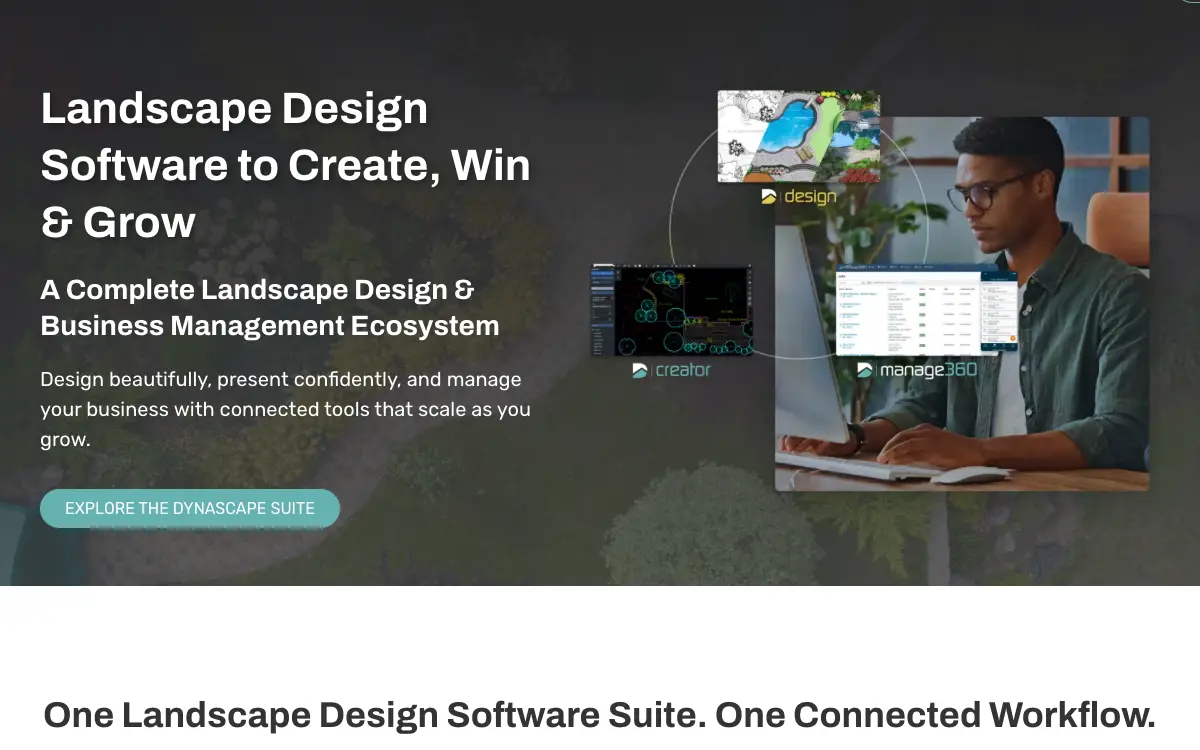
DynaScape is The long-standing landscape drafting standard for design-build firms, sold as a Windows CAD program with a cloud alternative bolted alongside it, and a separate business-management platform that costs more than the design software it feeds. It starts at $119/month or $600/year. Per user, and the terms are explicit that seat sharing is a breach rather than a grey area. The Terms and Conditions state that "A user license is required for each person utilizing Customer's master account" and that "sharing of such data to reduce the number of licenses required or sharing account information in any way is strictly prohibited." That is the clause that changes the maths on the design products: a three-designer shop pays roughly three times the $1,599/year Design figure, not once. It fits Design-build and design-only landscape firms of roughly 1 to 5 designers producing residential and light-commercial planting and hardscape plans, where plan drawing quality and a defensible materials takeoff matter more than crew dispatch. It's a design tool first, and the Manage360 operations half should be evaluated as a separate purchase against separate competitors. It's the wrong buy for An all-Mac design studio that does not want to run Windows, because DS|Design and DS|Color are Windows-only by the vendor's own system requirements, and the published workaround is Boot Camp or Parallels. So buying a virtualisation licence and a Windows licence per designer to run a CAD program is a real cost and a real support surface, and it puts your primary production tool one macOS update away from a compatibility problem you cannot fix yourself. Alternatives that publish their prices are SketchUp Pro from $33.25/month, LMN from $297/month, Jobber from $24/month. Nine priced tiers, seven evidenced gaps and four alternatives, three of which publish a figure.
DynaScape, in one paragraph
DynaScape earns its money with Design-build and design-only landscape firms of roughly 1 to 5 designers producing residential and light-commercial planting and hardscape plans, where plan drawing quality and a defensible materials takeoff matter more than crew dispatch. It's a design tool first, and the Manage360 operations half should be evaluated as a separate purchase against separate competitors. If that's you, it does the job. The sections below are the parts worth checking before you sign. But the fit is narrower than the marketing suggests, and the price isn't the whole cost.
It starts at $119/month or $600/year. And pricing was verified on 7 August 2026, so you can check every figure below in a browser tab.
| Pricing model | Published tiers |
|---|---|
| Entry price | $119/month or $600/year |
| Users | Per user, and the terms are explicit that seat sharing is a breach rather than a grey area |
| Ownership | Independent |
| Best fit | Design-build and design-only landscape firms of roughly 1 to 5 designers producing residential and light-commercial planting and hardscape plans, where plan drawing quality and a defensible materials takeoff matter more than crew dispatch. It's a design tool first, and the Manage360 operations half should be evaluated as a separate purchase against separate competitors. |
| Accounting sync | QuickBooks (two-way) |
What works
- The materials list moves from Design into Manage360, and that single bridge is the main reason to buy both halves
- 3D is a SketchUp workflow, not a native one, and experienced users chain a third tool onto the end
- Job costing depends on a crew app whose published rating is 2.5 stars
- Month-to-month is the contractual default, which is unusually buyer-friendly, but the notice periods are short and the fees are non-refundable
What does not
- The flagship CAD product doesn't run on a Mac, and the vendor says so plainly
- Colour and 3D aren't in the price of the design software, and each costs $600/year on top
- Every person who touches the account needs their own licence, and sharing is a named breach
- Manage360 costs more than the design software and adds a mandatory onboarding fee
- The crew mobile app is rated 2.5 stars, and the reviewed gap is basic
DynaScape is The long-standing landscape drafting standard for design-build firms, sold as a Windows CAD program with a cloud alternative bolted alongside it, and a separate business-management platform that costs more than the design software it feeds. It sells to Landscaping contractors, and the shape of the product follows from that: Manage360's estimating module advertises "Import a materials list straight from DynaScape's Design software for accurate estimates." This is the one workflow the combined product does that neither half does alone, and it's the justification for the $4,000/year Design + Manage360 bundle. But it runs one way: quantities flow out of the drawing into the estimate. And nothing flows back, so a price or scope change made in the estimate doesn't update the plan, and a revised plan means re-importing and reconciling by hand.
Who DynaScape is for, and who it isn't
It fits Design-build and design-only landscape firms of roughly 1 to 5 designers producing residential and light-commercial planting and hardscape plans, where plan drawing quality and a defensible materials takeoff matter more than crew dispatch. It's a design tool first, and the Manage360 operations half should be evaluated as a separate purchase against separate competitors. That's the half most reviews print. Here's the other half, which is the one worth your time.
Don't buy it if you're An all-Mac design studio that does not want to run Windows. DS|Design and DS|Color are Windows-only by the vendor's own system requirements, and the published workaround is Boot Camp or Parallels. So buying a virtualisation licence and a Windows licence per designer to run a CAD program is a real cost and a real support surface, and it puts your primary production tool one macOS update away from a compatibility problem you cannot fix yourself. Look at Vectorworks Landmark instead.
Don't buy it if you're A maintenance-led lawn care or landscape company with 10+ crews and little or no design work. The whole reason to pay DynaScape's premium is the drafting engine, and a recurring-maintenance business barely uses it. Manage360 at $4,093/year plus $1,199 onboarding is priced against dedicated green-industry operations platforms without matching their routing, crew-app maturity or integration depth, and the crew app is rated 2.5 stars on the App Store. So you'd be paying a design vendor for operations software. Look at LMN instead.
Don't buy it if you're A one-person design-build operator who needs quoting, scheduling and invoicing on one bill under about $100/month. The cheapest DynaScape entry point that produces a plan is DS|Creator at $119/month per user, and that's design only, with no estimating, scheduling or invoicing. Adding operations means Manage360 at $2,497/year plus $599 onboarding. So a solo operator will spend more on DynaScape's design half than on an entire field-service platform, and still need something else to run the business. Look at Jobber instead.
The money question on DynaScape
So DynaScape shows what it charges. Below is each tier, what it gates, and the costs that sit outside the subscription entirely.
| Tier | Price | Billing unit | What it unlocks |
|---|---|---|---|
| DS|Creator (cloud design, monthly) | $119/month | per user (the terms require a user licence for each person using the master account) | Nothing beyond the tier below |
| DS|Design (CAD, annual payment) | $1,599/year | per user (the terms require a user licence for each person using the master account) | Colour rendering (DS|Color add-on), 3D visualisation (DS|Sketch3D add-on) |
| DS|Design (CAD, monthly payment) | $158/month | per user (the terms require a user licence for each person using the master account) | Colour rendering (DS|Color add-on), 3D visualisation (DS|Sketch3D add-on) |
| DS|Color add-on (annual payment) | $600/year | per user, add-on to Design or Creator | Nothing beyond the tier below |
| DS|Sketch3D add-on (annual payment) | $600/year | per user, add-on to Design (requires SketchUp separately) | Nothing beyond the tier below |
| Design + Color + Sketch3D bundle (annual payment) | $2,199/year | per user | Nothing beyond the tier below |
| Manage360 Sales & Estimating package (annual payment, plus $599 onboarding and training) | $2,497/year | per account (onboarding and training billed once on top) | Job Management, Landscape Maintenance, Crew Tracking mobile app |
| Manage360 All Features (annual payment, plus $1,199 onboarding and training) | $4,093/year | per account (onboarding and training billed once on top) | Nothing beyond the tier below |
| Design + Manage360 bundle (annual payment) | $4,000/year | per account plus per-user design seats | Nothing beyond the tier below |
Per user, and the terms are explicit that seat sharing is a breach rather than a grey area. The Terms and Conditions state that "A user license is required for each person utilizing Customer's master account" and that "sharing of such data to reduce the number of licenses required or sharing account information in any way is strictly prohibited." That is the clause that changes the maths on the design products: a three-designer shop pays roughly three times the $1,599/year Design figure, not once.
There is a discount for paying annually up front: Paying annually is cheaper than paying monthly on every line. DS|Design is $1,599/year against $158/month ($1,896 over twelve months, a saving of $297). The Design + Color + Sketch3D bundle is $2,199/year against $219/month ($2,628, a saving of $429). The onboarding fee also moves with payment frequency: Manage360 Sales & Estimating onboarding is $599 on the annual option and $629 on the monthly option, and the All Features onboarding is $1,199 annual against $1,259 monthly. And an annual prepay discount tells you an annual commitment exists, which is worth knowing before anyone mentions a term length out loud.
What a DynaScape quote leaves out
Payment processing. Manage360 markets QuickBooks integration for "accounting, billing and invoicing" but names no payment processor and publishes no card or ACH rate. So ask whether Manage360 can take a customer payment at all, or whether invoicing stops at generating the invoice and the money is collected in QuickBooks Payments or an unconnected terminal. And if it's the latter, the payment-status field in Manage360 is only as current as the last QuickBooks sync.
Implementation and onboarding. Mandatory and published, which is rare. Manage360 Sales & Estimating carries "Onboarding & Training $599" on the annual option ($629 monthly), and Manage360 All Features carries "Onboarding & Training $1,199" ($1,259 monthly). The design products (Creator, Design, Color, Sketch3D) carry no published onboarding fee.
Minimum term. Month to month by default, which is genuinely unusual in this category. The Terms and Conditions state "Unless otherwise stated in the Order the initial term will be month to month." The published annual prices are the alternative, not the default, so the term you actually get depends on which price you signed against on the Order.
Getting out. There is no separate early-termination penalty clause, but there is no refund either. The Terms and Conditions state "Fees are non-refundable," and termination for cause is limited to breach: "Either party may terminate this Agreement immediately for a breach by the other party of any of its material terms." On an annual plan paid up front, cancelling mid-term therefore means forfeiting the remaining months rather than paying a penalty on top.
Auto-renewal. Automatic, with a notice window that differs by term length. The Terms and Conditions state "the Order will automatically renew for successive periods equal to the initial term, unless cancelled by either party" — with 15 days' written notice prior to the end of the then current term on a month-to-month plan, and 30 days' written notice prior to the end of the then current term on an annual plan. The vendor also reserves "the right to change Fees effective any time, which right will include without limitation the right to charge a Fee for new features."
Modules sold separately. , , . And this is where a DynaScape quote drifts from the published tier. A module you need immediately is part of the price, not an extra.
Third-party services you will also pay for. , , , . These are not on DynaScape's invoice, and they are still part of what this decision costs you every month.
One oddity, filed under things nobody mentions on a demo. DynaScape's default term is month to month, which is the opposite of the twelve-month minimums that dominate contractor software. But the same agreement makes fees non-refundable and lets the vendor change prices at will. The low lock is real. It just doesn't survive taking the annual discount. The annual price is a term change as well as a discount. It converts a 15-day exit into a 30-day exit against a year you've already paid for and can't get back. So if you're unsure about the product, pay monthly through the first busy season and switch to annual once the tool has survived real work. The delta on DS|Design is $297 a year, which is cheap insurance against a $1,599 forfeit.
Everything that is not the DynaScape subscription
The subscription is the part everyone quotes. These are the lines that land afterwards, and the ones we could not find are named as unpublished rather than left blank.
Sold separately. , , . Price the configuration you'll really run, because an add-on you need on day one is part of the price.
Third-party services you'll also pay for. , , , . None of these are on DynaScape's invoice, and all of them are part of what this decision costs every month.
"DynaScape DS|Creator (cloud design, monthly) is $119/month, per user (the terms require a user licence for each person using the master account)."
DynaScape pricing page (2026)
"DynaScape DS|Design (CAD, annual payment) is $1,599/year, per user (the terms require a user licence for each person using the master account)."
DynaScape pricing page (2026)
"Per user, and the terms are explicit that seat sharing is a breach rather than a grey area. The Terms and Conditions state that "A user license is required for each person utilizing Customer's master account" and that "sharing of such data to reduce the number of licenses required or sharing account information in any way is strictly prohibited." That is the clause that changes the maths on the design products: a three-designer shop pays roughly three times the $1,599/year Design figure, not once."
DynaScape pricing page (2026)
The four workflows you pay for
Feature totals are noise. So a shop in this category lives or dies on four things, and those are the four to grade, and each one below carries the evidence it's graded on.
The materials list moves from Design into Manage360, and that single bridge is the main reason to buy both halves Manage360's estimating module advertises "Import a materials list straight from DynaScape's Design software for accurate estimates." This is the one workflow the combined product does that neither half does alone, and it's the justification for the $4,000/year Design + Manage360 bundle. But it runs one way: quantities flow out of the drawing into the estimate. And nothing flows back, so a price or scope change made in the estimate doesn't update the plan, and a revised plan means re-importing and reconciling by hand.
3D is a SketchUp workflow, not a native one, and experienced users chain a third tool onto the end DS|Sketch3D is described as a plug-in that renders through SketchUp with a library of landscaping icons, sold at $600/year on top of Design. It isn't a 3D engine inside the CAD program. One reviewer describes the mature version of this workflow: "Can fully integrate with sketchup and then lumion to create realistic 3d renderings and movies for clients, while retaining 2d building plans for crews." So that's three programs and three subscriptions to get a client-facing render while keeping the buildable 2D set, which is a genuine capability but not a one-click one. A designer, describes it: "Can fully integrate with sketchup and then lumion to create realistic 3d renderings and movies for clients, while retaining 2d building plans for crews."
Job costing depends on a crew app whose published rating is 2.5 stars The Manage360 mobile app is pitched as "the paperless landscape crew," letting crew leaders clock in and out of jobs and track "time, materials, equipment, and sub-contractors." Its App Store rating is 2.5 out of 5 across 8 ratings, last updated July 24, 2024. The one detailed review reports the app works but sends no notification when a new timesheet arrives. And job costing is only as good as the labour hours that reach it, so this is the load-bearing weak point of the operations half. A crew user (app store handle, role not stated) who reviewed it on 2020-09-08 puts it: "The app is great it works well, and I know it's new, but there are issues, some of which will only get fixed with time. The biggest issue I have is there are no notifications. I don't get notified when I receive a new time sheet for the day. It would be nice if there was a notification system to let me know when I have a new time sheet, or maybe one at the end of the day reminding me to fill the out. Otherwise it works great."
Month-to-month is the contractual default, which is unusually buyer-friendly, but the notice periods are short and the fees are non-refundable The Terms state "Unless otherwise stated in the Order the initial term will be month to month," renewing automatically for equal periods. Cancellation requires 15 days' written notice on month-to-month and 30 days on annual, both measured against the end of the current term. So compared with the twelve-month minimums common in contractor software this is a low-lock arrangement. But the catch is that "Fees are non-refundable," so anyone who took the annual discount has effectively bought a year, and missing the 30-day window rolls that year over again.
DynaScape per trade, not per company size
Fit differs by trade rather than by company size alone, and a blended paragraph hides that. Here is the split for the trades this one sells to.
Landscaping. The workflow that decides it is the materials list moves from design into manage360, and that single bridge is the main reason to buy both halves, and the shop profile that gets value is design-build firm with 2-5 designers doing residential and light commercial doing residential and commercial work. Where it stops being a fit is An all-Mac design studio that does not want to run Windows.
Your books, and whether DynaScape connects to them
QuickBooks connects both ways, gated to a higher tier. Your costs map through cost codes, so test yours against your own chart of accounts before you commit. A code your books don't recognise is how a labour charge quietly lands somewhere useless.
Past those, the road ends. Payment processing, Public API, QuickBooks Online, CRM and lead sources do not connect. So if your books run on an ERP rather than the platforms named above, weigh that before anything else.
Beyond accounting it connects to DynaScape Design (One-way materials-list import from the CAD drawing into Manage360 estimating. This is the bridge between the two halves of the product line and the main structural argument for buying both.), SketchUp (Trimble) (DS|Sketch3D is a plug-in that pushes the 2D design into SketchUp for 3D visualisation with a landscaping icon library. SketchUp is a separate Trimble subscription from $33.25 per user per month billed annually.), GPS crew tracking (Manage360 advertises scheduling and routing with GPS tracking, but names no GPS or telematics vendor, so it's unclear whether this is a built-in feature or a partner integration.), Horticopia Pro (Licensed plant and symbol libraries bundled into the design suite for plant selection and plan symbols.). A public API exists: No public API is documented. Neither the marketing site nor either knowledge base publishes developer documentation, an API reference or an integrations marketplace, and the total named integration surface is three items. Treat DynaScape as a closed system for the purposes of any custom reporting or data pipeline.
DynaScape support, onboarding and the hours
Support is the line item nobody prices and everybody eventually needs. Onboarding for DynaScape: Mandatory and published, which is rare. Manage360 Sales & Estimating carries "Onboarding & Training $599" on the annual option ($629 monthly), and Manage360 All Features carries "Onboarding & Training $1,199" ($1,259 monthly). The design products (Creator, Design, Color, Sketch3D) carry no published onboarding fee.
The review corpus we read on 7 August 2026 carries no consistent signal on response times either way, so treat support as untested rather than good. Open a real ticket during the trial and time the reply, because that is the number no pricing page gives you.
DynaScape contracts, and getting out
Nobody reads this section before they buy, and it's the one that costs money afterwards. Four terms decide what leaving looks like.
Minimum term. Month to month by default, which is genuinely unusual in this category. The Terms and Conditions state "Unless otherwise stated in the Order the initial term will be month to month." The published annual prices are the alternative, not the default, so the term you actually get depends on which price you signed against on the Order.
Auto-renewal. Automatic, with a notice window that differs by term length. The Terms and Conditions state "the Order will automatically renew for successive periods equal to the initial term, unless cancelled by either party" — with 15 days' written notice prior to the end of the then current term on a month-to-month plan, and 30 days' written notice prior to the end of the then current term on an annual plan. The vendor also reserves "the right to change Fees effective any time, which right will include without limitation the right to charge a Fee for new features."
Early termination. There is no separate early-termination penalty clause, but there is no refund either. The Terms and Conditions state "Fees are non-refundable," and termination for cause is limited to breach: "Either party may terminate this Agreement immediately for a breach by the other party of any of its material terms." On an annual plan paid up front, cancelling mid-term therefore means forfeiting the remaining months rather than paying a penalty on top.
Payment processing. Manage360 markets QuickBooks integration for "accounting, billing and invoicing" but names no payment processor and publishes no card or ACH rate. So ask whether Manage360 can take a customer payment at all, or whether invoicing stops at generating the invoice and the money is collected in QuickBooks Payments or an unconnected terminal. And if it's the latter, the payment-status field in Manage360 is only as current as the last QuickBooks sync.
Side note, and it's a useful one: dynaScape confirms in writing that you own your data and, two clauses later, that it may delete it on termination, while publishing no export article in either knowledge base. And data ownership without a documented export route is a claim, not a capability. Get the export answer before you sign, not at cancellation, and get it per data type: estimates, job costs, client records and plan files. And for the design side specifically, confirm your drawing archive can be exported to PDF and ideally DWG, because a decade of planting plans trapped in a proprietary format that requires a live subscription to open is a renewal argument the vendor never has to make out loud.
"Can fully integrate with sketchup and then lumion to create realistic 3d renderings and movies for clients, while retaining 2d building plans for crews."
GetApp, Jesse C. (2026)
"Our experience with DynaScape so far has been great! When I have a question I contact our sales manager and either he will help resolve the issue or he sends my issue to the support department and they are pretty quick to help with the issue."
GetApp, Cheryl C. (2026)
"Along with the program itself I have been most appreciative of the excellent support and customer service"
GetApp, David M. (2026)
Where DynaScape falls short
But the gaps are specific rather than atmospheric, which is what makes them useful.
The flagship CAD product doesn't run on a Mac, and the vendor says so plainly DS|Design and DS|Color require "Microsoft Windows 11 (Design v6.75), 10, or 8.1 (32 or 64-Bit) Operating System." The vendor's own FAQ states "You can run DynaScape products on a Mac, but not in the native Mac environment," and the system requirements page directs Mac users to Boot Camp or Parallels. So for a design discipline where a meaningful share of practitioners are on Macs, that's a hardware purchase or a virtualisation licence before the software licence. And the cloud DS|Creator product is the escape hatch, but Creator is a different, simpler tool, not Design in a browser. Count your Mac designers before you quote the price. And add a Parallels licence plus a Windows licence per Mac seat, or budget a Windows workstation. Then ask for a Creator trial on the actual Mac and confirm the plan output is good enough on its own, because Creator isn't a substitute for Design's drafting depth.
Colour and 3D aren't in the price of the design software, and each costs $600/year on top DS|Design at $1,599/year draws in black and white. DS|Color is $600/year or $59/month, and DS|Sketch3D is another $600/year or $59/month. So a designer who needs a coloured presentation plan and a 3D walkthrough is on the $2,199/year bundle, not the $1,599 headline, and Sketch3D additionally needs a SketchUp subscription from Trimble at $33.25 per user per month billed annually. And the real per-designer cost of a full presentation stack is closer to $2,600/year than $1,599. Price the bundle you'll use, per designer, and add the SketchUp subscription separately. And if nobody on the team has used SketchUp, treat Sketch3D as a training cost as well as a licence cost.
Every person who touches the account needs their own licence, and sharing is a named breach The Terms and Conditions state "A user license is required for each person utilizing Customer's master account" and that "sharing of such data to reduce the number of licenses required or sharing account information in any way is strictly prohibited." Small design shops habitually share one CAD seat between a designer and an estimator who occasionally opens a plan. But under these terms that's a contractual breach, and the same agreement lets either party "terminate this Agreement immediately for a breach by the other party of any of its material terms." Count everyone who will open the software including the owner who reviews plans, not just the full-time designers, and get the real seat count into the quote before signing. And if a viewer-only role exists, ask for it in writing.
Manage360 costs more than the design software and adds a mandatory onboarding fee Manage360 All Features is $4,093/year plus $1,199 onboarding and training. Even the cut-down Sales & Estimating package is $2,497/year plus $599 onboarding, which is more than DS|Design itself. So a landscaper who came for the drafting and then adds operations is looking at a first-year outlay of roughly $5,300 for Manage360 alone before design seats. And the onboarding fee is also charged at a higher rate on monthly billing ($629 and $1,259), so choosing monthly to reduce commitment costs more up front. Evaluate Manage360 as a standalone operations purchase against LMN, Aspire and Jobber, not as an add-on to the design tool. The only structural reason to buy it is the materials-list import from Design. So quantify how much estimator time that saves per bid before paying the premium.
The crew mobile app is rated 2.5 stars, and the reviewed gap is basic DynaScape Manage360 on the Apple App Store carries a 2.5 out of 5 rating across 8 ratings, with a last update of July 24, 2024. The one substantive published review is from a crew user who says the app works but has "no notifications" for a new timesheet. And the Manage360 pitch depends on crews clocking in and out reliably. An app with a low rating and no push reminders is a foreseeable data-completeness problem, and job costing built on incomplete timesheets is worse than no job costing. A crew user (app store handle, role not stated) who reviewed it on 2020-09-08 describes it: "The app is great it works well, and I know it's new, but there are issues, some of which will only get fixed with time. The biggest issue I have is there are no notifications. I don't get notified when I receive a new time sheet for the day. It would be nice if there was a notification system to let me know when I have a new time sheet, or maybe one at the end of the day reminding me to fill the out. Otherwise it works great." Put the app on two crew leaders' actual phones during the trial and check whether a full week of timesheets arrives without an office chase. And if crews need reminding by text every day, the labour numbers in job costing won't be trustworthy.
Neither knowledge base publishes an article on exporting your data or closing your account, and the terms say the vendor may delete it The design knowledge base, the Manage360 knowledge base and the FAQ were all checked and none carries an article on data export, backup, subscription cancellation or account closure. The Terms and Conditions confirm the customer owns the data — "all title and intellectual property rights in and to all electronic data...submitted to and stored in the Service...are owned by Customer" — but immediately add that on termination "Company may deactivate the applicable Customer account(s) and delete any data therein." So owning data you can't self-serve export is a thin form of ownership. Before signing, ask in writing for the export format for estimates, job costs and client records, and how long data is retained after cancellation. And for the design side, confirm you can save plans to a format that opens without a DynaScape licence (PDF at minimum, DWG ideally) and export your back catalogue on the way out, not after.
Support hours are Eastern business hours only, and training is explicitly not support The support policy sets hours at "Monday through Friday: 8:30 AM – 5 PM (Eastern Time) Not including statutory holidays" and lists Training as an item not covered by technical support. So for a Pacific-time landscape firm, the help desk closes at 2pm local. And two published reviews sit on opposite sides of this: one praises support as "pretty quick," another reports "I've had a hard time getting a call back support." If you're on Pacific or Mountain time, ask what the actual first-response target is and whether anything is available outside those hours. Because design deadlines don't respect Eastern business hours.
One more thing worth knowing. The headline design price is for a black-and-white drawing. Colour and 3D are $600/year each, and the 3D add-on additionally requires a SketchUp subscription DynaScape doesn't sell. So the advertised $1,599 becomes roughly $2,600 per designer for a full presentation stack. Price the bundle per designer, not the base licence, and add the SketchUp line separately. A three-designer studio wanting colour plans and renders is at roughly $7,800/year for DynaScape plus about $1,200 for SketchUp, not the $4,800 the headline figure implies. And that's a different budget conversation and a different comparison set.
One more thing worth knowing. Support is the most polarised theme in DynaScape's reviews, and the split isn't random: the help desk runs Eastern business hours only and training is formally excluded from support coverage. So users who need help within that window praise it, and users outside it, or who need teaching rather than troubleshooting, don't. If you are west of Central time, the help desk closes early in your afternoon, which matters when a plan is due. So ask what the first-response target is, and budget for training separately. The paid Manage360 onboarding fee of $599 to $1,199 exists precisely because teaching isn't part of support, and the design products have no equivalent included.
One more thing worth knowing. The materials-list import is the only structural link between DynaScape's design half and its operations half, and it runs one way. So it's simultaneously the reason to buy both and the thinnest possible justification for a $4,000/year bundle. Test that import on a real plan during the trial, with a revision, and time it. And if it saves your estimator twenty minutes a bid across forty bids a year, it's worth roughly thirteen hours. Weigh that against the $2,400/year the bundle adds over Design alone, and against what LMN or Jobber would do for the rest of the business at the same money.
A tangent, but stay with it. The category's long-standing drafting standard is Windows-only, in a design discipline with heavy Mac penetration. The vendor's answer is virtualisation rather than a Mac build. And the alternative product it points Mac users toward is a different, simpler tool. Do the Mac audit before the pricing conversation, because it changes which product you're even buying. And if your designers are on Macs, you're choosing between a Windows workstation refresh, a Parallels licence per seat, or accepting Creator's lighter feature set. Only one of those three is the software everybody recommends when they recommend DynaScape.
What DynaScape users report
Every quote below is transcribed from a published review, named to the platform that carries it and to the reviewer as that platform displays them. We read the corpus by complaint type rather than by star rating, which is how the disqualifying detail buried inside a five-star review gets found.
"Can fully integrate with sketchup and then lumion to create realistic 3d renderings and movies for clients, while retaining 2d building plans for crews."
A designer says on GetApp
"Our experience with DynaScape so far has been great! When I have a question I contact our sales manager and either he will help resolve the issue or he sends my issue to the support department and they are pretty quick to help with the issue."
A president, writes on GetApp
"Along with the program itself I have been most appreciative of the excellent support and customer service"
But a landscape architect, describes it it differently on GetApp
"I've had a hard time getting a call back support."
A landscape designer, puts it it plainly on GetApp
"There was nothing after the quote was done."
A business development manager, puts it on GetApp
"The app is great it works well, and I know it's new, but there are issues, some of which will only get fixed with time. The biggest issue I have is there are no notifications. I don't get notified when I receive a new time sheet for the day. It would be nice if there was a notification system to let me know when I have a new time sheet, or maybe one at the end of the day reminding me to fill the out. Otherwise it works great."
On 2020-09-08, a crew user (app store handle, role not stated) writes on Apple App Store
"This is a great option for creating landscape plans. It fills the niche market..."
A construction, 11-50 employees, writing on 2021-09, says on Software Advice
"DynaSCAPE Design and Sketch3D are excellent tools that help us sell large..."
A design, 51-200 employees, puts it it plainly on Software Advice
"I couldn't be nearly as effective in my profession. The drawings I can..."
An architecture & planning, self-employed, writing on 2021-09, writes on Software Advice
The realistic shortlist against DynaScape
Four or five real options, each with what it does better and what it does worse. Both halves, or it's marketing.
| Tool | Entry price | Billing unit | Users included | Published? |
|---|---|---|---|---|
| DynaScape | $119/month or $600/year | Per user, and the terms are explicit that seat sharing is a | Yes | |
| SketchUp Pro | $33.25/month | per user, billed annually | 1 | Yes |
| LMN | $297/month | per account (Starter includes 1 office/crew lead licence and 5 crew member licences) | 6 (1 office/crew lead + 5 crew) | Yes |
| Jobber | $24/month | per month for 1 user, billed annually (additional users $29/month each) | 1 on Core; 5, 10 or 15 on higher tiers | Yes |
| Aspire | Quote only | not published | not published | No |
SketchUp Pro. 3D visualisation, cross-platform (native macOS), enormous free model library, and a far larger pool of designers who already know it. At roughly $399/year per user it's a quarter the cost of DS|Design and it's the tool DynaScape's own Sketch3D add-on renders into. But It's a general 3D modeller, not a landscape drafting system. No planting schedules, no plant database, no landscape-specific symbol libraries or materials takeoff out of the box, and no hand-drawn plan aesthetic. So you'd be assembling with plug-ins what DynaScape ships as a discipline.
LMN. Landscape estimating and crew operations at scale, with crew seats bundled into the plan price rather than charged per head. LMN Professional at $648/month includes 3 office and 15 crew licences, which is a much better fit for a maintenance-heavy operation than Manage360's per-account pricing plus onboarding. But No design or CAD product at all. If plan drawing is why you're shopping, LMN doesn't replace DS|Design, and you'd still be buying a design tool separately. And LMN also charges an unpublished one-time onboarding fee, and its Enterprise tier is quote-gated.
Jobber. Cost and breadth of the day-to-day business stack for small operators. Quoting, scheduling, invoicing and payments on one bill for less per year than DynaScape's cheapest single design seat, with a mature and well-rated mobile app and a large integration directory. But No landscape design capability whatsoever, no plant database, no takeoff from a drawing. It's generic field-service software, so a design-build firm gets no help producing the plan that wins the job. And per-user pricing above the included seats climbs quickly on larger crews.
Aspire. Enterprise landscape operations: work order management, job costing and reporting at the scale of large commercial maintenance contractors. The vendor cites "70,000 users in nearly 1,500 locations" and "35% of the companies on the LM150 list," which is the segment above where DynaScape's operations half competes. But It publishes no price at all. Every route on the site is "Get Demo" or "Get Quote", so it can't be budgeted without a sales cycle. And it's operations-only with no design product, and it's aimed well above the 1-to-5-designer firms that DS|Design serves.
"I've had a hard time getting a call back support."
GetApp, Erick E. (2026)
"There was nothing after the quote was done."
GetApp, Jamie v. (2026)
Who should not buy DynaScape
Don't buy DynaScape if you're An all-Mac design studio that does not want to run Windows. DS|Design and DS|Color are Windows-only by the vendor's own system requirements, and the published workaround is Boot Camp or Parallels. So buying a virtualisation licence and a Windows licence per designer to run a CAD program is a real cost and a real support surface, and it puts your primary production tool one macOS update away from a compatibility problem you cannot fix yourself. Look at Vectorworks Landmark instead.
Don't buy DynaScape if you're A maintenance-led lawn care or landscape company with 10+ crews and little or no design work. The whole reason to pay DynaScape's premium is the drafting engine, and a recurring-maintenance business barely uses it. Manage360 at $4,093/year plus $1,199 onboarding is priced against dedicated green-industry operations platforms without matching their routing, crew-app maturity or integration depth, and the crew app is rated 2.5 stars on the App Store. So you'd be paying a design vendor for operations software. Look at LMN instead.
Don't buy DynaScape if you're A one-person design-build operator who needs quoting, scheduling and invoicing on one bill under about $100/month. The cheapest DynaScape entry point that produces a plan is DS|Creator at $119/month per user, and that's design only, with no estimating, scheduling or invoicing. Adding operations means Manage360 at $2,497/year plus $599 onboarding. So a solo operator will spend more on DynaScape's design half than on an entire field-service platform, and still need something else to run the business. Look at Jobber instead.
The verdict, by shop size
Solo designer or 1-2 person design-build shop, residential
Only under conditions, and they are worth being honest about. DS|Creator at $119/month per user is a defensible entry point if plan drawing is the bottleneck and you're on a Mac, since Creator is cloud-based and Design isn't. But confirm Creator's output is good enough before committing, because upgrading to DS|Design means a Windows machine plus $1,599/year, and adding colour and 3D takes it to $2,199/year per seat. And don't buy Manage360 at this size: $2,497/year plus $599 onboarding for estimating alone isn't competitive against Jobber at $24/month. This band runs 1 to 2 on the crew, doing residential work, and that's the profile the recommendation is written for.
Design-build firm with 2-5 designers doing residential and light commercial
Yes, and this is the shape the product is built for. This is the band DynaScape is built for. The drafting engine is the category's long-standing standard for planting plans, the Design-to-Manage360 materials-list import removes a real takeoff step, and the contractual default is month to month rather than an annual lock, which lowers the risk of trying it. But budget honestly: every designer needs their own licence under the terms, and the presentation bundle is $2,199/year each, not $1,599. And verify the Mac situation before you sign. This band runs 2 to 15 on the crew, doing residential and commercial work, and that's the profile the recommendation is written for.
Maintenance-led landscape or lawn care company with 5+ crews and minimal design work
No. The premium you pay for DynaScape is the drafting engine, and this business barely opens it. And Manage360 at $4,093/year plus $1,199 onboarding is priced against green-industry operations platforms without matching them: three named integrations, no public API, no named payment processor, and a crew mobile app rated 2.5 out of 5 on the App Store with a published complaint about missing timesheet notifications. LMN Starter at $297/month bundles a crew-lead licence plus five crew licences and is built for exactly this operation. This band runs 5 or more on the crew, doing residential and commercial and service work, and that's the profile the recommendation is written for.
All-Mac design studio or landscape architecture practice
No. The vendor states outright that Design and Color require Windows 11, 10 or 8.1 and "can be run on a Mac computer but not in the native Mac environment." So making your primary production tool depend on Boot Camp or Parallels adds a licence, a support surface and an ongoing compatibility risk with every macOS release. And Vectorworks Landmark runs natively on macOS and is the standard answer for this profile. DS|Creator is cloud-based and does work on a Mac, but it's a lighter product than Design, so it only rescues this band if Creator alone meets the drawing standard. This band runs 1 to 20 on the crew, doing residential and commercial work, and that's the profile the recommendation is written for.
A number worth thirty seconds before you buy DynaScape
Quick note on who wrote this. Fervor does conversion work and web design for contractors, so we don't sell DynaScape and we don't sell anything that competes with it. We do have data on something sitting right next to this decision.
DynaScape sells a presentation tool. Its whole pitch to a landscape contractor is that a better-looking plan closes a bigger job, which is why colour rendering and 3D are the two things worth $600/year each on top of the drafting licence. But that argument only pays out if the homeowner ever sees the plan, and the first thing a homeowner sees is the contractor's website, not the drawing. So a design-build firm paying $2,199 a year per designer to make a beautiful plan, then losing the enquiry because the site took four seconds to show anything on a phone in a driveway, has bought the second half of the sale and skipped the first. And the rendering budget and the load-time budget are competing for the same outcome, and only one of them is being measured.
And the number is worse than anyone guesses before they check. Across 380 inspected contractor sites, 82.8% had poor mobile loading performance. The sample is every site we could inspect reproducibly, rather than a panel we picked. Method and sample sizes live in the Contractor CRO Index.
"82.8% of the 380 contractor websites inspected had poor mobile loading performance."
Fervor Studio Contractor CRO Index (2026)
So do both. The second one is usually cheaper to fix than the first one is to buy. The numbers are all public.
See where your site is losing the jobs DynaScape would have managed
So we look at yours the same way we looked at those 380 sites, and tell you what is costing you calls.
Get a Site InspectionWhat we checked on DynaScape, and what we didn't
A word on limits. We read DynaScape's pages and its reviews, but we didn't operate it. The basis is 11 vendor pages for DynaScape, read on 7 August 2026, and every review we could retrieve, sorted by complaint. So each number carries the date it was read, and the page it was read from.
So: nine quotes on this page, five from GetApp, three from Software Advice and one from Apple App Store.
And Capterra — https://www.capterra.com/p/136262/DynaSCAPE/reviews/ returned 404 and https://www.capterra.com/products/dynascape returned 404; the product ID couldn't be resolved because the WebSearch budget for this session was exhausted before the lookup. The Capterra review corpus is the same Gartner Digital Markets database surfaced via GetApp and Software Advice, both of which fetched cleanly, so the review substance is captured even though the Capterra URL is not., Google Play — https://play.google.com/store/apps/details?id=com.dynascape.manage360 returned 404; the Android package name is unconfirmed, Yardbook (alternatives research) — https://www.yardbook.com/pricing returned 403 Forbidden, G2, TrustRadius, Trustpilot and Reddit — not reachable for this run and WebSearch — session budget of 200 calls was already exhausted at the start of this run, so every URL here was reached by direct fetch or by following a documented link refused automated retrieval for DynaScape. Forum and social threads are the ones people most want quoted, and they are exactly the ones we cannot verify, so none of them are here.
What that leaves untested: https://creatorkb.dynascape.com — the DS|Creator knowledge base was listed on the support page but not fetched. And everything above is eleven vendor pages and a review corpus, which is documentary rather than hands-on.
What DynaScape users say
Can fully integrate with sketchup and then lumion to create realistic 3d renderings and movies for clients, while retaining 2d building plans for crews.
Our experience with DynaScape so far has been great! When I have a question I contact our sales manager and either he will help resolve the issue or he sends my issue to the support department and they are pretty quick to help with the issue.
Along with the program itself I have been most appreciative of the excellent support and customer service
I've had a hard time getting a call back support.
There was nothing after the quote was done.
The app is great it works well, and I know it's new, but there are issues, some of which will only get fixed with time. The biggest issue I have is there are no notifications. I don't get notified when I receive a new time sheet for the day. It would be nice if there was a notification system to let me know when I have a new time sheet, or maybe one at the end of the day reminding me to fill the out. Otherwise it works great.
This is a great option for creating landscape plans. It fills the niche market...
DynaSCAPE Design and Sketch3D are excellent tools that help us sell large...
I couldn't be nearly as effective in my profession. The drawings I can...
Frequently asked questions
How much does DynaScape cost?
DynaScape publishes its prices in USD, which is uncommon in contractor software. DS|Creator, the cloud design tool, is $119/month. DS|Design, the Windows CAD program, is $1,599/year or $158/month. DS|Color and DS|Sketch3D are $600/year or $59/month each on top. The full design bundle of Design + Color + Sketch3D is $2,199/year. On the business side, Manage360 Sales & Estimating is $2,497/year plus a $599 onboarding and training fee, and Manage360 All Features is $4,093/year plus $1,199 onboarding. A Design + Manage360 bundle is $4,000/year. And all of these are current as of the pricing page checked on 7 August 2026.
Does DynaScape work on a Mac?
Not the CAD product, natively. The system requirements state that DS|Design and DS|Color require "Microsoft Windows 11 (Design v6.75), 10, or 8.1 (32 or 64-Bit) Operating System," and the vendor's FAQ says "You can run DynaScape products on a Mac, but not in the native Mac environment." So the documented workaround is Boot Camp or Parallels, which means buying a Windows licence and a virtualisation licence per Mac seat. DS|Creator is cloud-based and the pricing page describes it as Mac/PC compatible, so it's the only DynaScape design product a Mac user can run without a Windows layer, but it's a simpler tool than Design rather than Design in a browser.
Can two designers share one DynaScape licence?
No, and the Terms and Conditions name it as prohibited rather than merely discouraged. The agreement states "A user license is required for each person utilizing Customer's master account" and that "sharing of such data to reduce the number of licenses required or sharing account information in any way is strictly prohibited." And the same agreement lets either party terminate immediately for a material breach. So count everyone who will open the software, including an owner who only reviews plans, and get that seat count into the quote.
Is DynaScape a long-term contract, and how do I cancel?
The contractual default is month to month, which is unusually low-commitment for this category. The Terms and Conditions state "Unless otherwise stated in the Order the initial term will be month to month" and that the order "will automatically renew for successive periods equal to the initial term, unless cancelled by either party." Cancellation requires 15 days' written notice before the end of the current term on a month-to-month plan and 30 days on an annual plan. But fees are non-refundable, so if you took the annual price to save money, cancelling mid-year forfeits the balance rather than triggering a separate penalty.
What happens to my designs and job data if I stop paying?
You own the data, but the vendor reserves the right to delete it. The Terms and Conditions confirm that "all title and intellectual property rights in and to all electronic data...submitted to and stored in the Service...are owned by Customer," then state that following expiration or termination "Company may deactivate the applicable Customer account(s) and delete any data therein." And neither knowledge base publishes an article on exporting your data or closing your account, so there's no documented self-serve export path. So ask for the export format and the post-cancellation retention window in writing before you sign, and confirm your plans can be saved to a format that opens without a DynaScape licence.
Does DynaScape integrate with QuickBooks?
Yes, but only through Manage360, not the design products. The vendor states "Integrate Manage360 with QuickBooks to streamline your accounting, billing and invoicing systems," and describes invoice status syncing back so project payments can be tracked. But the vendor doesn't name a QuickBooks edition on its own pages; the Gartner Digital Markets listing names QuickBooks Desktop and rates that integration 3.0 out of 5. So if you run QuickBooks Online, treat compatibility as unconfirmed until DynaScape states it. Because the integration is inside Manage360, the entry cost to get it is $2,497/year plus $599 onboarding.
Is Manage360 worth buying alongside the design software?
Only if the materials-list import earns its keep. That import — "Import a materials list straight from DynaScape's Design software for accurate estimates" — is the one thing the combined product does that neither half does alone, and it runs one way, so a revised plan means re-importing and reconciling. But everything else Manage360 does is contested by cheaper, more mature operations software: it names three integrations, publishes no API, names no payment processor, and its crew mobile app is rated 2.5 out of 5 across 8 App Store ratings. So time how long your estimator currently spends transcribing quantities off a plan, multiply by your bid volume, and compare that against the roughly $5,300 first-year cost of Manage360 All Features.
How well reviewed is DynaScape?
The design software reviews well and the mobile app doesn't. Across Gartner Digital Markets properties DynaSCAPE holds 4.2 out of 5 from 207 reviews, with 85 five-star and 94 four-star ratings against only 5 combined one- and two-star ratings, and sub-scores of 3.9 for ease of use, 4.0 for customer support, 4.1 for value and 4.0 for functionality. But the Manage360 crew app on the Apple App Store is a different story at 2.5 out of 5 across 8 ratings. And support experience is the most divided theme in the written reviews: one user calls the team "pretty quick to help," another reports "I've had a hard time getting a call back support."
Freshness
How we keep this page current
Three dates govern this review, and they carry different meanings. The initial source sweep is dated August 7, 2026; when only part of the evidence set is recaptured later, that later date is stated beside the refreshed claim. We last revised the page on August 7, 2026. And the user reviews we quote were posted over roughly the last 24 months, so their individual dates remain part of the evidence instead of being overwritten by a later pricing update.
We revise the page when DynaScape changes a published price or a contract term, when a rating we cite moves by more than a few tenths, or when the vendor ships something big enough to change the verdict. We never bump the date just to look fresh, because Google treats that as manipulation and so do we. If a figure here reads as stale by the time you land on it, treat it as a floor and check the vendor's own page. We linked it at every number for exactly that reason.
Sourcing
How this review was researched
Every figure on this page traces to a captured source linked inline where it appears. The initial sweep is dated August 7, 2026; any later, partial recapture is dated at the claim rather than relabelling the whole evidence set. Ratings come from Capterra, GetApp, Software Advice and the Apple App Store. Note that Capterra, GetApp and Software Advice share one Gartner Digital Markets review pool, so an identical score across all three is a single sample rather than three corroborating ones, and this page treats it that way. G2, TrustRadius and Trustpilot block automated access, so where their numbers appear they are labelled as reported rather than verified. No claim here is sourced from Reddit or from a contractor Facebook group, because neither could be retrieved and quoting them would mean inventing attribution. Pricing marked as reported comes from third-party roundups, never from Fervor. Fervor's own findings come from the Contractor CRO Index 2026.
About
About Fervor Studio
Fervor Studio is a conversion rate optimization (CRO) and web design studio for home services contractors across North America, based in Cochrane, Alberta. Fervor does not sell field service management software and is not an alternative to DynaScape. It publishes the Contractor CRO Index, a public benchmark measuring contractor website conversion potential using reproducible, open-source methods such as axe-core and Google Lighthouse. Fervor Studio is operated by Fervor Group Inc.
 Aug 1, 2026
 Tech Stack
Best Plumbing Software in 2026: Ten Ranked Across Four Classes
A plumbing company’s work runs through four classes of software that do not substitute for each other, and it only buys two of them. Ten products, each with a published price or an explicit statement that the vendor publishes none.
Read Article Jul 30, 2026
 Tech Stack
NiceJob vs Birdeye 2026: Pricing, Contracts and Review Gating
One of these vendors puts its price on the page and its cancellation terms in writing. The other puts a form in front of both, and the complaint record is where its contract length shows up.
Read Article Jul 30, 2026
 Tech Stack
Podium vs Birdeye 2026: Pricing, Contracts and Review Gating
Only one of these two will tell you what it costs before a sales call, and even that number carries a carve-out aimed squarely at trade contractors.
Read Article Jul 30, 2026
 Tech Stack
Best Electrical Contractor Software 2026: 11 Ranked and Priced
An electrical contracting business makes two software purchases that do not substitute for each other, and every roundup answering this query covers only one of them. Eleven platforms, with a published price or an explicit statement that the vendor publishes none.
Read Article Jul 30, 2026
 Tech Stack
Best HVAC Software in 2026: Eleven Ranked Across Three Classes
An HVAC contracting business buys across three classes of software that do not substitute for each other, and every roundup answering this query covers only one of them. Eleven products, each with a published price or an explicit statement that the vendor publishes none.
Read Article Jul 29, 2026
 Tech Stack
AccuLynx Pricing 2026: The Real Cost of a Quote-Gated Plan
One published figure, two blank plan cards, and a contract that says things the pricing page does not. A line-by-line breakdown of what AccuLynx really bills.
Read Article Jul 29, 2026
 Tech Stack
Houzz Pro Canada Review 2026: Pricing and Alternatives
Houzz Pro serves different pricing renderings. What Canadian buyers see, how GST/HST and payments work, what Custom gates, and what the annual contract commits you to.
Read Article Jul 29, 2026
 Tech Stack
JobNimbus Pricing in 2026: What the Quote Does Not Cover
JobNimbus prints no figure on any of its four plans. So the only rate you can read before a sales call is the payments meter, and it is the biggest line on the bill.
Read Article Jul 29, 2026
 Tech Stack
JobNimbus Review 2026: Pricing, Pros, Cons and Alternatives
JobNimbus rates 4.6 on Capterra and orders material straight from ABC Supply and SRS. But it publishes no price, and its supplement route carries a note.
Read Article Jul 29, 2026
 Tech Stack
BuildOps Review 2026: Pricing, Contract Terms and Alternatives
BuildOps runs commercial service and projects on one platform, and publishes no pricing at all. The billing unit, the 30-day data-export window, and who it suits.
Read Article Jul 29, 2026
 Tech Stack
FieldPulse Review 2026: Pricing, Pros, Cons and Alternatives
FieldPulse rates 4.6 on Capterra and is the platform contractors name when they leave a bigger system. But it publishes no price, and the contract runs a year.
Read Article Jul 29, 2026
 Tech Stack
Service Fusion Review 2026: Pricing, Contract and Alternatives
Service Fusion bills flat per company with unlimited users, which is the best structural deal in field service software. The published plans, the contract behind the no-contract line, and the app score every other review gets wrong.
Read Article Jul 29, 2026
 Tech Stack
Knowify Review 2026: Pricing, Job Costing and Alternatives
Knowify rates 4.5 on Capterra and its weakest sub-score is features. What the $99 Core plan withholds, which way the QuickBooks sync really runs, and who should not buy it.
Read Article Jul 28, 2026
 Tech Stack
AccuLynx Review 2026: Pricing, Tier Gating, Alternatives
AccuLynx rates 4.6 across 846 reviews and now publishes an entry price. What that price omits, which tier holds the insurance workflow, and who should skip it.
Read Article Jul 28, 2026
 Tech Stack
Unitel Voice Review 2026: Pricing, Features and Alternatives
Unitel Voice rates 4.6 on Capterra and gives a one-truck shop a business number for $9.99 a month. The published plans, the cost per call, and what it won't do.
Read Article Jul 28, 2026
 Tech Stack
NiceJob vs Podium 2026: Pricing, Contracts and Review Gating
Both vendors print a price, at very different scale and in different currencies. The gap that matters is what Podium will not print: the billing unit, and whether a trade shop gets the number on the page.
Read Article Jul 27, 2026
 Tech Stack
CompanyCam Review 2026: Pricing, Pros, Cons and Alternatives
Every page ranking for CompanyCam still quotes a per-user price the vendor no longer charges. Here are the real plans, the seat math, and who should skip it.
Read Article Jul 27, 2026
 Tech Stack
NiceJob Review 2026: Pricing, Pros, Cons and Alternatives
NiceJob rates 4.9 on Capterra and refuses to gate negative reviews. Real plan pricing, the active-customer threshold nobody publishes, and who should skip it.
Read Article Jul 26, 2026
 Tech Stack
Buildertrend Review 2026: Pricing, Limits and Alternatives
Buildertrend rates 4.5 across 2,486 Capterra reviews and quotes against your revenue rather than your seat count. The workflows, the export problem, the alternatives.
Read Article Jul 26, 2026
 Tech Stack
CallRail Review 2026: Pricing, Pros, Cons and Alternatives
CallRail rates 4.5 on Capterra, and its tracking numbers port out free. But the two usage rates that decide your real bill are the two it does not print.
Read Article Jul 26, 2026
 Tech Stack
Roofr Review 2026: Pricing, Pros, Cons and Alternatives
Roofr rates 4.6 on Capterra and sells $13 measurement reports against a market charging triple. But it will not import a report from anywhere else.
Read Article Jul 24, 2026
 Tech Stack
Housecall Pro Review 2026: Pricing, Pros, Cons, Alternatives
Housecall Pro has the shortest learning curve in the category and the widest review spread. Real pricing, the Instapay math, and the migration trap to plan around.
Read Article Jul 23, 2026
 Tech Stack
Jobber Review 2026: Pricing, Pros, Cons and Alternatives
Jobber rates 4.6 on Capterra with the best mobile app in the category. Real plan pricing, the feature gating that changes your entry price, and who it suits.
Read Article Jul 22, 2026
 Tech Stack
ServiceTitan Review 2026: Pricing, Pros, Cons, Alternatives
ServiceTitan rates 4.3 on Capterra but its weakest score is value for money. Real reported pricing, the 12-month contract, the exit fees, and who it suits.
Read Article Jun 2, 2026
 Tech Stack
HVAC Online Scheduling: The 43% Losing After-Hours Bookings
HVAC leads every trade on online booking at just 56.7%, which still leaves 43% of sites forcing an after-hours customer to wait for a business-hours phone call.
Read Article