CoConstruct Review 2026: Pricing, Pros, Cons, Alternatives
What CoConstruct quotes you starts with the questions its form asks. The 7 gaps reviewers name, and 4 alternatives that print a price instead.
Page at a glance
CoConstruct is a sunsetting residential project management platform for custom home builders and remodelers, still running for existing customers but no longer being sold, extended or connected to anything new. It publishes no price, so the only way to get a number is to ask a salesperson for one. CoConstruct's own published plan description counted seats as unlimited: unlimited team members, clients and trade partners on one account, with billing at the account level rather than per seat. It fits an existing CoConstruct customer, typically a design-build remodeler or custom home builder in the five to forty person band running selections-heavy jobs, who needs to finish current work and plan an exit. And it isn't for a new buyer. It's the wrong buy for Any contractor shopping for a new construction management platform in 2026., because You'd be buying onto a system whose vendor has repurposed its own pricing URL into a migration page for a different product, frozen the API, stopped publishing updates in 2022, and set a March 31, 2027 cutoff for adding new projects. So you'd be scheduling a second software migration before you finish the first one. Alternatives that publish their prices are JobTread from $199, BuildBook from $79, Contractor Foreman from $49. A quote-only price and what third parties report instead, seven evidenced gaps and four alternatives, three of which publish a figure.
Whether CoConstruct is worth it
CoConstruct earns its money with an existing CoConstruct customer, typically a design-build remodeler or custom home builder in the five to forty person band running selections-heavy jobs, who needs to finish current work and plan an exit. And it isn't for a new buyer. If that's you, it does the job. The sections below are the parts worth checking before you sign. But the fit is narrower than the marketing suggests, and the price isn't the whole cost.
The vendor publishes no price. But every number below was verified on 7 August 2026 and comes from a named third party that says which.
| Pricing model | Custom quote, no published price |
|---|---|
| Entry price | Quote only |
| Users | CoConstruct's own published plan description counted seats as unlimited: unlimited team me |
| Ownership | [object Object] |
| Best fit | an existing CoConstruct customer, typically a design-build remodeler or custom home builder in the five to forty person band running selections-heavy jobs, who needs to finish current work and plan an exit. And it isn't for a new buyer. |
| Accounting sync | QuickBooks Desktop (two-way), QuickBooks Online (two-way) |
What works
- Selections tied to allowances and the budget
- The homeowner portal and the paper trail
- QuickBooks two-way, with a tier gate on the useful half
- Invoicing with Stripe behind it, and a split fee default
- The exit is the workflow the vendor documents best
What does not
- The product is being shut down, and the deadline is published
- The API is frozen. No new endpoints, no new connections
- Published product updates stopped in April 2022
- Accounting means QuickBooks, and the useful half means QuickBooks Online Plus
- Multi-project export drops your files and photos
CoConstruct is a sunsetting residential project management platform for custom home builders and remodelers, still running for existing customers but no longer being sold, extended or connected to anything new. It sells to Custom home building and Remodeling contractors, and the shape of the product follows from that: Selections are the reason this category exists for a remodeler, and CoConstruct's help structure is built around them: selections feed the estimate, the budget and change orders, TBD selections carry through to the budget, and there's explicit handling for open book and cost plus structures including auto-calculated profit and tax. That machinery is real and it's why long-tenure users defended the product. But it's also finished, in both senses.
Ownership matters here more than it usually does. CoConstruct is owned by [object Object], so weigh roadmap risk alongside the feature list. An independent product can be bought and folded into somebody else's plan two years after you sign.
The shops CoConstruct fits, and the ones it doesn't
It fits an existing CoConstruct customer, typically a design-build remodeler or custom home builder in the five to forty person band running selections-heavy jobs, who needs to finish current work and plan an exit. And it isn't for a new buyer. That's the half most reviews print. Here's the other half, which is the one worth your time.
Don't buy it if you're Any contractor shopping for a new construction management platform in 2026.. You'd be buying onto a system whose vendor has repurposed its own pricing URL into a migration page for a different product, frozen the API, stopped publishing updates in 2022, and set a March 31, 2027 cutoff for adding new projects. So you'd be scheduling a second software migration before you finish the first one. Look at Buildertrend instead.
Don't buy it if you're A builder or remodeler who needs to connect new tools, an estimating package, a CRM, a payroll system or anything custom.. The vendor states it isn't establishing new API endpoints or connecting additional users to existing endpoints, so integration work you haven't already built can't be built. And only the two QuickBooks connections are documented on the vendor's accounting page. Look at JobTread instead.
Don't buy it if you're A commercial general contractor or a firm running insurance restoration work.. The product was built for custom home builders and remodelers around selections, allowances and a homeowner-facing portal. And it has no RFI or submittal control for commercial work and no carrier or Xactimate workflow for restoration, so it isn't going to grow either one now. Look at BuildOps instead.
Don't buy it if you're A one or two person remodeler who wants a published price and a month-to-month exit.. There's no obtainable published price, the subscription auto-renews for the same term unless you cancel in writing before the renewal date, and fees are non-refundable with no refund for cancelling mid-term. Look at BuildBook instead.
What CoConstruct costs
Open the pricing page and count the dollar figures. There aren't any. CoConstruct keeps its numbers behind a sales call, and that's the first thing worth knowing before you book one.
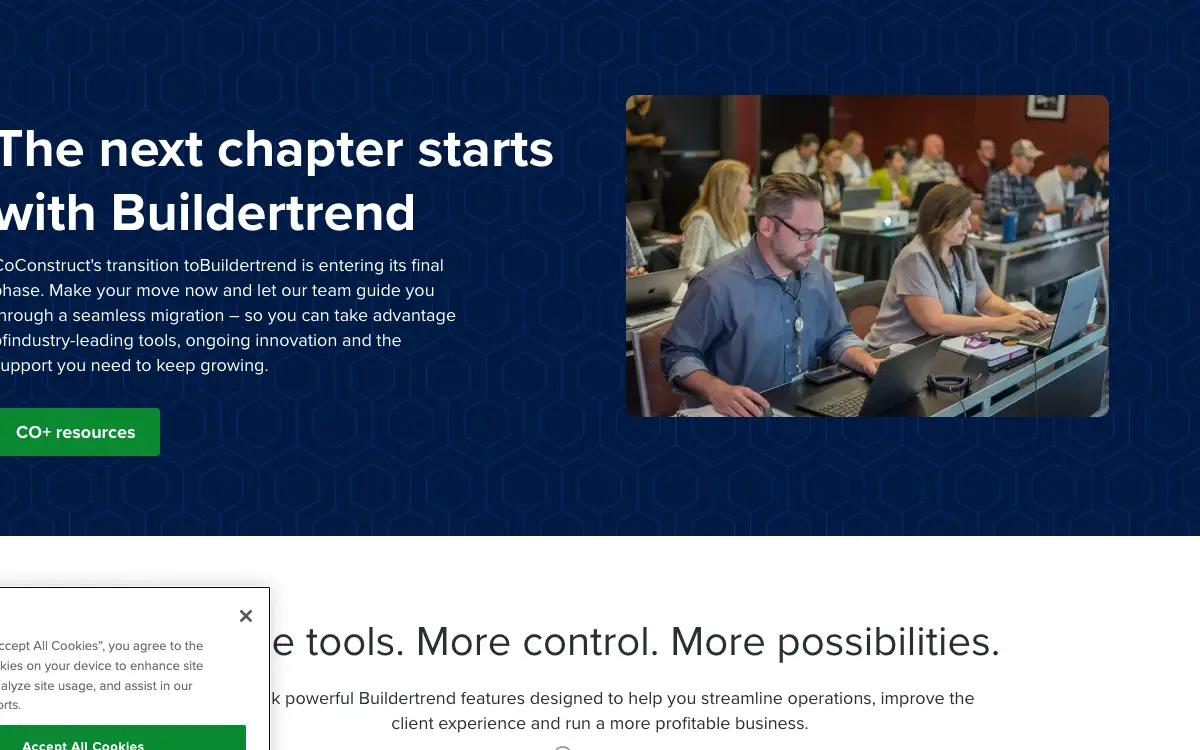
The vendor's own wording is this, and nothing more: "CoConstruct's pricing page no longer prices CoConstruct. The page that lives at /pricing carries the headline "The next chapter starts with Buildertrend" and its calls to action are "GET a demo now" and "Schedule a buildertrend demo". The words pricing, price and cost do not appear anywhere on it, and neither does a dollar figure." So treat every third-party page printing tier names and figures for CoConstruct with careful suspicion. Those numbers are not on the vendor's site today, and a roundup that reprints them is telling you what CoConstruct used to charge somebody else.
And we are not going to print a per-month number we cannot open a page and read. We checked Capterra (https://www.capterra.com/p/41909/CoConstruct/reviews/ returns HTTP 404), Capterra Singapore mirror (https://www.capterra.com.sg/reviews/41909/coconstruct returns HTTP 410 Gone), Software Advice (https://www.softwareadvice.com/business-management/co-construct-profile/reviews/ returns a 404 page), GetApp (https://www.getapp.com/operations-management-software/a/co-construct/reviews/ returns HTTP 404), TrustRadius (HTTP 403), Trustpilot (HTTP 403), CoConstruct's own /resources/updates archive. Every review directory that used to carry a CoConstruct starting price has delisted or gone to 404 on the product, which is what happens when a vendor stops selling something. And the tier prices still circulating in comparison blogs are being reprinted from a rate card the vendor withdrew years ago, where reprinting a withdrawn price as a current one is worse than printing nothing. The only price CoConstruct itself ever published on a live URL is the RAMP promotion, and that was a two-month offer announced on April 7, 2020. So it's a historical record, not a quote you can buy today. So the absence is the finding: go into the demo knowing that nobody outside the vendor can tell you what you will be quoted, and that any page claiming otherwise is quoting a structure that has moved.
CoConstruct's own published plan description counted seats as unlimited: unlimited team members, clients and trade partners on one account, with billing at the account level rather than per seat.
Everything that isn't the CoConstruct subscription
Payment processing. Card payments taken through CoConstruct run 2.95% plus $0.30 per transaction. ACH bank transfers run 0.50% with a $1.99 minimum and a $15.00 maximum. Stripe is the processor. The defaults are split: the account ships set to "We pay the fee" on ACH and "Client pays the fee" on credit card.
Implementation and onboarding. The vendor publishes no implementation fee for CoConstruct itself. What it does publish is the cost structure of leaving: the migration page promises data entry specialists, a dedicated account manager and unlimited technical support and training on the Buildertrend side. So ask whether that migration labour is included in your renewal or billed, and ask for it in writing before you agree to a migration date.
Minimum term. The contract runs for a "Subscription Term" defined in the Order Form rather than a term published on the site, so the length is whatever your own order form says. The Terms of Service define it as the period during which authorised users and registered clients may access the service.
Getting out. There is no separate early termination penalty. There is something functionally similar: fees are non-refundable, and cancelling part way through a term gets you no refund on recent or previous charges. CoConstruct can also terminate immediately upon notice at any time and for any reason, and termination does not relieve your payment obligations.
Auto-renewal. Section 4.2 auto-renews your subscription for the same term. The vendor endeavours to give 30 days notice before renewal, and "endeavours" is doing real work in that sentence. To stop it you must cancel in writing before the renewal date, by emailing your customer success representative or support@coconstruct.com, and only the customer or an administrator can make the request. The published help article gives 800-213-3392 option 4 as the phone route.
Modules sold separately. . The CoConstruct figure worth writing down is the one with your day-one modules already in it, not the headline tier.
Third-party services you will also pay for. , . These are not on CoConstruct's invoice, and they are still part of what this decision costs you every month.
Side note, and it's a useful one: the contract still auto-renews for a full term even though the product has a published end date for new projects. Section 4.2 renews you for the same subscription term, fees are non-refundable, and cancelling mid-term earns no refund. The company also reserves the right to terminate immediately upon notice at any time and for any reason, and termination doesn't relieve your payment obligations. And the agreement is governed by Nebraska law, which is Buildertrend's home state, not CoConstruct's original Virginia. Diarise your renewal date and cancel in writing before it. Because a renewal that carries you past the March 31, 2027 project cutoff means paying a full non-refundable term for a system you can't open new jobs in.
The CoConstruct line items nobody mentions
The subscription is the part everyone quotes. These are the lines that land afterwards, and the ones we could not find are named as unpublished rather than left blank.
Sold separately. . Price the configuration you'll really run, because an add-on you need on day one is part of the price.
Third-party services you'll also pay for. , . None of these are on CoConstruct's invoice, and all of them are part of what this decision costs every month.
"CoConstruct answers the question of what it costs with this and nothing else: "CoConstruct's pricing page no longer prices CoConstruct. The page that lives at /pricing carries the headline "The next chapter starts with Buildertrend" and its calls to action are "GET a demo now" and "Schedule a buildertrend demo". The words pricing, price and cost do not appear anywhere on it, and neither does a dollar figure.""
CoConstruct pricing page (2026)
"CoConstruct's own published plan description counted seats as unlimited: unlimited team members, clients and trade partners on one account, with billing at the account level rather than per seat."
CoConstruct pricing page (2026)
"Ever since they merged with buildertrend they started changing things. I can no longer upload photos from my phone to a job which is a very big deal for my company. They said they were working on it but it's now been over 3 weeks and there has not been an update to fix. For 5-600 per month, they don't get any slack from me! For $10 a month, sure, but for premium costs, I expect a premium product. Their customer service team doesn't even respond to my emails anymore. They just don't care! I'm BEYOND frustrated. Prospect projects without pictures are beginning to pile up and my subs can't send accurate bids without lots of before photos. Not their problem though. For them they can just keep saying "we're working on it" for me as a project manager I have to jump through hoops in order for my jobs to stay on track. I'm at my breaking point. I'm now looking for new programs to use."
Apple App Store, behsjdbrbd (2-18)
The five workflows you pay for
Feature totals are noise. So a shop in this category lives or dies on five things, and those are the five to grade, and each one below carries the evidence it's graded on.
Selections tied to allowances and the budget. Selections are the reason this category exists for a remodeler, and CoConstruct's help structure is built around them: selections feed the estimate, the budget and change orders, TBD selections carry through to the budget, and there's explicit handling for open book and cost plus structures including auto-calculated profit and tax. That machinery is real and it's why long-tenure users defended the product. But it's also finished, in both senses. But a custom home builder, cost plus model, says it differently: "We are custom home builder with large volume. We are cost plus business model. We needed a way to get all on the same page with clients and our staff. It has given us transparency, organization, connectivity, and direction. We would not have been able to get over the hump without this system. We recommend this for any construction company that is serious about growth and understands the value of processes. Our clients have been thrilled with it and in some cases it actually covered our tail because all the Documentation of communication is recorded. There are so many other ways we use this software. It's worth every penny and so glad we spent the time and effort to truly understand it. There was a tough learning curve in the beginning but with CC internal support and training we moved through it then we really opened it up. With anything that offers great reward there is often a struggle in the beginning. If anyone ever needs to chat about this then feel free to reach out to us at Millhaven Homes. Happy to share."
The homeowner portal and the paper trail. Clients get their own view of the budget, invoices and change orders, and builders control what's visible: there's a client view of the budget, a toggle for whether clients and partners can see it at all, and an Internal Memo field that hides builder-side notes on a change order. On a cost plus job the recorded communication is the product. And the reviewer who said the documentation "covered our tail" is describing exactly that. And a custom home builder, cost plus model, writing on 2019-05-29, describes it the same thing: "We are custom home builder with large volume. We are cost plus business model. We needed a way to get all on the same page with clients and our staff. It has given us transparency, organization, connectivity, and direction. We would not have been able to get over the hump without this system. We recommend this for any construction company that is serious about growth and understands the value of processes. Our clients have been thrilled with it and in some cases it actually covered our tail because all the Documentation of communication is recorded. There are so many other ways we use this software. It's worth every penny and so glad we spent the time and effort to truly understand it. There was a tough learning curve in the beginning but with CC internal support and training we moved through it then we really opened it up. With anything that offers great reward there is often a struggle in the beginning. If anyone ever needs to chat about this then feel free to reach out to us at Millhaven Homes. Happy to share."
QuickBooks two-way, with a tier gate on the useful half. The sync runs both directions with QuickBooks Desktop and QuickBooks Online, pushing purchase orders out and pulling budget actuals back. But the gate is on QuickBooks Online, where budget actuals and purchase orders require the Plus platform. And QuickBooks Desktop 2013 or older, QuickBooks 2014 on Windows 10 and QuickBooks for Mac can't connect at all because of the Web Connector.
Invoicing with Stripe behind it, and a split fee default. You invoice from the platform and the homeowner pays by card or ACH through Stripe. Cards clear in one to two business days and ACH in five to seven, after a first payment that takes up to seven business days plus whatever the bank adds. And during the initial two week review period there's a $500,000 cap per ACH transaction and $3M per week, with no card limit.
The exit is the workflow the vendor documents best. The migration page reads like an onboarding plan because that's what it is. Months one to three you continue CoConstruct projects and begin your move, month four onward you start new projects in Buildertrend, and you provide credit card verification to create a Buildertrend account without being charged at that point. And the vendor promises no project data will be lost and continued access to historical project information, plus unlimited technical support and training through the process.
Which trades get value from CoConstruct
Fit differs by trade rather than by company size alone, and a blended paragraph hides that. Here is the split for the trades this one sells to.
Custom home building. The workflow that decides it is selections tied to allowances and the budget, and the shop profile that gets value is an existing CoConstruct customer, typically a design-build remodeler or custom home builder in the five to forty person band running selections-heavy jobs, who needs to finish current work and plan an exit. And it isn't for a new buyer. doing residential work. Where it stops being a fit is Any contractor shopping for a new construction management platform in 2026..
Remodeling. The workflow that decides it is selections tied to allowances and the budget, and the shop profile that gets value is an existing CoConstruct customer, typically a design-build remodeler or custom home builder in the five to forty person band running selections-heavy jobs, who needs to finish current work and plan an exit. And it isn't for a new buyer. doing residential work. Where it stops being a fit is Any contractor shopping for a new construction management platform in 2026..
Where your data goes when it leaves CoConstruct
QuickBooks Desktop connects both ways, on every plan. QuickBooks Online connects both ways, gated to a higher tier. Your costs map through cost codes, so test yours against your own chart of accounts before you commit. A code your books don't recognise is how a labour charge quietly lands somewhere useless.
Past those, the road ends. Xero, Sage, Foundation and every other construction accounting package, Any new integration at all do not connect. So if your books run on an ERP rather than the platforms named above, weigh that before anything else.
Beyond accounting it connects to Stripe (Payment processing for client card and ACH payments on invoices. 2.95% plus $0.30 on cards, 0.50% on ACH with a $1.99 minimum and $15.00 maximum.), Buildertrend (The migration path to the parent platform, staffed with data entry specialists who format and upload templates, customer contacts, trade partners and accounting codes, plus a dedicated account manager.). A public API exists: There is a documented OAuth 2.0 API at developer.coconstruct.com, but it is closed to new connections. The vendor states it is not establishing new API endpoints or connecting additional users to existing endpoints, and that currently existing API connections will be maintained and supported although no changes will be made.
CoConstruct support, onboarding and the hours
Support is the line item nobody prices and everybody eventually needs. CoConstruct publishes no onboarding fee either way, so ask what is included at your tier and what is billed hourly after go-live.
The review corpus we read on 7 August 2026 carries no consistent signal on response times either way, so treat support as untested rather than good. Open a real ticket during the trial and time the reply, because that is the number no pricing page gives you.
CoConstruct lock-in, in plain terms
Nobody reads this section before they buy, and it's the one that costs money afterwards. Four terms decide what leaving looks like.
Minimum term. The contract runs for a "Subscription Term" defined in the Order Form rather than a term published on the site, so the length is whatever your own order form says. The Terms of Service define it as the period during which authorised users and registered clients may access the service.
Auto-renewal. Section 4.2 auto-renews your subscription for the same term. The vendor endeavours to give 30 days notice before renewal, and "endeavours" is doing real work in that sentence. To stop it you must cancel in writing before the renewal date, by emailing your customer success representative or support@coconstruct.com, and only the customer or an administrator can make the request. The published help article gives 800-213-3392 option 4 as the phone route.
Early termination. There is no separate early termination penalty. There is something functionally similar: fees are non-refundable, and cancelling part way through a term gets you no refund on recent or previous charges. CoConstruct can also terminate immediately upon notice at any time and for any reason, and termination does not relieve your payment obligations.
Payment processing. Card payments taken through CoConstruct run 2.95% plus $0.30 per transaction. ACH bank transfers run 0.50% with a $1.99 minimum and a $15.00 maximum. Stripe is the processor. The defaults are split: the account ships set to "We pay the fee" on ACH and "Client pays the fee" on credit card.
Small thing that turns out to matter. The API is frozen mid-flight, not deprecated. Existing connections keep working and are supported, but no new endpoint gets built and no new user gets connected to an endpoint that already exists. And that second clause is the one people miss: even a connection type you already use can't be extended to another user or another company. Every integration on your roadmap has to be built on the platform you're moving to. So audit what you have live today and assume that list is final, because it is.
"I've been using CoConstruct for over six years as a builder, and up until recently, it was a reliable and helpful tool for managing my projects. Unfortunately, the latest update has made the software functionally useless for my workflow.Files routinely get stuck when opened, and I'm unable to exit, send, or even save them. This isn't just frustrating—it completely halts progress on my end and disrupts my day-to-day operations. On top of that, the overall performance has gotten noticeably slower, making even the simplest tasks feel like a chore.After years of loyalty, I'm now forced to consider switching platforms. It's incredibly disappointing to see a tool that once worked well become this unreliable. I hope the team listens to long-time users like myself and addresses these major issues quickly."
Apple App Store, Always almost mostly (5-19)
"Recent revisions to the app have left it broken and unstable. Constant crashes on multiple devices as well as loosing requested information after passing through two layers of selections. Their web based interface is ok, yet there are substantially better softwares out there. Steer clear of this mess of a app and stick with the web based interface if you are a trade who is forced into this mess of a software. If you are a builder, do your trades a favor and pick a better software."
Apple App Store, FourDollarMan (8-05)
"We are custom home builder with large volume. We are cost plus business model. We needed a way to get all on the same page with clients and our staff. It has given us transparency, organization, connectivity, and direction. We would not have been able to get over the hump without this system. We recommend this for any construction company that is serious about growth and understands the value of processes. Our clients have been thrilled with it and in some cases it actually covered our tail because all the Documentation of communication is recorded. There are so many other ways we use this software. It's worth every penny and so glad we spent the time and effort to truly understand it. There was a tough learning curve in the beginning but with CC internal support and training we moved through it then we really opened it up. With anything that offers great reward there is often a struggle in the beginning. If anyone ever needs to chat about this then feel free to reach out to us at Millhaven Homes. Happy to share."
Apple App Store, Beejalicious (5-29)
Where CoConstruct falls short
So here's what breaks, sourced to the person who hit it.
The product is being shut down, and the deadline is published. CoConstruct's own migration page states that projects can still be added through March 31, 2027. After that you keep read access to history, but you can't start work in it. So anyone evaluating this as a new system is evaluating a platform with a published expiry date on the only thing that matters, which is the ability to open a new job. So if you aren't already a customer, stop here and evaluate Buildertrend, JobTread or BuildBook instead. And if you are a customer, put March 31, 2027 in your calendar and work backwards from it rather than waiting for a sales call to set your timeline.
The API is frozen. No new endpoints, no new connections. The developer page states plainly that the vendor isn't establishing new API endpoints or connecting additional users to existing endpoints, and that existing connections will be maintained with no changes made. So whatever you have wired up today is what you'll have forever. And a new estimating tool, a new CRM or a new payroll system can't be connected. Inventory every automation and integration you rely on today and confirm it's already live. And anything on your roadmap that needs the API is dead, so plan those workflows on the platform you're moving to, not this one.
Published product updates stopped in April 2022. The vendor's own updates archive runs to 24 entries and the newest is Bill Management, dated April 6, 2022. And four years of silence on a product update feed isn't a communications oversight. It's the shape of a platform in maintenance mode, and the long-tenure reviewer who called the software "functionally useless for my workflow" after a 2025 update is describing what that feels like from the inside. A builder, over six years on the platform, reports it it plainly: "I've been using CoConstruct for over six years as a builder, and up until recently, it was a reliable and helpful tool for managing my projects. Unfortunately, the latest update has made the software functionally useless for my workflow.Files routinely get stuck when opened, and I'm unable to exit, send, or even save them. This isn't just frustrating—it completely halts progress on my end and disrupts my day-to-day operations. On top of that, the overall performance has gotten noticeably slower, making even the simplest tasks feel like a chore.After years of loyalty, I'm now forced to consider switching platforms. It's incredibly disappointing to see a tool that once worked well become this unreliable. I hope the team listens to long-time users like myself and addresses these major issues quickly." Don't budget for a fix to any bug or gap you find. So treat the feature set as final and decide whether the current state carries you to your migration date.
Accounting means QuickBooks, and the useful half means QuickBooks Online Plus. The vendor's accounting integrations page names exactly two integrations, QuickBooks Desktop and QuickBooks Online. And there's no Xero, no Sage and no generic accounting connector on that page despite what aggregator directories reprint. Worse, budget actuals and purchase order sync on QuickBooks Online are gated to the Plus tier, so the job costing loop depends on a specific QuickBooks subscription level. Confirm your QuickBooks Online tier before you count on job costing. And if you run Xero, Sage or QuickBooks for Mac, the accounting sync doesn't exist for you.
Multi-project export drops your files and photos. The export path is Settings, then Account, then Other Settings, then Download Project Data, and it emails you a ZIP. But the catch sits in the vendor's own wording: the multi-project option is described as multiple project information excluding files and photos. On a remodel, the photo record is the evidence that settles disputes, so an export that leaves it behind isn't a complete record of the job. Export project by project rather than in bulk if you want the photos, and do it before you cancel. And budget real hours for it if you have dozens of jobs.
The mobile app is rated 3.0 in the US store and 2.6 in Canada. The iOS app sits at 3.0 out of 5 from 222 ratings in the US store and 2.6 out of 5 from 28 ratings in Canada, and the written reviews cluster around the same three things: crashes, blank screens after an OS update, and photo handling that makes people go back to the desktop. And field crews and trade partners live in the mobile app, so a weak app isn't a cosmetic problem on a jobsite tool. A reviewer, writing on 2024-10-01, writes: "Lacks full options / tabs / viewable features vs desktop. I only used desktop or we miss notifications from our developer. No longer works for iOS 18" Put the app on your field lead's actual phone and OS version before you commit anyone to using it, and keep a desktop fallback for photo-heavy work.
Your data gets deleted one year after the subscription ends. Section 13.2 of the Terms of Service gives you export access during the term and for one year after it ends, through either a separately hosted account subject to hosting and support fees or an Excel-based export. Then the clock runs out: one year following expiration or termination, CoConstruct deletes customer data and it's no longer available. And a remodeler's warranty and lien exposure often outlives that window. Pull a full export the week you cancel, not eleven months later, and store it somewhere you control. And note that the hosted-account option is billed, so the free path is the Excel export.
One more thing worth knowing. The bulk export drops exactly the asset that matters most on a remodel. Multi-project export is described by the vendor as multiple project information excluding files and photos, so the only way to keep your photo record is to export job by job. You then have one year from termination before the data is deleted, and the alternative to the Excel export is a separately hosted account that carries hosting and support fees. So budget real hours for a per-project export before you cancel, and prioritise the jobs still inside your warranty and lien window. The free path is the Excel export. The convenient path is billed.
One more thing worth knowing. The payment fee defaults are asymmetric and they default in the vendor's favour on the expensive rail. ACH ships as "We pay the fee" at 0.50% capped at $15, which is cheap for you to absorb. Credit card ships as "Client pays the fee" at 2.95% plus $0.30, which is the rail where a homeowner sees a surcharge on a six-figure draw and calls you about it. Set the per-project and per-invoice fee toggles deliberately before your first draw, and tell homeowners which rail you want them on. Because a 2.95% card fee on a $40,000 draw is $1,180 landing on someone's invoice.
One more thing worth knowing. The vendor moved its own price out of the pricing URL rather than gating it behind a form. Plenty of construction platforms hide a number behind "talk to sales". But this one redirected the page's entire purpose: coconstruct.com/pricing now carries the headline "The next chapter starts with Buildertrend" and doesn't contain the words pricing, price or cost anywhere on it. Meanwhile Capterra, Software Advice and GetApp have all delisted the product to 404. When the directories delist a product and the vendor's pricing page stops naming it, the price isn't hidden. It's gone, because the product isn't for sale. So any comparison blog still quoting tier prices is reprinting a withdrawn rate card.
And this is the kind of thing you only find by reading the complaints. The complaint arc in the reviews tracks the acquisition almost exactly. The 2019 review is a custom home builder saying the system transformed the business and was worth every penny. The February 2022 review opens with "Ever since they merged with buildertrend they started changing things" and describes losing phone photo upload with no fix in three weeks. By 2024 and 2025 the reviews are blank screens after iOS 18 and a six-year user calling it functionally useless. The iOS app now sits at 3.0 out of 5 from 222 US ratings and 2.6 from 28 Canadian ratings. Don't read the historic 4.7-star reputation as current. And the written reviews and the update archive tell the same story from two directions, with both of them stopping in 2022.
What CoConstruct users report
Every quote below is transcribed from a published review, named to the platform that carries it and to the reviewer as that platform displays them. We read the corpus by complaint type rather than by star rating, which is how the disqualifying detail buried inside a five-star review gets found.
"Ever since they merged with buildertrend they started changing things. I can no longer upload photos from my phone to a job which is a very big deal for my company. They said they were working on it but it's now been over 3 weeks and there has not been an update to fix. For 5-600 per month, they don't get any slack from me! For $10 a month, sure, but for premium costs, I expect a premium product. Their customer service team doesn't even respond to my emails anymore. They just don't care! I'm BEYOND frustrated. Prospect projects without pictures are beginning to pile up and my subs can't send accurate bids without lots of before photos. Not their problem though. For them they can just keep saying "we're working on it" for me as a project manager I have to jump through hoops in order for my jobs to stay on track. I'm at my breaking point. I'm now looking for new programs to use."
A project manager, reports it it plainly on Apple App Store
"I've been using CoConstruct for over six years as a builder, and up until recently, it was a reliable and helpful tool for managing my projects. Unfortunately, the latest update has made the software functionally useless for my workflow.Files routinely get stuck when opened, and I'm unable to exit, send, or even save them. This isn't just frustrating—it completely halts progress on my end and disrupts my day-to-day operations. On top of that, the overall performance has gotten noticeably slower, making even the simplest tasks feel like a chore.After years of loyalty, I'm now forced to consider switching platforms. It's incredibly disappointing to see a tool that once worked well become this unreliable. I hope the team listens to long-time users like myself and addresses these major issues quickly."
A builder who reviewed it on 2025-05-19 describes it on Apple App Store
"Recent revisions to the app have left it broken and unstable. Constant crashes on multiple devices as well as loosing requested information after passing through two layers of selections. Their web based interface is ok, yet there are substantially better softwares out there. Steer clear of this mess of a app and stick with the web based interface if you are a trade who is forced into this mess of a software. If you are a builder, do your trades a favor and pick a better software."
On 2021-08-05, a trade partner puts it on Apple App Store
"We are custom home builder with large volume. We are cost plus business model. We needed a way to get all on the same page with clients and our staff. It has given us transparency, organization, connectivity, and direction. We would not have been able to get over the hump without this system. We recommend this for any construction company that is serious about growth and understands the value of processes. Our clients have been thrilled with it and in some cases it actually covered our tail because all the Documentation of communication is recorded. There are so many other ways we use this software. It's worth every penny and so glad we spent the time and effort to truly understand it. There was a tough learning curve in the beginning but with CC internal support and training we moved through it then we really opened it up. With anything that offers great reward there is often a struggle in the beginning. If anyone ever needs to chat about this then feel free to reach out to us at Millhaven Homes. Happy to share."
On 2019-05-29, a custom home builder, cost plus model puts it on Apple App Store
"A really great app, but after the update of iOS 18 it's not working anymore and the screen turn blank."
But a reviewer, writes it differently on Apple App Store (Canada)
"Lacks full options / tabs / viewable features vs desktop. I only used desktop or we miss notifications from our developer. No longer works for iOS 18"
And a reviewer, writing on 2024-10-01, writes the same thing on Apple App Store (Canada)
"Messages never scroll to the most recent message. Can't zoom into Attached photographs"
A reviewer who reviewed it on 2024-12-10 says on Apple App Store (Canada)
"It would be really nice if you could scroll the the pictures like the photo library on your phone.. sucks having to go into each pic separately it takes so much time to go through the pictures. Please update this"
A reviewer who reviewed it on 2021-07-01 puts it on Apple App Store (Canada)
What CoConstruct's competition charges
So what else is there? Every peer below competes with CoConstruct in real shortlists, not just in a feature grid.
| Tool | Entry price | Billing unit | Users included | Published? |
|---|---|---|---|---|
| CoConstruct | Quote only | Custom quote | CoConstruct's own published plan description counted seats a | No |
| Buildertrend | Quote only | per account, quoted against annual construction volume | Unlimited | No |
| JobTread | $199 | per month, base plan plus $20 per internal user | 1 internal user included, additional internal users $20 each at 2 to 10, unlimited customer and vendor portal users at no charge | Yes |
| BuildBook | $79 | per month on annual billing, 1 user | 1 on Solo, 2 to 9 on Team at $149 per month annual, 10+ on Business from $279 per month annual | Yes |
| Contractor Foreman | $49 | per month on annual billing, 1 user on Basic | 1 on Basic, up to 3 on Standard at $105, up to 8 on Plus at $166, up to 15 on Pro at $221, unlimited on Unlimited at $332 | Yes |
Buildertrend. It's the destination the vendor is actively pushing you toward, it's the same company, and the migration is staffed and free of new-account charges at signup. And it includes unlimited users and unlimited projects, with a 10% discount for paying annually upfront. But it publishes no price at all, so you go into a sales call with no anchor, and long-time CoConstruct users in the reviews describe losing workflow they liked in the move.
JobTread. It publishes its whole rate card including the per-user tiers, and it states no contract and no setup fees, free implementation, training and support, and a 30-day money-back guarantee on monthly. And that's the opposite of what you're dealing with here. But internal seats are metered, so a large office team costs more than an unlimited-user model, and it's a younger ecosystem with fewer integrations.
BuildBook. It's the cheapest published entry point for a solo or small remodeler, it includes unlimited projects, unlimited clients and subs and all features with no hidden fees, and it publishes both monthly and annual rates side by side. But the financial depth is thinner than a selections-and-allowances platform, so a cost plus custom home builder will feel the gap on job costing.
Contractor Foreman. It publishes every tier, both annual and quarterly, plus its exact payment processing rates of 2.9% plus $0.30 standard, 3.9% plus $0.30 on Amex and 1% plus $0.30 on ACH capped at $10. And it runs a 30-day free trial and a 100-day money-back guarantee on annual. But seats are capped per tier so the price climbs with headcount, and the selections and client-portal workflow is shallower than what a design-build remodeler is buying this category for.
"A really great app, but after the update of iOS 18 it's not working anymore and the screen turn blank."
Apple App Store (Canada), Tomasrd (9-25)
"Lacks full options / tabs / viewable features vs desktop. I only used desktop or we miss notifications from our developer. No longer works for iOS 18"
Apple App Store (Canada), GameGod2000 (0-01)
Who should not buy CoConstruct
Don't buy CoConstruct if you're Any contractor shopping for a new construction management platform in 2026.. You'd be buying onto a system whose vendor has repurposed its own pricing URL into a migration page for a different product, frozen the API, stopped publishing updates in 2022, and set a March 31, 2027 cutoff for adding new projects. So you'd be scheduling a second software migration before you finish the first one. Look at Buildertrend instead.
Don't buy CoConstruct if you're A builder or remodeler who needs to connect new tools, an estimating package, a CRM, a payroll system or anything custom.. The vendor states it isn't establishing new API endpoints or connecting additional users to existing endpoints, so integration work you haven't already built can't be built. And only the two QuickBooks connections are documented on the vendor's accounting page. Look at JobTread instead.
Don't buy CoConstruct if you're A commercial general contractor or a firm running insurance restoration work.. The product was built for custom home builders and remodelers around selections, allowances and a homeowner-facing portal. And it has no RFI or submittal control for commercial work and no carrier or Xactimate workflow for restoration, so it isn't going to grow either one now. Look at BuildOps instead.
Don't buy CoConstruct if you're A one or two person remodeler who wants a published price and a month-to-month exit.. There's no obtainable published price, the subscription auto-renews for the same term unless you cancel in writing before the renewal date, and fees are non-refundable with no refund for cancelling mid-term. Look at BuildBook instead.
The verdict, by shop size
New buyer, any size, evaluating construction management software today
No. The vendor's pricing page sells a Buildertrend demo, the API is closed to new connections, published updates stopped in April 2022, and new projects stop on March 31, 2027. There's no version of this where a new buyer comes out ahead. So look at Buildertrend, JobTread, BuildBook or Contractor Foreman instead, all of which will take your money for a product they're still building. This band runs 1 or more on the crew, doing residential work, and that's the profile the recommendation is written for.
Existing customer, one to fifteen people, jobs finishing within a year
Only under conditions, and they are worth being honest about. You can finish current work in it, and the client-facing paper trail keeps working. But the conditions are that you export project by project so you keep the photos, you diarise the auto-renewal so you aren't carried into another non-refundable term, and you pick your next platform now rather than at the deadline. This band runs 1 to 15 on the crew, doing residential work, and that's the profile the recommendation is written for.
Existing customer, five to forty people, selections-heavy cost plus custom builds
Only under conditions, and they are worth being honest about. This is the profile the product was built for, and the selections, allowances and open book budget machinery is genuinely good. But you're the profile with the most data and the most integration exposure, so treat the migration as a project with an owner and a budget. So start it against the months one to three window the vendor publishes rather than against March 2027. This band runs 5 to 40 on the crew, doing residential work, and that's the profile the recommendation is written for.
Commercial general contractors and insurance restoration firms
No. The product never carried commercial RFI and submittal control or a carrier and estimate-reconciliation workflow, and with the API frozen and updates stopped it never will. So buy a platform built for your work type. This band runs 1 or more on the crew, doing commercial and insurance work, and that's the profile the recommendation is written for.
Something adjacent to CoConstruct, then we'll get out of your way
A disclosure and a number. We're a web design studio for contractors, we don't sell software, and we measured something that sits right beside this decision.
CoConstruct's whole pitch was the homeowner-facing portal, the recorded conversation and the paper trail that, as one builder put it, covered our tail. But that's a retention and trust argument, and it only starts working after someone has already signed with you. The step before it is the one nobody instruments: a remodeler's site loading its hero and its proof slowly enough that the homeowner comparing three builders never reaches the portfolio. And project management software can't recover a job you never got the call about.
We ran 380 contractor websites through the Contractor CRO Index. 82.8% of them had poor mobile loading performance. But check the method before you take the number, which is why it is published. The full write-up is in the Contractor CRO Index.
"82.8% of the 380 contractor websites inspected had poor mobile loading performance."
Fervor Studio Contractor CRO Index (2026)
Buy the platform if it fits. But spend ten minutes on your own site first, on a phone, on mobile data, the way a homeowner would. The numbers are all public.
See where your site is losing the jobs CoConstruct would have managed
So we look at yours the same way we looked at those 380 sites, and tell you what is costing you calls.
Get a Site InspectionWhat we read on CoConstruct, and what we couldn't get to
And here's what we can and can't stand behind on CoConstruct. What it is instead: CoConstruct's own 20 pages read line by line on 7 August 2026, plus the review corpus read by complaint type rather than by star rating. And every figure above traces to a page we opened on that date, pricing included.
So: eight quotes on this page, four from Apple App Store and four from Apple App Store (Canada).
And Capterra US (https://www.capterra.com/p/41909/CoConstruct/reviews/ returns HTTP 404, product appears delisted), Capterra Singapore (https://www.capterra.com.sg/reviews/41909/coconstruct returns HTTP 410 Gone), Software Advice (https://www.softwareadvice.com/business-management/co-construct-profile/reviews/ and the /za/ mirror both return 404 pages), GetApp (https://www.getapp.com/operations-management-software/a/co-construct/reviews/ and the integrations page both return HTTP 404), TrustRadius (https://www.trustradius.com/products/co-construct/reviews returns HTTP 403), Trustpilot (https://www.trustpilot.com/review/www.coconstruct.com returns HTTP 403), Google Play (https://play.google.com/store/apps/details?id=com.co_construct.htmlapp renders its rating, review count and reviews in JavaScript, so the fetched HTML carries none of them), G2 (not fetched, blocks automated retrieval) and Reddit (not fetched, blocks automated retrieval) refused automated retrieval for CoConstruct. Forum and social threads are the ones people most want quoted, and they are exactly the ones we cannot verify, so none of them are here.
What that leaves untested: developer.coconstruct.com/apis and /api-details returned a near-empty document, so the endpoint list couldn't be counted. The API status statement was taken from the vendor's own /developers page instead.. And everything above is 20 vendor pages and a review corpus, which is documentary rather than hands-on.
What CoConstruct users say
Ever since they merged with buildertrend they started changing things. I can no longer upload photos from my phone to a job which is a very big deal for my company. They said they were working on it but it's now been over 3 weeks and there has not been an update to fix. For 5-600 per month, they don't get any slack from me! For $10 a month, sure, but for premium costs, I expect a premium product. Their customer service team doesn't even respond to my emails anymore. They just don't care! I'm BEYOND frustrated. Prospect projects without pictures are beginning to pile up and my subs can't send accurate bids without lots of before photos. Not their problem though. For them they can just keep saying "we're working on it" for me as a project manager I have to jump through hoops in order for my jobs to stay on track. I'm at my breaking point. I'm now looking for new programs to use.
I've been using CoConstruct for over six years as a builder, and up until recently, it was a reliable and helpful tool for managing my projects. Unfortunately, the latest update has made the software functionally useless for my workflow.Files routinely get stuck when opened, and I'm unable to exit, send, or even save them. This isn't just frustrating—it completely halts progress on my end and disrupts my day-to-day operations. On top of that, the overall performance has gotten noticeably slower, making even the simplest tasks feel like a chore.After years of loyalty, I'm now forced to consider switching platforms. It's incredibly disappointing to see a tool that once worked well become this unreliable. I hope the team listens to long-time users like myself and addresses these major issues quickly.
Recent revisions to the app have left it broken and unstable. Constant crashes on multiple devices as well as loosing requested information after passing through two layers of selections. Their web based interface is ok, yet there are substantially better softwares out there. Steer clear of this mess of a app and stick with the web based interface if you are a trade who is forced into this mess of a software. If you are a builder, do your trades a favor and pick a better software.
We are custom home builder with large volume. We are cost plus business model. We needed a way to get all on the same page with clients and our staff. It has given us transparency, organization, connectivity, and direction. We would not have been able to get over the hump without this system. We recommend this for any construction company that is serious about growth and understands the value of processes. Our clients have been thrilled with it and in some cases it actually covered our tail because all the Documentation of communication is recorded. There are so many other ways we use this software. It's worth every penny and so glad we spent the time and effort to truly understand it. There was a tough learning curve in the beginning but with CC internal support and training we moved through it then we really opened it up. With anything that offers great reward there is often a struggle in the beginning. If anyone ever needs to chat about this then feel free to reach out to us at Millhaven Homes. Happy to share.
A really great app, but after the update of iOS 18 it's not working anymore and the screen turn blank.
Lacks full options / tabs / viewable features vs desktop. I only used desktop or we miss notifications from our developer. No longer works for iOS 18
Messages never scroll to the most recent message. Can't zoom into Attached photographs
It would be really nice if you could scroll the the pictures like the photo library on your phone.. sucks having to go into each pic separately it takes so much time to go through the pictures. Please update this
Frequently asked questions
Is CoConstruct still available in 2026?
It still runs for existing customers, but it isn't being sold as a new product. The URL at coconstruct.com/pricing carries the headline "The next chapter starts with Buildertrend" and its calls to action are "GET a demo now" and "Schedule a buildertrend demo". And the homepage states that CoConstruct's transition to Buildertrend is entering its final phase.
When does CoConstruct shut down?
The vendor's migration page states that projects can still be added through March 31, 2027. After the third month of your migration you're expected to start new projects in Buildertrend. And the vendor says no project data will be lost and that you'll keep access to CoConstruct in order to see historical project information.
How much does CoConstruct cost?
There's no obtainable published price. The vendor's pricing URL contains no dollar figure and never uses the words pricing, price or cost. The review directories that used to carry a starting figure have delisted the product, with Capterra returning a 404 and Software Advice and GetApp doing the same. And the last price CoConstruct itself published was the RAMP plan at $49 per month, which was a limited-time two-month offer announced on April 7, 2020.
What does CoConstruct charge to take a client payment?
Credit cards run 2.95% plus $0.30 per transaction and ACH bank transfers run 0.50% with a $1.99 minimum and a $15.00 maximum, processed through Stripe. But check your defaults, because the account ships with ACH set to "We pay the fee" and credit card set to "Client pays the fee".
How do I cancel CoConstruct, and does it auto-renew?
It auto-renews. The Terms of Service state in all capitals that your subscription will automatically renew for the same subscription term after the initial term ends, and the company endeavours to give 30 days notice. So to stop it you must cancel in writing before the renewal date by emailing your customer success representative or support@coconstruct.com, and only the customer or an administrator can make the request. The help article also gives 800-213-3392, option 4. And fees are non-refundable, with cancelling mid-term earning no refund on recent or previous charges.
How long do I keep my data after I cancel?
One year. Section 13.2 gives you export access during the term and for one year after it, through either a separately hosted account subject to hosting and support fees or an Excel-based export. Then, one year following expiration or termination of the subscription term, CoConstruct deletes your customer data and it's no longer available.
How do I get my project data out?
Go to Settings, then Account, then the Other Settings tab, then Download Project Data. You can pull all data for a single project or information across multiple projects, and the file arrives as a ZIP by email. But the catch is that the multi-project option excludes files and photos, so pull the photo-heavy jobs one at a time.
Can I still connect CoConstruct to other software?
Only to what's already connected. The developer page states that the vendor isn't establishing new API endpoints or connecting additional users to existing endpoints, and that existing connections will be maintained and supported although no changes will be made. And the documented integrations are QuickBooks Desktop, QuickBooks Online and Stripe for payments.
Does CoConstruct integrate with Xero?
The vendor's own accounting integrations page names two integrations, QuickBooks Desktop and QuickBooks Online, and doesn't name Xero. Third-party software directories list Xero. But that claim isn't supported on the vendor's page and the API is closed to new connections, so don't plan around it.
What should I move to instead?
Buildertrend is the vendor's own destination and the migration is staffed, but it publishes no price. JobTread publishes a full rate card at $199 per month plus $20 per internal user with no contract and no setup fees. BuildBook starts at $79 per month for one user on annual billing. And Contractor Foreman starts at $49 per month for one user on annual billing, publishing its payment processing rates too.
Freshness
How we keep this page current
Three dates govern this review, and they carry different meanings. The initial source sweep is dated August 7, 2026; when only part of the evidence set is recaptured later, that later date is stated beside the refreshed claim. We last revised the page on August 7, 2026. And the user reviews we quote were posted over roughly the last 24 months, so their individual dates remain part of the evidence instead of being overwritten by a later pricing update.
We revise the page when CoConstruct changes a published price or a contract term, when a rating we cite moves by more than a few tenths, or when the vendor ships something big enough to change the verdict. We never bump the date just to look fresh, because Google treats that as manipulation and so do we. If a figure here reads as stale by the time you land on it, treat it as a floor and check the vendor's own page. We linked it at every number for exactly that reason.
Sourcing
How this review was researched
Every figure on this page traces to a captured source linked inline where it appears. The initial sweep is dated August 7, 2026; any later, partial recapture is dated at the claim rather than relabelling the whole evidence set. Ratings come from Capterra, GetApp, Software Advice and the Apple App Store. Note that Capterra, GetApp and Software Advice share one Gartner Digital Markets review pool, so an identical score across all three is a single sample rather than three corroborating ones, and this page treats it that way. G2, TrustRadius and Trustpilot block automated access, so where their numbers appear they are labelled as reported rather than verified. No claim here is sourced from Reddit or from a contractor Facebook group, because neither could be retrieved and quoting them would mean inventing attribution. Pricing marked as reported comes from third-party roundups, never from Fervor. Fervor's own findings come from the Contractor CRO Index 2026.
About
About Fervor Studio
Fervor Studio is a conversion rate optimization (CRO) and web design studio for home services contractors across North America, based in Cochrane, Alberta. Fervor does not sell field service management software and is not an alternative to CoConstruct. It publishes the Contractor CRO Index, a public benchmark measuring contractor website conversion potential using reproducible, open-source methods such as axe-core and Google Lighthouse. Fervor Studio is operated by Fervor Group Inc.
 Aug 1, 2026
 Tech Stack
Best Plumbing Software in 2026: Ten Ranked Across Four Classes
A plumbing company’s work runs through four classes of software that do not substitute for each other, and it only buys two of them. Ten products, each with a published price or an explicit statement that the vendor publishes none.
Read Article Jul 30, 2026
 Tech Stack
NiceJob vs Birdeye 2026: Pricing, Contracts and Review Gating
One of these vendors puts its price on the page and its cancellation terms in writing. The other puts a form in front of both, and the complaint record is where its contract length shows up.
Read Article Jul 30, 2026
 Tech Stack
Podium vs Birdeye 2026: Pricing, Contracts and Review Gating
Only one of these two will tell you what it costs before a sales call, and even that number carries a carve-out aimed squarely at trade contractors.
Read Article Jul 30, 2026
 Tech Stack
Best Electrical Contractor Software 2026: 11 Ranked and Priced
An electrical contracting business makes two software purchases that do not substitute for each other, and every roundup answering this query covers only one of them. Eleven platforms, with a published price or an explicit statement that the vendor publishes none.
Read Article Jul 30, 2026
 Tech Stack
Best HVAC Software in 2026: Eleven Ranked Across Three Classes
An HVAC contracting business buys across three classes of software that do not substitute for each other, and every roundup answering this query covers only one of them. Eleven products, each with a published price or an explicit statement that the vendor publishes none.
Read Article Jul 29, 2026
 Tech Stack
AccuLynx Pricing 2026: The Real Cost of a Quote-Gated Plan
One published figure, two blank plan cards, and a contract that says things the pricing page does not. A line-by-line breakdown of what AccuLynx really bills.
Read Article Jul 29, 2026
 Tech Stack
Houzz Pro Canada Review 2026: Pricing and Alternatives
Houzz Pro serves different pricing renderings. What Canadian buyers see, how GST/HST and payments work, what Custom gates, and what the annual contract commits you to.
Read Article Jul 29, 2026
 Tech Stack
JobNimbus Pricing in 2026: What the Quote Does Not Cover
JobNimbus prints no figure on any of its four plans. So the only rate you can read before a sales call is the payments meter, and it is the biggest line on the bill.
Read Article Jul 29, 2026
 Tech Stack
JobNimbus Review 2026: Pricing, Pros, Cons and Alternatives
JobNimbus rates 4.6 on Capterra and orders material straight from ABC Supply and SRS. But it publishes no price, and its supplement route carries a note.
Read Article Jul 29, 2026
 Tech Stack
BuildOps Review 2026: Pricing, Contract Terms and Alternatives
BuildOps runs commercial service and projects on one platform, and publishes no pricing at all. The billing unit, the 30-day data-export window, and who it suits.
Read Article Jul 29, 2026
 Tech Stack
FieldPulse Review 2026: Pricing, Pros, Cons and Alternatives
FieldPulse rates 4.6 on Capterra and is the platform contractors name when they leave a bigger system. But it publishes no price, and the contract runs a year.
Read Article Jul 29, 2026
 Tech Stack
Service Fusion Review 2026: Pricing, Contract and Alternatives
Service Fusion bills flat per company with unlimited users, which is the best structural deal in field service software. The published plans, the contract behind the no-contract line, and the app score every other review gets wrong.
Read Article Jul 29, 2026
 Tech Stack
Knowify Review 2026: Pricing, Job Costing and Alternatives
Knowify rates 4.5 on Capterra and its weakest sub-score is features. What the $99 Core plan withholds, which way the QuickBooks sync really runs, and who should not buy it.
Read Article Jul 28, 2026
 Tech Stack
AccuLynx Review 2026: Pricing, Tier Gating, Alternatives
AccuLynx rates 4.6 across 846 reviews and now publishes an entry price. What that price omits, which tier holds the insurance workflow, and who should skip it.
Read Article Jul 28, 2026
 Tech Stack
Unitel Voice Review 2026: Pricing, Features and Alternatives
Unitel Voice rates 4.6 on Capterra and gives a one-truck shop a business number for $9.99 a month. The published plans, the cost per call, and what it won't do.
Read Article Jul 28, 2026
 Tech Stack
NiceJob vs Podium 2026: Pricing, Contracts and Review Gating
Both vendors print a price, at very different scale and in different currencies. The gap that matters is what Podium will not print: the billing unit, and whether a trade shop gets the number on the page.
Read Article Jul 27, 2026
 Tech Stack
CompanyCam Review 2026: Pricing, Pros, Cons and Alternatives
Every page ranking for CompanyCam still quotes a per-user price the vendor no longer charges. Here are the real plans, the seat math, and who should skip it.
Read Article Jul 27, 2026
 Tech Stack
NiceJob Review 2026: Pricing, Pros, Cons and Alternatives
NiceJob rates 4.9 on Capterra and refuses to gate negative reviews. Real plan pricing, the active-customer threshold nobody publishes, and who should skip it.
Read Article Jul 26, 2026
 Tech Stack
Buildertrend Review 2026: Pricing, Limits and Alternatives
Buildertrend rates 4.5 across 2,486 Capterra reviews and quotes against your revenue rather than your seat count. The workflows, the export problem, the alternatives.
Read Article Jul 26, 2026
 Tech Stack
CallRail Review 2026: Pricing, Pros, Cons and Alternatives
CallRail rates 4.5 on Capterra, and its tracking numbers port out free. But the two usage rates that decide your real bill are the two it does not print.
Read Article Jul 26, 2026
 Tech Stack
Roofr Review 2026: Pricing, Pros, Cons and Alternatives
Roofr rates 4.6 on Capterra and sells $13 measurement reports against a market charging triple. But it will not import a report from anywhere else.
Read Article Jul 24, 2026
 Tech Stack
Housecall Pro Review 2026: Pricing, Pros, Cons, Alternatives
Housecall Pro has the shortest learning curve in the category and the widest review spread. Real pricing, the Instapay math, and the migration trap to plan around.
Read Article Jul 23, 2026
 Tech Stack
Jobber Review 2026: Pricing, Pros, Cons and Alternatives
Jobber rates 4.6 on Capterra with the best mobile app in the category. Real plan pricing, the feature gating that changes your entry price, and who it suits.
Read Article Jul 22, 2026
 Tech Stack
ServiceTitan Review 2026: Pricing, Pros, Cons, Alternatives
ServiceTitan rates 4.3 on Capterra but its weakest score is value for money. Real reported pricing, the 12-month contract, the exit fees, and who it suits.
Read Article Jun 2, 2026
 Tech Stack
HVAC Online Scheduling: The 43% Losing After-Hours Bookings
HVAC leads every trade on online booking at just 56.7%, which still leaves 43% of sites forcing an after-hours customer to wait for a business-hours phone call.
Read Article