PaintScout Review 2026: Pricing, Pros, Cons, Alternatives
PaintScout starts at $119/mo. What each tier gates, the 8 limitations reviewers name, and 4 alternatives with published prices.
Disclosure This article features tools from our brand partners. If you choose to use them, we may receive compensation at no extra cost to you.
Our editorial choices are independent of these affiliate arrangements. Read our full affiliate disclosure.
Fervor is a CRO and web design studio, not a software reseller, and no vendor paid for placement here or for a kinder verdict. Affiliate links are flagged where they appear, and they never change what we report.
Page at a glance
PaintScout is Painting-only production-rate estimating and proposal software, priced per estimator seat with a flat-rate operations add-on bolted on top. It starts at $119/mo per user. PaintScout charges per Sales seat. The Sales core plan card on the pricing page carries the label '1 User', so $119/mo monthly or $99/mo annual buys one estimator. Extra lightweight Team seats are $20/user/month, and the vendor states that price is 'the same price regardless of billing cycle'. The Operations add-on is the exception: since the May 12, 2026 repricing it is billed flat per ACCOUNT rather than per user, which the vendor describes as 'no longer priced per user, it's now a flat rate per account. This means the more Sales users you have, the better value it becomes.' Painter seats are free during beta. It fits Residential repaint companies running two to six estimator seats. That's the exact band where the May 2026 flat-rate Operations repricing flips from a penalty to a discount, and it's the band where a repeatable estimating template has more than one person to standardise. It's the wrong buy for A solo owner-operator who estimates, sells and paints, and only wants faster quotes, because After the flat-rate repricing, one Sales seat plus Operations is $218/mo monthly or $178/mo annual, and the vendor's own table marks the solo case as the one that went up. So you'd be paying an account-level operations fee to coordinate a team of one. The Sales plan alone at $119/mo monthly gets you estimating and proposals without scheduling or a pipeline, which is a fairer buy, but it's still above what a generalist quoting tool costs. Alternatives that publish their prices are Estimate Rocket from $139, Housecall Pro from $59, Jobber from $49. Nine priced tiers, eight evidenced gaps and four alternatives, four of which publish a figure.
The short verdict on PaintScout
PaintScout earns its money with Residential repaint companies running two to six estimator seats. That's the exact band where the May 2026 flat-rate Operations repricing flips from a penalty to a discount, and it's the band where a repeatable estimating template has more than one person to standardise. If that's you, it does the job. The sections below are the parts worth checking before you sign. But the fit is narrower than the marketing suggests, and the price isn't the whole cost.
It starts at $119/mo. And pricing was verified on 7 August 2026, so you can check every figure below in a browser tab.
| Pricing model | Published tiers |
|---|---|
| Entry price | $119/mo |
| Users | PaintScout charges per Sales seat. The Sales core plan card on the pricing page carries th |
| Ownership | Independent |
| Best fit | Residential repaint companies running two to six estimator seats. That's the exact band where the May 2026 flat-rate Operations repricing flips from a penalty to a discount, and it's the band where a repeatable estimating template has more than one person to standardise. |
| Accounting sync | QuickBooks Online (one-way), Xero (one-way) |
What works
- Production rates, not line-item guessing, are the whole product
- Accept, deposit, invoice, and a Pay Now button that won't appear before acceptance
- Scheduling, crews and job costing all live behind one flat add-on, including the calendar sync
- Getting data out is a set of CSVs, and the Terms forbid pointing the API at a competitor
- Alberta law, sole-arbitrator arbitration, class-action waiver and a three-month liability cap
What does not
- The May 2026 repricing raised the bill on solo painters by about 30%, and the increase landed on August 1, 2026
- Both accounting integrations are one-way export, despite a reviewer describing 'true bi-directional communication'
- Setup and estimator adoption are the recurring friction, not the software itself
- Progress invoicing is a named weak spot from a current user
- Wisetack financing is United States only and silently excludes every contact you filed as a company
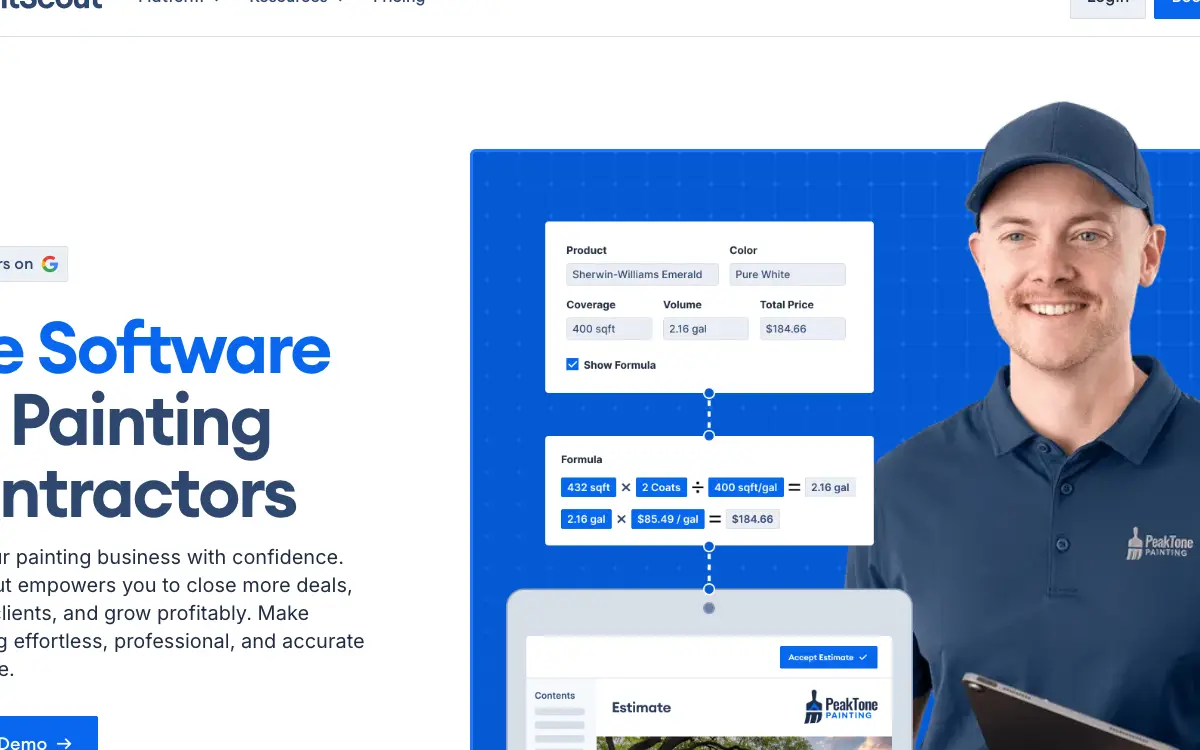
PaintScout is Painting-only production-rate estimating and proposal software, priced per estimator seat with a flat-rate operations add-on bolted on top. It sells to Painting contractors, and the shape of the product follows from that: PaintScout's estimating model is production-rate based: you load your own rates per surface type, the estimator splits a job into areas and surfaces, and the software calculates material and labour from there. Reviewers describe the mechanic in exactly those terms, one crediting 'Super customizable quotes, allowing estimating based on material usage' and another noting 'You can split up your estimates by area, paint scout does the calculating for you.' So the consequence is that the software is only as accurate as the rate table you feed it, which is why 'Production Rates Setup' is the first deliverable in all three paid Success Packages and why production rates get their own CSV export path.
Who PaintScout is for, and who it isn't
It fits Residential repaint companies running two to six estimator seats. That's the exact band where the May 2026 flat-rate Operations repricing flips from a penalty to a discount, and it's the band where a repeatable estimating template has more than one person to standardise. That's the half most reviews print. Here's the other half, which is the one worth your time.
Don't buy it if you're A solo owner-operator who estimates, sells and paints, and only wants faster quotes. After the flat-rate repricing, one Sales seat plus Operations is $218/mo monthly or $178/mo annual, and the vendor's own table marks the solo case as the one that went up. So you'd be paying an account-level operations fee to coordinate a team of one. The Sales plan alone at $119/mo monthly gets you estimating and proposals without scheduling or a pipeline, which is a fairer buy, but it's still above what a generalist quoting tool costs. Look at Housecall Pro instead.
Don't buy it if you're A commercial-only painting contractor whose customers are all filed as companies and who wants to offer pay-over-time. The Wisetack FAQ states that contacts 'registered as a company in PaintScout' are ineligible to apply for financing, and the whole integration is US-only. Financing on estimates is one of PaintScout's stronger conversion features, and for a commercial book it's switched off by definition. And progress invoicing, the other thing commercial work needs, is also the one feature a 2025 reviewer asked to be 'more streamline'. Look at Bolster instead.
Don't buy it if you're A Canadian painting contractor building a financing-led sales pitch. PaintScout is itself a Calgary company operating under Alberta law, but its financing partner doesn't serve Canadian contractors: 'The Wisetack integration is only available to companies located in the United States.' So Canadian buyers should price PaintScout on estimating and proposals alone and treat the financing banner in the marketing as unavailable to them. Look at Jobber instead.
Don't buy it if you're A multi-trade home services company where painting is one line of business among several. PaintScout describes itself as 'the only estimation software dedicated solely to the needs of painting contractors'. Production-rate estimating built around paintable surfaces and area splits doesn't transfer to a roof, a furnace or a driveway. So you'd end up running two systems and reconciling them by hand. Look at Jobber instead.
The money question on PaintScout
And PaintScout publishes its tiers, which puts it ahead of most of this category before you compare a single feature.
| Tier | Price | Billing unit | What it unlocks |
|---|---|---|---|
| Sales (Core Platform), monthly | $119/mo | per user | Nothing beyond the tier below |
| Sales (Core Platform), annual | $99/mo | per user | annual billing commitment |
| Operations Add-On, monthly | $99/mo | per account | an active Sales core platform subscription |
| Operations Add-On, annual | $79/mo | per account | an active Sales core platform subscription, annual billing commitment |
| Team seat (formerly Office) | $20/user/month | per user | Nothing beyond the tier below |
| Painter seat (Beta) | $0 | per user | Operations add-on, beta availability |
| Success Package: Plus (one-time onboarding) | $999 | per account | one-time purchase, optional |
| Success Package: Pro (one-time onboarding) | $1,499 | per account | one-time purchase, optional |
| Success Package: Premium (one-time onboarding) | $1,999 | per account | one-time purchase, optional |
PaintScout charges per Sales seat. The Sales core plan card on the pricing page carries the label '1 User', so $119/mo monthly or $99/mo annual buys one estimator. Extra lightweight Team seats are $20/user/month, and the vendor states that price is 'the same price regardless of billing cycle'. The Operations add-on is the exception: since the May 12, 2026 repricing it is billed flat per ACCOUNT rather than per user, which the vendor describes as 'no longer priced per user, it's now a flat rate per account. This means the more Sales users you have, the better value it becomes.' Painter seats are free during beta.
There is a discount for paying annually up front: And an annual prepay discount tells you an annual commitment exists, which is worth knowing before anyone mentions a term length out loud.
What a PaintScout quote leaves out
Payment processing. PaintScout runs its own in-house processor, PaintScout Payments, described in the help centre as 'a built-in payment processor that lets you accept credit card and ACH payments directly on estimates and invoices'. No rate, no interchange-plus figure and no per-transaction fee appears on the pricing page, the payments overview, the PaintScout Payments article or the surcharging article. Enrolment runs through an application form, so the rate is quoted after underwriting. Before signing, ask: what is my card rate, my ACH rate and my Canadian EFT rate in writing, is it flat or interchange-plus, what is the payout delay, and what is the chargeback fee? Also ask what happens on switching back: the help centre warns that turning on PaintScout Payments 'will automatically disconnect' an existing Stripe integration.
Implementation and onboarding. Free onboarding is included on every account. Paid Success Packages are optional one-time fees: Plus $999 (production rates setup, contacts and products import, products assignment, two 1-hour training sessions), Pro $1,499 (adds one presentation build-out plus account settings and estimate types), Premium $1,999 (adds a third training session, three presentation build-outs, email templates, estimate templates and customized auto follow-ups). The vendor's own framing: 'Every PaintScout account includes free onboarding, but if you want to move faster, delegate setup, or get expert-built templates and automation, our Success Packages have you covered.'
Minimum term. No minimum term or lock-in period is stated anywhere in the Terms of Service or the billing help articles. Cancellation is self-serve from Account Settings > Billing > Plan Details and 'is canceled immediately, though your account stays active until the end of the current billing period.' The Terms add the corresponding obligation: 'If you terminate your use of the Services you must pay the fees applicable for the balance of the then current billing period including for any Add-ons you may be using.' So an annual plan is effectively a twelve-month commitment in cash terms even though it is not described as a term contract.
Getting out. There is no separate termination fee, but there is also no proration on the way out. Section 4 of the Terms reads: 'All payments made for subscriptions to PaintScout, Success Packages or other paid Services are nonrefundable, and we do not offer refunds or credits for any partially used subscription periods, upgrade/downgrade changes, or unused features. This applies whether the subscription is canceled early or remains active but unused.' The vendor also declines refunds on Success Packages 'that were paid for and fully, partially or not completed.' Cancel an annual plan in month two and the remaining ten months are forfeit.
Auto-renewal. The Terms never use the word auto-renewal, but the refund policy assumes recurring billing and pushes the burden onto the subscriber: 'It is your responsibility to manage your subscription settings and billing preferences within the application before your next billing cycle to avoid unwanted charges. If you have any concerns about billing, we encourage you to contact our support team in advance of your renewal date.' Fee changes carry 30 days' notice: 'If we change them, we will give you at least 30 days' notice.' Note the asymmetry in self-service: cancelling is a button in Billing, but upgrading a plan or switching between monthly and annual requires contacting support, and removing the Operations add-on requires submitting a form after which 'A PaintScout team member will contact you to process the request.'
Modules sold separately. , , . So price the PaintScout configuration you'll really run rather than the entry tier, because an add-on you need on day one is part of the price.
Third-party services you will also pay for. , , , . These are not on PaintScout's invoice, and they are still part of what this decision costs you every month.
Side note, and it's a useful one: paintScout's May 2026 repricing was a transfer of money from solo painters to multi-estimator shops, and the vendor published the arithmetic proving it. A vendor that publishes a table showing which customers it's raising prices on has told you who it's optimising for. And if you're a one-truck painter, PaintScout has already decided you aren't the target, and the grandfathered rate expired a week before this bank was written.
The PaintScout costs that land afterwards
The subscription is the part everyone quotes. These are the lines that land afterwards, and the ones we could not find are named as unpublished rather than left blank.
Sold separately. , , . Price the configuration you'll really run, because an add-on you need on day one is part of the price.
Third-party services you'll also pay for. , , , . None of these are on PaintScout's invoice, and all of them are part of what this decision costs every month.
"PaintScout Sales (Core Platform), monthly is $119/mo, per user."
PaintScout pricing page (2026)
"PaintScout Sales (Core Platform), annual is $99/mo, per user."
PaintScout pricing page (2026)
"PaintScout charges per Sales seat. The Sales core plan card on the pricing page carries the label '1 User', so $119/mo monthly or $99/mo annual buys one estimator. Extra lightweight Team seats are $20/user/month, and the vendor states that price is 'the same price regardless of billing cycle'. The Operations add-on is the exception: since the May 12, 2026 repricing it is billed flat per ACCOUNT rather than per user, which the vendor describes as 'no longer priced per user, it's now a flat rate per account. This means the more Sales users you have, the better value it becomes.' Painter seats are free during beta."
PaintScout pricing page (2026)
The five workflows you pay for
Feature totals are noise. So a shop in this category lives or dies on five things, and those are the five to grade, and each one below carries the evidence it's graded on.
Production rates, not line-item guessing, are the whole product PaintScout's estimating model is production-rate based: you load your own rates per surface type, the estimator splits a job into areas and surfaces, and the software calculates material and labour from there. Reviewers describe the mechanic in exactly those terms, one crediting 'Super customizable quotes, allowing estimating based on material usage' and another noting 'You can split up your estimates by area, paint scout does the calculating for you.' So the consequence is that the software is only as accurate as the rate table you feed it, which is why 'Production Rates Setup' is the first deliverable in all three paid Success Packages and why production rates get their own CSV export path. A general manager, construction, writing on 2025-02-21, writes: "Super customizable quotes, allowing estimating based on material usage."An office manager, facilities services, writing on 2022-06-23, writes: "You can split up your estimates by area, paint scout does the calculating for you."
Accept, deposit, invoice, and a Pay Now button that won't appear before acceptance The customer-facing sequence is fixed: customer accepts the estimate, then a deposit prompt fires if enabled, then an invoice carries the balance. The help centre is explicit that 'The Pay Now button only appears on invoices after the customer has accepted the estimate.' And deposits can be a percentage or a fixed dollar amount, eSignature and send-by-text are in the Sales core plan, and surcharging can push card fees onto the customer, subject to jurisdiction: the vendor names Connecticut, Massachusetts, California, Kansas and Puerto Rico as places where surcharging is prohibited, and notes 'Colorado limits it to 2%'. Debit can't be surcharged at all.
Scheduling, crews and job costing all live behind one flat add-on, including the calendar sync Everything past the sale is Operations: the deal pipeline, the production calendar, crews, job costing, checklists and Painter accounts. And the Google Calendar connection sits inside that gate too, with the help centre carrying a danger callout that reads 'Important: this feature requires the paid Operations add-on.' Sync direction is configurable three ways, and the vendor publishes an honest table of what does and doesn't write back from Google: date, time, location, description and deletion all sync, but the sales event title doesn't, and a change to a recurring event 'will only show the first occurrence'.
Getting data out is a set of CSVs, and the Terms forbid pointing the API at a competitor PaintScout publishes a real REST API and real CSV exports, so this is better than most trade software. Contacts, filtered estimates and production rates each have their own documented CSV export, and the OpenAPI v2 surface covers Contacts, Companies, Deals, Events, Quotes, Invoices and a broad set of Settings resources. But the catch is contractual rather than technical. The API section of the Terms bars you from using the API to 'build conversion functionality that converts Content from the Service to a competing product or service'. So the tooling that would make a clean migration easy is the exact tooling the licence prohibits, and what remains is spreadsheets.
Alberta law, sole-arbitrator arbitration, class-action waiver and a three-month liability cap The Terms are operated by Tapristocrat Inc. from Calgary and governed by 'the laws of the Province of Alberta and the federal laws of Canada applicable therein'. Disputes go to 'a sole arbitrator (to the exclusion of the courts)' in Alberta, and the subscriber waives 'any right you may have to commence or participate in any class action'. And liability is capped at whatever you paid 'during the three months prior to the date of any claim'. For a shop on the $119 Sales plan, that's a ceiling of a few hundred dollars regardless of what a data incident costs the business.
Which trades get value from PaintScout
Fit differs by trade rather than by company size alone, and a blended paragraph hides that. Here is the split for the trades this one sells to.
Painting. The workflow that decides it is production rates, not line-item guessing, are the whole product, and the shop profile that gets value is two to six estimators, residential repaint and cabinet work, us or canada doing residential and commercial work. Where it stops being a fit is A solo owner-operator who estimates, sells and paints, and only wants faster quotes.
Where your data goes when it leaves PaintScout
QuickBooks Online connects one way only, so edits made in your books do not come back, on every plan. Xero connects one way only, so edits made in your books do not come back, gated to a higher tier. Your costs map through cost codes, so test yours against your own chart of accounts before you commit. A code your books don't recognise is how a labour charge quietly lands somewhere useless.
Past those, the road ends. QuickBooks Desktop, Xero, on the public integrations directory, Jobber, HubSpot, Pipedrive, GoHighLevel, Monday, Airtable, Google Sheets, Supplier ordering (Sherwin-Williams PRO, Benjamin Moore, PPG), Payroll and time tracking do not connect. So if your books run on an ERP rather than the platforms named above, weigh that before anything else.
Beyond accounting it connects to CompanyCam (Job photos pulled into estimates. Native.), Stripe (Bring-your-own card processing on estimates and invoices, with deposits and surcharging. Native.), PaintScout Payments (PaintScout's own in-house processor for card and ACH (EFT in Canada). Not listed on the public integrations directory. Rate undisclosed.), Wisetack (Consumer financing on estimates. US only. 3.9% per approved transaction to the contractor.), Google Calendar (Native calendar sync with selectable one-way or two-way direction, gated behind the paid Operations add-on. Tagged 'Via Zapier' on the public directory, which contradicts the help centre.), Pipeline CRM (Contact sync, deal stage updates and estimate PDF attachment. Native. Listed on the directory simply as 'Pipeline'.), Workglue (Hand-off from accepted estimate into crew scheduling, job costing and time tracking. Native.), Dropbox (Automatic upload of estimate and work order PDFs to cloud storage. Native.), HeyPros (Subcontractor scheduling and management. Native on the directory; the help centre files it under lead generation via Zapier, another small internal inconsistency.), Zapier (The bridge carrying eight of the seventeen directory entries: Monday, HubSpot, Airtable, Pipedrive, GoHighLevel, Google Calendar, Jobber and Google Sheets, plus BusyBusy documented in the help centre.), Sherwin-Williams colour catalogue (Built-in colour selection, not ordering or pricing.). A public API exists: A genuine public REST API, better documented than most trade software in this category. OpenAPI 3.0.0, titled 'Core API' version v2, served from https://openapi.paintscout.com/v2 with HTTP Bearer authentication. Documented resources cover Contacts, Companies, Deals, Events, Quotes, Invoices and a wide Settings surface (line items, quote types, products, rate categories, rates, event types, labels, area labels, lead sources, quote templates, stages, pipeline stages, pipelines), each with GET list, POST create, GET by id, PUT update and DELETE. Two contractual limits sit on top: the Terms let PaintScout 'impose or adjust the limit on the number of transactions you may send or receive through the Service' at its discretion, and they forbid using the API to 'build conversion functionality that converts Content from the Service to a competing product or service'.
Getting help from PaintScout, and getting it fast
Support is the line item nobody prices and everybody eventually needs. Onboarding for PaintScout: Free onboarding is included on every account. Paid Success Packages are optional one-time fees: Plus $999 (production rates setup, contacts and products import, products assignment, two 1-hour training sessions), Pro $1,499 (adds one presentation build-out plus account settings and estimate types), Premium $1,999 (adds a third training session, three presentation build-outs, email templates, estimate templates and customized auto follow-ups). The vendor's own framing: 'Every PaintScout account includes free onboarding, but if you want to move faster, delegate setup, or get expert-built templates and automation, our Success Packages have you covered.'
The review corpus we read on 7 August 2026 carries no consistent signal on response times either way, so treat support as untested rather than good. Open a real ticket during the trial and time the reply, because that is the number no pricing page gives you.
The PaintScout term, and what leaving costs
Nobody reads this section before they buy, and it's the one that costs money afterwards. Four terms decide what leaving looks like.
Minimum term. No minimum term or lock-in period is stated anywhere in the Terms of Service or the billing help articles. Cancellation is self-serve from Account Settings > Billing > Plan Details and 'is canceled immediately, though your account stays active until the end of the current billing period.' The Terms add the corresponding obligation: 'If you terminate your use of the Services you must pay the fees applicable for the balance of the then current billing period including for any Add-ons you may be using.' So an annual plan is effectively a twelve-month commitment in cash terms even though it is not described as a term contract.
Auto-renewal. The Terms never use the word auto-renewal, but the refund policy assumes recurring billing and pushes the burden onto the subscriber: 'It is your responsibility to manage your subscription settings and billing preferences within the application before your next billing cycle to avoid unwanted charges. If you have any concerns about billing, we encourage you to contact our support team in advance of your renewal date.' Fee changes carry 30 days' notice: 'If we change them, we will give you at least 30 days' notice.' Note the asymmetry in self-service: cancelling is a button in Billing, but upgrading a plan or switching between monthly and annual requires contacting support, and removing the Operations add-on requires submitting a form after which 'A PaintScout team member will contact you to process the request.'
Early termination. There is no separate termination fee, but there is also no proration on the way out. Section 4 of the Terms reads: 'All payments made for subscriptions to PaintScout, Success Packages or other paid Services are nonrefundable, and we do not offer refunds or credits for any partially used subscription periods, upgrade/downgrade changes, or unused features. This applies whether the subscription is canceled early or remains active but unused.' The vendor also declines refunds on Success Packages 'that were paid for and fully, partially or not completed.' Cancel an annual plan in month two and the remaining ten months are forfeit.
Payment processing. PaintScout runs its own in-house processor, PaintScout Payments, described in the help centre as 'a built-in payment processor that lets you accept credit card and ACH payments directly on estimates and invoices'. No rate, no interchange-plus figure and no per-transaction fee appears on the pricing page, the payments overview, the PaintScout Payments article or the surcharging article. Enrolment runs through an application form, so the rate is quoted after underwriting. Before signing, ask: what is my card rate, my ACH rate and my Canadian EFT rate in writing, is it flat or interchange-plus, what is the payout delay, and what is the chargeback fee? Also ask what happens on switching back: the help centre warns that turning on PaintScout Payments 'will automatically disconnect' an existing Stripe integration.
One oddity, filed under things nobody mentions on a demo. The Terms of Service ban the one piece of software that would make leaving PaintScout painless, and the exit-relevant permission is off by default. PaintScout has a better API than most of its category, which reads as portability until you notice the licence forbids pointing it at a competitor. So what's left is manual CSVs, pulled by whoever happens to hold an optional permission, inside a window that closes the day your last paid period ends.
"Super customizable quotes, allowing estimating based on material usage."
Capterra, Glen J. (2-21)
"Would like progress invoices to be more streamline."
Capterra, Jenna M. (2-06)
"First, the software is super easy to use. It has saved me time, and made me a lot of money."
Capterra, Michael M. (5-03)
What PaintScout reviewers keep running into
What follows is drawn from complaints rather than from star averages.
The May 2026 repricing raised the bill on solo painters by about 30%, and the increase landed on August 1, 2026 PaintScout moved the Operations add-on from $49/user/month to a flat $99/account/month ($79 annual). The vendor's own worked example: a one-Sales-user account with Operations went from '$119 + $49 = $168' to '$119 + $99 = $218' a month, and the vendor labels the change 'Up'. Two users is roughly break-even ('The breakeven point is around 2 users'), and three users saves money. And legacy accounts that were going up were held at the old price 'until August 1, 2026, when the new pricing kicks in', which for anyone reading this in August 2026 means the increase has already taken effect. Count your Sales seats before you price this. At one estimator the flat Operations add-on is pure penalty. So model the bill at your seat count for both cycles and ask support in writing whether any legacy rate still applies to your account after August 1, 2026.
Both accounting integrations are one-way export, despite a reviewer describing 'true bi-directional communication' The QuickBooks Online help article describes the integration as one that 'exports invoices, handles deposits, and syncs payments automatically', and the Xero article as one that 'exports quotes, invoices, and payments directly to Xero'. Every configuration option in both articles is about pushing PaintScout documents outward: when to send invoices, which item types to use, whether to apply PaintScout terms or Xero terms, whether to use PaintScout ID numbers. But nothing pulls a chart of accounts, a customer edit or a manual journal back into PaintScout. A GetApp reviewer, Marco M., describes the QBO link as having 'true bi-directional communication'. The vendor's own documentation doesn't support that, and the conflict is left standing here rather than resolved. And an administrative assistant, says the same thing: "The functionality with QBO was great when we started but since then has also increased with true bi-directional communication." Treat PaintScout as the front end and your ledger as the system of record. So ask support specifically which fields, if any, flow back from QuickBooks or Xero into PaintScout, and get the answer before you plan any workflow that depends on it.
Setup and estimator adoption are the recurring friction, not the software itself The single most concrete negative in the entire independent review pool is about implementation, not features. PaintScout's whole value rests on production rates, meaning your own labour and material rates loaded correctly, and on estimators using the templates instead of their old spreadsheet. That is why the vendor sells three separate Success Packages at $999, $1,499 and $1,999 whose headline deliverables are 'Production Rates Setup', 'Contacts & Products Import' and training sessions. So the paid packages exist because the free onboarding doesn't always get a second estimator over the line. But an office manager, facilities services, describes it it differently: "Setting it up was a bit difficult and getting our estimator on board has been a challenge." Budget the Success Package as part of the purchase price, not as an optional extra, if you have more than one estimator. And confirm the packages are nonrefundable before you buy, because the Terms say so: 'whether fully, partially or not completed'.
Progress invoicing is a named weak spot from a current user Progress billing matters on commercial repaints and multi-phase residential jobs, where a painter bills at 30/60/100 percent rather than deposit-then-final. A 2025 reviewer flagged it directly. But PaintScout's documented payment flow is built around a deposit collected at estimate acceptance plus an invoice payment afterward, with a 'Pay Now' button that 'only appears on invoices after the customer has accepted the estimate'. That's a deposit-and-final shape, not a draw schedule. But an ioc, construction, reports it it differently: "Would like progress invoices to be more streamline." So if more than a quarter of your revenue bills on a draw schedule, run a live test with a three-draw job during the 14-day trial before you commit.
Wisetack financing is United States only and silently excludes every contact you filed as a company Consumer financing is one of PaintScout's headline conversion features, but the FAQ carries two hard fences. First: 'The Wisetack integration is only available to companies located in the United States.' Second, and easier to miss: 'If your contacts are registered as a company in PaintScout, they are ineligible to apply for financing.' And financing only appears on estimates 'between $500 and $25,000', with terms 'from 3 to 60 months' and customer APR 'from 0% to 35.9%'. The cost to the contractor is '3.9% per approved transaction'. Canadian painters should discount the financing feature to zero when comparing PaintScout against alternatives. And commercial painters in the US should check how their contacts are filed, because company records can't finance.
Eight of seventeen integrations are Zapier passthrough, and the directory contradicts the help centre in both directions Counted directly from the vendor's integrations directory: seventeen entries, of which eight carry a 'Via Zapier' tag (Monday, HubSpot, Airtable, Pipedrive, GoHighLevel, Google Calendar, Jobber, Google Sheets). But two contradictions sit on top of that count. Google Calendar is tagged 'Via Zapier' in the directory, but the help centre documents it as a native toggle with configurable one-way and two-way sync, and the pricing page's feature table lists 'Two-way Google Calendar Sync' as a platform feature. In the other direction, Xero is documented in the help centre as a working beta integration but doesn't appear in the public directory at all, and neither does PaintScout's own in-house processor, PaintScout Payments. Don't price the integrations directory as seventeen connectors. So price nine native ones plus a Zapier subscription, and ask support directly about Xero, since it's beta and gated: 'This feature is currently in beta. Please contact our support team to have it enabled.'
The ability to export data is a permission that's switched OFF by default on new seats Under the user-type structure introduced May 12, 2026, both the Sales seat and the Team seat ship with custom permissions 'OFF by default for new seats', and one of the listed permissions is literally 'Ability to export data'. So a new estimator or a new office coordinator can't pull a CSV of their own pipeline unless the owner explicitly grants it. And in a departure or a dispute, the person who most wants the data is the one least likely to have the toggle. So grant the export permission to at least one person who isn't the owner, and schedule a recurring CSV pull of contacts and estimates so a locked account never costs you your history.
The account locks the moment the paid period ends, and the export window is entirely on you The cancellation article carries a danger-styled warning: 'Once your current billing period ends, your account becomes locked and most actions are limited. Be sure to export your estimates, contact list, and any other data you want to keep.' There's no described grace period, no read-only archive window and no vendor-assisted export. And separately, an account that simply goes quiet is at risk on its own timeline: the Terms allow deactivation after two months of inactivity, and after that 'we may delete your account and its associated data at any time and without additional notice. Once deleted, your account and data cannot be restored.' Export before you click cancel, not after. So pull the contact list CSV, the filtered estimates CSV and the production rates CSV, and keep a seasonal reminder if your painting business goes dormant over winter.
One more thing worth knowing. Cancelling is one button. Downgrading requires a form and a human. The friction is deliberately asymmetric. The self-serve path is full-exit only. Anyone wanting to trim $99 a month off the bill by dropping Operations has to schedule a conversation with a person whose job includes keeping that $99. So assume the retention offer, and assume the change doesn't take effect the day you ask.
One more thing worth knowing. PaintScout runs its own payment processor, publishes no rate for it anywhere, and switching to it silently kills your Stripe connection. Processing spread is where trade software makes its real margin, and an unpublished rate behind an application form is how that margin stays unbenchmarked. So get the card, ACH and Canadian EFT rates in writing before you switch, because switching back means re-onboarding Stripe from scratch.
One more thing worth knowing. Nine of PaintScout's seventeen listed integrations are native. The other eight are a Zapier bill, and the directory disagrees with the help centre about which is which. The integrations page is marketing surface, not an inventory. So price the stack as nine native connectors plus a Zapier subscription, and check the help centre before you rule anything in or out, because the directory both overstates and understates what exists.
One oddity, filed under things nobody mentions on a demo. PaintScout's entire independent review record is six reviews sitting in one Gartner pool, and that pool contradicts itself about the product's basic facts. There's no meaningful independent evidence base on this product. Six reviews, five of which say some version of 'no cons yet', is not a signal. So treat vendor documentation as the primary source here, which is exactly why the contract mechanics in this bank do more work than the reviews do.
What people running PaintScout tell you
Every quote below is transcribed from a published review, named to the platform that carries it and to the reviewer as that platform displays them. We read the corpus by complaint type rather than by star rating, which is how the disqualifying detail buried inside a five-star review gets found.
"Super customizable quotes, allowing estimating based on material usage."
On 2025-02-21, a general manager, construction writes on Capterra
"Would like progress invoices to be more streamline."
An ioc, construction, puts it it plainly on Capterra
"First, the software is super easy to use. It has saved me time, and made me a lot of money."
An owner, construction, writing on 2024-05-03, puts it on Capterra
"PaintScout is a tool very easy to use, extremely secure to handle while maintaining accurate management."
A painter, performing arts, writing on 2023-11-23, writes on Capterra
"Still new working with the program. Haven't found ant cons yet"
And a paint contractor, construction, writing on 2022-06-26, describes it the same thing on Capterra
"Setting it up was a bit difficult and getting our estimator on board has been a challenge."
An office manager, facilities services, reports it it plainly on Capterra
"The functionality with QBO was great when we started but since then has also increased with true bi-directional communication."
An administrative assistant, says it plainly on GetApp
"You can split up your estimates by area, paint scout does the calculating for you."
An office manager, facilities services, writing on 2022-06-23, reports it on Capterra
PaintScout and the alternatives, side by side
The realistic alternatives, and what each costs to start. Cheaper doesn't win here, and neither does expensive. Fit does.
| Tool | Entry price | Billing unit | Users included | Published? |
|---|---|---|---|---|
| PaintScout | $119/mo | per user | PaintScout charges per Sales seat. The Sales core plan card | Yes |
| Estimate Rocket | $139 | per account per month | 3 | Yes |
| Housecall Pro | $59 | per account per month (Basic, billed annually) | 1 | Yes |
| Jobber | $49 | per account per month (Core, month-to-month; $24/mo billed annually for the first 12 months) | 1 | Yes |
| Bolster (Bolster Built Inc.) | $299 | per account per month (essentials, 1 user) | 1 | Yes |
Estimate Rocket. Seat economics for a small office. The Launch plan bundles three full users into the base price and includes training and onboarding, where PaintScout charges per estimator and sells onboarding separately at $999 and up. Estimate Rocket also publishes a 90 Day Money Back Guarantee, against PaintScout's blanket no-refunds clause. But Painting specificity. PaintScout's production-rate model and painting-native templates are the reason contractors pick it, and Estimate Rocket is a broader contractor tool. Its 'Done for You' setup package is also $1,595 list, discounted to $995 at time of check.
Housecall Pro. Getting a solo painter to a working schedule, dispatch and payments stack for a third of PaintScout's solo cost, with a 14-day free trial and no credit card. This is the honest answer for the one-truck painter that PaintScout's flat Operations fee prices out. But Estimating depth. There's no production-rate engine, no surface-by-area calculation and no painting-native proposal presentation. Housecall Pro also sells its sales proposal tool as a Max-plan feature valued at $40/mo, so proposal quality costs more as you climb.
Jobber. Multi-trade coverage and the cheapest published entry point of the four. If painting is one of several services you sell, Jobber runs all of them in one system, and it already appears in PaintScout's own directory as a Zapier destination, which tells you which way contractors migrate. But Painting estimating. Jobber quotes line items, not painted surfaces at production rates. Note also that the headline annual rates are introductory: the vendor's own footnote reads 'For 12 months, then [higher price]/mo'.
Bolster (Bolster Built Inc.). Larger project work: AutoCost live local material and labour pricing, a takeoff drawing tool, options and upgrades, progress payments and change orders, aimed at custom home builders and remodelers. If a painting company also sells full interior remodels, this is the platform that follows the money up-market. Extra users are $20/mo, the same as PaintScout's Team seat. But Cost and fit for pure repaint work. Essentials is $299/mo against PaintScout's $119, and the estimating model is builder-shaped, not painter-shaped. Bolster's own pricing page is also internally inconsistent: the plan cards show essentials $299, pro $399 (annual) or $499 (monthly) and premium $583, while the comparison table further down the same page lists essentials $299 p/m, pro $399 p/m and premium $499 p/m. This is a different vendor from PaintScout despite the dossier filing them together.
"PaintScout is a tool very easy to use, extremely secure to handle while maintaining accurate management."
Capterra, M. Lisa C. (1-23)
"Still new working with the program. Haven't found ant cons yet"
Capterra, Ronda C. (6-26)
Who should not buy PaintScout
Don't buy PaintScout if you're A solo owner-operator who estimates, sells and paints, and only wants faster quotes. After the flat-rate repricing, one Sales seat plus Operations is $218/mo monthly or $178/mo annual, and the vendor's own table marks the solo case as the one that went up. So you'd be paying an account-level operations fee to coordinate a team of one. The Sales plan alone at $119/mo monthly gets you estimating and proposals without scheduling or a pipeline, which is a fairer buy, but it's still above what a generalist quoting tool costs. Look at Housecall Pro instead.
Don't buy PaintScout if you're A commercial-only painting contractor whose customers are all filed as companies and who wants to offer pay-over-time. The Wisetack FAQ states that contacts 'registered as a company in PaintScout' are ineligible to apply for financing, and the whole integration is US-only. Financing on estimates is one of PaintScout's stronger conversion features, and for a commercial book it's switched off by definition. And progress invoicing, the other thing commercial work needs, is also the one feature a 2025 reviewer asked to be 'more streamline'. Look at Bolster instead.
Don't buy PaintScout if you're A Canadian painting contractor building a financing-led sales pitch. PaintScout is itself a Calgary company operating under Alberta law, but its financing partner doesn't serve Canadian contractors: 'The Wisetack integration is only available to companies located in the United States.' So Canadian buyers should price PaintScout on estimating and proposals alone and treat the financing banner in the marketing as unavailable to them. Look at Jobber instead.
Don't buy PaintScout if you're A multi-trade home services company where painting is one line of business among several. PaintScout describes itself as 'the only estimation software dedicated solely to the needs of painting contractors'. Production-rate estimating built around paintable surfaces and area splits doesn't transfer to a roof, a furnace or a driveway. So you'd end up running two systems and reconciling them by hand. Look at Jobber instead.
The verdict, by shop size
Solo painter, one estimator, residential repaints
No. The May 2026 repricing made this the worst-served profile on the price list. PaintScout's own worked example shows one Sales user plus Operations moving from $168 to $218 a month, marked 'Up', with the increase in force from August 1, 2026. So you're paying an account-level operations fee to coordinate yourself. The Sales plan alone at $119/mo is defensible if the estimating engine genuinely wins you work, but at that point you're buying a quoting tool at three times the price of a general field-service entry plan, with no scheduling, no pipeline and no calendar sync. This band runs 1 to 1 on the crew, doing residential work, and that's the profile the recommendation is written for.
Two to six estimators, residential repaint and cabinet work, US or Canada
Yes, and this is the shape the product is built for. This is the band the pricing model was rebuilt for. At three Sales users the vendor's own table shows the bill falling from $504 to $456 a month, because Operations is now flat per account instead of $49 per head. And it's also the band where a shared production-rate table and shared templates pay for themselves: one owner's pricing judgment gets encoded once and every estimator inherits it. So budget a Success Package at $999 to $1,999, because the loudest complaint in the independent review pool is 'Setting it up was a bit difficult and getting our estimator on board has been a challenge.' This band runs 2 to 6 on the crew, doing residential work, and that's the profile the recommendation is written for.
Commercial painting contractor billing on draw schedules
Only under conditions, and they are worth being honest about. Two documented gaps land squarely on commercial work. Wisetack financing excludes any contact 'registered as a company in PaintScout', so the financing feature is structurally off for a commercial book, and progress invoicing is the one thing a 2025 reviewer asked to be 'more streamline' against a payment flow built around deposit-then-final. So run a real three-draw job through the 14-day trial before committing, and get written answers on progress billing and on the undisclosed PaintScout Payments rate. This band runs 4 to 25 on the crew, doing commercial work, and that's the profile the recommendation is written for.
Multi-trade home services company where painting is one line among several
No. PaintScout markets itself as 'the only estimation software dedicated solely to the needs of painting contractors', and the estimating model reflects that: areas, surfaces, production rates. None of it transfers to another trade. So you'd run PaintScout beside a second platform and reconcile two customer databases by hand, while paying per Sales seat in one of them. Jobber or Housecall Pro cover the whole book at a lower entry price. This band runs 1 or more on the crew, doing residential and commercial and service work, and that's the profile the recommendation is written for.
Where we come into the PaintScout question
Quick note on who wrote this. Fervor does conversion work and web design for contractors, so we don't sell PaintScout and we don't sell anything that competes with it. We do have data on something sitting right next to this decision.
PaintScout bills per estimator seat, $119 a month each monthly or $99 annually, plus a flat $79 to $99 Operations add-on that only starts paying for itself at two or more seats. That means the cost curve is driven by how many people you have quoting, while the revenue curve is driven by how many quote requests reach them. Fervor inspected the contractor sites in its index and found 95.8% carry a serious WCAG violation and 61.3% a critical one, and quote-request forms are where those violations bite hardest: unlabelled fields, inputs that can't be completed by keyboard, error states no screen reader announces. And a painting company that adds a second PaintScout seat to handle volume, without fixing the form that volume is supposed to arrive through, has just moved its break-even further away.
And the number is worse than anyone guesses before they check. Across 380 inspected contractor sites, 82.8% loaded slowly enough that a quote form went unseen. So the sample is not curated: it is every contractor site the tooling could reach. The full write-up is in the Contractor CRO Index.
"82.8% of the 380 contractor websites inspected loaded slowly enough that a quote form went unseen."
Fervor Studio Contractor CRO Index (2026)
Buy the platform if it fits. But spend ten minutes on your own site first, on a phone, on mobile data, the way a homeowner would. The numbers are all public.
See where your site is losing the jobs PaintScout would have managed
And it takes 5 business days. We use your site the way a homeowner would, then hand you the specific leaks.
Get a Site InspectionHow this PaintScout page was researched
And here's what we can and can't stand behind on PaintScout. The basis is 25 vendor pages for PaintScout, read on 7 August 2026, and every review we could retrieve, sorted by complaint. And every figure above traces to a page we opened on that date, pricing included.
So: eight quotes on this page, seven from Capterra and one from GetApp.
And https://www.g2.com/products/paintscout/reviews (HTTP 403), https://www.trustradius.com/products/paintscout/reviews (HTTP 403), https://www.trustpilot.com/review/paintscout.com (HTTP 403), https://www.reddit.com/r/paintingbusiness/search.json?q=paintscout (HTTP 403), https://www.softwareadvice.com/construction/paintscout-profile/ (HTTP 403 to curl, HTTP 404 via WebFetch; also tried /construction-estimating/, /painting/ and /field-service/ slugs, all 403) and https://help.paintscout.com/...?ask= (the documented GitBook query endpoint returned a Cloudflare interstitial rather than an answer) refused automated retrieval for PaintScout. Forum and social threads are the ones people most want quoted, and they are exactly the ones we cannot verify, so none of them are here.
What that leaves untested: apple App Store and Google Play: an iTunes Search API query for 'paintscout' returned no PaintScout app. PaintScout is a browser-based product, so there's no mobile store review pool to read.. And everything above is 25 vendor pages and a review corpus, which is documentary rather than hands-on.
What PaintScout users say
Super customizable quotes, allowing estimating based on material usage.
Would like progress invoices to be more streamline.
First, the software is super easy to use. It has saved me time, and made me a lot of money.
PaintScout is a tool very easy to use, extremely secure to handle while maintaining accurate management.
Still new working with the program. Haven't found ant cons yet
Setting it up was a bit difficult and getting our estimator on board has been a challenge.
The functionality with QBO was great when we started but since then has also increased with true bi-directional communication.
You can split up your estimates by area, paint scout does the calculating for you.
Frequently asked questions
How much does PaintScout cost?
PaintScout publishes its prices, which puts it ahead of most trade software. The Sales core platform is $119/mo per user billed monthly or $99/mo per user billed annually, and the plan card is labelled '1 User'. The Operations add-on is $99/mo per account monthly or $79/mo per account annually. Extra Team seats are $20/user/month on either cycle. And a one-estimator shop wanting the full platform pays $218/mo monthly or $178/mo annually. Optional one-time Success Packages run $999, $1,499 and $1,999. All figures are from https://www.paintscout.com/pricing and were confirmed present in that page's raw HTML.
Third-party sites say PaintScout starts at $79 per user per month. Is that right?
No. Capterra and GetApp both list a $79 per-user starting price, but $79 is the annual price of the Operations ADD-ON, which the vendor bills flat per account, not per user, and which can't be bought without a Sales seat. The lowest real entry point is the Sales plan at $99/mo per user on annual billing or $119/mo monthly. And the same listings disagree with each other on the free trial too: GetApp shows a free trial and a free version as available, Capterra shows 'no free trial available', and the vendor's own FAQ says 'Yep, 14 days free and no credit card required.' Capterra, GetApp and Software Advice are all Gartner properties reading one review pool. So this is one third-party source being wrong three times, not three sources agreeing.
Can I get my data out if I leave?
Partly, and only if you act before the billing period ends. PaintScout publishes CSV exports for contacts, for filtered estimates and for production rates, plus a real Bearer-authenticated REST API at https://openapi.paintscout.com/v2. But the cancellation article warns that 'Once your current billing period ends, your account becomes locked and most actions are limited', with no described grace period. And two further catches: the 'Ability to export data' permission is switched OFF by default on new Sales and Team seats, and the Terms forbid using the API to 'build conversion functionality that converts Content from the Service to a competing product or service', which rules out the exact tooling that would make a migration clean.
Is there a refund if I cancel early?
No. Section 4 of the Terms is unambiguous: 'All payments made for subscriptions to PaintScout, Success Packages or other paid Services are nonrefundable, and we do not offer refunds or credits for any partially used subscription periods, upgrade/downgrade changes, or unused features. This applies whether the subscription is canceled early or remains active but unused.' Success Packages are nonrefundable whether 'fully, partially or not completed'. Exceptions are 'granted solely at our discretion and on a case-by-case basis'. So cancel an annual plan in month two and the other ten months are gone.
What does it cost to take a card payment through PaintScout?
PaintScout doesn't publish a rate for its own processor. PaintScout Payments is described as 'a built-in payment processor' for credit card and ACH (EFT in Canada), and enrolment goes through an application form, so pricing is quoted after underwriting. The alternative is Stripe, which is bring-your-own at whatever rate your own Stripe account carries. Surcharging can pass card fees to the customer, but it's prohibited in Connecticut, Massachusetts, California, Kansas and Puerto Rico, capped at 2% in Colorado, and can never be applied to debit. And Wisetack financing is separately priced at '3.9% per approved transaction' and is US-only.
Does PaintScout sync with QuickBooks both ways?
The documentation says no. The QuickBooks Online article describes an integration that 'exports invoices, handles deposits, and syncs payments automatically', and every setting in it governs what PaintScout pushes outward. Xero, which is in beta and has to be enabled by support, is described the same way. A GetApp reviewer does describe QBO as having 'true bi-directional communication', and that conflict is recorded here rather than resolved, because a reviewer's experience and the vendor's own docs are both evidence. So if two-way sync is a requirement, get it confirmed in writing before you buy.
Why is this bank filed under the slug 'paintscout-bolster-built'?
The internal dossier listed the entry as 'PaintScout / Bolster Built'. Those are two separate companies. PaintScout is operated by Tapristocrat Inc. from Calgary, Alberta and is painting-only. Bolster is Bolster Built Inc., a Y Combinator-backed construction-management platform with offices in Calgary and Middletown, Delaware, aimed at custom home builders, remodelers and deck contractors, priced at $299 to $583 USD/mo. Neither vendor's site mentions the other and PaintScout's Terms name no parent or affiliate beyond Tapristocrat. Both being Calgary companies is a coincidence, not a corporate link. This bank documents PaintScout; Bolster appears in alternatives.
What happens if my account goes quiet over the winter?
The Terms allow deactivation after two months of inactivity, on any account type: 'If your account, whether a paid account, an unpaid subscription, or a free trial is inactive for at least two months, we may deactivate your account.' Deactivated accounts are recoverable, and PaintScout says it'll email first. But the risk is what comes next: 'If your account remains inactive after deactivation and we do not hear from you, we may delete your account and its associated data at any time and without additional notice. Once deleted, your account and data cannot be restored.' So seasonal painting businesses should tell support in advance, which the Terms explicitly invite.
Freshness
How we keep this page current
Three dates govern this review, and they carry different meanings. The initial source sweep is dated August 7, 2026; when only part of the evidence set is recaptured later, that later date is stated beside the refreshed claim. We last revised the page on August 7, 2026. And the user reviews we quote were posted over roughly the last 24 months, so their individual dates remain part of the evidence instead of being overwritten by a later pricing update.
We revise the page when PaintScout changes a published price or a contract term, when a rating we cite moves by more than a few tenths, or when the vendor ships something big enough to change the verdict. We never bump the date just to look fresh, because Google treats that as manipulation and so do we. If a figure here reads as stale by the time you land on it, treat it as a floor and check the vendor's own page. We linked it at every number for exactly that reason.
Sourcing
How this review was researched
Every figure on this page traces to a captured source linked inline where it appears. The initial sweep is dated August 7, 2026; any later, partial recapture is dated at the claim rather than relabelling the whole evidence set. Ratings come from Capterra, GetApp, Software Advice and the Apple App Store. Note that Capterra, GetApp and Software Advice share one Gartner Digital Markets review pool, so an identical score across all three is a single sample rather than three corroborating ones, and this page treats it that way. G2, TrustRadius and Trustpilot block automated access, so where their numbers appear they are labelled as reported rather than verified. No claim here is sourced from Reddit or from a contractor Facebook group, because neither could be retrieved and quoting them would mean inventing attribution. Pricing marked as reported comes from third-party roundups, never from Fervor. Fervor's own findings come from the Contractor CRO Index 2026.
About
About Fervor Studio
Fervor Studio is a conversion rate optimization (CRO) and web design studio for home services contractors across North America, based in Cochrane, Alberta. Fervor does not sell field service management software and is not an alternative to PaintScout. It publishes the Contractor CRO Index, a public benchmark measuring contractor website conversion potential using reproducible, open-source methods such as axe-core and Google Lighthouse. Fervor Studio is operated by Fervor Group Inc.
 Aug 1, 2026
 Tech Stack
Best Plumbing Software in 2026: Ten Ranked Across Four Classes
A plumbing company’s work runs through four classes of software that do not substitute for each other, and it only buys two of them. Ten products, each with a published price or an explicit statement that the vendor publishes none.
Read Article Jul 30, 2026
 Tech Stack
NiceJob vs Birdeye 2026: Pricing, Contracts and Review Gating
One of these vendors puts its price on the page and its cancellation terms in writing. The other puts a form in front of both, and the complaint record is where its contract length shows up.
Read Article Jul 30, 2026
 Tech Stack
Podium vs Birdeye 2026: Pricing, Contracts and Review Gating
Only one of these two will tell you what it costs before a sales call, and even that number carries a carve-out aimed squarely at trade contractors.
Read Article Jul 30, 2026
 Tech Stack
Best Electrical Contractor Software 2026: 11 Ranked and Priced
An electrical contracting business makes two software purchases that do not substitute for each other, and every roundup answering this query covers only one of them. Eleven platforms, with a published price or an explicit statement that the vendor publishes none.
Read Article Jul 30, 2026
 Tech Stack
Best HVAC Software in 2026: Eleven Ranked Across Three Classes
An HVAC contracting business buys across three classes of software that do not substitute for each other, and every roundup answering this query covers only one of them. Eleven products, each with a published price or an explicit statement that the vendor publishes none.
Read Article Jul 29, 2026
 Tech Stack
AccuLynx Pricing 2026: The Real Cost of a Quote-Gated Plan
One published figure, two blank plan cards, and a contract that says things the pricing page does not. A line-by-line breakdown of what AccuLynx really bills.
Read Article Jul 29, 2026
 Tech Stack
Houzz Pro Canada Review 2026: Pricing and Alternatives
Houzz Pro serves different pricing renderings. What Canadian buyers see, how GST/HST and payments work, what Custom gates, and what the annual contract commits you to.
Read Article Jul 29, 2026
 Tech Stack
JobNimbus Pricing in 2026: What the Quote Does Not Cover
JobNimbus prints no figure on any of its four plans. So the only rate you can read before a sales call is the payments meter, and it is the biggest line on the bill.
Read Article Jul 29, 2026
 Tech Stack
JobNimbus Review 2026: Pricing, Pros, Cons and Alternatives
JobNimbus rates 4.6 on Capterra and orders material straight from ABC Supply and SRS. But it publishes no price, and its supplement route carries a note.
Read Article Jul 29, 2026
 Tech Stack
BuildOps Review 2026: Pricing, Contract Terms and Alternatives
BuildOps runs commercial service and projects on one platform, and publishes no pricing at all. The billing unit, the 30-day data-export window, and who it suits.
Read Article Jul 29, 2026
 Tech Stack
FieldPulse Review 2026: Pricing, Pros, Cons and Alternatives
FieldPulse rates 4.6 on Capterra and is the platform contractors name when they leave a bigger system. But it publishes no price, and the contract runs a year.
Read Article Jul 29, 2026
 Tech Stack
Service Fusion Review 2026: Pricing, Contract and Alternatives
Service Fusion bills flat per company with unlimited users, which is the best structural deal in field service software. The published plans, the contract behind the no-contract line, and the app score every other review gets wrong.
Read Article Jul 29, 2026
 Tech Stack
Knowify Review 2026: Pricing, Job Costing and Alternatives
Knowify rates 4.5 on Capterra and its weakest sub-score is features. What the $99 Core plan withholds, which way the QuickBooks sync really runs, and who should not buy it.
Read Article Jul 28, 2026
 Tech Stack
AccuLynx Review 2026: Pricing, Tier Gating, Alternatives
AccuLynx rates 4.6 across 846 reviews and now publishes an entry price. What that price omits, which tier holds the insurance workflow, and who should skip it.
Read Article Jul 28, 2026
 Tech Stack
Unitel Voice Review 2026: Pricing, Features and Alternatives
Unitel Voice rates 4.6 on Capterra and gives a one-truck shop a business number for $9.99 a month. The published plans, the cost per call, and what it won't do.
Read Article Jul 28, 2026
 Tech Stack
NiceJob vs Podium 2026: Pricing, Contracts and Review Gating
Both vendors print a price, at very different scale and in different currencies. The gap that matters is what Podium will not print: the billing unit, and whether a trade shop gets the number on the page.
Read Article Jul 27, 2026
 Tech Stack
CompanyCam Review 2026: Pricing, Pros, Cons and Alternatives
Every page ranking for CompanyCam still quotes a per-user price the vendor no longer charges. Here are the real plans, the seat math, and who should skip it.
Read Article Jul 27, 2026
 Tech Stack
NiceJob Review 2026: Pricing, Pros, Cons and Alternatives
NiceJob rates 4.9 on Capterra and refuses to gate negative reviews. Real plan pricing, the active-customer threshold nobody publishes, and who should skip it.
Read Article Jul 26, 2026
 Tech Stack
Buildertrend Review 2026: Pricing, Limits and Alternatives
Buildertrend rates 4.5 across 2,486 Capterra reviews and quotes against your revenue rather than your seat count. The workflows, the export problem, the alternatives.
Read Article Jul 26, 2026
 Tech Stack
CallRail Review 2026: Pricing, Pros, Cons and Alternatives
CallRail rates 4.5 on Capterra, and its tracking numbers port out free. But the two usage rates that decide your real bill are the two it does not print.
Read Article Jul 26, 2026
 Tech Stack
Roofr Review 2026: Pricing, Pros, Cons and Alternatives
Roofr rates 4.6 on Capterra and sells $13 measurement reports against a market charging triple. But it will not import a report from anywhere else.
Read Article Jul 24, 2026
 Tech Stack
Housecall Pro Review 2026: Pricing, Pros, Cons, Alternatives
Housecall Pro has the shortest learning curve in the category and the widest review spread. Real pricing, the Instapay math, and the migration trap to plan around.
Read Article Jul 23, 2026
 Tech Stack
Jobber Review 2026: Pricing, Pros, Cons and Alternatives
Jobber rates 4.6 on Capterra with the best mobile app in the category. Real plan pricing, the feature gating that changes your entry price, and who it suits.
Read Article Jul 22, 2026
 Tech Stack
ServiceTitan Review 2026: Pricing, Pros, Cons, Alternatives
ServiceTitan rates 4.3 on Capterra but its weakest score is value for money. Real reported pricing, the 12-month contract, the exit fees, and who it suits.
Read Article Jun 2, 2026
 Tech Stack
HVAC Online Scheduling: The 43% Losing After-Hours Bookings
HVAC leads every trade on online booking at just 56.7%, which still leaves 43% of sites forcing an after-hours customer to wait for a business-hours phone call.
Read Article