Azuga Review 2026: Pricing, Pros, Cons, Alternatives
Azuga starts at $25. What each tier gates, the 8 limitations reviewers name, and 5 alternatives with published prices.
Page at a glance
Azuga is Publicly priced per-vehicle GPS tracking with driver gamification, sold on a paper term that defaults to four years and escalates 8% at every renewal, so the truck-side spend is locked in long before anyone measures whether the trucks are busy. It starts at $25 per vehicle per month. Priced per VEHICLE per month, not per user or per technician. Every tier's price block reads '$NN Per Vehicle Per Month'. Seats are unmetered: the General Terms let the Administrator 'define additional End Users and their respective permissions' with no per-seat charge named anywhere, but they also forbid seat sharing outright — 'Accounts are for use by Customer and its End Users only. Any multiple-party use is prohibited. For example, sharing a login between non-entity individual users is prohibited.' So an office of five dispatchers costs the same as one, and a fleet that adds a truck adds a full line item. It fits 5 to 60 truck residential and commercial service fleets — HVAC, plumbing, electrical, landscaping, pest control — where the operator wants a published per-vehicle number, driver scoring, and a dashcam for insurance defence, and can live with a multi-year order It's the wrong buy for A one-to-four truck contractor who wants to try tracking for a season, because The contract isn't built for it. A blank term field becomes four years, the exit is 'all Fees for the remainder of the Order Term', billing is quarterly in advance and non-refundable, and month-to-month exists only at Azuga's discretion at MSRP. So the commitment structure is disproportionate to the decision. Alternatives that publish their prices are Linxup from $25, Fleetio from $4. Five priced tiers, eight evidenced gaps and five alternatives, two of which publish a figure.
What you're buying with Azuga, and what the demo skips
Azuga earns its money with 5 to 60 truck residential and commercial service fleets — HVAC, plumbing, electrical, landscaping, pest control — where the operator wants a published per-vehicle number, driver scoring, and a dashcam for insurance defence, and can live with a multi-year order If that's you, it does the job. The sections below are the parts worth checking before you sign. But the fit is narrower than the marketing suggests, and the price isn't the whole cost.
It starts at $25. And pricing was verified on 7 August 2026, so you can check every figure below in a browser tab.
| Pricing model | Published tiers |
|---|---|
| Entry price | $25 |
| Users | Priced per VEHICLE per month, not per user or per technician. Every tier's price block rea |
| Ownership | Bridgestone (Azuga, Inc., Nashville, TN — the vendor's own footer reads 'Azuga, a Bridgestone Company') |
| Best fit | 5 to 60 truck residential and commercial service fleets — HVAC, plumbing, electrical, landscaping, pest control — where the operator wants a published per-vehicle number, driver scoring, and a dashcam for insurance defence, and can live with a multi-year order |
| Accounting sync | QuickBooks (none), Xero / Sage / NetSuite (none) |
What works
- TrackMe is the one place Azuga touches your customer, and it's a link, not a booking experience
- Collision Reconstruction is the strongest argument for Azuga, and it's only on the top tier
- The footage you need for a lawsuit is the footage that costs extra
- Fuel data is rich, job-level cost is absent
- Exit has four separate costs, and only one of them is the subscription
What does not
- The default contract term is four years, and it auto-renews into another four
- The published price isn't what you'll pay in year two
- Zero accounting integrations across the entire 110-entry Partner Marketplace
- Drivers dispute the scores, and the score is what the software is for
- The hardware is leased, you insure it, and you pay whether or not it works
Azuga is Publicly priced per-vehicle GPS tracking with driver gamification, sold on a paper term that defaults to four years and escalates 8% at every renewal, so the truck-side spend is locked in long before anyone measures whether the trucks are busy. It sells to Cross-trade contractors, and the shape of the product follows from that: TrackMe is included in all three tiers and shares 'your driver's map location and trip status, making it easy for customers to pinpoint arrival time.' It's exposed in the developer API (create-trackme-link, trackme-keep-alive, trackme-delete), so it can be triggered from a dispatch system. This is a post-booking reassurance tool: it makes an already-won job feel better. But it does nothing for a homeowner deciding whether to call you.
Ownership matters here more than it usually does. Azuga is owned by Bridgestone (Azuga, Inc., Nashville, TN — the vendor's own footer reads 'Azuga, a Bridgestone Company'), so weigh roadmap risk alongside the feature list. An independent product can be bought and folded into somebody else's plan two years after you sign.
Azuga: right buyer, wrong buyer
It fits 5 to 60 truck residential and commercial service fleets — HVAC, plumbing, electrical, landscaping, pest control — where the operator wants a published per-vehicle number, driver scoring, and a dashcam for insurance defence, and can live with a multi-year order That's the half most reviews print. Here's the other half, which is the one worth your time.
Don't buy it if you're A one-to-four truck contractor who wants to try tracking for a season. The contract isn't built for it. A blank term field becomes four years, the exit is 'all Fees for the remainder of the Order Term', billing is quarterly in advance and non-refundable, and month-to-month exists only at Azuga's discretion at MSRP. So the commitment structure is disproportionate to the decision. Look at Fleetio instead.
Don't buy it if you're A contractor whose actual problem is quoting, scheduling, invoicing or getting paid. Azuga has no estimate, work order, invoice or payment module in any tier, and no accounting partner anywhere in its 110-entry marketplace. It tells you where the truck is and how the driver drove. But it won't tell you whether the job made money. Look at A field service platform such as Jobber, BuildOps, FieldPulse or ServiceTitan — all four are listed as Azuga marketplace integration partners, which is the tell that Azuga expects to sit beside one rather than replace it instead.
Don't buy it if you're A fleet planning to tie pay, bonuses or discipline to the driver score in month one. The dominant review complaint across both app stores is scoring drivers believe is wrong and can't appeal: braking flags on uphill grades, speeding flags absent from the trip log, distraction events from opening a door. And one reviewer's warning is explicit: 'be careful of terminating good employees over faulty scoring.' Look at Azuga, but with a shadow period — buy it and leave the score decorative for 30 days before it touches anyone's pay instead.
Don't buy it if you're An owner-operator or small carrier buying primarily for ELD compliance. Azuga ELD is the weakest thing in the stack by its own users' account: 2.7 stars from 133 ratings on the App Store, versus 3.7 from 1,134 for FleetMobile. The recurring reports are Bluetooth disconnects, crashes that flip duty status, and inability to edit log errors even with employer authorisation — all of which are DOT exposure, not inconvenience. Look at A compliance-first ELD vendor; Azuga's own Elogs also 'will not function in countries outside of the USA and Canada' instead.
Azuga's price, and the part that isn't the price
The tiers are public. And that's worth more than it sounds in a category where half the vendors make you ask.
| Tier | Price | Billing unit | What it unlocks |
|---|---|---|---|
| BasicFleet | $25 | per vehicle per month | Nothing beyond the tier below |
| SafeFleet | $30 | per vehicle per month | API Integration, Fuel Card Integration, Trip Tags, Messaging, Occupant Recognition, SpeedSafe, Distracted Driving, Panic Alert, FuelSaver, one-minute location pings (BasicFleet is two-minute) |
| CompleteFleet | $35 | per vehicle per month | Azuga Coach safety training, Electric Vehicle Data, High Frequency Tracking (30-second pings), Custom Reports, Quarterly Fleet Review, Collision Reconstruction, Concierge Support / dedicated Customer Success Manager |
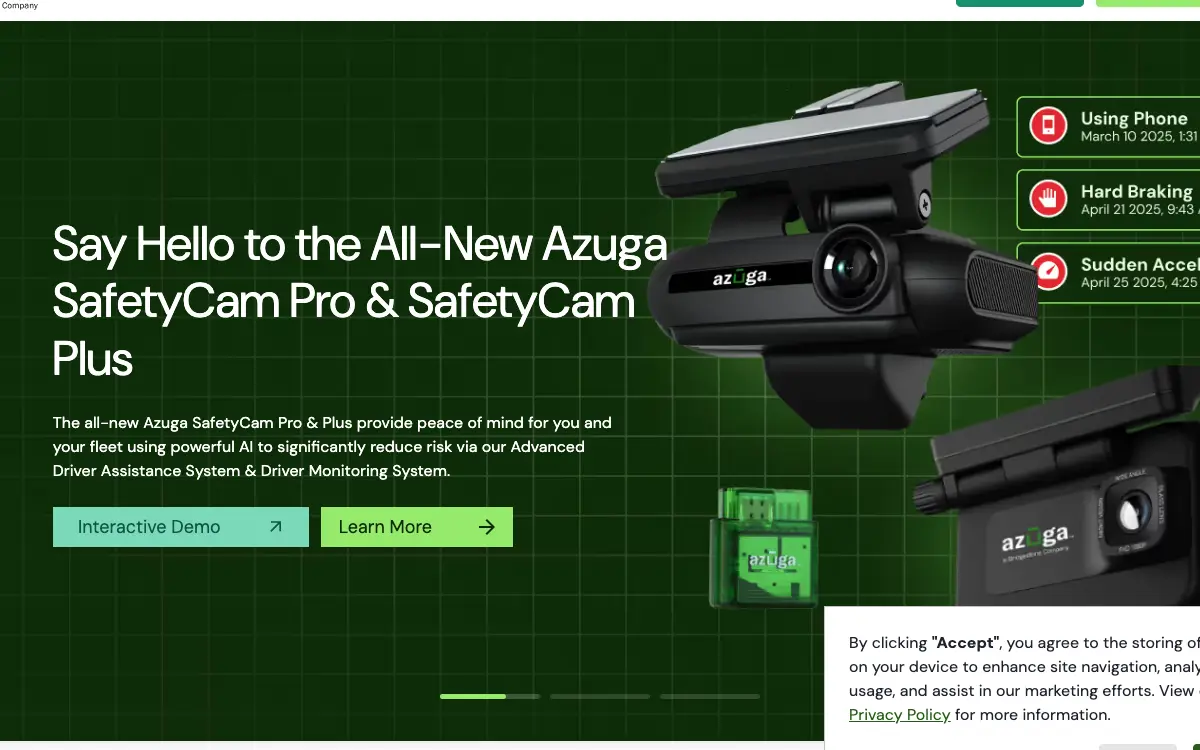
| SafetyCam AI add-on (price as displayed to a visitor) | $49.99 | per vehicle per month | Add-on to any tier |
| SafetyCam AI add-on (price present in the page's HTML but CSS-hidden) | $41.99 | per vehicle per month | Add-on to any tier, Not rendered to a visitor — see uniqueInsights |
Priced per VEHICLE per month, not per user or per technician. Every tier's price block reads '$NN Per Vehicle Per Month'. Seats are unmetered: the General Terms let the Administrator 'define additional End Users and their respective permissions' with no per-seat charge named anywhere, but they also forbid seat sharing outright — 'Accounts are for use by Customer and its End Users only. Any multiple-party use is prohibited. For example, sharing a login between non-entity individual users is prohibited.' So an office of five dispatchers costs the same as one, and a fleet that adds a truck adds a full line item.
There is a discount for paying annually up front: And an annual prepay discount tells you an annual commitment exists, which is worth knowing before anyone mentions a term length out loud.
The Azuga line items nobody mentions on the demo
Payment processing. Azuga does not process homeowner payments — it is telematics, not a field service or invoicing product, and there is no payments or invoicing module in any tier. On the money-in side the General Terms make you carry the processing cost: 'Customer acknowledges and agrees that separate payment processing fees may be assessed by Azuga or its third party payment processing providers and Customer agrees to pay all such fees.' Late payment runs 'interest at the rate of two percent (2%) per month' — roughly 26.8% effective annually — plus 'all collection costs'. Invoices are due in 30 days, and a disputed invoice must be flagged within 60 days or the right to dispute is waived; if the dispute is unresolved after 90 days you pay the disputed amount anyway and go to arbitration.
Implementation and onboarding. No onboarding or implementation fee is published, and no dollar figure appears on the pricing page. Installation is a real cost that Azuga routes to third parties rather than absorbing: 15 of the 110 entries in its Partner Marketplace are 'Installer' partners (Velociti, MEI Installs, Fleet-Techs, Field Evolution, ProLogic ITS, Stinger Solutions and others), sold as installation services for Azuga hardware. Self-install is possible for the plug-in DataLogger; the Next-Gen SafetyCam has a dedicated 'Hardwiring Installation Guide' in the knowledge base.
Minimum term. The default is FOUR YEARS if the Order form is silent. General Terms 6.1: 'The Order will set out the initial term of the Order ("Initial Term"). If the Order does not set out the Initial Term, then the Initial Term will be four (4) years.' Anything added mid-term gets its own separate clock: 'If Customer adds Paid Services to an existing Order at any time during the Order Term of the existing Order, such Paid Services are purchased and provided for a separate Order Term, commencing on the date of purchase, and are not co-terminus with the Order Term of the original Order.' Add ten dashcams in year three and those ten run to year seven.
Getting out. You pay out the whole remaining term. General Terms 6.4: if you want to terminate an Order 'or reduce the quantity of Services for any reason prior to the end of the then-current Order Term', you must give 60 days' written notice AND 'promptly pay (a) all unpaid Fees for Services provided up to the date of termination and (b) all Fees for the remainder of the Order Term. The parties intend that the early termination fees represent a reasonable estimate of the anticipated or actual harm.' Note the phrase 'or reduce the quantity' — parking three trucks for the winter is a partial termination that triggers the same payout. Termination is one-directional: 6.2 gives Azuga, its resellers and its partners 'the right to terminate an Order at any time for any reason without further liability or obligation to Customer.' Leased devices must be returned at your expense within 15 days or you are charged the replacement schedule.
Auto-renewal. Auto-renews for a period EQUAL TO the Initial Term, not month-to-month. General Terms 6.1: 'Each Order will automatically renew for a period equal to the Initial Term (a "Renewal Term") unless Customer provides notice of non-renewal at least sixty (60) days prior to expiration.' On a defaulted four-year Order, missing the 60-day window renews you for another four years, at the 8% escalated rate. Month-to-month is not a right you can elect: 'If Customer does not renew for a full Renewal Term, Customer may request and Azuga may offer a month-to-month renewal at Azuga's discretion at the Manufacturer's Suggested Retail Price.'
Modules sold separately. , , , , . And an add-on you need in week one is part of what Azuga costs, so the number to compare is the configuration you'd really run.
Third-party services you will also pay for. , . These are not on Azuga's invoice, and they are still part of what this decision costs you every month.
Side note, and it's a useful one: azuga's pricing page contains two different prices for the same dashcam, and the cheaper one is hidden with CSS. The hero reads 'next-gen AI SafetyCam—starting at just $49.99/month'. Three times further down the same HTML, once inside each tier card, is the line 'Add SafetyCam AI - $41.99 per month.' All three sit inside a div whose class is 'div-block-background-gray hide', and the site stylesheet defines .hide{display:none}. So a visitor sees only $49.99. And the $41.99 is in the document but never painted. Two readings, both useful to a buyer. Either $41.99 is a stale price the vendor suppressed rather than deleted, in which case an $8/month/vehicle cut existed recently and is worth asking for by name. Or it's a live price shown to some segment and not to you. On 20 trucks the gap is $1,920 a year. So ask the rep, in writing, what the SafetyCam AI rate is and why the page carries two.
The Azuga costs that land afterwards
The subscription is the part everyone quotes. These are the lines that land afterwards, and the ones we could not find are named as unpublished rather than left blank.
Sold separately. , , , , . Price the configuration you'll really run, because an add-on you need on day one is part of the price.
Third-party services you'll also pay for. , . None of these are on Azuga's invoice, and all of them are part of what this decision costs every month.
"Azuga BasicFleet is $25, per vehicle per month."
Azuga pricing page (2026)
"Azuga SafeFleet is $30, per vehicle per month."
Azuga pricing page (2026)
"Priced per VEHICLE per month, not per user or per technician. Every tier's price block reads '$NN Per Vehicle Per Month'. Seats are unmetered: the General Terms let the Administrator 'define additional End Users and their respective permissions' with no per-seat charge named anywhere, but they also forbid seat sharing outright — 'Accounts are for use by Customer and its End Users only. Any multiple-party use is prohibited. For example, sharing a login between non-entity individual users is prohibited.' So an office of five dispatchers costs the same as one, and a fleet that adds a truck adds a full line item."
Azuga pricing page (2026)
The five workflows you pay for
Feature totals are noise. So a shop in this category lives or dies on five things, and those are the five to grade, and each one below carries the evidence it's graded on.
TrackMe is the one place Azuga touches your customer, and it's a link, not a booking experience TrackMe is included in all three tiers and shares 'your driver's map location and trip status, making it easy for customers to pinpoint arrival time.' It's exposed in the developer API (create-trackme-link, trackme-keep-alive, trackme-delete), so it can be triggered from a dispatch system. This is a post-booking reassurance tool: it makes an already-won job feel better. But it does nothing for a homeowner deciding whether to call you.
Collision Reconstruction is the strongest argument for Azuga, and it's only on the top tier Azuga's pitch is that dashcam footage plus AI event tagging exonerates drivers and shortens claims. The pricing page claims '70% of accidents are not the fault of your drivers.' But Collision Reconstruction sits in CompleteFleet ($35) only, and the camera is a separate add-on on top. And even reviewers who dislike the scoring single out the camera as the part worth keeping: 'The only part of this service I can recommend is the camera or recording. It will protect your companies bottom line if your driver is in an accident and not at fault.' And a driver, describes it the same thing: "Unfortunately I can not refer an app that is inconsistent. My resent score is still way above company expectations. However after comparing score of daily driving and trip log I found time after time faults scoring. Trip log shows no indication of speeding. If speeding was a factor the arrival time would have clearly changed to a shorter arrival time, which it did not day after day. Yet the driving score would drop dramatically from 96 to an 84, but the route and the arrival time did not change. The only part of this service I can recommend is the camera or recording. It will protect your companies bottom line if your driver is in an accident and not at fault of course. I just can’t stress enough to supervisors, managers or owners to be careful of terminating good employees over faulty scoring."
The footage you need for a lawsuit is the footage that costs extra Event video is requestable through the web app for 12 months and generable for up to 5 years, but anything older than 24 months 'would incur a nominal charge which depends on the size of the video size, number of videos requested', with no published rate. Injury claims routinely take longer than two years to reach discovery. And a reviewer separately reports auxiliary-camera views that wouldn't play back at all during an incident investigation. A fleet owner, writes: "Gps tracking is lagging so bad. I CAN’T use to run my business effectively at all. After numerous calls about this and the live camera views, still no one calls me back unless I leave a review such as this one. PLEASE JUST SEND ME AN RMA SO I CAN SEND YOUR EQUIPMENT BACK. Last Friday night to Saturday morning my driver tool a fall of off the back of the deck. Trying to pull video of the incident is pai fully time consuming and guess what? Me cameras do not play back the aux view camera!!!! What I have been calling about for several weeks now with zero call back."
Fuel data is rich, job-level cost is absent Nine fuel-card partners integrate (WEX, Comdata, Voyager, Gascard, Coast, RoadFlex, AtoB, EFS, Car IQ), plus FuelSaver routing to the cheapest nearby station and automatic fuel-expense tracking. But all of it lands in Azuga, not in your books, and there's no accounting partner in the marketplace. Trip Tags can classify a trip business or personal, though one plumbing reviewer describes being unable to get per-stop tagging working to IRS standard at all. A plumbing service company owner says: "I need help setting up the trip tagging part of the program and they are not answering my communications as they said they would. I run a service company. I am not driving a big truck back and forth across the country. I make daily trips to my customers and often then to a supply store for materials and back again. Each trip has to be tagged by date, address, name or suitable identifier and some note about why I went there. When I signed up with Azuga, I explained all this and even that all Azuga’s competitors advertise they provide such IRS compliance. It is not new but it is required. I am trapped in this mess with no believable help since they charged me for this mess on April 18th"
Exit has four separate costs, and only one of them is the subscription To leave you owe: the remainder of the Order Term in fees, the return shipping on leased hardware at your expense, the full replacement price of anything not returned inside 15 days, and whatever you can't get out of the platform before the 180-day Retention Period lapses. And downgrading isn't a partial escape either. Clause 6.4 applies the same payout to a decision to 'reduce the quantity of Services'. And a former account holder, writes the same thing: "Read your contract and make them give you a full copy of your contract before you sign anything!!!!! If you don’t they’ll say it’s on our website but there is no mechanism to ensure it doesn’t change over time without you being notified. Also be sure you know they have fees and good luck cancelling service! You will be charged for cancelling service, and a nearly $150 per unit fee to return their terrible devices. I really hope you read this and decide not to use them. Terrible organization!"
Azuga per trade, not per company size
Fit differs by trade rather than by company size alone, and a blended paragraph hides that. Here is the split for the trades this one sells to.
Cross-trade. The workflow that decides it is trackme is the one place azuga touches your customer, and it's a link, not a booking experience, and the shop profile that gets value is 16-60 trucks, mixed residential and commercial, safety programme in place doing residential and commercial and service work. Where it stops being a fit is A one-to-four truck contractor who wants to try tracking for a season.
Your books, and whether Azuga connects to them
QuickBooks connects, on every plan. Xero / Sage / NetSuite connects, on every plan. Your costs map through cost codes, so test yours against your own chart of accounts before you commit. A code your books don't recognise is how a labour charge quietly lands somewhere useless.
Past those, the road ends. Any accounting or bookkeeping system, Payroll, CRM or lead management do not connect. So if your books run on an ERP rather than the platforms named above, weigh that before anything else.
Beyond accounting it connects to Fuel cards (9 partners) (WEX, Comdata, Voyager, Gascard, Coast, RoadFlex, AtoB, EFS and Car IQ. It reconciles card transactions against vehicle location and activity data. But it's gated to SafeFleet ($30) and above, and 'Fuel Card Integration' doesn't appear in the BasicFleet feature list.), Field service platforms (Jobber, BuildOps, ServiceTitan, FieldPulse, ServiceTrade, Aspire, Zuper, SAWIN, WennSoft, HindSite, Briostack, Inspect Point, Milsoft, ECI Solutions, Servant Systems, RUX Software, Applause, Driven and PestPac by WorkWave are all listed integration partners.), Maintenance and fleet ops (Fleetio, UpKeep, Whip Around, RTA, AUTOsist, Fullbay, Diesel Laptops, Fleet Cost & Care, Mobile Garage Fleet Solutions.), Construction management (Procore, Jonas Construction Software, Collective Data, Crew Console, IVO Systems, Clue.), Sub-processors written into the contract (Route4Me (route optimisation), LifeSaver (distracted driving), Surfsight (cameras), MotorQ, DrivActiv and CerebrumX (OEM/connected-vehicle data) each have their own service schedule appended to the Azuga Master Agreement.). A public API exists: A public REST API is documented at developer.azuga.com with a changelog, a getting-started guide and endpoint references (geofence bulk upload, event types, TrackMe link create/keep-alive/delete). The API host itself returns 403 to unauthenticated requests, so it is credentialed. Critically, 'API Integration' is a tier feature: it is listed under SafeFleet and CompleteFleet and is absent from the BasicFleet feature list and description, so the $25 tier cannot integrate programmatically.
Azuga support, onboarding and the hours
Support is the line item nobody prices and everybody eventually needs. Onboarding for Azuga: No onboarding or implementation fee is published, and no dollar figure appears on the pricing page. Installation is a real cost that Azuga routes to third parties rather than absorbing: 15 of the 110 entries in its Partner Marketplace are 'Installer' partners (Velociti, MEI Installs, Fleet-Techs, Field Evolution, ProLogic ITS, Stinger Solutions and others), sold as installation services for Azuga hardware. Self-install is possible for the plug-in DataLogger; the Next-Gen SafetyCam has a dedicated 'Hardwiring Installation Guide' in the knowledge base.
A fleet owner says: "Gps tracking is lagging so bad. I CAN’T use to run my business effectively at all. After numerous calls about this and the live camera views, still no one calls me back unless I leave a review such as this one. PLEASE JUST SEND ME AN RMA SO I CAN SEND YOUR EQUIPMENT BACK. Last Friday night to Saturday morning my driver tool a fall of off the back of the deck. Trying to pull video of the incident is pai fully time consuming and guess what? Me cameras do not play back the aux view camera!!!! What I have been calling about for several weeks now with zero call back."
But a reviewer, writes it differently: "When we first implemented this app, we did not have very many issues. However this year we have experienced numerous issues — with latency, disconnects, bugs, incorrect report data, and the list goes on. Their help desk service has deteriorated. We are looking for a competitor product to replace this unreliable app."
Before you sign with Azuga: the exit
Nobody reads this section before they buy, and it's the one that costs money afterwards. Four terms decide what leaving looks like.
Minimum term. The default is FOUR YEARS if the Order form is silent. General Terms 6.1: 'The Order will set out the initial term of the Order ("Initial Term"). If the Order does not set out the Initial Term, then the Initial Term will be four (4) years.' Anything added mid-term gets its own separate clock: 'If Customer adds Paid Services to an existing Order at any time during the Order Term of the existing Order, such Paid Services are purchased and provided for a separate Order Term, commencing on the date of purchase, and are not co-terminus with the Order Term of the original Order.' Add ten dashcams in year three and those ten run to year seven.
Auto-renewal. Auto-renews for a period EQUAL TO the Initial Term, not month-to-month. General Terms 6.1: 'Each Order will automatically renew for a period equal to the Initial Term (a "Renewal Term") unless Customer provides notice of non-renewal at least sixty (60) days prior to expiration.' On a defaulted four-year Order, missing the 60-day window renews you for another four years, at the 8% escalated rate. Month-to-month is not a right you can elect: 'If Customer does not renew for a full Renewal Term, Customer may request and Azuga may offer a month-to-month renewal at Azuga's discretion at the Manufacturer's Suggested Retail Price.'
Early termination. You pay out the whole remaining term. General Terms 6.4: if you want to terminate an Order 'or reduce the quantity of Services for any reason prior to the end of the then-current Order Term', you must give 60 days' written notice AND 'promptly pay (a) all unpaid Fees for Services provided up to the date of termination and (b) all Fees for the remainder of the Order Term. The parties intend that the early termination fees represent a reasonable estimate of the anticipated or actual harm.' Note the phrase 'or reduce the quantity' — parking three trucks for the winter is a partial termination that triggers the same payout. Termination is one-directional: 6.2 gives Azuga, its resellers and its partners 'the right to terminate an Order at any time for any reason without further liability or obligation to Customer.' Leased devices must be returned at your expense within 15 days or you are charged the replacement schedule.
Payment processing. Azuga does not process homeowner payments — it is telematics, not a field service or invoicing product, and there is no payments or invoicing module in any tier. On the money-in side the General Terms make you carry the processing cost: 'Customer acknowledges and agrees that separate payment processing fees may be assessed by Azuga or its third party payment processing providers and Customer agrees to pay all such fees.' Late payment runs 'interest at the rate of two percent (2%) per month' — roughly 26.8% effective annually — plus 'all collection costs'. Invoices are due in 30 days, and a disputed invoice must be flagged within 60 days or the right to dispute is waived; if the dispute is unresolved after 90 days you pay the disputed amount anyway and go to arbitration.
Worth a detour here. Azuga owns the aggregate of your fleet's behaviour and sells it. General Terms 4.2.4 grants Azuga the right to deidentify everything collected through the Services, aggregate it, and keep it: 'all Deidentified Data created by Azuga will be owned solely by Azuga and Azuga may use and exploit Deidentified Data for any lawful purpose without any duty of accounting or compensation to Customer ... including to provide benchmarking information.' The same clause set gives Azuga rights to 'use, publish, reproduce, distribute, modify' your Customer Content, and authorises use of 'its corporate logo and corporate name' in Azuga marketing unless you email Privacy@Azuga.com to opt out. You nominally own your Customer Content, but the durable asset, the benchmark dataset your drivers' behaviour helped build, is Azuga's forever, and it survives your departure. So if the logo clause matters to you, send the opt-out email on day one, because nothing prompts you later.
"Read your contract and make them give you a full copy of your contract before you sign anything!!!!! If you don’t they’ll say it’s on our website but there is no mechanism to ensure it doesn’t change over time without you being notified. Also be sure you know they have fees and good luck cancelling service! You will be charged for cancelling service, and a nearly $150 per unit fee to return their terrible devices. I really hope you read this and decide not to use them. Terrible organization!"
Apple App Store — Azuga FleetMobile (1 star, app version 6.7.6), Real former user (2026)
"Gps tracking is lagging so bad. I CAN’T use to run my business effectively at all. After numerous calls about this and the live camera views, still no one calls me back unless I leave a review such as this one. PLEASE JUST SEND ME AN RMA SO I CAN SEND YOUR EQUIPMENT BACK. Last Friday night to Saturday morning my driver tool a fall of off the back of the deck. Trying to pull video of the incident is pai fully time consuming and guess what? Me cameras do not play back the aux view camera!!!! What I have been calling about for several weeks now with zero call back."
Apple App Store — Azuga FleetMobile (1 star, app version 6.3.2), Ricpalmer69 (2026)
"I need help setting up the trip tagging part of the program and they are not answering my communications as they said they would. I run a service company. I am not driving a big truck back and forth across the country. I make daily trips to my customers and often then to a supply store for materials and back again. Each trip has to be tagged by date, address, name or suitable identifier and some note about why I went there. When I signed up with Azuga, I explained all this and even that all Azuga’s competitors advertise they provide such IRS compliance. It is not new but it is required. I am trapped in this mess with no believable help since they charged me for this mess on April 18th"
Apple App Store — Azuga FleetMobile (1 star, app version 5.1), George the Plumber (2026)
What Azuga does badly
Every one of these is checkable on a demo call. None of it is a matter of taste, and each one traces to a vendor page or a named reviewer.
The default contract term is four years, and it auto-renews into another four General Terms 6.1 fills a blank Order form with a four-year Initial Term, then renews it 'for a period equal to the Initial Term' unless you give 60 days' notice. Combined with 6.4, walking away early means paying 'all Fees for the remainder of the Order Term'. A 20-truck fleet on CompleteFleet at $35 that wants out in year two of a defaulted four-year term is looking at roughly $16,800 of remaining subscription on paper, before hardware return charges. And month-to-month exists only as something Azuga 'may offer ... at Azuga's discretion' at MSRP. Don't sign an Order with the term field blank. Write the term in yourself, ask for 12 months, and put the non-renewal date in a calendar 90 days before expiry, not 60, so you have room to send it twice.
The published price isn't what you'll pay in year two Two escalators run at once. General Terms 5.2 raises fees 8% automatically at every renewal, and separately lets Azuga raise them 'by up to ten percent (10%) annually at any time during an Order Term upon notice'. But nothing on the $25/$30/$35 pricing page mentions either. On a four-year default term with mid-term increases applied, the $25 BasicFleet line can drift meaningfully above $25 before you ever reach a renewal decision. Ask for 5.2 to be struck or capped in the Order. The clause itself opens with 'Unless otherwise set out in the applicable Order', so it's negotiable at signature and nowhere else.
Zero accounting integrations across the entire 110-entry Partner Marketplace Counted across all three pages of Azuga's marketplace: 110 unique entries, 78 Integration, 17 Association, 15 Installer. Searching for QuickBooks, Xero, Sage, NetSuite or Intuit returns nothing, on the marketplace or in the knowledge base. The 'Integrations' knowledge-base category for money is entirely fuel cards (WEX, Comdata, Voyager, Gascard, Coast, RoadFlex, AtoB, EFS, Car IQ). So vehicle cost per job doesn't reach the books without an export or a middleware build. If you want truck cost landing on the job, plan on your FSM (Jobber, BuildOps, ServiceTitan and FieldPulse are all in the marketplace) being the accounting bridge, not Azuga.
Drivers dispute the scores, and the score is what the software is for Across both app stores, the single most repeated complaint is scoring that's wrong in a way drivers can't contest, not tracking that fails: hard-braking flags going uphill, speeding flags that don't appear in the trip log, distraction events from opening a truck door, and score penalties weighted against drivers with shorter routes. And Azuga's whole pitch is 'Go from "Gotcha" to "Atta Boy"' with rewards for top drivers. So if the crew doesn't believe the number, the gamification becomes a morale liability rather than a safety programme. A pest control technician, puts it it plainly: "I have been using Azuga every day for work, and I've noticed that it seems to become more sensitive over time. I wanted to share my experience because it has created a lot of unnecessary stress. The distraction detection feels overly aggressive. Sometimes simply opening the truck door triggers an event, and even briefly glancing at the GPS—which is necessary to safely navigate to my appointments—can be marked as distracted driving. This makes it feel like there is very little privacy or reasonable allowance for normal work-related tasks. I've also experienced issues with speed detection. There have been times when I was driving 2 mph below the posted speed limit, yet the app still recorded me as speeding." Run a 30-day shadow period where scores are visible but attached to nothing before you tie any bonus, discipline or insurance conversation to them.
The hardware is leased, you insure it, and you pay whether or not it works Title to Leased Devices never passes to you, you carry all risk of loss until they're returned, Azuga can enter your premises to inspect them, and the payment obligation is expressly severed from whether the equipment functions. And on termination you ship them back at your own expense within 15 days or get billed the replacement schedule ($149 DataLogger, $349/$499 SafetyCam Plus/Pro). One reviewer describes exactly this: 'a nearly $150 per unit fee to return their terrible devices.' Ask whether you're on Leased or Purchased Devices before signing, get the count and serials in writing, and ship returns tracked inside 15 days.
Your data has a 180-day floor and Azuga can delete it whenever it likes The General Terms give a Retention Period 'of up to 180 days', during which you 'may but Azuga does not guarantee' access, reporting, backup or export. Then: 'Azuga may also remove or delete Customer Content, Customer Personal Data, and Driver Information from the Services at any time in its sole discretion', and the warranty section states flatly 'AZUGA DOES NOT PROVIDE DATA BACKUP SERVICES.' And there's no self-serve full-history export documented anywhere. The knowledge base's 80 'export' hits are almost entirely about exporting route files out of Azuga Routes. Schedule the PDF/Excel reports out to email monthly from day one and keep them. That scheduled report is your archive, because nothing in the contract promises you another one.
The API isn't in the entry tier 'API Integration' and 'Fuel Card Integration' both appear in the SafeFleet ($30) and CompleteFleet ($35) feature lists and in neither the BasicFleet ($25) list nor its written description. Location ping frequency is also tiered: two minutes on BasicFleet, one minute on SafeFleet, 30 seconds on CompleteFleet. So a contractor who buys the headline $25 number to feed truck locations into their own dispatch board can't do it at $25. Price from SafeFleet up if any integration or sub-minute location matters, and treat $25 as a floor that doesn't apply to you.
The vendor's own Help Center page is an empty placeholder azuga.com/help-center reads, in full: 'Welcome to the Help Center page. Stay tuned for tips, tricks, and literature on maintaining and tracking your fleet. In the meantime, feel free to contact an Azuga representative and they will assist you however they can!' The real documentation lives on a separate Freshdesk instance that the page doesn't link to. And the Press & Brand page is likewise marked 'Coming Soon!'. Several reviewers report no callback on open support tickets for weeks. Bookmark azuga-help.freshdesk.com directly and test a support ticket during the trial, before the Order is signed and the payout clause applies.
One more thing worth knowing. A blank field on the Order form is worth four years. General Terms 6.1: 'If the Order does not set out the Initial Term, then the Initial Term will be four (4) years.' Most SaaS defaults fill silence with the shortest term. Azuga fills it with the longest. And the auto-renewal isn't annual. It renews 'for a period equal to the Initial Term', so missing the 60-day non-renewal window on a defaulted Order buys another four years, at the 8% escalated rate, with the exit priced at 'all Fees for the remainder of the Order Term'. The negotiation happens once, at signature, and the clause text tells you so. 5.2 opens 'Unless otherwise set out in the applicable Order', which means the escalator is a default you can strike on the Order form and nowhere else. So never sign an Azuga Order with the term field empty, and set the non-renewal reminder at 90 days, not 60.
One more thing worth knowing. Leaving Azuga has four independent costs and the vendor's documentation supports none of them. You owe the balance of the Order Term; you ship leased hardware back at your own expense inside 15 days or get billed the replacement schedule; your data has a 180-day ceiling with no guaranteed export and an explicit 'AZUGA DOES NOT PROVIDE DATA BACKUP SERVICES'; and the knowledge base has no article on cancelling, closing an account or exporting your fleet history. And its 80 'export' results are almost entirely about exporting route files from the separate Azuga Routes product. That reviewer's '$150 per unit' is the rare case where a one-star app-store complaint and a vendor's own legal schedule agree to the dollar. So treat it as confirmation rather than venting: on a 20-truck fleet, non-return alone is a $2,980 exposure. Photograph and log every device serial at install, and start the return the day you send the non-renewal notice.
One more thing worth knowing. Azuga is the rare telematics vendor that publishes real per-vehicle prices, $25, $30, $35, while its closest competitors (Geotab, Samsara, Motive) publish nothing and route you to a form. That transparency is genuinely useful. But it's also doing marketing work: the number a contractor compares is the monthly rate, and the number that determines the cost is the four-year default term with an 8% escalator and a full-term payout on exit, which lives on a different page entirely, under a URL (/license-agreement/general-terms) that appears nowhere in the site's main navigation. Compare Azuga to Linxup, not to Samsara. Linxup publishes both the $25 per-vehicle rate and the hardware and term trade-offs on the same page, and offers a real month-to-month plan. And when two vendors quote the same monthly number, the one that shows you the term on the pricing page is the cheaper one.
Worth a detour here. The complaint that repeats across hundreds of reviews is that the score is wrong in a direction the driver can't appeal, not that the tracking is broken. And drivers change how they drive to game it, badly. Multiple independent reviewers describe the same adaptation: 'Instead of stoping for that light that has turned yellow I tend to now just keep going through it instead of stressing out about getting a braking ding.' Another: 'You end up being incentivized to run red lights, try to use all of your space and risk the car in front suddenly braking harder.' A safety product that makes drivers run yellows is a liability inversion, and it's the buyer's problem, not the vendor's. The General Terms make you responsible for notifying drivers and obtaining their consent to biometric and geolocation monitoring in the first place. So run the score decorative for 30 days, compare a week of flagged events against the trucks and routes that generated them, and calibrate thresholds by vehicle class before anyone's pay touches it.
The Azuga review corpus, read by complaint
Every quote below is transcribed from a published review, named to the platform that carries it and to the reviewer as that platform displays them. We read the corpus by complaint type rather than by star rating, which is how the disqualifying detail buried inside a five-star review gets found.
"Read your contract and make them give you a full copy of your contract before you sign anything!!!!! If you don’t they’ll say it’s on our website but there is no mechanism to ensure it doesn’t change over time without you being notified. Also be sure you know they have fees and good luck cancelling service! You will be charged for cancelling service, and a nearly $150 per unit fee to return their terrible devices. I really hope you read this and decide not to use them. Terrible organization!"
And a former account holder, puts it the same thing on Apple App Store — Azuga FleetMobile (1 star, app version 6.7.6)
"Gps tracking is lagging so bad. I CAN’T use to run my business effectively at all. After numerous calls about this and the live camera views, still no one calls me back unless I leave a review such as this one. PLEASE JUST SEND ME AN RMA SO I CAN SEND YOUR EQUIPMENT BACK. Last Friday night to Saturday morning my driver tool a fall of off the back of the deck. Trying to pull video of the incident is pai fully time consuming and guess what? Me cameras do not play back the aux view camera!!!! What I have been calling about for several weeks now with zero call back."
But a fleet owner, describes it it differently on Apple App Store — Azuga FleetMobile (1 star, app version 6.3.2)
"I need help setting up the trip tagging part of the program and they are not answering my communications as they said they would. I run a service company. I am not driving a big truck back and forth across the country. I make daily trips to my customers and often then to a supply store for materials and back again. Each trip has to be tagged by date, address, name or suitable identifier and some note about why I went there. When I signed up with Azuga, I explained all this and even that all Azuga’s competitors advertise they provide such IRS compliance. It is not new but it is required. I am trapped in this mess with no believable help since they charged me for this mess on April 18th"
A plumbing service company owner, says it plainly on Apple App Store — Azuga FleetMobile (1 star, app version 5.1)
"Unfortunately I can not refer an app that is inconsistent. My resent score is still way above company expectations. However after comparing score of daily driving and trip log I found time after time faults scoring. Trip log shows no indication of speeding. If speeding was a factor the arrival time would have clearly changed to a shorter arrival time, which it did not day after day. Yet the driving score would drop dramatically from 96 to an 84, but the route and the arrival time did not change. The only part of this service I can recommend is the camera or recording. It will protect your companies bottom line if your driver is in an accident and not at fault of course. I just can’t stress enough to supervisors, managers or owners to be careful of terminating good employees over faulty scoring."
A driver, puts it it plainly on Apple App Store — Azuga FleetMobile (2 stars, app version 6.7.2)
"I have been using Azuga every day for work, and I've noticed that it seems to become more sensitive over time. I wanted to share my experience because it has created a lot of unnecessary stress. The distraction detection feels overly aggressive. Sometimes simply opening the truck door triggers an event, and even briefly glancing at the GPS—which is necessary to safely navigate to my appointments—can be marked as distracted driving. This makes it feel like there is very little privacy or reasonable allowance for normal work-related tasks. I've also experienced issues with speed detection. There have been times when I was driving 2 mph below the posted speed limit, yet the app still recorded me as speeding."
A pest control technician says on Apple App Store — Azuga FleetMobile (1 star, app version 6.9.2)
"The braking portion of your app does not match the vehicles we drive. The entire field drives work vehicles with heavy loads creating a stronger inertia when braking especially in heavy stop and go traffic. Gentlemen with even heavy loads and heavy trucks create an even bigger braking inertia especially those who drive the KUV style or 1 ton trucks. I’ve monitored my scores for the past 2, years Along with others matching them to the vehicle they drive and the above rings out. We don’t drive Prius’"
A field manager puts it on Apple App Store — Azuga FleetMobile (3 stars, app version 5.1)
"This app works pretty solid for what it needs to do and what you're trying to accomplish as far as checking where your vehicles are, breadcrumb reports ECT. One gripe I do have is that it takes forever to load on my iPhone. It brings up the live maps in the background with the loading circle and the truck in the middle. I have that loading circle for over a min on my screen. Wifi or cellular it's slow. Running an iPhone 14 pro max and 5G UC cellular. Idk what the issue is but that my complaint. Other than that, app is cool."
A reviewer, says on Apple App Store — Azuga FleetMobile (5 stars, app version 5.8.3)
"Routing my guys has never been easier. I know exactly where my vehicles are at all times. In the untimely event that one of my vehicles where to be stolen, I will be able to track them very easily and hope for a quick recovery. Highly recommend!"
A business vehicle owner, puts it on Apple App Store — Azuga FleetMobile (5 stars, app version 5.1)
"1. On the score page, the app always shows the braking, acceleration and speeding scores as the same numbers. Other users may have different scores for each category. 2. When my van was parked next to a co-worker's van, his van showed up on my trip log. 3. Also, the criteria for scores is very vague and there's no specific feedback as to what the driver did wrong."
But a van driver, writes it differently on Google Play — Azuga FleetMobile
"Takes anywhere from 1-15minutes to sync with the GPS device, most of the time it's a minimum of 5 minutes to sync. On top of that the app will say you idled for the time it takes for it to sync. So your idle score will be extremely low. I just did a 7 minute drive and the app says I idled for 4m 2sec of that 7 minute drive ( I idled for less than 30 seconds). Also I do not like the fact I have to allow it to track my movements even when I'm not synced to a vehicle."
And a driver, writing on September 14, 2022, puts it the same thing on Google Play — Azuga FleetMobile
"Company waste of money in this product. I have used many logging/ELD services in 26 years of trucking, and this is by far the worst. I am not allowed to edit any errors or forgotten lunch punches our forget to punch out at the end of the day, even though I’m given full authorization by my employer, the option just is not there. Tech-support cannot seem to resolve this. The app does not automatically put you hours on duty not driving when you stop your truck or even shut it off completely when making deliveries therefore you will run out of drivetime real quick."
A commercial driver, 26 years, 26 years trucking on the platform, says it plainly on Apple App Store — Azuga ELD (1 star, app version 2212.220905)
"When we first implemented this app, we did not have very many issues. However this year we have experienced numerous issues — with latency, disconnects, bugs, incorrect report data, and the list goes on. Their help desk service has deteriorated. We are looking for a competitor product to replace this unreliable app."
A reviewer, says it plainly on Apple App Store — Azuga ELD (2 stars, app version 2205.220314)
"I do like the product as it does make me more aware of how I am driving. And we use it in company as a competition between foreman of the same trade. The only thing I don’t really like about the app is that because I drive less than others in our company it seems like if I do get dinged it hurts my score a lot worse than others that drive farther. It does not seem fair that my score is impacted harder for a similar thing than others because they live farther away."
But a foreman, writes it differently on Apple App Store — Azuga FleetMobile (4 stars, app version 5.8.3)
How Azuga compares
The shortlist a buyer weighing Azuga would put together. Billing units differ, so read the unit rather than the figure.
| Tool | Entry price | Billing unit | Users included | Published? |
|---|---|---|---|---|
| Azuga | $25 | per vehicle per month | Priced per VEHICLE per month, not per user or per technician | Yes |
| Linxup | $25 | per vehicle per month | Unlimited users; priced per vehicle | Yes |
| Fleetio | $4 | per vehicle per month, billed annually ($5 billed monthly) | Unlimited users on all plans | Yes |
| Geotab | Quote only | per vehicle per month | Not published | No |
| Samsara | Quote only | per vehicle per month | Not published | No |
| Motive | Quote only | per vehicle per month | Not published | No |
Linxup. Publishing the whole cost picture, including hardware and term trade-offs, in plain language on the pricing page — 'a standard plug-in vehicle tracker is a one-time $69 cost on a month-to-month plan'. It offers a genuine month-to-month option rather than one granted at the vendor's discretion, and ELD is priced separately and explicitly at $30 per vehicle per month. But No driver rewards or gamification layer, and a smaller integration marketplace than Azuga's 110 partners.
Fleetio. Maintenance, inspections and vehicle lifecycle cost at roughly a sixth of Azuga's entry price, with a 14-day free trial and no credit card required. And it's also an Azuga marketplace partner, so it can sit alongside rather than replace. But It's fleet management software, not telematics, so you supply the GPS hardware or connect an existing provider. No dashcam, no driver scoring, no ELD.
Geotab. Depth of vehicle data and the largest third-party marketplace in telematics, including a QuickBooks solution Azuga has no equivalent to. But It publishes no price at all and sells through resellers, so a contractor can't compare it to Azuga's $25 without entering a sales process. And its default term is also multi-year.
Samsara. AI dashcam quality and enterprise-grade safety programmes; generally the reference product larger fleets benchmark against. But The pricing page renders no per-vehicle figure in its HTML and routes to sales. Materially more expensive than Azuga in practice, and structured for fleets well above a 20-truck contractor.
Motive. ELD and DOT compliance, which is Azuga's weakest surface by its own users' ratings (Azuga ELD sits at 2.7 stars from 133 App Store ratings). But It publishes nothing: gomotive.com/pricing/ redirects to a lead-capture form at /get-in-touch/?id=pricing containing zero dollar figures. So you can't price it without talking to sales.
"Unfortunately I can not refer an app that is inconsistent. My resent score is still way above company expectations. However after comparing score of daily driving and trip log I found time after time faults scoring. Trip log shows no indication of speeding. If speeding was a factor the arrival time would have clearly changed to a shorter arrival time, which it did not day after day. Yet the driving score would drop dramatically from 96 to an 84, but the route and the arrival time did not change. The only part of this service I can recommend is the camera or recording. It will protect your companies bottom line if your driver is in an accident and not at fault of course. I just can’t stress enough to supervisors, managers or owners to be careful of terminating good employees over faulty scoring."
Apple App Store — Azuga FleetMobile (2 stars, app version 6.7.2), DAILY DRIVER1k (2026)
"I have been using Azuga every day for work, and I've noticed that it seems to become more sensitive over time. I wanted to share my experience because it has created a lot of unnecessary stress. The distraction detection feels overly aggressive. Sometimes simply opening the truck door triggers an event, and even briefly glancing at the GPS—which is necessary to safely navigate to my appointments—can be marked as distracted driving. This makes it feel like there is very little privacy or reasonable allowance for normal work-related tasks. I've also experienced issues with speed detection. There have been times when I was driving 2 mph below the posted speed limit, yet the app still recorded me as speeding."
Apple App Store — Azuga FleetMobile (1 star, app version 6.9.2), Pest management (2026)
Who should not buy Azuga
Don't buy Azuga if you're A one-to-four truck contractor who wants to try tracking for a season. The contract isn't built for it. A blank term field becomes four years, the exit is 'all Fees for the remainder of the Order Term', billing is quarterly in advance and non-refundable, and month-to-month exists only at Azuga's discretion at MSRP. So the commitment structure is disproportionate to the decision. Look at Fleetio instead.
Don't buy Azuga if you're A contractor whose actual problem is quoting, scheduling, invoicing or getting paid. Azuga has no estimate, work order, invoice or payment module in any tier, and no accounting partner anywhere in its 110-entry marketplace. It tells you where the truck is and how the driver drove. But it won't tell you whether the job made money. Look at A field service platform such as Jobber, BuildOps, FieldPulse or ServiceTitan — all four are listed as Azuga marketplace integration partners, which is the tell that Azuga expects to sit beside one rather than replace it instead.
Don't buy Azuga if you're A fleet planning to tie pay, bonuses or discipline to the driver score in month one. The dominant review complaint across both app stores is scoring drivers believe is wrong and can't appeal: braking flags on uphill grades, speeding flags absent from the trip log, distraction events from opening a door. And one reviewer's warning is explicit: 'be careful of terminating good employees over faulty scoring.' Look at Azuga, but with a shadow period — buy it and leave the score decorative for 30 days before it touches anyone's pay instead.
Don't buy Azuga if you're An owner-operator or small carrier buying primarily for ELD compliance. Azuga ELD is the weakest thing in the stack by its own users' account: 2.7 stars from 133 ratings on the App Store, versus 3.7 from 1,134 for FleetMobile. The recurring reports are Bluetooth disconnects, crashes that flip duty status, and inability to edit log errors even with employer authorisation — all of which are DOT exposure, not inconvenience. Look at A compliance-first ELD vendor; Azuga's own Elogs also 'will not function in countries outside of the USA and Canada' instead.
The verdict, by shop size
1-4 trucks, owner still turning wrenches
No. The contract is the disqualifier, not the price. A blank term field on the Order becomes four years, exit means paying out the remainder, billing is quarterly in advance and non-refundable, and month-to-month is discretionary. At this size the owner usually already knows where every truck is. Buying four years of telematics to answer a question you can answer by phone is the wrong first $1,200. This band runs 1 to 4 on the crew, doing residential and service work, and that's the profile the recommendation is written for.
5-15 trucks, residential service, dispatcher in the office
Only under conditions, and they are worth being honest about. This is where the published $25-$35 per vehicle starts to earn out, mostly through the dashcam and insurance defence rather than the tracking. But it's conditional on three things: write a 12-month term into the Order rather than leaving it blank, strike or cap the 8% renewal escalator in clause 5.2 while you still have leverage, and price from SafeFleet up because the API and fuel-card integrations you'll want aren't in the $25 tier. This band runs 5 to 15 on the crew, doing residential and service work, and that's the profile the recommendation is written for.
16-60 trucks, mixed residential and commercial, safety programme in place
Yes, and this is the shape the product is built for. At this size Collision Reconstruction, Azuga Coach and a dedicated Customer Success Manager on CompleteFleet are real line items against real insurance exposure, and the 110-partner marketplace covers the field service platform you already run. Budget the SafetyCam add-on at the $49.99 shown rather than the $41.99 hidden in the page source, put the non-renewal date on a 90-day reminder, and keep monthly scheduled reports as your own archive against the 180-day retention floor. This band runs 16 to 60 on the crew, doing residential and commercial and service work, and that's the profile the recommendation is written for.
Any size, buying primarily for ELD and DOT compliance
No. Azuga ELD carries 2.7 stars from 133 App Store ratings against 3.7 from 1,134 for FleetMobile, and the recurring complaints are duty-status flips on crash, Bluetooth disconnects and inability to edit log errors even with employer authorisation. Those are roadside-inspection problems. And Azuga Elogs also 'will not function in countries outside of the USA and Canada'. So buy compliance from a compliance-first vendor and Azuga, if you want it, for the safety camera. This band runs undefined or more on the crew, doing commercial work, and that's the profile the recommendation is written for.
Any size, where the real problem is quoting, scheduling or getting paid
No. Azuga has no estimate, work order, invoice or payment function in any tier, and not one accounting partner across 110 marketplace entries. It integrates with nineteen field service platforms precisely because it isn't one. So buying telematics to fix a quoting problem adds a four-year line item and solves nothing. This band runs undefined or more on the crew, doing residential and commercial and service work, and that's the profile the recommendation is written for.
One thing to check before you sign with Azuga
Now, this next bit is our own research, so weigh it accordingly. We don't sell contractor software and we're not an alternative to anything on this page.
Azuga is the rare contractor tool that prints its price — $25, $30 or $35 per vehicle per month — and then puts the part that decides the real cost on a footer page: an Order term that defaults to four years, auto-renews for another four, and escalates 8% at every renewal, with the exit priced at every remaining month. So a 20-truck contractor commits five figures of demand-side-independent spend years ahead of knowing whether those trucks will be busy. Fervor inspected the contractor sites in its index and found 95.8% carry a serious WCAG violation and 61.3% a critical one — the booking path that has to keep those trucks full, and the one line item nobody signs a four-year order for.
We ran 380 contractor websites through the Contractor CRO Index. 95.8% of them carried a serious accessibility violation. But check the method before you take the number, which is why it is published. Method and sample sizes live in the Contractor CRO Index.
"95.8% of the 380 contractor websites inspected carried a serious accessibility violation."
Fervor Studio Contractor CRO Index (2026)
So do both. The second one is usually cheaper to fix than the first one is to buy. The numbers are all public.
See where your site is losing the jobs Azuga would have managed
So we look at yours the same way we looked at those 380 sites, and tell you what is costing you calls.
Get a Site InspectionWhat we checked on Azuga, and what we didn't
A word on limits. We read Azuga's pages and its reviews, but we didn't operate it. What it is instead: Azuga's own 20 pages read line by line on 7 August 2026, plus the review corpus read by complaint type rather than by star rating. And every figure above traces to a page we opened on that date, pricing included.
So: 13 quotes on this page, two from Google Play — Azuga FleetMobile, one from Apple App Store — Azuga FleetMobile (1 star, app version 6.7.6), one from Apple App Store — Azuga FleetMobile (1 star, app version 6.3.2), one from Apple App Store — Azuga FleetMobile (1 star, app version 5.1), one from Apple App Store — Azuga FleetMobile (2 stars, app version 6.7.2), one from Apple App Store — Azuga FleetMobile (1 star, app version 6.9.2), one from Apple App Store — Azuga FleetMobile (3 stars, app version 5.1), one from Apple App Store — Azuga FleetMobile (5 stars, app version 5.8.3), one from Apple App Store — Azuga FleetMobile (5 stars, app version 5.1), one from Apple App Store — Azuga ELD (1 star, app version 2212.220905), one from Apple App Store — Azuga ELD (2 stars, app version 2205.220314) and one from Apple App Store — Azuga FleetMobile (4 stars, app version 5.8.3).
And Capterra — 403 to direct HTTP; the guessed product URL https://www.capterra.com/p/151264/Azuga-Fleet/reviews/ returned 404 through WebFetch. No Capterra content used., GetApp — 403 to direct HTTP (https://www.getapp.com/transportation-logistics-software/a/azuga-fleet/reviews/). Note: Capterra, GetApp and Software Advice are all Gartner properties reading one review pool, so even if all three had resolved they would be ONE source, not three., Trustpilot — 403 (https://www.trustpilot.com/review/azuga.com), api.azuga.com — 403, credentialed API host, G2, TrustRadius, Reddit — not attempted; these consistently block automated access and https://www.softwareadvice.com/fleet-management/azuga-fleet-profile/ — 403 to raw HTTP, so its 4.3/302 aggregate could not be verified per this bank's raw-HTML rule refused automated retrieval for Azuga. Forum and social threads are the ones people most want quoted, and they are exactly the ones we cannot verify, so none of them are here.
What that leaves untested: live product trial or in-app behaviour — no account was created. And everything above is 20 vendor pages and a review corpus, which is documentary rather than hands-on.
What Azuga users say
Read your contract and make them give you a full copy of your contract before you sign anything!!!!! If you don’t they’ll say it’s on our website but there is no mechanism to ensure it doesn’t change over time without you being notified. Also be sure you know they have fees and good luck cancelling service! You will be charged for cancelling service, and a nearly $150 per unit fee to return their terrible devices. I really hope you read this and decide not to use them. Terrible organization!
Gps tracking is lagging so bad. I CAN’T use to run my business effectively at all. After numerous calls about this and the live camera views, still no one calls me back unless I leave a review such as this one. PLEASE JUST SEND ME AN RMA SO I CAN SEND YOUR EQUIPMENT BACK. Last Friday night to Saturday morning my driver tool a fall of off the back of the deck. Trying to pull video of the incident is pai fully time consuming and guess what? Me cameras do not play back the aux view camera!!!! What I have been calling about for several weeks now with zero call back.
I need help setting up the trip tagging part of the program and they are not answering my communications as they said they would. I run a service company. I am not driving a big truck back and forth across the country. I make daily trips to my customers and often then to a supply store for materials and back again. Each trip has to be tagged by date, address, name or suitable identifier and some note about why I went there. When I signed up with Azuga, I explained all this and even that all Azuga’s competitors advertise they provide such IRS compliance. It is not new but it is required. I am trapped in this mess with no believable help since they charged me for this mess on April 18th
Unfortunately I can not refer an app that is inconsistent. My resent score is still way above company expectations. However after comparing score of daily driving and trip log I found time after time faults scoring. Trip log shows no indication of speeding. If speeding was a factor the arrival time would have clearly changed to a shorter arrival time, which it did not day after day. Yet the driving score would drop dramatically from 96 to an 84, but the route and the arrival time did not change. The only part of this service I can recommend is the camera or recording. It will protect your companies bottom line if your driver is in an accident and not at fault of course. I just can’t stress enough to supervisors, managers or owners to be careful of terminating good employees over faulty scoring.
I have been using Azuga every day for work, and I've noticed that it seems to become more sensitive over time. I wanted to share my experience because it has created a lot of unnecessary stress. The distraction detection feels overly aggressive. Sometimes simply opening the truck door triggers an event, and even briefly glancing at the GPS—which is necessary to safely navigate to my appointments—can be marked as distracted driving. This makes it feel like there is very little privacy or reasonable allowance for normal work-related tasks. I've also experienced issues with speed detection. There have been times when I was driving 2 mph below the posted speed limit, yet the app still recorded me as speeding.
The braking portion of your app does not match the vehicles we drive. The entire field drives work vehicles with heavy loads creating a stronger inertia when braking especially in heavy stop and go traffic. Gentlemen with even heavy loads and heavy trucks create an even bigger braking inertia especially those who drive the KUV style or 1 ton trucks. I’ve monitored my scores for the past 2, years Along with others matching them to the vehicle they drive and the above rings out. We don’t drive Prius’
This app works pretty solid for what it needs to do and what you're trying to accomplish as far as checking where your vehicles are, breadcrumb reports ECT. One gripe I do have is that it takes forever to load on my iPhone. It brings up the live maps in the background with the loading circle and the truck in the middle. I have that loading circle for over a min on my screen. Wifi or cellular it's slow. Running an iPhone 14 pro max and 5G UC cellular. Idk what the issue is but that my complaint. Other than that, app is cool.
Routing my guys has never been easier. I know exactly where my vehicles are at all times. In the untimely event that one of my vehicles where to be stolen, I will be able to track them very easily and hope for a quick recovery. Highly recommend!
1. On the score page, the app always shows the braking, acceleration and speeding scores as the same numbers. Other users may have different scores for each category. 2. When my van was parked next to a co-worker's van, his van showed up on my trip log. 3. Also, the criteria for scores is very vague and there's no specific feedback as to what the driver did wrong.
Takes anywhere from 1-15minutes to sync with the GPS device, most of the time it's a minimum of 5 minutes to sync. On top of that the app will say you idled for the time it takes for it to sync. So your idle score will be extremely low. I just did a 7 minute drive and the app says I idled for 4m 2sec of that 7 minute drive ( I idled for less than 30 seconds). Also I do not like the fact I have to allow it to track my movements even when I'm not synced to a vehicle.
Company waste of money in this product. I have used many logging/ELD services in 26 years of trucking, and this is by far the worst. I am not allowed to edit any errors or forgotten lunch punches our forget to punch out at the end of the day, even though I’m given full authorization by my employer, the option just is not there. Tech-support cannot seem to resolve this. The app does not automatically put you hours on duty not driving when you stop your truck or even shut it off completely when making deliveries therefore you will run out of drivetime real quick.
When we first implemented this app, we did not have very many issues. However this year we have experienced numerous issues — with latency, disconnects, bugs, incorrect report data, and the list goes on. Their help desk service has deteriorated. We are looking for a competitor product to replace this unreliable app.
I do like the product as it does make me more aware of how I am driving. And we use it in company as a competition between foreman of the same trade. The only thing I don’t really like about the app is that because I drive less than others in our company it seems like if I do get dinged it hurts my score a lot worse than others that drive farther. It does not seem fair that my score is impacted harder for a similar thing than others because they live farther away.
Frequently asked questions
How much does Azuga cost?
Azuga publishes three tiers per vehicle per month: BasicFleet at $25, SafeFleet at $30 and CompleteFleet at $35. The dual-facing SafetyCam AI is an add-on, shown on the pricing page at $49.99 per month. That's the sticker. But the contract adds an automatic 8% increase at every renewal and a right for Azuga to raise fees 'by up to ten percent (10%) annually at any time during an Order Term', neither of which is mentioned on the pricing page.
Is Azuga month-to-month?
No, and this is the single most important thing to know before signing. General Terms 6.1 sets the Initial Term to four years if the Order form leaves it blank, then auto-renews 'for a period equal to the Initial Term' unless you give 60 days' notice. Month-to-month exists only after a full term expires and only as something 'Azuga may offer ... at Azuga's discretion' at MSRP. Leaving early means paying 'all Fees for the remainder of the Order Term', and so does reducing your truck count.
Does Azuga integrate with QuickBooks?
No. Counting every entry across all three pages of Azuga's Partner Marketplace gives 110 partners — 78 integrations, 17 associations, 15 installers — and none of them is an accounting system. No QuickBooks, no Xero, no Sage, no NetSuite, and no knowledge-base article on accounting. The only money-adjacent integrations are nine fuel cards, and those are gated to SafeFleet and above. Vehicle cost reaches your books through your field service platform or through an export, not through Azuga.
Who owns Azuga?
Bridgestone. Azuga, Inc. was acquired by the tyre manufacturer and every page footer reads 'Azuga, a Bridgestone Company', with a registered address at 200 4th Ave S, Nashville, TN. Practically, it means the telematics roadmap sits inside a hardware company's fleet-services strategy, and the contract you sign is a Master Agreement with nine separate schedules hanging off it (hardware, data processing, roadside, Surfsight cameras, Route4Me, LifeSaver, MotorQ, DrivActiv, CerebrumX).
What happens to my data if I leave Azuga?
Plan on losing it. The General Terms give a Retention Period 'of up to 180 days' during which you 'may but Azuga does not guarantee' access, reporting or backup, and Azuga 'may also remove or delete Customer Content, Customer Personal Data, and Driver Information from the Services at any time in its sole discretion'. The warranty section states outright that 'AZUGA DOES NOT PROVIDE DATA BACKUP SERVICES.' And there's no documented full-history self-serve export. So schedule the PDF and Excel reports to email monthly from your first week and keep them.
Do I own the tracking devices?
Usually not. The Hardware Products Schedule distinguishes Leased Devices from Purchased Devices, and for leased units 'Title to the Leased Devices remains with Azuga throughout the Order Term'. You carry all risk of loss, Azuga may enter your premises to inspect them, and on termination you must return them at your own expense within 15 days or be charged the published replacement prices: $149 for a DataLogger, $349 for a SafetyCam Plus, $499 for a SafetyCam Pro. So ask which category you're signing for before the Order is countersigned.
Is the Azuga driver score reliable enough to base discipline on?
Treat it as directional for at least a month. The most consistent complaint across both app stores is scoring drivers can't contest: hard-braking flags recorded on uphill grades, speeding events that don't appear in the trip log, distraction events triggered by opening a truck door, and heavier score penalties for drivers with shorter routes. And one reviewer's summary is worth repeating verbatim: 'I just can't stress enough to supervisors, managers or owners to be careful of terminating good employees over faulty scoring.'
How long can I get dashcam footage back?
Twelve months through the web application without friction. Azuga says it can generate event video for up to five years, but the knowledge base warns that 'any video requested for a period of more than 24 months would incur a nominal charge which depends on the size of the video size, number of videos requested', with no published rate. Injury claims frequently reach discovery well past the two-year mark, which is exactly when the footage stops being free.
Freshness
How we keep this page current
Three dates govern this review, and they carry different meanings. The initial source sweep is dated August 7, 2026; when only part of the evidence set is recaptured later, that later date is stated beside the refreshed claim. We last revised the page on August 7, 2026. And the user reviews we quote were posted over roughly the last 24 months, so their individual dates remain part of the evidence instead of being overwritten by a later pricing update.
We revise the page when Azuga changes a published price or a contract term, when a rating we cite moves by more than a few tenths, or when the vendor ships something big enough to change the verdict. We never bump the date just to look fresh, because Google treats that as manipulation and so do we. If a figure here reads as stale by the time you land on it, treat it as a floor and check the vendor's own page. We linked it at every number for exactly that reason.
Sourcing
How this review was researched
Every figure on this page traces to a captured source linked inline where it appears. The initial sweep is dated August 7, 2026; any later, partial recapture is dated at the claim rather than relabelling the whole evidence set. Ratings come from Capterra, GetApp, Software Advice and the Apple App Store. Note that Capterra, GetApp and Software Advice share one Gartner Digital Markets review pool, so an identical score across all three is a single sample rather than three corroborating ones, and this page treats it that way. G2, TrustRadius and Trustpilot block automated access, so where their numbers appear they are labelled as reported rather than verified. No claim here is sourced from Reddit or from a contractor Facebook group, because neither could be retrieved and quoting them would mean inventing attribution. Pricing marked as reported comes from third-party roundups, never from Fervor. Fervor's own findings come from the Contractor CRO Index 2026.
About
About Fervor Studio
Fervor Studio is a conversion rate optimization (CRO) and web design studio for home services contractors across North America, based in Cochrane, Alberta. Fervor does not sell field service management software and is not an alternative to Azuga. It publishes the Contractor CRO Index, a public benchmark measuring contractor website conversion potential using reproducible, open-source methods such as axe-core and Google Lighthouse. Fervor Studio is operated by Fervor Group Inc.
 Aug 1, 2026
 Tech Stack
Best Plumbing Software in 2026: Ten Ranked Across Four Classes
A plumbing company’s work runs through four classes of software that do not substitute for each other, and it only buys two of them. Ten products, each with a published price or an explicit statement that the vendor publishes none.
Read Article Jul 30, 2026
 Tech Stack
NiceJob vs Birdeye 2026: Pricing, Contracts and Review Gating
One of these vendors puts its price on the page and its cancellation terms in writing. The other puts a form in front of both, and the complaint record is where its contract length shows up.
Read Article Jul 30, 2026
 Tech Stack
Podium vs Birdeye 2026: Pricing, Contracts and Review Gating
Only one of these two will tell you what it costs before a sales call, and even that number carries a carve-out aimed squarely at trade contractors.
Read Article Jul 30, 2026
 Tech Stack
Best Electrical Contractor Software 2026: 11 Ranked and Priced
An electrical contracting business makes two software purchases that do not substitute for each other, and every roundup answering this query covers only one of them. Eleven platforms, with a published price or an explicit statement that the vendor publishes none.
Read Article Jul 30, 2026
 Tech Stack
Best HVAC Software in 2026: Eleven Ranked Across Three Classes
An HVAC contracting business buys across three classes of software that do not substitute for each other, and every roundup answering this query covers only one of them. Eleven products, each with a published price or an explicit statement that the vendor publishes none.
Read Article Jul 29, 2026
 Tech Stack
AccuLynx Pricing 2026: The Real Cost of a Quote-Gated Plan
One published figure, two blank plan cards, and a contract that says things the pricing page does not. A line-by-line breakdown of what AccuLynx really bills.
Read Article Jul 29, 2026
 Tech Stack
Houzz Pro Canada Review 2026: Pricing and Alternatives
Houzz Pro serves different pricing renderings. What Canadian buyers see, how GST/HST and payments work, what Custom gates, and what the annual contract commits you to.
Read Article Jul 29, 2026
 Tech Stack
JobNimbus Pricing in 2026: What the Quote Does Not Cover
JobNimbus prints no figure on any of its four plans. So the only rate you can read before a sales call is the payments meter, and it is the biggest line on the bill.
Read Article Jul 29, 2026
 Tech Stack
JobNimbus Review 2026: Pricing, Pros, Cons and Alternatives
JobNimbus rates 4.6 on Capterra and orders material straight from ABC Supply and SRS. But it publishes no price, and its supplement route carries a note.
Read Article Jul 29, 2026
 Tech Stack
BuildOps Review 2026: Pricing, Contract Terms and Alternatives
BuildOps runs commercial service and projects on one platform, and publishes no pricing at all. The billing unit, the 30-day data-export window, and who it suits.
Read Article Jul 29, 2026
 Tech Stack
FieldPulse Review 2026: Pricing, Pros, Cons and Alternatives
FieldPulse rates 4.6 on Capterra and is the platform contractors name when they leave a bigger system. But it publishes no price, and the contract runs a year.
Read Article Jul 29, 2026
 Tech Stack
Service Fusion Review 2026: Pricing, Contract and Alternatives
Service Fusion bills flat per company with unlimited users, which is the best structural deal in field service software. The published plans, the contract behind the no-contract line, and the app score every other review gets wrong.
Read Article Jul 29, 2026
 Tech Stack
Knowify Review 2026: Pricing, Job Costing and Alternatives
Knowify rates 4.5 on Capterra and its weakest sub-score is features. What the $99 Core plan withholds, which way the QuickBooks sync really runs, and who should not buy it.
Read Article Jul 28, 2026
 Tech Stack
AccuLynx Review 2026: Pricing, Tier Gating, Alternatives
AccuLynx rates 4.6 across 846 reviews and now publishes an entry price. What that price omits, which tier holds the insurance workflow, and who should skip it.
Read Article Jul 28, 2026
 Tech Stack
Unitel Voice Review 2026: Pricing, Features and Alternatives
Unitel Voice rates 4.6 on Capterra and gives a one-truck shop a business number for $9.99 a month. The published plans, the cost per call, and what it won't do.
Read Article Jul 28, 2026
 Tech Stack
NiceJob vs Podium 2026: Pricing, Contracts and Review Gating
Both vendors print a price, at very different scale and in different currencies. The gap that matters is what Podium will not print: the billing unit, and whether a trade shop gets the number on the page.
Read Article Jul 27, 2026
 Tech Stack
CompanyCam Review 2026: Pricing, Pros, Cons and Alternatives
Every page ranking for CompanyCam still quotes a per-user price the vendor no longer charges. Here are the real plans, the seat math, and who should skip it.
Read Article Jul 27, 2026
 Tech Stack
NiceJob Review 2026: Pricing, Pros, Cons and Alternatives
NiceJob rates 4.9 on Capterra and refuses to gate negative reviews. Real plan pricing, the active-customer threshold nobody publishes, and who should skip it.
Read Article Jul 26, 2026
 Tech Stack
Buildertrend Review 2026: Pricing, Limits and Alternatives
Buildertrend rates 4.5 across 2,486 Capterra reviews and quotes against your revenue rather than your seat count. The workflows, the export problem, the alternatives.
Read Article Jul 26, 2026
 Tech Stack
CallRail Review 2026: Pricing, Pros, Cons and Alternatives
CallRail rates 4.5 on Capterra, and its tracking numbers port out free. But the two usage rates that decide your real bill are the two it does not print.
Read Article Jul 26, 2026
 Tech Stack
Roofr Review 2026: Pricing, Pros, Cons and Alternatives
Roofr rates 4.6 on Capterra and sells $13 measurement reports against a market charging triple. But it will not import a report from anywhere else.
Read Article Jul 24, 2026
 Tech Stack
Housecall Pro Review 2026: Pricing, Pros, Cons, Alternatives
Housecall Pro has the shortest learning curve in the category and the widest review spread. Real pricing, the Instapay math, and the migration trap to plan around.
Read Article Jul 23, 2026
 Tech Stack
Jobber Review 2026: Pricing, Pros, Cons and Alternatives
Jobber rates 4.6 on Capterra with the best mobile app in the category. Real plan pricing, the feature gating that changes your entry price, and who it suits.
Read Article Jul 22, 2026
 Tech Stack
ServiceTitan Review 2026: Pricing, Pros, Cons, Alternatives
ServiceTitan rates 4.3 on Capterra but its weakest score is value for money. Real reported pricing, the 12-month contract, the exit fees, and who it suits.
Read Article Jun 2, 2026
 Tech Stack
HVAC Online Scheduling: The 43% Losing After-Hours Bookings
HVAC leads every trade on online booking at just 56.7%, which still leaves 43% of sites forcing an after-hours customer to wait for a business-hours phone call.
Read Article