Xcelerate Review 2026: Pricing, Pros, Cons, Alternatives
What Xcelerate quotes you starts with the questions its form asks. The 7 gaps reviewers name, and 6 alternatives that print a price instead.
Disclosure This article features tools from our brand partners. If you choose to use them, we may receive compensation at no extra cost to you.
Our editorial choices are independent of these affiliate arrangements. Read our full affiliate disclosure.
Fervor is a CRO and web design studio, not a software reseller, and no vendor paid for placement here or for a kinder verdict. Affiliate links are flagged where they appear, and they never change what we report.
Page at a glance
Xcelerate is A restoration-only job management system that assumes insurance work, Xactimate estimating and a crew of field techs clocking in on phones. It publishes no price, so the only way to get a number is to ask a salesperson for one. Not a published per-seat rate. The vendor says the quote is built from two inputs, company size and volume of estimates, which means your bill is keyed partly to claim throughput rather than to headcount alone. Capterra records the buyer range as freelancers through enterprises, so the band is set in the sales call rather than on a page. It fits Restoration companies of roughly 10 to 100 field techs running insurance-billed water, fire and mold mitigation across one or several locations, where a shared SOP and job-level profit visibility matter more than a low seat price. It's the wrong buy for A one-to-five person restoration or cleaning shop that does mostly cash-and-carry residential work and rarely bills a carrier, because The whole product is built around insurance workflow, Xactimate estimating and SOP-driven task chains for a crew big enough to need them. With no published price, a small shop enters a sales call with no anchor, and the quote is shaped by estimate volume it doesn't have. And the mobile instability that a 40-person company can absorb with an office backstop lands directly on a five-person crew with nobody to catch it. Alternatives that publish their prices are Jobber from $39, Service Fusion from $259.00. One priced tiers, seven evidenced gaps and six alternatives, two of which publish a figure.
What you're buying with Xcelerate, and what the demo skips
Xcelerate earns its money with Restoration companies of roughly 10 to 100 field techs running insurance-billed water, fire and mold mitigation across one or several locations, where a shared SOP and job-level profit visibility matter more than a low seat price. If that's you, it does the job. The sections below are the parts worth checking before you sign. But the fit is narrower than the marketing suggests, and the price isn't the whole cost.
The vendor publishes no price. But every number below was verified on 7 August 2026 and comes from a named third party that says which.
| Pricing model | Custom quote, no published price |
|---|---|
| Entry price | Quote only |
| Users | Not a published per-seat rate. The vendor says the quote is built from two inputs, company |
| Ownership | Independent |
| Best fit | Restoration companies of roughly 10 to 100 field techs running insurance-billed water, fire and mold mitigation across one or several locations, where a shared SOP and job-level profit visibility matter more than a low seat price. |
| Accounting sync | QuickBooks (one-way), TSheets (QuickBooks Time) (one-way) |
What works
- SOP-driven task chains are the actual product
- Documentation is delegated, and that's the strongest part of the stack
- The platform is aimed at franchises and multi-location groups, not single shops
- SOC 2 Type 2 on Azure, which clears an enterprise procurement gate most restoration tools miss
- The commercial terms sit entirely in a private order form
What does not
- The field app rates 2.9 out of 5, and the field app is the whole product for a tech
- Updates keep breaking things that already worked
- Time punches and payroll are the most-named failure point
- Billing is thin, and accounting genuinely lives in QuickBooks
- The Xactimate integration is the headline claim and the Verisk page calls it not yet shipped
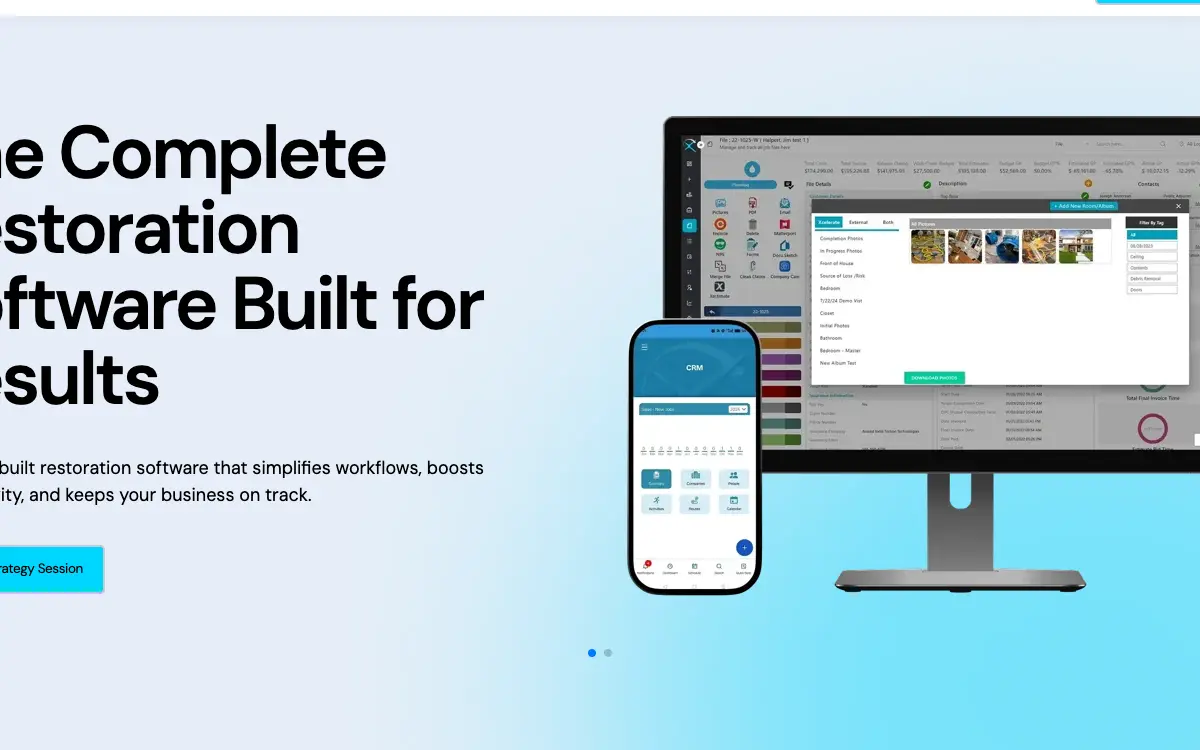
Xcelerate is A restoration-only job management system that assumes insurance work, Xactimate estimating and a crew of field techs clocking in on phones. It sells to Restoration contractors, and the shape of the product follows from that: Xcelerate frames itself as the hub that turns a company's standard operating procedure into task workflows the field follows, with milestone definitions and file-view navigation documented in the help centre. And reviewers who like the platform describe onboarding new techs quickly and running hundreds of jobs a month through it, which is the shape of a system whose value grows with volume rather than with headcount.
The shops Xcelerate fits, and the ones it doesn't
It fits Restoration companies of roughly 10 to 100 field techs running insurance-billed water, fire and mold mitigation across one or several locations, where a shared SOP and job-level profit visibility matter more than a low seat price. That's the half most reviews print. Here's the other half, which is the one worth your time.
Don't buy it if you're A one-to-five person restoration or cleaning shop that does mostly cash-and-carry residential work and rarely bills a carrier. The whole product is built around insurance workflow, Xactimate estimating and SOP-driven task chains for a crew big enough to need them. With no published price, a small shop enters a sales call with no anchor, and the quote is shaped by estimate volume it doesn't have. And the mobile instability that a 40-person company can absorb with an office backstop lands directly on a five-person crew with nobody to catch it. Look at CompanyCam instead.
Don't buy it if you're Any contractor whose deciding factor is a working time clock and clean payroll. Time punches are the single most-named failure in the review record, including one reviewer who reports never having had multiple issue-free payrolls across roughly two years, and another who lost the clock-in button entirely after a release. So buy the platform for restoration workflow if you want, but don't buy it as your payroll timekeeping system. Look at BuildOps instead.
Don't buy it if you're A buyer who needs a firm, comparable number before a sales conversation, or who must run a formal procurement. Xcelerate publishes nothing. Capterra carries no starting price and no user reviews at all on its listing, so there's no third-party figure to triangulate against. And a procurement process that requires three comparable quotes will spend weeks getting to a first number here. Look at Jobber instead.
What Xcelerate costs
Open the pricing page and count the dollar figures. There aren't any. Xcelerate keeps its numbers behind a sales call, and that's the first thing worth knowing before you book one.
The vendor's own wording is this, and nothing more: "Xcelerate publishes no figure anywhere on its site. There is no pricing page in the sitemap, no starting price on Capterra, and the only pricing sentence the vendor has written in public appears in the FAQ of its strategy-session booking page, where it says the number depends on your size and your estimate volume and tells you to book a call." So treat every third-party page printing tier names and figures for Xcelerate with careful suspicion. Those numbers are not on the vendor's site today, and a roundup that reprints them is telling you what Xcelerate used to charge somebody else.
And we are not going to print a per-month number we cannot open a page and read. We checked https://www.capterra.com/p/184380/Xcelerate-Restoration/pricing/, https://www.capterra.com/p/184380/Xcelerate-Restoration/, https://www.capterra.com/p/184380/Xcelerate-Restoration/alternatives/, https://www.softwareconnect.com/restoration/xcelerate/, https://www.xlrestorationsoftware.com/news/pricing-strategies-unveiled-unlimited-vs.-the-rest-for-restoration-business-growth, https://www.xlrestorationsoftware.com/book-demo, https://www.xlrestorationsoftware.com/xcelerate-vs.-the-competition. Capterra shows 'Contact vendor' for the starting price and carries zero user reviews on the listing, so it has no pricing signal to report. Software Connect has no Xcelerate profile. And the vendor's own article about pricing models explains per-user, per-job, tiered and unlimited pricing in the abstract and never says which one Xcelerate uses. No aggregator, reseller or review site reachable from here prints a dollar figure for the core platform, so there's nothing to substitute. So the only published Xcelerate figure of any kind is the $299/month entry price on the separate Xcelerate Growth marketing product. So the absence is the finding: go into the demo knowing that nobody outside the vendor can tell you what you will be quoted, and that any page claiming otherwise is quoting a structure that has moved.
Not a published per-seat rate. The vendor says the quote is built from two inputs, company size and volume of estimates, which means your bill is keyed partly to claim throughput rather than to headcount alone. Capterra records the buyer range as freelancers through enterprises, so the band is set in the sales call rather than on a page.
Everything that isn't the Xcelerate subscription
Payment processing. Xcelerate takes a stored payment method for its own subscription fees, and the terms let the vendor or its third-party processor charge that method for everything owed. No consumer-facing merchant processing product is disclosed, so homeowner or carrier payments do not appear to run through Xcelerate. The terms say: "Provider may require Customer to provide one or more payment methods such as credit card or ACH information...Provider (or its third-party payment processor) to store the Payment Method information and to charge any Payment Method for all amounts owed" (Section 6(a)).
Implementation and onboarding. Ask for the one-time onboarding and data-migration fee as a separate line on the order form. And Xcelerate markets its onboarding as an experience but names no cost for it anywhere.
Minimum term. The terms define the Subscription Term only as "the subscription term identified in the applicable Order Form", so the length lives in a private document you haven't seen yet. So ask for the term in writing before you sign, and note that the separately sold Growth product carries a one-year commitment.
Getting out. There is no early-termination fee named, but there is also no exit for convenience. Either party can terminate immediately for insolvency, and a material breach only allows termination "30 days after the non-breaching Party provides the breaching Party with written notice" (Section 12(b)). Section 12(c) then removes any money back: "No expiration or termination will affect Customer's obligation to pay all Fees that may have become due before such expiration or termination or entitle Customer to any refund."
Auto-renewal. The published terms contain no auto-renewal clause and no cancellation notice period at all. Section 12(a) only says the Term "will continue until all Order Forms expire". So ask whether the order form auto-renews and what notice window applies, because the public document won't tell you.
Modules sold separately. . But the entry tier is not the price you'll pay. Add the modules your shop needs on day one and compare Xcelerate on that total.
Third-party services you will also pay for. , . These are not on Xcelerate's invoice, and they are still part of what this decision costs you every month.
One oddity, filed under things nobody mentions on a demo. Xcelerate's quote is keyed to "volume of estimates", not just headcount. That's a materially different pricing basis from the per-seat model most contractor software uses, and it points the wrong way for a restoration company. Your estimate count spikes in exactly the months a storm or a freeze fills your board, which is when cash is tightest and receivables are slowest. And the vendor publishes no escalation formula and no cap, and the public terms leave the term length, the notice period and auto-renewal entirely blank. Ask what happens to the fee when your estimate volume doubles in a CAT month, and get the answer as a written escalation formula with a ceiling in the order form. Because a quote priced off a normal month isn't a quote for a storm year.
Everything that is not the Xcelerate subscription
The subscription is the part everyone quotes. These are the lines that land afterwards, and the ones we could not find are named as unpublished rather than left blank.
Sold separately. . Price the configuration you'll really run, because an add-on you need on day one is part of the price.
Third-party services you'll also pay for. , . None of these are on Xcelerate's invoice, and all of them are part of what this decision costs every month.
"Xcelerate answers the question of what it costs with this and nothing else: "Xcelerate publishes no figure anywhere on its site. There is no pricing page in the sitemap, no starting price on Capterra, and the only pricing sentence the vendor has written in public appears in the FAQ of its strategy-session booking page, where it says the number depends on your size and your estimate volume and tells you to book a call.""
Xcelerate pricing page (2026)
"Xcelerate Xcelerate Growth (websites and digital marketing, sold separately) is $299/month, per account."
Xcelerate pricing page (2026)
"Not a published per-seat rate. The vendor says the quote is built from two inputs, company size and volume of estimates, which means your bill is keyed partly to claim throughput rather than to headcount alone. Capterra records the buyer range as freelancers through enterprises, so the band is set in the sales call rather than on a page."
Xcelerate pricing page (2026)
The five workflows you pay for
Feature totals are noise. So a shop in this category lives or dies on five things, and those are the five to grade, and each one below carries the evidence it's graded on.
SOP-driven task chains are the actual product. Xcelerate frames itself as the hub that turns a company's standard operating procedure into task workflows the field follows, with milestone definitions and file-view navigation documented in the help centre. And reviewers who like the platform describe onboarding new techs quickly and running hundreds of jobs a month through it, which is the shape of a system whose value grows with volume rather than with headcount. And a reviewer, writing on 2023-06-13, describes it the same thing: "This app is a game changer in the Restoration industry. It is easy to onboard new techs. It works well with other apps like Encircle or Company Cam. The schedule feature makes it easy for techs to know their schedule each day. Xcelerate helps us run and manage hundreds of jobs a month."
Documentation is delegated, and that's the strongest part of the stack. Rather than building its own moisture-mapping and photo product, Xcelerate leans on Encircle, CompanyCam, Clean Claims, DocuSketch and Matterport. And two separate reviewers name the Encircle pairing specifically, one saying it works like one system. So the documentation experience a tech gets depends on a partner tool you also pay for. A reviewer who reviewed it on May 1 reports it: "We really like using the Encircle integration with Xcelerate. It all works like one system. Would be nice to have more billing functionality. Great people to work with at the company too."A reviewer who reviewed it on 2023-06-13 reports it: "This app is a game changer in the Restoration industry. It is easy to onboard new techs. It works well with other apps like Encircle or Company Cam. The schedule feature makes it easy for techs to know their schedule each day. Xcelerate helps us run and manage hundreds of jobs a month."
The platform is aimed at franchises and multi-location groups, not single shops. The navigation carries a dedicated multi-location job management page and a CAT disaster page alongside the water, fire and mold pages, and the vendor has published a partnership with a national restoration platform. And the dashboards story is about rolling several branches into one view, which is a problem a single-location contractor doesn't have.
SOC 2 Type 2 on Azure, which clears an enterprise procurement gate most restoration tools miss. The security page states SOC 2 Type 2 compliance and Microsoft Azure hosting with HTTPS in transit, and the site carries a public trust centre and a status page. And for a contractor bidding on commercial or institutional restoration work where the client runs a vendor security review, that's a genuine and uncommon advantage in this category.
The commercial terms sit entirely in a private order form. The public terms define the Subscription Term only by reference to the order form, carry no auto-renewal clause and no cancellation notice period, allow suspension of access after fifteen days of non-payment, charge 1.5% monthly interest on late amounts, and cap total vendor liability at twelve months of fees. So everything a buyer negotiates sits in the document they haven't been shown yet.
How Xcelerate lands by trade
Fit differs by trade rather than by company size alone, and a blended paragraph hides that. Here is the split for the trades this one sells to.
Restoration. The workflow that decides it is sop-driven task chains are the actual product, and the shop profile that gets value is 15 to 100 techs, insurance-led, one or several locations doing insurance and residential and commercial work. Where it stops being a fit is A one-to-five person restoration or cleaning shop that does mostly cash-and-carry residential work and rarely bills a carrier.
How Xcelerate talks to your books
QuickBooks connects one way only, so edits made in your books do not come back, on every plan. TSheets (QuickBooks Time) connects one way only, so edits made in your books do not come back, on every plan. Your costs map through cost codes, so test yours against your own chart of accounts before you commit. A code your books don't recognise is how a labour charge quietly lands somewhere useless.
Past those, the road ends. Symbility / Cotality, Sage, Xero or any accounting system other than QuickBooks, A public API, Dedicated payroll systems (Gusto, ADP, Paychex) do not connect. So if your books run on an ERP rather than the platforms named above, weigh that before anything else.
Beyond accounting it connects to Verisk (Xactimate and XactAnalysis) (Estimating and claim assignment. The integration page describes the capability as forthcoming rather than live.), Encircle (Field documentation, moisture readings and photo capture. Named by two separate App Store reviewers as the pairing that works.), CompanyCam (Jobsite photo documentation, with a dedicated help-centre setup article and a joint announcement.), Clean Claims (Moisture documentation and drying validation, with its own integration page.), RingCentral (Business phone and communications, with its own integration page.), DocuSketch (360-degree tours and floor plan sketches for claims.), Matterport (3D capture of loss sites.), Microsoft 365 (Email and calendar.), Gmail and Google Calendar (Email and calendar.), Power BI (External business intelligence reporting on Xcelerate data.), Zapier (General automation. The help centre documents webhook setup, triggers and a file-details lookup action.). A public API exists: No public API is documented anywhere on the site, and the integration partner page names none. The only extensibility route Xcelerate publishes is Zapier, and its help-centre article covers initial setup, webhook setup, pulling a new trigger and a file-details lookup action. So custom integration means webhooks through a third-party automation subscription rather than a direct API.
Getting help from Xcelerate, and getting it fast
Support is the line item nobody prices and everybody eventually needs. Xcelerate publishes no onboarding fee either way, so ask what is included at your tier and what is billed hourly after go-live.
The review corpus we read on 7 August 2026 carries no consistent signal on response times either way, so treat support as untested rather than good. Open a real ticket during the trial and time the reply, because that is the number no pricing page gives you.
Before you sign with Xcelerate: the exit
Nobody reads this section before they buy, and it's the one that costs money afterwards. Four terms decide what leaving looks like.
Minimum term. The terms define the Subscription Term only as "the subscription term identified in the applicable Order Form", so the length lives in a private document you haven't seen yet. So ask for the term in writing before you sign, and note that the separately sold Growth product carries a one-year commitment.
Auto-renewal. The published terms contain no auto-renewal clause and no cancellation notice period at all. Section 12(a) only says the Term "will continue until all Order Forms expire". So ask whether the order form auto-renews and what notice window applies, because the public document won't tell you.
Early termination. There is no early-termination fee named, but there is also no exit for convenience. Either party can terminate immediately for insolvency, and a material breach only allows termination "30 days after the non-breaching Party provides the breaching Party with written notice" (Section 12(b)). Section 12(c) then removes any money back: "No expiration or termination will affect Customer's obligation to pay all Fees that may have become due before such expiration or termination or entitle Customer to any refund."
Payment processing. Xcelerate takes a stored payment method for its own subscription fees, and the terms let the vendor or its third-party processor charge that method for everything owed. No consumer-facing merchant processing product is disclosed, so homeowner or carrier payments do not appear to run through Xcelerate. The terms say: "Provider may require Customer to provide one or more payment methods such as credit card or ACH information...Provider (or its third-party payment processor) to store the Payment Method information and to charge any Payment Method for all amounts owed" (Section 6(a)).
One oddity, filed under things nobody mentions on a demo. The exit path is a right-click. Xcelerate's own help centre describes data export as right-clicking a table on any screen displaying an AG Grid and choosing Export, which produces Excel files. That's a reporting convenience, not a migration tool. There's no documented full-account archive, no bulk export of job photos, signed forms or attachments, and no API to extract against, since the only extensibility route the vendor publishes is Zapier webhooks. And the terms then give you exactly thirty days from termination to request your data back. Before signing, get a written answer on how photos and signed documents leave the system and in what format. Because for a restoration contractor those attachments are the claim file, and a spreadsheet of table rows without them isn't your history.
"Is it possible for you people to make a patch or an update without causing another bug or glitch? I have to force close something when I open description tab, I can't edit info, now I can't send two forms together they have to be separate. I have people signing documents that won't go through. It's literally always something and once it's fixed weeks or months after it's addressed a new problem comes up on the update. Cycle that never ends. Do better"
Apple App Store, I won't lead you Astray (n 22)
"We have been using this software for about 2 years. This software falls short every time it matters most. The app has bugs constantly, and it is very glitchy! We have not have multiple issue free payrolls ever! The time punches have issues all the time. Stay far away from this software! Just use a PM software/system."
Apple App Store, JoeysparkzJoeyP (ar 5)
"This app is a game changer in the Restoration industry. It is easy to onboard new techs. It works well with other apps like Encircle or Company Cam. The schedule feature makes it easy for techs to know their schedule each day. Xcelerate helps us run and manage hundreds of jobs a month."
Apple App Store, Brpalmer (6-13)
The Xcelerate gaps worth raising on the call
Every one of these is checkable on a demo call. None of it is a matter of taste, and each one traces to a vendor page or a named reviewer.
The field app rates 2.9 out of 5, and the field app is the whole product for a tech. Office staff touch the web platform, but a mitigation tech only ever touches the phone. And that phone app sits at 2.9 stars across 46 ratings on the Apple App Store, which is unusually low for a paid B2B tool where the buyer, not the user, chooses the software. The pattern in the negative reviews is instability, not a missing feature: photo uploads, form submission, freezes that force a close. Run the trial with two real techs on their own phones for a full week of real jobs, not a demo account. And ask them specifically whether photos and signed forms went through the first time.
Updates keep breaking things that already worked. The complaint that repeats across several years of reviews is that shipping a fix introduces a new fault somewhere else, not that a feature is missing. And users describe it as a cycle rather than an incident. One reviewer records losing the time card button and the clock-in button entirely after a named release date. And a reviewer, writing on Jan 22, reports it the same thing: "Is it possible for you people to make a patch or an update without causing another bug or glitch? I have to force close something when I open description tab, I can't edit info, now I can't send two forms together they have to be separate. I have people signing documents that won't go through. It's literally always something and once it's fixed weeks or months after it's addressed a new problem comes up on the update. Cycle that never ends. Do better" Ask the vendor for its release cadence and whether you can opt out of, or delay, a release. Then ask what the rollback path is when a release breaks time tracking mid-week.
Time punches and payroll are the most-named failure point. Three separate reviewers name the time clock. One says they've never had multiple issue-free payrolls in about two years of use. Another lost clock-in entirely after an update. And a third praises it for exactly the same function, so this isn't universally broken. But payroll is where the failures land hardest, because they cost money and trust with the crew. A reviewer, about 2 years on the platform, puts it it plainly: "We have been using this software for about 2 years. This software falls short every time it matters most. The app has bugs constantly, and it is very glitchy! We have not have multiple issue free payrolls ever! The time punches have issues all the time. Stay far away from this software! Just use a PM software/system." Parallel-run your existing time system alongside Xcelerate for two full pay periods before you switch. And don't cut over on faith.
Billing is thin, and accounting genuinely lives in QuickBooks. A reviewer who likes the platform still asks for more billing functionality. And the integrations page confirms the shape: QuickBooks is where you "manage invoices, expenses, and other financial details". So the platform's job-level profit dashboards are reporting on numbers whose system of record sits outside it. On May 1, a reviewer puts it: "We really like using the Encircle integration with Xcelerate. It all works like one system. Would be nice to have more billing functionality. Great people to work with at the company too." Have your bookkeeper, not your operations lead, evaluate the QuickBooks sync during the trial. And ask which direction each field flows and what happens when the two disagree.
The Xactimate integration is the headline claim and the Verisk page calls it not yet shipped. Xcelerate's comparison page attacks Albiware and DASH on exactly this ground and credits itself with native Xactimate and XactAnalysis integration. But the vendor's own Verisk integration page describes the same capability as "soon to be integrated". Two vendor-controlled pages, two different states for the single feature that most separates a restoration platform from a generic field service app. Ask for a live screen-share of a real Xactimate estimate and an XactAnalysis assignment moving into Xcelerate, on your own claim, before you sign. And don't accept a roadmap slide.
No price exists in public, and the quote is keyed partly to your estimate volume. There's no pricing page in the sitemap. Capterra shows contact-vendor. And the vendor's single public pricing sentence says the number is built from company size and volume of estimates, which means a heavy CAT season is an input to what you pay for the software you use to work it. Ask what happens to the fee if your estimate count doubles in a storm year, and get the escalation formula written into the order form rather than left to renewal.
Getting your data out is a right-click, not an export tool. The help centre article on exporting describes the method as right-clicking a table in the interface and choosing Export to Excel from any screen that shows an AG Grid. That covers reports and tables. But it doesn't describe a full-account archive, a bulk photo or document export, or an API-driven extract, and it names no way to pull everything at once. Before you sign, ask in writing how job photos, signed forms and attachments come out on exit, and in what format. And Section 12(c) of the terms gives you thirty days from termination to request your data back.
One more thing worth knowing. The published terms are unusually one-directional for a platform this operationally embedded. Non-payment gets you suspended after fifteen days, which for a restoration company means the field loses the job files mid-dry. Late amounts carry 1.5% monthly interest compounded plus attorney and collection-agency costs. Nothing is refundable on termination. Total vendor liability is capped at the last twelve months of fees, so if the platform loses a month of drying logs the maximum exposure is a partial refund of what you already paid. And the venue is Kent County, Delaware, wherever your business is. Negotiate a cure period longer than fifteen days before suspension, and ask for read-only access to your own job files during any suspension. Because a drying job that loses its documentation mid-cycle is a claim you may not get paid on.
One more thing worth knowing. The negative reviews cluster on regression, not on missing features. Reviewers across 2025 and 2026 describe the same loop: a release fixes one fault and introduces another, and the affected functions are the ones a tech touches every hour. One review names the exact release date on which the time card button and the clock-in button both disappeared. Another asks whether it's possible to ship a patch without causing another bug, and calls it a cycle that never ends. And the vendor ships frequently, which is normally a good sign, and here it appears to be the source of the complaint. Ask whether release timing is controllable on your account and what the rollback path looks like. And if every update is a coin flip on whether payroll works Monday, you need to know before it's your crew.
Side note, and it's a useful one: restoration software hides its price harder than any other contractor category. Xcelerate has no pricing page in its sitemap at all. Encircle's pricing page carries a headline about pricing that grows with your business and then prints no plan and no number. And Albiware goes furthest of the three: its pricing URL returns an actual password gate reading "This content is password-protected. To view it, please enter the password below." So a restoration buyer comparing three platforms can't assemble a single comparable figure without three sales calls. Budget for the discovery process itself, not just the software. So book all three calls in the same week and ask each rep for a written quote at an identical stated crew size and monthly claim count, otherwise you're comparing three differently-shaped guesses.
What people running Xcelerate tell you
Every quote below is transcribed from a published review, named to the platform that carries it and to the reviewer as that platform displays them. We read the corpus by complaint type rather than by star rating, which is how the disqualifying detail buried inside a five-star review gets found.
"Is it possible for you people to make a patch or an update without causing another bug or glitch? I have to force close something when I open description tab, I can't edit info, now I can't send two forms together they have to be separate. I have people signing documents that won't go through. It's literally always something and once it's fixed weeks or months after it's addressed a new problem comes up on the update. Cycle that never ends. Do better"
A reviewer who reviewed it on Jan 22 describes it on Apple App Store
"We have been using this software for about 2 years. This software falls short every time it matters most. The app has bugs constantly, and it is very glitchy! We have not have multiple issue free payrolls ever! The time punches have issues all the time. Stay far away from this software! Just use a PM software/system."
And a reviewer, about 2 years on the platform, writing on Mar 5, writes the same thing on Apple App Store
"This app is a game changer in the Restoration industry. It is easy to onboard new techs. It works well with other apps like Encircle or Company Cam. The schedule feature makes it easy for techs to know their schedule each day. Xcelerate helps us run and manage hundreds of jobs a month."
A reviewer, says it plainly on Apple App Store
"We really like using the Encircle integration with Xcelerate. It all works like one system. Would be nice to have more billing functionality. Great people to work with at the company too."
But a reviewer, puts it it differently on Apple App Store
"As of the update on 3/23/25 you can no longer look at youre time card at all as the time card button is gone. Or clock in to a job. As you have to "clock in" before clocking into a job. And there is no longer a clock in button either."
A reviewer who reviewed it on 2025-03-23 writes on Apple App Store
"We have been using this systems pretty heavy for our company.. And all I can say is this has definitely been the most flexible restoration system out! The Staff behind the scenes are great. They are willing to help correct any issues or problems and help make things better for everyone involved. 5 stars for potential and how smooth everything works seamlessly."
On 2023-10-31, a reviewer puts it on Apple App Store
"Too many software issues to be used on a daily basis"
And a reviewer, writing on 2025-09-08, says the same thing on Apple App Store
"Works so easy in the field and allows my techs to clock in and out!"
And a reviewer, writing on May 12, writes the same thing on Apple App Store
"The mobile app is always having issues."
On Feb 19, a reviewer puts it on Apple App Store
"Not happy"
A reviewer, reports it it plainly on Apple App Store
How Xcelerate compares
And these are the products Xcelerate loses deals to. Some publish a price; that tells you how long each evaluation will take.
| Tool | Entry price | Billing unit | Users included | Published? |
|---|---|---|---|---|
| Xcelerate | Quote only | Custom quote | Not a published per-seat rate. The vendor says the quote is | No |
| Albi (Albiware) | Quote only | Not disclosed | Not disclosed | No |
| Encircle | Quote only | Not disclosed | Not disclosed | No |
| Jobber | $39 | per month, flat rate | Not stated at the entry rate | Yes |
| Service Fusion | $259.00 | per user, per month | Priced per user | Yes |
| ServiceTitan | Quote only | Not disclosed | Not disclosed | No |
| BuildOps | Quote only | Not disclosed | Not disclosed | No |
Albi (Albiware). It's the restoration platform Xcelerate names first on its own comparison page, so the two land on the same shortlists constantly. And buyers describe it as the more configurable option where you want to shape the workflow yourself. But It hides pricing even harder than Xcelerate does. Its pricing page is literally password-protected, not merely quote-gated, so a prospect can't even read the plan names. And Xcelerate's competitive line against it is manual configuration versus automation.
Encircle. It's the documentation layer restoration techs praise, and two Xcelerate reviewers name it as the reason their field workflow holds together. So if your real problem is moisture logs and photo evidence rather than company-wide job management, it solves that directly and at a smaller footprint. But It isn't a job management system. And it won't run your SOP, your CRM, your scheduling or your job-level profit reporting, and its pricing page publishes no figure either.
Jobber. It prints a real number on a public page, which Xcelerate doesn't. And for a small restoration shop that mostly bills homeowners directly, it covers scheduling, quoting, invoicing and payments at a fraction of any enterprise restoration platform. But It has no restoration DNA at all. There's no Xactimate path, no XactAnalysis assignment intake, no drying log, no carrier workflow. So an insurance-heavy contractor will outgrow it on the first large loss.
Service Fusion. It publishes its rate, so you can budget before a sales call, and it carries stronger dispatch and service-call mechanics for restoration companies that also run a maintenance or plumbing arm. But The per-user model punishes exactly the shape of a restoration company, which is a small office and a large field crew. And it also carries no insurance-claim workflow.
ServiceTitan. For a multi-location group where restoration sits alongside a large HVAC or plumbing service business, it's a deeper operational platform with a far larger integration surface and a much bigger installed base. But It's a service-trade platform, not a restoration one. And it also declines to publish a price, so you swap one blind quote for another, and it's generally the more expensive of the two.
BuildOps. For commercial-heavy restoration and reconstruction work with service agreements and multi-trade crews, it handles the commercial contracting side more completely. But No insurance-claim workflow and no Xactimate integration, and it also publishes no price on Capterra.
"We really like using the Encircle integration with Xcelerate. It all works like one system. Would be nice to have more billing functionality. Great people to work with at the company too."
Apple App Store, HawaiianRestoration (ay 1)
"As of the update on 3/23/25 you can no longer look at youre time card at all as the time card button is gone. Or clock in to a job. As you have to "clock in" before clocking into a job. And there is no longer a clock in button either."
Apple App Store, SawyerBWV (3-23)
Who should not buy Xcelerate
Don't buy Xcelerate if you're A one-to-five person restoration or cleaning shop that does mostly cash-and-carry residential work and rarely bills a carrier. The whole product is built around insurance workflow, Xactimate estimating and SOP-driven task chains for a crew big enough to need them. With no published price, a small shop enters a sales call with no anchor, and the quote is shaped by estimate volume it doesn't have. And the mobile instability that a 40-person company can absorb with an office backstop lands directly on a five-person crew with nobody to catch it. Look at CompanyCam instead.
Don't buy Xcelerate if you're Any contractor whose deciding factor is a working time clock and clean payroll. Time punches are the single most-named failure in the review record, including one reviewer who reports never having had multiple issue-free payrolls across roughly two years, and another who lost the clock-in button entirely after a release. So buy the platform for restoration workflow if you want, but don't buy it as your payroll timekeeping system. Look at BuildOps instead.
Don't buy Xcelerate if you're A buyer who needs a firm, comparable number before a sales conversation, or who must run a formal procurement. Xcelerate publishes nothing. Capterra carries no starting price and no user reviews at all on its listing, so there's no third-party figure to triangulate against. And a procurement process that requires three comparable quotes will spend weeks getting to a first number here. Look at Jobber instead.
The verdict, by shop size
Solo operator to 5 techs
No. Nothing about this fits. The value is SOP enforcement across a crew you don't have, the quote is shaped by an estimate volume you don't generate, and you walk into the pricing conversation with no public figure and no third-party number to anchor against. And the mobile instability that a larger company absorbs with office staff lands on you directly. Jobber prints $39/month on a page and covers the scheduling and invoicing half. This band runs 1 to 5 on the crew, doing residential and service work, and that's the profile the recommendation is written for.
6 to 15 techs, mixed insurance and direct-pay work
Only under conditions, and they are worth being honest about. This is the band where the SOP workflow starts paying for itself, and the Encircle pairing that reviewers praise is genuinely good. But two conditions before you sign. First, make the vendor demonstrate a live Xactimate and XactAnalysis round trip on your own claim, because the Verisk page still calls that integration forthcoming while the comparison page sells it as native. Second, don't retire your existing time clock until you've run two clean pay periods in parallel. This band runs 6 to 15 on the crew, doing residential and insurance work, and that's the profile the recommendation is written for.
15 to 100 techs, insurance-led, one or several locations
Yes, and this is the shape the product is built for. This is who the product is built for. Multi-location dashboards, SOP-driven task chains and a documentation partner list that covers Encircle, CompanyCam, Clean Claims, DocuSketch and Matterport all assume this scale. SOC 2 Type 2 on Azure also clears vendor security reviews that commercial and institutional clients run, which most restoration tools can't. So negotiate the term, the notice period and the estimate-volume escalation into the order form, because the public terms leave all three blank. This band runs 15 to 100 on the crew, doing insurance and residential and commercial work, and that's the profile the recommendation is written for.
Any size, where payroll timekeeping is the deciding requirement
No. Time punches are the single most repeated failure in the review record across multiple years and multiple reviewers, including one who reports never having had multiple issue-free payrolls in roughly two years, and one who lost the clock-in button entirely after a named release. And Xcelerate names no payroll integration among its 13 partners either. So keep timekeeping somewhere else. This band runs 1 or more on the crew, doing insurance and residential and commercial and service work, and that's the profile the recommendation is written for.
One thing to check before you sign with Xcelerate
One last thing, and it's off to the side of Xcelerate rather than about it. We're a CRO and web design studio, not a software reseller. And we ran a study that's relevant to anyone about to spend money on operations software.
Xcelerate's whole argument is that a restoration job is won or lost on speed and documentation. The vendor sells automated work order creation, real-time job-level profit, and no duplicate data entry, and it attacks competitors specifically for manual steps that quietly erode margin. So contractors who buy it have already accepted that friction between a trigger and a response costs real money. Then the same company sends a homeowner standing in four inches of water to a website nobody applied that argument to. A water-damage search happens on a phone, at night, in a panic, often on a weak connection, and the person searching will tap the next result long before a slow page finishes drawing something useful. And that's the same measurement Xcelerate already sold them on, moved one step earlier in the chain. But every hour the platform saves on the work order is worth nothing if the call never came, and the page that loses the call usually fails on how long it takes before anything appears on screen.
But we can put a figure on it. Of 380 contractor sites we inspected, 82.8% had poor mobile loading performance. The sample is every site we could inspect reproducibly, rather than a panel we picked. All of it is documented in the Contractor CRO Index.
"82.8% of the 380 contractor websites inspected had poor mobile loading performance."
Fervor Studio Contractor CRO Index (2026)
And none of that argues against the purchase. It argues for checking the cheaper problem first. The numbers are all public.
See where your site is losing the jobs Xcelerate would have managed
So we look at yours the same way we looked at those 380 sites, and tell you what is costing you calls.
Get a Site InspectionHow this Xcelerate page was researched
A word on limits. We read Xcelerate's pages and its reviews, but we didn't operate it. And what stands behind it is documentary: 21 vendor pages read on 7 August 2026, and a review corpus sorted by what went wrong. Pricing was verified the same day, and every figure above traces to a page we opened.
So: ten quotes on this page, ten from Apple App Store.
And https://play.google.com/store/apps/details?id=com.xcelerate — Google Play returned a truncated shell with no rating, review or developer data on two attempts, https://itunes.apple.com/us/rss/customerreviews/id=1455307340/sortBy=mostRecent/page=1/json — the RSS review feed returned feed metadata with zero entries, https://www.softwareadvice.com/restoration/xcelerate-profile/reviews/ — 404, no Software Advice profile found for this product, https://www.getapp.com/all-software/a/xcelerate-restoration/reviews/ — 404, no GetApp profile found for this product, https://www.capterra.com/search/?q=DASH%20restoration — JavaScript-rendered, returned loading states only, https://duckduckgo.com/html/ — served a CAPTCHA challenge after the second query and G2, TrustRadius, Trustpilot and Reddit — not reachable in this run; no content taken from any of them refused automated retrieval for Xcelerate. Forum and social threads are the ones people most want quoted, and they are exactly the ones we cannot verify, so none of them are here.
What that leaves untested: live product trial. All workflow claims here come from vendor documentation and reviewer accounts, not from hands-on use.. And everything above is 21 vendor pages and a review corpus, which is documentary rather than hands-on.
What Xcelerate users say
Is it possible for you people to make a patch or an update without causing another bug or glitch? I have to force close something when I open description tab, I can't edit info, now I can't send two forms together they have to be separate. I have people signing documents that won't go through. It's literally always something and once it's fixed weeks or months after it's addressed a new problem comes up on the update. Cycle that never ends. Do better
We have been using this software for about 2 years. This software falls short every time it matters most. The app has bugs constantly, and it is very glitchy! We have not have multiple issue free payrolls ever! The time punches have issues all the time. Stay far away from this software! Just use a PM software/system.
This app is a game changer in the Restoration industry. It is easy to onboard new techs. It works well with other apps like Encircle or Company Cam. The schedule feature makes it easy for techs to know their schedule each day. Xcelerate helps us run and manage hundreds of jobs a month.
We really like using the Encircle integration with Xcelerate. It all works like one system. Would be nice to have more billing functionality. Great people to work with at the company too.
As of the update on 3/23/25 you can no longer look at youre time card at all as the time card button is gone. Or clock in to a job. As you have to "clock in" before clocking into a job. And there is no longer a clock in button either.
We have been using this systems pretty heavy for our company.. And all I can say is this has definitely been the most flexible restoration system out! The Staff behind the scenes are great. They are willing to help correct any issues or problems and help make things better for everyone involved. 5 stars for potential and how smooth everything works seamlessly.
Too many software issues to be used on a daily basis
Works so easy in the field and allows my techs to clock in and out!
The mobile app is always having issues.
Not happy
Frequently asked questions
How much does Xcelerate cost?
Xcelerate publishes no price. There's no pricing page on the site at all, and Capterra shows contact-vendor with no starting figure. And the vendor's only public statement on the subject appears in the FAQ of its strategy-session page: "Pricing is tailored based on your company size and volume of estimates." The one Xcelerate number that does exist in public is $299 per month, and it belongs to Xcelerate Growth, the separately sold websites and marketing product, on a one-year commitment.
Is Xcelerate the same thing as Xactimate?
No, and the names cause real confusion. Xactimate and XactAnalysis are Verisk products for writing and assigning insurance estimates. Xcelerate is a job management platform from Xcelerate Restoration Software that intends to sit alongside them. But Xcelerate's own Verisk integration page describes Xactimate and XactAnalysis as "soon to be integrated", so confirm the current live state before you buy on that basis.
Does Xcelerate integrate with QuickBooks?
Yes. QuickBooks is one of 13 named integration partners, and the vendor describes it as the place you "manage invoices, expenses, and other financial details in one centralized location." But the vendor doesn't state whether the sync runs one way or both ways, so verify field by field during a trial. And QuickBooks is the only accounting system Xcelerate names, so Sage and Xero users have no listed path.
How many integrations does Xcelerate have?
Thirteen, counted from the vendor's integration partner page: Zapier, Encircle, CompanyCam, Matterport, QuickBooks, DocuSketch, Clean Claims, Microsoft 365, Gmail and Google Calendar, RingCentral, Verisk's Xactimate and XactAnalysis, Power BI, and TSheets. And no public API is documented, so anything outside that list runs through Zapier webhooks.
Can I get my data out of Xcelerate?
Partly, and by hand. The help centre says you export by right-clicking a table on any screen that displays an AG Grid and choosing Export, which produces Excel files from reports and tables. But no full-account archive, bulk photo export or API extract is documented. The terms then give you a window: "Customer may request return of Customer Data within thirty days of the date of expiration or termination." So ask how photos and signed documents come out before you sign, not after.
What is the contract like?
Almost everything commercial lives in a private order form. The public terms define the Subscription Term only by reference to that order form, contain no auto-renewal clause and no cancellation notice period, and state that termination does not "entitle Customer to any refund." Late payment carries 1.5% monthly interest plus collection costs, and access can be suspended after fifteen days of non-payment. And liability is capped at twelve months of fees, and disputes go to Kent County, Delaware.
Is the mobile app any good?
It rates 2.9 out of 5 across 46 ratings on the Apple App Store, which is low for a tool the buyer chooses and the crew has to use. Positive reviewers praise scheduling, tech onboarding and the Encircle pairing. But negative reviewers describe photo upload failures, forms that won't send together, signed documents that don't go through, freezes requiring a force close, and time-clock functions disappearing after updates.
Who is Xcelerate built for?
Restoration companies at a scale where a shared SOP is worth enforcing, roughly 15 techs and up, doing insurance-billed water, fire and mold work, often across several locations or as a franchise. And the site carries dedicated pages for multi-location and franchise operators and for CAT disaster contractors, and the platform's dashboards story is about rolling branches into one view.
Freshness
How we keep this page current
Three dates govern this review, and they carry different meanings. The initial source sweep is dated August 7, 2026; when only part of the evidence set is recaptured later, that later date is stated beside the refreshed claim. We last revised the page on August 7, 2026. And the user reviews we quote were posted over roughly the last 24 months, so their individual dates remain part of the evidence instead of being overwritten by a later pricing update.
We revise the page when Xcelerate changes a published price or a contract term, when a rating we cite moves by more than a few tenths, or when the vendor ships something big enough to change the verdict. We never bump the date just to look fresh, because Google treats that as manipulation and so do we. If a figure here reads as stale by the time you land on it, treat it as a floor and check the vendor's own page. We linked it at every number for exactly that reason.
Sourcing
How this review was researched
Every figure on this page traces to a captured source linked inline where it appears. The initial sweep is dated August 7, 2026; any later, partial recapture is dated at the claim rather than relabelling the whole evidence set. Ratings come from Capterra, GetApp, Software Advice and the Apple App Store. Note that Capterra, GetApp and Software Advice share one Gartner Digital Markets review pool, so an identical score across all three is a single sample rather than three corroborating ones, and this page treats it that way. G2, TrustRadius and Trustpilot block automated access, so where their numbers appear they are labelled as reported rather than verified. No claim here is sourced from Reddit or from a contractor Facebook group, because neither could be retrieved and quoting them would mean inventing attribution. Pricing marked as reported comes from third-party roundups, never from Fervor. Fervor's own findings come from the Contractor CRO Index 2026.
About
About Fervor Studio
Fervor Studio is a conversion rate optimization (CRO) and web design studio for home services contractors across North America, based in Cochrane, Alberta. Fervor does not sell field service management software and is not an alternative to Xcelerate. It publishes the Contractor CRO Index, a public benchmark measuring contractor website conversion potential using reproducible, open-source methods such as axe-core and Google Lighthouse. Fervor Studio is operated by Fervor Group Inc.
 Aug 1, 2026
 Tech Stack
Best Plumbing Software in 2026: Ten Ranked Across Four Classes
A plumbing company’s work runs through four classes of software that do not substitute for each other, and it only buys two of them. Ten products, each with a published price or an explicit statement that the vendor publishes none.
Read Article Jul 30, 2026
 Tech Stack
NiceJob vs Birdeye 2026: Pricing, Contracts and Review Gating
One of these vendors puts its price on the page and its cancellation terms in writing. The other puts a form in front of both, and the complaint record is where its contract length shows up.
Read Article Jul 30, 2026
 Tech Stack
Podium vs Birdeye 2026: Pricing, Contracts and Review Gating
Only one of these two will tell you what it costs before a sales call, and even that number carries a carve-out aimed squarely at trade contractors.
Read Article Jul 30, 2026
 Tech Stack
Best Electrical Contractor Software 2026: 11 Ranked and Priced
An electrical contracting business makes two software purchases that do not substitute for each other, and every roundup answering this query covers only one of them. Eleven platforms, with a published price or an explicit statement that the vendor publishes none.
Read Article Jul 30, 2026
 Tech Stack
Best HVAC Software in 2026: Eleven Ranked Across Three Classes
An HVAC contracting business buys across three classes of software that do not substitute for each other, and every roundup answering this query covers only one of them. Eleven products, each with a published price or an explicit statement that the vendor publishes none.
Read Article Jul 29, 2026
 Tech Stack
AccuLynx Pricing 2026: The Real Cost of a Quote-Gated Plan
One published figure, two blank plan cards, and a contract that says things the pricing page does not. A line-by-line breakdown of what AccuLynx really bills.
Read Article Jul 29, 2026
 Tech Stack
Houzz Pro Canada Review 2026: Pricing and Alternatives
Houzz Pro serves different pricing renderings. What Canadian buyers see, how GST/HST and payments work, what Custom gates, and what the annual contract commits you to.
Read Article Jul 29, 2026
 Tech Stack
JobNimbus Pricing in 2026: What the Quote Does Not Cover
JobNimbus prints no figure on any of its four plans. So the only rate you can read before a sales call is the payments meter, and it is the biggest line on the bill.
Read Article Jul 29, 2026
 Tech Stack
JobNimbus Review 2026: Pricing, Pros, Cons and Alternatives
JobNimbus rates 4.6 on Capterra and orders material straight from ABC Supply and SRS. But it publishes no price, and its supplement route carries a note.
Read Article Jul 29, 2026
 Tech Stack
BuildOps Review 2026: Pricing, Contract Terms and Alternatives
BuildOps runs commercial service and projects on one platform, and publishes no pricing at all. The billing unit, the 30-day data-export window, and who it suits.
Read Article Jul 29, 2026
 Tech Stack
FieldPulse Review 2026: Pricing, Pros, Cons and Alternatives
FieldPulse rates 4.6 on Capterra and is the platform contractors name when they leave a bigger system. But it publishes no price, and the contract runs a year.
Read Article Jul 29, 2026
 Tech Stack
Service Fusion Review 2026: Pricing, Contract and Alternatives
Service Fusion bills flat per company with unlimited users, which is the best structural deal in field service software. The published plans, the contract behind the no-contract line, and the app score every other review gets wrong.
Read Article Jul 29, 2026
 Tech Stack
Knowify Review 2026: Pricing, Job Costing and Alternatives
Knowify rates 4.5 on Capterra and its weakest sub-score is features. What the $99 Core plan withholds, which way the QuickBooks sync really runs, and who should not buy it.
Read Article Jul 28, 2026
 Tech Stack
AccuLynx Review 2026: Pricing, Tier Gating, Alternatives
AccuLynx rates 4.6 across 846 reviews and now publishes an entry price. What that price omits, which tier holds the insurance workflow, and who should skip it.
Read Article Jul 28, 2026
 Tech Stack
Unitel Voice Review 2026: Pricing, Features and Alternatives
Unitel Voice rates 4.6 on Capterra and gives a one-truck shop a business number for $9.99 a month. The published plans, the cost per call, and what it won't do.
Read Article Jul 28, 2026
 Tech Stack
NiceJob vs Podium 2026: Pricing, Contracts and Review Gating
Both vendors print a price, at very different scale and in different currencies. The gap that matters is what Podium will not print: the billing unit, and whether a trade shop gets the number on the page.
Read Article Jul 27, 2026
 Tech Stack
CompanyCam Review 2026: Pricing, Pros, Cons and Alternatives
Every page ranking for CompanyCam still quotes a per-user price the vendor no longer charges. Here are the real plans, the seat math, and who should skip it.
Read Article Jul 27, 2026
 Tech Stack
NiceJob Review 2026: Pricing, Pros, Cons and Alternatives
NiceJob rates 4.9 on Capterra and refuses to gate negative reviews. Real plan pricing, the active-customer threshold nobody publishes, and who should skip it.
Read Article Jul 26, 2026
 Tech Stack
Buildertrend Review 2026: Pricing, Limits and Alternatives
Buildertrend rates 4.5 across 2,486 Capterra reviews and quotes against your revenue rather than your seat count. The workflows, the export problem, the alternatives.
Read Article Jul 26, 2026
 Tech Stack
CallRail Review 2026: Pricing, Pros, Cons and Alternatives
CallRail rates 4.5 on Capterra, and its tracking numbers port out free. But the two usage rates that decide your real bill are the two it does not print.
Read Article Jul 26, 2026
 Tech Stack
Roofr Review 2026: Pricing, Pros, Cons and Alternatives
Roofr rates 4.6 on Capterra and sells $13 measurement reports against a market charging triple. But it will not import a report from anywhere else.
Read Article Jul 24, 2026
 Tech Stack
Housecall Pro Review 2026: Pricing, Pros, Cons, Alternatives
Housecall Pro has the shortest learning curve in the category and the widest review spread. Real pricing, the Instapay math, and the migration trap to plan around.
Read Article Jul 23, 2026
 Tech Stack
Jobber Review 2026: Pricing, Pros, Cons and Alternatives
Jobber rates 4.6 on Capterra with the best mobile app in the category. Real plan pricing, the feature gating that changes your entry price, and who it suits.
Read Article Jul 22, 2026
 Tech Stack
ServiceTitan Review 2026: Pricing, Pros, Cons, Alternatives
ServiceTitan rates 4.3 on Capterra but its weakest score is value for money. Real reported pricing, the 12-month contract, the exit fees, and who it suits.
Read Article Jun 2, 2026
 Tech Stack
HVAC Online Scheduling: The 43% Losing After-Hours Bookings
HVAC leads every trade on online booking at just 56.7%, which still leaves 43% of sites forcing an after-hours customer to wait for a business-hours phone call.
Read Article