SalesRabbit Review 2026: Pricing, Pros, Cons, Alternatives
SalesRabbit starts at $0. What each tier gates, the 7 limitations reviewers name, and 6 alternatives with published prices.
Page at a glance
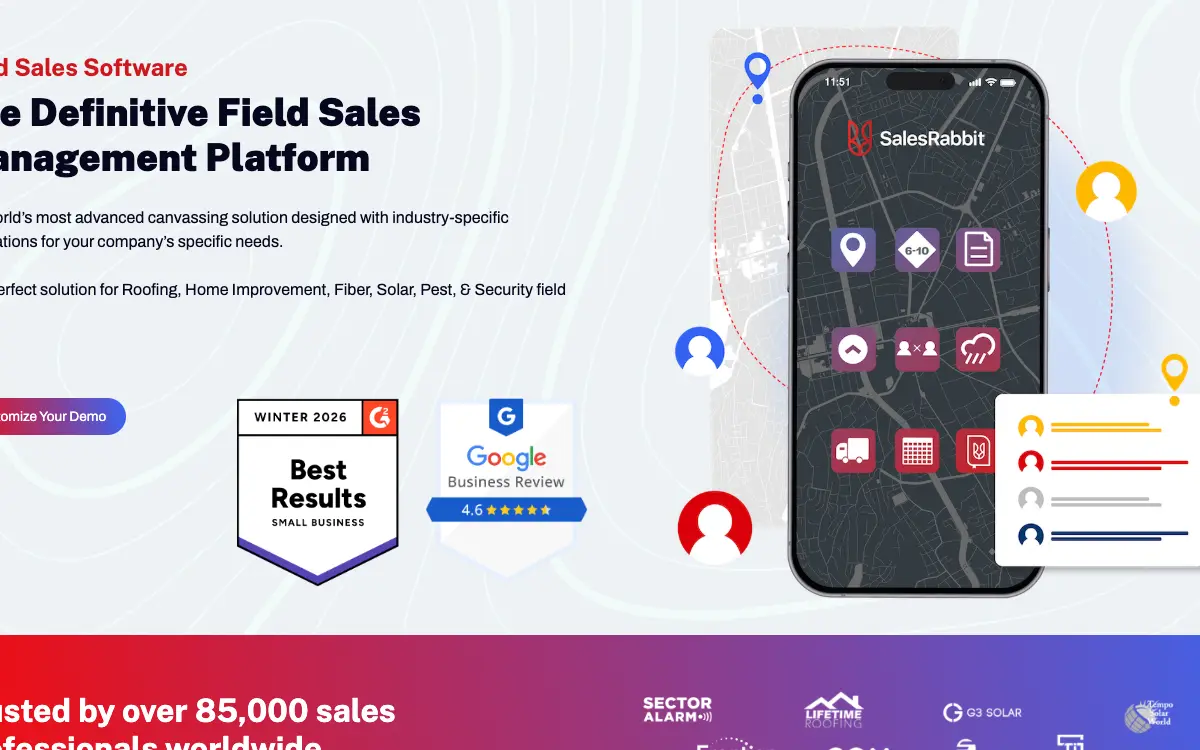
SalesRabbit is canvassing software for a crew that knocks doors as a system rather than as a hobby, priced per seat and sold on a multi-year agreement. It starts at $0 per user, single user, mobile only. Billing is per seat, not per person. The vendor's own wording: "SalesRabbit bills for seats, not users, which means that a seat can be occupied by multiple users throughout the year, one user at a time. When a user is inactivated a seat is freed up." The invoice floor is not the headcount you actually have: "The number of seats invoiced each year will equal the minimum number of seats required or the number of active users on the account, whichever is higher." On the free Lite app the vendor states "A minimum of three users is required on a paid plan." It fits a residential exterior or solar company running 5 to 40 canvassers and closers on assigned territory, where the same street gets worked by more than one person and disposition history is the thing being protected. It's the wrong buy for An owner-operator or two-person crew that sells off referrals and the occasional lawn sign, because Paid plans require a minimum of three users, the agreement runs one to three years, and there's a mandatory implementation package on top. So you'd be buying territory-assignment machinery for a territory nobody else on your team is working. And the free Lite app does map pins and route planning for one person at no cost, which is the whole of what you need. Alternatives that publish their prices are Badger Maps from $58/month, Map My Customers from $99/month, Roofr from $109/month. Five priced tiers, seven evidenced gaps and six alternatives, four of which publish a figure.
SalesRabbit, in one paragraph
SalesRabbit earns its money with a residential exterior or solar company running 5 to 40 canvassers and closers on assigned territory, where the same street gets worked by more than one person and disposition history is the thing being protected. If that's you, it does the job. The sections below are the parts worth checking before you sign. But the fit is narrower than the marketing suggests, and the price isn't the whole cost.
It starts at $0. And pricing was verified on 7 August 2026, so you can check every figure below in a browser tab.
| Pricing model | Published tiers |
|---|---|
| Entry price | $0 |
| Users | Billing is per seat, not per person. The vendor's own wording: "SalesRabbit bills for seat |
| Ownership | Independent |
| Best fit | a residential exterior or solar company running 5 to 40 canvassers and closers on assigned territory, where the same street gets worked by more than one person and disposition history is the thing being protected. |
| Accounting sync | QuickBooks (none), QuickBooks (RoofLink Pro only) (one-way), Xero (none) |
What works
- Draw an area on the map, assign it to a rep, and the pins for that area appear on the rep's phone
- Every house gets a status, and the status is the asset
- Buyer scoring and homeowner data are a separate line item, and reviewers say the data is directional rather than reliable
- E-signature is an add-on, not a plan feature, and it is not available on Team
- Battery drain and freezing are the two things reps say out loud
What does not
- The price you see is the billing frequency, not the commitment
- The implementation fee is mandatory and the amount is never published
- Every named integration is a one-way push out of SalesRabbit
- Pin placement and territory sync are the oldest complaint in the corpus and the newest one
- No accounting integration exists on the SalesRabbit platform at all
SalesRabbit is canvassing software for a crew that knocks doors as a system rather than as a hobby, priced per seat and sold on a multi-year agreement. It sells to Roofing and Siding and Solar and Windows and doors contractors, and the shape of the product follows from that: This is the core loop, and it's what people buy the product for. But the complaint pattern sits precisely on the handoff: reviewers describe assigned areas taking a while to load on the rep's end, areas that disappear or fail to save after assignment, and reps unable to see their pins and knocking into existing customers as a result. And when it works, it's the reason a crew of twelve doesn't knock the same street three times.
The shops SalesRabbit fits, and the ones it doesn't
It fits a residential exterior or solar company running 5 to 40 canvassers and closers on assigned territory, where the same street gets worked by more than one person and disposition history is the thing being protected. That's the half most reviews print. Here's the other half, which is the one worth your time.
Don't buy it if you're An owner-operator or two-person crew that sells off referrals and the occasional lawn sign. Paid plans require a minimum of three users, the agreement runs one to three years, and there's a mandatory implementation package on top. So you'd be buying territory-assignment machinery for a territory nobody else on your team is working. And the free Lite app does map pins and route planning for one person at no cost, which is the whole of what you need. Look at SalesRabbit Lite, free, and a shared sheet you keep your own copy of instead.
Don't buy it if you're A contractor who wants one system to run the job after it sells. SalesRabbit stops at the signed agreement. There's no production scheduling, no material ordering, no invoicing, no accounting integration of any kind, and every named partner integration pushes data out rather than pulling status back in. So you'd be buying a second subscription within the year and paying implementation twice. Look at JobNimbus or AccuLynx, both of which SalesRabbit itself integrates with as the downstream system instead.
Don't buy it if you're A team that needs certainty about walking away at the end of a season. The subscription auto-renews for a full year unless you email billing@salesrabbit.com at least 30 days before the term ends, all fees are non-refundable, annual billing takes all seats upfront, and coming back more than 30 days after cancelling triggers a fresh implementation fee. So a storm-chasing crew whose headcount swings from 4 to 30 and back is buying a fixed twelve-month floor. Look at Badger Maps at $58 per user per month, or a month-to-month canvassing app, if seasonal exit matters more than the feature set instead.
The money question on SalesRabbit
The tiers are public. And that's worth more than it sounds in a category where half the vendors make you ask.
| Tier | Price | Billing unit | What it unlocks |
|---|---|---|---|
| SalesRabbit Lite | $0 | per user, single user, mobile only | Lead creation on a map, status filtering, notes, appointments, route planning, No web app access, No live support, Lead export only if you upgrade to 10 or more licenses |
| SalesRabbit Team | $59/month | per user | Advanced Canvassing, Plan Routes, Rep Location Tracking, Digital Sales Tools, Built in Sketch Board, Amplify Analytics |
| SalesRabbit Pro (billed monthly) | $75/month | per user | Custom Fields, Map Overlays, Customer Locator, Lead File Attachments, Amplify Gamification, API & Integrations, Scheduler for Setters & Closers |
| SalesRabbit Pro (billed annually) | $49/month | per user, billed annually | Same feature set as Pro monthly, at the annual commit rate |
| SalesRabbit Enterprise | Quote only | per user, quote only | Amplify Coaching, Single Sign-On, Multiple Amplify Accounts, Custom SLA, Custom Integration Requests |
| RoofLink Pro | $120/month | per user | Roof Measuring & Estimates, Full Inspection Capabilities, Product Library Management, Basic Canvassing, Weather Data, Quickbooks Financing Integration |
Billing is per seat, not per person. The vendor's own wording: "SalesRabbit bills for seats, not users, which means that a seat can be occupied by multiple users throughout the year, one user at a time. When a user is inactivated a seat is freed up." The invoice floor is not the headcount you actually have: "The number of seats invoiced each year will equal the minimum number of seats required or the number of active users on the account, whichever is higher." On the free Lite app the vendor states "A minimum of three users is required on a paid plan."
There is a discount for paying annually up front: And an annual prepay discount tells you an annual commitment exists, which is worth knowing before anyone mentions a term length out loud.
What a SalesRabbit quote leaves out
Payment processing. No per-contract processing fee on digital contracts. Vendor FAQ: "Is there a per contract processing fee?", and the answer is "No. It's included in the Pro Plan and/or Digital Contracts pricing." SalesRabbit does not process homeowner payments itself, so there is no card-rate question here the way there is on an invoicing platform.
Implementation and onboarding. The vendor confirms implementation is mandatory and never publishes the number. Their FAQ reads: "Is an implementation package always required? What does it cover?", and the answer is "Yes. Our implementation packages include getting a new account set up and launched, which is an expensive process, and the implementation packages help cover those expenses so that we can continue to keep your monthly costs low. The packages vary in cost depending on how much hands-on assistance your team will need getting up and running. They come in the following packages: Basic, Guided, Premium, and Custom." So ask for the dollar figure of each of the four packages in writing, which one your quote assumes, and what triggers a move from Basic to Guided. And ask separately what the implementation fee is if you cancel and re-sign, because the vendor states "If you sign back up after 30 days, there will be a new implementation fee."
Minimum term. One to three years. Vendor FAQ: "Is there a long-term contract?", and the answer is "Yes, we do contracts from one to three years. We lock in pricing for the term of the agreement and offer both quarterly or annual billing options on most of our plans." The published Terms of Service set the default: "you agree to pay us the applicable fees, as set forth in Section 7, for an initial term of one year (the "Initial Term"), unless we agree otherwise in an Order Form." The $59 and $75 figures on the pricing page are labelled "Billed Monthly", which describes the billing frequency, not the commitment.
Getting out. No separate termination penalty, but no way out of the term either. Vendor FAQ: "Is there a cancellation fee?", and the answer is "No. We do not refund charges if you cancel in the middle of a billing cycle, so keep in mind that the cancelation process needs to be completed before the next billing cycle starts. If you sign back up after 30 days, there will be a new implementation fee." The Terms of Service are blunter: "All fees connected with our Services are non-refundable." Because annual billing is "All seats are paid upfront for one year", cancelling in month two of an annual cycle means the remaining ten months are already paid and are not coming back.
Auto-renewal. Automatic one-year renewal unless you email a specific inbox at least 30 days out. Terms of Service, section 6b: "Unless you provide us email notice to billing@salesrabbit.com at least thirty days before the end of the then-current term that you wish to cancel your Plan or access to the Services, your Plan subscription will automatically renew for another one year term (the "Additional Term(s)") upon the expiration date of each annual term." Notice to your account manager, or a cancellation raised in a support ticket, is not what the clause asks for.
Modules sold separately. , , , , . And an add-on you need in week one is part of what SalesRabbit costs, so the number to compare is the configuration you'd really run.
One oddity, filed under things nobody mentions on a demo. The legal document SalesRabbit labels Current governs the website, not your subscription. The 2023-09-01 "Website Terms of Use" covers browsing salesrabbit.com and contains no term, no renewal clause, no refund policy and no data-return obligation. Every one of those lives in the document labelled 2021-06-18, titled "Sales Rabbit Terms of Service", which reads as superseded but is the only public source for the mechanics that decide whether you can leave. Don't diligence this purchase off the link marked Current. So ask for the order form and the MSA that your signature attaches to, and check whether its notice period still matches the thirty days in the 2021 document.
Everything that is not the SalesRabbit subscription
The subscription is the part everyone quotes. These are the lines that land afterwards, and the ones we could not find are named as unpublished rather than left blank.
Sold separately. , , , , . Price the configuration you'll really run, because an add-on you need on day one is part of the price.
"SalesRabbit SalesRabbit Lite is $0, per user, single user, mobile only."
SalesRabbit pricing page (2026)
"SalesRabbit SalesRabbit Team is $59/month, per user."
SalesRabbit pricing page (2026)
"Billing is per seat, not per person. The vendor's own wording: "SalesRabbit bills for seats, not users, which means that a seat can be occupied by multiple users throughout the year, one user at a time. When a user is inactivated a seat is freed up." The invoice floor is not the headcount you actually have: "The number of seats invoiced each year will equal the minimum number of seats required or the number of active users on the account, whichever is higher." On the free Lite app the vendor states "A minimum of three users is required on a paid plan.""
SalesRabbit pricing page (2026)
The five workflows you pay for
Feature totals are noise. So a shop in this category lives or dies on five things, and those are the five to grade, and each one below carries the evidence it's graded on.
Draw an area on the map, assign it to a rep, and the pins for that area appear on the rep's phone. This is the core loop, and it's what people buy the product for. But the complaint pattern sits precisely on the handoff: reviewers describe assigned areas taking a while to load on the rep's end, areas that disappear or fail to save after assignment, and reps unable to see their pins and knocking into existing customers as a result. And when it works, it's the reason a crew of twelve doesn't knock the same street three times. And a project specialist, consumer services, 1-2 years on the platform, writing on 2018-10-02, puts it the same thing: "There were many instances this summer where a rep couldn't see his pins and therefore knocked into current customers. Sometimes their areas would diasappear or wouldn't save after having been assigned. Other times it would show multiple pins for the same customer, etc. Sales Rabbit's customer service team (when we could reach them) was always willing and ready to help but they didn't necessarily fix the problem right away because it was more of a programming issue that took time to remedy. Often times it would reject a contract for whatever reason and the rep had to wait to submit it later. This would result in some contracts (and therefore, payment information) being lost."And a sales manager, retail, 1-2 years on the platform, writing on 2017-07-18, puts it the same thing: "Lag on loading areas. Sometimes when you assign areas to a sales rep it will take a while for it to load on their end."
Every house gets a status, and the status is the asset. Not home, not interested, callback, sold, selling the home. A windows contractor describes this as the mechanism that took a small family company to eight figures. But it's also the thing you can't get back out of the free tier without buying ten seats, which is worth holding in your head when you decide where a season of knocking lives. But a windows replacement contractor, says it differently: "I work with a company named JKR WINDOWS. We are a high energy efficient window replacement company. We use sales rabbit on the daily, helps us keep track of which doors we've knocked, customers who were not home, customers who weren't interested, customers who wanted a follow up, people who are not interested, people who are selling the home, and so on. This tool has helped turn a small family owned company into a multimillion producing company in just a short few years. I love how friendly the app is, makes it very simple and effective to use. I would recommend this app to any business who's looking to keep track of doors and level up they're business."
Buyer scoring and homeowner data are a separate line item, and reviewers say the data is directional rather than reliable. DataGrid AI is $19 to $31 per user per month depending on billing frequency and assigns a Buyer Score to homes and neighbourhoods. But reviewers report the underlying data being wrong in ways that matter: one says the app doesn't distinguish renters from homeowners and he uses a second app to work that out, another says the credit signal showed terrible credit in neighbourhoods where he found perfectly qualified buyers. So treat the score as a route-ordering hint, not a qualification. A dth vivint installation technician, consumer electronics, Less than 6 months on the platform, writing on 2019-04-26, says: "It would be really nice if the application shows live data. Many times you will knock into renters, and the app does not show you the difference from a renter to a home owner. This makes knocking some times frustrating and forces me to use other apps to know who are homeowners in the neighborhood."A door to door salesman, 1+ year on the platform, writing on 2017-02-28, says: "The only improvement I would recommend is some more accuracy on the credit reporting the app offers. I have been in neighborhoods where the app shows terrible credit, but found customers who were more than qualified to purchase my product."
E-signature is an add-on, not a plan feature, and it is not available on Team. Digital Contracts is $13 to $20 per user per month on top of Pro or Enterprise. And Team can't buy it at all; DataGrid AI is the only add-on available on Team. So the actual per-seat cost of a Pro rep who signs deals at the door is $49 plus $13 annually, which is $62, before DataGrid or Weather. But there's at least no per-contract processing fee on top.
Battery drain and freezing are the two things reps say out loud. A GPS-tracked, satellite-map, always-on app on a phone for eight hours does what you'd expect to a battery. And one reviewer says you need a portable charger or two to stay alive and that comparable apps use less. Separately, freezing and being kicked out of the app appear repeatedly across years and reviewers, alongside difficulty reaching support when it happens. On 2020-04-21, an account manager, consumer services, 1-2 years on the platform, writes: "The worst part about this software is the battery that is required to run it... you need a portable charger or two to stay alive. Other similar apps in the market seem to provide similar services for less battery usage."On 2020-02-20, a recruiter, staffing and recruiting, 1-2 years on the platform, writes: "Freezes up way to much. Will kick you out of the app and hard to get ahold of CSR to help solve the problem"On 2018-10-01, a consumer services writes: "Great when it works. Really good UI and Design. Works really well as a Door to Door Sales Tool. Unstable."
SalesRabbit trade fit
Fit differs by trade rather than by company size alone, and a blended paragraph hides that. Here is the split for the trades this one sells to.
Roofing. The workflow that decides it is draw an area on the map, assign it to a rep, and the pins for that area appear on the rep's phone, and the shop profile that gets value is nine to forty, canvass team with setters and closers doing residential and insurance work. Where it stops being a fit is An owner-operator or two-person crew that sells off referrals and the occasional lawn sign.
Siding. The workflow that decides it is draw an area on the map, assign it to a rep, and the pins for that area appear on the rep's phone, and the shop profile that gets value is nine to forty, canvass team with setters and closers doing residential and insurance work. Where it stops being a fit is An owner-operator or two-person crew that sells off referrals and the occasional lawn sign.
Solar. The workflow that decides it is draw an area on the map, assign it to a rep, and the pins for that area appear on the rep's phone, and the shop profile that gets value is nine to forty, canvass team with setters and closers doing residential and insurance work. Where it stops being a fit is An owner-operator or two-person crew that sells off referrals and the occasional lawn sign.
Windows and doors. The workflow that decides it is draw an area on the map, assign it to a rep, and the pins for that area appear on the rep's phone, and the shop profile that gets value is nine to forty, canvass team with setters and closers doing residential and insurance work. Where it stops being a fit is An owner-operator or two-person crew that sells off referrals and the occasional lawn sign.
The SalesRabbit accounting link, and where it stops
QuickBooks connects, on every plan. QuickBooks (RoofLink Pro only) connects one way only, so edits made in your books do not come back, gated to a higher tier. Xero connects, on every plan. Your costs map through cost codes, so test yours against your own chart of accounts before you commit. A code your books don't recognise is how a labour charge quietly lands somewhere useless.
Past those, the road ends. QuickBooks / Xero / any accounting package, Jobber, Housecall Pro, ServiceTitan, Any inbound sync do not connect. So if your books run on an ERP rather than the platforms named above, weigh that before anything else.
Beyond accounting it connects to AccuLynx (Push leads from SalesRabbit into AccuLynx so the roofing CRM picks up the job. One-way.), JobNimbus (Push leads, appointments and notes from SalesRabbit into JobNimbus. One-way.), CompanyCam (Upload files attached to a SalesRabbit lead into a CompanyCam project. One-way.), Zapier (The general-purpose escape hatch for anything the 19 named partners do not cover.), HailTrace (Storm maps and reports, relevant to roofing and restoration canvassing. And it sits alongside the paid Weather add-on rather than replacing it.), Single sign-on providers (Eight SSO options listed separately from the 19 partners: Active Directory/LDAP Connector, ADFS, Azure Active Directory Native, Google Workspace, OpenID Connect, Okta, PingFederate, SAML. And SSO itself is an Enterprise-tier feature.). A public API exists: There is a public developer portal at developers.salesrabbit.com, and "API & Integrations" is listed as a SalesRabbit Pro feature, not a Team feature. Enterprise adds "Custom Integration Requests" priced only as "$". So a Team-tier account at $59 per user per month has no API and no way to build the inbound sync the packaged integrations do not provide.
SalesRabbit support, onboarding and the hours
Support is the line item nobody prices and everybody eventually needs. SalesRabbit publishes no onboarding fee either way, so ask what is included at your tier and what is billed hourly after go-live.
A recruiter, staffing and recruiting, 1-2 years on the platform, says it plainly: "Freezes up way to much. Will kick you out of the app and hard to get ahold of CSR to help solve the problem"
And an utilities, writing on 2022-06-01, says the same thing: "Initial meetings and project work were well executed. Post-project transition to daily support has been a challenge."
SalesRabbit contracts, and getting out
Nobody reads this section before they buy, and it's the one that costs money afterwards. Four terms decide what leaving looks like.
Minimum term. One to three years. Vendor FAQ: "Is there a long-term contract?", and the answer is "Yes, we do contracts from one to three years. We lock in pricing for the term of the agreement and offer both quarterly or annual billing options on most of our plans." The published Terms of Service set the default: "you agree to pay us the applicable fees, as set forth in Section 7, for an initial term of one year (the "Initial Term"), unless we agree otherwise in an Order Form." The $59 and $75 figures on the pricing page are labelled "Billed Monthly", which describes the billing frequency, not the commitment.
Auto-renewal. Automatic one-year renewal unless you email a specific inbox at least 30 days out. Terms of Service, section 6b: "Unless you provide us email notice to billing@salesrabbit.com at least thirty days before the end of the then-current term that you wish to cancel your Plan or access to the Services, your Plan subscription will automatically renew for another one year term (the "Additional Term(s)") upon the expiration date of each annual term." Notice to your account manager, or a cancellation raised in a support ticket, is not what the clause asks for.
Early termination. No separate termination penalty, but no way out of the term either. Vendor FAQ: "Is there a cancellation fee?", and the answer is "No. We do not refund charges if you cancel in the middle of a billing cycle, so keep in mind that the cancelation process needs to be completed before the next billing cycle starts. If you sign back up after 30 days, there will be a new implementation fee." The Terms of Service are blunter: "All fees connected with our Services are non-refundable." Because annual billing is "All seats are paid upfront for one year", cancelling in month two of an annual cycle means the remaining ten months are already paid and are not coming back.
Payment processing. No per-contract processing fee on digital contracts. Vendor FAQ: "Is there a per contract processing fee?", and the answer is "No. It's included in the Pro Plan and/or Digital Contracts pricing." SalesRabbit does not process homeowner payments itself, so there is no card-rate question here the way there is on an invoicing platform.
A tangent, but stay with it. The free tier's export is priced at ten seats. SalesRabbit Lite will happily hold a full season of door-knocking history for one person, and the only published way to get that history out is to "upgrade to 10 or more licenses". So at the annual Pro rate that's $5,880 a year plus an undisclosed implementation fee to retrieve data you entered yourself. Treat the free app as a viewer, not a database. So if you're evaluating on Lite, keep a parallel record you own from the first knock, so the trial can't become the reason you buy.
"The only thing that's a shame is the monthly subscription price which may be out of reach for small businesses."
Capterra, Jérémie M. (1-26)
"I signed up for Sales Rabbit and highly highly regret it. It all started with a demo from a sales person and I loved everything Sales Rabbit has to offer. I think they're a great product but an absolutely awful company. After watching the demo I decided I wanted to use their services and asked about how to sign up. The sales rep told me that it would require signing a contract for a year and I really didn't want to do that so then he told me I could sign a quarterly contract where I pay for 3 months instead of a year which I gladly accepted. Come to find out after 3 months when I tried to cancel that "i was in a year long contract". I sent many many emails to Sales Rabbit requesting to cancel and to terminate my agreement and even called them and talked to customer service many times. As soon as I try to cancel they get nasty with me on the phone and then send me the small print in the agreement I signed telling me I was In a 12 month agreement. They continued to charge me $600 every 3 months even though I requested to cancel over and over again. Finally I had to file dispute charges with my bank and cancel my credit card so these crooks couldn't steal any more money from me. My advice to anyone looking at Sales Rabbit is refuse to sign any kind of an agreement or contract with them. Say you're okay with a month to month plan but will not sign a contract."
Apple App Store, Fix This App Please :) (3-21)
"There were many instances this summer where a rep couldn't see his pins and therefore knocked into current customers. Sometimes their areas would diasappear or wouldn't save after having been assigned. Other times it would show multiple pins for the same customer, etc. Sales Rabbit's customer service team (when we could reach them) was always willing and ready to help but they didn't necessarily fix the problem right away because it was more of a programming issue that took time to remedy. Often times it would reject a contract for whatever reason and the rep had to wait to submit it later. This would result in some contracts (and therefore, payment information) being lost."
Capterra, Amber T. (0-02)
What SalesRabbit reviewers keep running into
Every one of these is checkable on a demo call. None of it is a matter of taste, and each one traces to a vendor page or a named reviewer.
The price you see is the billing frequency, not the commitment. The pricing page shows $59 and $75 per user per month with the label "Billed Monthly" next to it. Read four screens further down and the FAQ says the agreements run one to three years. But nothing on the plan card tells you that. And one App Store reviewer describes being told by a rep that a quarterly option meant a three-month commitment, then being held to twelve months when they tried to leave. So whether that was a misunderstanding or a misrepresentation, the document that governs is the order form, and the order form is the thing nobody reads before signing. Before signing, ask for the order form as a PDF and read the term length and the renewal clause yourself. Then put the cancellation deadline in your calendar as a date, not a reminder: 31 days before your renewal, email billing@salesrabbit.com.
The implementation fee is mandatory and the amount is never published. There are four implementation packages, they're always required, and the vendor publishes zero dollar figures for any of them. So the real first-year number for a ten-seat Pro account is $49 times 10 times 12, which is $5,880, plus an unknown. And if you cancel and come back more than 30 days later, you pay the implementation fee again. So that's a second undisclosed number attached to a decision you might make two years from now. Get all four implementation package prices in writing before you take the demo seriously, and get the re-signup implementation fee quoted too. And treat the annual subscription number as roughly 70% of your real year one cost until you have that figure.
Every named integration is a one-way push out of SalesRabbit. The directory names 19 partners. Read the individual partner pages and the verbs are consistent: "Automatically transfer leads to AccuLynx." "Transfer leads from SalesRabbit to JobNimbus." "Quickly and easily transfer data from SalesRabbit to CompanyCam." And nothing describes data coming back. So that's fine if canvassing is genuinely the front of your funnel and your CRM is the system of record downstream. But it isn't fine if you expected the job status in AccuLynx to update the pin colour on the map, because it won't. Draw your data flow on one sheet of paper before you buy. And if any arrow needs to point back into SalesRabbit, price the Zapier or API work to build it, and note that API access is a Pro-tier feature, not a Team-tier one.
Pin placement and territory sync are the oldest complaint in the corpus and the newest one. A 2018 reviewer describes reps unable to see their pins and knocking into existing customers, areas disappearing after assignment, and duplicate pins on the same address. A May 2025 reviewer, seven years later, writes that pins are often placed in the wrong spot in new areas. And a 2017 sales manager describes lag when assigned areas load on the rep's device. So this is a characteristic of a system that draws pins from a parcel database onto a satellite map in places where the parcel database is thin, not a bug that got fixed. And a consumer services, writing on 2025-05-22, writes the same thing: "The pins are often times placed in the wrong spot, especially in new areas." Pilot on the specific neighbourhoods you work, not on the demo's example map. And new construction and recently subdivided lots are where reviewers say the pins go wrong, which is exactly where a roofing or solar canvasser wants to be.
No accounting integration exists on the SalesRabbit platform at all. Nineteen partners, and the category filter list runs Customer Management, Digital Contracts, Estimation, Forms, Home Improvement, Home Security/Automation, Lead Data, Pest Control, Presentations, Roofing, Satellite TV, Solar, Storm Data, Team Management. And there's no accounting category and no accounting partner. QuickBooks appears exactly once in SalesRabbit's published material, in the RoofLink Pro feature list on the pricing page as "Quickbooks Financing Integration", which is a different product at $120 per user per month. Assume the signed contract leaves SalesRabbit and lands in your CRM, and that the CRM is where the accounting handoff happens. So confirm your CRM's own QuickBooks sync before you buy, because SalesRabbit isn't going to provide it.
The free Lite tier can't hand you your own data back unless you buy ten seats. SalesRabbit Lite is genuinely free and genuinely useful for one person: map pins, statuses, notes, appointments, route planning. But what it won't do is give you a CSV. Export from Lite is gated behind an upgrade to ten or more licenses, which at the annual Pro rate is $5,880 a year plus implementation. So a one-person operation that knocks for a season on the free app and then wants to move to a different tool is copying addresses by hand off a phone screen. If you're trialling on Lite, keep your own record of every lead somewhere you control from day one. A shared sheet is enough. And don't let a season of knocking exist only inside the free app.
The contract-bearing legal document on the site is five years old and the current one governs the website, not your subscription. SalesRabbit's Terms of Use page offers two documents. The one labelled Current, dated 2023-09-01, is titled "Website Terms of Use" and covers browsing salesrabbit.com: acceptable use, trademarks, no scraping, a geographic restriction to the United States. It contains no subscription term, no renewal clause, no refund policy. The one that does contain all of that is labelled 2021-06-18 and titled "Sales Rabbit Terms of Service". So the terms that decide whether you can leave are on the archived link. Don't rely on either public document. So ask for the Master Services Agreement or order form that your signature will attach to, and check whether its renewal notice period matches the 30 days in the 2021 Terms of Service.
One more thing worth knowing. the phrase "Billed Monthly" sits directly under the $59 and $75 figures on the plan cards, and it means the invoice frequency, not the commitment. But the one-to-three-year contract answer is buried in the FAQ four screens below the pricing table. And the one negative App Store review that describes the contract in detail is an account of exactly that gap being discovered three months in. Price the decision as a multi-year one. Because for a ten-seat Pro account that's at least $58,800 over three years at the annual rate, plus add-ons, plus an implementation figure the vendor won't publish.
One more thing worth knowing. the pin-accuracy complaint spans eight years without changing. A 2017 sales manager reports lag when assigned areas load on the rep's device. And a 2018 project specialist reports reps unable to see pins and knocking into existing customers, areas that vanish after assignment, and duplicate pins on one address. A May 2025 reviewer reports pins landing in the wrong spot, "especially in new areas". Same defect, three release eras. New construction and recently subdivided lots are where the parcel data is thinnest, and they're also where a roofing or solar canvasser most wants to be. So pilot on those specific streets before you sign a multi-year term.
Side note, and it's a useful one: canvassing software is the only contractor category where the product's core asset is a negative record. What you're paying to protect is the list of houses that said no, when they said it, and to whom. Every published SalesRabbit integration moves the yes outward into a CRM. And none of them moves the no anywhere. So the no's exist in exactly one place, on the platform whose export is contract-gated at the bottom tier and thirty-day-windowed at the top. Export the full lead file on a schedule while you're a happy customer, not when you're leaving. And a quarterly CSV to your own storage costs nothing and is the only thing that makes the switching decision reversible.
What SalesRabbit users report
Every quote below is transcribed from a published review, named to the platform that carries it and to the reviewer as that platform displays them. We read the corpus by complaint type rather than by star rating, which is how the disqualifying detail buried inside a five-star review gets found.
"I signed up for Sales Rabbit and highly highly regret it. It all started with a demo from a sales person and I loved everything Sales Rabbit has to offer. I think they're a great product but an absolutely awful company. After watching the demo I decided I wanted to use their services and asked about how to sign up. The sales rep told me that it would require signing a contract for a year and I really didn't want to do that so then he told me I could sign a quarterly contract where I pay for 3 months instead of a year which I gladly accepted. Come to find out after 3 months when I tried to cancel that "i was in a year long contract". I sent many many emails to Sales Rabbit requesting to cancel and to terminate my agreement and even called them and talked to customer service many times. As soon as I try to cancel they get nasty with me on the phone and then send me the small print in the agreement I signed telling me I was In a 12 month agreement. They continued to charge me $600 every 3 months even though I requested to cancel over and over again. Finally I had to file dispute charges with my bank and cancel my credit card so these crooks couldn't steal any more money from me. My advice to anyone looking at Sales Rabbit is refuse to sign any kind of an agreement or contract with them. Say you're okay with a month to month plan but will not sign a contract."
But a reviewer, reports it it differently on Apple App Store
"There were many instances this summer where a rep couldn't see his pins and therefore knocked into current customers. Sometimes their areas would diasappear or wouldn't save after having been assigned. Other times it would show multiple pins for the same customer, etc. Sales Rabbit's customer service team (when we could reach them) was always willing and ready to help but they didn't necessarily fix the problem right away because it was more of a programming issue that took time to remedy. Often times it would reject a contract for whatever reason and the rep had to wait to submit it later. This would result in some contracts (and therefore, payment information) being lost."
A project specialist, consumer services, 1-2 years on the platform, puts it it plainly on Capterra
"The pins are often times placed in the wrong spot, especially in new areas."
And a consumer services, writing on 2025-05-22, describes it the same thing on Capterra
"The only thing that's a shame is the monthly subscription price which may be out of reach for small businesses."
But a CEO, arts and crafts, says it differently on Capterra
"Freezes up way to much. Will kick you out of the app and hard to get ahold of CSR to help solve the problem"
A recruiter, staffing and recruiting, 1-2 years on the platform, writing on 2020-02-20, describes it on Capterra
"It would be really nice if the application shows live data. Many times you will knock into renters, and the app does not show you the difference from a renter to a home owner. This makes knocking some times frustrating and forces me to use other apps to know who are homeowners in the neighborhood."
A dth vivint installation technician, consumer electronics, Less than 6 months on the platform, writing on 2019-04-26, puts it on Capterra
"Don't like that the multiple instances don't synch. For example if you have it on an iPad and iPhone, the data doesn't synch automatically. It should."
A president, security and investigations, 6-12 months on the platform, says it plainly on Capterra
"Lag on loading areas. Sometimes when you assign areas to a sales rep it will take a while for it to load on their end."
A sales manager, retail, 1-2 years on the platform, writing on 2017-07-18, writes on Capterra
"The worst part about this software is the battery that is required to run it... you need a portable charger or two to stay alive. Other similar apps in the market seem to provide similar services for less battery usage."
An account manager, consumer services, 1-2 years on the platform, puts it it plainly on Capterra
"Initial meetings and project work were well executed. Post-project transition to daily support has been a challenge."
An utilities, writing on 2022-06-01, describes it on Software Advice
"Great when it works. Really good UI and Design. Works really well as a Door to Door Sales Tool. Unstable."
On 2018-10-01, a consumer services describes it on Software Advice
"I work with a company named JKR WINDOWS. We are a high energy efficient window replacement company. We use sales rabbit on the daily, helps us keep track of which doors we've knocked, customers who were not home, customers who weren't interested, customers who wanted a follow up, people who are not interested, people who are selling the home, and so on. This tool has helped turn a small family owned company into a multimillion producing company in just a short few years. I love how friendly the app is, makes it very simple and effective to use. I would recommend this app to any business who's looking to keep track of doors and level up they're business."
And a windows replacement contractor, writing on 2023-01-16, reports it the same thing on Apple App Store
"The only improvement I would recommend is some more accuracy on the credit reporting the app offers. I have been in neighborhoods where the app shows terrible credit, but found customers who were more than qualified to purchase my product."
A door to door salesman who reviewed it on 2017-02-28 puts it on Capterra
How SalesRabbit compares
Here's the shortlist SalesRabbit competes against in real deals. Some of these will tell you the price tonight. That difference tells you how the sales conversation is going to go.
| Tool | Entry price | Billing unit | Users included | Published? |
|---|---|---|---|---|
| SalesRabbit | $0 | per user, single user, mobile only | Billing is per seat, not per person. The vendor's own wordin | Yes |
| SPOTIO | Quote only | per user | minimum 5 field sales users | No |
| Badger Maps | $58/month | per user, billed annually ($69 monthly) | 1 user | Yes |
| Map My Customers | $99/month | per user, billed annually | 5 user minimum | Yes |
| JobNimbus | Quote only | per account | not published | No |
| Roofr | $109/month | per month, billed annually, unlimited users | unlimited | Yes |
| CompanyCam | $79/month | per month | see vendor pricing page | Yes |
SPOTIO. B2B field sales as well as B2C, with a deeper activity-and-pipeline reporting layer aimed at sales leadership rather than at canvass managers. But You can't compare it on price at all, because no figure is published. Their pricing page says only "Pricing is user-based" and routes you to a form, so every conversation starts with a discovery call.
Badger Maps. Route optimisation and territory visualisation for a rep who drives a list rather than knocks a grid, with published per-seat pricing and no mandatory implementation package. But It isn't a canvassing tool. No per-house disposition pins, no homeowner data overlays, no digital contracts, and territory management is a paid add-on at $20 per territory per month with a five-territory minimum.
Map My Customers. Publishing its seat minimums right on the plan card, so you can compute the real floor before you talk to anyone: 5 seats at $99 is $5,940 a year and it says so. But Nearly double SalesRabbit's annual Pro rate per seat, and built for outside sales route management rather than door-to-door residential canvassing.
JobNimbus. Running the job after it sells: production, tasks, documents and the accounting handoff SalesRabbit doesn't have. And SalesRabbit itself integrates into it as the downstream system. But Canvassing isn't its centre of gravity, and it publishes no pricing at all, so you trade a known per-seat number for a quote.
Roofr. Measurement, proposals and a per-report free tier for a roofing company whose bottleneck is quoting rather than knocking. One account price instead of a per-seat multiplier. But No canvassing, no territory assignment, no rep GPS, no per-house disposition history. And it solves the step after the door opens.
CompanyCam. Photo evidence organised by project, which is the documentation layer a storm-damage canvass needs and SalesRabbit does not provide. But Not a sales tool in any sense. It's a complement to SalesRabbit, not a replacement, and SalesRabbit already pushes lead file attachments into it.
"The pins are often times placed in the wrong spot, especially in new areas."
Capterra, David N. (5-22)
"Freezes up way to much. Will kick you out of the app and hard to get ahold of CSR to help solve the problem"
Capterra, Janel M. (2-20)
Who should not buy SalesRabbit
Don't buy SalesRabbit if you're An owner-operator or two-person crew that sells off referrals and the occasional lawn sign. Paid plans require a minimum of three users, the agreement runs one to three years, and there's a mandatory implementation package on top. So you'd be buying territory-assignment machinery for a territory nobody else on your team is working. And the free Lite app does map pins and route planning for one person at no cost, which is the whole of what you need. Look at SalesRabbit Lite, free, and a shared sheet you keep your own copy of instead.
Don't buy SalesRabbit if you're A contractor who wants one system to run the job after it sells. SalesRabbit stops at the signed agreement. There's no production scheduling, no material ordering, no invoicing, no accounting integration of any kind, and every named partner integration pushes data out rather than pulling status back in. So you'd be buying a second subscription within the year and paying implementation twice. Look at JobNimbus or AccuLynx, both of which SalesRabbit itself integrates with as the downstream system instead.
Don't buy SalesRabbit if you're A team that needs certainty about walking away at the end of a season. The subscription auto-renews for a full year unless you email billing@salesrabbit.com at least 30 days before the term ends, all fees are non-refundable, annual billing takes all seats upfront, and coming back more than 30 days after cancelling triggers a fresh implementation fee. So a storm-chasing crew whose headcount swings from 4 to 30 and back is buying a fixed twelve-month floor. Look at Badger Maps at $58 per user per month, or a month-to-month canvassing app, if seasonal exit matters more than the feature set instead.
The verdict, by shop size
Solo operator or two-person crew
No. Paid plans require a minimum of three users, the agreement runs one to three years, and there's an undisclosed mandatory implementation fee on top of roughly $1,764 a year for the three-seat annual Pro floor. And there's nobody to assign territory to. So use the free Lite app, and keep your own copy of every lead, because export out of Lite is gated behind buying ten licenses. This band runs 1 to 2 on the crew, doing residential work, and that's the profile the recommendation is written for.
Three to eight, one crew knocking a market
Only under conditions, and they are worth being honest about. This is where the math starts working, but only if door-knocking is a real channel rather than something you do when the phone is quiet. Eight seats on annual Pro is $4,704 a year plus Digital Contracts at $13 a seat plus implementation. So say yes if two or more people work the same streets and you've already lost a deal to a double-knock. But say no if your leads mostly come in by phone. This band runs 3 to 8 on the crew, doing residential and insurance work, and that's the profile the recommendation is written for.
Nine to forty, canvass team with setters and closers
Yes, and this is the shape the product is built for. Territory assignment, rep location tracking, the setter-and-closer scheduler and the leaderboard layer are all built for exactly this shape of team, and the annual Pro rate of $49 a seat is competitive against Map My Customers at $99 and Badger's $58 without canvassing. But go in knowing the term is one to three years, the auto-renewal needs 30 days' written notice to a specific inbox, and the integrations only push outward. This band runs 9 to 40 on the crew, doing residential and insurance work, and that's the profile the recommendation is written for.
Any size, but you need one system through to invoicing
No. SalesRabbit ends at the signed agreement. No production, no invoicing, no accounting integration of any kind, and no inbound sync from the CRM that does those things. So buying it as an all-in-one means buying a second platform inside a year and paying implementation twice. This band runs undefined or more on the crew, doing residential and commercial and service work, and that's the profile the recommendation is written for.
Something adjacent to SalesRabbit, then we'll get out of your way
A disclosure and a number. We're a web design studio for contractors, we don't sell software, and we measured something that sits right beside this decision.
SalesRabbit is a system for making sure the right door gets knocked once. It's very good at that, and it has nothing to say about the homeowner who never gets knocked at all because she searched your trade on her phone at 9pm and picked whoever loaded first. And a canvass team of twelve costs roughly $5,900 a year in seats alone; the site that fields the demand your canvassers create usually costs less to fix and gets audited never.
But we can put a figure on it. Of 380 contractor sites we inspected, 82.8% had poor mobile loading performance. And the method is public, because a number you cannot audit is not evidence. The workings are public in the Contractor CRO Index.
"82.8% of the 380 contractor websites inspected had poor mobile loading performance."
Fervor Studio Contractor CRO Index (2026)
And none of that argues against the purchase. It argues for checking the cheaper problem first. The numbers are all public.
See where your site is losing the jobs SalesRabbit would have managed
And it takes 5 business days. We use your site the way a homeowner would, then hand you the specific leaks.
Get a Site InspectionOur SalesRabbit sources, and their limits
What this page is, and what it isn't. We read SalesRabbit's own pages and its review corpus. We didn't operate it. The basis is 12 vendor pages for SalesRabbit, read on 7 August 2026, and every review we could retrieve, sorted by complaint. Pricing was verified the same day, and every figure above traces to a page we opened.
So: 13 quotes on this page, nine from Capterra, two from Apple App Store and two from Software Advice.
And help.salesrabbit.com, Cloudflare interstitial on both WebFetch (HTTP 403) and a browser-UA curl; the Billing FAQ and any data-export or account-closure articles could not be read directly. The cancellation, refund, seat-billing and data-loss answers in this bank come from the vendor's own pricing-page FAQ and the published Terms of Service instead., help.srplus.salesrabbit.com, same Cloudflare block; this is the separate SalesRabbit+ product's help centre, not the platform's., G2, TrustRadius, Trustpilot and Reddit refused automated retrieval for SalesRabbit. Forum and social threads are the ones people most want quoted, and they are exactly the ones we cannot verify, so none of them are here.
What that leaves untested: google Play listing couldn't be resolved: the guessed package id returned 404 and the web-search budget for this session was exhausted before an alternative could be found, so no Android review text is included.. And everything above is twelve vendor pages and a review corpus, which is documentary rather than hands-on.
What SalesRabbit users say
I signed up for Sales Rabbit and highly highly regret it. It all started with a demo from a sales person and I loved everything Sales Rabbit has to offer. I think they're a great product but an absolutely awful company. After watching the demo I decided I wanted to use their services and asked about how to sign up. The sales rep told me that it would require signing a contract for a year and I really didn't want to do that so then he told me I could sign a quarterly contract where I pay for 3 months instead of a year which I gladly accepted. Come to find out after 3 months when I tried to cancel that "i was in a year long contract". I sent many many emails to Sales Rabbit requesting to cancel and to terminate my agreement and even called them and talked to customer service many times. As soon as I try to cancel they get nasty with me on the phone and then send me the small print in the agreement I signed telling me I was In a 12 month agreement. They continued to charge me $600 every 3 months even though I requested to cancel over and over again. Finally I had to file dispute charges with my bank and cancel my credit card so these crooks couldn't steal any more money from me. My advice to anyone looking at Sales Rabbit is refuse to sign any kind of an agreement or contract with them. Say you're okay with a month to month plan but will not sign a contract.
There were many instances this summer where a rep couldn't see his pins and therefore knocked into current customers. Sometimes their areas would diasappear or wouldn't save after having been assigned. Other times it would show multiple pins for the same customer, etc. Sales Rabbit's customer service team (when we could reach them) was always willing and ready to help but they didn't necessarily fix the problem right away because it was more of a programming issue that took time to remedy. Often times it would reject a contract for whatever reason and the rep had to wait to submit it later. This would result in some contracts (and therefore, payment information) being lost.
The pins are often times placed in the wrong spot, especially in new areas.
The only thing that's a shame is the monthly subscription price which may be out of reach for small businesses.
Freezes up way to much. Will kick you out of the app and hard to get ahold of CSR to help solve the problem
It would be really nice if the application shows live data. Many times you will knock into renters, and the app does not show you the difference from a renter to a home owner. This makes knocking some times frustrating and forces me to use other apps to know who are homeowners in the neighborhood.
Don't like that the multiple instances don't synch. For example if you have it on an iPad and iPhone, the data doesn't synch automatically. It should.
Lag on loading areas. Sometimes when you assign areas to a sales rep it will take a while for it to load on their end.
The worst part about this software is the battery that is required to run it... you need a portable charger or two to stay alive. Other similar apps in the market seem to provide similar services for less battery usage.
Initial meetings and project work were well executed. Post-project transition to daily support has been a challenge.
Great when it works. Really good UI and Design. Works really well as a Door to Door Sales Tool. Unstable.
I work with a company named JKR WINDOWS. We are a high energy efficient window replacement company. We use sales rabbit on the daily, helps us keep track of which doors we've knocked, customers who were not home, customers who weren't interested, customers who wanted a follow up, people who are not interested, people who are selling the home, and so on. This tool has helped turn a small family owned company into a multimillion producing company in just a short few years. I love how friendly the app is, makes it very simple and effective to use. I would recommend this app to any business who's looking to keep track of doors and level up they're business.
The only improvement I would recommend is some more accuracy on the credit reporting the app offers. I have been in neighborhoods where the app shows terrible credit, but found customers who were more than qualified to purchase my product.
Frequently asked questions
How much does SalesRabbit cost?
The published rates are $59 per user per month for Team, $75 per user per month for Pro billed monthly or $49 billed annually, and $120 per user per month for RoofLink Pro. Enterprise is quote only. But those aren't the whole number. Add-ons are priced separately per user per month: DataGrid AI at $19 to $31, Weather at $19 to $31, Digital Contracts at $13 to $20, Mover Leads at $13 to $20, depending on whether you bill annually, quarterly or monthly. And an implementation package is always required, in one of four sizes, none of which carries a published price.
Is SalesRabbit month to month?
No. The plan cards say "Billed Monthly", which describes how often you are invoiced, not how long you are committed. The vendor's own FAQ says "we do contracts from one to three years", and the published Terms of Service set an initial term of one year by default. So if a rep offers you something shorter, get it written into the order form, because at least one App Store reviewer describes being told he was on a three-month commitment and then held to twelve.
How do I cancel SalesRabbit, and when?
The Terms of Service require email notice to billing@salesrabbit.com at least thirty days before the end of the current term. But miss it, and the subscription renews automatically for another full year. There is no cancellation fee, but there are no refunds either: "We do not refund charges if you cancel in the middle of a billing cycle," and the Terms of Service say flatly that all fees are non-refundable. And on annual billing all seats are paid upfront, so cancelling early forfeits the remainder.
What happens to my leads if I leave?
You lose them eventually. The vendor's FAQ answer to "If I cancel my subscription do I lose all of my data/leads?" is "Yes, eventually. You'll have the opportunity to download and store your data before it becomes inaccessible." The Terms of Service put a clock on it: on request within thirty days after termination they will transmit your data in an industry-standard format, and after that they may charge their then-current rates and have no obligation to help. So export before you cancel, not after.
Is SalesRabbit's free version worth using?
For one person, yes. SalesRabbit Lite gives you map pins, status filtering, notes, appointments and route planning at no cost. But three catches: it's mobile only, with no web access; there's no live support on a free account; and you can't export what you enter unless you upgrade to ten or more licenses. So keep your own record of every lead alongside it.
Does SalesRabbit integrate with QuickBooks?
No. The integrations directory names nineteen partners and none of them is an accounting package. And the category filter has no accounting category. QuickBooks appears once in SalesRabbit's published material, as "Quickbooks Financing Integration" in the feature list for RoofLink Pro, a separate product at $120 per user per month. So if you need books, the path runs SalesRabbit into your CRM and the CRM into QuickBooks.
Do SalesRabbit's integrations sync both ways?
No. Every partner page describes a one-direction push out of SalesRabbit: transfer leads to AccuLynx, transfer leads and appointments and notes to JobNimbus, upload lead files to CompanyCam. And nothing published brings status back in. So if you want a job update in your CRM to change a pin on the canvass map, you're building that yourself with Zapier or the API, and API access requires the Pro tier.
Does a seat mean a person?
No, and this one is in your favour. SalesRabbit bills for seats, and a seat can be occupied by different people at different times: deactivate a rep and the seat frees up for the next hire at no extra charge. And that's useful for seasonal turnover. The counterweight is that the invoice equals "the minimum number of seats required or the number of active users on the account, whichever is higher", so shrinking the team below the contracted seat count does not shrink the bill.
Freshness
How we keep this page current
Three dates govern this review, and they carry different meanings. The initial source sweep is dated August 7, 2026; when only part of the evidence set is recaptured later, that later date is stated beside the refreshed claim. We last revised the page on August 7, 2026. And the user reviews we quote were posted over roughly the last 24 months, so their individual dates remain part of the evidence instead of being overwritten by a later pricing update.
We revise the page when SalesRabbit changes a published price or a contract term, when a rating we cite moves by more than a few tenths, or when the vendor ships something big enough to change the verdict. We never bump the date just to look fresh, because Google treats that as manipulation and so do we. If a figure here reads as stale by the time you land on it, treat it as a floor and check the vendor's own page. We linked it at every number for exactly that reason.
Sourcing
How this review was researched
Every figure on this page traces to a captured source linked inline where it appears. The initial sweep is dated August 7, 2026; any later, partial recapture is dated at the claim rather than relabelling the whole evidence set. Ratings come from Capterra, GetApp, Software Advice and the Apple App Store. Note that Capterra, GetApp and Software Advice share one Gartner Digital Markets review pool, so an identical score across all three is a single sample rather than three corroborating ones, and this page treats it that way. G2, TrustRadius and Trustpilot block automated access, so where their numbers appear they are labelled as reported rather than verified. No claim here is sourced from Reddit or from a contractor Facebook group, because neither could be retrieved and quoting them would mean inventing attribution. Pricing marked as reported comes from third-party roundups, never from Fervor. Fervor's own findings come from the Contractor CRO Index 2026.
About
About Fervor Studio
Fervor Studio is a conversion rate optimization (CRO) and web design studio for home services contractors across North America, based in Cochrane, Alberta. Fervor does not sell field service management software and is not an alternative to SalesRabbit. It publishes the Contractor CRO Index, a public benchmark measuring contractor website conversion potential using reproducible, open-source methods such as axe-core and Google Lighthouse. Fervor Studio is operated by Fervor Group Inc.
 Aug 1, 2026
 Tech Stack
Best Plumbing Software in 2026: Ten Ranked Across Four Classes
A plumbing company’s work runs through four classes of software that do not substitute for each other, and it only buys two of them. Ten products, each with a published price or an explicit statement that the vendor publishes none.
Read Article Jul 30, 2026
 Tech Stack
NiceJob vs Birdeye 2026: Pricing, Contracts and Review Gating
One of these vendors puts its price on the page and its cancellation terms in writing. The other puts a form in front of both, and the complaint record is where its contract length shows up.
Read Article Jul 30, 2026
 Tech Stack
Podium vs Birdeye 2026: Pricing, Contracts and Review Gating
Only one of these two will tell you what it costs before a sales call, and even that number carries a carve-out aimed squarely at trade contractors.
Read Article Jul 30, 2026
 Tech Stack
Best Electrical Contractor Software 2026: 11 Ranked and Priced
An electrical contracting business makes two software purchases that do not substitute for each other, and every roundup answering this query covers only one of them. Eleven platforms, with a published price or an explicit statement that the vendor publishes none.
Read Article Jul 30, 2026
 Tech Stack
Best HVAC Software in 2026: Eleven Ranked Across Three Classes
An HVAC contracting business buys across three classes of software that do not substitute for each other, and every roundup answering this query covers only one of them. Eleven products, each with a published price or an explicit statement that the vendor publishes none.
Read Article Jul 29, 2026
 Tech Stack
AccuLynx Pricing 2026: The Real Cost of a Quote-Gated Plan
One published figure, two blank plan cards, and a contract that says things the pricing page does not. A line-by-line breakdown of what AccuLynx really bills.
Read Article Jul 29, 2026
 Tech Stack
Houzz Pro Canada Review 2026: Pricing and Alternatives
Houzz Pro serves different pricing renderings. What Canadian buyers see, how GST/HST and payments work, what Custom gates, and what the annual contract commits you to.
Read Article Jul 29, 2026
 Tech Stack
JobNimbus Pricing in 2026: What the Quote Does Not Cover
JobNimbus prints no figure on any of its four plans. So the only rate you can read before a sales call is the payments meter, and it is the biggest line on the bill.
Read Article Jul 29, 2026
 Tech Stack
JobNimbus Review 2026: Pricing, Pros, Cons and Alternatives
JobNimbus rates 4.6 on Capterra and orders material straight from ABC Supply and SRS. But it publishes no price, and its supplement route carries a note.
Read Article Jul 29, 2026
 Tech Stack
BuildOps Review 2026: Pricing, Contract Terms and Alternatives
BuildOps runs commercial service and projects on one platform, and publishes no pricing at all. The billing unit, the 30-day data-export window, and who it suits.
Read Article Jul 29, 2026
 Tech Stack
FieldPulse Review 2026: Pricing, Pros, Cons and Alternatives
FieldPulse rates 4.6 on Capterra and is the platform contractors name when they leave a bigger system. But it publishes no price, and the contract runs a year.
Read Article Jul 29, 2026
 Tech Stack
Service Fusion Review 2026: Pricing, Contract and Alternatives
Service Fusion bills flat per company with unlimited users, which is the best structural deal in field service software. The published plans, the contract behind the no-contract line, and the app score every other review gets wrong.
Read Article Jul 29, 2026
 Tech Stack
Knowify Review 2026: Pricing, Job Costing and Alternatives
Knowify rates 4.5 on Capterra and its weakest sub-score is features. What the $99 Core plan withholds, which way the QuickBooks sync really runs, and who should not buy it.
Read Article Jul 28, 2026
 Tech Stack
AccuLynx Review 2026: Pricing, Tier Gating, Alternatives
AccuLynx rates 4.6 across 846 reviews and now publishes an entry price. What that price omits, which tier holds the insurance workflow, and who should skip it.
Read Article Jul 28, 2026
 Tech Stack
Unitel Voice Review 2026: Pricing, Features and Alternatives
Unitel Voice rates 4.6 on Capterra and gives a one-truck shop a business number for $9.99 a month. The published plans, the cost per call, and what it won't do.
Read Article Jul 28, 2026
 Tech Stack
NiceJob vs Podium 2026: Pricing, Contracts and Review Gating
Both vendors print a price, at very different scale and in different currencies. The gap that matters is what Podium will not print: the billing unit, and whether a trade shop gets the number on the page.
Read Article Jul 27, 2026
 Tech Stack
CompanyCam Review 2026: Pricing, Pros, Cons and Alternatives
Every page ranking for CompanyCam still quotes a per-user price the vendor no longer charges. Here are the real plans, the seat math, and who should skip it.
Read Article Jul 27, 2026
 Tech Stack
NiceJob Review 2026: Pricing, Pros, Cons and Alternatives
NiceJob rates 4.9 on Capterra and refuses to gate negative reviews. Real plan pricing, the active-customer threshold nobody publishes, and who should skip it.
Read Article Jul 26, 2026
 Tech Stack
Buildertrend Review 2026: Pricing, Limits and Alternatives
Buildertrend rates 4.5 across 2,486 Capterra reviews and quotes against your revenue rather than your seat count. The workflows, the export problem, the alternatives.
Read Article Jul 26, 2026
 Tech Stack
CallRail Review 2026: Pricing, Pros, Cons and Alternatives
CallRail rates 4.5 on Capterra, and its tracking numbers port out free. But the two usage rates that decide your real bill are the two it does not print.
Read Article Jul 26, 2026
 Tech Stack
Roofr Review 2026: Pricing, Pros, Cons and Alternatives
Roofr rates 4.6 on Capterra and sells $13 measurement reports against a market charging triple. But it will not import a report from anywhere else.
Read Article Jul 24, 2026
 Tech Stack
Housecall Pro Review 2026: Pricing, Pros, Cons, Alternatives
Housecall Pro has the shortest learning curve in the category and the widest review spread. Real pricing, the Instapay math, and the migration trap to plan around.
Read Article Jul 23, 2026
 Tech Stack
Jobber Review 2026: Pricing, Pros, Cons and Alternatives
Jobber rates 4.6 on Capterra with the best mobile app in the category. Real plan pricing, the feature gating that changes your entry price, and who it suits.
Read Article Jul 22, 2026
 Tech Stack
ServiceTitan Review 2026: Pricing, Pros, Cons, Alternatives
ServiceTitan rates 4.3 on Capterra but its weakest score is value for money. Real reported pricing, the 12-month contract, the exit fees, and who it suits.
Read Article Jun 2, 2026
 Tech Stack
HVAC Online Scheduling: The 43% Losing After-Hours Bookings
HVAC leads every trade on online booking at just 56.7%, which still leaves 43% of sites forcing an after-hours customer to wait for a business-hours phone call.
Read Article