ProDBX Review 2026: Pricing, Pros, Cons, Alternatives
ProDBX starts at $19/month. What each tier gates, the 8 limitations reviewers name, and 5 alternatives with published prices.
Disclosure This article features tools from our brand partners. If you choose to use them, we may receive compensation at no extra cost to you.
Our editorial choices are independent of these affiliate arrangements. Read our full affiliate disclosure.
Fervor is a CRO and web design studio, not a software reseller, and no vendor paid for placement here or for a kinder verdict. Affiliate links are flagged where they appear, and they never change what we report.
Page at a glance
ProDBX is A per-seat pool-and-fence platform that will run your general ledger in-house instead of handing it to QuickBooks, provided you buy the top tier and at least ten seats. It starts at $19/month per user. Every tier is billed per user per month. Above Basic the vendor also imposes seat floors: Essential and Professional carry a minimum of 5 users, Enterprise a minimum of 10. So the Enterprise entry cost is 10 seats, which is $1,190 per month at the promotional rate and $1,390 per month at list. It fits Residential pool builders and fence contractors running 10 to 40 office and field seats who want estimating, project phases and the general ledger in one system rather than a CRM bolted to QuickBooks. It's the wrong buy for Owner-operator or 2-to-4-person fence or pool crew, because Every tier above Basic carries a seat floor of 5 or 10 users, so a three-person company either pays for five seats it doesn't use or drops to Basic, which has no project management, no calendars, no task management, no job photos and no QuickBooks. Basic is a lead list with digital signing, not a business system. Alternatives that publish their prices are Housecall Pro from $79/month, Knowify from $149/month, Service Fusion from $245/month. Four priced tiers, eight evidenced gaps and five alternatives, four of which publish a figure.
What you're buying with ProDBX, and what the demo skips
ProDBX earns its money with Residential pool builders and fence contractors running 10 to 40 office and field seats who want estimating, project phases and the general ledger in one system rather than a CRM bolted to QuickBooks. If that's you, it does the job. The sections below are the parts worth checking before you sign. But the fit is narrower than the marketing suggests, and the price isn't the whole cost.
It starts at $19/month. And pricing was verified on 7 August 2026, so you can check every figure below in a browser tab.
| Pricing model | Published tiers |
|---|---|
| Entry price | $19/month |
| Users | Every tier is billed per user per month. Above Basic the vendor also imposes seat floors: |
| Ownership | Independent |
| Best fit | Residential pool builders and fence contractors running 10 to 40 office and field seats who want estimating, project phases and the general ledger in one system rather than a CRM bolted to QuickBooks. |
| Accounting sync | QuickBooks (one-way), QuickBooks (scope limit) (one-way), ProDBX Built-in Accounting (none) |
What works
- Live distributor pricing pulled into the estimate is the genuine differentiator
- Phase-based rather than task-based, which suits construction and doesn't suit service
- Subs get their own login and accept or reject the PO in one click
- Progress-draw billing is modelled properly, but the money moves through someone else
- The vendor migrates your data for you, and asks for your old system's login to do it
What does not
- The accounting ledger that justifies the platform is Enterprise-only, and Enterprise has a ten-seat floor
- The QuickBooks bridge is one-way and deliberately partial
- There's no published subscription agreement, no cancellation policy and no export or account-closure documentation
- The one termination clause that does exist is a no-refund, no-access clause
- Reviewers report no usable mobile app, and the field-login friction is specific
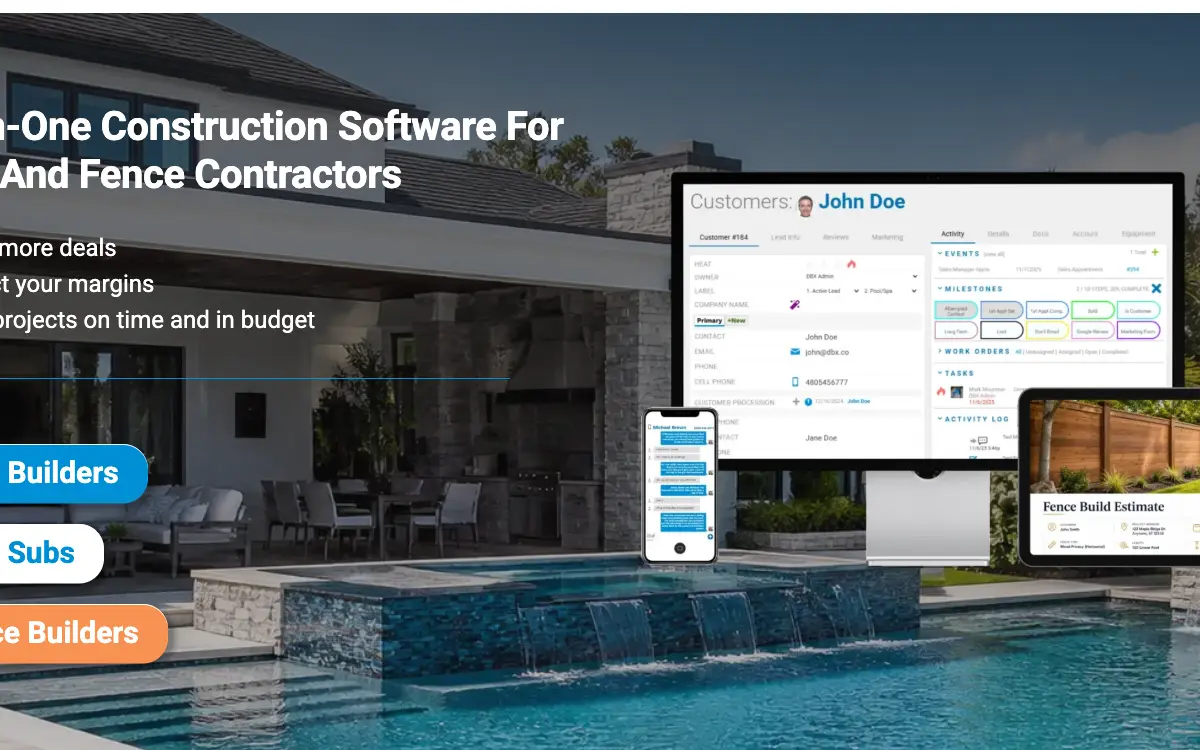
ProDBX is A per-seat pool-and-fence platform that will run your general ledger in-house instead of handing it to QuickBooks, provided you buy the top tier and at least ten seats. It sells to Fencing and Pools contractors, and the shape of the product follows from that: Pool Distributor Connect links the estimate directly to supplier branches for live updated pricing, live branch inventory and availability, and catalog comparison across distributors. You can search by SKU, name or UPC and compare pricing between distributors from inside the estimate. This is the one thing in ProDBX that a generic field service platform cannot replicate, and it's why the product survives in the pool niche. The equivalent for fence contractors is a fence sketch tool that draws individual fence lines, populates products along the drawing and generates a digital quote from it.
ProDBX: right buyer, wrong buyer
It fits Residential pool builders and fence contractors running 10 to 40 office and field seats who want estimating, project phases and the general ledger in one system rather than a CRM bolted to QuickBooks. That's the half most reviews print. Here's the other half, which is the one worth your time.
Don't buy it if you're Owner-operator or 2-to-4-person fence or pool crew. Every tier above Basic carries a seat floor of 5 or 10 users, so a three-person company either pays for five seats it doesn't use or drops to Basic, which has no project management, no calendars, no task management, no job photos and no QuickBooks. Basic is a lead list with digital signing, not a business system. Look at Jobber instead.
Don't buy it if you're Contractor whose work is mostly commercial bidding. An estimator using the system daily reported commercial bidding takes custom workarounds and isn't as built into the system as residential jobs. So the product is designed around phase-based residential construction. Look at Buildertrend instead.
Don't buy it if you're Field-first operation where techs live on a phone all day. Reviewers report no device app and repeated logins on every site visit. A platform whose mobile story is a browser session is a poor fit for a crew making six stops a day. Look at Housecall Pro instead.
Don't buy it if you're Buyer who needs contract terms nailed down before signing. There's no published subscription agreement, no cancellation policy, no minimum term, no auto-renewal disclosure and no documented data export. So everything material to the commercial relationship has to be extracted from a salesperson.
ProDBX's price, and the part that isn't the price
ProDBX prints its numbers on its own site. Good. That means you can price your real configuration tonight instead of waiting on a rep.
| Tier | Price | Billing unit | What it unlocks |
|---|---|---|---|
| Basic | $19/month | per user | Listed at $19 per user per month with a promotional rate of Free for new customers only, No QuickBooks integration at this tier, No project management module of any kind: phase-based project management, phase scheduling, work orders, job phases and purchase orders all start at Essential, No calendars, no task management, no job photos and uploads, No accounting: customer payments and accounts receivable start at Essential |
| Essential | $59/month | per user | Promotional rate $39 per user per month, minimum 5 users, First tier with QuickBooks, Heritage Pool Supply live pricing and SCP/Poolcorp live pricing, First tier with phase-based project management, purchase orders and the vendor portal, No estimating pricebook, no addendums or change orders, no custom calculations, No automations, no job budgets and costing, no scheduler and routing, no full inventory, No accounts payable |
| Professional | $99/month | per user | Promotional rate $79 per user per month, minimum 5 users, Marked Most Popular on the vendor pricing page, First tier with the estimating pricebook, addendums and change orders, custom calculations, automations, job budgets and costing, scheduler and routing and full inventory, Still no built-in accounting, no timecards and payroll, no commission tracking, no banking and reconciling, no check printing, No customer portal, no e-commerce, no surveys, no reputation management, no bulk email or bulk SMS |
| Enterprise | $139/month | per user | Promotional rate $119 per user per month, minimum 10 users, Only tier with Built-in Accounting, banking and reconciling, check printing, timecards and payroll, commission tracking and piece rate and job splits, Only tier with the customer portal, e-commerce, surveys, business reputation management, bulk emails and bulk text messages, Only tier with customer assets, custom query engine, basic HR tools, corporate franchise reports and data posting |
Every tier is billed per user per month. Above Basic the vendor also imposes seat floors: Essential and Professional carry a minimum of 5 users, Enterprise a minimum of 10. So the Enterprise entry cost is 10 seats, which is $1,190 per month at the promotional rate and $1,390 per month at list.
There is a discount for paying annually up front: And an annual prepay discount tells you an annual commitment exists, which is worth knowing before anyone mentions a term length out loud.
The ProDBX line items nobody mentions on the demo
Payment processing. ProDBX does not process payments itself and publishes no card or ACH rate. It routes you to a third party. The current payments page names Evolv as the partner, while the knowledge base documents an older Authorize.net path that requires you to obtain a merchant account separately. No percentage or per-transaction fee appears anywhere on the site.
Implementation and onboarding. A four-phase onboarding with a dedicated implementation specialist covering setup, data migration, live video training calls and ongoing support. The vendor states the process runs 1 to 3 months on average. No implementation or onboarding fee is published anywhere on the site, so whether it is bundled or billed is not disclosed.
Minimum term. The page at /terms-and-conditions/ is a website Terms of Use for prodbx.com, not a subscription agreement. It never mentions a contract length, a subscription term or a renewal. There's no published MSA. So ask for the actual subscription agreement in writing before signing, and confirm the term length and whether the six-month promotional rate is tied to a longer commitment.
Getting out. No early-termination or cancellation mechanics are published. The only termination language on the site covers ProDBX cutting off a user for violating the website terms, and it's a no-refund clause. So ask what notice period cancels the subscription and whether prepaid months are refunded.
Auto-renewal. Auto-renewal isn't addressed. So ask whether the term rolls automatically, how many days notice stops it, and specifically what happens at month seven when the introductory rate expires: whether the higher list rate applies automatically or requires your consent.
Modules sold separately. , . So price the ProDBX configuration you'll really run rather than the entry tier, because an add-on you need on day one is part of the price.
Third-party services you will also pay for. , . These are not on ProDBX's invoice, and they are still part of what this decision costs you every month.
One oddity, filed under things nobody mentions on a demo. The seat floor, not the headline price, is what sets your bill. Basic is the only tier without one. Essential and Professional demand 5 users minimum and Enterprise demands 10, so the meaningful entry points are $395 and $1,190 per month at promotional rates, not $59 and $139. A six-person pool company that wants the general ledger is buying ten seats. Do the multiplication before the demo. So take your real seat count, round it up to the tier floor, and compare that monthly number against Buildertrend or Service Fusion, both of which include unlimited users. The comparison flips at around 12 seats.
Everything that is not the ProDBX subscription
The subscription is the part everyone quotes. These are the lines that land afterwards, and the ones we could not find are named as unpublished rather than left blank.
Sold separately. , . Price the configuration you'll really run, because an add-on you need on day one is part of the price.
Third-party services you'll also pay for. , . None of these are on ProDBX's invoice, and all of them are part of what this decision costs every month.
"ProDBX Basic is $19/month, per user."
ProDBX pricing page (2026)
"ProDBX Essential is $59/month, per user."
ProDBX pricing page (2026)
"Every tier is billed per user per month. Above Basic the vendor also imposes seat floors: Essential and Professional carry a minimum of 5 users, Enterprise a minimum of 10. So the Enterprise entry cost is 10 seats, which is $1,190 per month at the promotional rate and $1,390 per month at list."
ProDBX pricing page (2026)
The five workflows you pay for
Feature totals are noise. So a shop in this category lives or dies on five things, and those are the five to grade, and each one below carries the evidence it's graded on.
Live distributor pricing pulled into the estimate is the genuine differentiator Pool Distributor Connect links the estimate directly to supplier branches for live updated pricing, live branch inventory and availability, and catalog comparison across distributors. You can search by SKU, name or UPC and compare pricing between distributors from inside the estimate. This is the one thing in ProDBX that a generic field service platform cannot replicate, and it's why the product survives in the pool niche. The equivalent for fence contractors is a fence sketch tool that draws individual fence lines, populates products along the drawing and generates a digital quote from it.
Phase-based rather than task-based, which suits construction and doesn't suit service Project management is organised around construction phases, phase scheduling and job phases, with purchase orders generated per phase and assigned to subcontractors. That's the correct model for a pool build with excavation, steel, plaster and finish stages. But it's the wrong model for recurring maintenance routes. Note that scheduler and routing only appears at Professional, so the Essential tier gives you phases without the dispatch layer.
Subs get their own login and accept or reject the PO in one click Assigning a construction phase to a subcontractor auto-generates a trackable purchase order, which can be emailed and then accepted or rejected by the sub from their own portal login, with rejection notes visible immediately. Access can be granted or revoked per vendor. So for a pool builder coordinating excavation, gunite, tile and equipment crews, this is the workflow that earns the platform its keep, and it's available from Essential up.
Progress-draw billing is modelled properly, but the money moves through someone else The payments module is built for how construction bills: initial deposits, progress payments, construction draws, material payments, change orders and final balances, each tied to the job record. The worked example on the vendor's own page is an $85,000 contract split into a $8,500 deposit, two $21,250 progress payments and a $34,000 final balance. That's a genuinely better fit than an invoice-at-completion model. But ProDBX isn't the processor, and no rate is published anywhere.
The vendor migrates your data for you, and asks for your old system's login to do it Phase 2 of implementation is data migration, and the stated method is that you hand over the credentials to your previous software and ProDBX handles the export, cleaning and upload. They also claim purpose-built migration tools for a select group of competitors, and a dedicated Pentair Pool Builder migration path. It's genuinely more hands-on than most vendors offer at this price. But it's also a credential-sharing request that most security policies would refuse.
ProDBX trade fit
Fit differs by trade rather than by company size alone, and a blended paragraph hides that. Here is the split for the trades this one sells to.
Fencing. The workflow that decides it is live distributor pricing pulled into the estimate is the genuine differentiator, and the shop profile that gets value is 10 to 40 seats, residential pool builder moving books in-house doing residential and commercial and service work. Where it stops being a fit is Owner-operator or 2-to-4-person fence or pool crew.
Pools. The workflow that decides it is live distributor pricing pulled into the estimate is the genuine differentiator, and the shop profile that gets value is 10 to 40 seats, residential pool builder moving books in-house doing residential and commercial and service work. Where it stops being a fit is Owner-operator or 2-to-4-person fence or pool crew.
The ProDBX integration that decides everything else
QuickBooks connects one way only, so edits made in your books do not come back, gated to a higher tier. QuickBooks (scope limit) connects one way only, so edits made in your books do not come back, gated to a higher tier. ProDBX Built-in Accounting connects, gated to a higher tier. Your costs map through cost codes, so test yours against your own chart of accounts before you commit. A code your books don't recognise is how a labour charge quietly lands somewhere useless.
Past those, the road ends. Counted total, Xero, Zapier, Google Local Services Ads, CallRail, or any lead-source integration, Payroll providers (Gusto, ADP, Paychex) do not connect. So if your books run on an ERP rather than the platforms named above, weigh that before anything else.
Beyond accounting it connects to Gmail (Email sync, available on every tier including Basic), Outlook Mail (Email sync, available on every tier including Basic), Heritage Pool Supply (Live product pricing pulled into estimates), SCP / Poolcorp (Live product pricing pulled into estimates), Evolv (Payment processing partner for ACH and card), Authorize.net (Payment gateway, configured with your own merchant account), Pool distributor branches (Live pricing, branch inventory and catalog browsing via Distributor Connect). A public API exists: ProDBX publishes no customer-facing API documentation. The only article on the site titled "API Setup" is about configuring Authorize.net's API keys inside ProDBX settings, not about a ProDBX API, and it carries "Last Updated: 9 years ago". Third-party directories reference a DistributorConnect API, but that is the vendor's internal supplier link rather than something a customer can build against, and no endpoint documentation exists on prodbx.com. Treat ProDBX as having no public API until the vendor shows you one.
What happens when ProDBX breaks
Support is the line item nobody prices and everybody eventually needs. Onboarding for ProDBX: A four-phase onboarding with a dedicated implementation specialist covering setup, data migration, live video training calls and ongoing support. The vendor states the process runs 1 to 3 months on average. No implementation or onboarding fee is published anywhere on the site, so whether it is bundled or billed is not disclosed.
But a president/owner, construction, 2-10 employees, 1-2 years, used daily on the platform, reports it it differently: "Customer service is their TOP priority. Anytime I call or have a questions it is answered extremely quickly."
What happens when you want to leave ProDBX
Nobody reads this section before they buy, and it's the one that costs money afterwards. Four terms decide what leaving looks like.
Minimum term. The page at /terms-and-conditions/ is a website Terms of Use for prodbx.com, not a subscription agreement. It never mentions a contract length, a subscription term or a renewal. There's no published MSA. So ask for the actual subscription agreement in writing before signing, and confirm the term length and whether the six-month promotional rate is tied to a longer commitment.
Auto-renewal. Auto-renewal isn't addressed. So ask whether the term rolls automatically, how many days notice stops it, and specifically what happens at month seven when the introductory rate expires: whether the higher list rate applies automatically or requires your consent.
Early termination. No early-termination or cancellation mechanics are published. The only termination language on the site covers ProDBX cutting off a user for violating the website terms, and it's a no-refund clause. So ask what notice period cancels the subscription and whether prepaid months are refunded.
Payment processing. ProDBX does not process payments itself and publishes no card or ACH rate. It routes you to a third party. The current payments page names Evolv as the partner, while the knowledge base documents an older Authorize.net path that requires you to obtain a merchant account separately. No percentage or per-transaction fee appears anywhere on the site.
One oddity, filed under things nobody mentions on a demo. The vendor documents its own lock-in unusually clearly, and almost nobody will read it. The QuickBooks page states that the integration doesn't transfer the complete customer or job record, and that detailed estimates, project information, schedules, documents and job costs remain in ProDBX. Combine that with a knowledge base of 15 articles, all nine years stale, none covering export or account closure, and the picture is a platform with a documented one-way door and no documented way back out. So make a full export in a machine-readable format a written condition of purchase, and test it during the trial rather than the exit. If the answer is that support runs a query for you on request, price the switching cost accordingly, because the pool builds you priced last year are the comparables you will bid against next year.
"Commercial bidding/estimating takes some custom work around's and isn't as built into the system as residential jobs."
Capterra, Christine W. (3-02)
"The only thing ProDBX is lacking is an App for devices. Having to login each time you show up on a job site becomes redundant."
Capterra, Brant S. (2-20)
"This software instantly took our fencing company from the stone age into the modern world. Our favorite aspect is that it has cut our lead time in half."
Capterra, Brant S. (2-20)
Where ProDBX falls short
These are specific enough that you can put each one to a salesperson as a yes or no question. That's deliberate. Vague complaints don't help you negotiate.
The accounting ledger that justifies the platform is Enterprise-only, and Enterprise has a ten-seat floor ProDBX sells itself on all-in-one, and every trade page repeats the line about connecting estimating, CRM, project management and accounting. But the feature matrix on its own pricing page shows Built-in Accounting, banking and reconciling, check printing, timecards and payroll, commission tracking and piece rate and job splits are all Enterprise, and Enterprise carries a minimum of 10 users. And Professional at $79 to $99 per seat gets accounts payable and accounts receivable but no general ledger. So the version of ProDBX described in the marketing copy is a $1,190 per month purchase at the promotional rate, $1,390 at list, before a single overage. Decide up front whether you're moving the books in-house. If you're staying on QuickBooks, Professional is the honest ceiling and you should price it as a CRM plus estimating plus project management tool, not an ERP. And if you're moving the books, budget ten seats at Enterprise even if you only need six people in the system.
The QuickBooks bridge is one-way and deliberately partial For anyone not on Enterprise, QuickBooks is the only route to a real ledger, and ProDBX documents the limits of that route unusually plainly. The sync pushes a basic customer record and invoice amounts from ProDBX into QuickBooks after an estimate is approved. But nothing comes back, and the detailed job data never leaves. So your estimates, schedules, documents and job costs stay inside ProDBX with no published export. Treat QuickBooks as a billing mirror, not a backup. If the accounting record you'd need in a dispute is the detailed job cost breakdown, that lives only in ProDBX. So ask, in writing, what a full data export looks like on the way out and in what format.
There's no published subscription agreement, no cancellation policy and no export or account-closure documentation The only legal document on the site is a website Terms of Use governing prodbx.com itself. It never mentions the SaaS subscription, a term length, renewal, notice, refunds on cancellation or what happens to your data when you leave. The privacy policy addresses deletion for Google user data only, on a 30-day clock by emailing support. And nothing addresses the business data you put into the platform. The knowledge base contains 15 articles total and none of them covers export, cancellation or account closure. So ask for the subscription agreement as a document before you sign anything, and get the exit terms in it: notice period, refund treatment, export format, and how long they retain your data after termination.
The one termination clause that does exist is a no-refund, no-access clause Buried in the website Terms of Use is language that, if it were ever applied to a paying subscriber, is harsh: on termination, payments are not returned, the account is disabled, and access to files and content in the account may be refused. It's scoped to website terms violations rather than the subscription, which is precisely the problem. And there's no equivalent clause governing the thing you're buying. So ask counsel or the vendor to confirm which document governs the subscription. If the answer is that this Terms of Use is it, that's a material finding, because it gives you no refund right and no data-access right on the way out.
Reviewers report no usable mobile app, and the field-login friction is specific ProDBX is browser-based and third-party directories list Android and iPhone access, but the platform-specific complaint from an actual fencing user is that there's no device app and that logging in on every site visit becomes a drag. And that's the difference between a responsive web app and a native one, and for a crew doing several stops a day it's a real tax. A general manager, construction, 11-50 employees, 1-2 years, used daily on the platform, puts it it plainly: "The only thing ProDBX is lacking is an App for devices. Having to login each time you show up on a job site becomes redundant." So during the demo, hand a phone to a foreman and have them open a job, add photos and capture a signature on cellular. Time the login. Don't evaluate the mobile experience from the office desktop.
Commercial estimating is weaker than residential and needs workarounds An estimator using the system daily said commercial bidding requires custom workarounds and isn't as built in as residential jobs. That matches the product's design centre: phase-based residential pool and fence construction. So if your mix is leaning commercial, you're fitting your process to a residential model. An estimator, construction, 11-50 employees, Less than 6 months, used daily on the platform, writing on 2020-03-02, describes it: "Commercial bidding/estimating takes some custom work around's and isn't as built into the system as residential jobs." Bring your two most complex commercial bids to the demo and ask them to build one live, not from a template. And if the answer involves custom calculations, note that custom calculations start at Professional.
The evidence base is thin and old The independent review corpus is 14 reviews rated 4.9, and it's stale. Roughly half date to 2015, most of the rest to February and March 2020, and two of the reviewers are outside the trade entirely, one filed under Financial Services and one whose role is listed as Student in Education Management. So there's almost no recent, in-trade, critical feedback to weigh against a five-figure annual commitment. G2, TrustRadius and Trustpilot all refuse automated access, so nothing else was reachable. So ask for three reference customers in your trade who went live in the last 18 months, and ask them the setup question specifically, because the one recurring caution across reviews is that setup demands real attention.
Support is business hours, Mountain Time, weekdays only Support runs Monday to Friday, 8am to 4pm Mountain Standard Time. For an East Coast pool builder that is a window closing at 6pm local, and for a West Coast contractor it opens at 7am. Nobody is answering on a Saturday in build season. So if your crews work weekends in season, ask what the escalation path is outside those hours and whether it costs anything.
One more thing worth knowing. the promotional column is a six-month rate, not an annual discount, and the step-up is between 17 and 51 percent depending on tier. Basic goes from Free to $19, Enterprise from $119 to $139. Most vendors discount for annual prepay, which is a permanent saving. But ProDBX discounts for six months, which is a deferred increase. So budget from the list column, not the promotional one, and put month seven in your calendar. A ten-seat Enterprise account steps from $1,190 to $1,390 per month, which is $2,400 a year appearing without a renewal conversation.
One more thing worth knowing. there's no subscription agreement. The page linked as Terms and Conditions is a website Terms of Use for prodbx.com, governing blog comments and browsing. It never mentions the SaaS product, a term, renewal, notice or refunds. Yet it does contain a termination clause providing that payments aren't returned and account files may become inaccessible. And a buyer skimming for legals would find that document and reasonably assume it governs the purchase. So ask, in one sentence, which document governs the subscription. If they point at the website Terms of Use, that's the finding, because it gives you neither a refund right nor a data-access right. If they produce a separate MSA, read the termination and export clauses before anything else.
One more thing worth knowing. the documented migration method is to hand ProDBX the login credentials to your existing system. The vendor frames it as a convenience, and operationally it's one, since they export, clean and upload for you and have purpose-built tooling for specific competitors. But it's a shared-credential request against a system that holds your customer list, your pricing and your financials, and it has no documented scoping, expiry or audit trail. So offer a scoped read-only account or a straight database export instead, and rotate the credential the day migration completes. If your current vendor supports per-user API tokens, use one. Never hand over the admin login you also use for banking approvals.
One more thing worth knowing. the live distributor connection is the only thing in this product a generalist platform cannot copy, and it's the reason to buy it. Pulling live SCP/Poolcorp and Heritage branch pricing and inventory straight into a bid means the estimate reflects today's equipment cost rather than last quarter's. For a pool builder pricing a $85,000 job with a long lead time, that's margin protection, not convenience. It starts at Essential, which makes Essential better value relative to Basic than the feature list suggests. Before anything else in the demo, ask them to look up three parts you bought last month by SKU and show live branch pricing and stock. If your local branches are among the connected ones, that single capability may justify the platform. And if they aren't, most of the reason to choose ProDBX over a generalist evaporates.
One oddity, filed under things nobody mentions on a demo. The review base is 14 reviews at 4.9 stars with no rating below four, and it's stale enough to be near-useless as evidence. Roughly half date to 2015 and most of the rest to a two-week window in February 2020, which is the signature of a review drive rather than organic accumulation. Two reviewers are outside the trade entirely, one filed under Financial Services and one whose role is listed as Student in Education Management. The only substantive criticisms in the entire corpus are the missing mobile app, weak commercial estimating and a warning to pay attention to setup. Don't treat 4.9 as a signal here; the sample is too small, too old and too clustered. So ask for three references in your trade who went live in the last 18 months, and ask each of them the setup question directly, since that is the one caution that recurs from customers who liked the product.
What ProDBX operators say, in their own words
Every quote below is transcribed from a published review, named to the platform that carries it and to the reviewer as that platform displays them. We read the corpus by complaint type rather than by star rating, which is how the disqualifying detail buried inside a five-star review gets found.
"Commercial bidding/estimating takes some custom work around's and isn't as built into the system as residential jobs."
But an estimator, construction, 11-50 employees, Less than 6 months, used daily on the platform, reports it it differently on Capterra
"The only thing ProDBX is lacking is an App for devices. Having to login each time you show up on a job site becomes redundant."
And a general manager, construction, 11-50 employees, 1-2 years, used daily on the platform, writing on 2020-02-20, reports it the same thing on Capterra
"This software instantly took our fencing company from the stone age into the modern world. Our favorite aspect is that it has cut our lead time in half."
But a general manager, construction, 11-50 employees, 1-2 years, used daily on the platform, describes it it differently on Capterra
"Because it makes you stay focused on your business, you need to pay attention to the setup."
An owner, construction, 2-10 employees, 6-12 months, used daily on the platform, writes it plainly on Capterra
"Customer service is their TOP priority. Anytime I call or have a questions it is answered extremely quickly."
A president/owner, construction, 2-10 employees who reviewed it on 2020-02-20 describes it on Capterra
"The Platform is 360 degrees, covering all the modules, it is highly customizable, and the Support is flawless."
But a founder, managing director, construction, 11-50 employees, 2+ years, used daily on the platform, puts it it differently on Capterra
"Everything is in one spot that helps with communication, scheduling, job costing, job management and accounting."
A partner, financial services who reviewed it on 2018-04-21 reports it on Capterra
"Extremely user friendly and intuitive to use. Helps house everything in one system and has great automation features that are easy to implement."
An estimator, construction, 11-50 employees who reviewed it on 2020-03-01 describes it on Software Advice
"This software was perfect and had no faults."
On 2018-11-20, a student, education management, 6-12 months on the platform, says on Capterra
"The only thing it doesn't do is buy lunch."
A marketing manager, Not stated on the platform, writes it plainly on Capterra
What ProDBX's competition charges
Four or five products a shop looking at ProDBX would also be looking at. Each row carries what the vendor publishes, plus what it does better and worse.
| Tool | Entry price | Billing unit | Users included | Published? |
|---|---|---|---|---|
| ProDBX | $19/month | per user | Every tier is billed per user per month. Above Basic the ven | Yes |
| Buildertrend | Quote only | per account | Unlimited users and unlimited projects at all pricing levels | No |
| Housecall Pro | $79/month | per account | Basic is a single-user entry plan; higher tiers scale by team size | Yes |
| Knowify | $149/month | per account | Core includes 1 user; additional users $29/month each. Advanced at $399/month monthly includes 10 users. | Yes |
| Service Fusion | $245/month | per account | Unlimited users on every tier | Yes |
| Jobber | $49/month | per account | Core includes 1 user; additional users $29/month each across all tiers | Yes |
Buildertrend. Commercial and complex residential construction, client-facing selections and change orders, and a much larger integration surface. Unlimited users means adding an estimator or a PM costs nothing, which inverts the ProDBX seat-floor problem entirely. But No pool distributor pricing, no fence sketch tool, and no native general ledger. It's a construction PM platform, not a trade-specific estimator, and you won't get live SCP pricing inside a bid.
Housecall Pro. Genuine native mobile apps, dispatch and recurring service work, and a far lower entry cost with no five- or ten-seat floor. Directly addresses the no-app complaint ProDBX reviewers raise. But Built for service calls, not phase-based construction. No construction draw schedule, no distributor pricing, no subcontractor PO portal, and no general ledger.
Knowify. Job costing depth and a genuinely two-way QuickBooks relationship rather than a one-way push. Priced per account with cheap incremental seats, so a six-person shop isn't forced past a ten-seat floor. But No pool or fence specificity at all. No distributor pricing, no fence sketch, and no built-in ledger, since it's designed to sit alongside QuickBooks rather than replace it.
Service Fusion. Unlimited users on the entry plan, which for a 20-person pool company undercuts ProDBX Enterprise by roughly a factor of five. Strong dispatch and field service management. But Service-and-maintenance oriented rather than construction oriented. No phase-based project management for a pool build, no distributor catalog, no draw schedule.
Jobber. The cheapest credible starting point and the right answer for the two-to-four-person fence crew that ProDBX's seat floors price out. Strong mobile app and quoting. But Not a construction platform. No phases, no draws, no subcontractor PO portal, no distributor pricing, no ledger. You'll outgrow it at the point ProDBX starts to make sense.
"Because it makes you stay focused on your business, you need to pay attention to the setup."
Capterra, Mark M. (2-20)
"Customer service is their TOP priority. Anytime I call or have a questions it is answered extremely quickly."
Capterra, Erik D. (2-20)
Who should not buy ProDBX
Don't buy ProDBX if you're Owner-operator or 2-to-4-person fence or pool crew. Every tier above Basic carries a seat floor of 5 or 10 users, so a three-person company either pays for five seats it doesn't use or drops to Basic, which has no project management, no calendars, no task management, no job photos and no QuickBooks. Basic is a lead list with digital signing, not a business system. Look at Jobber instead.
Don't buy ProDBX if you're Contractor whose work is mostly commercial bidding. An estimator using the system daily reported commercial bidding takes custom workarounds and isn't as built into the system as residential jobs. So the product is designed around phase-based residential construction. Look at Buildertrend instead.
Don't buy ProDBX if you're Field-first operation where techs live on a phone all day. Reviewers report no device app and repeated logins on every site visit. A platform whose mobile story is a browser session is a poor fit for a crew making six stops a day. Look at Housecall Pro instead.
Don't buy ProDBX if you're Buyer who needs contract terms nailed down before signing. There's no published subscription agreement, no cancellation policy, no minimum term, no auto-renewal disclosure and no documented data export. So everything material to the commercial relationship has to be extracted from a salesperson.
The verdict, by shop size
Owner-operator to 4 seats
No. The seat floors make this arithmetically wrong. Essential and Professional require 5 users minimum, so a three-person company pays for five seats or drops to Basic. Basic has no project management, no calendars, no task management, no job photos and no QuickBooks, which means the cheap tier is a different and much thinner product, not a smaller version of it. So Jobber at $49 per month or Housecall Pro at $79 does more for this band at a fraction of the outlay. This band runs 1 to 4 on the crew, doing residential and service work, and that's the profile the recommendation is written for.
5 to 9 seats, residential pool or fence construction
Only under conditions, and they are worth being honest about. Professional at $79 promotional, $99 list per user per month is the realistic tier here, and it buys the pricebook, change orders, custom calculations, automations, job costing, routing and full inventory. That's a coherent product and the distributor pricing is a real edge no generalist matches. But the condition is that you accept QuickBooks as your ledger, because built-in accounting is two tiers and a ten-seat floor away. And budget for the rate step at month seven: seven seats go from $553 to $693 per month when the introductory period ends. This band runs 5 to 9 on the crew, doing residential work, and that's the profile the recommendation is written for.
10 to 40 seats, residential pool builder moving books in-house
Yes, and this is the shape the product is built for. This is the band ProDBX is built for, and the only one where the Enterprise tier stops looking like a tax. At 10 seats the ten-user floor costs you nothing you weren't already buying, and you get the general ledger, banking and reconciliation, check printing, timecards, payroll, commission tracking and the customer portal in the same system as the estimate and the phase schedule. So combined with live SCP and Heritage pricing inside the bid, there's no obvious substitute. Still get the subscription agreement in writing first, because the site publishes none. This band runs 10 to 40 on the crew, doing residential and commercial work, and that's the profile the recommendation is written for.
Commercial-heavy contractor of any size
No. An estimator using the system daily reported that commercial bidding takes custom workarounds and isn't as built into the system as residential jobs. The whole product is organised around phase-based residential construction. So Buildertrend handles commercial and complex residential better, with unlimited users, and the seat economics don't punish you for adding a PM. This band runs 5 or more on the crew, doing commercial work, and that's the profile the recommendation is written for.
Any size, field-first with heavy daily mobile use
No. Reviewers report there's no device app and that logging in on every site visit becomes redundant. Third-party directories list mobile access, but that's a browser session, not a native app. So for a crew making multiple stops a day the friction compounds, and Housecall Pro or Jobber solve exactly this. This band runs 1 or more on the crew, doing service and residential work, and that's the profile the recommendation is written for.
One thing to check before you sign with ProDBX
Now, this next bit is our own research, so weigh it accordingly. We don't sell contractor software and we're not an alternative to anything on this page.
ProDBX will tell you what a pool build cost to the dollar and which branch had the pump in stock. But it can't tell you how many people found your site, waited, and left before the estimate request form ever loaded. And the job it does best starts after the lead exists, and for most pool and fence contractors the larger leak is upstream of that.
And the number is worse than anyone guesses before they check. Across 380 inspected contractor sites, 82.8% had poor mobile loading performance. So the sample is not curated: it is every contractor site the tooling could reach. The full write-up is in the Contractor CRO Index.
"82.8% of the 380 contractor websites inspected had poor mobile loading performance."
Fervor Studio Contractor CRO Index (2026)
So price the platform properly. Then open your own site on a phone and time how long it takes before you could tap a call button. The numbers are all public.
See where your site is losing the jobs ProDBX would have managed
Fervor inspects your site the way a homeowner uses it, then shows you where calls leak out. It takes 5 business days.
Get a Site InspectionWhat we checked on ProDBX, and what we didn't
And here's what we can and can't stand behind on ProDBX. So here's the basis. We read 19 vendor pages for ProDBX on 7 August 2026, and we went through the reviews looking for complaints rather than for averages. So each number carries the date it was read, and the page it was read from.
So: ten quotes on this page, nine from Capterra and one from Software Advice.
And G2 (https://www.g2.com/products/dbx-software-prodbx/reviews) — HTTP 403 to automated access, TrustRadius (https://www.trustradius.com/products/prodbx/reviews) — HTTP 403, Trustpilot (https://www.trustpilot.com/review/prodbx.com) — HTTP 403, Reddit — not reachable for this vendor, Apple App Store — no ProDBX listing found at the searched identifier (HTTP 404); a native iOS app couldn't be confirmed to exist and Google Play — not verified, no vendor link to a Play listing anywhere on prodbx.com refused automated retrieval for ProDBX. Forum and social threads are the ones people most want quoted, and they are exactly the ones we cannot verify, so none of them are here.
What that leaves untested: we didn't run a pool or fence estimate through the system, so the distributor live-pricing behaviour is reported from vendor documentation rather than verified by us. And everything above is 19 vendor pages and a review corpus, which is documentary rather than hands-on.
What ProDBX users say
Commercial bidding/estimating takes some custom work around's and isn't as built into the system as residential jobs.
The only thing ProDBX is lacking is an App for devices. Having to login each time you show up on a job site becomes redundant.
This software instantly took our fencing company from the stone age into the modern world. Our favorite aspect is that it has cut our lead time in half.
Because it makes you stay focused on your business, you need to pay attention to the setup.
Customer service is their TOP priority. Anytime I call or have a questions it is answered extremely quickly.
The Platform is 360 degrees, covering all the modules, it is highly customizable, and the Support is flawless.
Everything is in one spot that helps with communication, scheduling, job costing, job management and accounting.
Extremely user friendly and intuitive to use. Helps house everything in one system and has great automation features that are easy to implement.
This software was perfect and had no faults.
The only thing it doesn't do is buy lunch.
Frequently asked questions
How much does ProDBX cost?
It's published, per user per month, on four tiers: Basic $19, Essential $59, Professional $99 and Enterprise $139. A new-customer promotion runs those to Free, $39, $79 and $119 respectively for the first six months only. The list price is what you pay from month seven. But critically, only Basic has no seat floor: Essential and Professional require a minimum of 5 users and Enterprise requires 10. So the practical entry point for Professional is $395 per month promotional and $495 at list, and Enterprise starts at $1,190 promotional and $1,390 at list.
Does ProDBX really replace QuickBooks?
Only on the Enterprise tier. Built-in Accounting, banking and reconciling, check printing, timecards and payroll and commission tracking all sit in the Enterprise column of the vendor's own feature matrix, and Enterprise has a ten-user minimum. Professional gets you accounts payable and receivable but not a general ledger. Below Enterprise, ProDBX expects you to keep QuickBooks, and it publishes three explicit models for splitting the work: Full QuickBooks, Full ProDBX, or a hybrid where ProDBX tracks revenue and job costs while QuickBooks handles other company expenses.
Which way does the QuickBooks sync run?
One way, out of ProDBX. After an estimate is approved, it creates a basic customer record in QuickBooks along with invoices for the deposit, addendum payments and progress payments. The vendor states directly that the integration doesn't transfer the complete customer or job record, and that detailed estimates, project information, schedules, documents and job costs remain in ProDBX. Nothing flows back from QuickBooks. So plan your exit strategy on that basis, because QuickBooks isn't a backup of your job data.
What is the contract term and how do I cancel?
ProDBX doesn't publish this. The only legal document on the site is a website Terms of Use governing prodbx.com, and it says nothing about the subscription, a term length, renewal, notice or refunds on cancellation. It does contain a termination clause stating that on termination payments aren't returned, the account is disabled and the customer may not be granted access to files or content in the account, but that clause is scoped to website terms violations. So ask for the actual subscription agreement as a document before you sign, and get the term, notice period, refund treatment and data export format written into it.
How do I get my data out of ProDBX?
There's no published answer. The knowledge base contains 15 articles, all last updated nine years ago, and none of them covers data export or account closure. The privacy policy addresses deletion only for Google user data accessed through the Gmail integration, on a 30-day clock after emailing support@prodbx.com. Nothing on the site addresses the customer, job, estimate and costing data you put into the platform. This is the single biggest unanswered question about the product and it should be resolved in writing before purchase, not after.
Does ProDBX have a mobile app?
Third-party directories list Android and iPhone access, and the vendor's own about page references accepting payments on iPhone and Android devices. But a fencing general manager reviewing it said the only thing ProDBX lacks is an app for devices, and that having to log in each time you arrive on a job site becomes redundant. That description fits a responsive web app rather than a native one. So test it on a phone on cellular during the demo before you assume otherwise.
What are the messaging overage charges?
Both are published. Email includes 1,000 messages per month, then $0.004 per additional email. SMS includes 100 messages per month, then $0.03 each, and the vendor counts every 160 characters as a separate billable message. Bulk emails and bulk text messages are Enterprise-only features, so the overage exposure lands hardest on exactly the tier already paying $119 to $139 per seat. A single 5,000-contact email campaign costs $16 on top of subscription.
How long does implementation take?
The vendor says 1 to 3 months on average to become fully trained without needing further support, and describes a four-phase process with a dedicated implementation specialist covering setup, data migration, live recorded training calls and ongoing support. One thing to flag: the migration method is that you hand ProDBX the login credentials to your previous software and they export, clean and upload the data for you. That's unusually hands-on service, and it's also a credential-sharing request most security policies would refuse. So ask whether a read-only export or a scoped API credential can be used instead.
How many integrations does ProDBX have?
Five, counted from the integrations section of the vendor's own pricing comparison matrix: Gmail, Outlook Mail, QuickBooks, Heritage Pool Supply Live Pricing and SCP/Poolcorp Live Pricing. Two payment partners, Evolv and Authorize.net, are documented elsewhere on the site. There's no marketplace or integrations directory page, no Zapier, no Xero, and no public API documentation. So if your stack depends on connecting things, ProDBX is a walled garden.
Freshness
How we keep this page current
Three dates govern this review, and they carry different meanings. The initial source sweep is dated August 7, 2026; when only part of the evidence set is recaptured later, that later date is stated beside the refreshed claim. We last revised the page on August 7, 2026. And the user reviews we quote were posted over roughly the last 24 months, so their individual dates remain part of the evidence instead of being overwritten by a later pricing update.
We revise the page when ProDBX changes a published price or a contract term, when a rating we cite moves by more than a few tenths, or when the vendor ships something big enough to change the verdict. We never bump the date just to look fresh, because Google treats that as manipulation and so do we. If a figure here reads as stale by the time you land on it, treat it as a floor and check the vendor's own page. We linked it at every number for exactly that reason.
Sourcing
How this review was researched
Every figure on this page traces to a captured source linked inline where it appears. The initial sweep is dated August 7, 2026; any later, partial recapture is dated at the claim rather than relabelling the whole evidence set. Ratings come from Capterra, GetApp, Software Advice and the Apple App Store. Note that Capterra, GetApp and Software Advice share one Gartner Digital Markets review pool, so an identical score across all three is a single sample rather than three corroborating ones, and this page treats it that way. G2, TrustRadius and Trustpilot block automated access, so where their numbers appear they are labelled as reported rather than verified. No claim here is sourced from Reddit or from a contractor Facebook group, because neither could be retrieved and quoting them would mean inventing attribution. Pricing marked as reported comes from third-party roundups, never from Fervor. Fervor's own findings come from the Contractor CRO Index 2026.
About
About Fervor Studio
Fervor Studio is a conversion rate optimization (CRO) and web design studio for home services contractors across North America, based in Cochrane, Alberta. Fervor does not sell field service management software and is not an alternative to ProDBX. It publishes the Contractor CRO Index, a public benchmark measuring contractor website conversion potential using reproducible, open-source methods such as axe-core and Google Lighthouse. Fervor Studio is operated by Fervor Group Inc.
 Aug 1, 2026
 Tech Stack
Best Plumbing Software in 2026: Ten Ranked Across Four Classes
A plumbing company’s work runs through four classes of software that do not substitute for each other, and it only buys two of them. Ten products, each with a published price or an explicit statement that the vendor publishes none.
Read Article Jul 30, 2026
 Tech Stack
NiceJob vs Birdeye 2026: Pricing, Contracts and Review Gating
One of these vendors puts its price on the page and its cancellation terms in writing. The other puts a form in front of both, and the complaint record is where its contract length shows up.
Read Article Jul 30, 2026
 Tech Stack
Podium vs Birdeye 2026: Pricing, Contracts and Review Gating
Only one of these two will tell you what it costs before a sales call, and even that number carries a carve-out aimed squarely at trade contractors.
Read Article Jul 30, 2026
 Tech Stack
Best Electrical Contractor Software 2026: 11 Ranked and Priced
An electrical contracting business makes two software purchases that do not substitute for each other, and every roundup answering this query covers only one of them. Eleven platforms, with a published price or an explicit statement that the vendor publishes none.
Read Article Jul 30, 2026
 Tech Stack
Best HVAC Software in 2026: Eleven Ranked Across Three Classes
An HVAC contracting business buys across three classes of software that do not substitute for each other, and every roundup answering this query covers only one of them. Eleven products, each with a published price or an explicit statement that the vendor publishes none.
Read Article Jul 29, 2026
 Tech Stack
AccuLynx Pricing 2026: The Real Cost of a Quote-Gated Plan
One published figure, two blank plan cards, and a contract that says things the pricing page does not. A line-by-line breakdown of what AccuLynx really bills.
Read Article Jul 29, 2026
 Tech Stack
Houzz Pro Canada Review 2026: Pricing and Alternatives
Houzz Pro serves different pricing renderings. What Canadian buyers see, how GST/HST and payments work, what Custom gates, and what the annual contract commits you to.
Read Article Jul 29, 2026
 Tech Stack
JobNimbus Pricing in 2026: What the Quote Does Not Cover
JobNimbus prints no figure on any of its four plans. So the only rate you can read before a sales call is the payments meter, and it is the biggest line on the bill.
Read Article Jul 29, 2026
 Tech Stack
JobNimbus Review 2026: Pricing, Pros, Cons and Alternatives
JobNimbus rates 4.6 on Capterra and orders material straight from ABC Supply and SRS. But it publishes no price, and its supplement route carries a note.
Read Article Jul 29, 2026
 Tech Stack
BuildOps Review 2026: Pricing, Contract Terms and Alternatives
BuildOps runs commercial service and projects on one platform, and publishes no pricing at all. The billing unit, the 30-day data-export window, and who it suits.
Read Article Jul 29, 2026
 Tech Stack
FieldPulse Review 2026: Pricing, Pros, Cons and Alternatives
FieldPulse rates 4.6 on Capterra and is the platform contractors name when they leave a bigger system. But it publishes no price, and the contract runs a year.
Read Article Jul 29, 2026
 Tech Stack
Service Fusion Review 2026: Pricing, Contract and Alternatives
Service Fusion bills flat per company with unlimited users, which is the best structural deal in field service software. The published plans, the contract behind the no-contract line, and the app score every other review gets wrong.
Read Article Jul 29, 2026
 Tech Stack
Knowify Review 2026: Pricing, Job Costing and Alternatives
Knowify rates 4.5 on Capterra and its weakest sub-score is features. What the $99 Core plan withholds, which way the QuickBooks sync really runs, and who should not buy it.
Read Article Jul 28, 2026
 Tech Stack
AccuLynx Review 2026: Pricing, Tier Gating, Alternatives
AccuLynx rates 4.6 across 846 reviews and now publishes an entry price. What that price omits, which tier holds the insurance workflow, and who should skip it.
Read Article Jul 28, 2026
 Tech Stack
Unitel Voice Review 2026: Pricing, Features and Alternatives
Unitel Voice rates 4.6 on Capterra and gives a one-truck shop a business number for $9.99 a month. The published plans, the cost per call, and what it won't do.
Read Article Jul 28, 2026
 Tech Stack
NiceJob vs Podium 2026: Pricing, Contracts and Review Gating
Both vendors print a price, at very different scale and in different currencies. The gap that matters is what Podium will not print: the billing unit, and whether a trade shop gets the number on the page.
Read Article Jul 27, 2026
 Tech Stack
CompanyCam Review 2026: Pricing, Pros, Cons and Alternatives
Every page ranking for CompanyCam still quotes a per-user price the vendor no longer charges. Here are the real plans, the seat math, and who should skip it.
Read Article Jul 27, 2026
 Tech Stack
NiceJob Review 2026: Pricing, Pros, Cons and Alternatives
NiceJob rates 4.9 on Capterra and refuses to gate negative reviews. Real plan pricing, the active-customer threshold nobody publishes, and who should skip it.
Read Article Jul 26, 2026
 Tech Stack
Buildertrend Review 2026: Pricing, Limits and Alternatives
Buildertrend rates 4.5 across 2,486 Capterra reviews and quotes against your revenue rather than your seat count. The workflows, the export problem, the alternatives.
Read Article Jul 26, 2026
 Tech Stack
CallRail Review 2026: Pricing, Pros, Cons and Alternatives
CallRail rates 4.5 on Capterra, and its tracking numbers port out free. But the two usage rates that decide your real bill are the two it does not print.
Read Article Jul 26, 2026
 Tech Stack
Roofr Review 2026: Pricing, Pros, Cons and Alternatives
Roofr rates 4.6 on Capterra and sells $13 measurement reports against a market charging triple. But it will not import a report from anywhere else.
Read Article Jul 24, 2026
 Tech Stack
Housecall Pro Review 2026: Pricing, Pros, Cons, Alternatives
Housecall Pro has the shortest learning curve in the category and the widest review spread. Real pricing, the Instapay math, and the migration trap to plan around.
Read Article Jul 23, 2026
 Tech Stack
Jobber Review 2026: Pricing, Pros, Cons and Alternatives
Jobber rates 4.6 on Capterra with the best mobile app in the category. Real plan pricing, the feature gating that changes your entry price, and who it suits.
Read Article Jul 22, 2026
 Tech Stack
ServiceTitan Review 2026: Pricing, Pros, Cons, Alternatives
ServiceTitan rates 4.3 on Capterra but its weakest score is value for money. Real reported pricing, the 12-month contract, the exit fees, and who it suits.
Read Article Jun 2, 2026
 Tech Stack
HVAC Online Scheduling: The 43% Losing After-Hours Bookings
HVAC leads every trade on online booking at just 56.7%, which still leaves 43% of sites forcing an after-hours customer to wait for a business-hours phone call.
Read Article