magicplan Review 2026: Pricing, Pros, Cons, Alternatives
magicplan starts at $0/month. What each tier gates, the 7 limitations reviewers name, and 4 alternatives with published prices.
Page at a glance
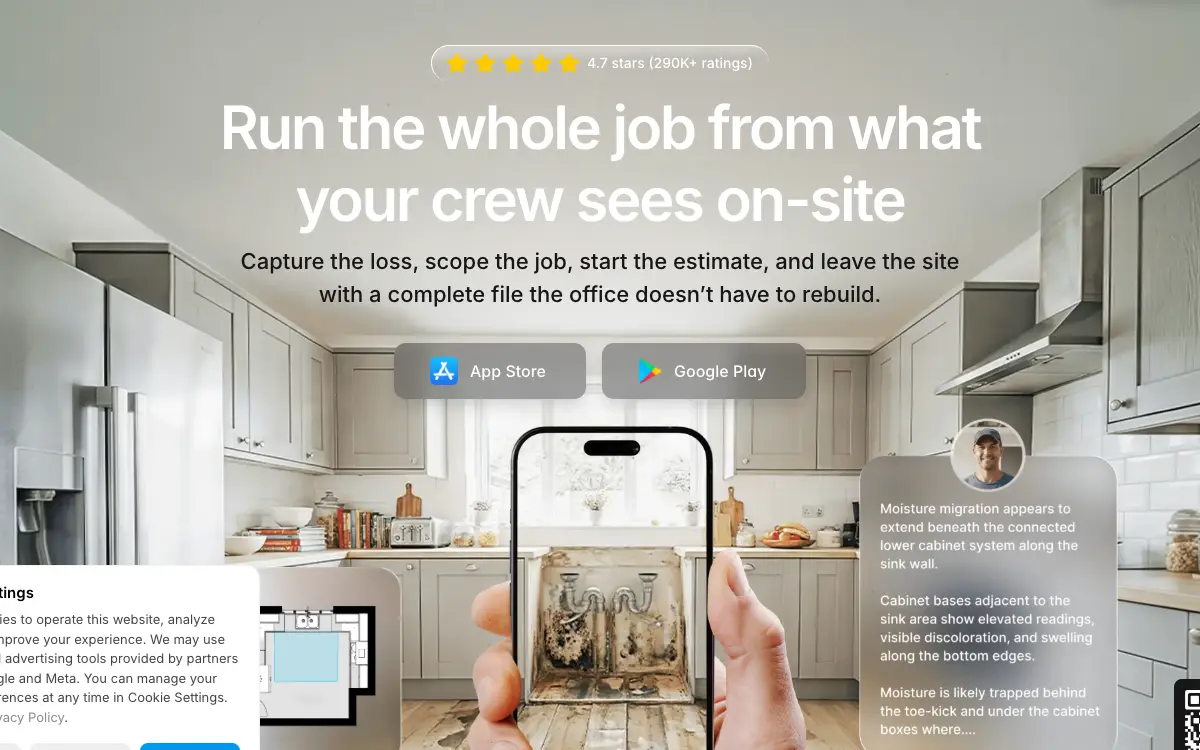
magicplan is Scan a room with your phone, get a dimensioned floor plan, and attach every photo, note and line item to it so the office never re-enters the job. It starts at $0/month per account. Seats are free; projects are the meter. The pricing page states "Unlimited users included — no extra fees" and the FAQ answers "Is there a limit to the number of users on my account?" with "No, all plans include unlimited users, allowing you to add as many team members as you need." A project is defined as "one property or job site, including all floor plans, documentation, exports, and reports." Per-project rates at the 10-project minimum are $40/project on PRO Flex, $30/project on PRO 12 and $25/project on PRO 24, all listed in US dollars. It fits 2-20 person restoration and remodeling crews doing insurance-adjacent interior work, where somebody has to produce a measured sketch and an Xactimate-compatible ESX file from a site visit It's the wrong buy for Solo remodeler or two-person shop quoting fewer than eight jobs a month, because The ten-project monthly minimum means the entry cost is $250-$400/month regardless of volume. So at four jobs a month on PRO Flex you're paying $100 per job for a sketch. Credits roll over, but you never stop paying for ten. Alternatives that publish their prices are CompanyCam from $63/month, Polycam from $12.50/month, Hover from $999/year. Four priced tiers, seven evidenced gaps and four alternatives, three of which publish a figure.
Whether magicplan is worth it
magicplan earns its money with 2-20 person restoration and remodeling crews doing insurance-adjacent interior work, where somebody has to produce a measured sketch and an Xactimate-compatible ESX file from a site visit If that's you, it does the job. The sections below are the parts worth checking before you sign. But the fit is narrower than the marketing suggests, and the price isn't the whole cost.
It starts at $0/month. And pricing was verified on 7 August 2026, so you can check every figure below in a browser tab.
| Pricing model | Published tiers |
|---|---|
| Entry price | $0/month |
| Users | Seats are free; projects are the meter. The pricing page states "Unlimited users included |
| Ownership | Independent |
| Best fit | 2-20 person restoration and remodeling crews doing insurance-adjacent interior work, where somebody has to produce a measured sketch and an Xactimate-compatible ESX file from a site visit |
| Accounting sync | QuickBooks (one-way) |
What works
- The sketch is the spine everything else hangs off
- ESX export is the reason restoration shops buy it, and it's one-way
- Free seats change who you can put in the field
- The discount ladder is a commitment ladder
What does not
- The floor is $250/month whether you scan ten houses or one
- Leaving a PRO 12 or PRO 24 early costs half of what's left
- Stop paying and your back catalogue goes read-only
- Scan accuracy drops in a furnished room, which is every room you work in
- iOS is the first-class citizen; Android and tablet parity lag
magicplan is Scan a room with your phone, get a dimensioned floor plan, and attach every photo, note and line item to it so the office never re-enters the job. It sells to Remodeling and Restoration contractors, and the shape of the product follows from that: Rather than treating the floor plan as an output, magicplan treats it as the index. Photos, videos, 360 images, notes, tags and issues attach to specific rooms or items, and estimate quantities are calculated from the sketch geometry instead of being typed in. And that's the actual argument for the tool: the measurement is entered once, on site, and everything downstream inherits it.
magicplan fit, and where it stops
It fits 2-20 person restoration and remodeling crews doing insurance-adjacent interior work, where somebody has to produce a measured sketch and an Xactimate-compatible ESX file from a site visit That's the half most reviews print. Here's the other half, which is the one worth your time.
Don't buy it if you're Solo remodeler or two-person shop quoting fewer than eight jobs a month. The ten-project monthly minimum means the entry cost is $250-$400/month regardless of volume. So at four jobs a month on PRO Flex you're paying $100 per job for a sketch. Credits roll over, but you never stop paying for ten. Look at CompanyCam instead.
Don't buy it if you're Roofing or exterior-only contractor who needs roof takeoff. magicplan is an interior capture tool. Its own feature list is floor plans, rooms, affected areas and moisture mapping, and a reviewer flags outright that "building out roofs are a must and I don't see a way to make that happen." So buying it for exterior measurement means buying the wrong shape of product. Look at Hover instead.
Don't buy it if you're Crews standardised on Android phones and tablets. LiDAR scanning is listed as available for iOS Pro devices, and reviewers report the app is adapted to iPads and works less well on Galaxy hardware. So you'd be paying the full subscription for the slower capture path. Look at Polycam instead.
Don't buy it if you're Shops that want one system for scheduling, dispatch, invoicing and payment collection. magicplan doesn't schedule, dispatch, invoice or take payment. It captures and estimates, then hands off. So it's a component in a stack, not the stack. Look at JobNimbus instead.
What you'll pay magicplan in year one
magicplan prints its numbers on its own site. Good. That means you can price your real configuration tonight instead of waiting on a rep.
| Tier | Price | Billing unit | What it unlocks |
|---|---|---|---|
| Free / Starter | $0/month | per account | Limited to 2 editable projects; additional projects are read-only |
| PRO Flex (month-to-month) | $400/month | per account (10 projects/month minimum, unlimited users) | Nothing beyond the tier below |
| PRO 12 (12-month plan) | $300/month | per account (10 projects/month minimum, unlimited users) | 12-month commitment, 50% early-termination fee on remaining balance |
| PRO 24 (24-month plan) | $250/month | per account (10 projects/month minimum, unlimited users) | 24-month commitment, 50% early-termination fee on remaining balance |
Seats are free; projects are the meter. The pricing page states "Unlimited users included — no extra fees" and the FAQ answers "Is there a limit to the number of users on my account?" with "No, all plans include unlimited users, allowing you to add as many team members as you need." A project is defined as "one property or job site, including all floor plans, documentation, exports, and reports." Per-project rates at the 10-project minimum are $40/project on PRO Flex, $30/project on PRO 12 and $25/project on PRO 24, all listed in US dollars.
There is a discount for paying annually up front: The pricing page shows "25% off" for the 12-month PRO 12 plan and "38% off" for the 24-month PRO 24 plan, measured against the PRO Flex month-to-month rate. Discounts are expressed as a lower per-project rate ($30 and $25 respectively versus $40), and all plans are still billed monthly rather than as a single up-front annual payment. And an annual prepay discount tells you an annual commitment exists, which is worth knowing before anyone mentions a term length out loud.
The magicplan line items nobody mentions on the demo
Payment processing. magicplan doesn't process homeowner payments. It has no invoicing or card-capture product, so there's no merchant rate to compare. So ask which system collects the money (QuickBooks, your FSM tool) and what that one charges, because magicplan only hands the estimate off.
Implementation and onboarding. No onboarding, setup or implementation fee appears anywhere on the pricing page, which claims "All features included — no add-ons." So ask sales in writing whether any onboarding or training fee attaches to a PRO 12 or PRO 24 contract, and get the answer on the order form rather than in email.
Minimum term. Three commitment lengths. PRO Flex is a "Month-to-month subscription"; PRO 12 is a "12-month subscription"; PRO 24 is a "24-month subscription." Separately, every plan carries a volume floor: "Plans start at 10 new projects per month," so the cheapest possible PRO commitment is $250/month on PRO 24 even if you only scan one house.
Getting out. Leaving a PRO 12 or PRO 24 early is not free: "You will be charged a fee equal to 50% of the remaining contractually agreed balance." The refund policy reinforces it — "PRO 12 and PRO 24 subscriptions can only be canceled within the last month of your contract." On a PRO 24 at $250/month, walking away after 6 months means roughly $2,250 to exit on top of what you already paid.
Auto-renewal. All three plans auto-renew, with escalating notice windows: PRO Flex "Auto-renews monthly unless canceled at least 7 days before renewal"; PRO 12 "Auto-renews every 12 months unless canceled at least 30 days in advance"; PRO 24 "Auto-renews every 24 months unless canceled at least 60 days in advance." And "Cancellations will only take effect at the end of the current billing cycle." Miss the 60-day window on a PRO 24 and you are in for another two years.
Modules sold separately. . And this is where a magicplan quote drifts from the published tier. A module you need immediately is part of the price, not an extra.
Third-party services you will also pay for. , . These are not on magicplan's invoice, and they are still part of what this decision costs you every month.
Side note, and it's a useful one: the discount is a price for accepting termination liability rather than a discount on the software. PRO 24 lands at $25 per project versus $40 on PRO Flex, which reads as a 38% saving. What you bought is a 24-month position with a 60-day cancellation window and a 50% early-termination fee on the remaining balance. Bail at month six and the exit is roughly $2,250. And the full two-year saving over PRO Flex is $3,600, so the discount and the penalty are nearly the same order of magnitude. Treat the tier choice as a risk decision, not a savings decision. So if there's any real chance the crew doesn't adopt it, the $150/month PRO Flex premium is insurance you're glad you bought. Run one quarter month-to-month, then commit.
What a magicplan quote leaves out
The subscription is the part everyone quotes. These are the lines that land afterwards, and the ones we could not find are named as unpublished rather than left blank.
Sold separately. . Price the configuration you'll really run, because an add-on you need on day one is part of the price.
Third-party services you'll also pay for. , . None of these are on magicplan's invoice, and all of them are part of what this decision costs every month.
"magicplan Free / Starter is $0/month, per account."
magicplan pricing page (2026)
"magicplan PRO Flex (month-to-month) is $400/month, per account (10 projects/month minimum, unlimited users)."
magicplan pricing page (2026)
"Seats are free; projects are the meter. The pricing page states "Unlimited users included — no extra fees" and the FAQ answers "Is there a limit to the number of users on my account?" with "No, all plans include unlimited users, allowing you to add as many team members as you need." A project is defined as "one property or job site, including all floor plans, documentation, exports, and reports." Per-project rates at the 10-project minimum are $40/project on PRO Flex, $30/project on PRO 12 and $25/project on PRO 24, all listed in US dollars."
magicplan pricing page (2026)
The four workflows you pay for
Feature totals are noise. So a shop in this category lives or dies on four things, and those are the four to grade, and each one below carries the evidence it's graded on.
The sketch is the spine everything else hangs off Rather than treating the floor plan as an output, magicplan treats it as the index. Photos, videos, 360 images, notes, tags and issues attach to specific rooms or items, and estimate quantities are calculated from the sketch geometry instead of being typed in. And that's the actual argument for the tool: the measurement is entered once, on site, and everything downstream inherits it.
ESX export is the reason restoration shops buy it, and it's one-way The Xactimate path is an export, not a sync. magicplan generates an ESX file, the standard import format for sketches and data into Xactimate, and can push on-site photos into the estimating workflow. And nothing comes back the other way, and you need your own active Xactimate account for the file to be worth anything. Every plan includes ESX and FML files, so this isn't tier-gated.
Free seats change who you can put in the field Because the meter is projects and not people, adding a helper, an estimator or an office admin costs nothing. But most field software in this category charges per user, so the calculus inverts: with magicplan you want everyone in the app, and you ration jobs instead of logins. And that suits a restoration shop with rotating subs and part-time techs far better than a per-seat tool does.
The discount ladder is a commitment ladder The three tiers are the same product at three different risk prices. PRO Flex costs 60% more per project but you can leave with seven days' notice. And PRO 24 is the cheapest per project and carries a 60-day cancellation window plus a 50% early-termination fee. So that's a legitimate trade, but it should be a deliberate one rather than a discount you clicked.
magicplan trade fit
Fit differs by trade rather than by company size alone, and a blended paragraph hides that. Here is the split for the trades this one sells to.
Remodeling. The workflow that decides it is the sketch is the spine everything else hangs off, and the shop profile that gets value is 5-20 person restoration crew doing insurance work doing residential and insurance and commercial work. Where it stops being a fit is Solo remodeler or two-person shop quoting fewer than eight jobs a month.
Restoration. The workflow that decides it is the sketch is the spine everything else hangs off, and the shop profile that gets value is 5-20 person restoration crew doing insurance work doing residential and insurance and commercial work. Where it stops being a fit is Solo remodeler or two-person shop quoting fewer than eight jobs a month.
How magicplan talks to your books
QuickBooks connects one way only, so edits made in your books do not come back, gated to a higher tier. Your costs map through cost codes, so test yours against your own chart of accounts before you commit. A code your books don't recognise is how a labour charge quietly lands somewhere useless.
Past those, the road ends. Xero, Sage, Zapier, Symbility do not connect. So if your books run on an ERP rather than the platforms named above, weigh that before anything else.
Beyond accounting it connects to Xactimate® (Verisk) (ESX file export of sketches and data, plus on-site photos, into the Xactimate estimating workflow. It requires an active Xactimate account.), Cotality™ (Estimating platform integration listed in the directory under the Estimating category.), CompanyCam (Photo documentation platform, listed under Project management.), Laser measure hardware (Leica DISTO, Bosch, DeWalt, Stanley, Stabila, MILESEEY) (Six laser distance-meter brands feed measurements straight into the sketch, which is the fallback when a room is too cluttered or too dark for camera capture.), Tramex Moisture Meters (Moisture readings captured from the meter and mapped against affected areas in the sketch.), Insta360 and Ricoh 360° cameras (Two supported 360 camera brands for capturing walkthrough tours attached to the project.), Jobber, JobNimbus, Housecall Pro, Service Fusion, ServiceM8, ServiceTrade (Six field-service and construction-management platforms, listed under Project management and CRM.), Salesforce, HubSpot, Pipedrive, Zoho CRM, Zendesk Sell (Five CRM connections in the directory.). A public API exists: A public API is advertised in two places: the pricing feature list includes "API access for custom integrations" under Project Storage & Organization, and the site footer carries an "API Docs" link. The pricing page states "All features included — no add-ons," which implies API access is not tier-gated, but no rate limits, authentication model or endpoint scope are published on the pricing page itself. The directory itself was counted at 34 native partner integrations on 2026-08-07.
Getting help from magicplan, and getting it fast
Support is the line item nobody prices and everybody eventually needs. magicplan publishes no onboarding fee either way, so ask what is included at your tier and what is billed hourly after go-live.
The review corpus we read on 7 August 2026 carries no consistent signal on response times either way, so treat support as untested rather than good. Open a real ticket during the trial and time the reply, because that is the number no pricing page gives you.
The magicplan term, and what leaving costs
Nobody reads this section before they buy, and it's the one that costs money afterwards. Four terms decide what leaving looks like.
Minimum term. Three commitment lengths. PRO Flex is a "Month-to-month subscription"; PRO 12 is a "12-month subscription"; PRO 24 is a "24-month subscription." Separately, every plan carries a volume floor: "Plans start at 10 new projects per month," so the cheapest possible PRO commitment is $250/month on PRO 24 even if you only scan one house.
Auto-renewal. All three plans auto-renew, with escalating notice windows: PRO Flex "Auto-renews monthly unless canceled at least 7 days before renewal"; PRO 12 "Auto-renews every 12 months unless canceled at least 30 days in advance"; PRO 24 "Auto-renews every 24 months unless canceled at least 60 days in advance." And "Cancellations will only take effect at the end of the current billing cycle." Miss the 60-day window on a PRO 24 and you are in for another two years.
Early termination. Leaving a PRO 12 or PRO 24 early is not free: "You will be charged a fee equal to 50% of the remaining contractually agreed balance." The refund policy reinforces it — "PRO 12 and PRO 24 subscriptions can only be canceled within the last month of your contract." On a PRO 24 at $250/month, walking away after 6 months means roughly $2,250 to exit on top of what you already paid.
Payment processing. magicplan doesn't process homeowner payments. It has no invoicing or card-capture product, so there's no merchant rate to compare. So ask which system collects the money (QuickBooks, your FSM tool) and what that one charges, because magicplan only hands the estimate off.
A tangent, but stay with it. The subscription is renting write access to your own claim history, not the software. Cancel and you keep everything, but only two projects stay editable and the rest go read-only. And for a restoration shop that's the entire archive of closed losses, and reopening a claim to amend a scope two years later means restarting the subscription. The terms of service confirm the mechanic at the contract level: after termination you may view and download but not modify. It isn't hostage-taking, but it does quietly convert a software subscription into a permanent records-access subscription. So build an export habit while you're paying. PDF and ESX out on job close, into your own storage. Export is documented one project at a time, so retrofitting it across three years of jobs after you've decided to leave is a genuinely bad week.
"Magicplan is amazing for sketches and also building your estimates and pricing!"
Capterra, Kayla P. (3-12)
"It's hard to use and now I don't have access"
Capterra, Gabriel B. (6-29)
"The hardest part of the software is when you are scanning, it doesn't pick up corners that have items in place. For Example when scanning a room of floor and the furniture is present. I find you have to move the furniture in order to get the right measurements."
Capterra, Michael C. (3-21)
Where magicplan falls short
Read this section with your own workflow in mind. Half of what follows won't matter to you, and the other half might be the reason you pick something else.
The floor is $250/month whether you scan ten houses or one There's no small plan. Every PRO tier starts at ten project credits a month, so the cheapest real subscription is $250/month on a two-year commitment, $300/month on a one-year, or $400/month month-to-month. So a remodeler quoting three or four jobs a month is buying six or seven credits they won't use. Credits do roll over while the subscription stays active, which softens it, but you're still paying for capacity ahead of demand rather than behind it. Count your actual job-site visits for the last three months before you pick a tier. So if the number is under eight a month, run PRO Flex for a quarter and measure real usage before you sign anything longer.
Leaving a PRO 12 or PRO 24 early costs half of what's left This is the single most expensive line in the whole agreement and it isn't on the pricing page. The payment terms set an early-termination fee at 50% of the remaining contractually agreed balance, and the refund policy says the discounted plans can only be cancelled in the final month of the term. Sign a PRO 24 at $250/month, decide six months in that the tool isn't sticking, and the exit is roughly $2,250 on top of everything already paid. So the 38% discount is real, but you're buying it with a two-year liability. Price the discount against the risk. The gap between PRO Flex and PRO 24 is $150/month, or $3,600 over two years. So if you aren't certain the crew will adopt it, the month-to-month premium is cheaper than the termination fee.
Stop paying and your back catalogue goes read-only Cancellation doesn't delete anything, but it does freeze it. After the subscription expires you drop to a free account that can edit two projects, and everything else becomes read-only. And the terms of service confirm you can still view and download content after termination but can't modify it. For a restoration shop, that archive is the paper trail on closed claims, so the practical effect is that the sketch and scope for every job you have ever run sits behind a live subscription if you ever need to reopen and amend one. Bulk-export PDFs and ESX files for closed jobs on a schedule while you're still paying, rather than assuming you can pull them later. And export is documented as one project at a time, so this is a habit, not a one-afternoon task.
Scan accuracy drops in a furnished room, which is every room you work in The demo scans an empty space. But real restoration and remodeling walkthroughs happen in occupied houses with sofas against the walls. Multiple reviewers report the capture missing corners that are obstructed, to the point of moving furniture to get a clean measurement. And a second reviewer flags poor performance in low light and messy results on arched ceilings. None of this makes the tool unusable, but it does mean the time saving is smaller in a cluttered basement than the marketing implies. An owner, construction (2-10 employees), Used weekly for 6-12 months on the platform, says it plainly: "The hardest part of the software is when you are scanning, it doesn't pick up corners that have items in place. For Example when scanning a room of floor and the furniture is present. I find you have to move the furniture in order to get the right measurements." Run the free two-project trial on your worst-case job, not your easiest one. And a crawlspace or a furnished basement will tell you more about the fit than a bare living room.
iOS is the first-class citizen; Android and tablet parity lag The pricing page itself says LiDAR scan is "available for iOS Pro devices," which quietly makes the fastest capture mode an Apple feature. And reviewers back that up: one runs it on a Samsung phone and reports it "works best and is adapted to Ipads," and wishes it ran properly on his Galaxy tablet. So if your crew is standardised on Android hardware, you're buying the slower path through the same subscription. A president, construction (self-employed), Used monthly for more than 2 years on the platform, writing on 2023-02-15, says: "Wish it was usable on my Samsung Galaxy Pro 12 Tablet. I use it on my Samsung Galaxy Note 8 Smartphone. Seems it works best and is adapted to Ipads." Check what phones your field staff carry. So if it isn't iPhone Pro, budget for hardware or accept manual and laser-assisted measurement instead of LiDAR.
QuickBooks is one-way and doesn't re-sync after you revise an estimate The accounting integration exports a magicplan estimate into QuickBooks as a draft invoice or estimate. But it doesn't maintain the link. magicplan's own FAQ says that if you change the estimate afterwards, "You will need to export the estimate again to reflect the changes in QuickBooks. The integration does not automatically update previously exported invoices." On restoration work, where scope changes after the adjuster walks it, that's a standing risk of invoicing an old number. And it's also gated: the requirements list a Pro or Estimate subscription. Make re-export part of your change-order checklist, and decide who owns it. And confirm you can only connect one QuickBooks company, which the same FAQ states outright.
Overage is billed at the full month-to-month rate, not your discounted one A neat asymmetry. You commit to two years to get the project rate down to $25, but the eleventh project in a busy month is charged at $40, the PRO Flex rate. And the payment terms are explicit that each additional project is charged at your local PRO FLEX rate, and it happens automatically with the charge landing on the next cycle. So a seasonal spike costs a PRO 24 customer 60% more per project than their contracted rate. Size your credit count to your busy month, not your average one, since unused credits roll over anyway. And rolling over is free; overage isn't.
One more thing worth knowing. Overage is priced at the rate you specifically declined. Commit for two years to bring your per-project cost to $25, then have a busy month, and project eleven bills at $40 because "each additional project will be charged at your local PRO FLEX rate." So the customer who took the least flexible contract pays the most per marginal job. Meanwhile unused credits roll over free of charge, so the asymmetry runs entirely one way: under-consume and you lose nothing, over-consume and you pay a 60% premium. Size the plan to your peak month rather than your mean. And the plan can be increased in single-project increments, so there's no structural reason to under-buy, and rollover makes over-buying nearly free.
One more thing worth knowing. The recurring complaint is about the gap between demo conditions and job conditions rather than about the software. Reviewers consistently report capture failing where furniture obscures corners, in low light, and on arched ceilings, and one says outright that furniture has to be moved to get accurate measurements. And these are all the conditions of an occupied house, which is where restoration and remodeling work happens. The vendor's answer is visible in the integrations directory: six laser distance-meter brands, which exist precisely because the camera doesn't always finish the job. Trial it on your worst job, not a clean one, and budget for a laser meter as part of the rollout rather than a later fix. And the two free trial projects are enough to answer this question honestly if you spend them on hard rooms.
One more thing worth knowing. The App Store still sells a completely different pricing architecture than the website, and buying through the wrong one changes your rights. Apple lists legacy per-plan subscriptions (Sketch $12.99/month, Report $39.99/month, Estimate $89.99/month, with annual equivalents up to $899.99/year), while magicplan.app sells PRO Flex, PRO 12 and PRO 24 metered by project. And the refund policy applies "only to customers who purchased their subscription via our website using a credit card", so App Store and Google Play buyers have to go through Apple or Google, and legacy PayPal subscribers through PayPal. Buy through the website if you want a business subscription and a direct billing relationship. And an in-app purchase puts Apple between you and the vendor on every billing question, and lands you on a legacy plan structure the sales team is no longer selling.
Side note, and it's a useful one: magicplan is one of the very few tools in this category that doesn't charge per seat, and that inverts the usual adoption problem. Everywhere else, the finance instinct is to limit licences, which is precisely what kills field software: the helper who didn't get a login takes photos on his own phone and the record fragments. But here logins are free and jobs are metered, so the correct behaviour is to give everyone access. And the rationing pressure moves from people to job volume, where it does far less damage to data quality. So if you adopt it, provision every field person and every office person on day one. Any instinct to control seat count is a habit carried over from per-user tools and it costs you nothing here except completeness.
What magicplan operators say, in their own words
Every quote below is transcribed from a published review, named to the platform that carries it and to the reviewer as that platform displays them. We read the corpus by complaint type rather than by star rating, which is how the disqualifying detail buried inside a five-star review gets found.
"It's hard to use and now I don't have access"
An inspector, international trade and development (201-500 employees), Used daily for more than 2 years on the platform, writing on 2023-06-29, puts it on Capterra
"The hardest part of the software is when you are scanning, it doesn't pick up corners that have items in place. For Example when scanning a room of floor and the furniture is present. I find you have to move the furniture in order to get the right measurements."
But an owner, construction (2-10 employees), Used weekly for 6-12 months on the platform, reports it it differently on Capterra
"I'm new so I might just not know how to do it, but building out roofs are a must and I don't see a way to make that happen. Also we need way more options for selecting building materials"
On 2021-08-22, an owner, construction (2-10 employees), Used daily for less than 6 months on the platform, reports it on Capterra
"Wish it was usable on my Samsung Galaxy Pro 12 Tablet. I use it on my Samsung Galaxy Note 8 Smartphone. Seems it works best and is adapted to Ipads."
And a president, construction (self-employed), Used monthly for more than 2 years on the platform, writing on 2023-02-15, writes the same thing on Capterra
"I would like the ableity to edit my plans in the P/C."
But a purchasing agent, health, wellness and fitness (501-1000 employees), Used weekly for more than 2 years on the platform, describes it it differently on Capterra
"Beta does not work well in the dark and arched ceilings get a little messy."
But a field technician, insurance (1001-5000 employees), Used weekly for more than 2 years on the platform, reports it it differently on Capterra
"If it was possible to use other brands of 360 cameras the experience would be even better. A little costly for privat investors, but not as expensive as an architect. More objects to choose from would be sweet and combining different floor levels would be helpful"
But a real estate (self-employed), Used weekly for less than 6 months on the platform, describes it it differently on Capterra
"The included object library contains a decent variety of pieces and fixtures, but it would still be nice to have more options. Magicplan is also only available through a subscription."
A CEO, entertainment (11-50 employees), Used monthly for more than 2 years on the platform, writing on 2022-11-03, writes on Capterra
"There are bugs with app from time to time. The good thing is these can be reported and usually fixed"
But a QA auditor, construction (51-200 employees), Used daily for 6-12 months on the platform, reports it it differently on Capterra
"Magicplan is amazing for sketches and also building your estimates and pricing!"
A manager, construction (2-10 employees) who reviewed it on 2025-03-12 reports it on Capterra
"Magicplan is truly the best app I've come across in many years...what makes the program superior is the fantastic support."
On 2024-02-16, a reviewer describes it on Apple App Store
How magicplan compares
So what else is there? Every peer below competes with magicplan in real shortlists, not just in a feature grid.
| Tool | Entry price | Billing unit | Users included | Published? |
|---|---|---|---|---|
| magicplan | $0/month | per account | Seats are free; projects are the meter. The pricing page sta | Yes |
| CompanyCam | $63/month | per account (Core plan, 1 user included, billed annually; $79/month billed monthly; additional users $29 each) | 1 on Core, 3 on Crew and Scale | Yes |
| Polycam | $12.50/month | per user (Basic, billed yearly at $150/year; $30/month billed monthly) | 1 per seat; Enterprise requires a 3-seat minimum at $1,200/year per seat | Yes |
| Hover | $999/year | per account (Pro plan; Starter is free for the first 3 projects then pay-per-project at $29-$299 depending on structure complexity) | Not stated on the pricing page | Yes |
| Encircle | Quote only | per account | Not disclosed | No |
CompanyCam. Cheap entry for a small crew, unlimited job photos, timestamped and GPS-tagged documentation, and a far lower floor than magicplan's $250/month minimum. But No floor plan capture, no measurement, no ESX export and no estimating. It documents a job; it doesn't measure or price one.
Polycam. Far cheaper per person for pure LiDAR and photogrammetry scanning, strong 3D mesh output, and it works for anyone who just needs the scan rather than the workflow. But No scope of work, no estimating, no Xactimate ESX handoff, no moisture mapping and no field-to-office project structure. It's a scanner, not a job record.
Hover. Exterior and roof measurement from photos, which magicplan doesn't do at all, plus a genuine pay-per-project entry with no monthly floor on Starter. But Interior room-by-room capture, moisture mapping, restoration scope of work and the 360/photo documentation layer. Wrong tool for a water-loss job.
Encircle. Purpose-built restoration documentation with strong drying logs and carrier-facing reporting, and it's the closest direct competitor on insurance work. But You can't compare it on price without a sales call. And the pricing page carries the heading "Pricing that grows with your business" and routes visitors to a demo or a profitability calculator rather than listing plan figures.
"I'm new so I might just not know how to do it, but building out roofs are a must and I don't see a way to make that happen. Also we need way more options for selecting building materials"
Capterra, Thomas H. (8-22)
"Wish it was usable on my Samsung Galaxy Pro 12 Tablet. I use it on my Samsung Galaxy Note 8 Smartphone. Seems it works best and is adapted to Ipads."
Capterra, John M. (2-15)
Who should not buy magicplan
Don't buy magicplan if you're Solo remodeler or two-person shop quoting fewer than eight jobs a month. The ten-project monthly minimum means the entry cost is $250-$400/month regardless of volume. So at four jobs a month on PRO Flex you're paying $100 per job for a sketch. Credits roll over, but you never stop paying for ten. Look at CompanyCam instead.
Don't buy magicplan if you're Roofing or exterior-only contractor who needs roof takeoff. magicplan is an interior capture tool. Its own feature list is floor plans, rooms, affected areas and moisture mapping, and a reviewer flags outright that "building out roofs are a must and I don't see a way to make that happen." So buying it for exterior measurement means buying the wrong shape of product. Look at Hover instead.
Don't buy magicplan if you're Crews standardised on Android phones and tablets. LiDAR scanning is listed as available for iOS Pro devices, and reviewers report the app is adapted to iPads and works less well on Galaxy hardware. So you'd be paying the full subscription for the slower capture path. Look at Polycam instead.
Don't buy magicplan if you're Shops that want one system for scheduling, dispatch, invoicing and payment collection. magicplan doesn't schedule, dispatch, invoice or take payment. It captures and estimates, then hands off. So it's a component in a stack, not the stack. Look at JobNimbus instead.
The verdict, by shop size
Solo operator or 2-person remodeling shop, under 8 jobs a month
No. The ten-project minimum makes this structurally wrong. You'd pay $250-$400 a month for capacity you can't consume, and the discounted tiers that soften the rate come with a two-year term and a 50% early-termination fee. And the free seats are worthless when you only have one seat to fill. So scan with something per-user or per-project and revisit magicplan when your job count clears ten a month. This band runs 1 to 2 on the crew, doing residential work, and that's the profile the recommendation is written for.
5-20 person restoration crew doing insurance work
Yes, and this is the shape the product is built for. This is the band the product is built for and priced for. At ten-plus losses a month you consume the credits, the unlimited-user model means every tech and the office admin can be in the app for free, and the ESX export into Xactimate removes the re-entry step that otherwise eats an estimator's afternoon. And moisture mapping and Tramex integration are restoration-specific rather than bolted on. So take PRO 12 rather than PRO 24 for the first term so the exit cost stays bounded. This band runs 5 to 20 on the crew, doing insurance and residential and commercial work, and that's the profile the recommendation is written for.
Remodeling contractor, 5-15 crew, no insurance work
Only under conditions, and they are worth being honest about. The sketch-to-estimate path and free seats are genuinely useful, but half of what you're paying for is the insurance apparatus: ESX export, moisture mapping, affected areas, adjuster share links. So strip those out and the value rests on measured floor plans plus built-in estimating. Worth it if you quote ten or more jobs a month and currently measure by hand twice. Not worth it if you already run estimating elsewhere and only need the sketch. This band runs 5 to 15 on the crew, doing residential work, and that's the profile the recommendation is written for.
Roofing or exterior-only contractor
No. Wrong category. magicplan captures interiors. There's no roof takeoff, a reviewer says so plainly, and nothing in the feature list contradicts him. So any spend here is spend on the wrong half of the building. This band runs 1 or more on the crew, doing residential and insurance work, and that's the profile the recommendation is written for.
Large restoration operation, 50+ field staff, multi-branch
Only under conditions, and they are worth being honest about. The unlimited-user model scales beautifully at this size, and project volume makes the per-project rate cheap. But the single-QuickBooks-company limit is a real constraint for multi-entity operators, the one-way accounting export has no automatic reconciliation, and there's no published enterprise tier or SSO story on the pricing page. So get the multi-entity and provisioning answers in writing before committing to a 24-month term. This band runs 50 or more on the crew, doing insurance and commercial work, and that's the profile the recommendation is written for.
A number worth thirty seconds before you buy magicplan
Now, this next bit is our own research, so weigh it accordingly. We don't sell contractor software and we're not an alternative to anything on this page.
magicplan sells a promise that translates directly to a contractor's website: capture once, and never make anyone re-enter the information. But contractors who buy that argument for their field process then run a site where the homeowner is asked to re-enter it anyway, because the hero image is a 3MB uncompressed JPEG and the quote form doesn't render until the page has finished loading. And the same discipline that makes a sketch-driven workflow worth $250/month makes a fast-loading, single-entry quote path worth far more, because there the abandoned session is a lost job rather than a re-typed measurement.
And the number is worse than anyone guesses before they check. Across 380 inspected contractor sites, 82.8% had poor mobile loading performance. The sample is every site we could inspect reproducibly, rather than a panel we picked. All of it is documented in the Contractor CRO Index.
"82.8% of the 380 contractor websites inspected had poor mobile loading performance."
Fervor Studio Contractor CRO Index (2026)
And none of that argues against the purchase. It argues for checking the cheaper problem first. The numbers are all public.
See where your site is losing the jobs magicplan would have managed
We run your site the way a customer does, on a phone, and report exactly where the enquiries stop. Three days.
Get a Site InspectionHow this magicplan page was researched
A word on limits. We read magicplan's pages and its reviews, but we didn't operate it. The basis is 16 vendor pages for magicplan, read on 7 August 2026, and every review we could retrieve, sorted by complaint. So each number carries the date it was read, and the page it was read from.
So: eleven quotes on this page, ten from Capterra and one from Apple App Store.
And https://www.cubi.casa/pricing/ — HTTP 403 Forbidden, could not verify CubiCasa pricing so it was not used as an alternative, https://play.google.com/store/apps/details?id=com.sensopia.magicplan — page content returned truncated with no review text, rating or developer name retrievable, https://www.g2.com/products/magicplan/pricing — G2 blocks automated fetching, https://www.verisk.com/products/xactimate/ — page returned title only, no pricing or sales-contact wording retrievable and https://magicplan.app/legal — HTTP 404; the working legal path is https://magicplan.app/terms-conditions, which 308-redirects to https://help.magicplan.app/terms-of-service refused automated retrieval for magicplan. Where their scores appear in third-party roundups we have left them out rather than pass on a number we could not open.
What that leaves untested: magicplan API documentation — the footer 'API Docs' link was not resolvable to a working URL (developers.magicplan.app does not exist), so rate limits, auth model and endpoint scope are unverified. And everything above is 16 vendor pages and a review corpus, which is documentary rather than hands-on.
What magicplan users say
It's hard to use and now I don't have access
The hardest part of the software is when you are scanning, it doesn't pick up corners that have items in place. For Example when scanning a room of floor and the furniture is present. I find you have to move the furniture in order to get the right measurements.
I'm new so I might just not know how to do it, but building out roofs are a must and I don't see a way to make that happen. Also we need way more options for selecting building materials
Wish it was usable on my Samsung Galaxy Pro 12 Tablet. I use it on my Samsung Galaxy Note 8 Smartphone. Seems it works best and is adapted to Ipads.
I would like the ableity to edit my plans in the P/C.
Beta does not work well in the dark and arched ceilings get a little messy.
If it was possible to use other brands of 360 cameras the experience would be even better. A little costly for privat investors, but not as expensive as an architect. More objects to choose from would be sweet and combining different floor levels would be helpful
The included object library contains a decent variety of pieces and fixtures, but it would still be nice to have more options. Magicplan is also only available through a subscription.
There are bugs with app from time to time. The good thing is these can be reported and usually fixed
Magicplan is amazing for sketches and also building your estimates and pricing!
Magicplan is truly the best app I've come across in many years...what makes the program superior is the fantastic support.
Frequently asked questions
How much does magicplan cost?
Prices are published, in US dollars, and they're per project rather than per seat. At the ten-project monthly minimum you pay $400/month on PRO Flex (month-to-month), $300/month on PRO 12, or $250/month on PRO 24. That works out to $40, $30 and $25 per project. And users are free and unlimited on every plan, and unused project credits roll over as long as the subscription stays active. The figures are rendered by JavaScript on the pricing page, so they won't appear if you look at the raw HTML.
What counts as one project?
magicplan defines it as "one project is one property or job site, including all floor plans, documentation, exports, and reports." So a whole-house water loss with four floor plans, 200 photos, a 360 tour and an ESX export is one credit. And that definition is generous, because it's the thing that makes the per-project model work for restoration.
What happens if I go over my project count?
Nothing blocks. The extra projects are added automatically and billed on your next cycle at $40 each. But the catch is that overage is charged at the PRO Flex rate no matter which plan you're on, so a PRO 24 customer paying $25 per contracted project pays $40 for the overage one. Because unused credits roll over for free, it's cheaper to size your plan to your busiest month than your average month.
Can I cancel a PRO 12 or PRO 24 early?
Not cleanly. The refund policy states the discounted plans "can only be canceled within the last month of your contract," and the payment terms set an early exit at "a fee equal to 50% of the remaining contractually agreed balance." And all subscription payments are non-refundable, with no refunds for unused services, partial terms or mid-cycle cancellations. But PRO Flex is different: seven days' notice before renewal, and it ends at the close of the billing cycle.
What happens to my projects if I stop paying?
They stay, but they freeze. After the subscription expires you drop to a free account that can edit two projects; the rest go read-only. The terms of service say you can still view and download content after termination but can't modify it. And deleting your account is a separate and permanent step: "Deleting your account is irreversible and will permanently remove all of your data from magicplan, including your projects," and magicplan advises cancelling the subscription first. Export is documented as one project at a time, so plan for it.
Does magicplan work with Xactimate?
Yes, one-way. It generates an ESX file, the standard format for importing sketches and data into Xactimate, and can push on-site photos into the estimating workflow. But you need your own active Xactimate account for the file to be useful, and nothing syncs back from Xactimate into magicplan. ESX and FML exports are included on every plan, not gated behind a higher tier.
Does it integrate with QuickBooks, and does it sync both ways?
QuickBooks is the only accounting integration in a directory of 34 partners, and it's one-way. You export an estimate as a draft invoice or estimate into QuickBooks Online or Desktop after mapping your price-list items once. But revise the estimate afterwards and magicplan's own FAQ says you must export again: "The integration does not automatically update previously exported invoices." And only one QuickBooks company can be connected at a time, and the integration requires a Pro or Estimate subscription. There's no Xero or Sage path.
Do I pay extra for more users?
No, and this is the genuinely unusual thing about the pricing. "Unlimited users included — no extra fees," and the FAQ confirms there is no cap. In a category where $29-$49 per seat per month is normal, the meter here is job volume instead of headcount. So you should put everyone in the app, including part-time help and office staff, because the marginal cost of a login is zero.
Does it work as well on Android as on iPhone?
Not quite. The pricing page notes LiDAR scan is "available for iOS Pro devices," which makes the fastest capture mode Apple-only hardware. And a reviewer running it on a Samsung phone reports it "works best and is adapted to Ipads" and wants proper Galaxy tablet support. But Android users still get manual and laser-assisted measurement, and the six supported laser-meter brands help, though the flagship workflow assumes an iPhone Pro or iPad Pro.
Freshness
How we keep this page current
Three dates govern this review, and they carry different meanings. The initial source sweep is dated August 7, 2026; when only part of the evidence set is recaptured later, that later date is stated beside the refreshed claim. We last revised the page on August 7, 2026. And the user reviews we quote were posted over roughly the last 24 months, so their individual dates remain part of the evidence instead of being overwritten by a later pricing update.
We revise the page when magicplan changes a published price or a contract term, when a rating we cite moves by more than a few tenths, or when the vendor ships something big enough to change the verdict. We never bump the date just to look fresh, because Google treats that as manipulation and so do we. If a figure here reads as stale by the time you land on it, treat it as a floor and check the vendor's own page. We linked it at every number for exactly that reason.
Sourcing
How this review was researched
Every figure on this page traces to a captured source linked inline where it appears. The initial sweep is dated August 7, 2026; any later, partial recapture is dated at the claim rather than relabelling the whole evidence set. Ratings come from Capterra, GetApp, Software Advice and the Apple App Store. Note that Capterra, GetApp and Software Advice share one Gartner Digital Markets review pool, so an identical score across all three is a single sample rather than three corroborating ones, and this page treats it that way. G2, TrustRadius and Trustpilot block automated access, so where their numbers appear they are labelled as reported rather than verified. No claim here is sourced from Reddit or from a contractor Facebook group, because neither could be retrieved and quoting them would mean inventing attribution. Pricing marked as reported comes from third-party roundups, never from Fervor. Fervor's own findings come from the Contractor CRO Index 2026.
About
About Fervor Studio
Fervor Studio is a conversion rate optimization (CRO) and web design studio for home services contractors across North America, based in Cochrane, Alberta. Fervor does not sell field service management software and is not an alternative to magicplan. It publishes the Contractor CRO Index, a public benchmark measuring contractor website conversion potential using reproducible, open-source methods such as axe-core and Google Lighthouse. Fervor Studio is operated by Fervor Group Inc.
 Aug 1, 2026
 Tech Stack
Best Plumbing Software in 2026: Ten Ranked Across Four Classes
A plumbing company’s work runs through four classes of software that do not substitute for each other, and it only buys two of them. Ten products, each with a published price or an explicit statement that the vendor publishes none.
Read Article Jul 30, 2026
 Tech Stack
NiceJob vs Birdeye 2026: Pricing, Contracts and Review Gating
One of these vendors puts its price on the page and its cancellation terms in writing. The other puts a form in front of both, and the complaint record is where its contract length shows up.
Read Article Jul 30, 2026
 Tech Stack
Podium vs Birdeye 2026: Pricing, Contracts and Review Gating
Only one of these two will tell you what it costs before a sales call, and even that number carries a carve-out aimed squarely at trade contractors.
Read Article Jul 30, 2026
 Tech Stack
Best Electrical Contractor Software 2026: 11 Ranked and Priced
An electrical contracting business makes two software purchases that do not substitute for each other, and every roundup answering this query covers only one of them. Eleven platforms, with a published price or an explicit statement that the vendor publishes none.
Read Article Jul 30, 2026
 Tech Stack
Best HVAC Software in 2026: Eleven Ranked Across Three Classes
An HVAC contracting business buys across three classes of software that do not substitute for each other, and every roundup answering this query covers only one of them. Eleven products, each with a published price or an explicit statement that the vendor publishes none.
Read Article Jul 29, 2026
 Tech Stack
AccuLynx Pricing 2026: The Real Cost of a Quote-Gated Plan
One published figure, two blank plan cards, and a contract that says things the pricing page does not. A line-by-line breakdown of what AccuLynx really bills.
Read Article Jul 29, 2026
 Tech Stack
Houzz Pro Canada Review 2026: Pricing and Alternatives
Houzz Pro serves different pricing renderings. What Canadian buyers see, how GST/HST and payments work, what Custom gates, and what the annual contract commits you to.
Read Article Jul 29, 2026
 Tech Stack
JobNimbus Pricing in 2026: What the Quote Does Not Cover
JobNimbus prints no figure on any of its four plans. So the only rate you can read before a sales call is the payments meter, and it is the biggest line on the bill.
Read Article Jul 29, 2026
 Tech Stack
JobNimbus Review 2026: Pricing, Pros, Cons and Alternatives
JobNimbus rates 4.6 on Capterra and orders material straight from ABC Supply and SRS. But it publishes no price, and its supplement route carries a note.
Read Article Jul 29, 2026
 Tech Stack
BuildOps Review 2026: Pricing, Contract Terms and Alternatives
BuildOps runs commercial service and projects on one platform, and publishes no pricing at all. The billing unit, the 30-day data-export window, and who it suits.
Read Article Jul 29, 2026
 Tech Stack
FieldPulse Review 2026: Pricing, Pros, Cons and Alternatives
FieldPulse rates 4.6 on Capterra and is the platform contractors name when they leave a bigger system. But it publishes no price, and the contract runs a year.
Read Article Jul 29, 2026
 Tech Stack
Service Fusion Review 2026: Pricing, Contract and Alternatives
Service Fusion bills flat per company with unlimited users, which is the best structural deal in field service software. The published plans, the contract behind the no-contract line, and the app score every other review gets wrong.
Read Article Jul 29, 2026
 Tech Stack
Knowify Review 2026: Pricing, Job Costing and Alternatives
Knowify rates 4.5 on Capterra and its weakest sub-score is features. What the $99 Core plan withholds, which way the QuickBooks sync really runs, and who should not buy it.
Read Article Jul 28, 2026
 Tech Stack
AccuLynx Review 2026: Pricing, Tier Gating, Alternatives
AccuLynx rates 4.6 across 846 reviews and now publishes an entry price. What that price omits, which tier holds the insurance workflow, and who should skip it.
Read Article Jul 28, 2026
 Tech Stack
Unitel Voice Review 2026: Pricing, Features and Alternatives
Unitel Voice rates 4.6 on Capterra and gives a one-truck shop a business number for $9.99 a month. The published plans, the cost per call, and what it won't do.
Read Article Jul 28, 2026
 Tech Stack
NiceJob vs Podium 2026: Pricing, Contracts and Review Gating
Both vendors print a price, at very different scale and in different currencies. The gap that matters is what Podium will not print: the billing unit, and whether a trade shop gets the number on the page.
Read Article Jul 27, 2026
 Tech Stack
CompanyCam Review 2026: Pricing, Pros, Cons and Alternatives
Every page ranking for CompanyCam still quotes a per-user price the vendor no longer charges. Here are the real plans, the seat math, and who should skip it.
Read Article Jul 27, 2026
 Tech Stack
NiceJob Review 2026: Pricing, Pros, Cons and Alternatives
NiceJob rates 4.9 on Capterra and refuses to gate negative reviews. Real plan pricing, the active-customer threshold nobody publishes, and who should skip it.
Read Article Jul 26, 2026
 Tech Stack
Buildertrend Review 2026: Pricing, Limits and Alternatives
Buildertrend rates 4.5 across 2,486 Capterra reviews and quotes against your revenue rather than your seat count. The workflows, the export problem, the alternatives.
Read Article Jul 26, 2026
 Tech Stack
CallRail Review 2026: Pricing, Pros, Cons and Alternatives
CallRail rates 4.5 on Capterra, and its tracking numbers port out free. But the two usage rates that decide your real bill are the two it does not print.
Read Article Jul 26, 2026
 Tech Stack
Roofr Review 2026: Pricing, Pros, Cons and Alternatives
Roofr rates 4.6 on Capterra and sells $13 measurement reports against a market charging triple. But it will not import a report from anywhere else.
Read Article Jul 24, 2026
 Tech Stack
Housecall Pro Review 2026: Pricing, Pros, Cons, Alternatives
Housecall Pro has the shortest learning curve in the category and the widest review spread. Real pricing, the Instapay math, and the migration trap to plan around.
Read Article Jul 23, 2026
 Tech Stack
Jobber Review 2026: Pricing, Pros, Cons and Alternatives
Jobber rates 4.6 on Capterra with the best mobile app in the category. Real plan pricing, the feature gating that changes your entry price, and who it suits.
Read Article Jul 22, 2026
 Tech Stack
ServiceTitan Review 2026: Pricing, Pros, Cons, Alternatives
ServiceTitan rates 4.3 on Capterra but its weakest score is value for money. Real reported pricing, the 12-month contract, the exit fees, and who it suits.
Read Article Jun 2, 2026
 Tech Stack
HVAC Online Scheduling: The 43% Losing After-Hours Bookings
HVAC leads every trade on online booking at just 56.7%, which still leaves 43% of sites forcing an after-hours customer to wait for a business-hours phone call.
Read Article