JobProgress Review 2026: Pricing, Pros, Cons, Alternatives
JobProgress starts at $249/month. What each tier gates, the 7 limitations reviewers name, and 6 alternatives with published prices.
Disclosure This article features tools from our brand partners. If you choose to use them, we may receive compensation at no extra cost to you.
Our editorial choices are independent of these affiliate arrangements. Read our full affiliate disclosure.
Fervor is a CRO and web design studio, not a software reseller, and no vendor paid for placement here or for a kinder verdict. Affiliate links are flagged where they appear, and they never change what we report.
Page at a glance
JobProgress is residential home improvement CRM covering lead capture, customizable workflow stages, estimating, proposals, digital signatures, production scheduling and invoicing, now sold under the Leap name. It starts at $249/month per account, up to 3 users, plus $99/month for each additional user and a $500 one time setup fee. Named seat licences, one licence to one named person, and the licence agreement forbids sharing or rotating a seat. Essential is capped at a single user. Team charges $99 per month for every user past the first. The legacy JobProgress plan bundles three users into $249 and then charges the same $99. Under the licence agreement you can add seats mid term but you cannot reduce them mid term. It fits a 3 to 25 person residential exterior and remodeling contractor selling replacement work in the home, where the same crew handles roofing, siding and interior remodel jobs. It's the wrong buy for A solo operator or two person shop that wants to try software without a year of exposure, because Every plan is a one year contract, renewal is automatic on sixty days notice, and Essential is hard capped at one user so the second person forces you to Team at $298. And there's no month to month tier at any price. Alternatives that publish their prices are AccuLynx from $250, Roofr from $0, Housecall Pro from $79. Four priced tiers, seven evidenced gaps and six alternatives, four of which publish a figure.
JobProgress, in one paragraph
JobProgress earns its money with a 3 to 25 person residential exterior and remodeling contractor selling replacement work in the home, where the same crew handles roofing, siding and interior remodel jobs. If that's you, it does the job. The sections below are the parts worth checking before you sign. But the fit is narrower than the marketing suggests, and the price isn't the whole cost.
It starts at $249/month. And pricing was verified on 7 August 2026, so you can check every figure below in a browser tab.
| Pricing model | Published tiers |
|---|---|
| Entry price | $249/month |
| Users | Named seat licences, one licence to one named person, and the licence agreement forbids sh |
| Ownership | Leap, LLC (leaptodigital.com). Leap announced the acquisition of JobProgress on March 10, 2022 and said the two companies together would serve more than 2,400 home contractors in North America. And the iOS and Android listings are now titled Leap formerly JobProgress, and the iOS description states JobProgress is now Leap. |
| Best fit | a 3 to 25 person residential exterior and remodeling contractor selling replacement work in the home, where the same crew handles roofing, siding and interior remodel jobs. |
| Accounting sync | QuickBooks (one-way) |
What works
- Workflow stages you shape
- A price guide that takes real work to build and then pays you back
- The estimating half is sold as a separate product
- Insurance estimating exists but stops short of signature
- Photos are the friction point in the field
What does not
- Cancelling takes sixty days of written notice, and you can't shrink mid year
- Cancellation requests get logged and the billing keeps running
- Card capture is priced with two fees and no numbers
- The help centre has 319 articles and not one of them covers getting your data out
- Reporting produces different answers from the same filters
JobProgress is residential home improvement CRM covering lead capture, customizable workflow stages, estimating, proposals, digital signatures, production scheduling and invoicing, now sold under the Leap name. It sells to Remodeling and Roofing and Siding contractors, and the shape of the product follows from that: The strongest recurring praise is the customizable workflow: stages and steps you define, with automation that fires when a job moves. And reviewers who stayed for two or more years name this rather than the estimating or the reporting.
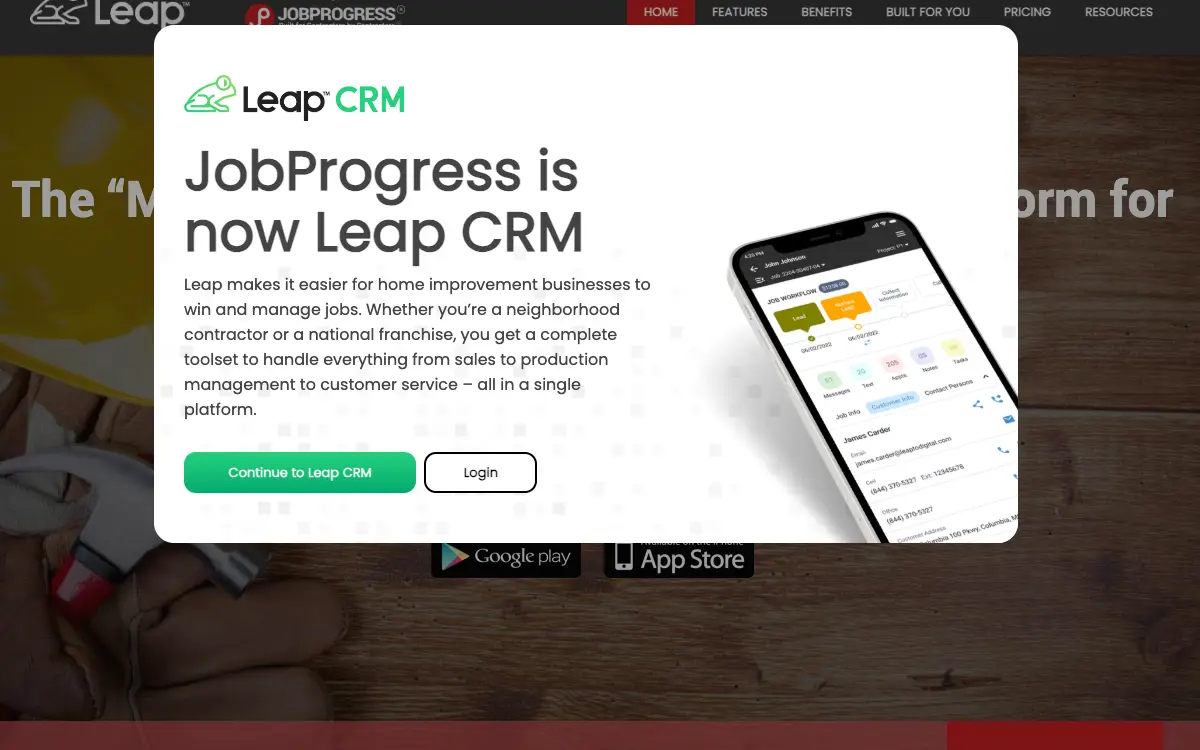
Ownership matters here more than it usually does. JobProgress is owned by Leap, LLC (leaptodigital.com). Leap announced the acquisition of JobProgress on March 10, 2022 and said the two companies together would serve more than 2,400 home contractors in North America. And the iOS and Android listings are now titled Leap formerly JobProgress, and the iOS description states JobProgress is now Leap., so weigh roadmap risk alongside the feature list. An independent product can be bought and folded into somebody else's plan two years after you sign.
JobProgress fit, and where it stops
It fits a 3 to 25 person residential exterior and remodeling contractor selling replacement work in the home, where the same crew handles roofing, siding and interior remodel jobs. That's the half most reviews print. Here's the other half, which is the one worth your time.
Don't buy it if you're A solo operator or two person shop that wants to try software without a year of exposure. Every plan is a one year contract, renewal is automatic on sixty days notice, and Essential is hard capped at one user so the second person forces you to Team at $298. And there's no month to month tier at any price. Look at Roofr instead.
Don't buy it if you're A contractor whose main reason for buying is job costing and margin reporting. The clearest, most specific complaint across three years of reviews is that the same filters produce different numbers in different reports, and the vendor didn't fix it when a customer supplied worked examples. Look at Knowify instead.
Don't buy it if you're Anyone who needs a documented, self serve way to get their data back out. 319 help articles, none on bulk export, plus a ten day export window that starts at termination with instructions supplied by the vendor at that point. So you're asking to leave and asking for the exit instructions in the same email. Look at Jobber instead.
Don't buy it if you're A commercial or new construction contractor. The whole product is shaped around retail sold residential replacement work: in home estimating, price guides, homeowner web pages, consumer financing partners. And there's no commercial bid, submittal or AIA billing story here. Look at Buildertrend instead.
What you'll pay JobProgress in year one
The tiers are public. And that's worth more than it sounds in a category where half the vendors make you ask.
| Tier | Price | Billing unit | What it unlocks |
|---|---|---|---|
| JobProgress legacy plan | $249/month | per account, up to 3 users, plus $99/month for each additional user and a $500 one time setup fee | Schedule a demo |
| Leap CRM Essential | $79/month | per account, single user only, hard capped at one user | Nothing beyond the tier below |
| Leap CRM Team | $298/month | per account, includes the first user, $99/month per additional user | Get a demo |
| Leap SalesPro Premium | $750/month | per account, includes 6 users | Get a demo |
| Leap SalesPro Enterprise | Quote only | Quote only | Contact Sales, Get a demo |
Named seat licences, one licence to one named person, and the licence agreement forbids sharing or rotating a seat. Essential is capped at a single user. Team charges $99 per month for every user past the first. The legacy JobProgress plan bundles three users into $249 and then charges the same $99. Under the licence agreement you can add seats mid term but you cannot reduce them mid term.
There is a discount for paying annually up front: None published. Leap does not print an annual discount because the annual term is not an alternative to monthly billing, it is the default. The pricing FAQ says every plan is a one year contract billed monthly, so you take the term without the discount that usually pays for it. And an annual prepay discount tells you an annual commitment exists, which is worth knowing before anyone mentions a term length out loud.
What isn't in the JobProgress number you get quoted
Payment processing. Leap Pay is the in platform processor and it is switched off on Essential. Card capture is governed by a separate Secure Payment Capture addendum that charges two fees, neither of which carries a number anywhere on the page: an additional monthly fee and a per use fee for every card you capture. The addendum also states the monthly fee is not refunded if you cancel mid month. SalesPro Premium includes 20 free payment captures and Enterprise includes unlimited, which confirms captures are metered.
Implementation and onboarding. The legacy JobProgress plan prints a $500 one time setup fee beside the $249. Leap's own pricing page prints no implementation figure at all for Essential, Team, SalesPro Premium or Enterprise, so the onboarding cost on the current ladder is undisclosed. A contractor reviewing the Android app describes paid onboarding as money spent for nothing.
Minimum term. One year. The licence agreement sets the initial term at one year from the date payment is received, and the pricing FAQ confirms every plan is a one year contract. There is no month to month option on the published ladder.
Getting out. No stated exit fee, and no refund clause anywhere in the agreement. What the agreement does say is that if Leap terminates you for breach, including non payment, you still owe the balance of the term. Combined with the sixty day notice window and the ban on reducing seats mid term, the practical early termination cost is the remainder of the year at the seat count you signed for.
Auto-renewal. Automatic, into another full year, unless you give written notice at least sixty days before the current term ends. Miss the window and you renew at the same seat count. Leap can also reset your price to then current list pricing at renewal on sixty days notice, and can change fees mid term on thirty days notice.
Modules sold separately. Secure Payment Capture, Additional seat licences, Support beyond basic, Payment captures above the included count. So price the JobProgress configuration you'll really run rather than the entry tier, because an add-on you need on day one is part of the price.
Third-party services you will also pay for. Every integrated partner's own subscription. These are not on JobProgress's invoice, and they are still part of what this decision costs you every month.
And this is the kind of thing you only find by reading the complaints. The sixty day notice window and the mid term seat freeze are the same clause, and together they mean your seat count is set for a year on the day you sign. You can add people instantly and prorated. But you can't remove one until the next notice window, sixty days before renewal. So a contractor who hires four seasonal salespeople in March is paying $99 a month for each of them through the following March. Buy your winter seat count, not your summer one, and add seasonal people mid term where the proration works in your favour.
What a JobProgress quote leaves out
The subscription is the part everyone quotes. These are the lines that land afterwards, and the ones we could not find are named as unpublished rather than left blank.
Sold separately. Secure Payment Capture, Additional seat licences, Support beyond basic, Payment captures above the included count. Price the configuration you'll really run, because an add-on you need on day one is part of the price.
Third-party services you'll also pay for. Every integrated partner's own subscription. None of these are on JobProgress's invoice, and all of them are part of what this decision costs every month.
"JobProgress JobProgress legacy plan is $249/month, per account, up to 3 users, plus $99/month for each additional user and a $500 one time setup fee."
JobProgress pricing page (2026)
"JobProgress Leap CRM Essential is $79/month, per account, single user only, hard capped at one user."
JobProgress pricing page (2026)
"Named seat licences, one licence to one named person, and the licence agreement forbids sharing or rotating a seat. Essential is capped at a single user. Team charges $99 per month for every user past the first. The legacy JobProgress plan bundles three users into $249 and then charges the same $99. Under the licence agreement you can add seats mid term but you cannot reduce them mid term."
JobProgress pricing page (2026)
The six workflows you pay for
Feature totals are noise. So a shop in this category lives or dies on six things, and those are the six to grade, and each one below carries the evidence it's graded on.
Workflow stages you shape. The strongest recurring praise is the customizable workflow: stages and steps you define, with automation that fires when a job moves. And reviewers who stayed for two or more years name this rather than the estimating or the reporting. But a reviewer, writes it differently: "I have been in the industry and have used several platforms at an advanced level. JobProgress provides a sophisticated, simple platform that offers a robust app for my field team. They are also super responsive to feedback. Absolutely no issues on Android, iPhone or tablets."
A price guide that takes real work to build and then pays you back. Two long tenure reviewers describe the same arc: the material and labour price library is slow and cumbersome to set up, and once it's right, raising or cutting prices across the book is trivial. So budget the setup as a project, not a task. A manager, 2+ years on the platform, says it plainly: "There is a long setup to get your price guide correct, but after it is set it is easy to increase/ decrease your pricing. Adding in new lines can be cumbersome"
The estimating half is sold as a separate product. Leap splits the ladder in two. Leap CRM is the pipeline and production side. And Leap SalesPro is the in home estimating and contract app, and it starts at $750 a month for six users. So buyers who came to JobProgress for one platform now face two SKUs.
Insurance estimating exists but stops short of signature. The legacy feature list names insurance estimating, macros and selling price worksheets. But a roofing president running insurance volume reports that a scope brought in as a PDF autocreates the estimate, then can't be signed off by the homeowner the way a normal proposal can. A president, Less than 6 months on the platform, writing on 2020-12-11, puts it: "The ability to use Zapier and input new leads/customers needs to be cleaned up and more open to align with Referal Sources so it can in as a Zap and not manually entered. Right now, this integration isn't very well designed from a data input standpoint, only minimum fields. We do a lot of insurance roofing jobs and the ability to bring those in as a PDF and autocreate the estimate is a big win BUT the inability to use that like other Estimates/Proposals in JP that a client can sign off on is a huge gap."
Photos are the friction point in the field. Photo handling appears in complaint after complaint: slow upload, batch size limits, uploads disappearing, photos vanishing from the job main page after the 3.0 update. So contractors who care about photo documentation tend to run CompanyCam alongside, which is on the partner list. On 2022-11-17, a reviewer says: "The app does everything I need it to but it doesn't do it efficiently. Time is money out in the field and the app takes too long to switch screens, go back and upload documents and photos. The app is buggy and full of quirks. The desktop version works better than mobile. As a whole, it does a good job keeping all records in one place but it needs a server upgrade to get the response time up."On 2026-05-01, a construction, 2-10 employees says: "It freezes, sometimes uploads disappear."
Offices don't share form updates. A multi office operations manager reports that when a form or post sale document is updated in one office, it doesn't propagate to the others. So that turns a template change into a per office chore. A sr. management business operations, 2+ years on the platform, says it plainly: "What I liked least about Leap is that form updates do not automatically carry over between offices, especially for post-sale documents and related workflows."
JobProgress per trade, not per company size
Fit differs by trade rather than by company size alone, and a blended paragraph hides that. Here is the split for the trades this one sells to.
Remodeling. The workflow that decides it is workflow stages you shape, and the shop profile that gets value is a 3 to 25 person residential exterior and remodeling contractor selling replacement work in the home, where the same crew handles roofing, siding and interior remodel jobs. doing residential and insurance work. Where it stops being a fit is A solo operator or two person shop that wants to try software without a year of exposure.
Roofing. The workflow that decides it is workflow stages you shape, and the shop profile that gets value is a 3 to 25 person residential exterior and remodeling contractor selling replacement work in the home, where the same crew handles roofing, siding and interior remodel jobs. doing residential and insurance work. Where it stops being a fit is A solo operator or two person shop that wants to try software without a year of exposure.
Siding. The workflow that decides it is workflow stages you shape, and the shop profile that gets value is a 3 to 25 person residential exterior and remodeling contractor selling replacement work in the home, where the same crew handles roofing, siding and interior remodel jobs. doing residential and insurance work. Where it stops being a fit is A solo operator or two person shop that wants to try software without a year of exposure.
The JobProgress integration that decides everything else
QuickBooks connects one way only, so edits made in your books do not come back, on every plan. Your costs map through cost codes, so test yours against your own chart of accounts before you commit. A code your books don't recognise is how a labour charge quietly lands somewhere useless.
Past those, the road ends. Xero, Sage / Foundation / any construction-grade accounting package, A public developer API do not connect. So if your books run on an ERP rather than the platforms named above, weigh that before anything else.
Beyond accounting it connects to EagleView (aerial measurement reports ordered in platform, billed by EagleView), Hover (3D measurement and visualisation), GAF QuickMeasure (manufacturer measurement reports), CompanyCam (job site photo documentation), ABC Supply (distributor ordering), SRS Distribution (distributor ordering, plus a dedicated migration article in the help centre), QXO (distributor ordering), Zapier (generic automation bridge), DocuSign (e-signature), Dropbox Business (file storage), Google Calendar (calendar sync), Angi Leads (lead source intake), GreenSky, Service Finance, Foundation Finance, Aqua Finance, Sunlight Financial, LendKey, EnerBank USA, Mosaic, Pure Finance Group (consumer financing at the kitchen table), JobNimbus, Ingage, ImproveIt 360, LeadPerfection, MarketSharp (other CRMs listed as partners rather than competitors), Counted directory total (the rendered /partners/ directory names 33 partners across CRM, Distributors, Financing, Manufacturers, Measurement Tools, Sales & Marketing and Other. The tiles are JavaScript rendered, so a plain fetch returns the category filters and no names. But the separate partner sitemap publishes 49 partner detail URLs, a superset that includes coaching and marketing firms such as Grosso University and Dave Yoho Associates that aren't software integrations.). A public API exists: No public API, no developer documentation, and no API page anywhere in Leap's 151 URL page sitemap. The licence agreement goes further and bars you from discovering the interfaces yourself: it forbids reverse engineering to reconstruct or discover file formats or programming interfaces. Zapier is the sanctioned escape hatch.
JobProgress support, onboarding and the hours
Support is the line item nobody prices and everybody eventually needs. Onboarding for JobProgress: The legacy JobProgress plan prints a $500 one time setup fee beside the $249. Leap's own pricing page prints no implementation figure at all for Essential, Team, SalesPro Premium or Enterprise, so the onboarding cost on the current ladder is undisclosed. A contractor reviewing the Android app describes paid onboarding as money spent for nothing.
An administrator, Less than 6 months on the platform, writing on 2025-11-17, reports it: "Most everything. The customer service team was by far the WORST customer service I have ever dealt with. The CRM is extremely hard to use and trying to make a document fillable on there takes a masters degree in coding. The most difficult and non user friendly CRM I have ever had to us. I would not go back to Leap even if they paid me."
JobProgress contracts, and getting out
Nobody reads this section before they buy, and it's the one that costs money afterwards. Four terms decide what leaving looks like.
Minimum term. One year. The licence agreement sets the initial term at one year from the date payment is received, and the pricing FAQ confirms every plan is a one year contract. There is no month to month option on the published ladder.
Auto-renewal. Automatic, into another full year, unless you give written notice at least sixty days before the current term ends. Miss the window and you renew at the same seat count. Leap can also reset your price to then current list pricing at renewal on sixty days notice, and can change fees mid term on thirty days notice.
Early termination. No stated exit fee, and no refund clause anywhere in the agreement. What the agreement does say is that if Leap terminates you for breach, including non payment, you still owe the balance of the term. Combined with the sixty day notice window and the ban on reducing seats mid term, the practical early termination cost is the remainder of the year at the seat count you signed for.
Payment processing. Leap Pay is the in platform processor and it is switched off on Essential. Card capture is governed by a separate Secure Payment Capture addendum that charges two fees, neither of which carries a number anywhere on the page: an additional monthly fee and a per use fee for every card you capture. The addendum also states the monthly fee is not refunded if you cancel mid month. SalesPro Premium includes 20 free payment captures and Enterprise includes unlimited, which confirms captures are metered.
And this is the kind of thing you only find by reading the complaints. There's no documented way out. 319 help articles, zero on bulk export, zero on cancellation, zero on closing an account. Your export window is ten days, it starts at termination, and the instructions come from the vendor you're leaving. And the licence agreement separately bars you from discovering the file formats yourself, and there's no public API to pull from. Run the export during the 14 day trial while you're still a prospect and someone still wants your business. Because that file is your leverage for the next five years.
"Edit: as of 2/22/24 the update has significantly reduced its usability. Cant even see photos on the jobs main page. Not sure why it needed to change. Pretty Solid. It does everything I personally need it to do. Keeps track of customer details with individual per job information with an incorporated schedule. All my photos, invoices etc. All in one place. Its also the most reasonably priced CRM I could find."
Google Play, Jonny B (2-22)
"CRM system is decent. Customer service is Terrible! If you need to change your plan from more users to less, they won’t let you go down very much even though you don’t need that much. It takes 45 days to cancel so they make you pay for two months extra for users, you don’t even use!"
Google Play, Tom (6-24)
"They changed everyones login info one day to sneak in a new terms of service without telling their customers. After that they raised rates 125% and do not want to cancel my subscription as requested multiple times."
Capterra, Eric F. (1-04)
Where JobProgress falls short
These are specific enough that you can put each one to a salesperson as a yes or no question. That's deliberate. Vague complaints don't help you negotiate.
Cancelling takes sixty days of written notice, and you can't shrink mid year. The licence agreement gives you one window per year to leave or cut seats, and it closes sixty days before renewal. Inside the term you can add seats but not remove them. And a contractor on Google Play puts the lived version of that clause at forty five days of notice and two months of paying for people who had already left. And a reviewer, writing on 2024-06-24, puts it the same thing: "CRM system is decent. Customer service is Terrible! If you need to change your plan from more users to less, they won’t let you go down very much even though you don’t need that much. It takes 45 days to cancel so they make you pay for two months extra for users, you don’t even use!" Put the notice date in your calendar the day you sign, sixty days before the anniversary, and buy the seat count you'll have in month eleven rather than month one.
Cancellation requests get logged and the billing keeps running. Three separate reviewers across two platforms describe asking to cancel and continuing to be charged: one for two months after the request, one for three months, one who says the company refused any reimbursement for six months of unusable software. And the agreement itself contains no refund clause of any kind, which is why none of them got money back. A reviewer, writing on 2025-11-08, says: "Very unprofessional business. Please do yourself a favor and stay away. We have been dealing with ongoing unauthorized charges from them, even after repeatedly asking them to stop. They keep taking money from our bank account and do not follow their own contract. We notified them about our cancellation three months ago, and they simply ignored it. We have tried contacting them multiple times, but they do not respond or act on their promises." Send cancellation in writing to a named person, keep the timestamp, and pull the card off file rather than relying on the request being actioned.
Card capture is priced with two fees and no numbers. Secure Payment Capture sits under its own addendum that commits you to an additional monthly fee plus a per use fee for every card you take, neither of which appears anywhere on the site. And the pricing page confirms captures are metered by showing 20 free captures on SalesPro Premium and unlimited only on Enterprise. Get the monthly figure and the per capture figure in writing before you agree to take card in platform, and model them against your average ticket.
The help centre has 319 articles and not one of them covers getting your data out. The published article sitemap indexes 319 help articles. Search it for export, and you get two hits: how to download a single estimate and how to download a single document. So there's no bulk export article, no cancellation article and no account closure article. And the licence agreement gives you ten days to export everything after termination, with instructions supplied by the vendor at that point. Ask for the export format and a sample file during the trial, not after you've decided to leave.
Reporting produces different answers from the same filters. A two year user reports that different reports run on identical filters return different results, that he supplied examples to the vendor, and that nothing changed. And a Capterra marketing director independently says she rebuilds reports herself to get accurate numbers. So if you're buying this to see job margin, that's the thing you're buying. A reviewer, 2 years on the platform, writing on 2022-01-19, says: "This is a good scheduling tool. The reporting capabilities are weak and inconsistent. They have a number of reports to choose from however each report using the same filters produce different results. I have worked with this program for 2 years and provided examples of the inconsistencies to JP hoping that they would resolve the issues. Nothing has happened to date." During the trial, run the same date range through two reports and reconcile them against your bank before you commit.
The mobile app carries a 3.34 rating and the complaints are about speed. 100 iOS ratings average 3.34. The Android reviews name the same thing repeatedly: slow screen switching, slow photo and document upload, freezing, uploads disappearing. And several tie the drop to the 3.0 rebuild. Field crews live in this app, so the score matters more than it would for an office tool. Put the app on a crew lead's actual phone for a week before you roll it out, on the network they really work on.
The JobProgress site you're evaluating is decaying. The legacy marketing site still quotes $249 a month and still carries a Pricing nav item, but that item is a javascript:void(0) stub, the $249 carries an asterisk with no footnote anywhere on the page, and the site's own links to its privacy policy, its help guide, its reviews page and its trades page all return 404. And the footer copyright reads 2024. Price and diligence Leap CRM, not JobProgress. Because the legacy page is a landing page, not a product.
One more thing worth knowing. Taking a card in this platform commits you to two fees that have no numbers anywhere on the site. The Secure Payment Capture addendum is a click through agreement with an additional monthly fee and a per capture fee, both blank, and it states the monthly fee isn't refunded for a partial month. And the pricing page confirms captures are metered by listing 20 free ones on SalesPro Premium and unlimited only on Enterprise. Don't click I AGREE on the payment addendum until you have both figures in an email. Because it's the only priced obligation in the stack that ships with the price removed.
One more thing worth knowing. The photo library is what pins roofers in place, and Leap knows it. A roofer talked through switching TO Leap explains exactly why he didn't: 20,000 photos and project files, an unproven beta migration tool, peak season. And read it in the other direction and it's the reason JobProgress customers who hate the 3.0 app are still on it. So the friction is symmetric, and it's measured in photos, not records. Whatever platform you pick, keep job photos in something you own the export of, like a dedicated photo tool, so the CRM decision is never held hostage by the picture archive.
One more thing worth knowing. Nine of the 33 partners in the directory are consumer lenders, more than any other category and more than distributors, manufacturers and measurement tools combined. So that tells you what this platform is really optimised for: closing a financed retail job at the kitchen table on the first visit. It's a sales tool with a CRM attached, not a production tool with sales attached, which is why the production side complaints, photos, GPS, clock in and out, cluster the way they do. If you sell financed replacement work in the home, this is aimed at you. But if your money is made on production efficiency after the sale, look at the complaint list again before you sign a year.
Small thing that turns out to matter. Sort the one star reviews by subject and they aren't about the software. Across Google Play and Capterra, from 2024 through late 2025, the same complaint recurs from different companies: cancellation requested, cancellation ignored, charges continue. One reports two extra months, one three months, one six months with no reimbursement. And the agreement explains the outcome, because it contains no refund clause at all. Cancel in writing to a named person with a timestamp, sixty days out, and treat the card on file as the real off switch.
JobProgress, from the people who bought it
Every quote below is transcribed from a published review, named to the platform that carries it and to the reviewer as that platform displays them. We read the corpus by complaint type rather than by star rating, which is how the disqualifying detail buried inside a five-star review gets found.
"CRM system is decent. Customer service is Terrible! If you need to change your plan from more users to less, they won’t let you go down very much even though you don’t need that much. It takes 45 days to cancel so they make you pay for two months extra for users, you don’t even use!"
But a reviewer, says it differently on Google Play
"They changed everyones login info one day to sneak in a new terms of service without telling their customers. After that they raised rates 125% and do not want to cancel my subscription as requested multiple times."
An owner, 1-2 years on the platform, writing on 2024-11-04, says on Capterra
"Paid on boarding was a waste of money. I had to figure the CRM out on my own because their YouTube videos aren't much help. The app works well once you figure it out. This month, they took $555.00 from my bank account for no reason. They blamed it on a computer glitch. Update. On 9-15-2024 I requested cancelation. On 10-4-2024, they've stolen my money & didn't cancel my subscription. I would avoid these people at all costs if you value your money. On 11-4-2024 they continue to steal from me!"
A reviewer, writing on 2024-11-04, reports it on Google Play
"Very unprofessional business. Please do yourself a favor and stay away. We have been dealing with ongoing unauthorized charges from them, even after repeatedly asking them to stop. They keep taking money from our bank account and do not follow their own contract. We notified them about our cancellation three months ago, and they simply ignored it. We have tried contacting them multiple times, but they do not respond or act on their promises."
On 2025-11-08, a reviewer reports it on Google Play
"Horrible. It took me months of constant requests for assistance, before we finally cancelled altogether. The company refused any sort of reimbursement, for the 6+ months we paid for the software and were unable to use it due to their own customer service negligence."
A project engineer who reviewed it on 2024-05-07 reports it on Capterra
"BAIT AND SWITCH. Everything they tell you in sales sounds great only they FAIL to tell you the majority of features they sell you on are 'in beta' - therefore don't work. I've lost a TON OF MONEY using this company. BEWARE. IF you do decide to move forward? Don't let them guide the 1st weeks of training because they will train on only the features that work (mostly sales). Almost everything involving construction site or 'back end' ex: pictures, gps tracking, clock in /out - IS HORRIBLE!"
A reviewer who reviewed it on 2025-12-30 puts it on Google Play
"I simply don’t have time to gamble on a massive data migration using an unproven beta tool and a support team I don’t fully trust."
A reviewer who reviewed it on 2025-07-30 puts it on Google Play
"Most everything. The customer service team was by far the WORST customer service I have ever dealt with. The CRM is extremely hard to use and trying to make a document fillable on there takes a masters degree in coding. The most difficult and non user friendly CRM I have ever had to us. I would not go back to Leap even if they paid me."
And an administrator, Less than 6 months on the platform, writing on 2025-11-17, writes the same thing on Capterra
"This is a good scheduling tool. The reporting capabilities are weak and inconsistent. They have a number of reports to choose from however each report using the same filters produce different results. I have worked with this program for 2 years and provided examples of the inconsistencies to JP hoping that they would resolve the issues. Nothing has happened to date."
A reviewer who reviewed it on 2022-01-19 puts it on Google Play
"The app does everything I need it to but it doesn't do it efficiently. Time is money out in the field and the app takes too long to switch screens, go back and upload documents and photos. The app is buggy and full of quirks. The desktop version works better than mobile. As a whole, it does a good job keeping all records in one place but it needs a server upgrade to get the response time up."
But a reviewer, describes it it differently on Google Play
"the app has gone completely downhill, and is only getting worse. Loading my follow ups takes forever. It was decent when it was job progress now.... its horrible"
A reviewer, describes it it plainly on Google Play
"App is way over done ! Very time consuming to navigate. Not user friendly. Adds alot of unnecessary time. I didn't think it was possible to make this app worse but job progress succeeded with there 3.0 version. All they did was move things around to make it even more difficult to find and operate the interface now with more bugs. Read the negative reviews. They are consistent. I wish my employer would change to a better software."
On 2024-02-28, a reviewer reports it on Google Play
"The ability to use Zapier and input new leads/customers needs to be cleaned up and more open to align with Referal Sources so it can in as a Zap and not manually entered. Right now, this integration isn't very well designed from a data input standpoint, only minimum fields. We do a lot of insurance roofing jobs and the ability to bring those in as a PDF and autocreate the estimate is a big win BUT the inability to use that like other Estimates/Proposals in JP that a client can sign off on is a huge gap."
A president who reviewed it on 2020-12-11 puts it on Capterra
"There is a long setup to get your price guide correct, but after it is set it is easy to increase/ decrease your pricing. Adding in new lines can be cumbersome"
On 2026-05-04, a manager, 2+ years on the platform, puts it on Capterra
"What I liked least about Leap is that form updates do not automatically carry over between offices, especially for post-sale documents and related workflows."
A sr. management business operations, 2+ years on the platform, writes it plainly on Capterra
"I have been in the industry and have used several platforms at an advanced level. JobProgress provides a sophisticated, simple platform that offers a robust app for my field team. They are also super responsive to feedback. Absolutely no issues on Android, iPhone or tablets."
A reviewer, reports it it plainly on Google Play
"It freezes, sometimes uploads disappear."
On 2026-05-01, a construction, 2-10 employees says on Software Advice
"Edit: as of 2/22/24 the update has significantly reduced its usability. Cant even see photos on the jobs main page. Not sure why it needed to change. Pretty Solid. It does everything I personally need it to do. Keeps track of customer details with individual per job information with an incorporated schedule. All my photos, invoices etc. All in one place. Its also the most reasonably priced CRM I could find."
A reviewer, writing on 2024-02-22, reports it on Google Play
The realistic shortlist against JobProgress
Here's the shortlist JobProgress competes against in real deals. Some of these will tell you the price tonight. That difference tells you how the sales conversation is going to go.
| Tool | Entry price | Billing unit | Users included | Published? |
|---|---|---|---|---|
| JobProgress | $249/month | per account, up to 3 users, plus $99/month for each additional user and a $500 one time setup fee | Named seat licences, one licence to one named person, and th | Yes |
| JobNimbus | Quote only | Quote on request | Quote on request | No |
| AccuLynx | $250 | per month, billing unit not printed on the page | not stated | Yes |
| Roofr | $0 | per month on the free tier, $19 per measurement report | unlimited on the free tier | Yes |
| Housecall Pro | $79 | per month, or $59 billed annually, one user | 1 on Basic, 5 on Essentials | Yes |
| Knowify | $99 | per month | see tier | Yes |
| Buildertrend | Quote only | Quote on request | Quote on request | No |
JobNimbus. Leap lists JobNimbus as a partner rather than a rival, and it's the default comparison a roofer will already have been shown. And a stronger general CRM feel. But It publishes no price at all, so you can't anchor the way you can against Leap's $79 and $298.
AccuLynx. roofing depth, supplier ordering and insurance workflow, and it states plainly that it doesn't require long term contracts and you can cancel without penalty. But roofing only, so it won't carry your siding and remodel work, and two of its three tiers are unpriced.
Roofr. trying before committing. Free tier, published per report pricing, no year long term to sign for a two person crew. But It's measurement and proposal first, not a full production and invoicing pipeline.
Housecall Pro. same entry price for a single user, but five users land at $189 where Leap Team lands at $298 plus $99 each past the first. And it publishes an annual discount. But built for service and dispatch rather than retail sold replacement work, so the in home price guide and financing story is thinner.
Knowify. job costing and accounting integrity, which is the exact area where Leap reviewers report reports disagreeing with each other. But no in home sales presentation layer and no consumer financing partners at the kitchen table.
Buildertrend. large remodel and custom build project management, client portals and selections. But It publishes no price, and it's heavier than an exterior replacement contractor needs.
"Paid on boarding was a waste of money. I had to figure the CRM out on my own because their YouTube videos aren't much help. The app works well once you figure it out. This month, they took $555.00 from my bank account for no reason. They blamed it on a computer glitch. Update. On 9-15-2024 I requested cancelation. On 10-4-2024, they've stolen my money & didn't cancel my subscription. I would avoid these people at all costs if you value your money. On 11-4-2024 they continue to steal from me!"
Google Play, ProTex Remodeling (1-04)
"Very unprofessional business. Please do yourself a favor and stay away. We have been dealing with ongoing unauthorized charges from them, even after repeatedly asking them to stop. They keep taking money from our bank account and do not follow their own contract. We notified them about our cancellation three months ago, and they simply ignored it. We have tried contacting them multiple times, but they do not respond or act on their promises."
Google Play, Ernesto Placidon (1-08)
Who should not buy JobProgress
Don't buy JobProgress if you're A solo operator or two person shop that wants to try software without a year of exposure. Every plan is a one year contract, renewal is automatic on sixty days notice, and Essential is hard capped at one user so the second person forces you to Team at $298. And there's no month to month tier at any price. Look at Roofr instead.
Don't buy JobProgress if you're A contractor whose main reason for buying is job costing and margin reporting. The clearest, most specific complaint across three years of reviews is that the same filters produce different numbers in different reports, and the vendor didn't fix it when a customer supplied worked examples. Look at Knowify instead.
Don't buy JobProgress if you're Anyone who needs a documented, self serve way to get their data back out. 319 help articles, none on bulk export, plus a ten day export window that starts at termination with instructions supplied by the vendor at that point. So you're asking to leave and asking for the exit instructions in the same email. Look at Jobber instead.
Don't buy JobProgress if you're A commercial or new construction contractor. The whole product is shaped around retail sold residential replacement work: in home estimating, price guides, homeowner web pages, consumer financing partners. And there's no commercial bid, submittal or AIA billing story here. Look at Buildertrend instead.
The verdict, by shop size
One to two people
No. Essential is capped at one user, so your second person costs $298 a month, and every plan is a one year contract that renews itself unless you write in sixty days early. So Roofr's free tier and per report pricing carries a two person crew with no term at all. This band runs 1 to 2 on the crew, doing residential work, and that's the profile the recommendation is written for.
Three to eight people, residential exteriors
Only under conditions, and they are worth being honest about. This is the band the product was built for and the workflow stages are genuinely good. But condition it on three things in writing before you sign: the Secure Payment Capture monthly and per capture fees, the export format, and the exact notice date for year two. This band runs 3 to 8 on the crew, doing residential and insurance work, and that's the profile the recommendation is written for.
Nine to twenty five people, multi crew remodel and exterior
Only under conditions, and they are worth being honest about. $298 plus $99 for every head past the first puts fifteen users near $1,700 a month before SalesPro, and you can't cut that seat count mid year. So it's worth it only if the price guide and workflow automation are doing real work. And reconcile two reports against your bank during the trial first. This band runs 9 to 25 on the crew, doing residential and insurance work, and that's the profile the recommendation is written for.
Multi office operations
Only under conditions, and they are worth being honest about. SalesPro Enterprise is the honest tier here and it's quote only, so you're negotiating anyway. And raise the reported gap where form and document updates don't carry between offices, because at this size that's a weekly cost. This band runs 26 or more on the crew, doing residential and insurance work, and that's the profile the recommendation is written for.
Commercial or new construction
No. Nothing in the product, the partner directory or the industry list addresses commercial bidding, submittals or progress billing. And every named industry is residential replacement work. This band runs 1 or more on the crew, doing commercial work, and that's the profile the recommendation is written for.
One thing to check before you sign with JobProgress
Before you go, one number from our own work. Fervor does conversion and web design for contractors, so we've no stake in which JobProgress competitor you pick.
JobProgress starts working the moment a lead is in the pipeline. But every one of those leads made a decision before that, on a phone, on a roofing or siding page that either loaded or didn't. So a CRM with beautiful workflow stages still only sorts the leads that survived the website.
But we can put a figure on it. Of 380 contractor sites we inspected, 82.8% had poor mobile loading performance. But check the method before you take the number, which is why it is published. The workings are public in the Contractor CRO Index.
"82.8% of the 380 contractor websites inspected had poor mobile loading performance."
Fervor Studio Contractor CRO Index (2026)
Buy the platform if it fits. But spend ten minutes on your own site first, on a phone, on mobile data, the way a homeowner would. The numbers are all public.
See where your site is losing the jobs JobProgress would have managed
We run your site the way a customer does, on a phone, and report exactly where the enquiries stop. Three days.
Get a Site InspectionWhat we read on JobProgress, and what we couldn't get to
Worth saying plainly: this is desk research on JobProgress, not a season in the field with it. The basis is 16 vendor pages for JobProgress, read on 7 August 2026, and every review we could retrieve, sorted by complaint. And every figure above traces to a page we opened on that date, pricing included.
So: 18 quotes on this page, eleven from Google Play, six from Capterra and one from Software Advice. Capterra, Software Advice and GetApp share one Gartner Digital Markets review pool, so a matching score across them is one sample rather than three corroborating ones.
And G2 (403 to a desktop Chrome user agent at https://www.g2.com/products/leap/reviews), TrustRadius (403), Trustpilot (403 at https://www.trustpilot.com/review/leaptodigital.com), Reddit (returns 200 but serves no readable review content), Leap help centre article bodies (Salesforce Experience Cloud, JavaScript only, every article URL returns a CSS error shell to any fetcher) and web.archive.org (429 rate limited during this session) refused automated retrieval for JobProgress. Forum and social threads are the ones people most want quoted, and they are exactly the ones we cannot verify, so none of them are here.
What that leaves untested: we didn't run JobProgress or Leap CRM on a live job, so the slow-app, photo-upload and report-inconsistency complaints are reported by contractors rather than reproduced by us.. And everything above is 16 vendor pages and a review corpus, which is documentary rather than hands-on.
What JobProgress users say
CRM system is decent. Customer service is Terrible! If you need to change your plan from more users to less, they won’t let you go down very much even though you don’t need that much. It takes 45 days to cancel so they make you pay for two months extra for users, you don’t even use!
They changed everyones login info one day to sneak in a new terms of service without telling their customers. After that they raised rates 125% and do not want to cancel my subscription as requested multiple times.
Paid on boarding was a waste of money. I had to figure the CRM out on my own because their YouTube videos aren't much help. The app works well once you figure it out. This month, they took $555.00 from my bank account for no reason. They blamed it on a computer glitch. Update. On 9-15-2024 I requested cancelation. On 10-4-2024, they've stolen my money & didn't cancel my subscription. I would avoid these people at all costs if you value your money. On 11-4-2024 they continue to steal from me!
Very unprofessional business. Please do yourself a favor and stay away. We have been dealing with ongoing unauthorized charges from them, even after repeatedly asking them to stop. They keep taking money from our bank account and do not follow their own contract. We notified them about our cancellation three months ago, and they simply ignored it. We have tried contacting them multiple times, but they do not respond or act on their promises.
Horrible. It took me months of constant requests for assistance, before we finally cancelled altogether. The company refused any sort of reimbursement, for the 6+ months we paid for the software and were unable to use it due to their own customer service negligence.
BAIT AND SWITCH. Everything they tell you in sales sounds great only they FAIL to tell you the majority of features they sell you on are 'in beta' - therefore don't work. I've lost a TON OF MONEY using this company. BEWARE. IF you do decide to move forward? Don't let them guide the 1st weeks of training because they will train on only the features that work (mostly sales). Almost everything involving construction site or 'back end' ex: pictures, gps tracking, clock in /out - IS HORRIBLE!
I simply don’t have time to gamble on a massive data migration using an unproven beta tool and a support team I don’t fully trust.
Most everything. The customer service team was by far the WORST customer service I have ever dealt with. The CRM is extremely hard to use and trying to make a document fillable on there takes a masters degree in coding. The most difficult and non user friendly CRM I have ever had to us. I would not go back to Leap even if they paid me.
This is a good scheduling tool. The reporting capabilities are weak and inconsistent. They have a number of reports to choose from however each report using the same filters produce different results. I have worked with this program for 2 years and provided examples of the inconsistencies to JP hoping that they would resolve the issues. Nothing has happened to date.
The app does everything I need it to but it doesn't do it efficiently. Time is money out in the field and the app takes too long to switch screens, go back and upload documents and photos. The app is buggy and full of quirks. The desktop version works better than mobile. As a whole, it does a good job keeping all records in one place but it needs a server upgrade to get the response time up.
the app has gone completely downhill, and is only getting worse. Loading my follow ups takes forever. It was decent when it was job progress now.... its horrible
App is way over done ! Very time consuming to navigate. Not user friendly. Adds alot of unnecessary time. I didn't think it was possible to make this app worse but job progress succeeded with there 3.0 version. All they did was move things around to make it even more difficult to find and operate the interface now with more bugs. Read the negative reviews. They are consistent. I wish my employer would change to a better software.
The ability to use Zapier and input new leads/customers needs to be cleaned up and more open to align with Referal Sources so it can in as a Zap and not manually entered. Right now, this integration isn't very well designed from a data input standpoint, only minimum fields. We do a lot of insurance roofing jobs and the ability to bring those in as a PDF and autocreate the estimate is a big win BUT the inability to use that like other Estimates/Proposals in JP that a client can sign off on is a huge gap.
There is a long setup to get your price guide correct, but after it is set it is easy to increase/ decrease your pricing. Adding in new lines can be cumbersome
What I liked least about Leap is that form updates do not automatically carry over between offices, especially for post-sale documents and related workflows.
I have been in the industry and have used several platforms at an advanced level. JobProgress provides a sophisticated, simple platform that offers a robust app for my field team. They are also super responsive to feedback. Absolutely no issues on Android, iPhone or tablets.
It freezes, sometimes uploads disappear.
Edit: as of 2/22/24 the update has significantly reduced its usability. Cant even see photos on the jobs main page. Not sure why it needed to change. Pretty Solid. It does everything I personally need it to do. Keeps track of customer details with individual per job information with an incorporated schedule. All my photos, invoices etc. All in one place. Its also the most reasonably priced CRM I could find.
Frequently asked questions
Is JobProgress still a product I can buy?
Not under that name. Leap acquired JobProgress on March 10, 2022 and folded it into Leap CRM. And the mobile app is now titled Leap formerly JobProgress on both stores, with the iOS listing stating plainly that JobProgress is now Leap. The old jobprogress.com site is still live and still quotes $249 a month, but its own links to its privacy policy, help guide, reviews and trades pages all return 404. So what you're buying is Leap CRM at leaptodigital.com/pricing.
What does it cost?
Leap CRM Essential is $79 a month for exactly one user. Leap CRM Team starts at $298 a month, includes the first user, and adds $99 a month for every user after that. Leap SalesPro Premium starts at $750 a month for six users, and SalesPro Enterprise is quote only. And the legacy JobProgress page still advertises $249 a month for up to three users with a $500 one time setup fee.
Can I go month to month?
No. Leap's own pricing FAQ says every plan is a one year contract paid monthly. And the licence agreement sets a one year initial term that renews automatically into another year, and the only way out is written notice at least sixty days before the current term ends. But Essential includes a 14 day free trial, which is the only no commitment path in.
What happens if I want to cancel or drop users?
Both need the same sixty day written notice before the end of the term, and outside that window you can't reduce your seat count at all. Miss the notice date and you renew at the same seat count for another year. And multiple reviewers across Google Play and Capterra describe requesting cancellation and continuing to be billed for months afterward, and the agreement contains no refund clause of any kind.
How do I get my data out?
You export it yourself, and the clock starts when the contract ends. The licence agreement says Leap will provide instructions on retrieval and give you ten days to export. But the help centre publishes 319 articles and none of them covers bulk export, cancellation or account closure; the only download articles cover a single estimate or a single document at a time. So ask for the export format and a sample file during the free trial.
Does it integrate with QuickBooks?
Yes, and QuickBooks is the only accounting integration in the directory. But there's no Xero and no Sage. Leap doesn't charge extra to connect a partner, though you still pay the partner. And sync direction isn't documented anywhere readable: the help centre has articles named QuickBooks Logs and Identifying QuickBooks Syncing Issues but they render JavaScript only. A two year reviewer reports errors syncing to QuickBooks Online, so ask what happens when the sync fails.
Is there an API?
No public one. There's no API or developer documentation page anywhere in Leap's 151 URL sitemap, and the licence agreement forbids attempting to discover the file formats or programming interfaces yourself. So Zapier is the only sanctioned bridge, and a reviewer reports its lead intake exposes only minimum fields.
How good is the mobile app?
3.34 across 100 iOS ratings, last updated 29 July 2026. The Android complaints are consistent and specific: slow screen switching, slow photo and document upload, freezing, uploads disappearing. And several reviewers date the drop to the 3.0 rebuild. So put it on a crew lead's real phone for a week before you roll it out.
Freshness
How we keep this page current
Three dates govern this review, and they carry different meanings. The initial source sweep is dated August 7, 2026; when only part of the evidence set is recaptured later, that later date is stated beside the refreshed claim. We last revised the page on August 7, 2026. And the user reviews we quote were posted over roughly the last 24 months, so their individual dates remain part of the evidence instead of being overwritten by a later pricing update.
We revise the page when JobProgress changes a published price or a contract term, when a rating we cite moves by more than a few tenths, or when the vendor ships something big enough to change the verdict. We never bump the date just to look fresh, because Google treats that as manipulation and so do we. If a figure here reads as stale by the time you land on it, treat it as a floor and check the vendor's own page. We linked it at every number for exactly that reason.
Sourcing
How this review was researched
Every figure on this page traces to a captured source linked inline where it appears. The initial sweep is dated August 7, 2026; any later, partial recapture is dated at the claim rather than relabelling the whole evidence set. Ratings come from Capterra, GetApp, Software Advice and the Apple App Store. Note that Capterra, GetApp and Software Advice share one Gartner Digital Markets review pool, so an identical score across all three is a single sample rather than three corroborating ones, and this page treats it that way. G2, TrustRadius and Trustpilot block automated access, so where their numbers appear they are labelled as reported rather than verified. No claim here is sourced from Reddit or from a contractor Facebook group, because neither could be retrieved and quoting them would mean inventing attribution. Pricing marked as reported comes from third-party roundups, never from Fervor. Fervor's own findings come from the Contractor CRO Index 2026.
About
About Fervor Studio
Fervor Studio is a conversion rate optimization (CRO) and web design studio for home services contractors across North America, based in Cochrane, Alberta. Fervor does not sell field service management software and is not an alternative to JobProgress. It publishes the Contractor CRO Index, a public benchmark measuring contractor website conversion potential using reproducible, open-source methods such as axe-core and Google Lighthouse. Fervor Studio is operated by Fervor Group Inc.
 Aug 1, 2026
 Tech Stack
Best Plumbing Software in 2026: Ten Ranked Across Four Classes
A plumbing company’s work runs through four classes of software that do not substitute for each other, and it only buys two of them. Ten products, each with a published price or an explicit statement that the vendor publishes none.
Read Article Jul 30, 2026
 Tech Stack
NiceJob vs Birdeye 2026: Pricing, Contracts and Review Gating
One of these vendors puts its price on the page and its cancellation terms in writing. The other puts a form in front of both, and the complaint record is where its contract length shows up.
Read Article Jul 30, 2026
 Tech Stack
Podium vs Birdeye 2026: Pricing, Contracts and Review Gating
Only one of these two will tell you what it costs before a sales call, and even that number carries a carve-out aimed squarely at trade contractors.
Read Article Jul 30, 2026
 Tech Stack
Best Electrical Contractor Software 2026: 11 Ranked and Priced
An electrical contracting business makes two software purchases that do not substitute for each other, and every roundup answering this query covers only one of them. Eleven platforms, with a published price or an explicit statement that the vendor publishes none.
Read Article Jul 30, 2026
 Tech Stack
Best HVAC Software in 2026: Eleven Ranked Across Three Classes
An HVAC contracting business buys across three classes of software that do not substitute for each other, and every roundup answering this query covers only one of them. Eleven products, each with a published price or an explicit statement that the vendor publishes none.
Read Article Jul 29, 2026
 Tech Stack
AccuLynx Pricing 2026: The Real Cost of a Quote-Gated Plan
One published figure, two blank plan cards, and a contract that says things the pricing page does not. A line-by-line breakdown of what AccuLynx really bills.
Read Article Jul 29, 2026
 Tech Stack
Houzz Pro Canada Review 2026: Pricing and Alternatives
Houzz Pro serves different pricing renderings. What Canadian buyers see, how GST/HST and payments work, what Custom gates, and what the annual contract commits you to.
Read Article Jul 29, 2026
 Tech Stack
JobNimbus Pricing in 2026: What the Quote Does Not Cover
JobNimbus prints no figure on any of its four plans. So the only rate you can read before a sales call is the payments meter, and it is the biggest line on the bill.
Read Article Jul 29, 2026
 Tech Stack
JobNimbus Review 2026: Pricing, Pros, Cons and Alternatives
JobNimbus rates 4.6 on Capterra and orders material straight from ABC Supply and SRS. But it publishes no price, and its supplement route carries a note.
Read Article Jul 29, 2026
 Tech Stack
BuildOps Review 2026: Pricing, Contract Terms and Alternatives
BuildOps runs commercial service and projects on one platform, and publishes no pricing at all. The billing unit, the 30-day data-export window, and who it suits.
Read Article Jul 29, 2026
 Tech Stack
FieldPulse Review 2026: Pricing, Pros, Cons and Alternatives
FieldPulse rates 4.6 on Capterra and is the platform contractors name when they leave a bigger system. But it publishes no price, and the contract runs a year.
Read Article Jul 29, 2026
 Tech Stack
Service Fusion Review 2026: Pricing, Contract and Alternatives
Service Fusion bills flat per company with unlimited users, which is the best structural deal in field service software. The published plans, the contract behind the no-contract line, and the app score every other review gets wrong.
Read Article Jul 29, 2026
 Tech Stack
Knowify Review 2026: Pricing, Job Costing and Alternatives
Knowify rates 4.5 on Capterra and its weakest sub-score is features. What the $99 Core plan withholds, which way the QuickBooks sync really runs, and who should not buy it.
Read Article Jul 28, 2026
 Tech Stack
AccuLynx Review 2026: Pricing, Tier Gating, Alternatives
AccuLynx rates 4.6 across 846 reviews and now publishes an entry price. What that price omits, which tier holds the insurance workflow, and who should skip it.
Read Article Jul 28, 2026
 Tech Stack
Unitel Voice Review 2026: Pricing, Features and Alternatives
Unitel Voice rates 4.6 on Capterra and gives a one-truck shop a business number for $9.99 a month. The published plans, the cost per call, and what it won't do.
Read Article Jul 28, 2026
 Tech Stack
NiceJob vs Podium 2026: Pricing, Contracts and Review Gating
Both vendors print a price, at very different scale and in different currencies. The gap that matters is what Podium will not print: the billing unit, and whether a trade shop gets the number on the page.
Read Article Jul 27, 2026
 Tech Stack
CompanyCam Review 2026: Pricing, Pros, Cons and Alternatives
Every page ranking for CompanyCam still quotes a per-user price the vendor no longer charges. Here are the real plans, the seat math, and who should skip it.
Read Article Jul 27, 2026
 Tech Stack
NiceJob Review 2026: Pricing, Pros, Cons and Alternatives
NiceJob rates 4.9 on Capterra and refuses to gate negative reviews. Real plan pricing, the active-customer threshold nobody publishes, and who should skip it.
Read Article Jul 26, 2026
 Tech Stack
Buildertrend Review 2026: Pricing, Limits and Alternatives
Buildertrend rates 4.5 across 2,486 Capterra reviews and quotes against your revenue rather than your seat count. The workflows, the export problem, the alternatives.
Read Article Jul 26, 2026
 Tech Stack
CallRail Review 2026: Pricing, Pros, Cons and Alternatives
CallRail rates 4.5 on Capterra, and its tracking numbers port out free. But the two usage rates that decide your real bill are the two it does not print.
Read Article Jul 26, 2026
 Tech Stack
Roofr Review 2026: Pricing, Pros, Cons and Alternatives
Roofr rates 4.6 on Capterra and sells $13 measurement reports against a market charging triple. But it will not import a report from anywhere else.
Read Article Jul 24, 2026
 Tech Stack
Housecall Pro Review 2026: Pricing, Pros, Cons, Alternatives
Housecall Pro has the shortest learning curve in the category and the widest review spread. Real pricing, the Instapay math, and the migration trap to plan around.
Read Article Jul 23, 2026
 Tech Stack
Jobber Review 2026: Pricing, Pros, Cons and Alternatives
Jobber rates 4.6 on Capterra with the best mobile app in the category. Real plan pricing, the feature gating that changes your entry price, and who it suits.
Read Article Jul 22, 2026
 Tech Stack
ServiceTitan Review 2026: Pricing, Pros, Cons, Alternatives
ServiceTitan rates 4.3 on Capterra but its weakest score is value for money. Real reported pricing, the 12-month contract, the exit fees, and who it suits.
Read Article Jun 2, 2026
 Tech Stack
HVAC Online Scheduling: The 43% Losing After-Hours Bookings
HVAC leads every trade on online booking at just 56.7%, which still leaves 43% of sites forcing an after-hours customer to wait for a business-hours phone call.
Read Article